
Knowledge SuperBox
SuperBox S8 Flagship Review: Is Ultra Right for Your Main TV?





Your main television has to do more than show a good picture. It needs to open the channels you watch regularly, help you find something for the evening and remain comfortable for everyone sharing the remote. When two programs overlap or dinner runs late, a useful TV setup should give you a practical next option.
That is the focus of this SuperBox S8 flagship review: how the S8 Ultra’s supported features fit an ordinary household’s viewing routine, and what makes it a convincing choice for the television you use most.
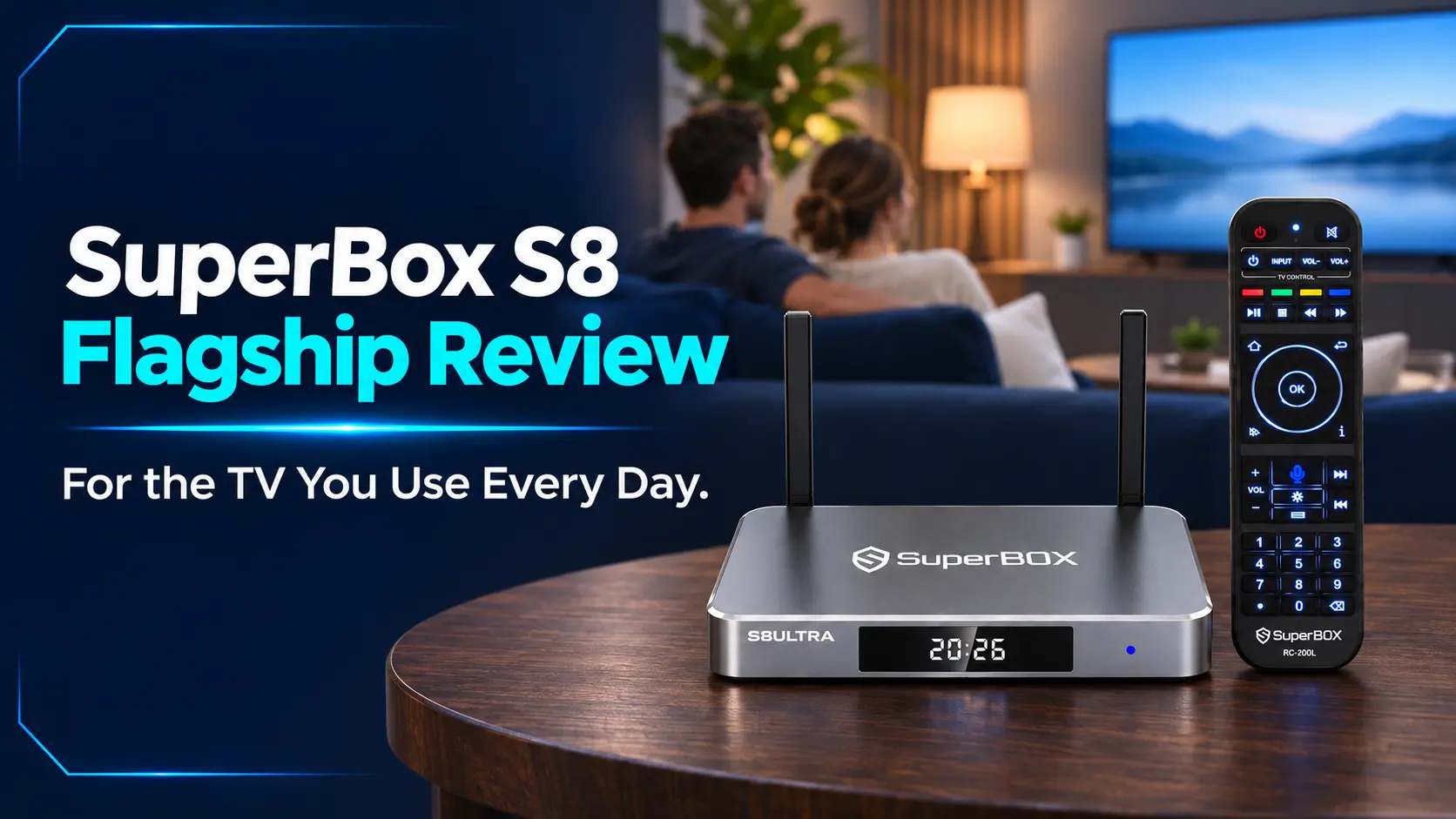
Ultra is the top model in the S8 Series, with the Premium Performance Speed tier, 128GB internal storage and an included backlit voice remote. Those are attractive specifications. Their value becomes clearer when you connect them to what happens between turning on the television and finishing the evening’s last program.
Our assessment is that S8 Ultra is particularly appealing for a shared main TV with varied viewing habits. Live channels, on-demand entertainment, supported two-channel layouts and catch-up options give it several jobs in the same setup. Its illuminated remote and larger internal capacity complete that premium package.
This is a retailer assessment based on published features and documented controls, with suggested checks for your own household. It does not claim a timed hands-on performance test.
Start with the viewing routine the box needs to support
The most useful way to judge a main-TV purchase is to picture a familiar evening. Someone opens the news, another person wants a movie, and a sports event overlaps with something else. The person who originally configured the box may not be there to explain every menu.
Write down the activities your television needs to handle before looking at individual features. Include a few exact channels and shows, because a large catalog is less useful if it does not contain the things your household actually wants.
| Everyday situation | What matters when assessing S8 Ultra |
|---|---|
| You want a familiar live channel immediately | A clear route from Home and an organized channel selection |
| Two live programs overlap | A supported second view with a layout you can comfortably follow |
| You miss the original broadcast | An available catch-up program or a recording you made yourself |
| The family chooses a movie or series | Useful search, the correct title and a straightforward way back |
| Someone else takes the remote | Visible controls and a routine they can repeat independently |
This creates a personal review standard. A feature earns its place when it improves one of those situations. You do not need to use everything the box offers to make it a good purchase.
Keep your current TV arrangement in mind, too. The Ultra connects through HDMI and uses internet for online viewing. It supplies the streaming interface; the television still supplies the screen, and your home network still supplies the connection.
The first daily test is getting to your regular channel
For a main television, finding the same morning news or evening program should become familiar quickly. This is where the S8 Home layout and Blue TV’s browsing tools have a more immediate role than an impressive storage number.
After initial setup and app installation, organize Home around the destinations you actually use. A visible live-TV shortcut and an on-demand shortcut may be enough to begin with. The S8 also supports separate number-key assignments for opening installed apps from Home.
Those two conveniences work differently. A Home icon gives you something to select on screen; an assigned remote number gives you another route into an app. The Home shortcut and number-key guide covers the settings without requiring you to fill every available position.
A short channel list is more useful than constant scrolling
Inside Blue TV, search, Favorites, Recent and custom groups provide ways to narrow the channel selection. Think of the full lineup as a library and your saved choices as the shelf you reach for most often.
For a household that mainly watches news, a few entertainment channels and weekend sports, an organized selection makes daily viewing easier. Someone interested in a wider mix can still browse without making everyone else navigate the entire catalog.
The program guide also helps answer a different question: what is on now or coming next? Finding a channel and choosing a program are related tasks, but the guide is useful when you are deciding what to watch rather than looking for a particular station.
Use the Blue TV browsing and channel-organization instructions when you are ready to set up those details. For this review, the important benefit is having several routes back to a familiar choice.
What to check in your own home: start from the TV’s normal input screen, reach your regular channel and return to Home. Ask another viewer to repeat it. If the routine feels confusing, simplify the shortcuts before adding more apps. Buying a flagship is most rewarding when its everyday path is easy to recognize.
When two programs overlap, choose what deserves your attention
Following a second live program is one of the more distinctive S8 experiences. It changes the viewing choice from repeatedly switching away to deciding how much space each program needs.
Ultra supports Picture-in-Picture and Multi-Screen within the supported live-viewing environment. Ultra and Max have the broader full supported channel Multi-Viewing scope; Pro and Plus have the designated PPV/ESPN scope in the model comparison.
PiP works best when one program is the main event
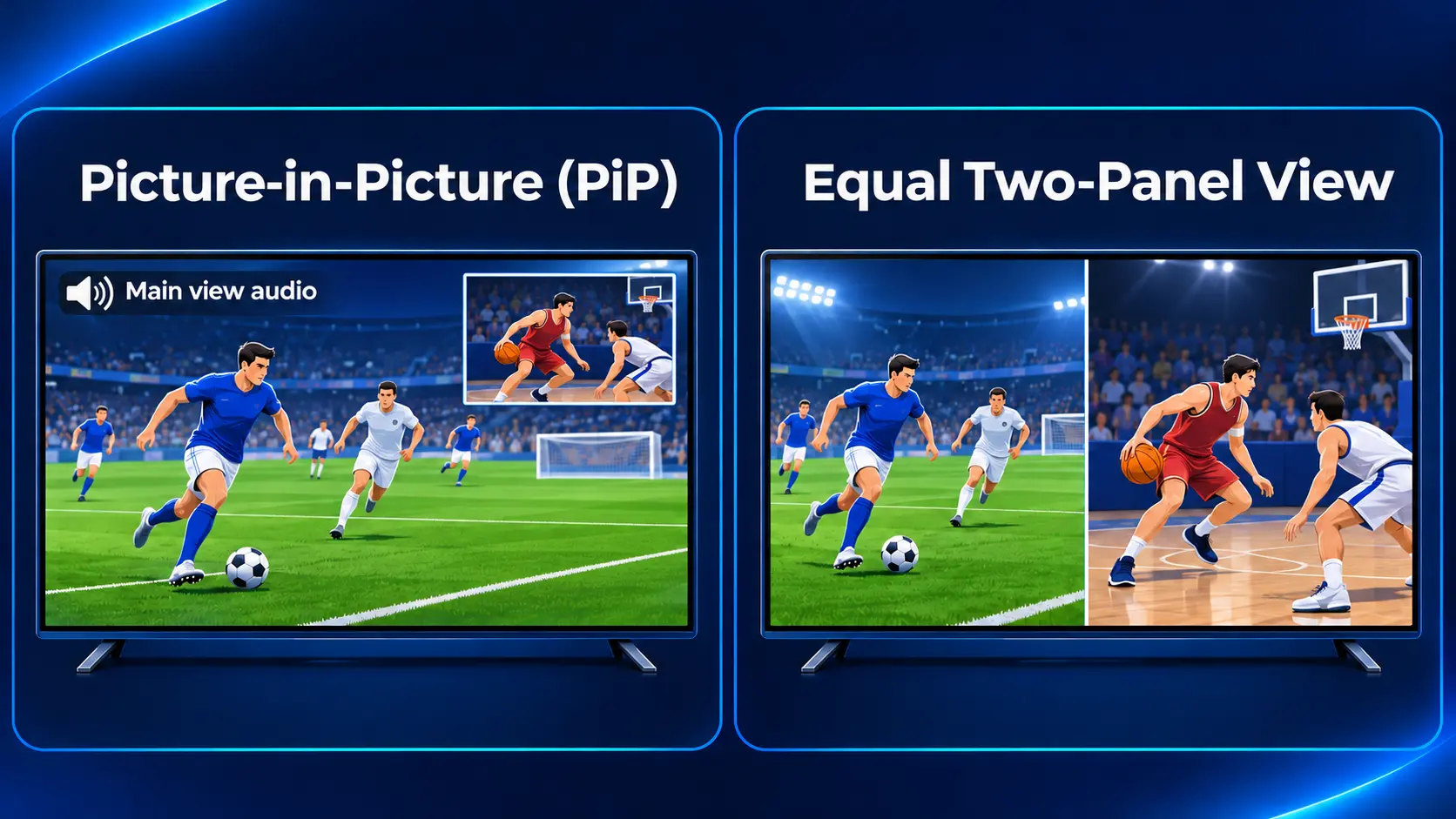
Picture-in-Picture keeps the primary channel large while a smaller second view remains visible. It suits a viewer who wants to concentrate on one game while keeping an eye on another supported live channel.
Consider two events that begin at different times. You may want the first game to remain the focus while checking whether the second has started. A smaller window can give that visual check without requiring the whole television to change channels.
There is a practical trade-off: the smaller view is harder to inspect for fine detail. Its position also matters if it covers information in the main picture. Choose the layout around what you can comfortably see from your usual seat, rather than assuming a second view is always an improvement.
Split-screen is useful when both pictures matter
Multi-Screen gives two supported channels similar space. That can be more comfortable when both events deserve attention, but each picture is smaller than normal full-screen viewing.
Audio deserves attention as well. In the documented PiP workflow, sound comes from the main channel. Seeing a second picture does not mean hearing two independent commentaries at once. Decide which program you want to listen to and use the supported controls to change focus when needed.
The PiP and Multi-Screen guide explains the controls. Here, the review question is whether you regularly encounter overlapping broadcasts. If you do, this flexibility has a clear purpose. If you mostly concentrate on one film or channel, ordinary full-screen viewing remains the sensible default.
The dedicated NFL app is also listed for Ultra and Max. Treat it as an additional viewing option, then check the actual event you want. An app name alone does not establish a particular game’s availability or replace checking its current listing.
A late dinner needs a different solution from a future recording
An everyday TV setup also has to deal with timing. Sometimes you arrive after a program aired. Sometimes you want to keep something you are watching. Those situations sound similar, but they call for different functions.
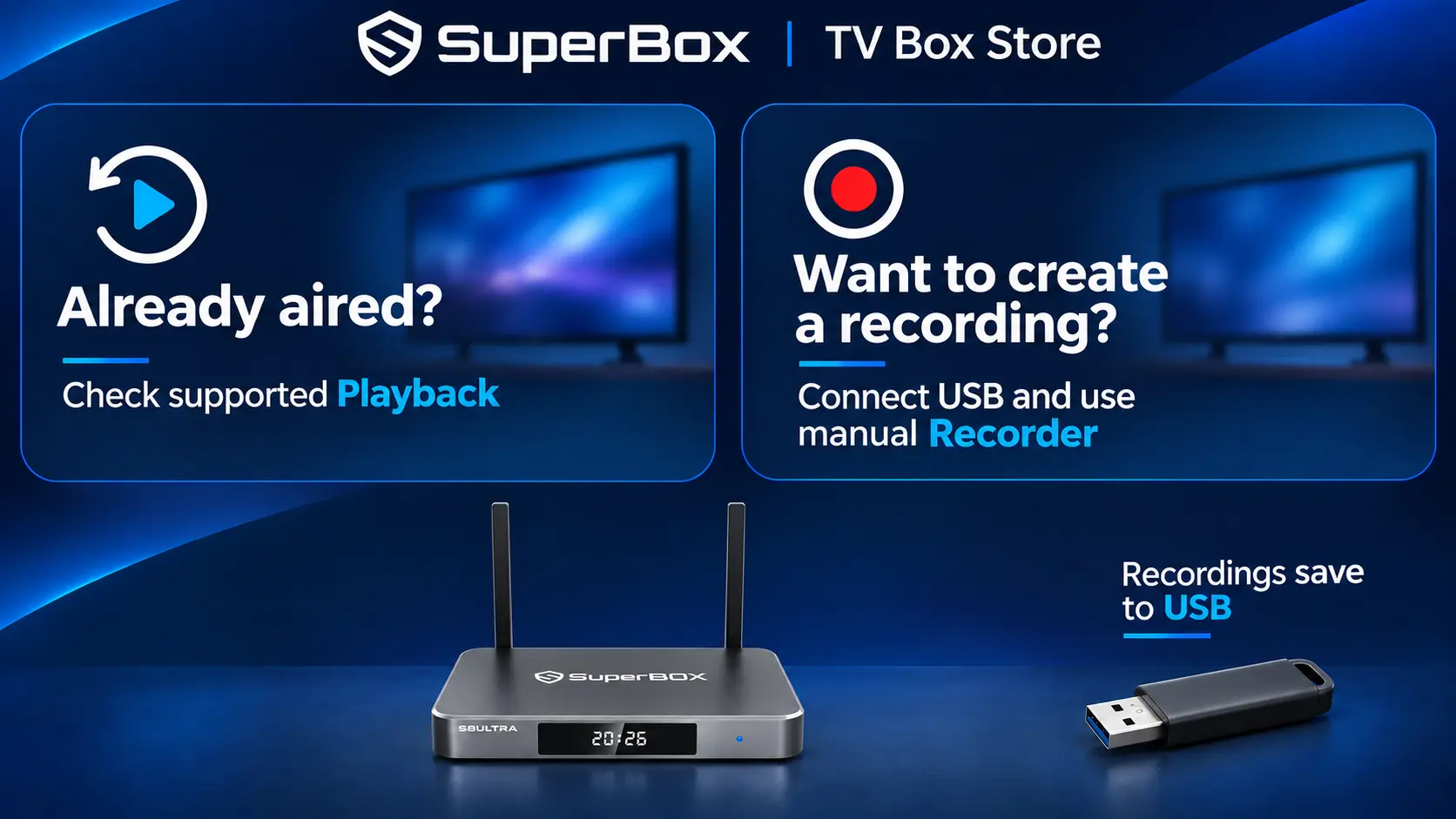
On Ultra, Playback provides access to eligible past programming, with up to seven days where supported. You look for something already available in the catch-up catalog; you do not need to have personally recorded it first.
That is useful for the viewer whose evening rarely follows a perfect schedule. Dinner, visitors or a late finish at work may mean missing the original transmission. If the program is supported and available, Playback offers another opportunity to watch.
The review condition is coverage: check the channels you would actually revisit. A seven-day feature label does not make every live broadcast a seven-day on-demand item. The S8 Playback guide explains how eligible past programs are organized.
Recorder creates a file you initiate
The built-in Recorder serves a different purpose. With a compatible USB storage device connected, you manually start and stop a supported recording. The saved file goes to the USB device, where available space affects how much you can keep.
This is useful when you want a permitted recording you can identify and reopen. It is also a feature to test before relying on it: make a short recording, stop it, find the saved file and check that it plays.
Ultra’s 128GB internal capacity is separate from that USB recording space. Buying more internal storage does not remove the USB requirement or automatically extend recording time. If recording is important to you, choose external storage for that purpose instead of using the Ultra badge as a capacity calculation.
Be specific if you are replacing a cable DVR
The documented S8 Recorder workflow uses manual Start and Stop. It should not be treated as scheduled recording of tomorrow’s program while you are away.
For someone used to setting a cable DVR once and letting it capture future episodes, that distinction affects the purchase. Playback may cover some missed programs, and manual recording serves another need, but neither should be assumed to reproduce every DVR habit.
Our assessment is positive for flexibility: Ultra gives you several ways to deal with viewing time. The best result comes from choosing the appropriate function for the situation. Follow the USB Recorder and saved-file workflow for the recording procedure.
Movie night should begin with finding the right title
After live television, the next test is often a movie or a series. Blue VOD supplies the on-demand side of the SuperBox experience, separate from Blue TV’s live channels and the Playback catalog.
The important questions are practical: can you find something the household wants, confirm the correct version and return to it later? Blue VOD’s documented search, title pages, Favorites and History help with those tasks.
For a familiar movie name, check the year and details before starting. Remakes, sequels and similarly named films can make a search result look right at first glance. For a series, choose the intended season and episode rather than assuming the first play option selects the one you want.
If nobody remembers the title, the documented search also offers cast and director filters. That gives the family another way to explore: start with the performer or filmmaker you remember, then inspect the results. Read the selected filter before judging an empty search, because a title and a person’s name are different search inputs. This flexibility is useful when choosing something together rather than arriving with an exact film name ready to type.
Favorites can hold a short list for another evening. History gives another route back to recent activity. These are particularly useful when a family chooses something together and then postpones it; remembering the exact search is less important when the item is easy to find again.
Available subtitles and player options can differ by title. Check the actual film or episode if a language or subtitle track matters to someone watching with you. The Blue VOD search, saved-title and player guide covers the controls in detail.
Review the picture you will actually receive
S8 Ultra supports 4K playback with compatible sources and displays. Its H.265 specification also lists decoding up to 6K. That decoding figure does not change the physical resolution of your television or establish that a particular movie plays at that quality.
For movie night, assess the title, app, HDMI connection and TV together. Choose a sensible output for the television and judge the picture from your normal seat. More internal storage does not improve a low-quality source, while a higher decoder specification does not establish every premium service’s supported format.
This is a useful main-TV distinction: Ultra brings a flexible viewing platform to your existing display. A screen replacement is a separate decision about picture size, brightness and the panel itself.
The handoff to another viewer is part of the premium experience
A main television is rarely a one-person device. If one family member can use all the functions while everyone else depends on that person, the setup has not yet become comfortable household technology.
Ultra’s included backlit voice remote helps in two different ways. Illuminated buttons make physical controls easier to see when the room is dim. Supported voice commands provide another way to handle some search and navigation tasks.
Backlighting is especially relevant during a movie or late-night program, when turning on a bright room light is inconvenient. It is one of Ultra’s clearest distinctions within S8: the other models include voice support, while Ultra adds illuminated buttons in the included remote.
Keep one dependable route for everyone
A shared routine can be short: select the right TV input, reach S8 Home and open the viewing app. Someone who wants more advanced features can explore them without making that starting point complicated for everyone else.
Test shortcuts from their intended starting point. A number assigned to an app on Home is different from entering a channel number inside Blue TV. A small note explaining “press Home first” can make that distinction clear for a new viewer and prevent the same remote key from seeming unpredictable.
Keep the TV remote available during the transition. The television’s input selection and the box’s app navigation are different jobs. Explaining that once can prevent a viewer from searching the TV’s own dashboard for an app installed on SuperBox.
Parental controls also deserve a household check. Review the supported restrictions inside the apps people will use rather than assuming one setting governs every possible application. Similarly, treat shared Favorites and recent activity as shared-screen information unless the app explicitly offers a different arrangement.
Our assessment: Ultra’s remote can make the most expensive S8 feel easier to live with, but sensible organization completes that benefit. Before calling the setup finished, let another viewer start a program without coaching. That tells you more about household usability than adding more shortcuts they will never use.
Judge performance across the whole viewing session
Ultra occupies the Premium Performance Speed tier, the highest listed S8 tier. Its specification includes 4GB RAM and 128GB internal storage. Those describe different resources: RAM supports active operation, while internal storage holds the system, installed apps, their data and internally kept files.
The tier provides clear product positioning. It does not provide an independently measured loading-time ratio, so this review assigns no percentage advantage over another model.
A more useful household assessment follows the complete session. Can you reach the app you want, play the program, move back to Home and open another destination? If something fails, identify which part of that route is affected.
For example, one unavailable channel is a different observation from every online app failing. A missing Home shortcut is different from an app disappearing from the installed-app list. Describing the exact result helps avoid treating every interruption as a general speed problem.
Give the main television a dependable connection
Ultra lists WiFi 6 and Gigabit Ethernet. A fixed main-TV installation is a good opportunity to choose the connection around the room rather than around the most convenient temporary cable arrangement.
If the router or a suitable network connection is nearby, Ethernet gives the box a direct wired path. If you use WiFi, check it at the television’s actual location and during the hours the household normally watches. A phone working well beside the router does not establish the connection beside the TV.
The S8 WiFi and Ethernet instructions help verify the connection. Network ratings describe capabilities; the internet plan, router, local conditions and content source still influence the stream you receive.
Use the extra storage for a real purpose
The 128GB capacity is useful for a broader compatible app collection and files you intentionally keep. It also gives a shared setup more internal room as its needs develop. Available space is lower than the headline figure because the system and installed software occupy part of it.
Watching more hours does not automatically require more storage: streaming is different from keeping complete video files. Review your app and file needs, then use the internal-storage guide if capacity is a concern. Avoid installing extras simply because room is available.
For technical or order help with a purchase made directly from superboxtvboxstore.com, email customer@superboxtvboxstore.com. SuperBox TV Box Store is an authorized retailer serving the US and Canada. We value a comfortable customer experience, and a model name, exact message and brief description of what still works give our team a useful starting point.
How much could S8 Ultra save over one year?
S8 Ultra is free to use at $0/month for its core SuperBox viewing apps after the hardware purchase. That includes the supported Blue TV, Blue VOD, Playback and Backup TV experience. The current box price is $449, so a new owner’s first-year equipment-and-core-app total is $449 + ($0 × 12) = $449.
The store advertises Blue TV with 2,000+ live channels, alongside Blue VOD’s broad movie and series selection. This gives a household a practical way to replace recurring entertainment spending when those options cover what it regularly watches.
Streaming prices multiplied by 12
The table uses US prices in USD, checked November 10, 2026, before tax. Each annual figure is the published regular monthly rate multiplied by 12, assuming that rate continues. It excludes introductory offers, prepaid annual discounts and add-ons. Internet is needed for both routes and is excluded from both.
| Streaming option | Regular monthly subscription | 12 monthly payments |
|---|---|---|
| Netflix Standard with ads | $8.99 | $8.99 × 12 = $107.88 |
| Netflix Standard | $19.99 | $19.99 × 12 = $239.88 |
| Disney+, Hulu, HBO Max Bundle — No Ads | $34.99 | $34.99 × 12 = $419.88 |
| Peacock Premium | $12.99 | $12.99 × 12 = $155.88 |
| YouTube TV main plan | $82.99 | $82.99 × 12 = $995.88 |
| S8 Ultra core viewing apps | $0.00 | $0 × 12 = $0.00 |
Example 1: replace an $82.99 monthly live-TV subscription
A household paying YouTube TV’s regular main-plan rate for 12 months spends:
$82.99 × 12 = $995.88.
If the household chooses Ultra for its main TV and cancels that subscription because SuperBox meets its viewing needs, the first-year comparison becomes:
$995.88 − $449 = $546.88 less spent in year one.
That figure includes the full Ultra purchase. Once the box is already owned, avoiding another 12 payments at that unchanged rate would remove $995.88 in annual subscription spending, with the core SuperBox apps remaining $0/month.
Example 2: reduce a five-platform entertainment stack
Consider a household keeping these subscriptions throughout the year:
- Netflix Standard: $19.99/month.
- Disney+, Hulu and HBO Max No Ads bundle: $34.99/month.
- Peacock Premium: $12.99/month.
Those three bills cover five platforms. Their combined cost is $19.99 + $34.99 + $12.99 = $67.97/month.
$67.97 × 12 = $815.64 per year.
If SuperBox satisfies the household’s entertainment needs and it discontinues all three subscriptions, the first-year difference after buying Ultra is:
$815.64 − $449 = $366.64 saved.
With the same box already purchased, another year without those unchanged subscription payments would avoid $815.64. If you retain one service, subtract its cost from the avoided spending before calculating your savings.
Make the savings match your actual viewing
The strongest financial case is replacing a substantial live-TV bill or several recurring subscriptions. One low-cost app can cost less than buying Ultra in the first year; the Netflix-with-ads row makes that clear.
Check must-have channels and programs through the store’s companion channel guide and current app availability before canceling. Ultra does not supply paid Netflix, Disney+, Hulu, HBO Max or Peacock accounts. You are choosing SuperBox’s supported entertainment instead of services you no longer need.
Home internet, optional USB storage, applicable taxes and any subscriptions you keep remain separate. The monthly-fee and retained-cost explanation helps complete that budget. For the right household, a one-time flagship purchase can therefore produce a clear reduction in recurring TV spending.
Choose the flagship package after checking the routine
As checked on November 9, 2026, SuperBox TV Box Store lists S8 Ultra at $449. Its Premium tier, 128GB capacity and backlit voice remote suit a main-TV buyer who wants those advantages together. Check the current Ultra package and listing when ready to order.
S8 Max remains relevant when broader supported Multi-Viewing and the NFL app are the priorities, with less need for Ultra’s capacity and backlighting. The detailed Max-versus-Ultra buying comparison handles that price-and-feature decision. Pro and Plus also retain the core viewing apps; the four-model comparison explains their narrower viewing scope and other differences.
For this main-TV assessment, the decisive question is whether you can picture using the Ultra’s package regularly. Occasional PiP, comfortable nighttime controls and several household viewing routes may matter more than using every advanced function every day.
Questions about using S8 Ultra as your main TV box
Can a smart TV still benefit from S8 Ultra?
Yes. The Ultra provides a separate HDMI-connected viewing interface and supported SuperBox apps. Keep using the television as the display and select its connected HDMI input. Whether the addition is worthwhile depends on the viewing options and controls you want beyond your existing TV setup.
Does Multi-Viewing let two rooms watch different programs?
No. The supported two-channel layouts show both pictures on one television. They do not create independent SuperBox viewing in another room. Plan a separate device if another TV needs its own independently controlled SuperBox session.
Will buying Ultra make an unavailable channel or movie appear?
Internal capacity and performance positioning do not establish catalog availability. Check the current app for the specific program. A film search result, an available live channel and a supported Playback entry are different things, even when they concern the same title or broadcaster.
Can the whole family use voice control instead of learning buttons?
Voice is helpful for supported tasks, but everyone should still learn Home, Back, navigation and selection. Those controls give a dependable route when a voice request is unavailable or a precise on-screen choice is needed. Complete remote pairing before assessing its voice function.
Do you need to use PiP and Recorder to justify Ultra?
No. A larger compatible app collection and comfortable nighttime controls can provide everyday value on their own. The purchase is easier to justify when you can name its useful benefits, rather than feeling obliged to use every menu item.
How should a new owner decide whether the setup is ready?
Try your regular live channel, a wanted on-demand title and any catch-up or recording function you expect to use. Confirm picture, sound and the route back to Home. Then let another household member repeat their usual viewing task. The results show which part still needs attention.
The verdict for an everyday main television
S8 Ultra’s strongest case is the combination: a premium S8 configuration that supports familiar live viewing, on-demand browsing, flexible supported layouts and different ways to handle missed programs, with a remote suited to evening use.
It is a convincing flagship choice when those functions make the main television more useful to the people sharing it. Start with their regular channels and programs, establish a comfortable daily route, and add the advanced tools when a real viewing situation calls for them.
The article was updated on:
