
Knowledge SuperBox
SuperBox S8 Max vs S8 Ultra: Is the $50 Upgrade Worth It?





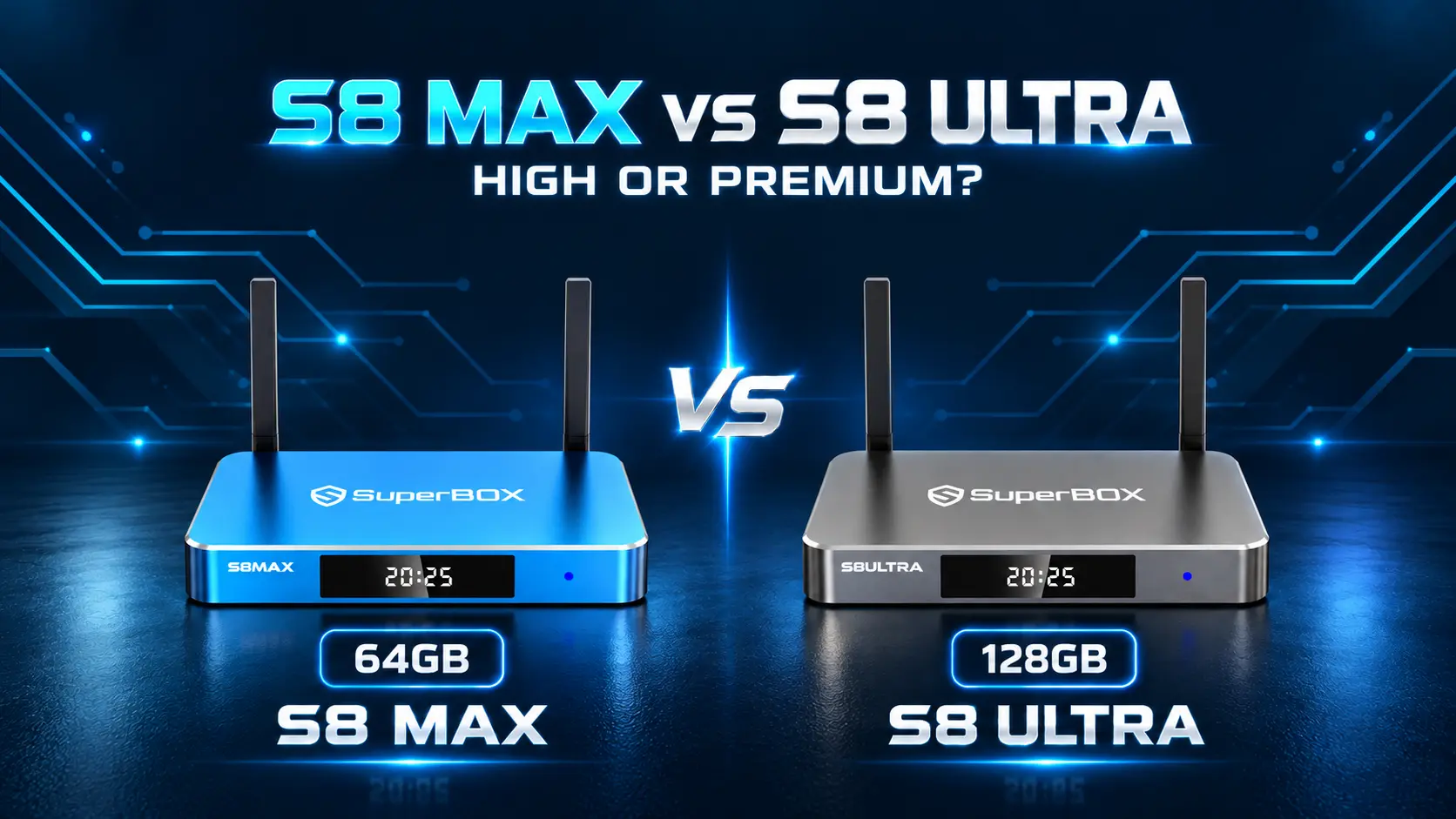
Ultra Is Back in Stock So Which Model Should You Choose?
Availability update – October 25, 2026: SuperBox S8 Ultra has been restocked at SuperBox TV Box Store. If you were waiting for the flagship, you can now compare it with Max around the features you want rather than choosing around the earlier shortage.
The listed prices checked for this guide are $399 for S8 Max and $449 for S8 Ultra, a $50 difference.
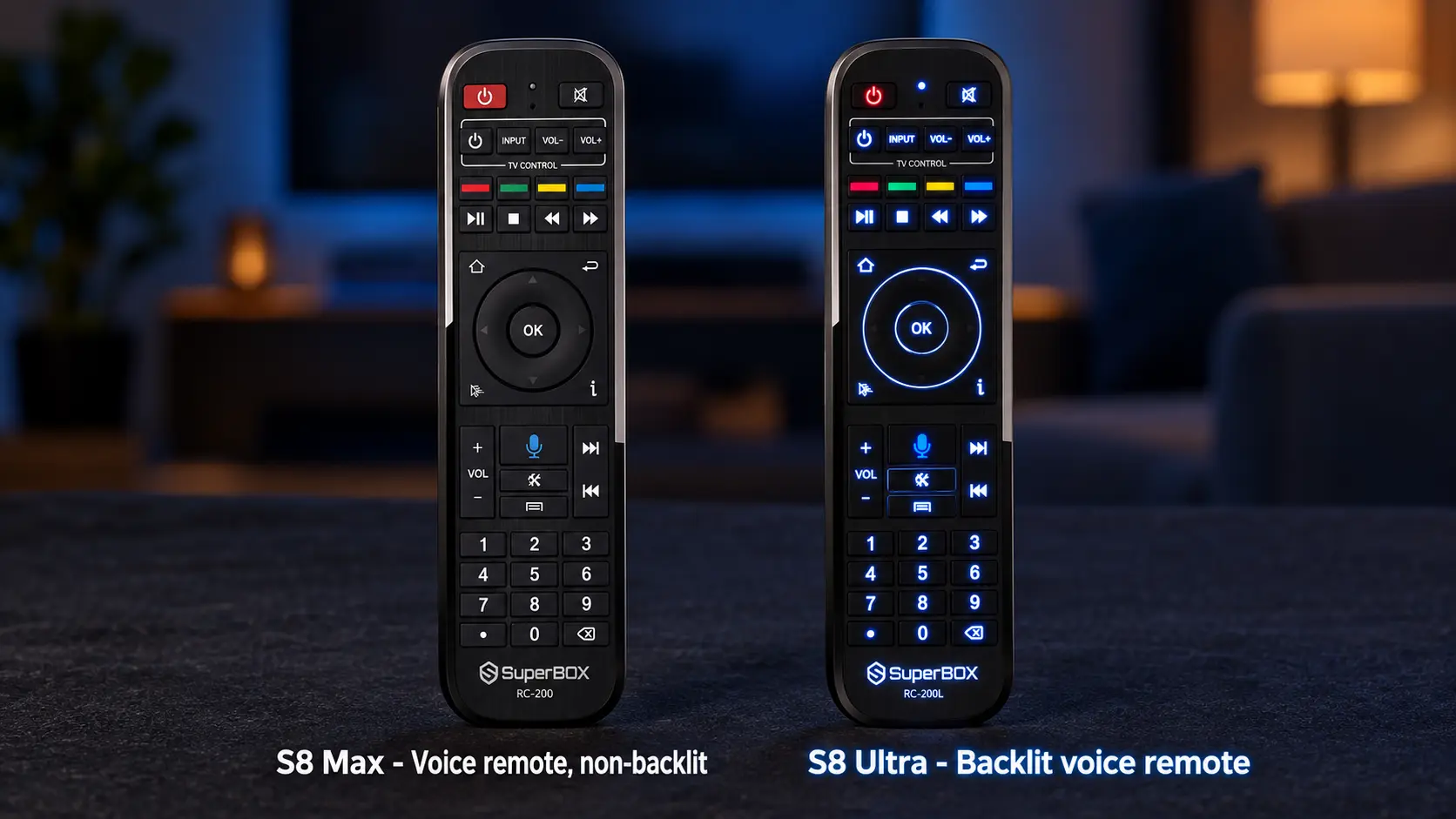
Both provide the broader supported Multi-Viewing tier and the listed NFL app. Ultra adds a Premium Performance Speed rating, 128GB internal storage, and an included backlit remote. Max offers a High Performance Speed rating and 64GB storage, with a voice-command remote that is not backlit.
Choose Max for strong value when its capacity and remote suit you. Choose Ultra when you want the Premium tier, more internal room, and illuminated controls together. The sections below explain what those differences mean in everyday use and where the two models remain closely matched.
SuperBox S8 Max vs S8 Ultra at a Glance
| Feature | SuperBox S8 Max | SuperBox S8 Ultra |
|---|---|---|
| Listed store price | $399 | $449 |
| Performance Speed | High | Premium |
| RAM | 4GB | 4GB |
| Advertised internal storage | 64GB | 128GB |
| Included backlit remote | No | Yes |
| Voice-command support | Yes | Yes |
| Multi-Viewing channel scope | Full supported channels | Full supported channels |
| NFL app listed for model | Yes | Yes |
| Blue TV, Blue VOD, Playback, Backup TV | Supported | Supported |
| Built-in recording | Manual; connected USB required | Manual; connected USB required |
| USB connections | USB-C + USB 3.0 | USB-C + USB 3.0 |
| Power connection | Type-C | Type-C |
| Network | Wi-Fi 6 + Gigabit Ethernet | Wi-Fi 6 + Gigabit Ethernet |
| Video capability | 4K playback; H.265 decoding up to 6K | 4K playback; H.265 decoding up to 6K |
| Appearance | Blue enclosure | Metallic silver enclosure |
Playback quality depends on the source and connected equipment. The 6K specification describes decoding capability; it is not a promise of 6K display output. “Full supported channels” describes the broader Multi-Viewing tier, with actual channel availability subject to app and service conditions.
High vs Premium Performance Speed
Performance Speed is one of the reasons to consider Ultra even though both models list 4GB RAM. Max is rated High; Ultra is rated Premium. Ultra occupies the higher performance tier in the S8 lineup.
That gives buyers a clear distinction beyond the storage number. If you want the flagship performance option together with the largest internal capacity and premium remote convenience, Ultra brings those priorities into one model.
Max still sits in the High tier. It is a strong option for a household that wants regular app use, movie browsing, and flexible live viewing without paying for every flagship extra.
Keep Performance and Capacity Separate
The 64GB and 128GB numbers describe what can be stored internally. They are not speed measurements. Ultra’s doubled capacity should not be read as a claim that every action takes half the time.
Actual app response and streaming also depend on software, the network, and the source being played. Choose the performance tier as part of the package, while using your app and file needs to judge capacity separately.
If you are replacing a device because one program buffers, identify the cause before expecting any upgrade to solve it. Our SuperBox buffering and freezing guide provides a practical troubleshooting sequence.
Is 128GB More Useful Than 64GB for Your Home?
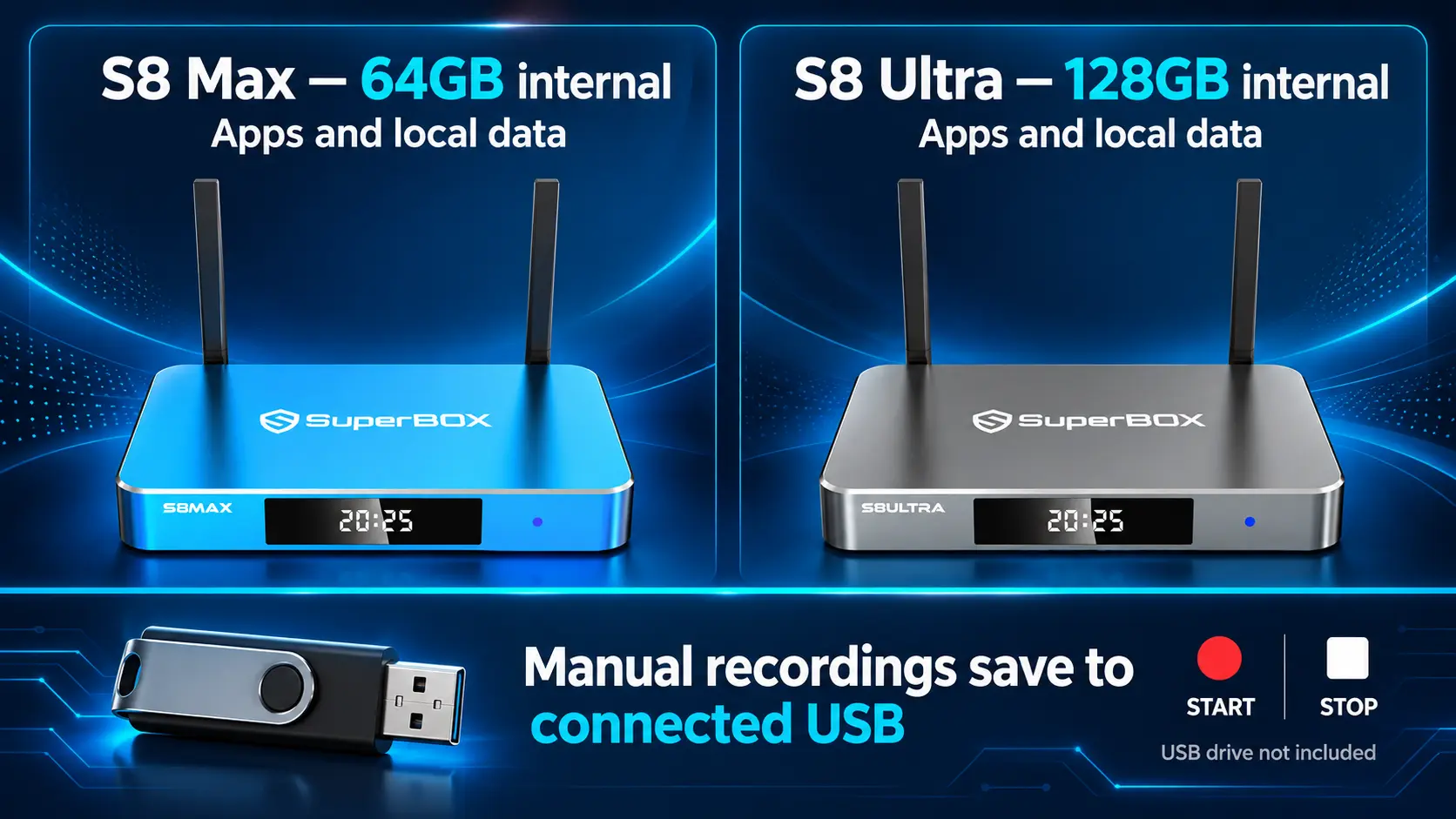
Ultra offers twice Max’s advertised internal storage. That extra room is useful when you expect to keep more compatible apps, their data, or permitted local files on the box.
For a shared television, consider everyone’s preferences. One viewer may want a familiar live app while another keeps a wider selection of compatible media tools. Ultra provides more capacity for that combined collection.
When Max’s 64GB Makes Sense
A household that mainly streams through a small group of apps may find little practical reason to move to 128GB. Watching every evening does not mean keeping every program as a complete file internally.
If you have a focused routine and do not plan to store many local files, Max’s capacity may fit comfortably. You can put the price difference toward something else your viewing setup needs.
When Ultra’s Extra Room Has a Purpose
Choose Ultra when you can identify what will use the capacity: a broader compatible app collection, more internal data, or local files, media files you want to retain. It also appeals to buyers who prefer more space available as their setup develops.
Available space after setup is lower than the headline capacity because system software and installed apps occupy part of the drive. Neither model has a universal fixed app count, since installations and app data vary.
Before deciding, write down your intended apps and files. That gives the extra capacity a practical purpose instead of treating the larger number as a requirement for everyone.
Ultra’s Backlit Remote Is a Daily Convenience
The remote is the difference you physically interact with every time you use the television.
Both models include voice-command support, but only Ultra includes illuminated buttons in this comparison. Max’s included remote is not backlit. Voice control and backlighting are separate features.
For a living room used in the evening, backlighting can make buttons easier to locate without turning on a brighter lamp. It may be especially welcome when several people share the remote or when the viewer finds dim-room controls difficult to see.
That benefit can matter more than storage for someone who already has enough capacity. You do not need to maintain a large app library to appreciate a remote that is easier to read at night.
Choose Around the Person Using It
Think about where the television sits and how the room is lit. A viewer who already uses the remote comfortably in a bright room may not place much value on backlighting. Someone who frequently watches with low lighting has a more direct reason to choose Ultra.
Voice input is available on both models for supported tasks. Complete pairing and test it in the apps you actually use; our S8 remote pairing guide explains the connection process.
The Main Viewing Features Are Shared
Unlike the step from Plus to Max, moving from Max to Ultra does not change the listed Multi-Viewing channel tier or add the NFL app for the first time. Both models already include those features.
Live Viewing and On-Demand Browsing
Both support Blue TV for live-channel use and Blue VOD for on-demand browsing. Playback and Backup TV are listed for both as well.
The larger storage capacity is not a separate promise of a larger movie catalog. Check the current programming and app behavior for anything you must have before buying around a particular title or channel.
Our Blue VOD guide covers finding movies and series. The Blue TV guide explains the live-viewing side.
Full Supported Multi-Viewing and the NFL App
Both Max and Ultra provide the broader supported Multi-Viewing tier. Picture-in-Picture keeps a primary channel large with a smaller second view, while Multi-Screen places two supported live channels beside each other.
For a sports fan whose main requirement is this channel scope, Max already covers that tier. Ultra’s appeal then comes from its Premium performance rating, extra internal capacity, and backlit remote, rather than a different Multi-Viewing list.
The NFL app is also listed on both. Confirm current programming availability if a particular event is essential. Our PiP and Multi-Screen guide covers the viewing controls without turning this comparison into another setup tutorial.
Recording Requires USB on Both Models
Built-in recording is part of the S8 experience on Max and Ultra. It requires a connected USB storage device, with the user manually starting and stopping the recording. Files save to USB, not the internal 64GB or 128GB drive.
Ultra’s larger internal capacity does not automatically double your recording space. For that function, look at available space on the connected USB device. Scheduled recording of future programs is not currently supported.
If recording is a priority, choose suitable USB storage separately and compare the boxes around their other differences. The S8 Recorder guide explains the workflow.
Playback is a separate feature for eligible previously aired programs, with up to seven days available on supported programming. It should not be confused with creating your own recording file.
Connections and First Setup Are Similar
Max and Ultra share the listed USB-C + USB 3.0 arrangement and Type-C power connection. Both offer Wi-Fi 6 and Gigabit Ethernet, so the choice between them does not force a different basic network setup.
Use the supplied power equipment for the device you own. Connect it to a compatible HDMI television, select that input, establish internet access, pair the remote, and install the apps you want through the appropriate on-device route.
The Max setup guide and Ultra setup guide cover the respective models. Apps may need installation after initial setup; do not assume a Home tile means an app is already ready to open.
Afterward, organize the Home shortcuts around your regular viewing. A few familiar choices can make either model easier to use than an unorganized collection of apps. Our S8 shortcut guide explains the customization options.
Is Ultra Worth the Extra $50?
The $50 step buys a combination of upgrades: the Premium Performance Speed tier, an additional 64GB of advertised internal capacity, and included remote backlighting.
For someone who values all three, Ultra is an appealing flagship choice. The restock means a buyer who wanted that package can consider it directly rather than settling for a different model solely because Ultra was unavailable.
Max remains a strong value choice when 64GB fits your plans and the standard voice remote suits the room. It retains the broader supported viewing features at a lower purchase price.
| Your priority | Model to consider first |
|---|---|
| Broader supported Multi-Viewing and NFL app at the lower price | S8 Max |
| Premium performance tier | S8 Ultra |
| More internal room for apps and local data | S8 Ultra |
| Included illuminated remote buttons | S8 Ultra |
| A focused app collection and comfortable use of a non-backlit remote | S8 Max |
| Manual recording | Either; plan connected USB storage separately |
If you already own a working Max, replacing it is a different decision from paying $50 extra at an initial checkout. Consider the full cost of another device and whether Ultra’s added features would meaningfully improve your routine.
Frequently Asked Questions
What Are the Main Differences Between S8 Max and Ultra?
Max has High Performance Speed, 64GB internal storage, and a non-backlit voice remote. Ultra has Premium Performance Speed, 128GB internal storage, and a backlit voice remote. Both list 4GB RAM and the broader supported viewing tier.
Is S8 Ultra Back in Stock?
Yes. SuperBox TV Box Store has confirmed that S8 Ultra has been restocked. This article’s availability update is dated October 25, 2026. Check the product page for availability when placing your order.
How Much More Does S8 Ultra Cost?
The checked listings show Max at $399 and Ultra at $449, a $50 difference. Review current product pricing and the checkout total before ordering.
Do Both Models Have the NFL App and Full Supported Multi-Viewing?
Yes. Both list the NFL app and the broader full supported channel Multi-Viewing tier. Ultra’s higher positioning does not mean Max lacks those features.
Does Ultra Have More RAM?
No. Both list 4GB RAM. Ultra doubles internal storage to 128GB and has the Premium performance rating, but the storage figure is not the RAM specification.
Can I Record Without Buying a USB Drive?
No. You need compatible connected USB storage to use built-in recording on either model. Recording is manual, and the files save to USB rather than the box’s internal drive. Use a suitable existing USB device or plan one separately.
Does Ultra Produce a Better Picture Just Because It Has 128GB?
Internal capacity does not determine the resolution of a source. Both support 4K playback with suitable content and equipment. Consider the complete model package rather than treating storage as a picture-quality setting.
Which Model Is Better for a Dark Movie Room?
Ultra deserves consideration because its included backlit remote helps you locate controls in low lighting. Max can still suit the room if a non-backlit remote is comfortable for you; choose around the viewer’s preferences.
Choose Your S8 at SuperBox TV Box Store
Choose Max if you want strong value with the broader supported entertainment features and enough internal capacity for your plans. Choose Ultra if its Premium performance tier, 128GB capacity, and backlit remote are the package you want. With Ultra restocked, both can be compared on their merits.
SuperBox TV Box Store is an authorized retailer serving customers in the US and Canada. Verify our retailer authorization using SP20250414002 at the SuperBox authorization website.
We provide model comparisons and practical setup guides to help you choose and get started. If you are unsure which model fits your home, contact our team with your viewing priorities. Review the return policy before ordering and choose the S8 you will enjoy using every day.
The article was updated on:
