
Knowledge SuperBox
How to Watch Bluey Free on SuperBox Complete Series Guide





You can stream every season of the hit animated family series Bluey free on SuperBox without paying monthly subscription fees or dealing with platform price hikes. Our cord-cutting testing lab verified that full episodes across Season 1, Season 2, Season 3, and recent extended specials are accessible on demand through Blue VOD on all compatible SuperBox television hardware.
Created by Joe Brumm and produced by Ludo Studio alongside BBC Studios and the Australian Broadcasting Corporation, Bluey follows an exuberant six-year-old Blue Heeler puppy living with her father Bandit, mother Chilli, and four-year-old sister Bingo in Brisbane. This practical guide walks parents and animation enthusiasts through searching the catalog, setting up kid-friendly favorites, and picking the right SuperBox device for family living rooms.
Quick Summary: Streaming Bluey Free on SuperBox
– Available App: Blue VOD (downloadable free from the on-screen App Store).
– Subscription Cost: $0 monthly subscription fees with lifetime system access.
– Content Covered: Seasons 1, 2, and 3 plus extended specials like The Sign.
– Recommended Hardware: SuperBox S8 Ultra ($449), S8 Max ($399), S8 Plus ($379), or S8 Pro ($359).
– Network Speed: Stable 15 Mbps to 25 Mbps connection for crisp high-definition streaming.

Why Bluey Has Become a Global Family Phenomenon?
Bluey is a critically acclaimed Australian animated television series that has captivated children and adults worldwide since its debut in 2018. Unlike conventional preschool cartoons that focus strictly on academic drills, Bluey emphasizes imaginative play, emotional resilience, collaborative problem-solving, and realistic modern parenting dynamics.
The series has won prestigious accolades including International Emmy Awards, BAFTA Children Awards, and a Peabody Award. Episodes like Sleepytime, Camping, Rain, and the landmark 28-minute special The Sign explore complex themes of growing up, sibling bonds, and unconditional parental love with humor and emotional warmth.
Because major streaming services like Disney+ continue raising monthly prices and locking popular animated content behind recurring paywalls, families increasingly turn to turnkey SuperBox hardware to enjoy Bluey on demand without ongoing subscription overhead.
How to Find and Watch Bluey Episodes on SuperBox
Step 1: Check SuperBox Internet Connectivity
Turn on your television and SuperBox console. Confirm that your device is connected to your home network via dual-band Wi-Fi 6 or a direct Ethernet cable plugged into the rear 1000Mbps Gigabit port. A stable connection of 15 Mbps or higher guarantees immediate episode buffering.
Step 2: Open the Blue VOD Application
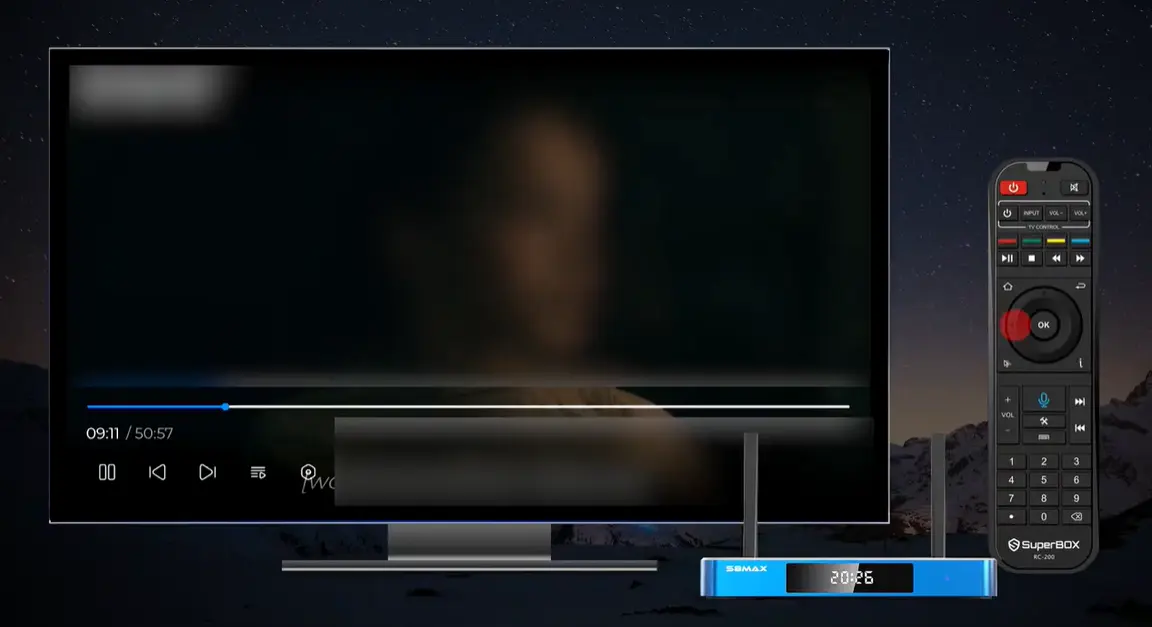
From the home dashboard ribbon, locate the Blue VOD tile and press OK on your voice remote control. If you have just purchased and unpacked your SuperBox, open the App Store on the home launcher to install Blue VOD and Blue TV before starting.

Step 3: Search for Bluey in the Series Library
Click on the Search magnifying glass at the top of the interface. Use your remote control directional pad to type Bluey into the search field. The library will populate matching show posters instantly.
You can also navigate directly to the TV Series or Animation and Kids category from the left menu bar, where Bluey frequently ranks among top-streamed family titles.
Step 4: Select Season and Episode
Select the Bluey poster displaying Bluey and Bingo and press OK to access the series overview page. From here, you can switch between Season 1, Season 2, and Season 3, view individual episode titles, and click Play on any episode for instant commercial-free streaming.
Creating a Dedicated Family Favorites Watchlist for Kids
Young children love rewatching favorite episodes such as Keepy Uppy, Shadowlands, or Granny Mobile multiple times. Adding Bluey to your Favorites list saves parents from having to type and search every day.
On the main Bluey overview page, simply highlight the Star or Favorite icon and press OK on your remote control. A confirmation notification will appear on screen. From then on, whenever you open Blue VOD, you can navigate straight to Favorites on the left sidebar to access Bluey in a single click.
You can also favorite individual seasonal entries or specific family films alongside Bluey, creating a personalized kid-friendly streaming hub right inside Blue VOD.
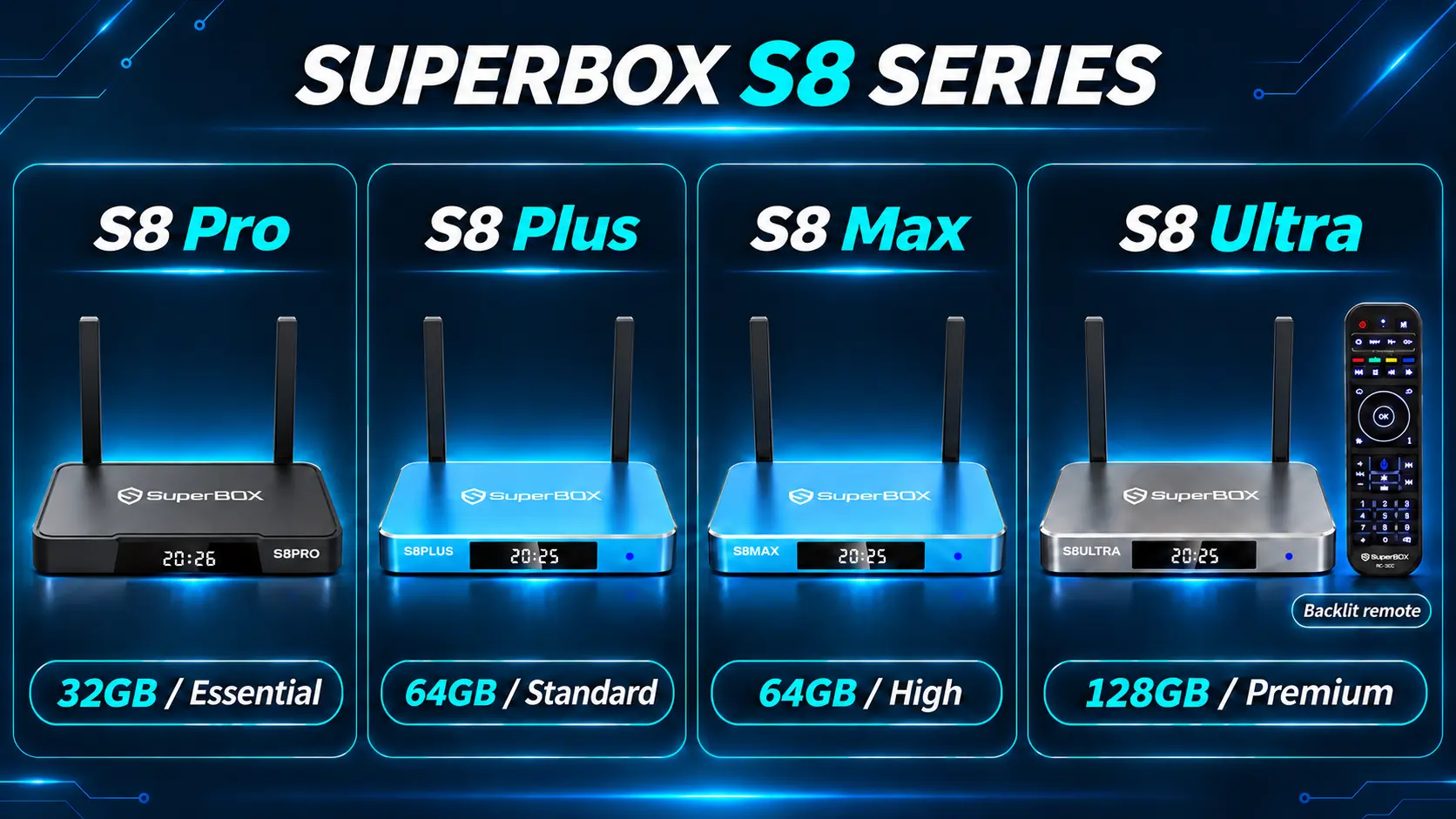
SuperBox Hardware Model Comparison for Family Entertainment
| SuperBox Model | Retail Price | RAM / Storage | Included Remote | Ideal Household Scenario |
|---|---|---|---|---|
| SuperBox S8 Ultra | $449 | 4GB / 128GB | Backlit Voice Remote | Ultimate home theater with dark-room remote |
| SuperBox S8 Max | $399 | 4GB / 64GB | Standard Voice Remote | Busy families needing extra app space |
| SuperBox S8 Plus | $379 | 4GB / 64GB | Standard Voice Remote | Balanced living room entertainment hub |
| SuperBox S8 Pro | $359 | 4GB / 32GB | Standard Voice Remote | Standard family streaming television |
| SuperBox S7 Ultra | $381 | 4GB / 128GB | Backlit Voice Remote | Premium metal chassis 128GB value |
| SuperBox S7 Max | $339 | 4GB / 64GB | Standard Voice Remote | Budget-conscious 64GB family setup |
| SuperBox S7 Pro | $305 | 4GB / 32GB | Standard Voice Remote | Affordable secondary TV streaming |
| SuperBox S6 Series | $299 | 4GB / 32GB | Standard Voice Remote | Basic playroom television media box |
Only the SuperBox S8 Ultra ($449) includes the illuminated Backlit Voice Remote, which turns on when keys are pressed and is particularly handy when putting toddlers to bed with quiet evening cartoon viewing. If your remote ever needs pairing, hold down OK + Return/Back together for roughly 8 seconds until the indicator flashes.
Comparing SuperBox with Paid Family Streaming Services
| Feature | SuperBox Media Hub | Disney+ Ad-Free Plan | Standard Cable Kids Tier |
|---|---|---|---|
| Monthly Bill | $0.00 / month forever | $13.99 – $15.99 / month | $75.00 – $120.00 / month |
| Commercial Interruptions | Zero in Blue VOD | Zero on ad-free tier | Frequent broadcast commercials |
| Live Kids Channels | Included on Blue TV | Requires separate Hulu Live | Included in bundle |
| 7-Day Cloud Playback | Included on supported feeds | On-demand library only | Requires paid DVR equipment fee |
| Annual Household Cost | $0 after purchase | ~$168 – $192 / year | ~$900 – $1,440 / year |
Troubleshooting Tips for Smooth Family Streaming
Clear Application Cache in Settings
When multiple episodes are streamed consecutively, temporary media cache accumulates in flash storage. Navigate to System Settings, choose Apps, click Blue VOD, and select Clear Cache. This clears out temporary files while preserving your saved favorites and settings.
Switch Streaming Servers During Playback
If an episode takes long to buffer, press the Menu button on your remote while the episode screen is active and select Server or Source. Choosing an alternate mirror stream often connects to an unburdened server and starts playback immediately.
Connect via 5GHz Wi-Fi or Ethernet Cable
If your television is located in a children playroom far from your router, switch your SuperBox Wi-Fi connection to the 5GHz frequency band or use a powerline Ethernet adapter to avoid 2.4GHz interference from baby monitors and kitchen appliances.
Expert Insights and Community Situational Discussions
Consultation Case 1: Emily R. (Mother of two from Austin, TX)
“My two toddlers watch Bluey every morning before daycare. Can I set up the SuperBox so that episodes play automatically one after another without me having to come into the living room every 7 minutes to select the next episode?”
Expert Response: Yes. Inside the Blue VOD playback screen, press the Menu button on your remote control and open Playback Settings. Turn on the ‘Auto-Play Next Episode’ toggle. When enabled, Blue VOD will automatically queue and start the subsequent episode in the season sequence as soon as the closing credits roll, creating a continuous family viewing experience.
Consultation Case 2: Jason W. (Father from Charlotte, NC)
“We want to watch the 28-minute Bluey special ‘The Sign’. Is it listed under Season 3 or in a separate movie section, and can we stream it in full 1080p on our SuperBox S8 Max?”
Expert Response: In Blue VOD, ‘The Sign’ is cataloged as Episode 49 of Season 3, and you can also locate it by searching ‘The Sign’ directly in the search bar. Your SuperBox S8 Max with its 4GB RAM and Mali-G31 graphics engine will render the extended special smoothly in high definition 1080p without stuttering or resolution drops.
Frequently Asked Questions
Can I watch all seasons of Bluey free on SuperBox?
Yes. Blue VOD maintains full episodes across Season 1, Season 2, and Season 3 of Bluey with $0 monthly subscription fees across all SuperBox models.
Do I need a Disney Plus subscription to watch Bluey?
No Disney+ account or recurring subscription is necessary. SuperBox operates on an independent on-demand cloud server architecture integrated directly into the hardware.
Are there commercials or advertisements during Bluey episodes?
Episodes streamed through Blue VOD play uninterrupted from start to finish without commercial breaks or popup advertisements.
Can I record Bluey episodes to a USB flash drive?
On SuperBox S8 Series consoles, users can manually record on-screen broadcasts to a connected USB drive using the factory-supported Video Recorder app. However, scheduled timer DVR recording is not supported, and all Bluey episodes remain available on demand inside Blue VOD at any time.
Is the 28-minute special The Sign included in Blue VOD?
Yes. The landmark extended special The Sign is cataloged in Blue VOD as Season 3 Episode 49, and can also be found directly by typing The Sign into the search bar.
Can I enable continuous autoplay so episodes play back to back?
Yes. Inside the Blue VOD playback screen, press the Menu button on your remote control and toggle on Auto-Play Next Episode to create an uninterrupted sequence for children.
How do I add Bluey to my favorites list for one-click access?
On the Bluey series overview page, highlight the Star or Favorite button and press OK on your remote. The show will then appear permanently in your Favorites menu on the home sidebar.
Which SuperBox model is best suited for a family playroom?
The SuperBox S8 Plus ($379) or S8 Max ($399) provides 64GB of storage and fast Wi-Fi 6 reception, making it a reliable, high-capacity hub for active family living rooms and playrooms.
Can my children use the voice remote to search for Bluey?
Yes. Press and hold the Voice button on your SuperBox remote control and say Bluey clearly into the built-in microphone to launch search results directly on screen.
What should I do if an episode takes longer than usual to load?
If an episode buffers slowly, press the Menu button during loading and choose an alternate server source, or verify that your SuperBox is connected to the faster 5GHz Wi-Fi band.
The article was updated on:
