
Knowledge SuperBox
SuperBox for Your Bedroom TV: What to Consider Before Buying





Having a television in the bedroom is convenient. Having your preferred programs, a simple home screen, and a remote you can use comfortably makes that television much more useful.
SuperBox can bring live channels, movies, series, and supported catch-up viewing to a bedroom screen. It also gives you a personal viewing space when someone else is using the living-room TV.
Before buying, think about the person who will use it and the room where it will stay. A box for occasional morning news has a different role from one used every evening. With the SuperBox S8 Series, you can choose the storage, performance tier, and conveniences that match that role.
Start with the programs you want in the bedroom
Write down a short list of what you expect to watch. Include the live channels you follow, the kinds of films or series you enjoy, and whether you often miss programs when they first air.
SuperBox has dedicated apps for different viewing habits:
- Blue TV offers 2000+ live TV channels, giving you a broad selection to browse for news, sports, and general entertainment.
- Blue VOD provides a large library of movies and TV series, useful when you want to choose an episode or film on your own schedule.
- Playback offers catch-up on supported programs, with eligible content available from up to the previous seven days.
The core SuperBox apps are free to use after purchasing a compatible device. They do not require separate monthly subscriptions. Internet access and any optional paid services you choose remain separate costs.
That combination can make a bedroom TV useful throughout the day. You might start with live news, return to a series in the evening, and catch up on an eligible program over the weekend.
Check the specific programming that matters to you before ordering. Channel selection, titles, and catch-up availability can vary by location and service.
Our Blue TV guide explains live-channel navigation. The Blue VOD guide shows how to find movies and episodes.
Decide whether the bedroom needs its own SuperBox
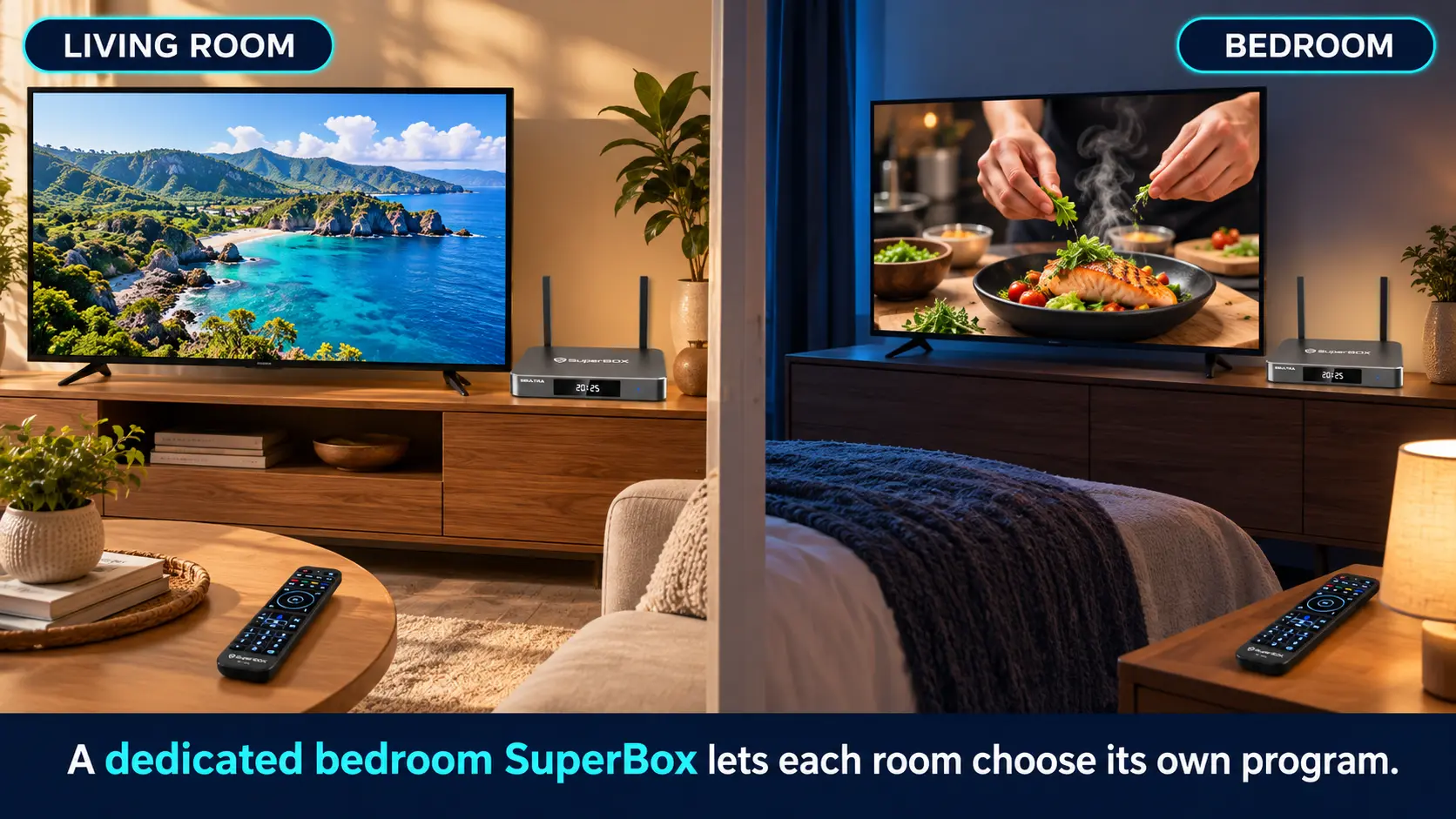
If two people want to watch different SuperBox programs on different televisions at the same time, plan for two boxes.
A bedroom unit gives that TV its own viewing session and remote. You can select an episode upstairs while someone else keeps watching a game downstairs.
If the rooms are used at different times, moving one box is another option. Consider how easy it is to reach the HDMI connection and power supply. Reconnecting a box occasionally may suit a guest bedroom; doing it every night may become inconvenient.
You can also mix models. There is no requirement to buy the same S8 for every room. Choose the bedroom unit around its user, even if the main TV has different priorities.
Before purchasing a second unit, check the total hardware budget and where each box will connect to the internet. Sharing the same household WiFi does not turn one SuperBox into two independent players.
Choose an S8 model around the person using it
The bedroom may be a secondary room, but it might be where you watch most often. Base the purchase on actual use rather than automatically choosing the smallest or largest model.
| Model | Current price in USD | Storage | Performance speed | Consider it when |
|---|---|---|---|---|
| S8 Pro | $359 | 32GB | Essential | You want the lowest S8 purchase price and a focused app selection |
| S8 Plus | $379 | 64GB | Standard | You want more internal space while keeping the budget below Max |
| S8 Max | $399 | 64GB | High | Broader supported Multi-Viewing and the NFL app matter to you |
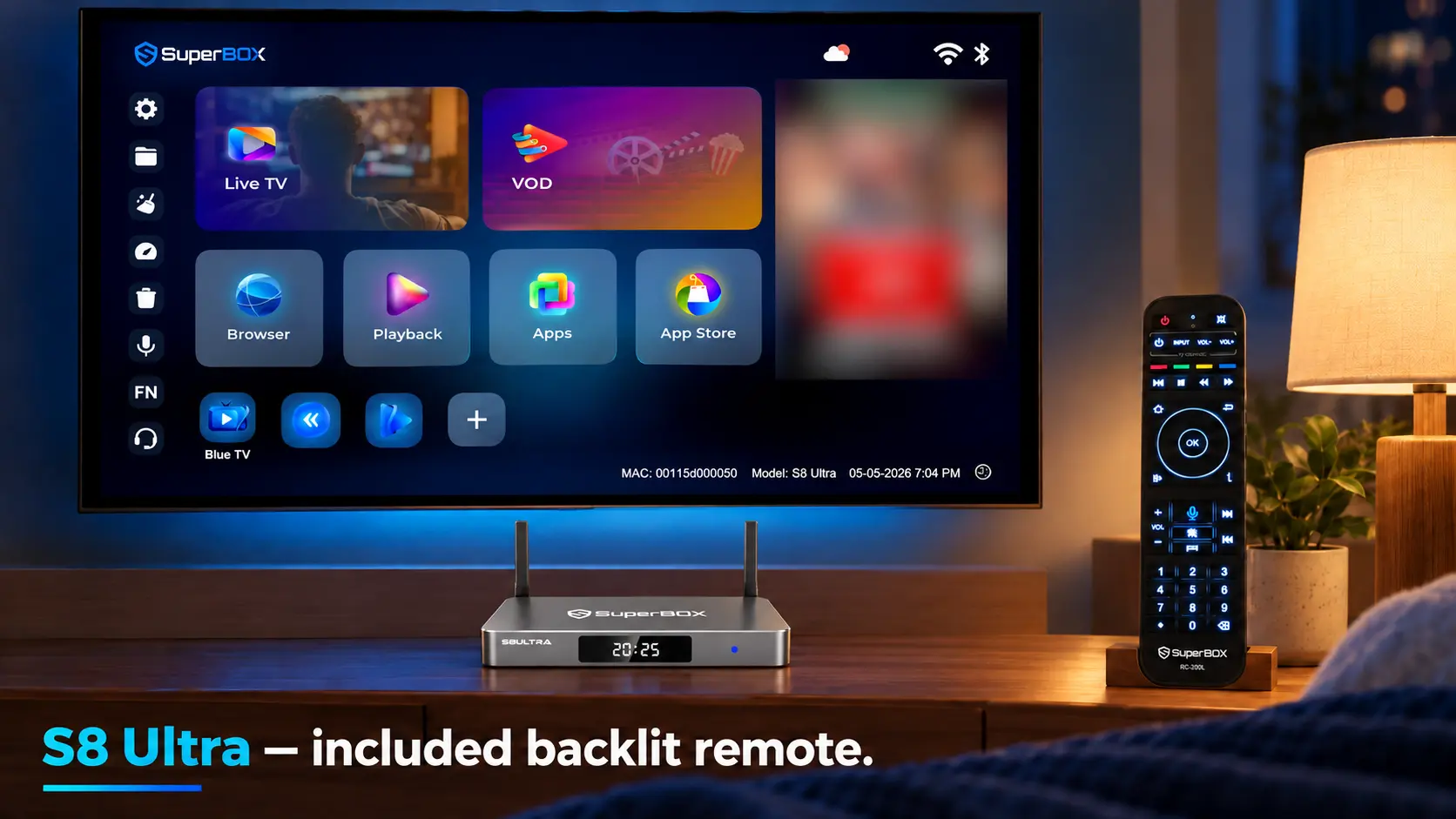
| S8 Ultra | $449 | 128GB | Premium | You want the largest storage option and an included backlit remote |
Prices checked October 26, 2026. Confirm the current price before ordering.
For a parent who prefers a familiar routine
Prioritize easy access to the programs they recognize. A carefully arranged home screen and a few practiced remote actions can make more difference to daily comfort than installing every available app.
Pro or Plus can suit a focused routine. Ultra deserves consideration if illuminated buttons would be helpful. For additional preparation ideas, see SuperBox S8 for parents and seniors.
For someone who watches almost every evening
Think about the conveniences they will use repeatedly. Ultra’s backlit remote can help with identifying buttons in a dim room, and its 128GB storage provides room for a larger compatible app collection.
Its Premium performance tier is the highest in the S8 lineup. Network quality and the selected stream still affect playback, so include the connection check in your buying decision.
For a sports viewer using a second screen
Max and Ultra offer Multi-Viewing across full supported channels and include the NFL app in their feature lists. Pro and Plus have Multi-Viewing for supported PPV and ESPN channels and do not list the NFL app.
This restriction concerns Multi-Viewing, not the entire normal single-channel selection on Pro and Plus.
From bed, two smaller viewing panels may be less comfortable than one large picture. Decide whether you actually follow overlapping events, then use our S8 sports buying guide to choose the appropriate scope.
Understand what extra storage buys you
Internal storage gives you space for the system, compatible apps, their data, and supported local files. Some advertised capacity is occupied by the operating system.
A person using a small collection of entertainment apps has different space requirements from someone who wants many additional applications. Choose enough room for your expected use rather than treating capacity as the only quality measure.
The 64GB Plus and Max demonstrate why storage is only part of the purchase. They have the same advertised internal capacity, but different performance tiers and Multi-Viewing access.
Recording is another separate consideration. S8 recording requires compatible USB storage, and recordings save to that USB device. Buying the 128GB Ultra does not replace the need for external storage when recording.
The full S8 model comparison covers the wider specifications.
Make sure the remote suits nighttime use
All S8 models include voice-command remotes, while only S8 Ultra includes backlit buttons.
If you keep a lamp on while watching, a standard remote may fit your routine. If you often lower the lights, illuminated controls may be worth including in the purchase decision.
Voice control can be convenient for supported functions, but think about whether speaking commands would disturb another person. Familiar physical buttons remain useful in a shared bedroom.
Prepare a short route into the apps you use most. On S8, home-screen shortcuts and remote number shortcuts are separate settings. Number shortcuts open their assigned apps from Home.
Follow the S8 Quick Access and number-key guide to set them up. Show anyone sharing the TV how to return Home and open their usual app.
Check the room before placing the order
A few physical checks help you avoid buying accessories or rearranging furniture unexpectedly.
| Check | What to confirm before buying |
|---|---|
| TV connection | A compatible HDMI input is available and reachable |
| Viewing position | Menus and subtitles are readable from your normal seat or bed |
| Network | WiFi reaches the intended box location, or Ethernet can be routed neatly |
| Placement | A firm, open surface has room for the box and its cables |
| Power | A suitable outlet is accessible for the supplied power equipment |
| Quiet listening | Your intended headphone or TV audio connection is supported |
Test the connection at the TV location
S8 models offer WiFi 6 and Gigabit Ethernet. A bedroom separated from the router by several rooms may need attention to coverage.
Test during the hours you expect to watch, when the rest of the household is also online. If possible, compare a direct Ethernet connection with WiFi once the box is installed.
Use the WiFi optimization guide for coverage problems. For menu instructions, follow S8 WiFi and Ethernet setup.
Leave space for the box and its power connection
Place the unit on a stable surface with ventilation. Keep bedding and pillows away, and allow cables enough room behind a wall-mounted television.
Use the supplied power equipment for the model you buy. S8 Pro, Max, and Ultra use Type-C power; S8 Plus uses a round DC connector. Plus is the model with the different power connection in this lineup.
Confirm your quiet-listening arrangement
If headphones are important, check the exact TV and headphone models. A television with Bluetooth does not necessarily support Bluetooth headphone audio.
Where supported, you can send SuperBox sound through HDMI to the TV and use the TV’s headphone connection. Sony’s compatibility guidance explains why model-specific audio support matters.
For direct headphone pairing to the box, ask about your intended combination before ordering. Test the sound and speaker behavior, and check whether speech matches the picture.
Budget for the setup you will actually use
Start with the box price, then add accessories you need: an Ethernet cable, compatible headphones, or USB storage for manual recording.
For the ongoing budget, separate internet from television expenses. SuperBox’s core apps do not add a monthly subscription, but internet access remains necessary for streaming.
If SuperBox lets you remove an unused cable package or rental box, that can create recurring savings. Check your must-watch programs first, and compare the actual expenses you can cancel. Our cord-cutting guide helps with that decision.
You can also improve the bedroom gradually. Start with the TV’s existing speakers and a reliable connection. Add audio equipment later if you find a specific need.
Make the first evening straightforward
Install the supported apps you want through the device’s internal App Store, then add their home-screen shortcuts. Our S8 app installation guide explains both stages.
Play a live channel and an on-demand title, check the remote from bed, and test any subtitle or headphone options you intend to use.
If you plan to record, make a short test first. Open Video Recorder with recognized USB storage connected, start recording, return Home, and open the supported content. Stop recording afterward and check the saved file. The feature is manual, without scheduled recording.
Follow the S8 Recorder guide for the complete workflow.
If you use a TV sleep timer, confirm what happens to the box when the TV switches off. Stop playback and use the box’s standby controls when finished.
Frequently asked questions
Is SuperBox suitable for a bedroom TV?
Yes. It can bring live channels, movies, series, and supported catch-up to a compatible HDMI-equipped television. Check the room’s internet connection, equipment placement, and preferred audio setup.
Which S8 model should I buy for the bedroom?
Pro and Plus can suit focused everyday viewing. Max offers broader supported Multi-Viewing and the NFL app. Ultra adds the largest storage capacity, Premium performance tier, and an included backlit remote.
Does the bedroom TV need to be a smart TV?
No. A compatible HDMI-equipped non-smart TV can also work with SuperBox. See our non-smart TV streaming guide for the connection basics.
Does a second SuperBox add another monthly subscription?
The core SuperBox apps are free on the compatible purchased device. A second unit adds a hardware purchase rather than a separate monthly core-app subscription. Internet and optional paid services remain separate.
Can two televisions watch different SuperBox programs at the same time?
For independent simultaneous SuperBox viewing, use a separate box for each TV. Each unit needs its own TV connection and internet access.
Is the S8 Ultra backlit remote included?
Yes. Ultra includes the backlit remote. The standard remotes included with S8 Pro, Plus, and Max do not have illuminated buttons.
Does 128GB mean more space for recordings?
S8 recordings save to connected USB storage. Ultra’s 128GB refers to internal storage for system, apps, and supported local files. Recording still requires a compatible USB device.
Where can I get help choosing a bedroom SuperBox?
Contact customer@superboxtvboxstore.com with your TV model, usual programs, and any audio requirements. For purchases made directly from our website, the same team can assist with technical and order questions.
Choose a SuperBox retailer who will help after delivery
Your bedroom setup should be comfortable to use long after the first evening. A seller who understands the models can help you choose the features that fit your household.
SuperBox TV Box Store is an authorized retailer serving the U.S. and Canada. Verify authorization code SP20250414002 through the SuperBox authorization website.
We value your experience before and after your purchase. If you ordered directly from superboxtvboxstore.com, email customer@superboxtvboxstore.com for any technical or order-related issue.
Browse the SuperBox range or contact our team to discuss the right model for your bedroom TV.
The article was updated on:
