
Knowledge SuperBox
Best Streaming Box for Bedroom: 4 Options Compared





The best streaming box for a bedroom should make a quiet evening easy. You want to find something enjoyable, operate the remote without switching on every light, and watch comfortably while someone else in the house follows a different program.
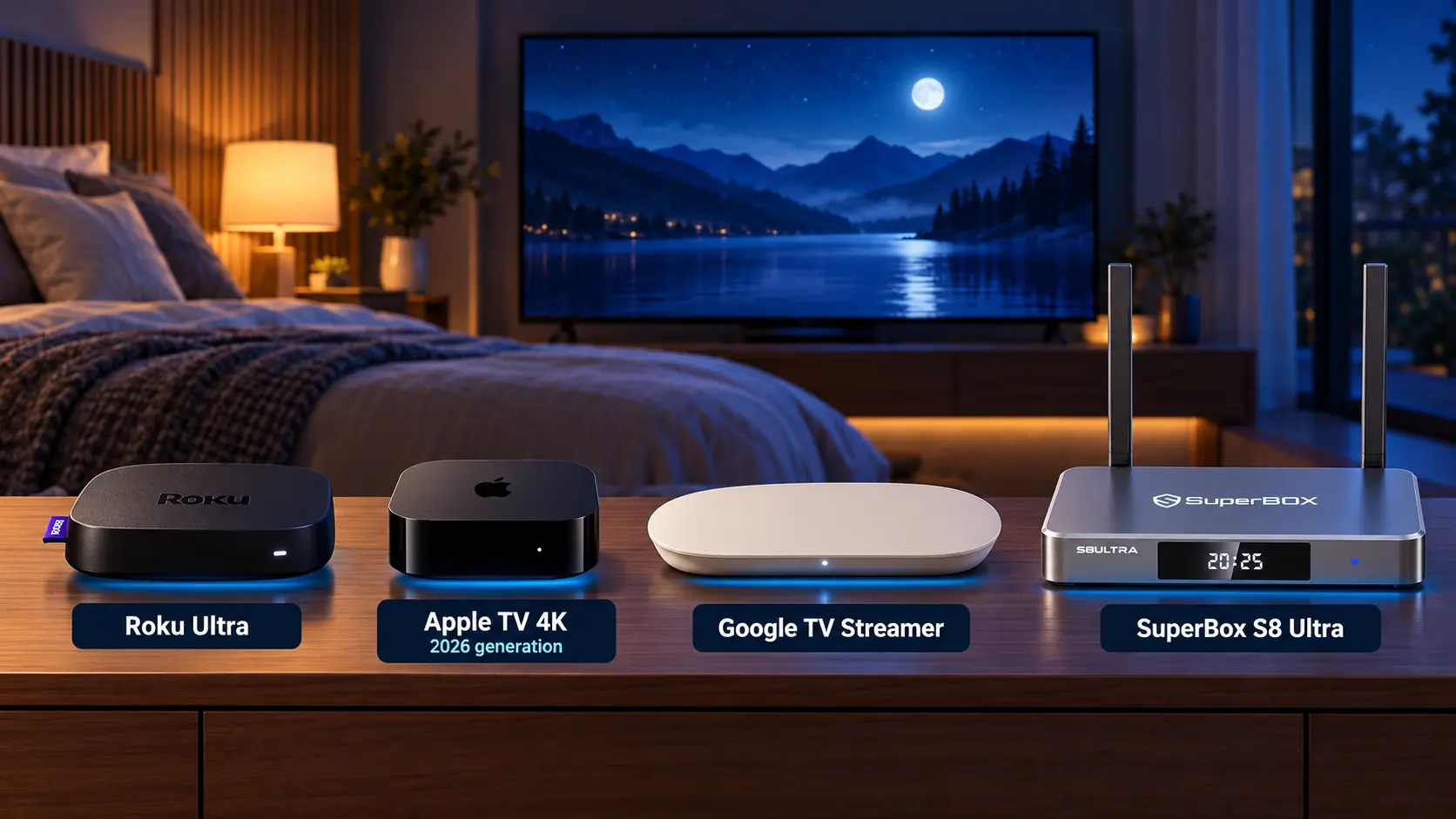
Roku Ultra, Apple TV 4K, Google TV Streamer, and SuperBox S8 Ultra all deserve consideration, but they suit different routines. Headphone support may lead your decision, or you may care more about live channels, familiar navigation, and ongoing entertainment costs.
For viewers who want a broad mix of live TV and on-demand entertainment without separate monthly subscriptions for the core SuperBox apps, S8 Ultra is a strong bedroom choice. Compare the alternatives first, then decide which features you will use every evening.
What makes a streaming box suitable for a bedroom
Start with the way you actually watch. A person finishing one episode through an existing subscription has different needs from someone who prefers browsing live channels before bed.
Prioritize these questions:
- Can you operate the remote comfortably with the lights low?
- How will you listen without disturbing anyone?
- Are your preferred programs available through the device’s supported apps?
- What will the device and your chosen viewing services cost together?
- Will your bedroom internet connection support the setup?
A remote finder helps when the controller disappears into the bedding. Illuminated buttons help you recognize controls at night. Headphone support helps with private listening. Each solves a different problem, so choose the conveniences that match your room.
Best bedroom streaming boxes at a glance
| Streaming box | Reason to consider it | Useful bedroom feature | Viewing costs to consider |
|---|---|---|---|
| Roku Ultra | An established platform for mainstream streaming apps | Included backlit remote and Bluetooth Headphone Mode | Free options plus any paid services you choose |
| Apple TV 4K | Apple-device households and compatible AirPods users | Audio sharing with two compatible headphone pairs | Hardware plus chosen subscriptions or rentals |
| Google TV Streamer 4K | Viewers who prefer Google TV | Find My Remote and compatible Bluetooth headphones | Free options plus chosen subscriptions |
| SuperBox S8 Ultra | Live-channel viewing alongside movies and series | Included backlit remote, Quick Access, and supported catch-up | Upfront device; core SuperBox apps free; internet separate |
Apple’s newly announced fourth-generation Apple TV 4K is available to preorder, with availability beginning November 13, 2026. Check the generation and delivery date when ordering.
1 Roku Ultra for a backlit remote and private listening
Roku Ultra makes a useful shortlist when quiet listening and convenient controls are priorities.
Its included Voice Remote Pro has backlit buttons, a rechargeable battery, and a lost remote finder. Bluetooth Headphone Mode lets you connect compatible headphones directly to the player, which is useful when someone beside you wants silence.
Roku offers free entertainment as well as subscription services. Decide whether the particular channels and shows you want are free or require a paid plan. It can suit a bedroom where the household already enjoys the Roku interface and mainly wants familiar streaming apps.
2 Apple TV 4K for compatible AirPods and shared listening
Apple TV 4K is worth considering if compatible Apple headphones are already part of your routine.
Apple supports sending sound to two pairs of compatible AirPods or Beats headphones. That gives a couple a practical way to watch together without using the TV speakers. Apple’s audio-sharing instructions identify the supported workflow.
The announced fourth-generation model includes an A19 chip, 128GB storage, and Gigabit Ethernet. Its November availability matters if you are choosing equipment for immediate use.
Choose it for the Apple experience and your preferred supported services. Include paid subscriptions and rentals in the budget rather than assuming the hardware purchase includes them.
3 Google TV Streamer for Google TV and a remote finder
Google TV Streamer 4K offers 32GB storage and Gigabit Ethernet, with Google TV as its viewing platform.
Its Find My Remote feature can make the paired remote ring when it slips out of sight. Google also documents Bluetooth headphone connections, with one audio device connected at a time.
This is a relevant choice when you prefer Google TV and want access to its supported streaming services. Check the apps available in your region and which require subscriptions. Google specifies that the HDMI cable is sold separately, so include one in your setup budget if needed.
4 SuperBox S8 Ultra for live TV and everyday entertainment
SuperBox S8 Ultra deserves particular attention if you want your bedroom TV to combine a familiar live-channel routine with an extensive choice of movies and series. Its competitive appeal brings together entertainment variety, nighttime controls, and core apps without monthly subscription charges.
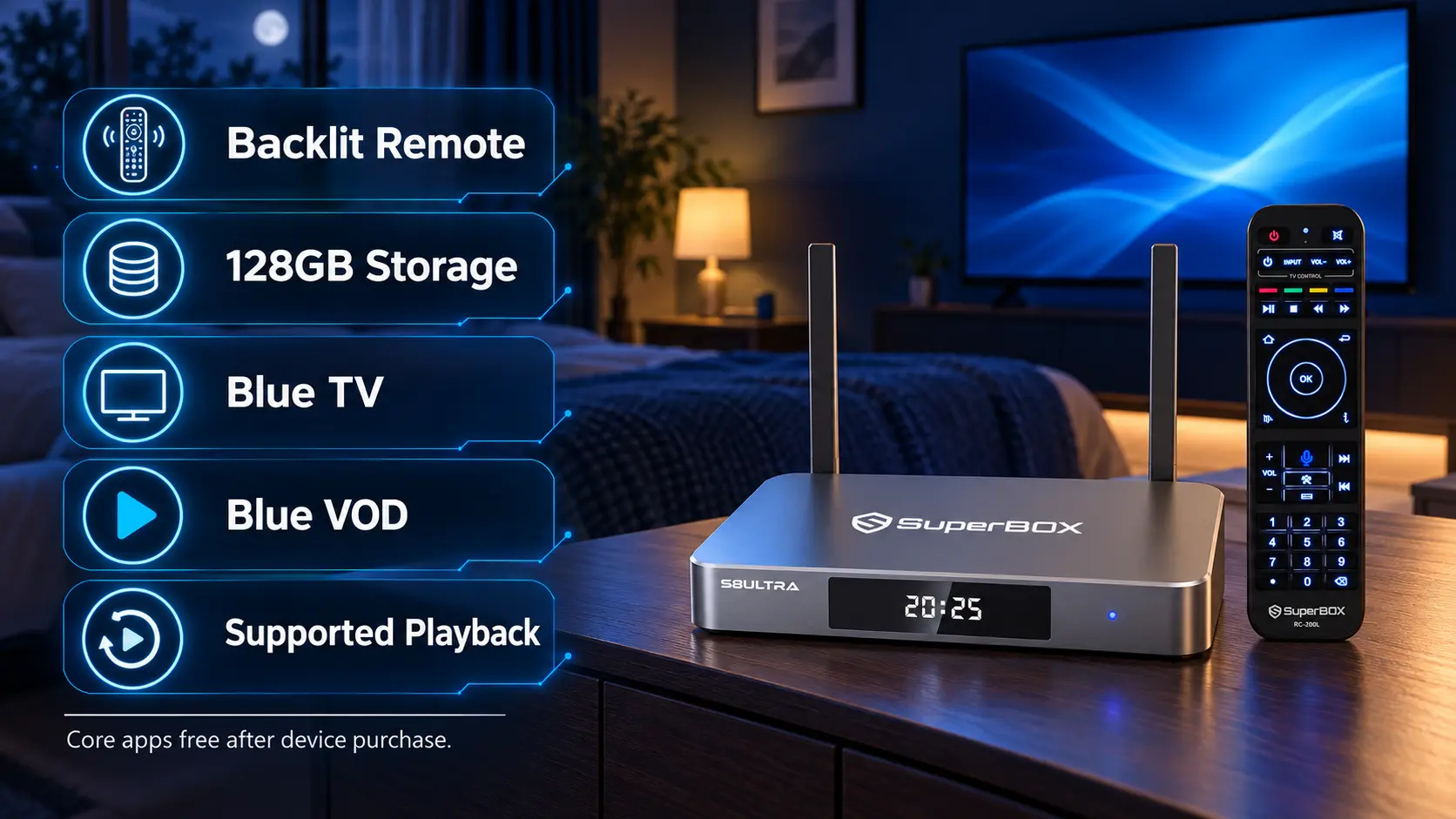
Its dedicated apps include Blue TV, offering 2000+ live TV channels, and Blue VOD, with a large library of movies and TV series. Playback provides catch-up viewing for supported programs. These core apps are free to use after buying a compatible SuperBox, without a separate monthly subscription for those apps.
That variety suits several bedroom routines: morning news, a short episode before bed, or catching up on an eligible program you missed earlier. Check your particular channels and titles, since availability can change by region and service.
SuperBox can also help a household reduce recurring TV costs when it replaces cable services or rental equipment you no longer need. Internet remains a separate expense, and optional paid streaming memberships have their own charges.
That combination gives SuperBox a clear reason to be on this shortlist: you can browse live television, switch to on-demand viewing, and use eligible catch-up through dedicated apps designed for the device. Learn the everyday controls in our Blue TV guide and Blue VOD guide.
Backlit controls and a simpler nightly routine
A remote can affect bedroom comfort every day. Think about whether you use a bedside lamp, prefer physical buttons, or want to avoid speaking commands while someone else rests.
S8 Ultra includes a voice-command remote with backlit buttons. Roku Ultra also offers backlighting, making this a shared convenience worth comparing alongside the apps and viewing features. Within the S8 lineup, only Ultra includes the backlit remote; Pro, Plus, and Max have standard non-backlit remotes.
Ultra combines that illuminated remote with 128GB internal storage and the S8 lineup’s Premium performance tier. The extra space suits a larger collection of compatible apps and local files, while the remote can make evening operation more comfortable.
You can also simplify navigation through the S8 home screen. Keep frequently used apps close together and remove shortcuts you do not need. The Quick Access and number-key guide explains the available setup.
If a partner or parent will use the TV too, show them how to open the main app, return Home, and change the volume. Leave the remote in the same reachable place each night.
More ways to watch and catch up
S8 Ultra also offers Picture-in-Picture and Multi-Screen across full supported channels, and lists the NFL app. One full-screen program may be more comfortable from bed, but the additional layouts are useful when supported events overlap. Our PiP and Multi-Screen guide explains the controls.
Playback provides up to seven days of catch-up on supported programs. Built-in recording is separate: connect compatible USB storage, start and stop recording manually, and check the saved file. Recordings save to USB rather than the internal 128GB, and the current workflow does not offer scheduled recording.
Use the S8 Recorder guide if recording is part of your plan.
Check your bedroom TV and connection before choosing
Confirm the HDMI input and viewing position
These streaming boxes connect to compatible televisions through HDMI. A bedroom TV can be a smart TV or an older non-smart model with a suitable HDMI input.
Sit where you normally watch. Make sure you can read menus, subtitles, and the channel guide comfortably. Adding a streaming box changes how you access entertainment; screen size and placement still determine how easy the picture is to see.
Our non-smart TV streaming guide covers the basic connection. For display choices, use the Android TV box resolution guide.
Test WiFi in the actual bedroom
A good connection in the living room does not tell you how streaming will work upstairs or at the far end of the house.
The S8 lineup offers WiFi 6 and Gigabit Ethernet. If you can run a cable neatly to the bedroom, Ethernet gives you another connection option. Keep the route clear of doorways and walking areas.
For wireless use, avoid enclosing the box behind metal furniture or inside a crowded cabinet. Work through the WiFi optimization guide if coverage is weak. Buying more internal storage will not solve poor WiFi reception.
Decide how you will listen at night
Audio deserves attention before ordering, especially if someone beside you goes to sleep earlier.
Test spoken content at a comfortable low volume. If your TV offers dialogue or night settings, compare them from your usual viewing position.
Check headphone compatibility by exact TV model
If private listening matters, look for headphone audio support in your television’s specifications or manual. A TV having Bluetooth does not automatically mean it can send sound to wireless headphones.
A practical route, where supported, is to connect SuperBox to the TV by HDMI and pair your headphones with the TV. Test that sound reaches the headphones, the TV speakers behave as intended, and speech matches the picture.
If you want to pair headphones directly with SuperBox instead, ask about your exact headphones and intended model before purchasing. Bluetooth version numbers alone do not confirm every audio combination.
Compare the ongoing cost of bedroom entertainment
The purchase price is one part of the decision. Add the services you intend to keep, any headphones or cables you need, and the cost of internet access.
| Budget item | What to check |
|---|---|
| Streaming box | Current price and included accessories |
| Entertainment | Which desired programs are free and which require payment |
| Internet | Existing coverage and any equipment needed to improve it |
| Quiet listening | Compatible headphones or an appropriate TV audio connection |
| Recording | Compatible USB storage if using S8 manual recording |
S8 Ultra is listed at US$449, October 26, 2026. Its core SuperBox apps are free after the compatible device purchase.
How SuperBox can help reduce recurring TV spending
SuperBox can be especially appealing when its available programs replace a cable package or equipment rental you no longer need. The benefit comes from removing an existing expense while keeping entertainment you enjoy.
Compare your actual bill with your planned setup. A lower-priced streamer used with several subscriptions can cost more over time than its initial price suggests. Equally, someone using free apps on another platform may already have low ongoing costs.
Keep the services that earn their place
Check your must-watch programs before canceling a service. SuperBox’s value is its dedicated entertainment choice and viewing flexibility; your preferred third-party memberships remain optional, separate expenses.
Our cord-cutting guide helps you compare your current TV routine with the services you plan to keep.
If Ultra’s extras are more than you need, compare the other S8 models in the full S8 buying guide. Choose Ultra when its backlit remote, storage, and viewing scope fit your everyday use.
Plan for separate viewing in the living room and bedroom
If someone will watch SuperBox downstairs while you watch a different program in the bedroom, plan on a separate box for each television.
A dedicated bedroom unit lets you control that room’s viewing without changing the living-room program. Each box needs its own TV connection and internet access.
If the televisions are used at different times, you can move one box between rooms. Consider whether reconnecting HDMI and power is convenient enough for how often you watch.
Make room for a comfortable setup
Choose a firm, open surface near the TV. Keep SuperBox clear of bedding, pillows, liquids, and crowded storage so it has ventilation and stable connections.
Use the supplied power equipment for your model. Leave the remote accessible and route cables where they will not be pulled when furniture moves.
After connecting the box, rehearse the routine you will use each night:
- Connect HDMI and power, select the correct TV input, and connect to the internet.
- Pair the remote and test navigation from your usual viewing position.
- Install the supported apps you want and add their home-screen shortcuts.
- Play a live channel and an on-demand title to check picture, sound, and connection.
- Test any headphones, subtitles, and TV sleep timer you plan to use.
- Stop playback, check standby behavior, and confirm how to start everything again.
Follow the S8 app installation guide and WiFi or Ethernet setup guide for the menu steps.
Bedroom streaming box buying checklist
Before ordering, make sure you can answer these questions:
- Does the TV have a reachable, compatible HDMI input?
- Will internet coverage reach the box’s location?
- Do you need private listening, and is the audio connection supported?
- Would an included backlit remote improve your nightly routine?
- Which apps and supported channels do you expect to use?
- Will another TV need independent viewing at the same time?
- Have you allowed for any cable, headphone, or USB storage purchases?
- Can you verify the retailer and reach its support team?
Frequently asked questions
What is the best streaming box for a bedroom?
Choose by your viewing routine. Roku Ultra offers backlit controls and private listening; Apple TV suits compatible Apple headphone users; Google TV Streamer suits Google TV preferences; S8 Ultra combines nighttime convenience with dedicated free SuperBox entertainment apps.
Why consider SuperBox S8 Ultra for a bedroom?
It brings together a backlit remote, 128GB storage, Premium performance tier, Blue TV, Blue VOD, and supported Playback. It is particularly relevant when you enjoy both live channels and on-demand entertainment.
Is SuperBox the only option with a backlit remote?
No. Roku Ultra also includes backlit controls. Compare the complete package: remote comfort, supported programs, headphone options, and the services you will pay for.
Which streaming boxes support quiet headphone viewing?
Roku Ultra and Google TV Streamer support compatible Bluetooth headphones. Apple TV 4K supports compatible Apple headphones, including audio sharing. For SuperBox, check your intended headphone connection with the exact TV or box before buying.
Do I need another SuperBox if I already have one downstairs?
You need a separate box for independent SuperBox viewing on both televisions at the same time. Moving one box can work when only one room is used at a time.
Does a bedroom SuperBox need a monthly subscription?
The core SuperBox apps are free after buying a compatible device. Blue TV offers 2000+ live channels, and Blue VOD provides movies and series. Internet and optional paid services remain separate costs.
Do I need a 4K TV?
You do not need to replace a compatible HDMI-equipped TV solely to add SuperBox. Choose a supported output setting; actual picture quality depends on the television and content.
Does switching off the TV also stop SuperBox?
Do not assume so. Test your equipment’s behavior. Stop playback and use the box’s standby controls when finished rather than relying only on the television’s sleep timer.
Why buy your SuperBox S8 Ultra from our store
For a bedroom focused on live TV, movies, and straightforward nighttime controls, S8 Ultra offers an appealing combination of entertainment value and everyday convenience.
SuperBox TV Box Store is an authorized retailer serving customers in the U.S. and Canada. Verify authorization code SP20250414002 at the SuperBox authorization website.
Tell us about your TV, preferred programs, and any headphone requirements before ordering. We can help you narrow the model choice and identify compatibility questions to resolve.
If you purchased directly from superboxtvboxstore.com, contact customer@superboxtvboxstore.com for any technical or order-related issue. We value your experience and want the setup to work comfortably for your household.
Explore SuperBox S8 Ultra or contact our team to discuss your bedroom TV, viewing preferences, and audio setup.
The article was updated on:
