
Knowledge SuperBox
Movies and TV Shows on SuperBox: What to Know Before Watching





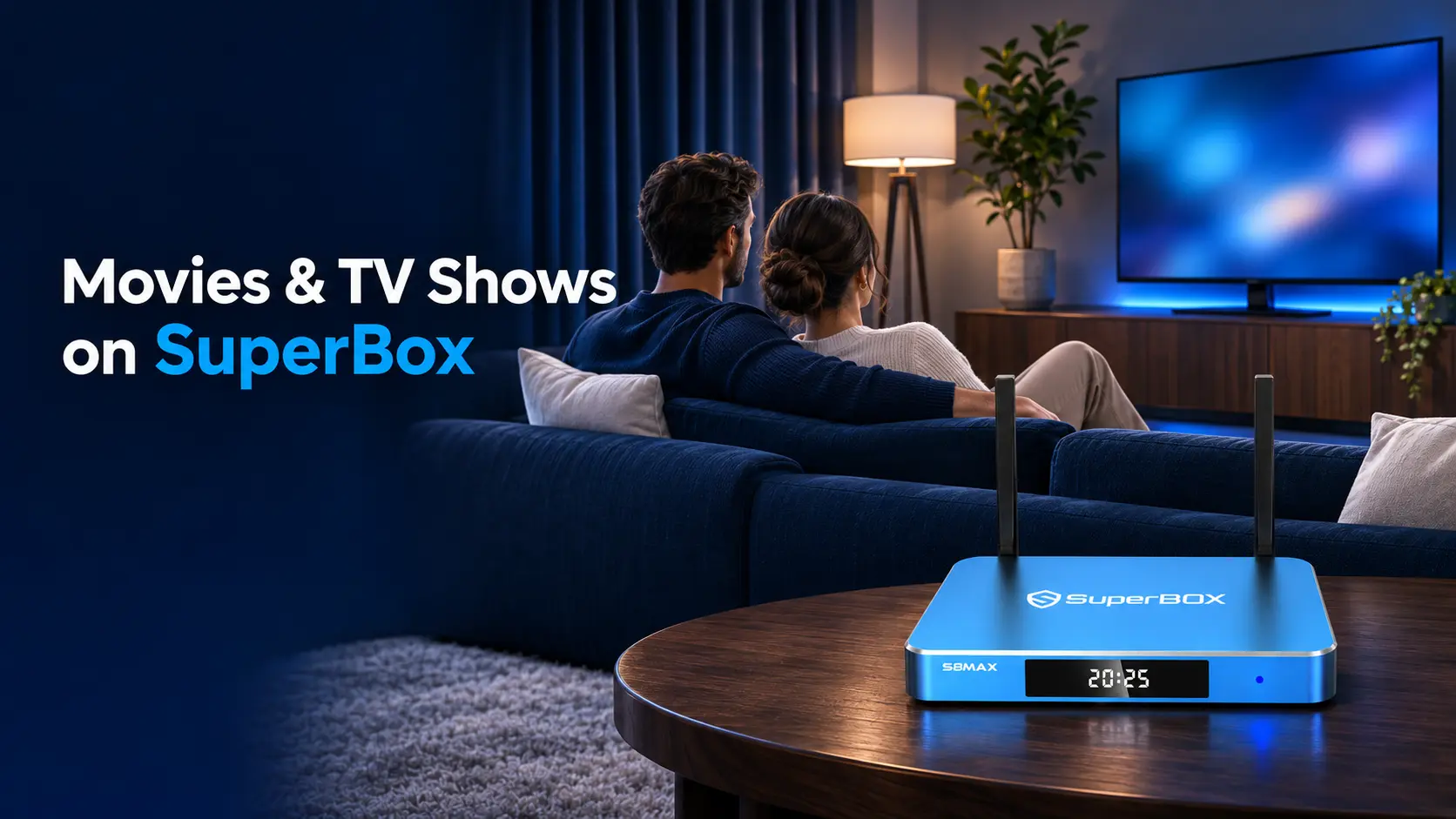
SuperBox gives you a way to watch movies and TV shows on your television through internet-connected apps. For on-demand entertainment, Blue VOD is the place to look: choose a movie, open a series, or return to an episode when you are ready to watch.
The appeal is straightforward. Blue VOD offers a broad selection of movies and series without a separate monthly Blue VOD subscription or an individual rental charge for its available titles. You buy compatible SuperBox hardware and keep an internet connection. That can make regular home viewing easier to budget for, especially when you want alternatives to adding another subscription for a favorite show.
Before choosing a device or searching for a particular film, it helps to understand how that viewing option fits alongside the services you already use. Which app should you open? What does free viewing cover? How do you distinguish the original film from a remake, or a complete series from a single-season listing?
Those questions matter whether tonight’s choice is a familiar sitcom, a family movie or something you have never seen before.
Start with the way you want to watch
There are several ways to get a film or series onto your television. The difference is often how you access the content and how you pay for it.
An on-demand service lets you choose when to start an available title. A live television channel follows a schedule. A digital rental gives you temporary access to a selected movie, while a digital purchase adds an item to an account under that store’s terms.
SuperBox is the device you connect to the TV. Blue VOD is its on-demand movie and series app. Keeping those roles clear helps you compare the right things.
| Viewing route | How you choose what to watch | Cost to consider |
|---|---|---|
| Blue VOD on compatible SuperBox hardware | Select an available movie or series episode in the app | Upfront hardware and internet; no separate monthly Blue VOD fee or per-title rental charge |
| A subscription streaming service | Choose from that service’s current catalog | The service’s subscription and any optional add-ons |
| A digital movie rental | Rent a specific available film | The rental charge and its viewing window |
| A digital purchase | Buy access to a selected movie, episode or season | The price and the store’s access conditions |
| Live television | Watch what the selected channel is showing | The arrangement for accessing that channel or service |
The right route depends on the question you are trying to solve. If you want one film tonight, check your existing access first. If you regularly move between movies and television series, consider the wider viewing routine and its ongoing cost.
A familiar app logo on a smart TV does not necessarily mean a title is included. Read the offer: subscribe, rent and buy are different choices. Apple’s explanation of movie rentals is one example of why the viewing window matters when comparing options.
For a particular film, a dedicated “where to watch” guide can compare the current routes. This broader guide helps you understand the SuperBox option before making that title-by-title decision.
What free movies and TV shows on SuperBox actually means
With Blue VOD, free viewing means you can watch available content in the app without starting a separate monthly Blue VOD subscription or paying a rental fee each time you select a movie.
It does not make the hardware or home internet free. Your main initial expense is the SuperBox you purchase. Your ongoing household internet bill continues, along with any outside services you decide to keep.
Separate the device from subscriptions you already have
Blue VOD is separate from Netflix, Hulu, Disney+, HBO Max and other companies’ own services. You do not receive those companies’ paid accounts with a SuperBox purchase. Finding a film through Blue VOD and subscribing to another platform are different viewing arrangements.
That distinction is useful when checking a bank statement. An outside subscription continues until you change it with that provider. Buying a new box does not automatically cancel it.
You can keep a service you enjoy and still use SuperBox for other viewing. The useful question is which paid services continue to earn their place in your household, based on what you actually watch.
Compare the bills you can genuinely reduce
A household may value Blue VOD because it offers movie and series choices without another recurring app bill. That can help reduce spending when it replaces subscriptions or rentals the household would otherwise pay for.
Work from your own bills. List the television services you currently pay for, identify the ones you might stop using, and check the programming you want before making changes. If internet is bundled with cable, confirm what the internet-only bill would be.
This gives you a more useful comparison than assuming every buyer saves the same amount. Our breakdown of SuperBox monthly fees and remaining costs helps you work through that budget.
For an existing owner, the immediate benefit is simpler: you can choose another available movie or episode in Blue VOD without considering a new rental transaction for each selection.
Understand the entertainment you are looking for
A useful movie and television library supports different kinds of viewing. Sometimes you want a familiar show after dinner. Other times you want an unfamiliar film, an original you missed, or the next chapter of a story.
Use the categories below to guide your search. They describe ways to explore entertainment, rather than a promise that every title within a genre is available. Check the exact listing you want; catalogs and individual items can change.
Movies for one evening
A movie gives you a defined story to choose for a particular occasion. You might browse by genre, look for a performer, revisit an older favorite or search a title someone recommended.
“New to you” is often a better starting point than “newest release.” An older film can be the right choice for someone seeing it for the first time. A newer release may be more appealing when you already know its earlier story.
For example, the Gladiator II viewing guide answers the specific question of where that sequel can be watched. You can use the same approach for another film: identify it, check the available routes, then choose how to watch.
Television series for regular viewing
A series creates a different routine. Instead of choosing a new film every evening, you can return to characters and continue a story over several sessions.
Think about whether you want a first watch or a rewatch. A first watch usually benefits from starting at the beginning. A returning viewer may want one remembered episode, a holiday story or a particular season.
The Modern Family streaming guide illustrates the title-specific questions that matter: viewing options, season coverage and a sensible starting point. Those details deserve their own space for each show.
Animation and shared family viewing
Animation, comedy and family-centered stories can all be starting points for a shared evening. Choose around the people watching, including their age, interests and comfort with the subject matter.
A sequel may assume familiarity with an earlier movie. Before inviting everyone to watch, decide whether you want to introduce the original or continue a story the group already knows. The Inside Out movie guide is one example of how a title-specific page can help distinguish the entries.
Find the exact movie or series you mean
A good search starts before you press a button. Make sure you know which production you want, especially when several titles share a name or belong to the same franchise.
For a movie, the most useful details are its full title and release year. For a series, identify the original show and the season you want. An actor’s name can help when you remember the performer but not the title.
Use the title instead of a whole viewing question
A search inside an entertainment app works differently from a search on the web. Enter the name of the film or show rather than a sentence such as “where can I watch this movie free?”
On the demonstrated S8 interface, Blue VOD Search includes movie and television-series choices and filters for names, cast and directors. Check the selected search type when results are too broad or empty. The S8 Blue VOD search guide covers those controls in detail.
Check originals, remakes and sequels
Similar names can refer to different films. A remake retells an earlier production; a sequel continues or expands a film series. A newer release is not automatically a remastered version of the older one.
A small spelling difference may be the distinction. The Twister and Twisters guide shows why the complete name and year help identify the intended movie.
Before starting, compare the poster, description and cast where displayed. This also helps when a result uses a translated title or a franchise name you recognize.
Read an availability claim carefully
A title-specific guide should tell you which version was checked, where it can be watched and what access costs apply. If it discusses a television series, look for the scope of the confirmation.
A poster proves less than a season list. A season list proves less than a confirmed complete episode catalog. Neither automatically establishes that every episode has been played through.
Those distinctions help you make a useful decision. You can check what you need for tonight without treating a general claim about a show as an answer to every version or episode question.
Check a television series beyond its poster
For someone planning a longer first watch, episode coverage can matter more than finding one recognizable search result. Take a moment to open the series details and check the part you want.
Start with three questions:
- Is this the original series? A reunion, spin-off or special may have its own listing.
- Is the season you want included? A first-season result does not establish access to later seasons.
- Can you select the intended episode? Check the displayed episode information before starting.
If you remember a scene but not the episode, identify its season and episode first. Searching a remembered quotation may be less useful than using the show’s title and then selecting the correct entry.
For a shared first watch, agree where to continue next time. If one person watches ahead independently, keep a note of the shared episode so the next session does not begin with an unwanted spoiler.
A sitcom rewatch can be more selective. You may want a holiday episode or a particular character’s story rather than another complete run. An unfamiliar drama may make more sense in order, especially when each episode builds on earlier events.
Use the original release order as a starting point unless you have a reason to choose another route. A special, reunion or behind-the-scenes program is not automatically part of the main season sequence.
This is where individual series guides are most useful. They can address the show’s particular episode structure and viewing choices without making the general SuperBox experience more complicated.
Get the TV ready without turning movie night into a technical project
To use SuperBox for streaming, you need a compatible television connection, power and working internet. The box supplies the app interface; the television displays it.
If you still see your TV’s own Home screen, choose the HDMI input connected to SuperBox. Then use the SuperBox remote to navigate the box. A search on the TV’s built-in platform is a separate search from one inside Blue VOD.
For a new S8 setup, the WiFi and Ethernet connection guide covers getting online. If Blue VOD is missing, follow the S8 app-installation instructions rather than assuming a Home-screen icon must already be present.
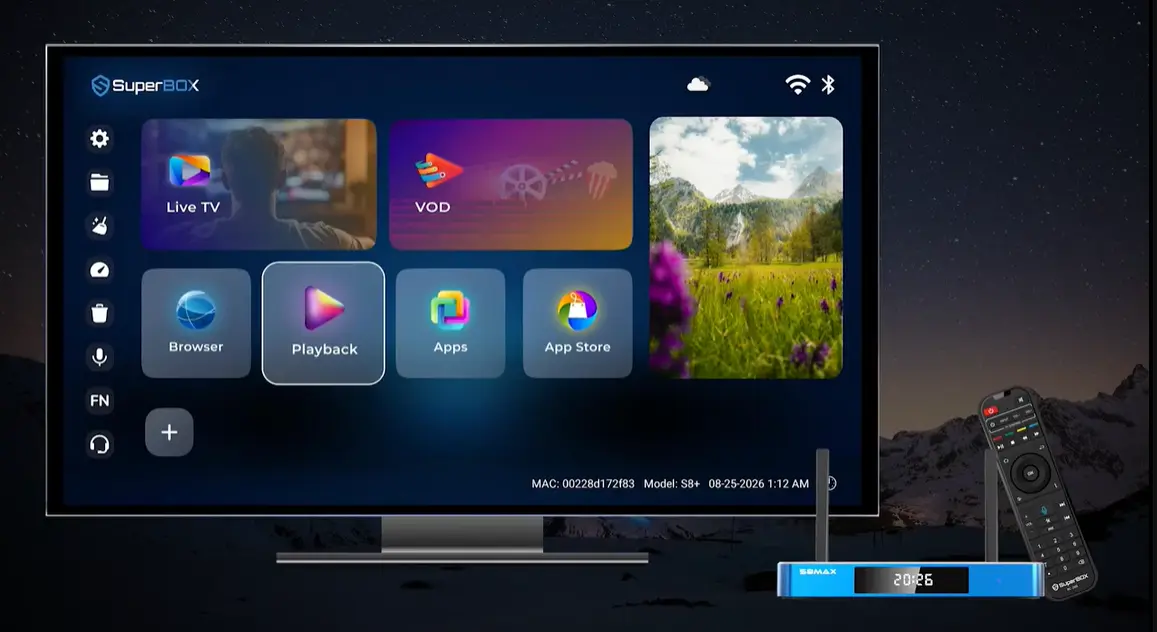
Once you reach the app, the broad viewing sequence is simple: find the title, check its details and choose the movie or episode. The exact menus belong in the model-specific guide. Owners using the earlier demonstrated interface can follow the S7 Pro and Max Blue VOD instructions.
For a family member who is new to streaming, show that short route once before exploring extra features. Let them choose a title themselves and return to the Home screen. A routine they can repeat independently is more useful than introducing every menu in one sitting.
Make picture, dialogue and subtitles work for your household
A title being available answers one question: whether you can find that item. It does not establish every subtitle language, audio track or picture format.
If someone needs captions, check the selected movie or episode before everyone settles in. Different items can have different tracks. Finding the right language on one film does not establish that it will appear on the next.
The same principle applies to picture quality. A box that supports 4K does not turn every older program into a 4K production. The source, available stream, app, connection and television all affect what reaches the screen. Choose a playable version that looks and sounds comfortable for the room.
Start with the normal viewing setup rather than changing several settings at once. If the picture and dialogue are already comfortable, you can leave them alone.
A soundbar or receiver adds another part to the audio path. If that is your setup, the SuperBox soundbar and home-theater connection guide can help you check how the equipment is connected.
For regular viewing with parents or older relatives, test their practical needs on the item they intend to watch: readable text, comfortable volume and a clear route back to the series. Those checks are easier to make before the evening starts.
Choose a SuperBox around your everyday viewing
If you already own a compatible SuperBox and Blue VOD works for your needs, begin there. Finding a new movie does not automatically require buying a new generation.
For a new purchase, think about the device as part of a routine you will use repeatedly. How many people will operate it? Will it be your main television setup or an occasional movie-night option? Do you want a remote that is easier to read with the lights low?
The SuperBox S8 Max is a relevant starting point for a main-room setup. It has 64GB of internal storage, voice control, WiFi 6 and Gigabit Ethernet. The S8 Ultra provides 128GB and includes a backlit voice remote, which may suit viewers who regularly watch in a dim room.
Compare those differences with what you need, rather than assuming a larger storage number unlocks more movies. Streamed series do not require you to save every season on the box. The catalog and the device’s internal storage are different parts of the experience.
SuperBox TV Box Store is an authorized retailer serving customers in the US and Canada. Buying from a seller you can identify makes it easier to find the right setup guidance and get help with your order or device. You can verify our authorization using code SP20250414002 on the SuperBox authorization website.
You can also ask us about the television and routine you have in mind before ordering. A recommendation is more useful when it starts with how the household will use the box.
Plan for people watching in different rooms
A film in the living room and a different series in the bedroom are two separate viewing sessions. Work out whether your household wants to watch together or choose different content at the same time before deciding how many devices to buy.
For independent SuperBox viewing, plan a box for each television that needs it. Moving one box between rooms can suit occasional use, but each television needs the appropriate connection and the box can only provide its current viewing session. Sharing the same picture is different from letting two people choose separate titles.
S8 Multi-Viewing and Picture-in-Picture are features for supported views on one television. They do not turn one box into independent movie players for several rooms. Our multi-room SuperBox buying guide explains that distinction in more detail.
You can start with the room where you watch most often. Let the household get comfortable with the everyday route into movies and series before deciding whether a second room needs the same setup. That keeps the purchase connected to actual use.
Keep a viewing list you will actually use
A few deliberate choices make it easier to return to the television without starting the search again. Keep one series you are following, one movie you want to try and one choice for watching with someone else.
Blue VOD’s demonstrated interface includes saved favorites and viewing history. Use favorites for titles you want to find again and history for recent activity; the model-specific app guide explains the controls.
Keep the exact title or year when two versions are easy to confuse. For a series, note the season and episode if you are sharing the watch with someone else.
There is no need to turn a watch list into a long commitment. Remove a choice that no longer interests you and add something that matches your current mood. The aim is to make the next viewing session easier.
If a movie or episode is missing or will not start
First identify what is happening. An empty search result, an incorrect version and a player that will not load are different problems.
For a missing result, recheck the spelling, release year and movie-versus-series search choice. For the wrong program, compare the title details before trying another result. For a series, include the season and episode in your check.
If a selected item will not play, try another item and note the result. That gives support more information about whether the problem affects one title or a wider part of your viewing. It does not, by itself, prove what caused the fault.
Avoid making major changes to the device simply because one movie is unavailable. Check the current listing and describe the symptom before resetting the box or removing apps.
If you bought directly from SuperBox TV Box Store, contact customer@superboxtvboxstore.com for technical or order help. Send the model, app name, exact title, any season and episode, and the message shown on screen. A photograph or short recording of the problem can make it easier to explain.
Questions about watching movies and TV shows on SuperBox
Can SuperBox replace every streaming subscription?
That depends on the programming and features your household needs. Blue VOD can provide movie and series viewing without a separate monthly app subscription. Compare your actual favorites before canceling anything, and keep an outside service if its separate offering matters to you.
Do I need cable television to use Blue VOD?
Blue VOD uses internet streaming rather than a cable television channel schedule. You need compatible SuperBox hardware, a television setup and internet. If your internet is bundled with cable, check the remaining internet price before removing the television package.
Are all new movies available immediately?
Do not assume a release date establishes Blue VOD availability. A theatrical release, a digital rental and a subscription release can follow different schedules. Check the specific title and version in the app or a current title-specific guide.
Will a US streaming recommendation apply in Canada?
Check the country covered by the recommendation. Subscription catalogs and purchase offers can differ by market. Netflix’s explanation of regional title availability illustrates why a service listing from one country should not be treated as proof of another country’s offer.
Is Blue VOD the same as Blue TV or Playback?
They serve different tasks. Blue VOD is for choosing on-demand movies and series. Blue TV is for live-channel browsing. Playback is for eligible earlier television programming. Start with the app that matches how you want to watch.
Do I have to record a movie before watching it?
You can stream an available Blue VOD movie on demand without recording a live broadcast first. Recording and on-demand streaming are separate functions. Do not buy additional recording storage simply to begin watching a listed Blue VOD title.
Can I keep a particular movie forever?
Treat Blue VOD as access to its current streaming catalog. Saving a favorite is a way to find a listing again, rather than a permanent downloaded copy. If owning a particular edition matters to you, compare the relevant disc or digital-purchase option and its terms.
Where should I look for a specific movie or show?
Start with its exact name and release year, then use a dedicated “where to watch” article for current viewing options and title-specific details. Once you choose Blue VOD, check the matching app listing. The general approach stays the same as your list of favorite films and series grows.
Make your next viewing choice straightforward
Choose the film or series you want, understand the access you are using, and check the correct version before starting. With a compatible SuperBox and working internet, Blue VOD gives you an on-demand option that fits alongside the rest of your home entertainment.
Use a title-specific guide when you need a current answer about one movie or show. Return here when you need to understand the wider viewing choices, costs and everyday setup.
The article was updated on:
