
Knowledge SuperBox
How to Watch Inside Out 2 Free on SuperBox With Blue VOD





Planning to watch Inside Out 2 on your SuperBox? Start in Blue VOD, the app for on-demand movies and TV series.
Yes. You can watch Inside Out 2 for free on SuperBox through Blue VOD. The original Inside Out is also available, so you can enjoy both movies without a separate rental charge or monthly Blue VOD subscription.
You need a compatible SuperBox and an internet connection. Both titles were confirmed in Blue VOD on November 3, 2026; catalog availability can change. If you are planning a family evening, watch the original first or go straight to the sequel, then use the steps below to find your choice.
How to Search for Inside Out 2 in Blue VOD
Use your SuperBox remote for these steps. Your television remote is only needed to select the HDMI input connected to the box.
- Open Blue VOD. On the S8 Home screen, select VOD or the installed Blue VOD shortcut.
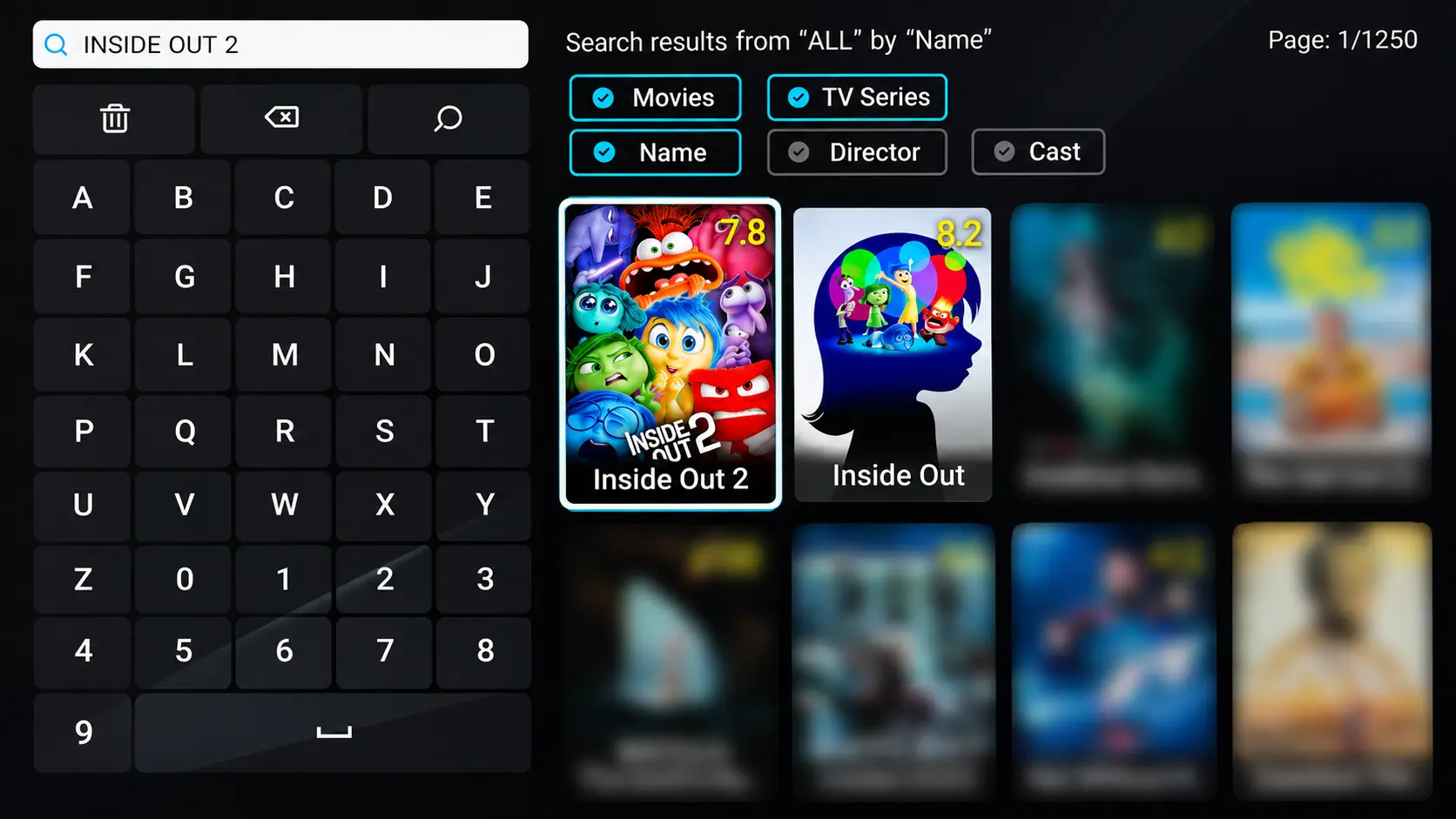
- Choose Search. Enter Inside Out 2, then submit the query.
- Check the filters. Use Movies and Name for a movie-title search.
- Review the result. Look for the 2024 sequel, then open its details.
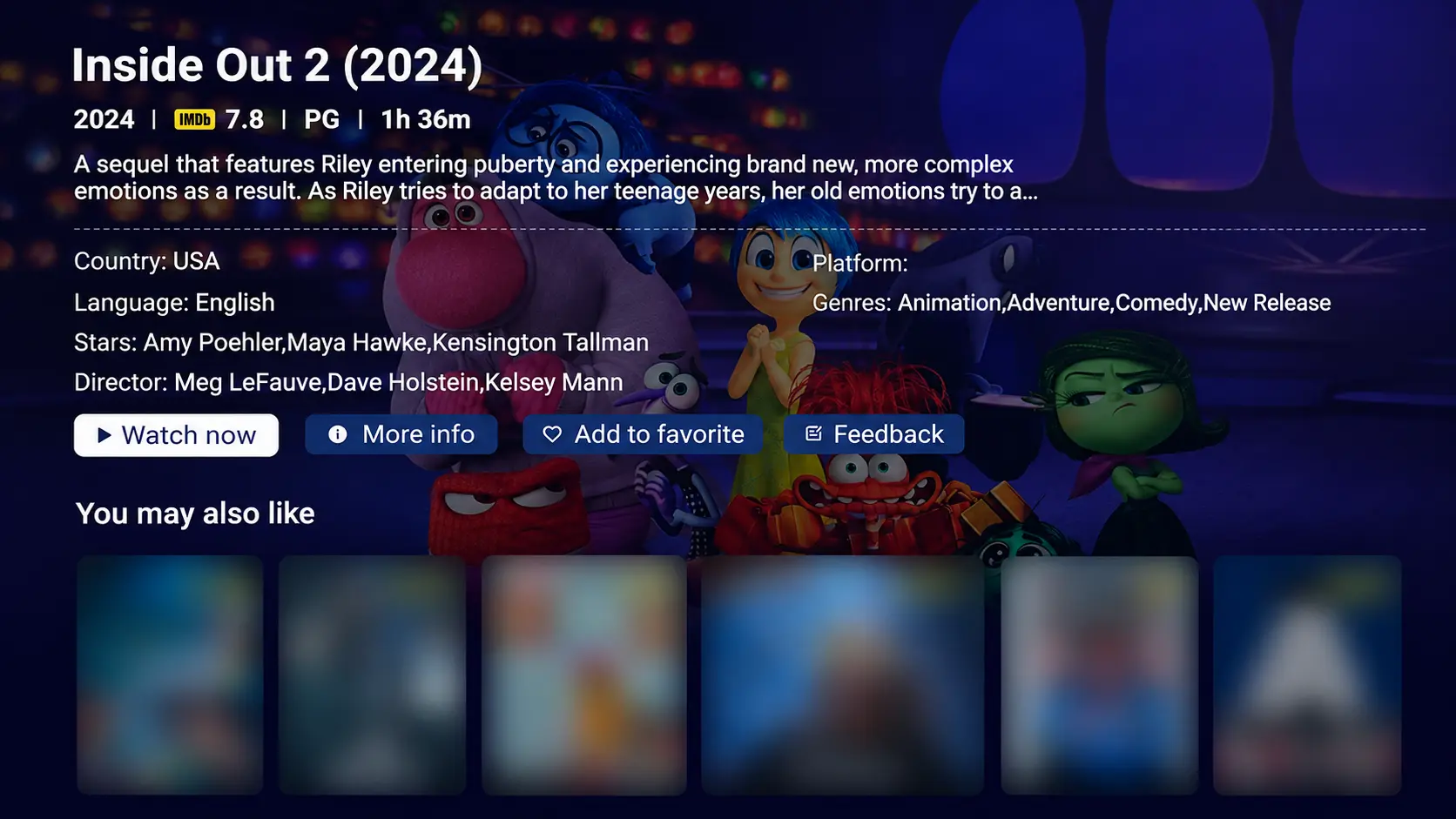
- Select Watch now on the Inside Out 2 detail page to begin watching.
To find both movies, search Inside Out and select the original or the sequel from the results. For additional navigation help, the Blue VOD search and player guide covers the app’s menus.
Do not use a live-channel number to look for an on-demand film. Searching a movie catalog is a different task from finding something airing on television.
Make Sure You Have the Correct Movie
Inside Out 2 follows Riley into her teenage years as Anxiety joins the emotions inside her mind. When you search for both films together, select the sequel for this story, or choose the original Inside Out to start with the first movie.
Disney’s official movie page identifies it as follows:
| Detail | Inside Out 2 |
|---|---|
| Release year | 2024 |
| Studio | Disney and Pixar |
| Director | Kelsey Mann |
| US rating | PG |
| Runtime | 1 hour 36 minutes |
Check several details together. A recognizable poster helps, but the year and synopsis are useful when similarly named entries appear.
For a family evening, allow time beyond the movie itself to get everyone seated and choose a comfortable volume. Parents can review the rating and official synopsis beforehand. Whether it suits your children depends on their ages and comfort with a story about growing up and difficult emotions.
For a double movie night, start with Inside Out, take a break, then return to Blue VOD and open Inside Out 2. Watching them in order is a simple way to introduce the characters before continuing with the sequel. Both are free to watch through Blue VOD on your compatible SuperBox.
Help With Blue VOD Search or Playback
An empty search result and a playback failure need different responses. First decide which one you are seeing.
Search works but the movie is missing
Recheck the spelling and the Movies and Name filters, then try the shorter query Inside Out. Look through the matching results for both films. If the title is still missing on your device, note your SuperBox model and Blue VOD version when asking for help.
Repeatedly changing picture settings will not add a missing catalog entry. Avoid spending your family’s movie time trying unrelated fixes.
Disney lists Inside Out 2 on Disney+. Check the service in your country and use a supported device with the required subscription. This is a separate viewing option; a Disney+ subscription is not included with a SuperBox purchase.
Blue VOD is missing from the Home screen
On S8, an installed app and a Home shortcut are separate things. Open Apps, check the internal APP Store for Blue VOD, and finish installation if needed. Then use + / ADD on Home to select its shortcut.
The S8 app installation instructions explain the completion markers and shortcut selector. Follow those before assuming the app is unavailable.
The movie opens but will not play
Try a different movie and note the result. If the problem affects several titles or other online apps, check the S8’s WiFi or Ethernet connection.
If only one title fails, record its name and the message on screen. This comparison gives support a useful starting point without assuming what caused the problem.
Check Subtitles and Sound Before Everyone Sits Down
When a title starts, test a short section with dialogue. Make sure the volume is comfortable from the seats people will actually use.
In Blue VOD, open the player’s gear icon, then Subtitle Tracks to see the options supplied with that video. Choose a listed track if you need captions. Available languages differ by title.
Keep playback speed at 1x for ordinary viewing. Once the picture, speech, and captions are comfortable, leave the settings alone and enjoy the movie.
For grandparents or anyone unfamiliar with the remote, show the pause control before starting. Let them try it once. That small handover can be more useful than explaining every button during the film.
Why Consider SuperBox S8 for Regular Family Movie Nights
A family streaming box should earn its place through regular use. Think about who will operate it, where the television sits, and what your household watches during an ordinary week.
SuperBox brings movie browsing and live television into the same device through separate apps. Blue VOD serves on-demand movies and series; Blue TV serves live viewing. That flexibility can suit a household where one person wants a film in the evening while someone else prefers everyday television.
For buyers comparing the current lineup, these two models deserve a closer look:
| Movie-night consideration | S8 Max | S8 Ultra |
|---|---|---|
| RAM | 4GB | 4GB |
| Internal storage | 64GB | 128GB |
| Included remote backlighting | No | Yes |
| Listed video capability | 4K playback | 4K playback |
| Home network options | WiFi 6 or Gigabit Ethernet | WiFi 6 or Gigabit Ethernet |
The SuperBox S8 Max is a sensible starting point when you want 64GB of storage and the S8 feature set for everyday home entertainment.
The SuperBox S8 Ultra adds 128GB of storage and an included backlit remote. Illuminated buttons are particularly relevant if you prefer watching with the room lights low.
Both models support Blue VOD, so choose between them for the storage and remote features that matter to your household. A 4K-capable box can play compatible 4K sources, but the picture quality of an individual movie also depends on the supplied stream and your television.
Before ordering, ask us about the room and the people using the box. An easy-to-find remote and a familiar routine may matter more to your family than a long feature list.
SuperBox TV Box Store is an authorized retailer serving customers in the United States and Canada. Use the live chat on our website to discuss the model and setup that fit your home.
What You Pay for When Using Blue VOD
You can watch Inside Out and Inside Out 2 free in Blue VOD on a compatible SuperBox for free, with no separate movie rental charge or monthly Blue VOD subscription. You pay for the device upfront and keep your home internet service.
That can make the ongoing entertainment budget simpler. Instead of automatically adding another subscription, consider whether the available SuperBox apps meet enough of your regular viewing needs.
If you are replacing cable, compare the charges you can actually remove with the services you want to keep. Savings depend on those choices; buying a box does not cancel an existing bill.
Our explanation of SuperBox monthly fees and other costs helps you work through that budget before ordering.
Get Help With a Blue VOD Problem
If you bought directly from superboxtvboxstore.com, email customer@superboxtvboxstore.com for technical or order questions. We value your experience and want to help you get useful answers.
For this movie, a helpful message would be:
“I have a SuperBox [model]. I searched Blue VOD for Inside Out 2. The result [does not appear / appears but will not play]. Another movie [works / does not work]. The screen displays [exact message].”
Attach a clear photo if there is an error. Send order details privately so our team can locate your purchase. If you ordered from a different seller, contact the retailer shown on your receipt for order-specific help.
Frequently Asked Questions
Is Inside Out 2 free on SuperBox
Yes. Inside Out 2 is available to watch free through Blue VOD on a compatible SuperBox. There is no separate rental charge or monthly Blue VOD subscription. You still need the device and an internet connection.
Do I need an S8 Ultra instead of an S8 Max for this movie
No. Both S8 Max and S8 Ultra support Blue VOD. Choose Max for its 64GB storage or Ultra for 128GB storage and an included backlit remote; you do not need Ultra specifically to watch Inside Out 2.
Should I use Blue TV or Blue VOD to find Inside Out 2
Start with Blue VOD for an on-demand movie search. Blue TV is for live channels, so finding a channel there is a different process.
Can I watch Inside Out 2 with subtitles
Check the subtitle menu on the available video. A movie’s presence in a catalog does not establish that your preferred subtitle language is included.
Can I watch the original Inside Out on SuperBox too
Yes. The original Inside Out is also available free in Blue VOD. Search Inside Out, open the first movie’s detail page, and select Watch now. You can watch it before the sequel for a double movie night.
Before movie night, open your choice of Inside Out or Inside Out 2 and test playback. Choose your captions, settle on a comfortable volume, and keep the remote within reach.
The article was updated on:
