
Knowledge SuperBox
How to Watch Twisters (2024) and Twister (1996) Free on SuperBox





Yes, Twisters (2024) is available to watch free on SuperBox through Blue VOD. You can also watch Twister (1996), the original storm-chasing movie, without a separate movie rental charge or monthly Blue VOD subscription.
That gives you two choices: the newer film with Daisy Edgar-Jones and Glen Powell, or the original with Helen Hunt and Bill Paxton. You can pick one for tonight or make a weekend double feature out of both.
The titles are almost identical, but they are different films. Here is how to tell them apart, find the one you want, and get your TV ready for the evening.
Both titles were confirmed in Blue VOD for this guide in November 2026. Catalog availability can change.
Twisters 2024 and Twister 1996 at a Glance
The easiest clue is the last letter: Twisters has an “s” and refers to the 2024 film. Twister is the title of the 1996 original.
| What to check | Twisters | Twister |
|---|---|---|
| Release year | 2024 | 1996 |
| Main stars | Daisy Edgar-Jones, Glen Powell, Anthony Ramos | Helen Hunt, Bill Paxton |
| Director | Lee Isaac Chung | Jan de Bont |
| Story to recognize | Kate Carter returns to storm chasing and encounters Tyler Owens | Jo and Bill Harding chase tornadoes with a research team |
| Blue VOD viewing | Free on a compatible SuperBox | Free on a compatible SuperBox |
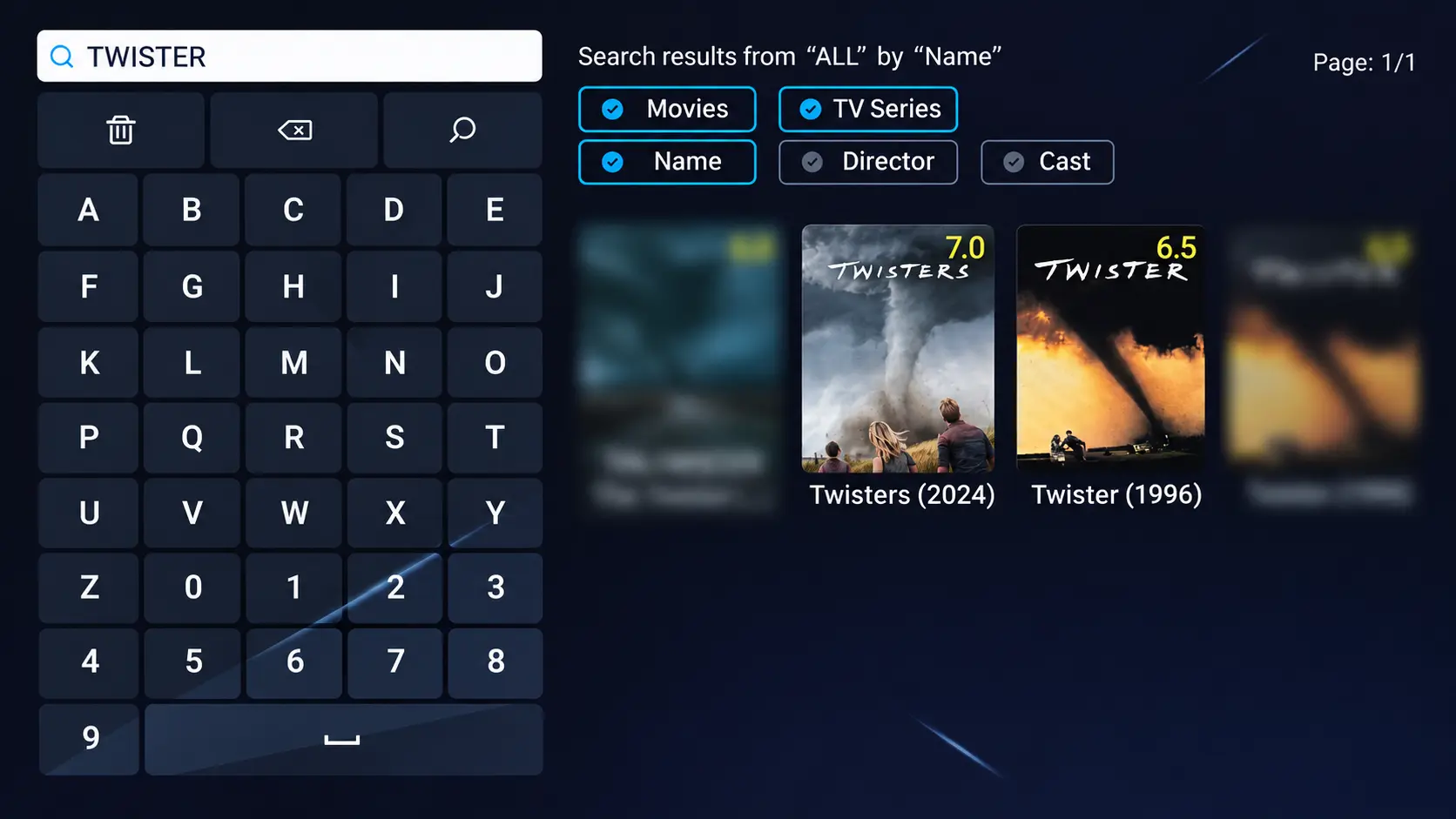
If you are looking for “Twisters 1996,” search for Twister instead. Adding or removing that final “s” can help you separate the two results.
Use the year and cast together when opening a movie card. A tornado on the poster alone will not tell you which film you have selected.
Which Storm Movie Should You Watch
Choose Twisters 2024 for the newer cast and story
Twisters follows Kate Carter, a former storm chaser who returns to the field after her friend Javi invites her to test new tracking technology. She meets Tyler Owens, whose storm-chasing adventures have made him a social-media personality.
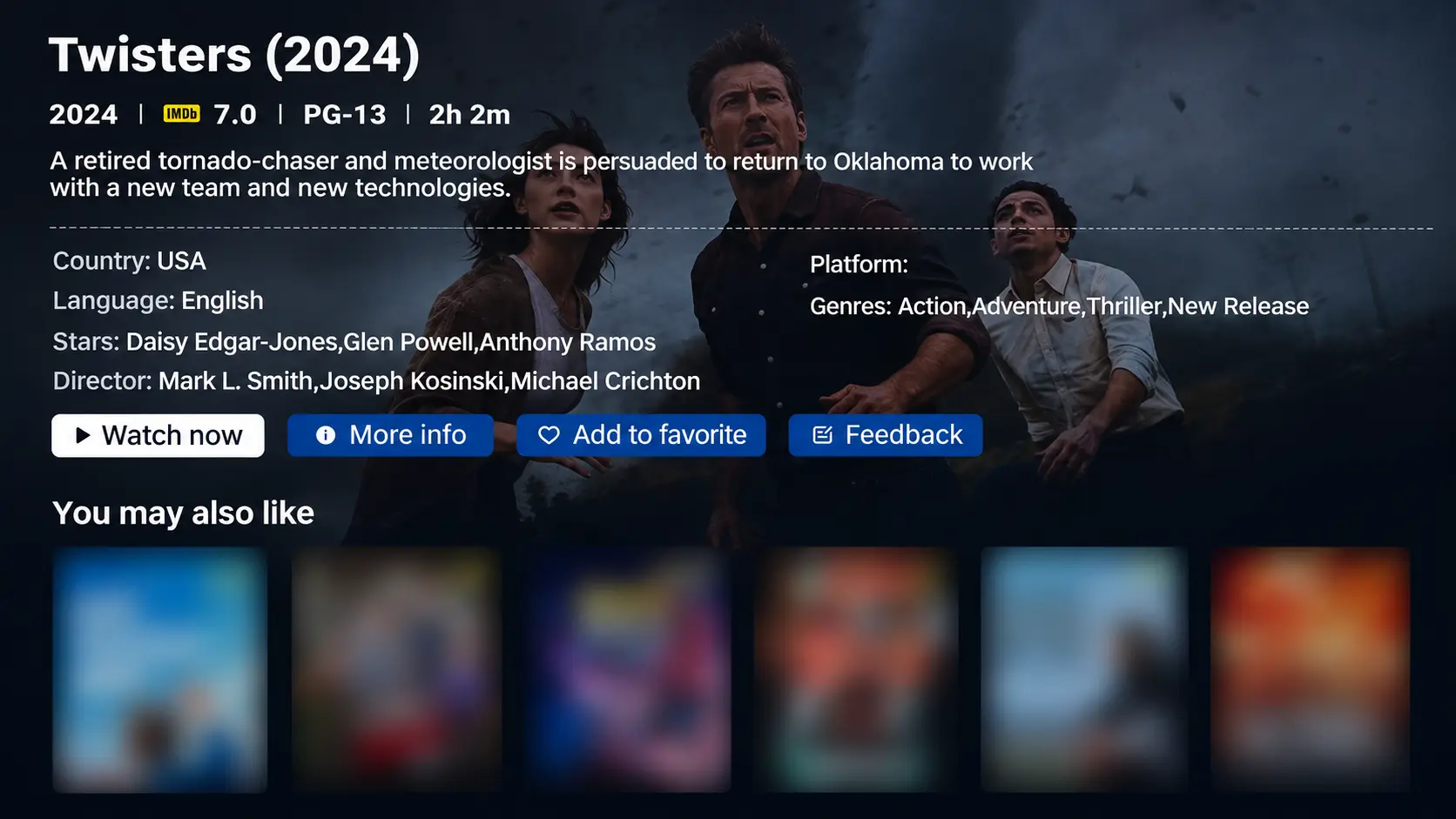
The cast includes Daisy Edgar-Jones as Kate, Glen Powell as Tyler, and Anthony Ramos as Javi. Universal’s official movie listing gives the runtime as 2 hours and 2 minutes and the US rating as PG-13.
Choose this entry if you remember seeing Glen Powell in the trailers or want the 2024 release. The studio describes intense action and peril, language, and injury images, so parents should consider those elements before including younger children.
Choose Twister 1996 to revisit the original
The original Twister follows Jo Harding and her team as they pursue tornado research across Oklahoma. Bill Harding joins the chase, bringing a complicated personal relationship into an already dangerous situation.
Helen Hunt and Bill Paxton lead the film, directed by Jan de Bont. Amblin’s page for the original movie is a useful reference if you want to confirm the cast or read the premise before watching.
This is the entry to choose if you remember the 1990s film and want to introduce it to someone else. Be sure to open the 1996 listing rather than assuming every result beginning with “Twister” is the same movie.
Make it a double feature if you want both
For a two-movie evening, our suggested order is Twister first, then Twisters. It lets you begin with the older film before moving to the newer cast and approach to storm chasing.
You can also spread them across two nights. Pick the original on Friday and the 2024 film on Saturday, especially if a long evening would be uncomfortable for anyone joining you.
There is no need to turn the choice into homework. If your group specifically wants the newer movie, select Twisters (2024) and enjoy that first.
How to Find Twisters or Twister in Blue VOD
Use your SuperBox remote once the TV is showing the box’s Home screen.
- Open Blue VOD. On S8, choose the VOD tile or its installed shortcut.
- Select Search. Enter Twisters for the 2024 film, or Twister for the 1996 original.
- Use Movies and Name for a movie-title search.
- Open the matching result. Check the release year and cast.
- Choose Watch now to start the film.
If the first search is empty, try the shorter word Twister and review the results. Select Favorite on a movie’s detail page if you want to save it for later.
The complete Blue VOD guide covers navigation and player controls. If the app itself is missing, follow the S8 app installation and Home shortcut instructions first.
For these movie listings, use Blue VOD. Blue TV is the separate live-channel app.
What Free Viewing Means for Your Movie Night
Once you have a compatible SuperBox, you can watch these two films in Blue VOD without paying a separate rental fee for each one. Blue VOD does not add its own monthly app subscription.
You still purchase the hardware and maintain an internet connection. Any optional paid services you choose remain separate. Our breakdown of SuperBox monthly fees and household costs explains that distinction.
The benefit becomes more useful when movie nights are part of your regular routine. You can explore the available Blue VOD library for another evening instead of treating each film as a new rental decision.
For everyday television, Blue TV also offers an advertised 2,000+ live channels on compatible SuperBox devices. Having live viewing and an on-demand library on the same box gives different people in the household more ways to use it.
If you are considering replacing cable, compare the services you actually use before canceling anything. Your savings come from the recurring charges you can remove, balanced against the device purchase and the services you keep.
Choosing a SuperBox for More Than One Movie Night
If you already own a compatible SuperBox and Blue VOD works, begin with the box you have. There is no reason to buy a new model just to search for these films.
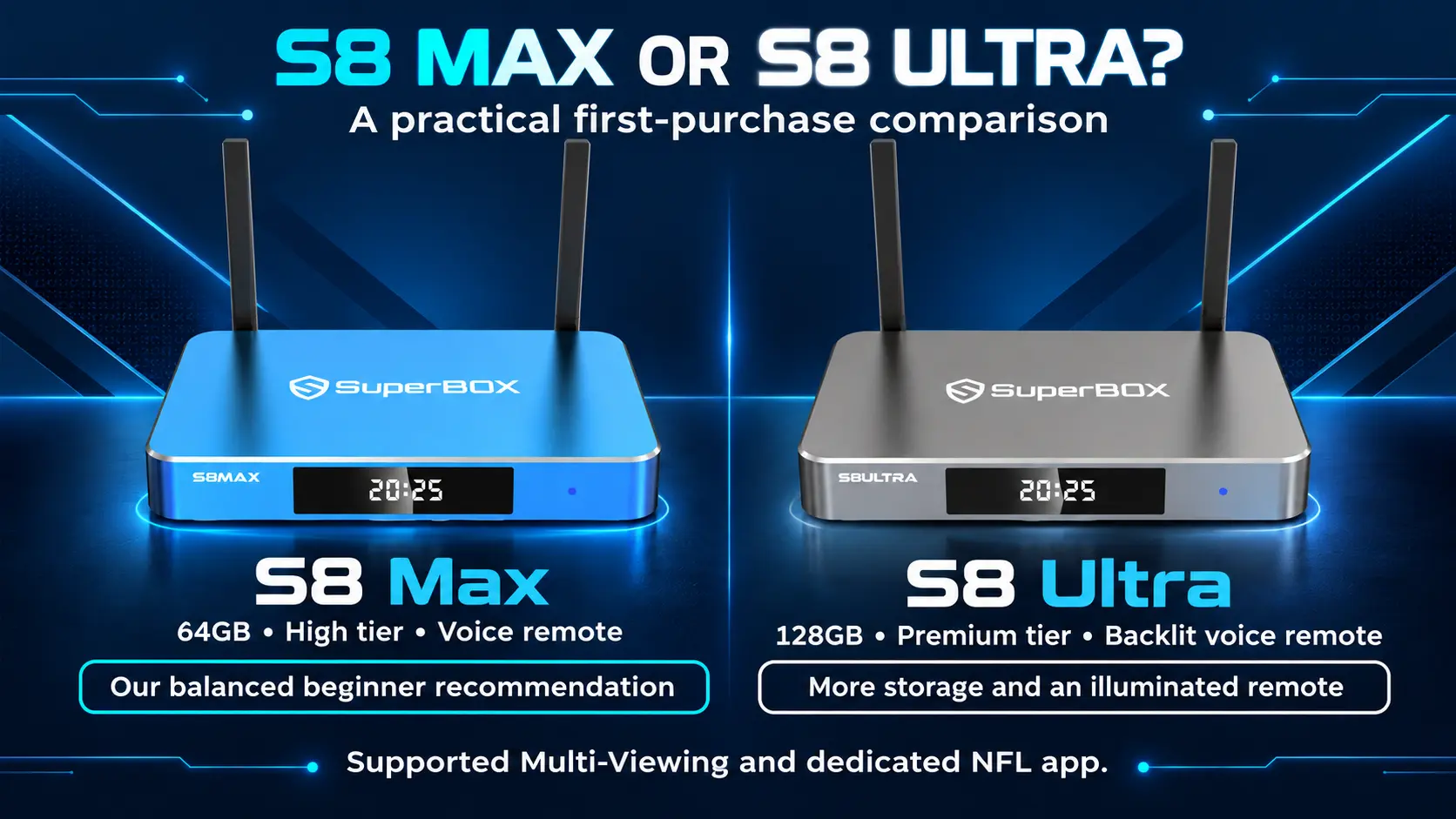
For a new household setup, the S8 Max and S8 Ultra are worth comparing:
- SuperBox S8 Max: 4GB RAM, 64GB internal storage, WiFi 6, Gigabit Ethernet, and a voice-command remote. Consider it for regular living-room viewing with the S8 interface.
- SuperBox S8 Ultra: 4GB RAM and 128GB internal storage, plus an included backlit voice remote. The illuminated buttons are a useful difference if you like watching with the lights low.
Both support 4K playback with compatible content and displays. That hardware specification does not establish the resolution of either movie’s current Blue VOD stream. Choose the model for the features you will use throughout the week.
Buying from a retailer you can identify also makes follow-up easier. SuperBox TV Box Store is an authorized retailer serving the US, Canada and international. Ask through our website’s live chat if you would like help choosing a model or understanding the setup before ordering.
Get Your TV Ready for a Storm Movie
Set a comfortable volume during a scene with speech before everyone settles in. You should be able to hear the conversation without making the louder action uncomfortable.
If you already own a soundbar, check that it is playing the TV’s sound before starting. Our soundbar and home theater connection guide can help you use the equipment you have.
For subtitles, open the Blue VOD player’s gear icon and check Subtitle Tracks. Choose one of the available options for that video. Check it during dialogue rather than assuming a particular language is included.
Keep the remote within reach and show anyone unfamiliar with it how to pause. These small preparations help you spend the evening watching the movie instead of explaining controls.
If playback keeps stopping, compare it with another title before changing settings. The SuperBox buffering guide provides a fuller sequence of checks.
Help If You Cannot Find or Play Either Movie
Check the spelling and the release year first. If one listing fails, note whether the other movie works and write down any error message.
For purchases made directly at superboxtvboxstore.com, email customer@superboxtvboxstore.com with your model, the movie title and year, and a clear description of the problem. A screen photo can help us understand the issue. We value your experience and can coordinate the next steps.
Send order details privately. For order-specific help with a purchase from another seller, contact the retailer shown on that receipt.
Frequently Asked Questions
Can I watch Twisters free on SuperBox
Yes. Twisters (2024) is available free through Blue VOD on a compatible SuperBox, with no separate movie rental charge or monthly Blue VOD subscription. The hardware purchase and internet service remain your costs.
Is the 1996 movie called Twister or Twisters
The original is called Twister, without the final “s.” Search for Twister and confirm the 1996 release year and the Helen Hunt and Bill Paxton cast.
Do I need S8 Ultra to watch these films
No. Ultra’s 128GB storage and backlit remote are reasons to consider that model, but it is not a special requirement for these movie listings. Use Blue VOD on your compatible SuperBox.
Will both movies play in 4K or Dolby Atmos
Check the actual stream and your equipment. A film being available in Blue VOD does not establish those formats. The specifications of a separately sold disc edition also do not describe the stream inside the app.
For tonight’s choice, remember the names: Twister (1996) for the original, Twisters (2024) for the newer film. Open Blue VOD, select your movie, and settle in.
The article was updated on:
