
Knowledge SuperBox
Are Jailbroken Streaming Devices Worth It in 2026? Pros, Cons and What to Buy





A streaming device advertised as “jailbroken” can sound like a shortcut to better entertainment: more apps, fewer restrictions and a smaller monthly bill. But that single word tells you surprisingly little about what you are buying.
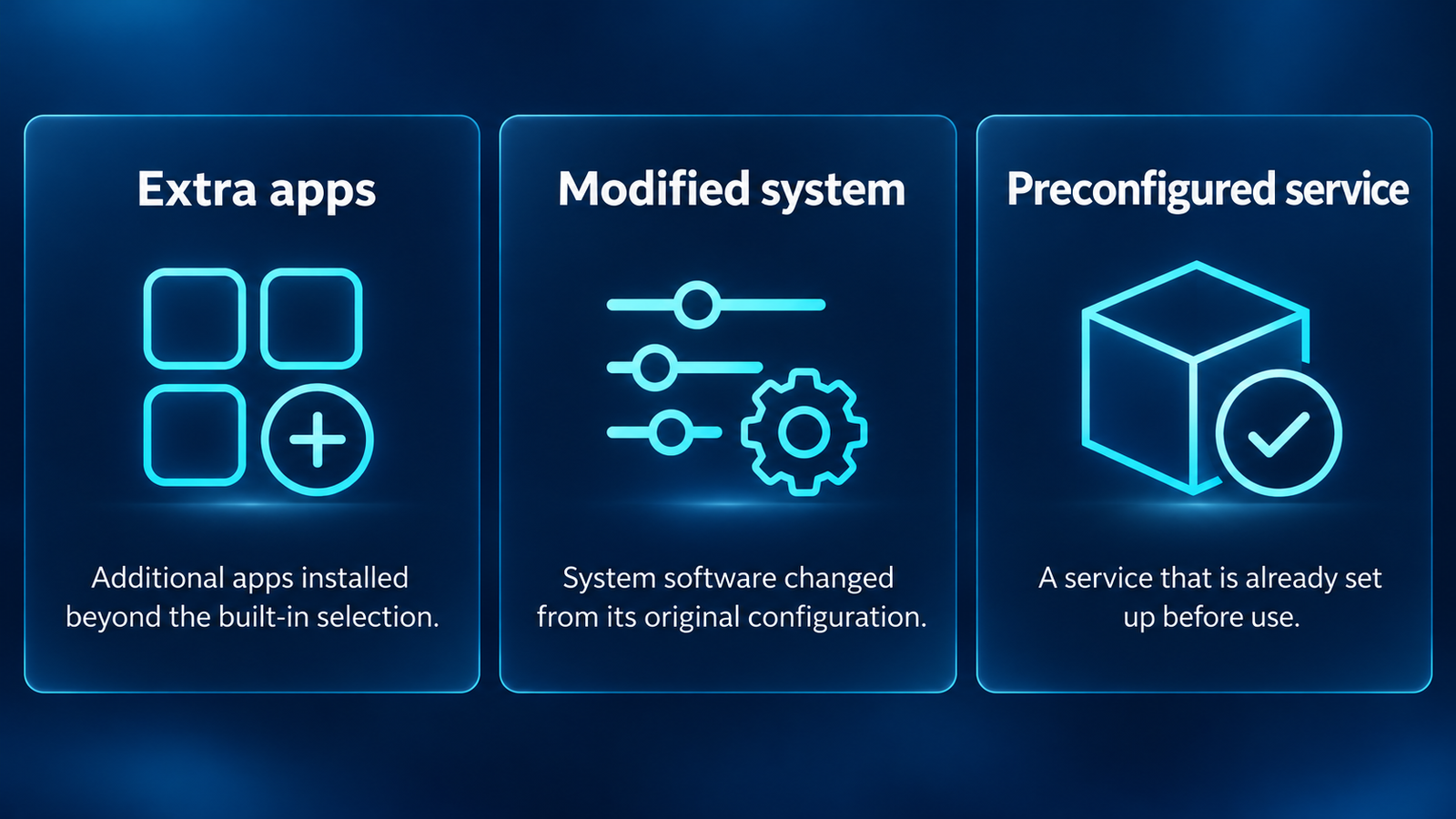
One seller may mean a normal device with extra apps installed. Another may mean modified system software. A third may be selling access to a service that could stop working independently of the hardware.
Before spending money, separate the device, its software and the content provider. That makes it much easier to compare the benefits with the possible costs and decide whether a conventional streamer or a purpose-built option such as SuperBox S8 better matches your needs.
Quick answer: are jailbroken streaming devices worth buying?
A jailbroken streaming device can offer useful customization, but the label alone does not justify paying more. Its value depends on the exact hardware, how it was modified, where its apps come from, what content you are authorized to access, and who provides support. Avoid buying on a promise of unlimited premium entertainment alone.
If your goal is simpler everyday viewing, prioritize a documented setup process, suitable connections, clearly explained features and a seller you can contact after the purchase.
What does a jailbroken streaming device actually mean?
The term is often used loosely in retail listings. It is worth asking the seller what changed before treating two “jailbroken TV boxes” as equivalent.
Sideloading an app
Sideloading means installing an application outside the platform’s usual app store. It does not necessarily involve rooting the device or changing the operating system. Compatibility and installation rules vary by platform and model.
An Android installation file is not a universal streaming-device app. Do not assume instructions for one Android-based box also apply to Roku, Apple TV or every generation of Fire TV.
Rooting or changing system software
Rooting generally gives software deeper access to the system. A custom firmware installation changes the software running the device. These are more substantial changes than adding an app and can affect security, updates and app compatibility.
If a seller cannot explain whether the system was modified, you cannot assess those tradeoffs from the product title.
Buying a preconfigured device
Some listings use “jailbroken” simply to mean apps have been installed or a service has been configured. This may save setup time, but it does not establish the apps’ trustworthiness, their future availability or the provider’s right to distribute the content.
For the basic hardware concept, see what a SuperBox TV box is. To compare other purchase routes, use our separate Firestick alternatives guide.
| Listing term | What it may describe | Question to ask |
|---|---|---|
| Sideloaded | Apps installed outside the usual store | Who publishes each app, and where are updates obtained? |
| Rooted or custom firmware | Changes to system access or operating software | What changed, and who supports the modified system? |
| Fully loaded | Preinstalled apps or configured services | What is included, and what requires a separate account? |
| Unlocked | An ambiguous marketing description | Which restriction was removed? |
| No monthly fee | A hardware or service pricing claim | Does this apply to the device, the content service |
Which devices appear in jailbreak and sideloading discussions?
The devices below are examples to recognize when reading listings and tutorials. These brands do not sell “jailbroken” versions as their standard products, and mentioning a model here does not mean its manufacturer endorses a reseller’s software bundle.
Amazon Fire TV Stick and Fire TV Cube
Fire TV Stick 4K, Fire TV Stick 4K Max and Fire TV Cube are names you will encounter in Fire TV customization discussions. On compatible Fire OS models, adding outside apps is usually described as sideloading rather than a full system jailbreak. Amazon documents app testing through ADB.
Check the generation and operating system. Fire TV Stick 4K Select uses Vega OS; Amazon’s Vega developer workflow uses Vega app packages. An older Android APK tutorial should not be assumed to apply to it.
NVIDIA SHIELD TV and SHIELD TV Pro
NVIDIA SHIELD TV and SHIELD TV Pro are Android TV devices that appear in advanced media-player and app-customization discussions. Installing an additional compatible app is different from rooting the system.
If someone offers a “jailbroken SHIELD,” ask what was installed or modified. The premium hardware name does not validate an anonymous app bundle. NVIDIA’s SHIELD app guidance describes its normal application environment.
Walmart onn. Google TV devices
onn. 4K Streaming Box, onn. 4K Plus and onn. 4K Pro are other names buyers may encounter when comparing customizable Google TV setups. Identify the exact version: Walmart now lists a 2026 onn. 4K Pro model.
A seller charging extra for a “fully loaded onn. box” should explain the added software and support. Otherwise, you may be paying mainly for app installation rather than better hardware.
Chromecast with Google TV and Google TV Streamer
Chromecast with Google TV HD, Chromecast with Google TV 4K and Google TV Streamer (4K) belong to the Google TV device family. Do not confuse them with older Chromecast devices whose main workflow relies on casting.
Google TV Streamer is a separate Google product, not simply another name for a modified Chromecast. Check app support for the particular device and software version.
Generic Android TV boxes
Listings using names such as X96, T95 or H96 can describe multiple variants with different hardware and firmware. A similar case or model-family name does not establish identical software, update support or certification.
Ask for the manufacturer, full model number and software build. Avoid treating “Android,” “unlocked” or a large app count as a complete product specification.
| Device family | What to clarify before buying a configured unit |
|---|---|
| Fire TV Stick / Fire TV Cube | Fire OS or Vega OS, exact generation and installed apps |
| NVIDIA SHIELD TV / Pro | Extra apps versus actual system modifications |
| onn. Google TV | Exact model, year and reseller setup charge |
| Chromecast / Google TV Streamer | Device type and current app compatibility |
| Generic Android boxes | Manufacturer, firmware, certification and support contact |
Roku and Apple TV 4K should not be grouped into an Android APK installation guide. A listing that promises the same “jailbreak” process across all these platforms deserves closer questioning.
The potential benefits of jailbroken streaming devices
More flexibility for specific applications
An open app environment can be useful when you need software unavailable through a device’s normal store. Examples include a compatible media player for your own files or a niche application distributed directly by its developer.
The benefit is access to an application you actually need. Installing more apps for the sake of a longer menu can make navigation harder without improving your viewing experience.
A customized interface
Supported launchers and tools may let experienced users arrange shortcuts or change how they navigate. That flexibility matters most when the customization solves a daily annoyance.
For a shared household TV, a predictable interface may be more valuable than advanced control. Think about whether other family members will understand the setup when you are away.
Reusing an existing television
A compatible HDMI streaming device can add another media interface without replacing the screen. This benefit is shared by ordinary streaming devices, not exclusive to jailbroken hardware.
If you already like your television’s picture, read our streaming box vs smart TV comparison before buying a replacement TV.
Reducing unnecessary spending
Switching to a different viewing setup may help you drop services you no longer use. The savings come from changing your subscriptions and habits, not from the word “jailbroken.”
List your essential shows, local viewing needs and sports before cancelling anything. Our cord-cutting guide helps organize that decision.
The drawbacks that matter after the purchase
Unknown apps can introduce security risks
An app can look convincing while asking for permissions or access unrelated to television viewing. A preinstalled application deserves the same scrutiny as one you download yourself.
The FBI’s BADBOX 2.0 advisory describes streaming and other connected devices compromised before purchase or through malicious app downloads during setup. It recommends examining suspicious devices and considering disconnecting them. The advisory also stresses that an indicator alone does not prove a device is malicious.
That distinction matters: a low price, unfamiliar brand or open app environment is a reason to investigate, not evidence that every such device is infected.
Do not turn off security protections merely because an anonymous installation guide tells you to. Ask the legitimate developer or manufacturer why a warning appears.
Compatibility may differ from the sales promise
Successfully installing an app does not guarantee full functionality. Remote navigation, account sign-in, video resolution and playback support can vary.
Google distinguishes Play Protect certification from its harmful-app protection. Certification concerns Android compatibility testing and eligibility to include Google apps. A familiar-looking Play Store icon does not by itself settle the device’s certification status.
If a particular subscription app is essential, check that provider’s supported-device information for the exact model. Do this before assuming that an Android-based device will provide the same experience as a certified platform.
Updates and maintenance can become your responsibility
A customized setup may need separate updates for the operating system, installed applications and service configuration. Ask who handles each layer and what happens if an update changes compatibility.
There is a meaningful difference between a seller offering hardware support and someone promising to maintain a third-party service indefinitely. Get the actual support scope in writing.
Content availability can change
Hardware can continue functioning even when an app or provider stops offering the content you expected. A large channel list is not a guarantee that every channel will remain available, accessible in your region or working at the advertised quality.
Treat phrases such as “everything forever” as questions to investigate. Ask how the service operates and what happens if access changes.
Buffering is not solved by a modified label
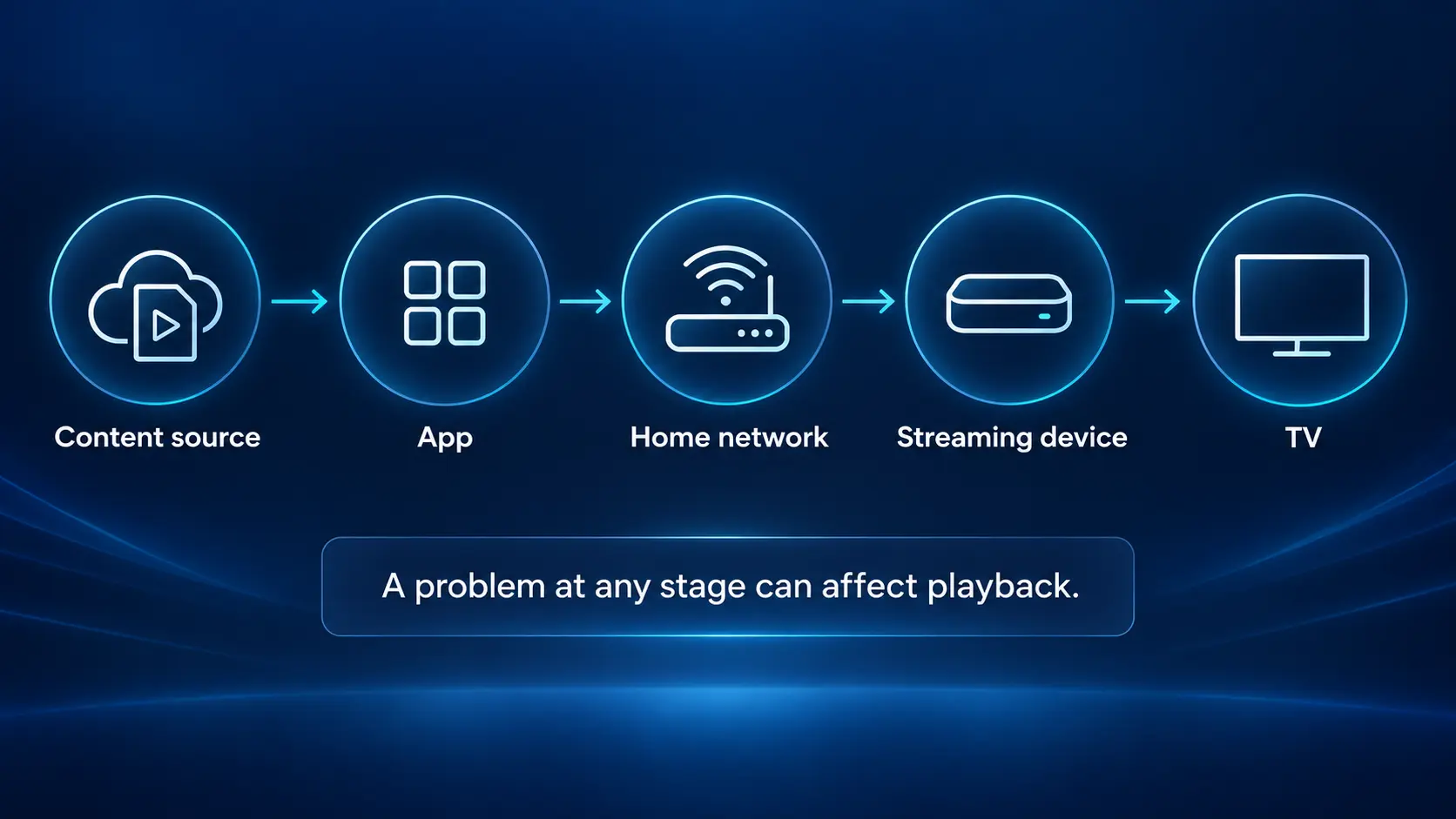
Playback depends on the source, your network, the application and the device. A seller’s “unlocked” claim does not eliminate Wi-Fi interference or an overloaded stream.
Start with an appropriate connection and realistic expectations. For S8 owners, our Wi-Fi and Ethernet setup guide explains connection setup, while the buffering and freezing guide covers troubleshooting.
Are jailbroken streaming devices legal?
The software modification and the content you access are separate questions. Installing an app does not automatically give you permission to watch everything it offers.
For example, UK Intellectual Property Office guidance distinguishes legitimate viewing from devices adapted to access illicit content. That guidance concerns the UK; it is not a universal legal ruling for customers in the US or Canada.
Rules depend on location, the particular modification and the service involved. Use authorized sources and keep any subscriptions required by the provider.
A VPN also does not grant permission to access copyrighted content. It is a separate networking tool. Our SuperBox VPN guide explains when a VPN may be relevant to a connection.
What has changed for Android app installation in 2026?
Older tutorials may no longer describe current installation rules accurately. Google’s Android developer verification guidance describes a rollout beginning in September 2026 for participating stores on certified Android devices in Brazil, Indonesia, Singapore and Thailand, with broader expansion planned for 2027.
The guidance excludes AOSP and non-certified devices from that requirement. It does not mean every streaming box worldwide has stopped allowing outside applications.
For buyers, the lesson is practical: verify the current instructions for your exact platform, country and device. A seller should explain its supported installation process rather than referring you to an old tutorial for different hardware.
Calculate the real cost before buying
Compare the purchase price with the entire viewing arrangement. Include any service charges, subscriptions you plan to keep, accessories and setup assistance.
Use this simple comparison:
First-year cost = device + accessories + setup charges + twelve months of retained services.
Then compare it with your current first-year spending. If the savings depend on cancelling a service your household still needs, revise the plan.
| Cost or commitment | What to clarify |
|---|---|
| Device price | Exact model, included accessories and condition |
| Setup charge | What work is being done and whether it is necessary |
| Service charge | Renewal period, provider and cancellation terms |
| Existing subscriptions | Which ones remain necessary for your viewing needs |
| Support | Who helps with hardware, apps and account problems |
| Returns | Applicable window, conditions and exclusions |
A device can be good value without replacing every paid service. The useful question is whether it improves your setup enough to justify its total cost.
Where SuperBox S8 fits in this decision
SuperBox S8 is worth considering if you want a dedicated TV box with a defined model lineup and documented setup. You can compare its actual features rather than pay extra for an unexplained “jailbroken” label.
The S8 setup guides cover installing its applications through the supported App Store workflow; they do not require a separate rooting tutorial. Start with our S8 app installation guide and follow the instructions for the software on your device.
Choose by features you will use
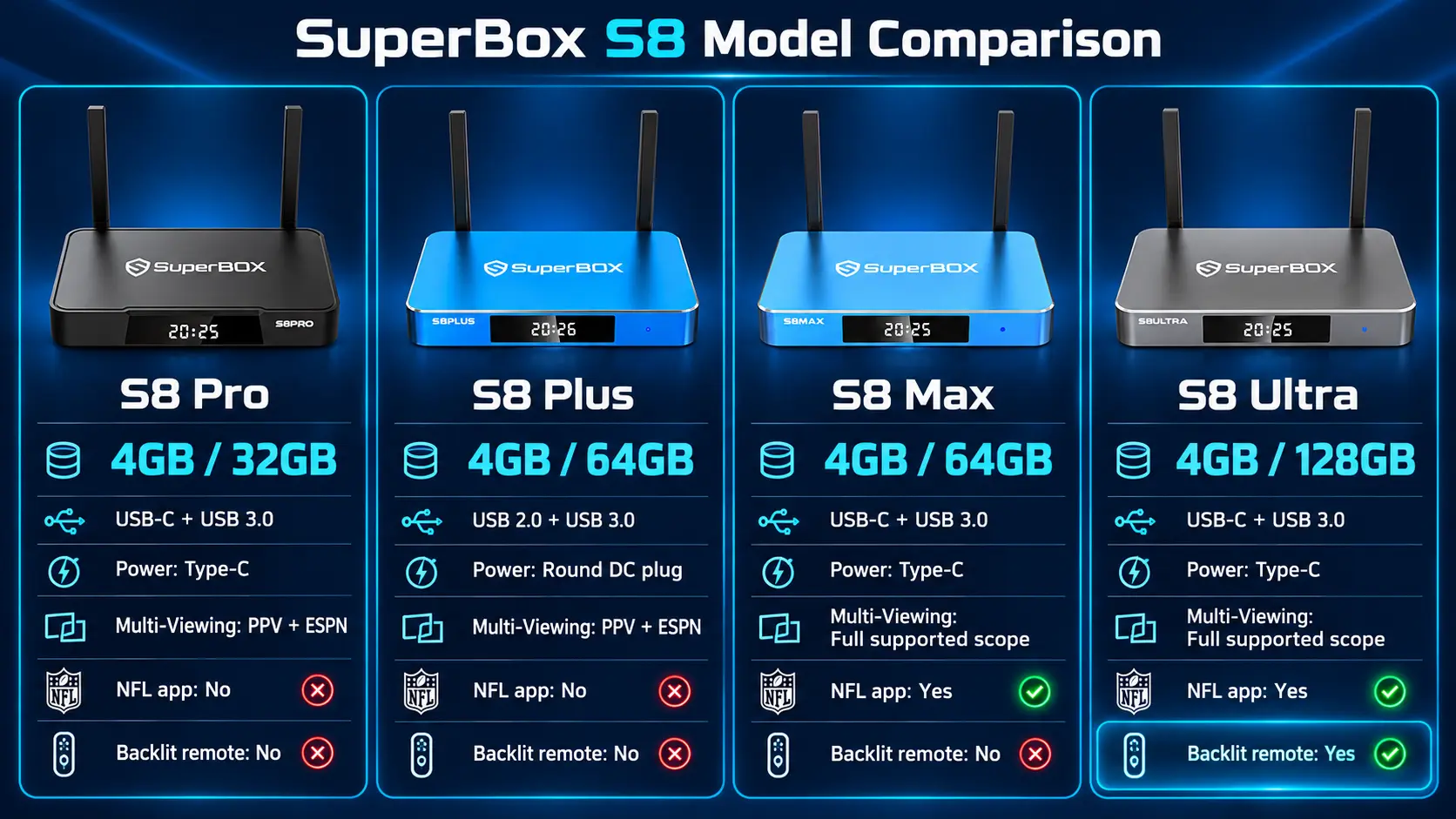
The table below highlights the main differences in the S8 lineup. “Full supported-channel scope” describes the listed Multi-Viewing feature, not a guarantee that every possible stream is compatible.
| Model | RAM / storage | USB ports | Power connection | Multi-Viewing scope | NFL app | Backlit remote |
|---|---|---|---|---|---|---|
| S8 Pro | 4GB / 32GB | USB-C + USB 3.0 | Type-C | PPV + ESPN channels | No | No |
| S8 Plus | 4GB / 64GB | USB 2.0 + USB 3.0 | Round DC plug | PPV + ESPN channels | No | No |
| S8 Max | 4GB / 64GB | USB-C + USB 3.0 | Type-C | Full supported-channel scope | Yes | No |
| S8 Ultra | 4GB / 128GB | USB-C + USB 3.0 | Type-C | Full supported-channel scope | Yes | Yes |
All four models list voice command, built-in recording and Playback. More storage gives you more capacity; it does not, by itself, prove faster channel loading. For the complete selection guide, see S8 Pro vs Plus vs Max vs Ultra.
Make everyday convenience part of the comparison
Multi-Viewing, recording and remote controls can matter more than a long list of unfamiliar apps. If you use those features regularly, they become a concrete reason to choose a particular model.
Read the S8 Multi-Screen guide to understand the viewing workflow and the S8 Recorder guide for recording instructions and limitations.
Hardware ownership does not make all third-party content free or guarantee app compatibility. A no-monthly-device-fee claim should be kept separate from any subscription required by a content provider.
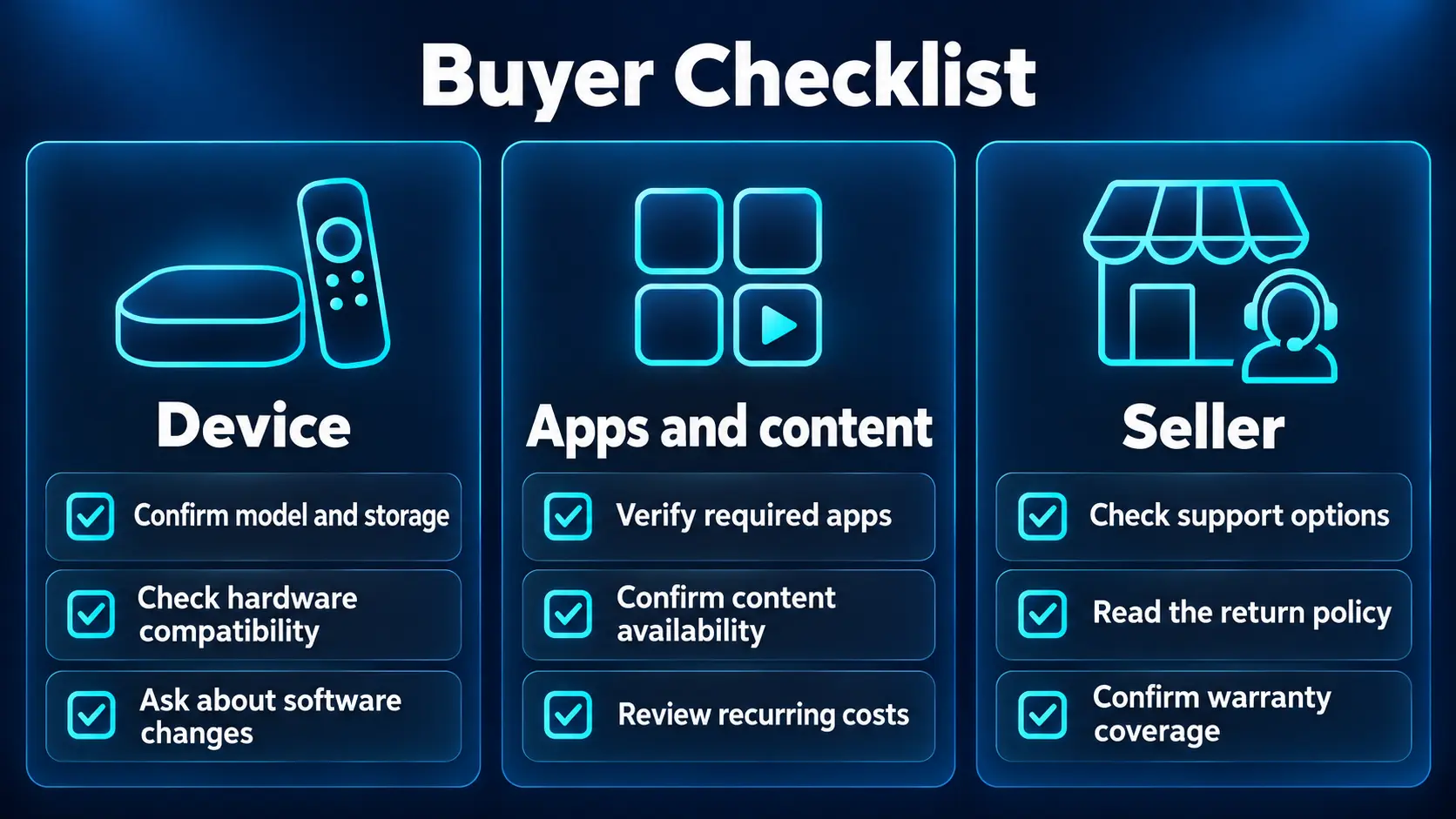
Seven questions to ask any streaming-device seller
- Which exact model am I buying? Confirm the model, accessories and power connection rather than accepting a generic product photo.
- Has the operating system been modified? Ask whether the device is rooted, uses custom firmware or simply has additional apps installed.
- Where do the apps and updates come from? Request the supported installation process and identify the publisher.
- Will my essential services work? Check the exact applications, region and required account—not only the number of advertised channels.
- What costs continue after purchase? Separate hardware fees, service renewals and subscriptions you intend to retain.
- Who provides support? Obtain contact details and clarify which problems the seller handles.
- What are the return conditions? Read the written policy before completing payment.
Keep your invoice and order email. They make it easier to identify the seller responsible for your purchase if you need help later.
Why buy SuperBox S8 from SuperBox TV Box Store?
If S8 fits your needs, buy from a seller whose identity you can check. SuperBox TV Box Store is an authorized retailer serving customers in the US and Canada. Our authorization code is SP20250414002, which you can check on the SuperBox authorization website.
SuperBox is the product brand; SuperBox TV Box Store is a retailer. Different retailers handle their own orders, so the seller on your receipt matters. Order confirmation emails from our store use customer@superboxtvboxstore.com. Our guide to identifying your SuperBox seller explains how to confirm where you purchased.
Before ordering, review the returns policy. If you need help choosing a model or checking an order from our store, contact SuperBox TV Box Store.
Choose the S8 model for its useful features, and choose your retailer for a verifiable purchase and a clear route to help afterward.
Frequently asked questions
Is sideloading the same as jailbreaking?
No. Sideloading is installing an app outside the usual store. Rooting or changing system software is a deeper modification. Sellers sometimes group these under one label, so ask what actually changed.
Can a jailbroken streaming device replace every subscription?
Do not assume it can. Your required shows and services may still need separate accounts or subscriptions. A device purchase alone does not grant access rights to every movie, channel or sports event.
Are all jailbroken streaming devices unsafe?
No single sales label establishes safety. Examine the device’s software, app sources, security protections, update process and seller. An unfamiliar app or unusual warning deserves investigation, not an automatic assumption that every device is infected.
Does a VPN make an unauthorized stream legal?
No. A VPN changes how a connection is routed; it does not supply permission from a rights holder. Check the content provider’s requirements and the rules applicable where you live.
Will jailbreaking improve picture quality or stop buffering?
The label does not guarantee either. Picture quality and playback depend on the source, application, device, network and television. Match your settings to the equipment and troubleshoot the actual problem.
Do I need to jailbreak SuperBox S8 to follow its setup guides?
The documented S8 setup uses its supported app installation workflow rather than a separate rooting process. Follow the current instructions for your device and avoid substituting unofficial firmware or unrelated APK downloads.
Which SuperBox S8 models include the NFL app?
The S8 comparison lists the NFL app on S8 Max and S8 Ultra, not Pro or Plus. An app listing is separate from content availability, viewing rights and any provider requirements.
Which S8 model has the different power connector?
S8 Plus uses a round DC power connection. S8 Pro, Max and Ultra use Type-C power. Check the model before buying a replacement adapter.
The article was updated on:
