
Knowledge SuperBox
Maga Box vs SuperBox: Which TV Box Should You Buy?





For anyone comparing Maga Box vs SuperBox for their main TV, our pick is the SuperBox S8 Max. We advertise 2,000+ live channels in Blue TV, including news, sports, and entertainment. Blue VOD gives you a place to find tons movies and series, and Playback lets you revisit eligible broadcasts from the past seven days. Channel and program availability can vary by location and change over time.
The Max is our pick for a household that goes from the morning news to a live game to a movie on the same TV. It adds a dedicated NFL app, Picture-in-Picture, and Multi-Viewing for supported channels. Choose the Ultra if you want the same viewing features with 128GB of storage and a backlit voice remote. Shop the SuperBox S8 Max · Shop the SuperBox S8 Ultra
Maga Box vs SuperBox at a glance
Start with what you’ll use most on the TV. The S8 Max and Ultra share the main SuperBox apps and game-day features. The MagaBox MG6 Max is the comparison model below. Check the model number when shopping, since the MG5 and MG6 Plus are separate products.
| What matters | SuperBox S8 Max | SuperBox S8 Ultra | MagaBox MG6 Max |
|---|---|---|---|
| Live TV and on-demand | Blue TV with 2,000+ live channels advertised, plus Blue VOD | Same core viewing apps as Max | Maga Live and Maga VOD |
| Watching two streams | Picture-in-Picture and Multi-Viewing on supported channels | Same supported modes as Max | Two-channel split screen advertised |
| Catch-up | Up to seven days on eligible programs | Up to seven days on eligible programs | Up to seven days advertised |
| Manual recording | S8 manual Recorder saves supported programs to external USB | Same manual Recorder app as Max | Confirm support for the exact model |
| Included remote | AI Voice remote | AI Backlit voice remote | Bluetooth voice remote |
| RAM and internal storage | 4GB / 64GB | 4GB / 128GB | 4GB / 128GB |
| Home network | Wi-Fi 6 and Gigabit Ethernet | Wi-Fi 6 and Gigabit Ethernet | Dual-band Wi-Fi and Gigabit Ethernet |
The MagaBox MG6 Max listing and MagaBox app information describe the competitor’s features.
What you can watch on SuperBox S8
Blue TV for live news, sports and entertainment
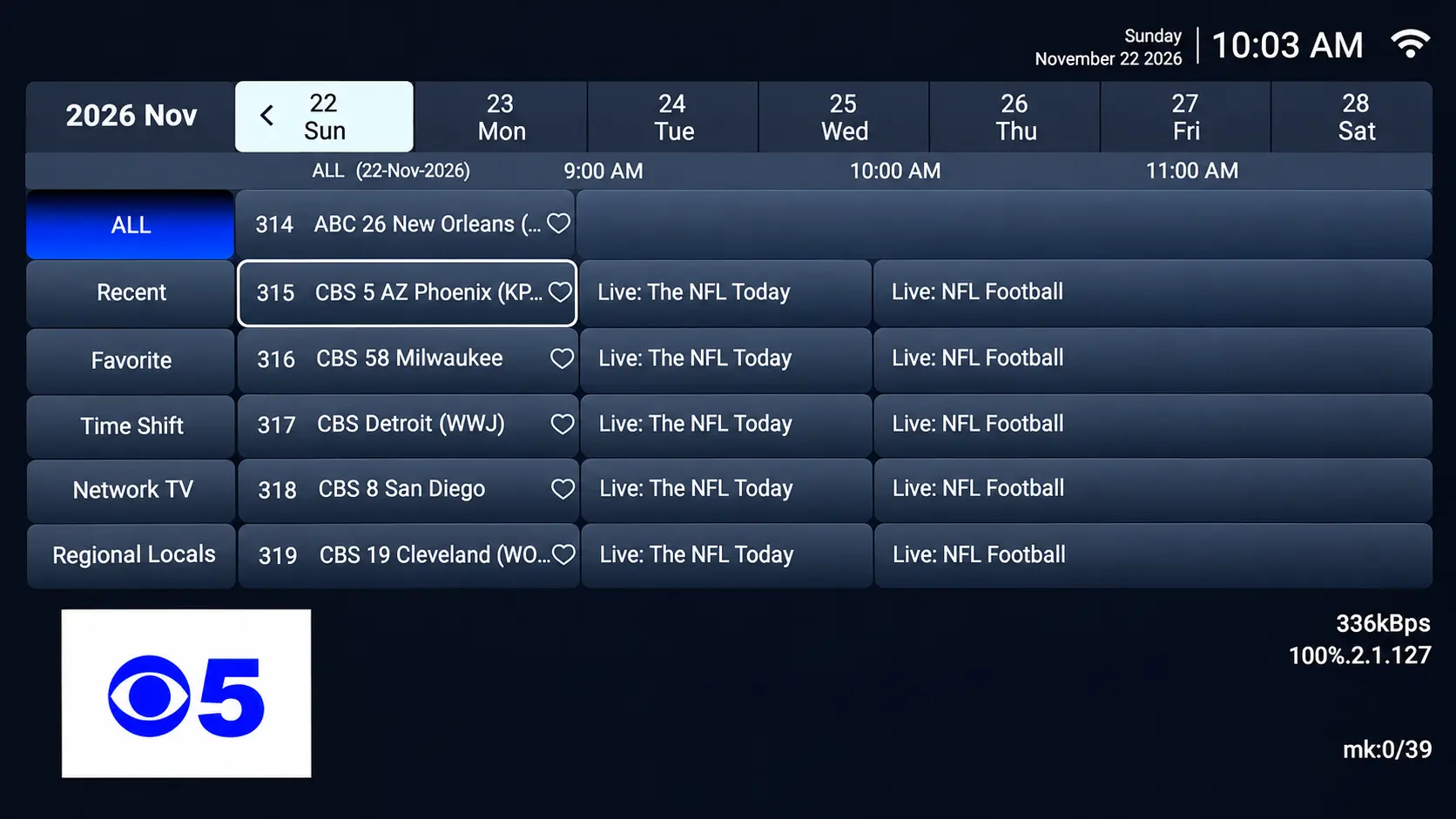
Blue TV is the first app we’d open if the household watches live TV every day. One person can start with a morning newscast, someone else can put on a sports channel in the afternoon, and the family can browse entertainment channels after dinner. If you’re buying for someone used to a cable guide, show them where Blue TV lives on the S8 home screen and leave it in Quick Access.
Before changing which services you pay for, make a list of the channels you’d actually miss. If you’re in Ohio, that might be a local station you turn on every morning. If you’re in Ontario, it might be the network that normally carries your hockey team. Check the station name, city, and any must-have event. Once those are accounted for, the rest of the Blue TV lineup gives you more to browse on nights when the family has nothing picked out.
Blue VOD and Backup TV for family viewing
Blue VOD is where you look for movies and TV series on demand. It’s useful when one person wants to watch a live game and the rest of the household would rather put on a movie afterward. If your family has a favorite series, try a title search first and see whether the season you want is available. For movies with remakes or similar names, check the release year before picking one. Our guide to the SuperBox S8 app lineup explains what you’ll find in each app.
Backup TV gives you a second place to look for live channels and on-demand titles if Blue TV or Blue VOD runs into a temporary app issue. Open it and search for what you want to watch. The available selection can differ across apps. That option is handy on a shared TV, especially if you’d rather find something else for the evening than spend it troubleshooting. See how Backup TV works
The core SuperBox viewing apps have no separate monthly subscription after you buy compatible hardware. If you’re adding up your home entertainment costs, start with the box and your existing internet plan, then list the third-party subscriptions you’d keep. A family that follows a specific team may keep one sports service for certain games. Someone who revisits the same sitcoms might keep the app that carries those seasons. Compare your total using the services you actually watch. SuperBox store FAQs
What changes when two games overlap
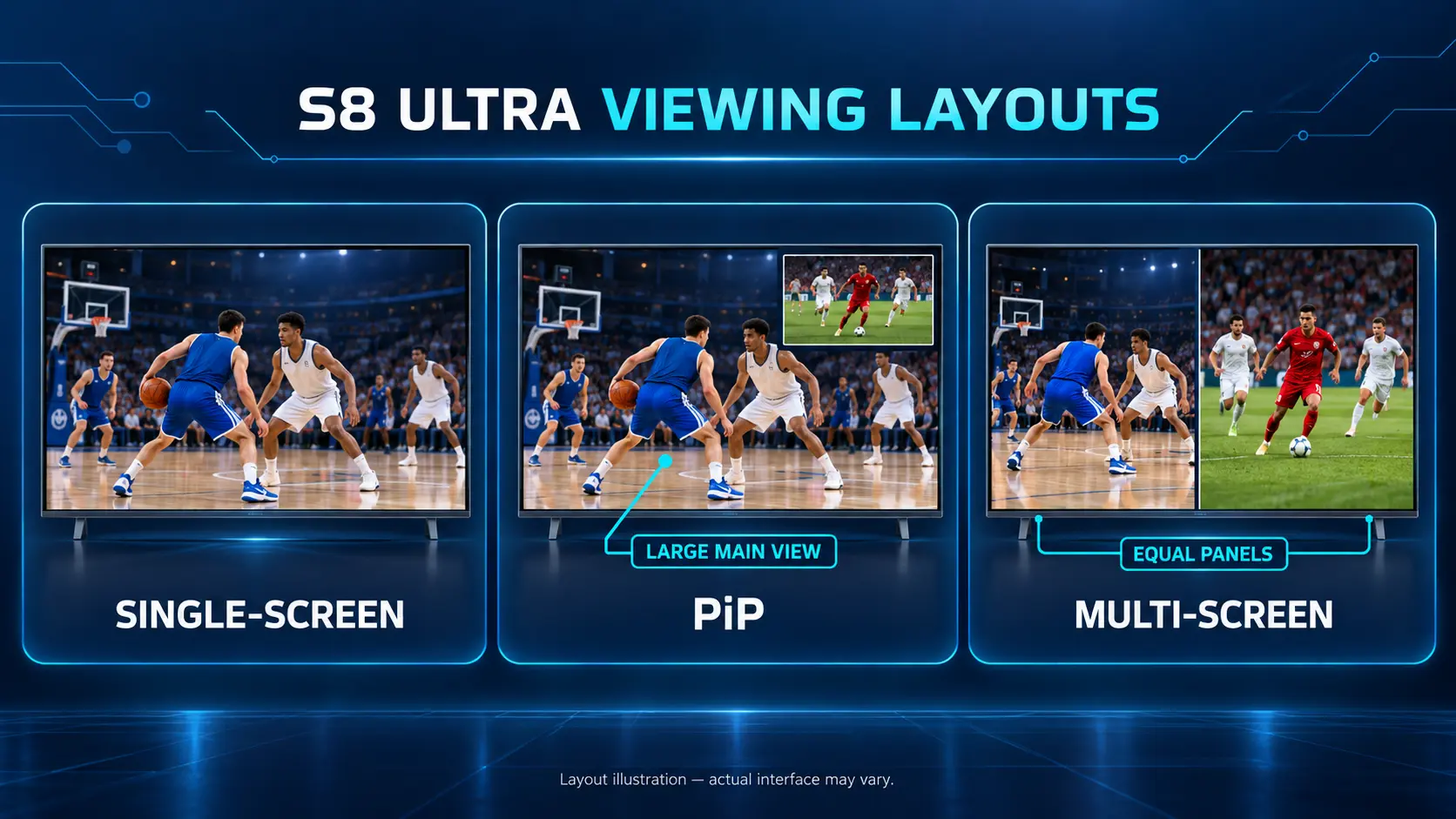
Picture a football game going into the fourth quarter while another matchup is starting. In Picture-in-Picture, you can keep the first game large and put a second supported feed in a corner. When you want to give both games similar screen space, Multi-Viewing can put supported feeds side by side. The MG6 Max also lists split screen. We’d pick the S8 Max or Ultra here for the choice of layouts across supported channels. Check that the two feeds you want work together. See the S8 viewing modes
The S8 Max and Ultra also include a dedicated NFL app. If football is part of your regular Sunday routine, you have another place to look for an available game alongside Blue TV. Check your team’s next few matchups and the available channels or apps for your region. The Max includes the same dedicated app as the Ultra, so football fans can get that feature on the lower-priced of those two models. How to find live sports on SuperBox
Watch on your schedule with Playback and Recorder
Catch up after a show has aired
If you get home late and a program has already finished, SuperBox Playback lets you go back through the schedule for eligible channels. Pick the channel and date, then look for the program in the schedule. Availability can extend up to seven days. A channel may offer live viewing while only some of its programming is available later. This is the feature to check if you often miss a local newscast or watch a weekend broadcast the next morning. SuperBox S8 Playback guide
For example, if you want to watch last night’s newscast over breakfast, open Playback and look for the previous evening in the guide. If you remember the network and approximate time, you can find the entry without knowing the exact program title. Check a recent broadcast from that station before choosing a box for catch-up viewing.
Save a program while it’s playing
On the S8, connect a compatible external USB drive and use Recorder to start and stop a supported recording manually. The file saves to that drive. This is useful if you’re watching a broadcast you want to save and revisit later. If you’re leaving the house before the program starts, check Playback coverage or whether your TV service offers scheduled recording. The S8 Recorder currently requires you to press Start yourself. SuperBox S8 Recorder guide
If saving supported broadcasts is a priority, budget for a compatible USB drive. Pick the S8 Max or Ultra based on the apps and local files you want on the box itself. On either S8 model, recording capacity depends on the drive you plug in. The Max works well here if you plan to keep a small set of apps installed and put recordings on a separate drive.
SuperBox hardware for the room you watch in
Storage and picture quality
The S8 Max pairs 4GB of RAM with 64GB of internal storage. That’s a practical starting point when your TV mostly runs live channels, on-demand apps, and a few other services. The S8 Ultra doubles internal storage to 128GB, matching the MG6 Max’s listed capacity. We’d put the Ultra on a shared main TV if several people plan to add apps or keep local media. Some room on either model is used by the system.
Both S8 models support 4K playback with compatible content and equipment. For a large TV, try the sports feeds or movie apps you watch most and check the TV’s HDMI input settings. The source, app, display, and output settings all affect the picture you see. If a particular service’s 4K tier matters to you, verify support for that app on the exact box before buying.
Wi-Fi or a cable to the router
Both SuperBox models offer Wi-Fi 6 and Gigabit Ethernet. If your router sits near the living-room TV or there’s a network jack behind the stand, start with Ethernet. It gives the box a wired path to the router and avoids the Wi-Fi fluctuations you can get when streaming through several walls. That matters on a TV where you expect to use Multi-Viewing or stream a game while the rest of the house is online.
If the TV is somewhere you can’t easily run a cable, Wi-Fi gives you more freedom to place the box. Check the signal at the TV stand with the cabinet door closed if that’s how you’ll use it. The MG6 Max spec sheet gives mixed descriptions of its Wi-Fi standard, so confirm the shipping hardware if it’s still on your shortlist. MG6 Max specifications
The remote and home screen
The S8 Max comes with a voice remote. On the S8 Ultra, the buttons also light up. That’s the upgrade you’ll feel every time you dim the lights for a movie or settle in for a late game. It’s especially handy if you often pause a show, back out to the channel guide, or share the remote with someone who wants to see the buttons without turning on a lamp.
The SuperBox S8 home screen also has a customizable Quick Access row and parental controls. If you’re setting up the TV for someone else, put their most-used apps at the front so they can go straight to a familiar tile. For a shared TV with kids, check the parental controls in each app your family uses, especially third-party apps with their own profiles and settings. That makes the everyday setup more useful than leaving the home screen exactly as it came.
What you need to connect the box
For either box, you need a compatible HDMI input, power, and an internet connection. With the S8 Max and Ultra, the box, HDMI cable, voice remote, and power equipment come in the package. Look for an open wall outlet near the TV and check whether an Ethernet cable can reach the router. If this is a gift, show the recipient how to select the right HDMI input, then leave their favorite app in Quick Access. That gives them one familiar way to get back to what they watch after using the TV’s own apps. SuperBox package checklist by model
SuperBox pricing, shipping and support
Buy from an authorized SuperBox retailer
Buying a streaming box is easier when you know who you’ll reach after delivery. If you’re choosing a SuperBox for a parent or as a gift, save the invoice with the recipient’s model name. If they need help setting it up or figuring out whether an issue is with an app or the hardware, the order number lets our team look up the purchase.
SuperBox TV Box Store is an authorized retailer serving the U.S. and Canada. Direct orders have a one-year warranty for qualifying defects from delivery. We also accept eligible return requests within 30 days of delivery. Change-of-mind returns carry a 10% restocking fee and return shipping costs. For a defect confirmed within the 30-day window, our policy offers a refund or replacement and covers approved return shipping. Keep your order number and email customer@superboxtvboxstore.com if a problem comes up. Refund and returns terms
One way to compare sellers before paying is to ask about a channel or feature you care about and what happens if the box arrives with a fault. You’ll learn whether the seller can answer a specific question and give you a clear route for support. If you’ve found a SuperBox through a marketplace or a different website, verify that seller’s authorization and save a copy of the listing. A clear answer on who sold the device matters if you need help later. How to verify a SuperBox seller and device
Black Friday prices on the S8 lineup
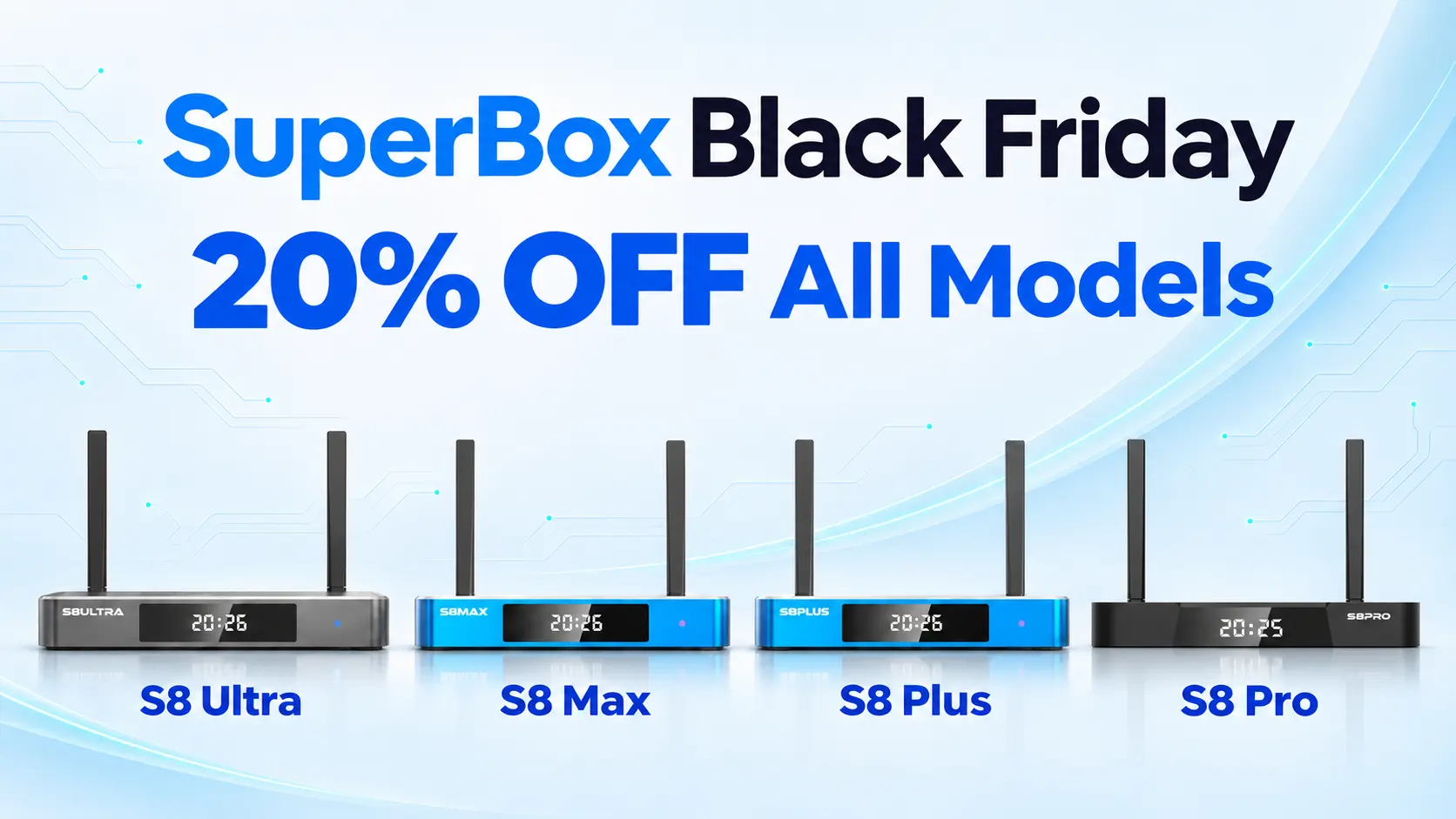
The S8 Max is US$319, the S8 Ultra is US$359, the S8 Plus is US$303, and the S8 Pro is US$287 during our November 20–30, 2026 Black Friday and Cyber Monday sale, while supplies last. The sale runs through the end of November 30 Pacific time. If the living-room TV gets the most use, start with the Max. The Ultra is a US$40 step up if you want the larger storage capacity and the backlit remote. See the current SuperBox sale
At SuperBox TV Box Store, standard shipping is free to the U.S. and Canada. Orders generally take one to two business days to process. Typical transit estimates are two to five business days in the U.S. and three to five in Canada. Holiday volume and destination can affect timing. Prices shown here are in U.S. dollars, so Canadian buyers should check the amount after their card issuer’s currency conversion. SuperBox shipping policy
For a direct comparison, the MG6 Max was listed at US$359 by MagaBox Online when we checked on November 24. At that price, the S8 Ultra gives you the same 128GB capacity for the same advertised device price, with a backlit remote and the S8 viewing tools in this guide. If you’ve found a different MG6 Max price, compare checkout totals in the same currency, including shipping and any accessories you want to buy.
For two TVs, you can put an S8 Max in the room where people watch sports together and an S8 Pro in a guest room that mostly runs one channel or app at a time. Those two boxes total US$606 at the published sale prices, before any applicable tax. If you’re only buying for one TV, choose based on the apps, remote, and viewing modes you’ll use in that room.
Which SuperBox should you buy?
S8 Max for the main TV
Choose the Max if a typical day includes live channels, sports, and on-demand watching. This is the one we’d buy for the living room. You get the main S8 apps, the dedicated NFL app, and the wider Multi-Viewing coverage shared with the Ultra. It’s also the model we’d choose for someone moving their viewing to one box and planning to keep only a few apps installed. Shop the SuperBox S8 Max
S8 Ultra for movie nights and more storage
Choose the Ultra for a home theater, a dim bedroom, or a shared TV that needs more room for apps and local files. If you started this comparison because the MG6 Max offers 128GB, this is the SuperBox to look at first. You get that capacity, the backlit voice remote, and the same live viewing tools we recommend on the Max. Shop the SuperBox S8 Ultra
S8 Pro for a second TV
If you’re buying for a guest room or usually watch one stream at a time, the S8 Pro keeps the purchase price down and still offers voice control, eligible seven-day Playback, and manual USB recording. It has 32GB of storage, and its Multi-Viewing covers supported PPV and ESPN channels. Choose Max or Ultra if you want the dedicated NFL app and broader Multi-Viewing. Shop the SuperBox S8 Pro
S8 Plus for extra room on a budget
The S8 Plus makes sense if you like the Pro for everyday viewing and want 64GB for additional apps. For a main TV that gets used for two live games, the Max is the stronger buy in this lineup. During the sale, it’s US$16 above the Plus and gives you broader Multi-Viewing on supported channels and the dedicated NFL app. Compare all four SuperBox S8 models
Frequently asked questions
Can one SuperBox serve two televisions?
Plan on one unit per TV if people in different rooms want to choose their own programs. An HDMI splitter can send the same picture to two screens in a compatible setup, so it may work if you want the same game showing in two rooms. Multi-Viewing is for displaying supported streams on a single screen. For a second TV with lighter use, a lower-priced S8 may be enough. Compare models in the SuperBox shop
What should I check before I order?
Pick a live channel, a show you sometimes miss, and a streaming app your household already pays for. Check that the exact model can handle each the way you expect. Check the remote type and warranty route, then compare the final checkout total. If a particular station, game, or two-channel combination will determine which box you buy, tell us your model, city, and the names of the channels or apps so we can help you check. Contact SuperBox TV Box Store
Our pick is the S8 Max. It’s where we’d start for Blue TV’s live lineup, Blue VOD, and the option to follow two supported games on one screen. Choose the Ultra if you regularly watch with the lights down or want more room for apps and local files. Get the SuperBox S8 Max · Get the SuperBox S8 Ultra
The article was updated on:
