
Knowledge SuperBox
7 Best Jailbreak Firestick Alternatives in 2026





Searching for a “jailbreak Firestick” usually starts with a reasonable goal: more viewing choices, fewer restrictions, better performance or a simpler way to organize entertainment. The problem is that the word jailbreak mixes several very different things together.
On Fire TV, people often use “jailbreaking” to describe enabling developer settings and installing software from outside the Amazon Appstore. That is not the same as defeating every hardware or operating-system restriction. More importantly, installing an app yourself does not make its content legal, secure or reliable.
By September 2026, there are enough strong streaming devices that most households do not need to modify a Fire TV Stick at all. The better approach is to choose hardware whose normal capabilities already match the way you watch: a simple Roku for mainstream apps, Apple TV 4K for an Apple-centered home, Google TV Streamer for Google services and smart-home control, NVIDIA Shield TV Pro for local media, or SuperBox for shoppers who want a more complete TV-box experience with generous storage, strong connectivity and supported SuperBox services.
This guide compares seven practical alternatives, explains their tradeoffs and shows how to avoid the security and reliability problems commonly associated with unofficial streaming setups.
Important: This article discusses lawful device selection and legitimate apps. It does not provide instructions for bypassing digital protections, accessing copyrighted programming without authorization or concealing unlawful activity. Content availability and legal rules vary by service and location.
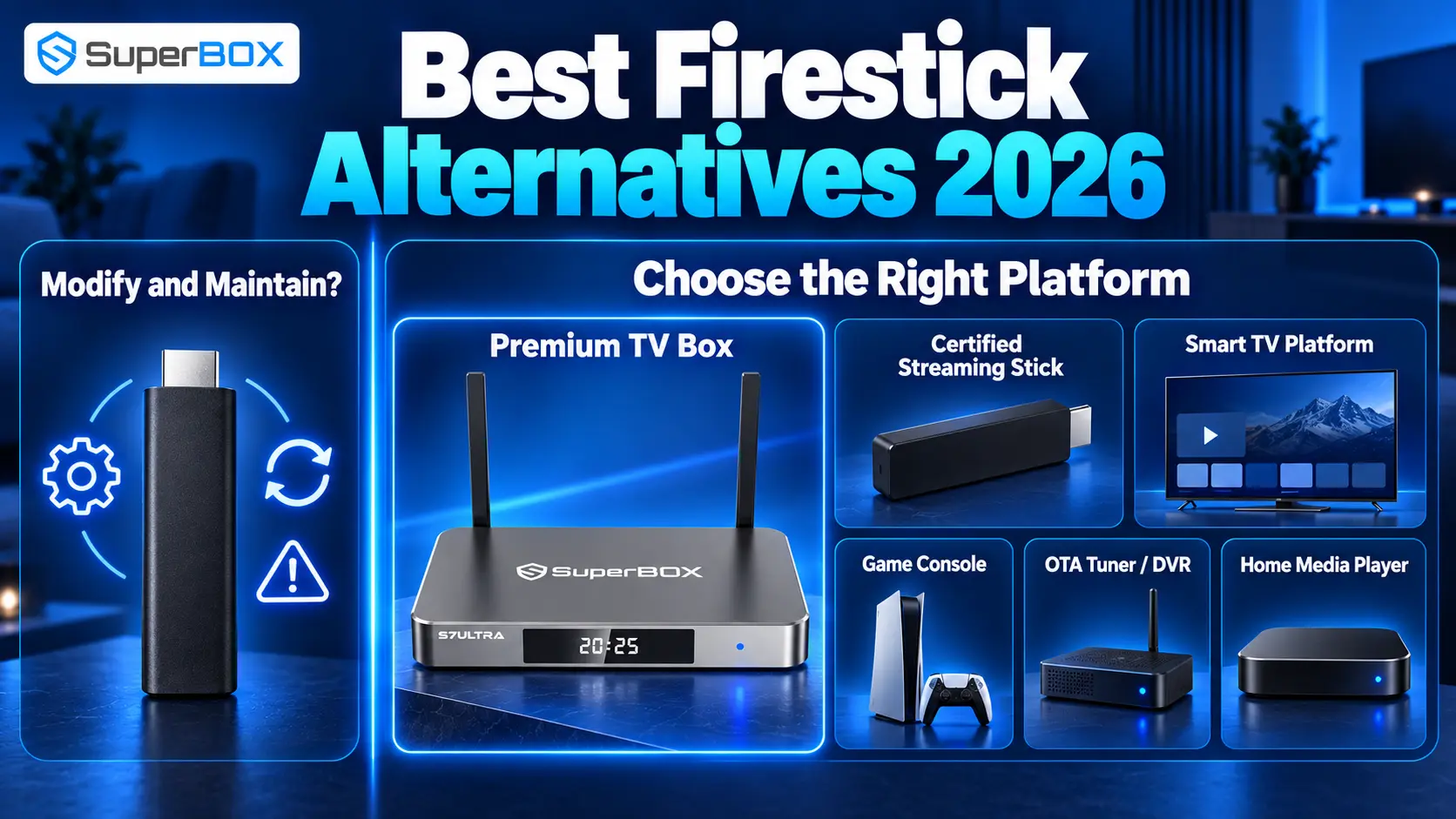
Quick Answer: What Is the Best Alternative to a Jailbroken Firestick?
The best choice depends on what you hoped to gain by modifying a Firestick:
- Best premium all-in-one alternative: SuperBox S7 Ultra. It combines 4GB RAM, 128GB eMMC storage, Wi-Fi 6, Gigabit Ethernet, USB 3.0, HDMI 2.1 and a backlit voice remote with supported SuperBox apps and services.
- Best SuperBox value option: SuperBox S7 Max. It retains 4GB RAM and the core S7 experience with 64GB storage at a lower price than the Ultra.
- Best mainstream Android/Google option: Google TV Streamer (4K). It offers 4GB memory, 32GB storage, Gigabit Ethernet and broad HDR support within Google TV.
- Best for Apple households: Apple TV 4K. It provides fast performance, polished integration and up to 128GB storage on the Ethernet model.
- Best for local media enthusiasts: NVIDIA Shield TV Pro. It remains strong for Plex, expandable storage, codec flexibility and AI-assisted upscaling.
- Best simple interface: Roku Ultra. It is designed around straightforward mainstream streaming and a capable remote.
- Best if you still prefer Amazon: an unmodified Fire TV device. Official apps may already cover your needs without enabling developer options.
If your priority is the broadest feature set rather than the lowest purchase price, SuperBox is the most direct upgrade from the small-stick experience. If you only use a few subscription apps, a lower-cost mainstream player may be more economical.
Comparison: Best Firestick Alternatives for September 2026
| Device | Best for | Storage | Wired Ethernet | Main advantage | Main tradeoff |
|---|---|---|---|---|---|
| SuperBox S7 Ultra | Premium all-in-one TV-box experience | 128GB | Gigabit | Large storage, strong connectivity, supported SuperBox services and backlit remote | Higher upfront cost |
| SuperBox S7 Max | Better-value SuperBox experience | 64GB | Gigabit | 4GB RAM, Wi-Fi 6 and key S7 conveniences for less than Ultra | Half the Ultra’s storage |
| Google TV Streamer (4K) | Google users and smart homes | 32GB | Gigabit | Google TV, 4GB memory, Matter and Thread | Less storage than premium boxes |
| Apple TV 4K | Apple ecosystem and polished performance | 64GB or 128GB | On selected model | Fast A15 platform, clean interface and Apple integration | More controlled ecosystem |
| NVIDIA Shield TV Pro | Plex, local media and enthusiasts | 16GB, expandable | Gigabit | Flexible media playback and AI upscaling | Aging hardware platform and premium price |
| Roku Ultra | Simple mainstream streaming | Platform-managed | Ethernet | Easy interface and remote-focused convenience | Less open than Android-based choices |
| Standard Fire TV | Alexa and Amazon services | Varies | Model/accessory dependent | Familiar, inexpensive and no modification required | Amazon-heavy interface and limited storage on stick models |
Specifications, prices, app support and service availability can change. Confirm the exact model before purchasing; products with similar names may have different storage, ports or networking.
What Does “Jailbroken Firestick” Actually Mean?
A Fire TV Stick is not normally “jailbroken” in the traditional phone sense. Fire TV is based on Amazon’s Fire OS, and Amazon provides developer options for legitimate testing. Its developer documentation describes ADB debugging and installation from outside the store for developers.
Consumers commonly use the term to mean one or more of the following:
- enabling developer options;
- allowing installation from outside the official store;
- manually installing an APK;
- replacing or working around parts of the standard interface;
- adding unofficial apps that claim to provide premium programming.
These actions are not equivalent. Installing a reputable app directly from its developer may be lawful, while using an app or service that distributes copyrighted content without permission may not be. Device modification also does not remove subscriptions required by legitimate streaming providers.
This distinction matters because the hardware is rarely the true problem. Buyers usually want convenience, content discovery, storage or lower recurring expenses. Those goals can often be met more safely by choosing a device designed for them.
Why Look for an Alternative Instead of Modifying a Firestick?
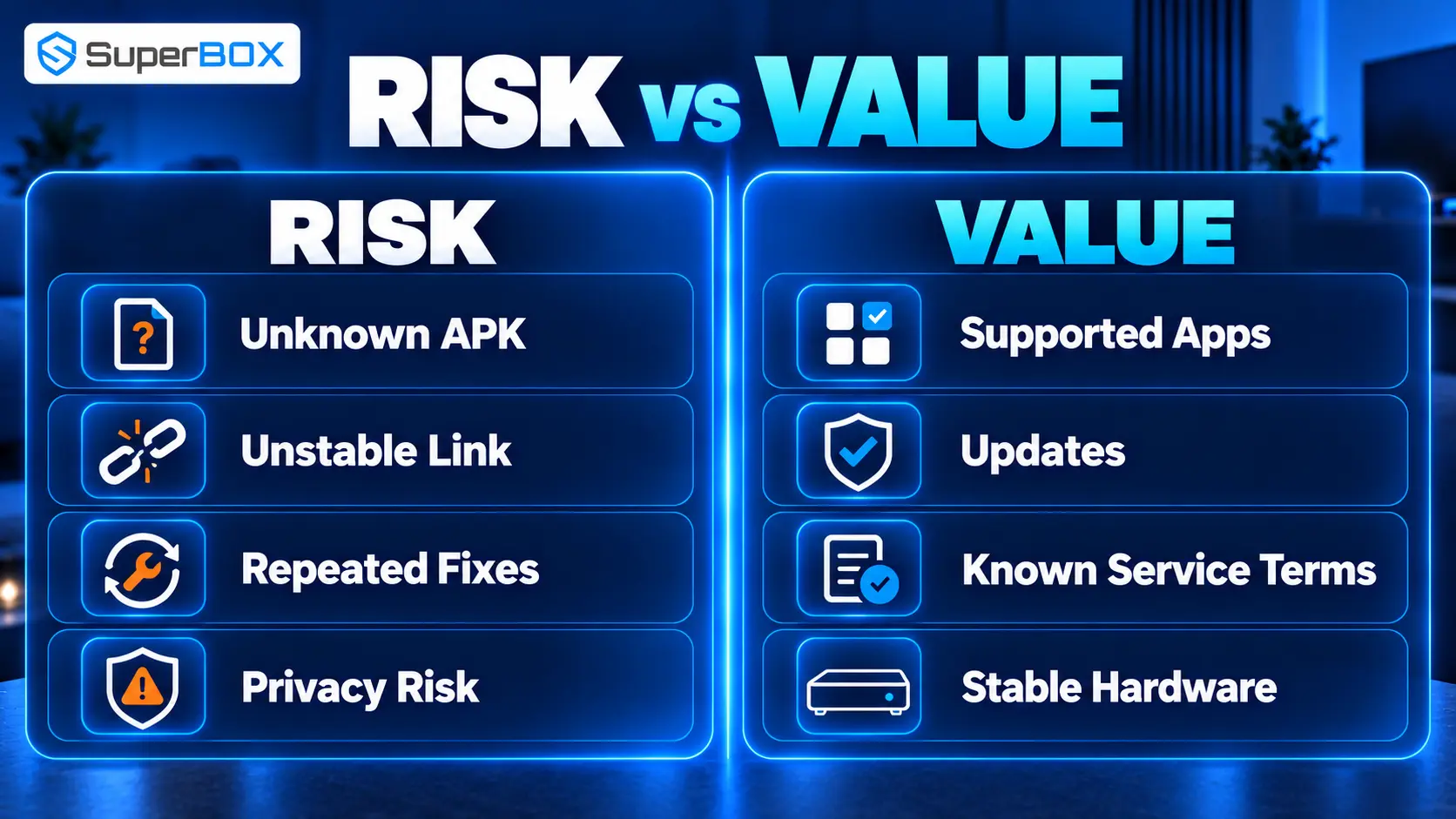
Security is harder to evaluate
Official app stores are not perfect, but they add review, signing, update and account controls. An APK downloaded from an unknown website can be altered, abandoned or bundled with unwanted code. The U.S. Federal Trade Commission has warned that illegal streaming apps and add-ons can expose home networks to malware.
Unofficial apps can disappear without warning
An unsupported app may stop working after a platform update, lose its servers or change ownership. A setup that needs frequent replacement links, new APKs and repeated permissions is not truly convenient.
“Free” content can create hidden costs
Malware, stolen credentials, unstable streams and wasted troubleshooting time are real costs. A low-priced stick becomes poor value when the household constantly repairs it or replaces it.
Small sticks have practical hardware limits
Compact streamers are excellent for portability and mainstream apps, but limited internal storage, port selection and thermal headroom can become frustrating for users who install many applications or maintain a larger media setup.
Legal availability is clearer on supported platforms
Legitimate services state their pricing, geographic availability and account terms. A premium box does not eliminate those rules, but it can provide a more dependable foundation for authorized viewing.
1. SuperBox S7 Ultra – Best Premium All-in-One Alternative
The SuperBox S7 Ultra is the strongest alternative in this guide for households that want to move beyond a compact streaming stick and build a dedicated entertainment setup.
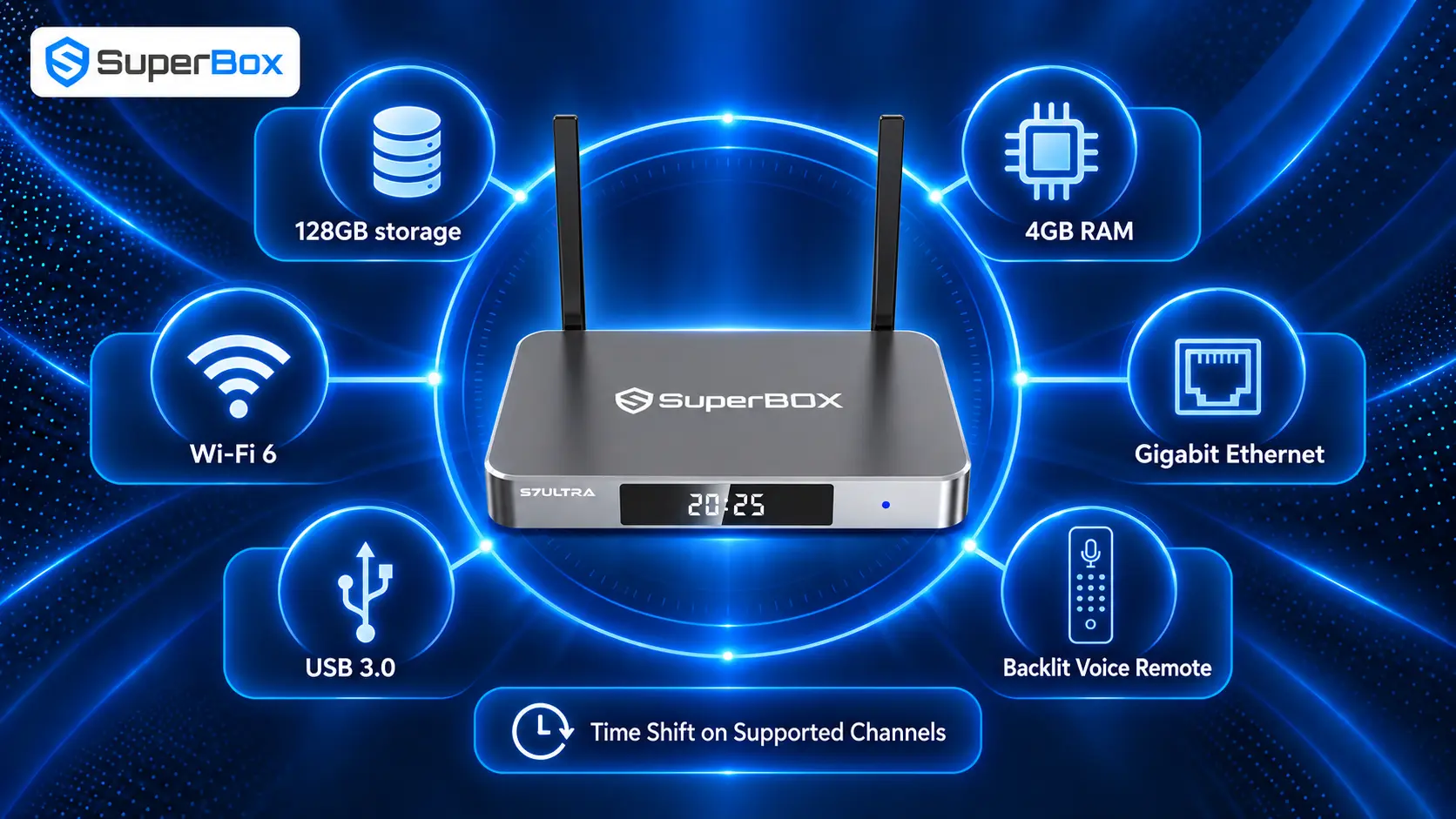
Its September 2026 product specifications list Android 12, a quad-core ARM Cortex-A53 processor, Mali-G31 MP2 graphics, 4GB DDR memory and 128GB eMMC storage. Connectivity includes dual-band Wi-Fi 6, Gigabit Ethernet, Bluetooth 5.2, USB 3.0, USB-C power and HDMI 2.1. The metal enclosure and backlit voice remote also make it feel more like permanent home-theater equipment than a travel dongle.
Why it is a meaningful Firestick upgrade
More room for apps and updates. The 128GB capacity gives the Ultra substantially more local space than typical streaming sticks. That matters for users who prefer multiple apps and want more breathing room for caches and system updates.
Stronger networking choices. Wi-Fi 6 is useful in compatible homes, while built-in Gigabit Ethernet provides a wired option without requiring an additional adapter. Ethernet does not increase the quality of a source, but it can reduce the variability associated with congested wireless networks.
A remote designed for the living room. The included RC-200L-style backlit voice remote is easier to use in a dark room than a basic non-backlit controller. Voice input can also reduce on-screen typing.
Supported SuperBox experience. The store’s current product information promotes access through supported SuperBox apps to a large catalog of live channels, movies and sports content, with no monthly subscription fee charged for those SuperBox services. Availability can change by model, app, region or content provider, so buyers should review the current product page and terms rather than treating any channel as permanently guaranteed.
Time Shift on supported channels. The S7 line advertises up to seven days of Time Shift for supported channels. This is catch-up viewing where available; it should not be described as universal built-in DVR recording, manual recording or scheduled recording.
The financial value
SuperBox has a higher upfront price than a mainstream stick. Its value proposition is a one-time hardware purchase combined with supported SuperBox services that do not carry a SuperBox monthly subscription fee. That can appeal to households reviewing cable-style recurring costs.
However, it is important to calculate savings honestly:
Current monthly TV costs − subscriptions you will keep = potential monthly reduction
Device price ÷ verified monthly reduction = estimated break-even period
Paid third-party services such as premium streaming apps can still require their own accounts and subscriptions. Internet service is also still required. Savings depend on what a buyer actually cancels, not the number of services installed.
Who should choose the S7 Ultra?
Choose it if you want maximum S7 storage, strong wired and wireless networking, a premium metal case and a dedicated device for frequent household viewing. It is less suitable if your only goal is opening one or two mainstream subscription apps at the lowest possible price.
2. SuperBox S7 Max – Best Balance of Price and SuperBox Features
The S7 Max is the more sensible SuperBox choice for buyers who want the core experience but do not need 128GB of storage.
Its current specifications list Android 12, 4GB RAM, 64GB eMMC storage, Wi-Fi 6, Gigabit Ethernet, Bluetooth 5.2, USB 3.0 and HDMI 2.1. At a listed price of $399 as of September 2026, it sits below the $449 S7 Ultra while retaining the same listed memory and core connectivity.
The decision between them is straightforward:
| Choose S7 Max when… | Choose S7 Ultra when… |
|---|---|
| You want the lower upfront price | You want maximum internal storage |
| 64GB is enough for your app mix | You maintain a larger app library |
| You still want Wi-Fi 6 and Gigabit Ethernet | You prefer the titanium-gray metal enclosure |
| Value matters more than top-tier configuration | You want the premium S7 configuration |
For many households, the S7 Max is the value sweet spot: more capable and spacious than a typical stick, but less expensive than the Ultra.
3. Google TV Streamer (4K) — Best Mainstream Google Alternative
Google TV Streamer is a clean replacement for Chromecast and a strong option for viewers who want mainstream apps, Google recommendations and smart-home integration.
Google’s current U.S. specifications list 4GB memory, 32GB storage, HDMI 2.1, Gigabit Ethernet, Bluetooth 5.1 and dual-band 802.11ac Wi-Fi. It supports output up to 4K HDR at 60 frames per second and lists Dolby Vision, HDR10, HDR10+ and HLG. Matter support and a Thread border router make it especially relevant to Google Home users.
Why choose it
- mainstream app support and an interface organized around Google TV;
- four times the memory associated with many older entry-level devices;
- built-in Ethernet without an accessory;
- broad listed HDR-format compatibility;
- useful smart-home integration.
What to consider
Its 32GB storage is a major improvement over many sticks but far below SuperBox S7 Ultra’s 128GB. Google also specifies that a certified HDMI 2.1 cable is required and sold separately. It is best for viewers who want a polished mainstream platform, not those primarily seeking large local storage or SuperBox-specific services.
4. Apple TV 4K — Best for Apple Users
Apple TV 4K is the logical choice for homes already invested in iPhone, iPad, AirPods, Apple Music, Apple TV+ and HomeKit-compatible devices. The interface is responsive, account integration is polished and the A15 Bionic chip provides considerable performance headroom.
Apple’s specifications list 64GB for the Wi-Fi model and 128GB for the Wi-Fi + Ethernet model. Both include HDMI 2.1 and Wi-Fi 6; the higher-capacity model adds Gigabit Ethernet and Thread networking. Listed video support includes 4K Dolby Vision, HDR10+, HDR10 and HLG at up to 60fps under supported conditions.
Why choose it
- polished Apple ecosystem integration;
- fast navigation and long-term usability;
- excellent listed HDR format support;
- strong privacy and accessibility controls;
- 128GB option for buyers who select the Ethernet model.
What to consider
Apple TV is intentionally controlled. It is excellent for supported apps, purchases, rentals, AirPlay and Apple services, but it is not designed for buyers who want the open-ended feel of an Android-based TV box. The HDMI cable is also sold separately.
5. NVIDIA Shield TV Pro — Best for Plex and Local Media
NVIDIA Shield TV Pro remains distinctive in 2026 because it serves enthusiasts as well as everyday streamers. NVIDIA lists a Tegra X1+ processor, 3GB RAM, 16GB storage, two USB 3.0 ports, Gigabit Ethernet, dual-band 802.11ac Wi-Fi and support for 4K HDR, Dolby Vision and Dolby Atmos.
Its strengths include Plex Media Server capability, broad local-file support, expandable storage via USB and AI-enhanced upscaling for supported content. This makes it attractive to viewers with a legal personal media library, network-attached storage or a more complex audio system.
The tradeoff is age. The underlying platform is mature rather than new, and buyers should evaluate current update status, price and availability. It remains capable, but shoppers seeking the latest Wi-Fi generation, larger built-in storage or a simpler mainstream experience may prefer another device.
6. Roku Ultra — Best for Simplicity
Roku Ultra is aimed at people who do not want to manage a complex media box. Roku’s current product positioning emphasizes fast streaming, Ethernet and Wi-Fi connectivity, 4K/HDR support and a rechargeable voice remote with convenience features.
The platform’s main advantage is simplicity. Apps are presented as channels, navigation is familiar and the learning curve is low. It works well in guest rooms, family rooms and homes where reliability matters more than customization.
Roku is also more closed than an Android-based platform. That restriction can be an advantage for users who want fewer opportunities to install questionable software, but a limitation for advanced users who require specialized apps or local-media workflows.
7. A Standard, Unmodified Fire TV Device – Best for Amazon Loyalists
The final alternative may be the device you already own. If Alexa, Prime Video and the Amazon Appstore cover your needs, keeping Fire TV in its supported configuration is safer and easier than turning it into a maintenance project.
Current Fire TV models vary widely, so compare the exact generation rather than assuming every “4K” stick is identical. Newer models can offer faster processors, improved wireless connectivity, HDR support and more storage than older entry-level sticks.
Use official apps wherever possible, remove apps you no longer trust and keep the operating system updated. Developer options exist for legitimate development and testing; they are not a shortcut that converts paid entertainment into legally free content.
SuperBox vs Jailbroken Firestick
| Category | SuperBox S7 line | Modified Fire TV Stick |
|---|---|---|
| Intended experience | Dedicated TV box with published hardware and supported services | Mainstream Fire TV altered through developer settings or outside apps |
| Internal storage | 64GB on S7 Max; 128GB on S7 Ultra | Usually much more limited; varies by model |
| Ethernet | Built-in Gigabit | Often requires a separate adapter; capability varies |
| USB expansion | Full-size USB 3.0 connection listed | Usually requires adapters and power considerations |
| Remote | Backlit voice remote on current S7 Max/Ultra listings | Alexa remote; exact features vary by model |
| Maintenance | Normal setup plus supported app updates | May require repeated manual APK sourcing and repair |
| Content safety | Use supported services and authorized third-party apps | Depends entirely on the apps and sources selected |
| Upfront cost | Higher | Lower |
| Best buyer | Frequent viewer wanting a permanent, feature-rich setup | Budget Amazon user comfortable with technical maintenance |
SuperBox’s competitive advantage is not that it is “more jailbroken.” It is that buyers can obtain more storage, ports, networking and TV-focused conveniences without making device modification the center of the experience.
How to Choose the Right Alternative
Step 1: Write down what you actually watch
List the services, live channels and personal media sources you use every week. Confirm that the device officially supports them. Do not purchase based only on a long theoretical app list.
Step 2: Separate hardware cost from recurring cost
A streaming device may have no device subscription while individual services still charge monthly. Add together internet, live-TV services, movie platforms and sports subscriptions you plan to keep.
Step 3: Choose enough storage
Small storage is fine for a few mainstream apps. More storage becomes valuable when you keep a broader app selection and want headroom for updates and caches. Storage does not guarantee speed, but constantly operating near the limit can make maintenance frustrating.
Step 4: Decide whether wired Ethernet matters
Wi-Fi is convenient. Ethernet can be more consistent when the router is close enough for a cable or wireless congestion is severe. SuperBox S7 Max, S7 Ultra, Google TV Streamer, selected Apple TV models and NVIDIA Shield provide built-in Ethernet.
Step 5: Confirm picture and audio formats
Check the entire chain: app, device, HDMI connection, TV, soundbar and receiver. A label such as HDMI 2.1 or “6K decoding” does not automatically prove Dolby Vision, HDR10+ or every audio passthrough format.
Step 6: Evaluate support and seller legitimacy
Buy from a seller that provides clear contact information, shipping terms, return rules and model specifications. For SuperBox, verify that the retailer is authorized and keep the order number, device MAC information and packaging.
Step 7: Be honest about technical tolerance
If you enjoy managing a Plex server or testing apps, Shield or another flexible Android platform can be rewarding. If the whole family needs a simple remote-driven experience, Roku, Apple TV, Google TV or a supported SuperBox setup may be a better fit.
Frequently Asked Questions
Is it illegal to jailbreak a Firestick?
Changing settings or installing software is not automatically illegal. The legal issue usually concerns what the software does and whether the user has authorization to access or redistribute copyrighted content. Laws vary by country, so this article is general information, not legal advice.
Is sideloading the same as piracy?
No. Sideloading means installing an app outside the platform’s normal store. Developers and organizations may sideload legitimate software for testing or private distribution. Piracy concerns unauthorized access to or distribution of copyrighted material.
Can a jailbroken Firestick give me every channel for free?
No legitimate setup can guarantee permanent free access to every paid channel, movie or sporting event. Claims like that should be treated as a warning sign.
What is the best legal alternative to a jailbroken Firestick?
For a premium all-in-one TV box, consider SuperBox S7 Ultra. For mainstream apps, consider Google TV Streamer, Apple TV 4K or Roku Ultra. For a personal Plex library, NVIDIA Shield TV Pro remains a strong option.
Does SuperBox need to be jailbroken?
No. SuperBox is sold as a dedicated Android-based TV box with its own published features and supported app experience. Buyers should use supported SuperBox services and authorized third-party applications.
Does SuperBox have a monthly fee?
The SuperBox is a one-time purchase, and current store information states that supported SuperBox services do not require a monthly SuperBox subscription.
Is SuperBox better than Firestick?
SuperBox is better suited to buyers who value larger storage, built-in Gigabit Ethernet, USB connectivity, a backlit remote and its supported service experience. Fire TV is better for shoppers prioritizing low upfront cost, portability and Amazon integration.
Which SuperBox is the best Firestick alternative?
S7 Ultra is the best-equipped current S7 option with 128GB storage and a premium metal enclosure. S7 Max offers many of the same core specifications with 64GB storage and a lower $399 listed price as of September 2026.
Do I still need subscriptions with a streaming box?
Possibly. Netflix, Disney+, sports packages and other third-party services set their own prices and account requirements. A box with no hardware subscription does not cancel those separate charges.
Will a VPN make unofficial streaming legal?
No. A VPN changes how internet traffic is routed; it does not grant content rights or turn unauthorized access into authorized access.
Can I install any Android app on every Android TV box?
No. App compatibility depends on the operating system, processor, screen interface, regional availability, certification and developer support. Confirm the specific app on the specific device.
Is more storage worth paying for?
It is valuable for households using many apps or wanting more update and cache headroom. It is less important for viewers who use only a few mainstream services.
Final Verdict
The best replacement for a jailbroken Firestick is not another device marketed with bigger piracy promises. It is hardware that meets your real needs without relying on unknown APKs, constant repairs or claims that cannot be guaranteed.
Choose Google TV Streamer for a modern Google-centered platform, Apple TV 4K for the Apple ecosystem, NVIDIA Shield for local media, Roku Ultra for simplicity or a standard Fire TV for inexpensive Amazon access.
Choose SuperBox S7 Max or S7 Ultra when you want a permanent living-room box with significantly more storage than a typical stick, built-in Gigabit Ethernet, Wi-Fi 6, USB 3.0, a backlit voice remote and supported SuperBox features. The Ultra is the premium choice; the Max offers the stronger price-to-feature balance.
The winning setup is the one that remains secure, understandable and useful after the novelty wears off. Buy from an authorized source, use legitimate services, understand which subscriptions remain and judge savings using the expenses you can actually cancel.
Ready to compare? Visit SuperBox TV Box Store to review current models, published specifications, shipping information and support options.
The article was updated on:
