
Knowledge SuperBox
SDR vs HDR10 vs HDR10+ vs Dolby Vision: Which Is Best for Streaming in 2026?





Buying a 4K TV or streaming device should make movie night simple. Instead, shoppers are confronted with a wall of labels: SDR, HDR, HDR10, HDR10+, Dolby Vision, HLG and now newer names such as Dolby Vision 2 and HDR10+ Advanced.
The practical answer is easier than the marketing suggests. HDR10 is the safest baseline for broad compatibility. Dolby Vision and HDR10+ can improve scene-by-scene presentation when the content, streaming app, playback device and TV all support the same format. SDR remains important because a large amount of everyday television and older content is still delivered in SDR.
No format can compensate for a dim or poorly configured television. Nor does a Dolby Vision logo guarantee a better image than HDR10 on a much stronger display. Picture quality is the result of the entire chain—not a single badge.
This guide explains what each format does, how the formats compare in real homes, what changed by 2026 and how to build a streaming setup that consistently delivers the best version available.
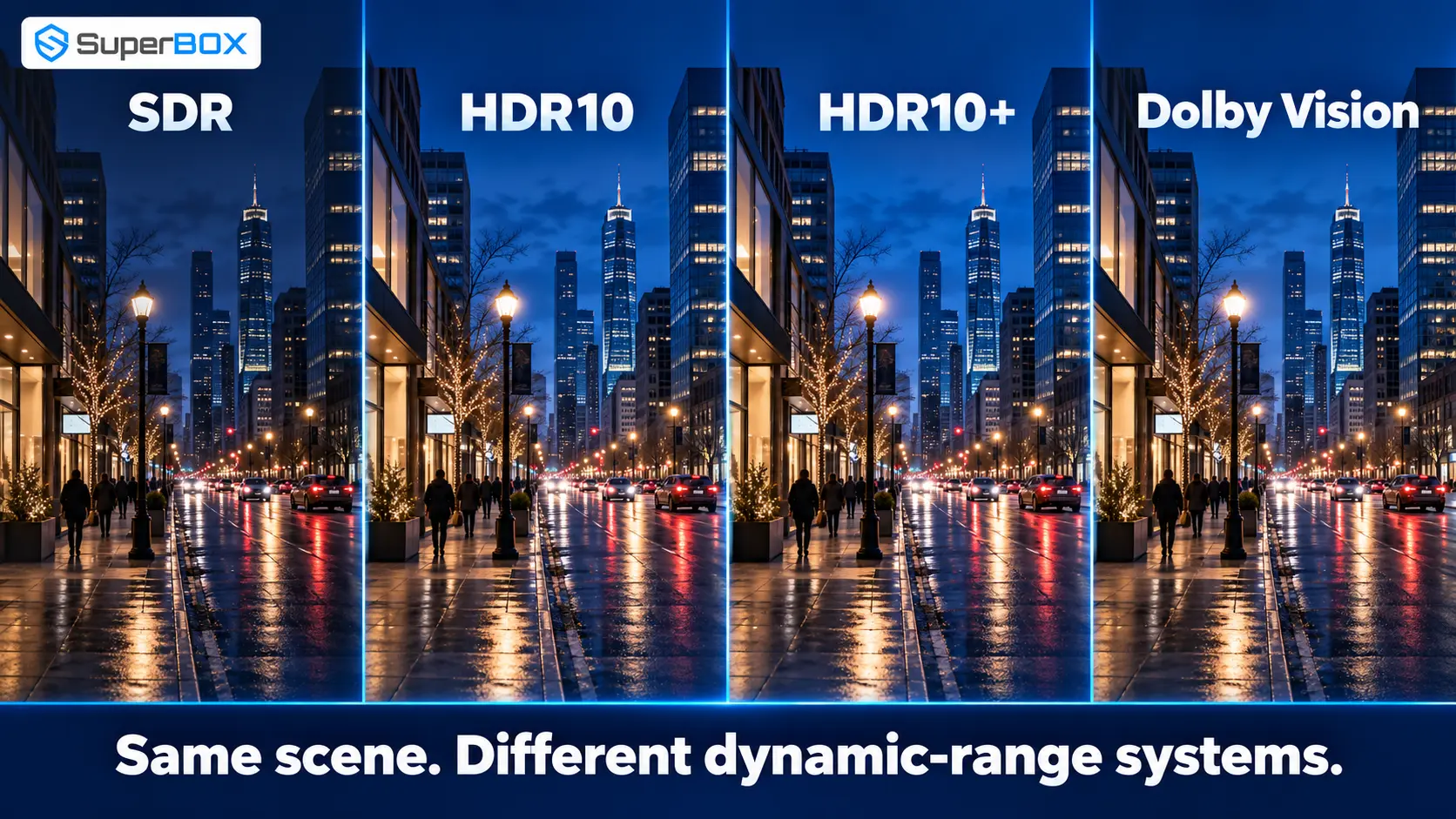
Quick Answer: Which HDR Format Is Best?
- Choose HDR10 for universal compatibility. It is the standard HDR foundation and the most useful minimum requirement when buying a 4K HDR TV or player.
- Choose Dolby Vision when your preferred TV and streaming services support it. Its dynamic metadata can guide compatible displays scene by scene or shot by shot.
- Choose HDR10+ when it matches your TV and content ecosystem. It also uses dynamic metadata and is especially relevant on displays and services that actively support it.
- Do not reject SDR. Good SDR on a well-calibrated TV can look cleaner than badly implemented HDR on an entry-level screen.
- Prioritize the TV’s real performance. Contrast, brightness control, color accuracy and tone mapping matter more than collecting the most format logos.
For most shoppers in 2026, the best solution is a television that supports HDR10 plus at least one dynamic HDR format. A model supporting both Dolby Vision and HDR10+ offers the most flexibility, but it is not essential if nearly all the content you watch uses one ecosystem.
SDR, HDR10, HDR10+ and Dolby Vision Compared
| Feature | SDR | HDR10 | HDR10+ | Dolby Vision |
|---|---|---|---|---|
| Dynamic range | Standard | High | High | High |
| Metadata | None for HDR tone mapping | Static for the program | Dynamic by scene or frame | Dynamic by scene or frame |
| Typical color signal | Commonly 8-bit, Rec.709 | Commonly 10-bit, wide-color container | 10-bit HDR workflow | Supports advanced Dolby-controlled workflows |
| Licensing model | Open legacy standard | Open baseline HDR format | Royalty-free technology with certification | Proprietary licensed ecosystem |
| Main strength | Predictable and widely compatible | Broadest HDR compatibility | Dynamic optimization without Dolby Vision | Mature dynamic-HDR content and device ecosystem |
| Main limitation | Less highlight and shadow range | One set of static guidance cannot describe every scene | Support varies by brand, app and title | Support varies by brand, app, device and title |
| Best fit | Broadcast, older shows, casual viewing | Reliable 4K HDR playback | Compatible HDR10+ TV and service users | Compatible premium TV and movie streaming setup |
The table describes capabilities, not a guaranteed ranking. A TV has to map every HDR signal to the brightness and color it can actually reproduce. That process—tone mapping—can be excellent or poor regardless of the format name.
What Is SDR?
SDR means Standard Dynamic Range. It is the established video system behind decades of broadcast television, DVDs, Blu-rays, online video and older streaming catalogs. Most SDR television content is mastered around the Rec.709 color space and a comparatively restrained brightness range.
That sounds outdated, but SDR still has real strengths. It is broadly compatible, consistent and relatively easy for displays to reproduce. News, talk shows, older series and many live channels do not automatically benefit from being forced into an HDR output. When a player converts everything to HDR, skin tones may look unnatural, blacks may lift and menus can appear overly bright.
A high-quality 4K TV can upscale SDR resolution and present it very well, but upscaling does not create true HDR information. It can sharpen edges and reduce visible artifacts; it cannot restore highlight or color detail that was never included in the source.
When SDR may look better
SDR may be the better-looking version when:
- the program was produced and graded only in SDR;
- the TV has limited HDR brightness or weak local contrast;
- the room is very bright and the HDR image appears too dark;
- a device is forcing SDR menus and videos into an inaccurate HDR conversion;
- the HDR stream is more compressed or unstable than the SDR alternative.
The lesson is not that SDR beats HDR. It is that correct playback usually beats forced processing.
What Is HDR10?
HDR10 is the baseline HDR format found across a wide range of televisions, streaming devices, game systems and Ultra HD content. It generally uses a 10-bit signal, a wider color container and static metadata that describes the program as a whole.
Static metadata gives the TV general guidance about the mastering presentation. The TV then tone-maps the complete title to its own capabilities. Because a dark interior and a bright outdoor scene can be dramatically different, one set of guidance may not be optimal for every moment. Good television processing can still produce an excellent result.
HDR10’s major competitive advantage is compatibility. If a product claims standard HDR support, HDR10 is usually the common language that keeps the source and display working together. It is therefore the right minimum format to prioritize—not necessarily the final word in quality.
Who should choose HDR10?
HDR10 is ideal for viewers who want:
- the broadest practical HDR compatibility;
- a dependable baseline across multiple apps and devices;
- good HDR without choosing a TV around one proprietary ecosystem;
- a fallback when a dynamic format is unavailable.
What Is HDR10+?
HDR10+ builds on HDR10 by adding dynamic metadata. Instead of providing only program-wide guidance, it can communicate changing creative information across scenes or frames. A compatible TV can use that guidance to adapt its tone mapping as the movie moves from a dark sequence to a bright one.
This does not mean HDR10+ automatically makes a mediocre display exceptional. The panel, backlight or OLED system, processing and factory tuning still set the physical limits. Dynamic metadata simply gives a capable display more specific instructions.
HDR10+ is a royalty-free technology with an official certification program. Its value to a buyer depends on actual content availability and the equipment chain. A title carrying HDR10+ still needs a compatible app, source device and television to reach the screen in HDR10+.
HDR10 vs HDR10+
The key difference is metadata:
- HDR10 uses static program-level metadata.
- HDR10+ uses dynamic metadata that can change through the program.
If the TV and title support HDR10+ correctly, it may preserve more useful highlight or shadow detail from scene to scene. If any component does not support HDR10+, playback will commonly fall back to HDR10 rather than fail completely.
What Is Dolby Vision?
Dolby Vision is Dolby’s dynamic HDR system. Like HDR10+, it can provide scene-by-scene or shot-by-shot information that helps compatible equipment optimize brightness, contrast and color for the display.
Its main consumer advantage is not simply a larger theoretical number. It is the coordinated ecosystem connecting content creation, delivery, certified playback devices and televisions. When that complete chain is working, Dolby Vision can make difficult material—bright windows in a dark room, specular reflections, night scenes or richly colored animation—look more controlled.
Dolby Vision is proprietary, so manufacturers and services decide whether to support it. Some TV brands support Dolby Vision but not HDR10+; others favor HDR10+. Many current models support both. This is why the “best” format is partly an ecosystem question.
Dolby Vision vs HDR10
| Question | HDR10 | Dolby Vision |
|---|---|---|
| Does it use dynamic metadata? | No; static metadata | Yes |
| Is it broadly supported? | Extremely broad as the HDR baseline | Broad, but not universal |
| Can it optimize different scenes differently? | TV processing must make most adjustments | Dynamic instructions can guide compatible equipment |
| Does it guarantee a superior image? | No | No |
| What happens without format support? | Often plays as the HDR baseline | The service/device may fall back to another available format |
On two equally capable TVs, Dolby Vision may deliver more consistent scene-specific tone mapping. Across two different TVs, however, the television itself may create the larger difference.
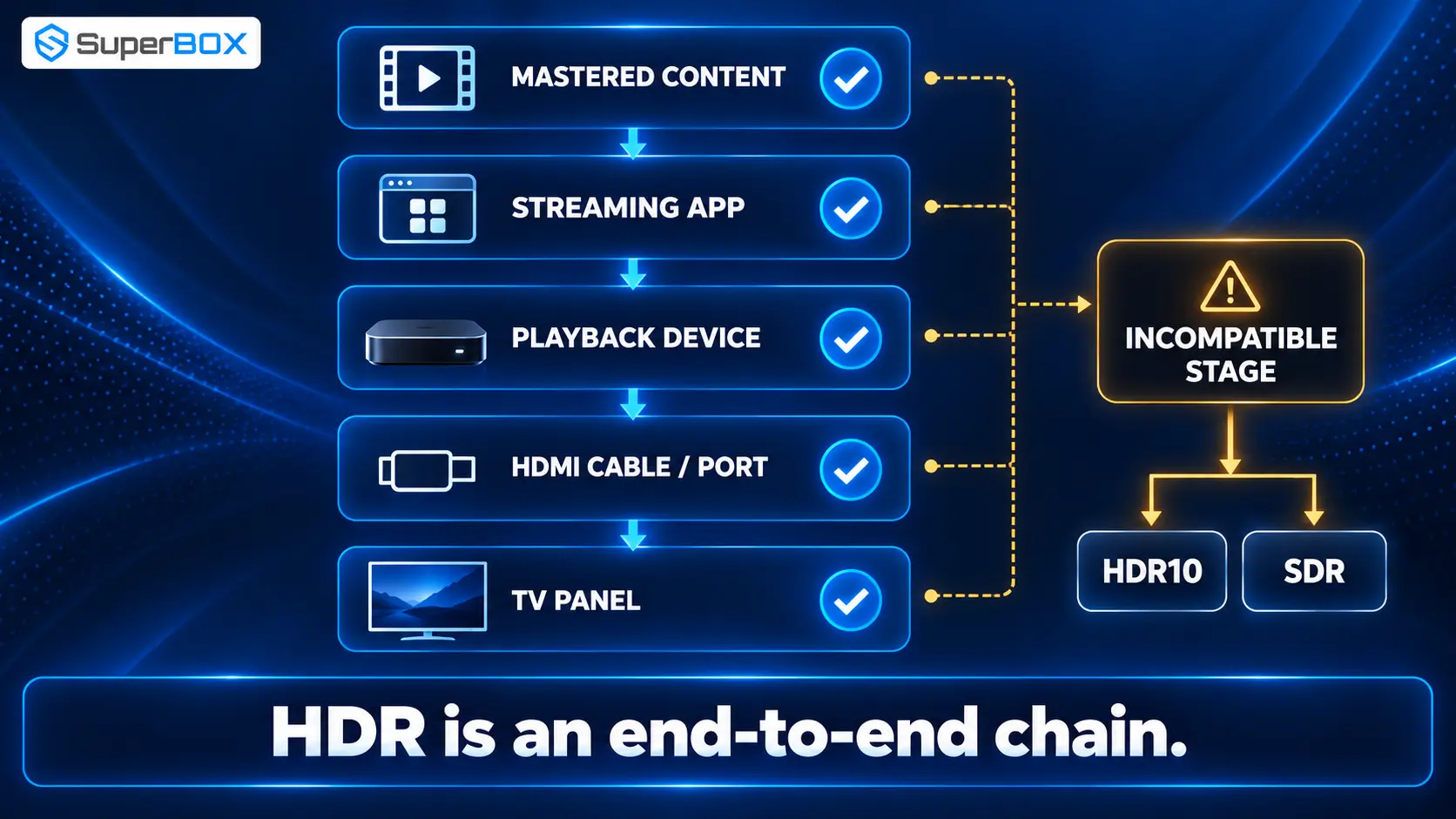
Why HDR Can Look Too Dark, Washed Out or Dull
When HDR looks worse than SDR, the format is not always the problem. Use this checklist before deciding the TV or streaming box is defective.
1. Confirm the title is actually available in HDR
Streaming services show the quality available to the device currently in use. A title may have a Dolby Vision master but display only an HDR or HD label when the hardware, plan or app does not meet the requirements.
2. Check every device in the path
If the source runs through a receiver, soundbar, HDMI switch or capture device, that component must pass the required signal. One older link can cause the system to fall back to HDR10, SDR or a lower resolution.
3. Use a compatible HDMI input and cable
Not every HDMI port on every television has identical capabilities. Some TVs require an enhanced input mode to be enabled. Use the port recommended by the TV manufacturer and a certified cable suitable for the signal you are sending.
4. Check the TV’s picture mode
TVs often store separate picture settings for SDR, HDR10 and Dolby Vision. Adjusting SDR cinema mode may not change Dolby Vision cinema mode. Start with a neutral Movie, Cinema or Filmmaker-style preset where available, then change only what is necessary.
5. Disable aggressive energy-saving controls for testing
Ambient-light and energy-saving settings can reduce screen brightness. Turn them off temporarily to determine whether they are causing a dark picture. You can re-enable the options you prefer after testing.
6. Avoid forcing HDR for every program
If the player offers “match content” or a similar dynamic-range option, it can keep SDR content in SDR and switch to HDR only when appropriate. Menu names vary by device. Forced HDR conversion may produce clipped whites, raised blacks or exaggerated colors.
7. Allow the stream to reach full quality
Streaming services adapt picture quality to connection conditions. A program may begin at a lower quality and improve after the connection stabilizes. A wired Ethernet connection can be useful where Wi-Fi is congested or inconsistent.
| Symptom | Likely area to check first | Practical action |
|---|---|---|
| HDR badge never appears | Content/app/device compatibility | Verify the title label and each device’s format support |
| Picture looks washed out | Output mismatch or TV input mode | Set output to Auto/match content and enable the correct HDMI mode |
| HDR looks too dark | Picture mode, room light or display capability | Try an accurate HDR preset and test energy-saving controls |
| Image drops or flickers | Cable, port or intermediary device | Connect directly to the TV and test a certified cable |
| Dolby Vision becomes HDR10 | One link lacks Dolby Vision | Check the app, player, receiver/soundbar and TV |
| Frequent buffering in 4K HDR | Network stability | Test the service’s network tool or wired connection |
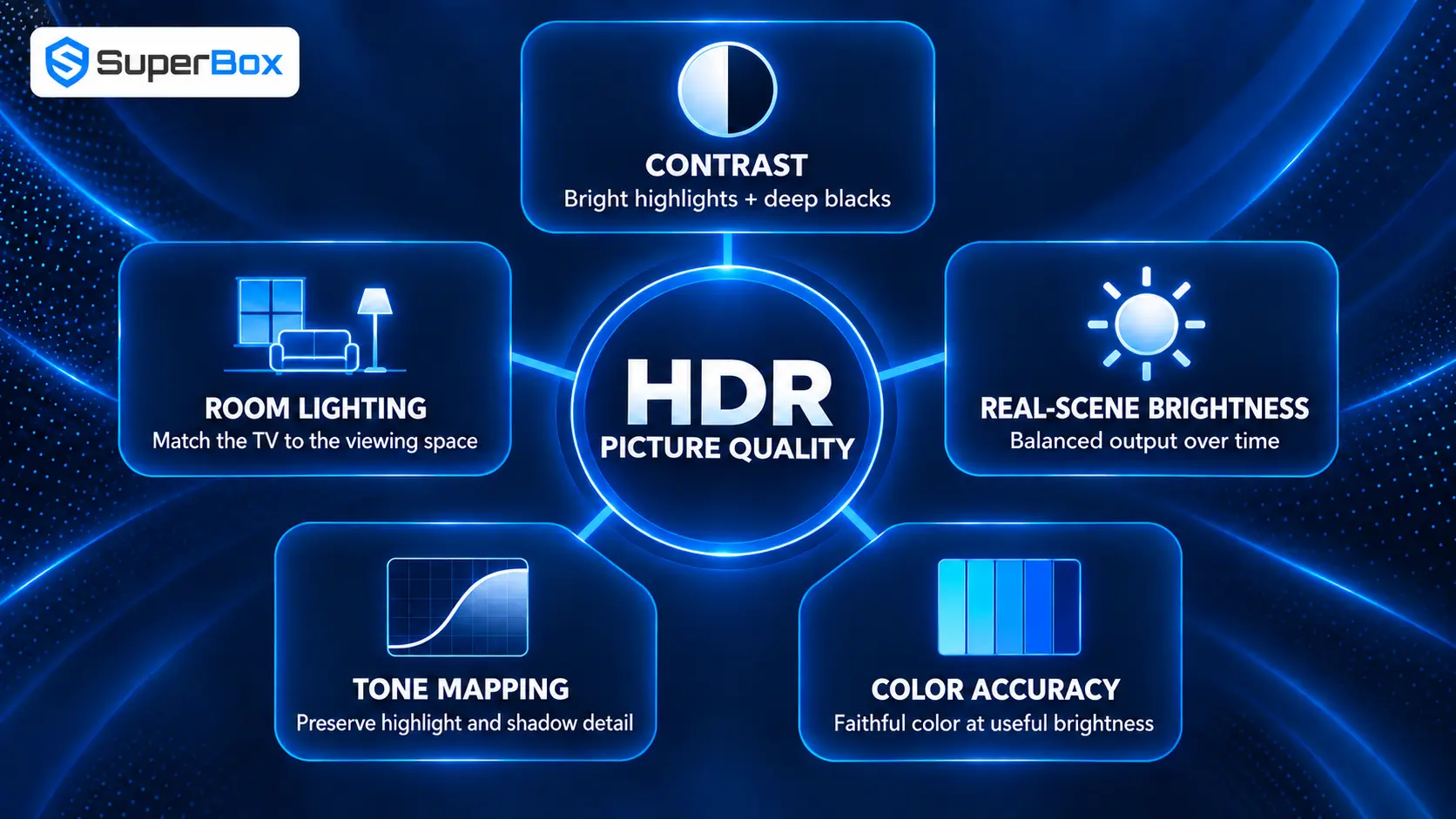
What Actually Determines HDR Picture Quality?
Format support is only one part of the purchase decision. Compare these factors before paying more for a television.
Contrast and black-level control
HDR needs both bright highlights and convincing dark areas. OLED displays control light per pixel, while LCD-based TVs depend on their backlight and local-dimming system. A format cannot create deep black if the display cannot control unwanted light.
Sustainable brightness, not a single peak number
Peak brightness helps small highlights sparkle, but real scenes contain highlights of different sizes and durations. Tone mapping and sustained output influence whether the picture remains balanced.
Color volume and accuracy
Wide color is valuable only when the television can reproduce it accurately at useful brightness levels. Oversaturated colors are not the same as faithful HDR.
Processing and tone mapping
The TV translates a mastered signal to the limits of its panel. Strong processing can preserve important details and maintain natural faces. Weak processing may clip clouds, crush shadow detail or change brightness unpredictably.
Viewing environment
A subtle cinematic HDR grade may look superb at night and underwhelming beside a sunny window. Choose a TV with the room in mind, not just a demo shown in a dark showroom.
Choosing the Right Format for Your Viewing Habits
For movie enthusiasts
Choose the strongest TV you can justify, then favor broad format support. Dolby Vision is useful for a film-focused streaming library; HDR10+ adds flexibility. Accurate dark-room tone mapping, black levels and shadow detail deserve more attention than headline brightness alone.
For sports and live television
Motion handling, brightness in a lit room and stream quality may matter more than Dolby Vision versus HDR10+. Much live content is still SDR, while some services and events use HDR. Do not assume every channel or game will be HDR simply because the device supports it.
For mixed family viewing
Prioritize reliable automatic switching between SDR and HDR, a simple remote and consistent app performance. Broad HDR10 support plus one dynamic format is normally enough. A technically perfect format is of little value if family members constantly have to repair output settings.
For budget buyers
Buy a better-performing HDR10 television instead of a weaker display with more logos. Entry-level HDR TVs may accept an HDR signal without having the brightness or contrast control needed to show a dramatic improvement.
For bright rooms
Look for strong reflection handling and useful full-screen brightness. Dolby Vision or HDR10+ cannot overcome severe glare. Curtains, blinds and sensible TV placement can improve perceived picture quality without replacing equipment.
Where SuperBox Fits into an HDR Streaming Setup
A streaming box does not replace the television’s panel or manufacture HDR detail that is absent from a program. Its job is to provide a responsive media interface, decode supported video and deliver the signal reliably to the display.
That distinction makes an external box especially useful when a TV still has a good picture but its built-in smart platform feels slow, has limited storage or no longer fits the household’s preferred viewing workflow. The screen remains the visual foundation; the box becomes the upgradeable media layer.
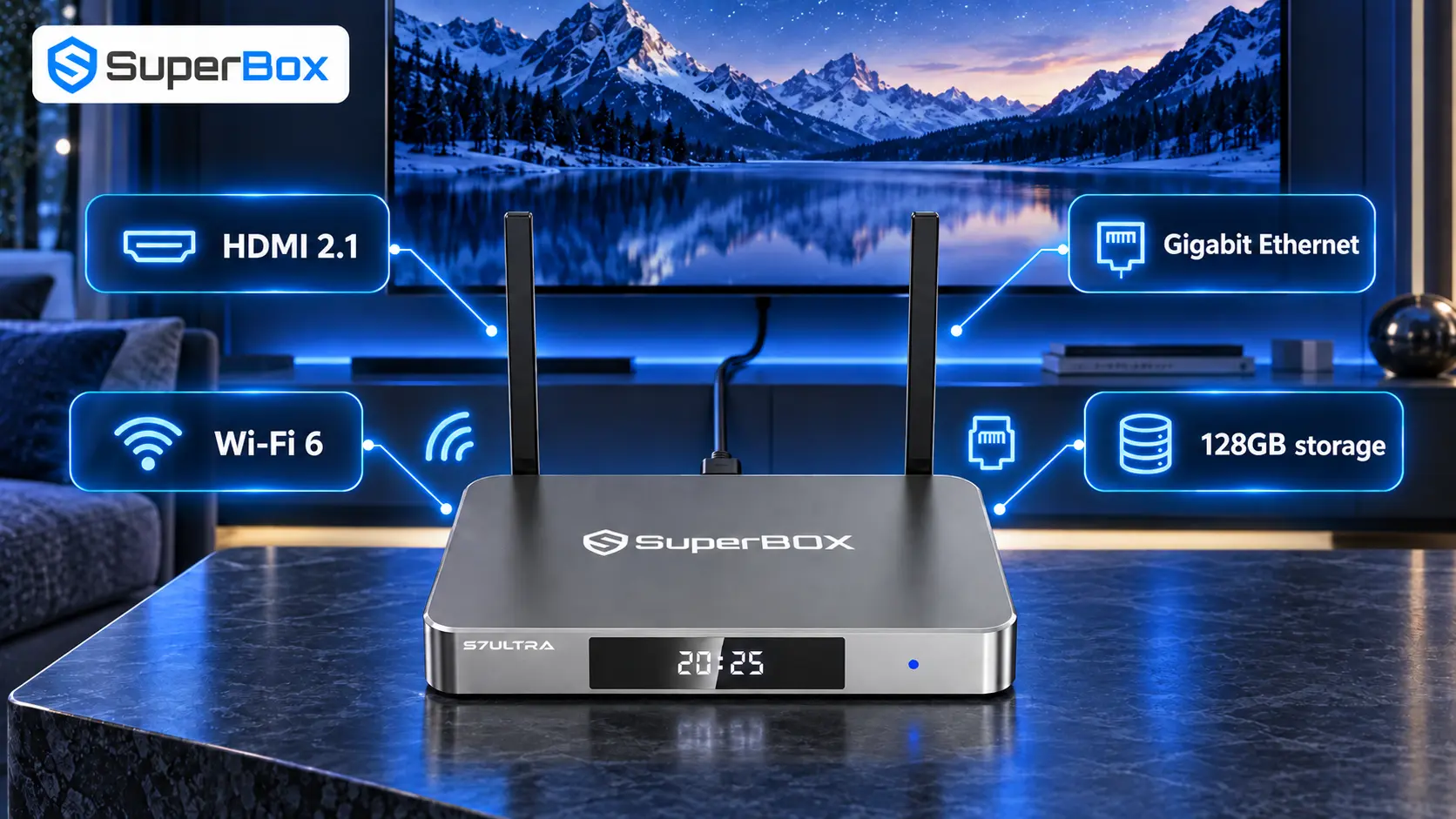
For example, the currently listed SuperBox S7 Ultra specifications include Android 12, 4GB RAM, 128GB eMMC storage, H.265 video decoding up to 6K at 60fps, HDMI 2.1, dual-band Wi-Fi 6 and Gigabit Ethernet. Those connectivity and decoding specifications make it a capable centerpiece for a modern high-resolution setup, while the backlit voice remote and large storage capacity target everyday usability.
The smart buying rule is still compatibility first. Before purchasing any player specifically for HDR10+, Dolby Vision or a newer format, confirm the exact format support for the SuperBox model, television and apps you plan to use. Resolution or HDMI 2.1 alone does not prove Dolby Vision or HDR10+ certification. App availability and delivered video quality can also vary by service, title, device and account.
For households that watch a mixture of live channels, movies and on-demand content, a practical setup is:
- Keep the TV’s native resolution selected or use a stable Auto setting.
- Connect the SuperBox directly to a compatible HDMI input during initial testing.
- Use Gigabit Ethernet when the router location makes wired networking practical; otherwise use a stable Wi-Fi 6 connection.
- Let native SDR remain SDR unless a specific conversion looks better on your television.
- Check the information banner on the TV to confirm the format it is actually receiving.
This positions SuperBox naturally: not as a magic picture enhancer, but as a dedicated, feature-rich media device that can extend the useful life and convenience of a good television.
Shop note: Explore current SuperBox models and compare the published video, connectivity, storage and remote features before choosing the right match for your TV.
What Is New for HDR in 2026?
Two next-generation names are entering the conversation, but buyers should treat them as emerging technologies rather than reasons to discard a good current TV.
Dolby Vision 2
Dolby announced Dolby Vision 2 in 2025 and began expanding its product story into 2026. It combines a redesigned image engine with Content Intelligence and features intended to adapt presentation to content and viewing conditions. Dolby also describes tools addressing dark-picture visibility, ambient light, sports, gaming and creative motion control. Dolby Vision 2 and Dolby Vision 2 Max are intended for different performance tiers of televisions.
This does not make existing Dolby Vision content or displays suddenly obsolete. Adoption depends on compatible televisions, silicon, services and content workflows. Shoppers should judge actual products when available rather than purchase based only on an announcement.
HDR10+ Advanced
HDR10+ Technologies announced HDR10+ Advanced with enhancements covering brightness control, local tone mapping, genre-based optimization, color control, motion-related metadata and gaming. Certification and real-world adoption will determine how quickly consumers encounter these features.
For a 2026 purchase, support for established HDR10, Dolby Vision and/or HDR10+ remains more immediately useful than buying solely for a next-generation badge with limited content.
A 2026 HDR Buying Checklist
Use this short checklist for a new TV, streaming box, receiver or soundbar:
- Which formats does the TV accept on the specific HDMI input?
- Which formats can the streaming device output from the apps you use?
- Does an intermediary soundbar or receiver pass those formats?
- Is the title offered in that format on your account and device?
- Does the TV have strong real-world contrast, brightness and tone mapping?
- Can the setup switch correctly between SDR and HDR?
- Is the cable certified for the required bandwidth?
- Does the TV offer an accurate picture mode for each signal type?
- Will the room’s lighting and reflections overwhelm subtle HDR benefits?
- Are you paying for a feature you will actually use?
Frequently Asked Questions
Is Dolby Vision better than HDR10?
Dolby Vision has the technical advantage of dynamic metadata and a coordinated licensed ecosystem. It can produce more consistent scene-specific tone mapping on compatible equipment. However, a high-quality HDR10 TV can look better than a lower-performing Dolby Vision TV. The display remains crucial.
Is HDR10+ the same as Dolby Vision?
No. Both use dynamic metadata, but they are separate technologies with different certification, content and device ecosystems. A product supporting one does not automatically support the other.
Does every 4K TV support HDR?
No. Resolution and dynamic range are separate. Many current 4K TVs support HDR10, but performance and additional format support vary. Always read the specifications for the exact model and region.
Does HDR require a special HDMI cable?
The cable and HDMI path must carry the resolution, frame rate, color depth and HDR data being used. For 4K HDR, use a properly certified cable appropriate to the setup. An older or damaged cable may cause flicker, blank screens or fallback behavior.
Why does my TV show HDR10 instead of Dolby Vision?
The title, app, player, intermediary device or TV may not support Dolby Vision in that particular combination. Services also deliver the best compatible format available to the device, which may be HDR10.
Is Dolby Vision always 4K?
No. Dolby Vision identifies a dynamic-range format, not a resolution. Although it is commonly associated with 4K streaming, the two terms describe different parts of picture quality.
Should I leave HDR on all the time?
Usually, correct automatic switching or “match content” behavior is preferable. It allows SDR programs to remain SDR and HDR programs to trigger the appropriate TV mode. Exact settings depend on the device.
Can a streaming box add Dolby Vision to a TV that does not support it?
No. A playback device cannot make an incompatible panel accept and display Dolby Vision. The source, app, connection and TV must share the required support; otherwise the system uses an available fallback.
Is Dolby Vision 2 worth waiting for?
Most buyers should not postpone a needed purchase solely for Dolby Vision 2. Evaluate current TV performance, mature format support and price. Dolby Vision 2 is relevant to new product development, but adoption will expand over time.
What is the best HDR format for SuperBox?
The best format is the one supported by the exact SuperBox model, app, title and television. Check current published specifications rather than inferring format support from 4K/6K decoding or HDMI version alone.
Final Verdict
There is no single HDR winner for every home.
HDR10 is the essential compatibility baseline. Dolby Vision is a strong choice for viewers whose TVs and preferred services support its mature dynamic-HDR ecosystem. HDR10+ offers a compelling dynamic alternative where device and content support align. SDR remains the correct format for a large library of television and older material.
In 2026, avoid choosing a TV or streaming player by logo count. Start with the display’s contrast, brightness control, color accuracy and processing. Then verify the entire signal chain. A powerful external media device such as SuperBox can make navigation, connectivity and everyday streaming more convenient, but the right model must still match the formats and apps you intend to use.
Get those fundamentals right and the labels stop being confusing. They become what they were meant to be: tools for delivering the most faithful picture your content and equipment can produce together.
The article was updated on:
