
Knowledge SuperBox
7 Best Tech Products for Saving Money in 2026





Technology saves money only when it reduces a real expense, replaces something you already pay for or prevents a costly problem. Household costs vary too much for one “annual savings” number to apply to everyone, so this guide explains where each product creates value and how to estimate its payback using your own bills.
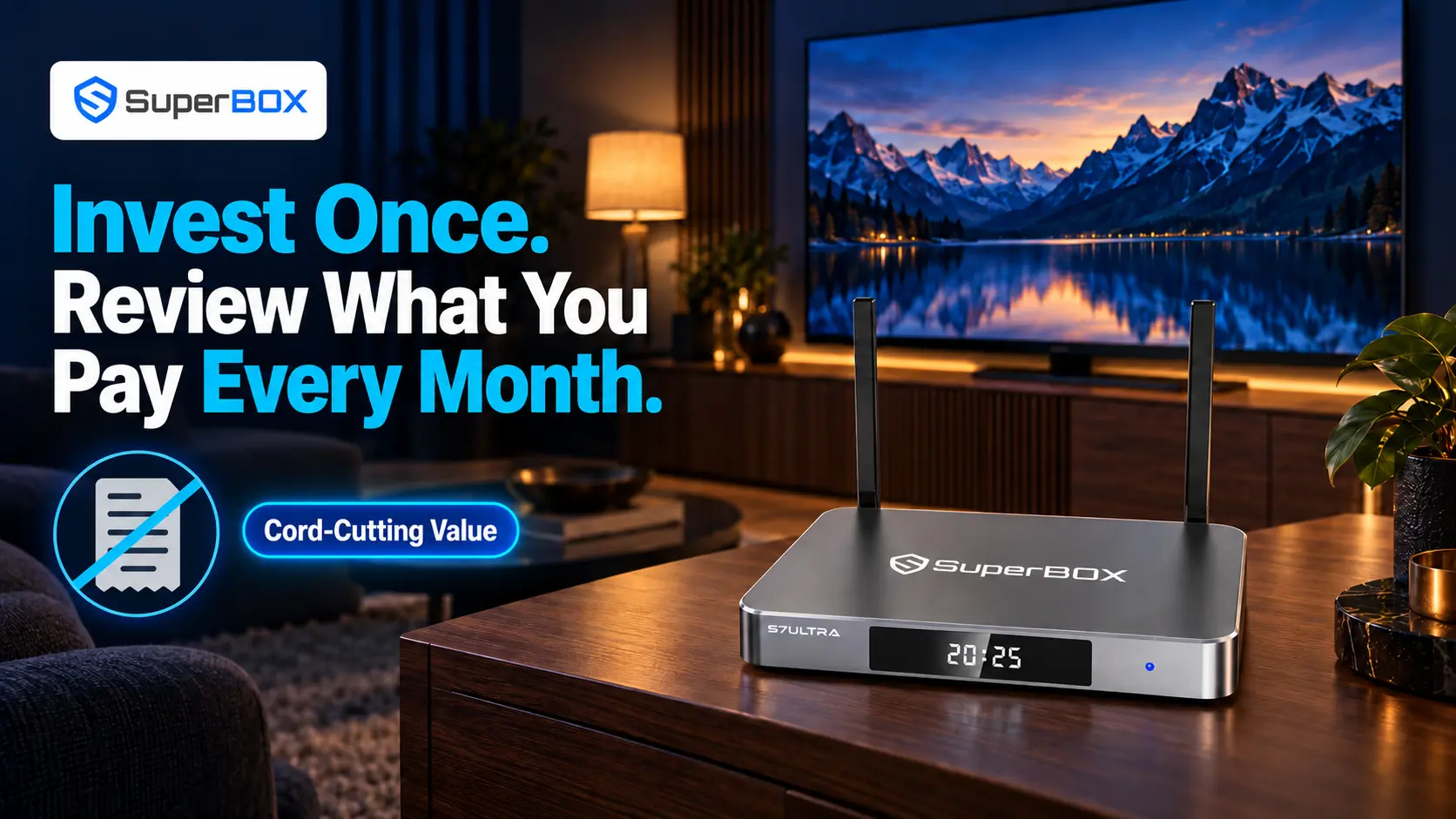
For households spending heavily on television and entertainment, the standout option is the SuperBox S7 Ultra. It supports a cord-cutting strategy by replacing a conventional cable-box-centered setup with a one-time hardware purchase and access to more than 2,000 live channels, movies and sports content through supported SuperBox applications – without monthly subscription fees.
Third-party premium apps may still require separate subscriptions, and availability can change. Savings come from bills the household can genuinely cancel, not from assuming every external service is included.
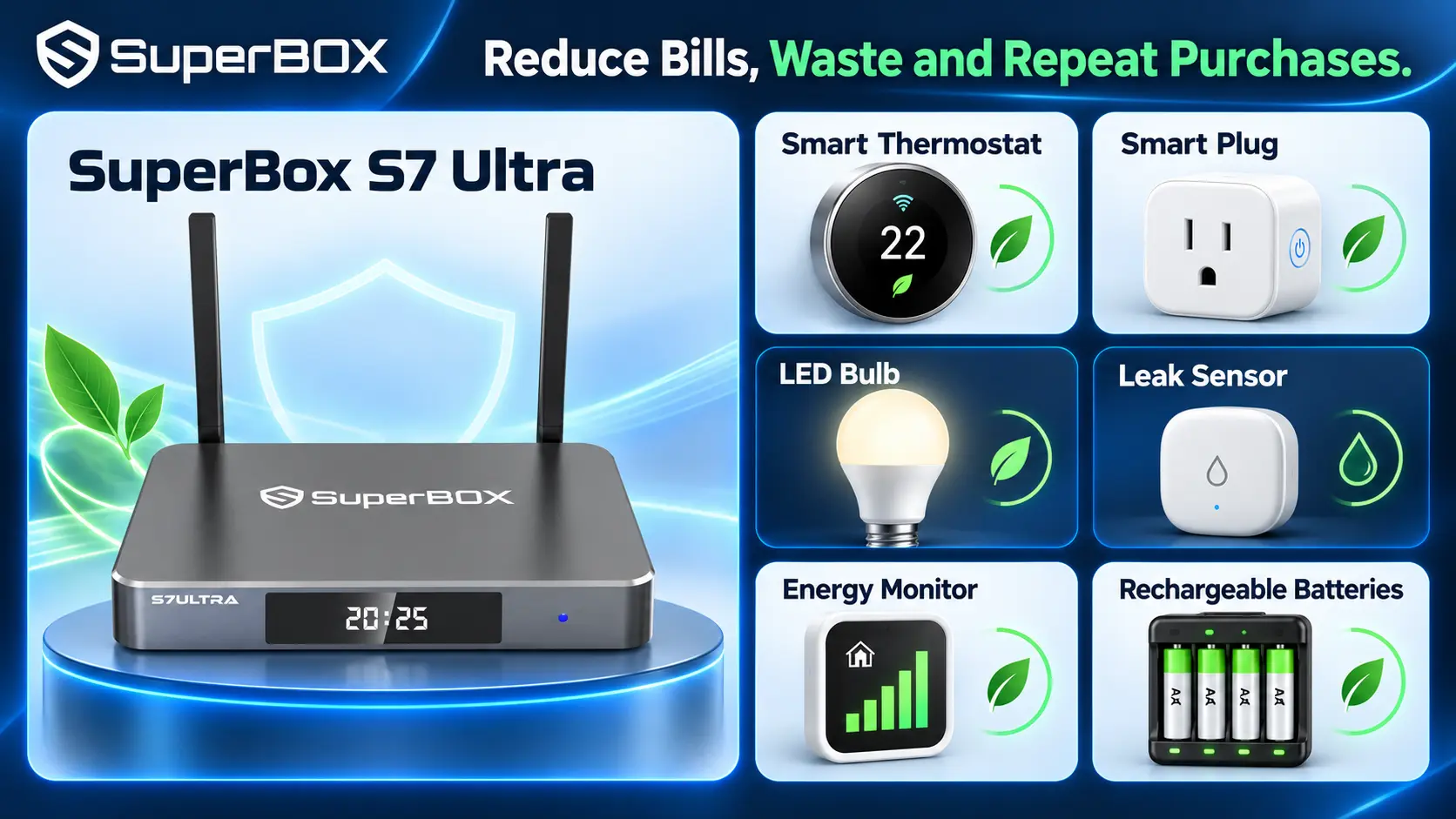
The Best Money-Saving Tech at a Glance
| Product | Cost it may reduce | Best for | How quickly value may appear |
|---|---|---|---|
| SuperBox S7 Ultra | Cable and overlapping entertainment subscriptions | Households ready to cut or reduce cable | Depends on current monthly entertainment spending |
| Smart thermostat | Heating and cooling waste | Homes with central HVAC and changing schedules | Gradually across heating and cooling seasons |
| Smart plugs | Electricity used by scheduled or forgotten devices | Renters and homeowners wanting low-cost automation | Gradually through better device control |
| Smart LED lighting | Lighting electricity and replacement bulbs | Frequently used rooms | Gradually, with the best return when replacing inefficient bulbs |
| Water-leak sensors | Expensive water damage | Homes with appliances, basements or aging plumbing | Preventive value; one detected leak may justify the cost |
| Plug-in electricity monitor | Hidden appliance energy use | People who want evidence before replacing equipment | After identifying and correcting a high-use device |
| Rechargeable battery system | Repeated disposable-battery purchases | Homes using many AA or AAA batteries | After enough recharge cycles replace disposable purchases |
How to Tell Whether a Money-Saving Gadget Is Worth Buying
Before purchasing anything on this list, answer three questions.
What expense will it replace or reduce?
Name the exact bill or purchase category. “It saves energy” is vague. “It can automatically turn off the basement dehumidifier during selected hours” is measurable. For SuperBox, the relevant categories might be a cable package, receiver rental or entertainment subscriptions that are no longer needed after changing the viewing setup.
Will your household actually use it?
A smart thermostat cannot deliver much value if nobody completes the setup or if the HVAC system is incompatible. A streaming box will not reduce costs if every previous television subscription remains active. Savings require a behavior or billing change.
What is the realistic break-even period?
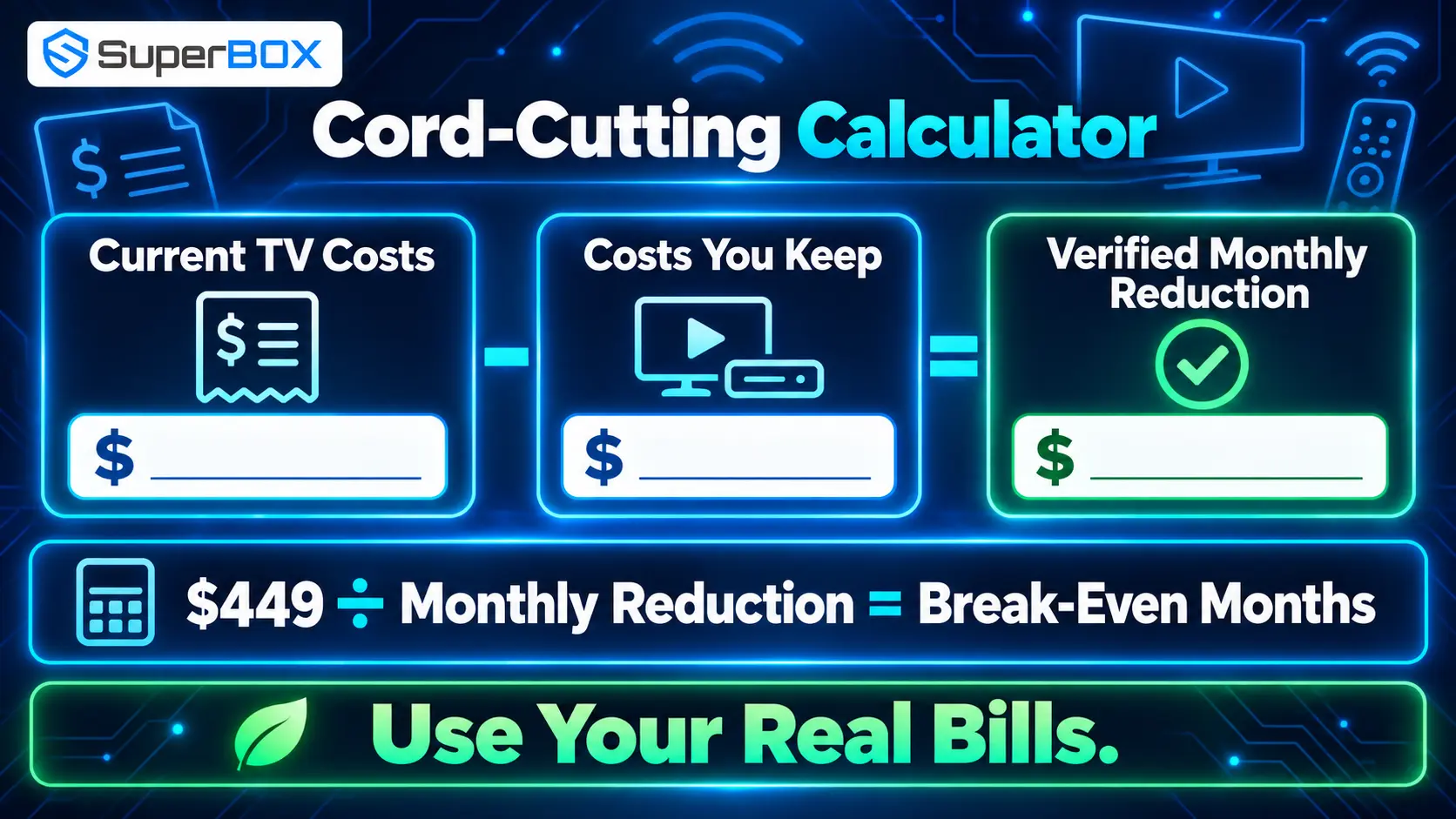
Use this simple formula:
Break-even period in months = purchase price ÷ verified monthly savings
Verified monthly savings means the amount that disappears from the bill after the change—not a manufacturer estimate. If the product also improves convenience, reliability or comfort, you may reasonably accept a longer payback period, but the financial calculation should remain honest.
1. SuperBox S7 Ultra: The Best Money-Saving Tech for Cord-Cutters
What it does
The SuperBox S7 Ultra is a premium Android-based television box designed to centralize live and on-demand entertainment. Through supported SuperBox applications, it provides access to more than 2,000 live channels plus movies and sports content with no monthly subscription fees for those SuperBox services.
The device itself is a one-time hardware purchase. It connects to a compatible television through HDMI and uses the household internet connection through Wi‑Fi or Ethernet.
Where the saving opportunity comes from
Television costs can extend beyond the advertised package price to receivers, equipment rental and additional streaming apps. The total is easily overlooked when charges appear on different bills.
SuperBox offers a different cost structure: purchase the hardware once, connect it to the television and review which recurring entertainment services are still necessary. The greatest potential benefit goes to a household that can cancel or reduce a large cable package and remove duplicated subscriptions.
That is the essence of cord-cutting: replacing a rigid package with a more intentional setup built around what the household actually watches.
Calculate your own potential saving
Use a recent month of bills and complete this table before ordering:
| Current recurring cost | Monthly amount | Keep after switching? | Removable amount |
|---|---|---|---|
| Cable or satellite package | $___ | Yes / No / Downgrade | $___ |
| Receiver or equipment rental | $___ | Yes / No | $___ |
| Sports package | $___ | Yes / No | $___ |
| Movie or entertainment apps | $___ | Yes / No / Rotate | $___ |
| Other TV-related charges | $___ | Yes / No | $___ |
| Total verified monthly reduction | $___ |
At the time of this update, SuperBox TV Box Store lists the S7 Ultra at $449. Divide the purchase price by the recurring amount you can actually remove. That result is the estimated number of months required for the hardware cost to break even.
For example, removing $75 in genuine monthly costs would produce a simple hardware payback period of about six months. This is an illustration, not a promised result.
Why the S7 Ultra has a competitive advantage
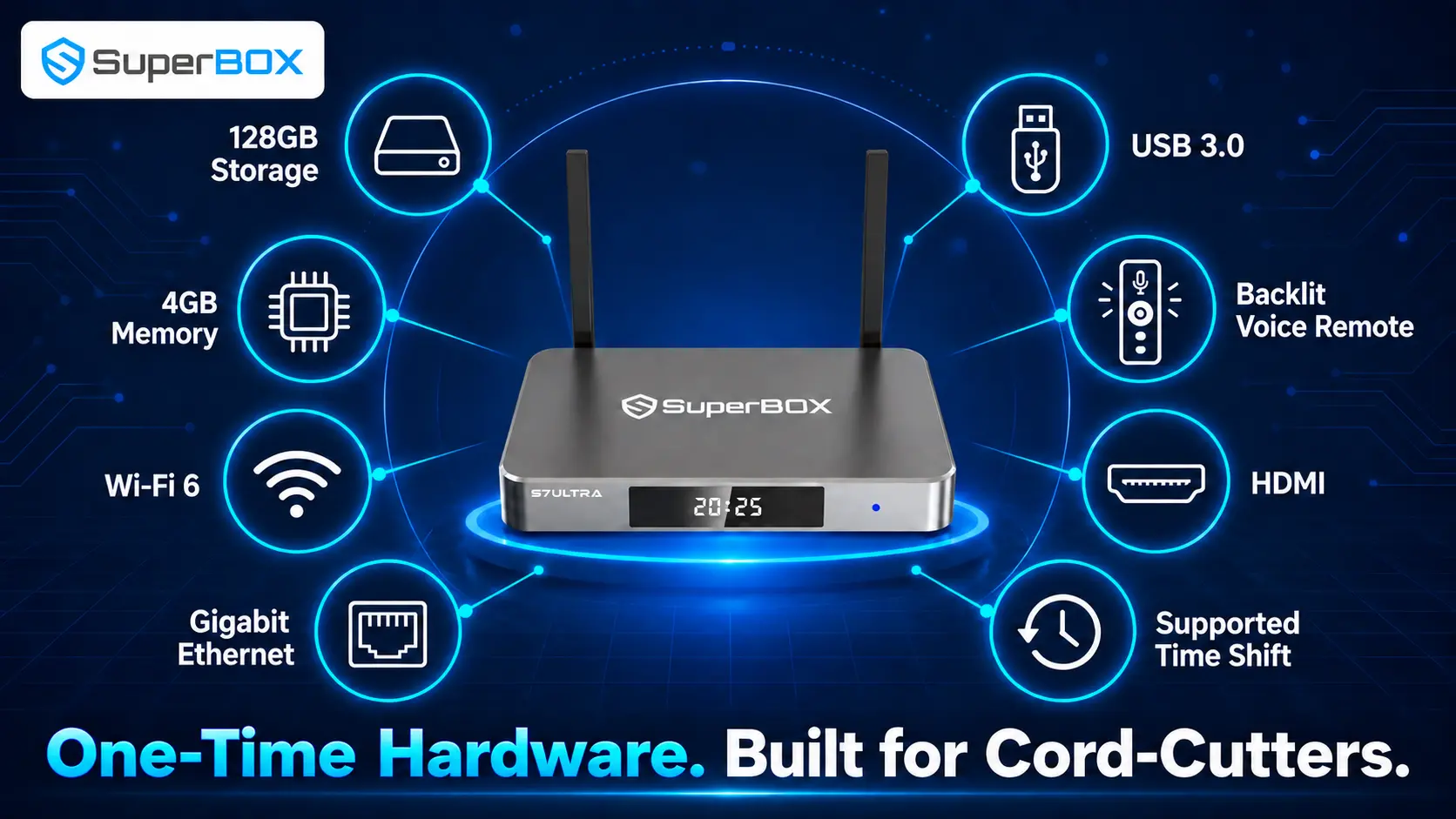
The S7 Ultra is positioned above entry-level streaming sticks with hardware intended for a more complete entertainment setup:
- 4GB of memory and 128GB of eMMC storage: More internal capacity for compatible apps, updates and local files than many basic streaming devices.
- Dual-band Wi‑Fi 6: A current wireless option for compatible home networks.
- Gigabit Ethernet: A wired alternative for households that prioritize stability during live viewing.
- USB 3.0 and USB-C connectivity: Useful for compatible external storage and local-media workflows.
- HDMI 2.1 output: Connects the box to modern televisions and home-entertainment systems.
- Backlit voice remote: Makes navigation easier in a dark room and reduces on-screen typing for supported searches.
- Metal enclosure: Provides a premium build and supports heat dissipation during extended use.
- 7-day Time Shift on supported programming: Allows eligible content to be revisited without requiring the viewer to be present at the original airtime.
Time Shift is available only on supported programming and should not be confused with universal manual or scheduled DVR recording. SuperBox models do not currently provide built-in conventional DVR recording across all channels.
Additional ways it may protect long-term value
As an external HDMI device, the S7 Ultra can modernize a usable television, move between compatible displays and be used in an RV or while traveling where reliable internet is available. Its 128GB storage also reduces the limitations associated with entry-level, low-capacity devices.
Important cost and content clarification
“No monthly subscription fee” applies to owning the SuperBox hardware and using supported SuperBox-provided services described with the product.
SuperBox TV Box Store sells consumer electronics hardware and does not independently host, transmit or control third-party programming. Channel and content availability may change. Buyers should evaluate the current product information and their preferred viewing options before canceling an existing service.
2. Smart Thermostat: Reduce Heating and Cooling Waste
Heating and cooling are among the largest controllable home-energy costs. A smart thermostat saves by reducing unnecessary HVAC runtime—not by consuming less power itself. It can follow a schedule, detect occupancy, enter an away or vacation mode and show how long the system has been running.
For 2026, the most useful buying shortcut is to look for ENERGY STAR certification rather than choosing on brand recognition alone. Certified models must demonstrate energy-saving performance using aggregated field data and must still work as a basic thermostat if their online service is unavailable.
Check the HVAC type, voltage and wiring before ordering. Many models need continuous power through a C-wire or an approved adapter, while multi-stage, variable-speed, zoned, heat-pump and line-voltage systems may need a particular model or professional installation. Also check for utility rebates before paying full price.
Best for: Homes with central HVAC, changing schedules or regular periods when nobody is home.
Less useful for: Homes occupied continuously, carefully managed systems or properties where the resident does not pay the utility bill.
3. Smart Plugs: Automate Devices That Are Easy to Forget
Smart plugs add schedules, remote switching and—in some models—energy monitoring to ordinary devices. They are most effective when attached to something that runs longer than necessary, such as decorative lighting, a fan or selected office equipment.
The 2026 buying decision should focus on safety rating, load capacity, local controls and platform compatibility. Matter-compatible models may be easier to use across supported smart-home ecosystems, but compatibility does not create savings by itself. Energy reporting is valuable when you want to verify the result instead of assuming a schedule helped.
Avoid buying a plug for equipment that must remain continuously powered, such as a router, medical device or refrigerator. Never connect a heater, air conditioner or other high-load appliance unless the smart-plug manufacturer explicitly approves that exact use and electrical load.
Best for: Renters and homeowners wanting inexpensive automation without rewiring.
Money-saving test: If the plug does not reduce runtime or reveal avoidable consumption, it is adding convenience rather than saving money.
4. Smart LED Lighting: Lower Consumption and Longer Service Life
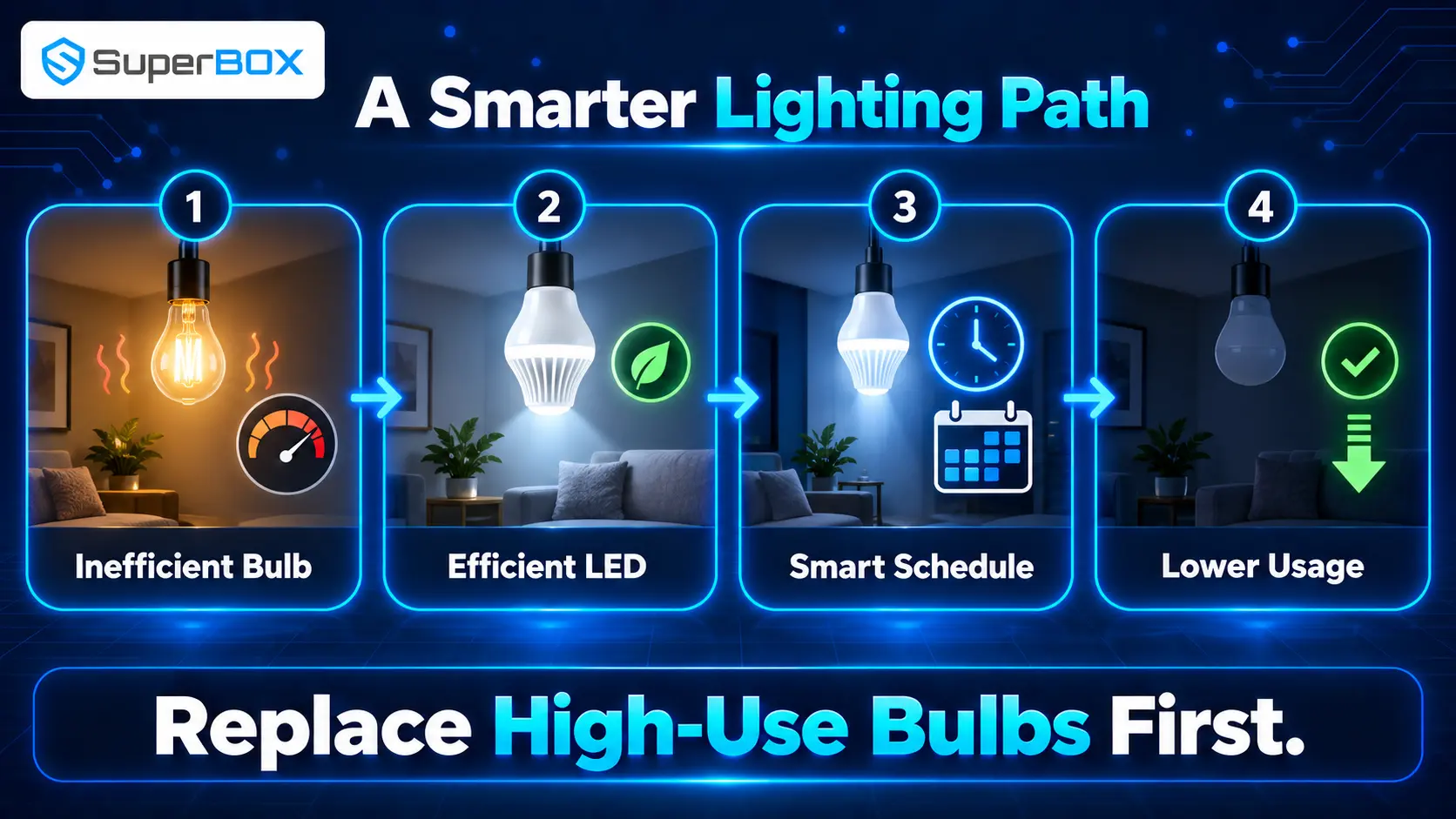
LEDs use less electricity and last longer than traditional incandescent lighting. Smart LEDs add dimming, schedules, scenes, occupancy routines and remote shutoff, but the underlying LED efficiency creates most of the saving.
In 2026, compare lumens rather than watts when choosing brightness. Also check color temperature, dimmer compatibility, fixture type and whether the bulb needs a separate hub. A standard efficient LED is usually the best-value replacement where automation is unnecessary. Pay extra for a smart bulb only when its controls will regularly reduce brightness or operating time.
Start with inefficient bulbs used for several hours each day—typically kitchens, living rooms, exterior lights and work areas. Replacing an efficient working LED only to gain app control may extend the break-even period rather than shorten it.
Best for: High-use rooms and households that benefit from schedules or occupancy control.
Avoid: Buying an entire smart-lighting ecosystem before testing one room and confirming that everyone will use it.
5. Water-Leak Sensors: Prevent a Small Leak From Becoming a Large Bill
Leak technology creates value by detecting irregular water use or moisture before it becomes expensive damage. EPA’s updated 2026 WaterSense guidance separates two useful categories: point sensors that detect moisture in a specific location, and flow-monitoring systems that watch water movement through the home.
Place point sensors beside washing machines, water heaters, sinks, toilets, dishwashers, sump pumps and basement drains. Connected versions can send an alert when nobody is home. Whole-home flow monitors cover a broader range of leaks, while systems paired with an automatic shutoff valve can take action when configured conditions are detected.
Choose based on the risk. A few inexpensive sensors may be enough for an apartment; a homeowner with aging plumbing, a finished basement or a frequently vacant property may value flow monitoring and automatic shutoff. Confirm pipe compatibility and professional-installation requirements before purchasing a valve system.
2026 maintenance rule: Test the alarm, app notification, batteries and shutoff function regularly. A device that is offline or ignored cannot prevent damage.
6. Plug-In Electricity Monitor: Find the Real Energy Wasters
A plug-in electricity monitor shows watts, kilowatt-hours and sometimes estimated cost for one connected appliance. It replaces guesses with evidence and is especially useful for a second refrigerator, window air conditioner, dehumidifier, entertainment system or home-office setup.
For an appliance that cycles on and off, measure for several normal days rather than taking one instant reading. Multiply the measured kilowatt-hours by the electricity rate on the utility bill. If the utility uses time-of-use pricing, note when the appliance operates as well as how much it consumes.
In 2026, buyers can choose between simple plug-in meters, smart plugs with energy reports and whole-home monitoring systems. Start with the least expensive option that answers the question. The monitor saves nothing by itself; value appears only when the data leads to a schedule change, repair, retirement or justified replacement.
Use the meter only within its rated voltage and load. Hardwired equipment requires an appropriate monitoring method and may require an electrician.
7. Rechargeable Batteries: Stop Repurchasing the Same Power
Remotes, controllers, toys, cameras and wireless accessories can turn batteries into a recurring household purchase. A quality charger and rechargeable AA or AAA cells replace many of those repeat purchases with one reusable system.
For 2026, low-self-discharge nickel-metal hydride batteries remain a practical choice for many household devices because charged spares retain power better during storage than older rechargeable designs. Buy the chemistry and charger as a compatible system; never attempt to recharge a disposable battery.
Rechargeables deliver the best value in medium- and high-drain devices used frequently. Disposable cells may remain more practical for rarely used emergency equipment where long shelf life is essential. Keep matched sets together, label their purchase date, inspect for damage and recycle end-of-life batteries through an appropriate local program.
Best for: Game controllers, toys, photography accessories and frequently used remotes.
Financial reality: The saving is smaller than cord-cutting or HVAC optimization, but each successful recharge replaces another purchase.
Which Money-Saving Technology Should You Buy First?
Prioritize the expense that is both large and realistically changeable.
| If your main problem is… | Start with… | First action |
|---|---|---|
| High cable and entertainment bills | SuperBox S7 Ultra | List every current TV-related charge and identify what can be canceled |
| Heating or cooling an empty home | Smart thermostat | Check HVAC compatibility and review existing schedules |
| Devices left running unnecessarily | Smart plugs | Identify safe, schedulable loads |
| Inefficient high-use lighting | LED or smart LED bulbs | Replace the most frequently used inefficient bulbs first |
| Risk of hidden water damage | Leak sensors | Cover the highest-risk appliance and plumbing locations |
| Unexplained electricity consumption | Plug-in energy monitor | Measure suspected appliances before replacing anything |
| Frequent disposable-battery purchases | Rechargeable battery kit | Count the AA and AAA devices used regularly |
Do not buy all seven at once. Begin with the product linked to the clearest expense, verify the result and use the confirmed saving to fund the next improvement.
Frequently Asked Questions
What technology saves the most money?
The answer depends on the household’s largest avoidable cost. A cord-cutter with an expensive cable setup may find more value in SuperBox S7 Ultra, while a home with inefficient temperature schedules may benefit more from a compatible smart thermostat.
How does SuperBox S7 Ultra help with cord-cutting?
It provides a dedicated Android-based television interface and access to more than 2,000 live channels, movies and sports through supported SuperBox applications without monthly fees for those services. This can allow a household to reconsider cable and overlapping entertainment subscriptions.
Is SuperBox S7 Ultra completely free after purchase?
There is no recurring fee simply to own the hardware, and supported SuperBox-provided services are promoted without monthly subscription charges. Internet service is still required, and independent premium platforms may charge their own fees.
How quickly can SuperBox S7 Ultra pay for itself?
Divide the purchase price by the monthly television expenses you can actually remove. The result is an estimate, not a guarantee. A household that keeps every existing subscription may not achieve a direct financial saving.
Does SuperBox replace internet service?
No. Online streaming requires an active internet connection. S7 Ultra connects through compatible Wi‑Fi or Ethernet but does not include home internet access.
Does the S7 Ultra record live television?
It does not provide universal built-in DVR recording. Time Shift can replay eligible programming for up to seven days where supported, but availability varies.
Are smart devices always cheaper to operate?
No. Automation saves money only when it reduces operating time, energy use or waste. The purchase price and any required subscription should be included in the calculation.
Should I replace working appliances to save energy?
Measure first. An electricity monitor and recent utility bills can help determine whether the likely operating-cost reduction justifies replacing a functional appliance.
Final Verdict
The best tech for saving money solves a cost you already have. Smart thermostats, plugs and lighting can reduce waste. Leak sensors can prevent expensive damage. Energy monitors make invisible consumption measurable, and rechargeable batteries reduce repeat purchases.
For households focused on entertainment costs, SuperBox S7 Ultra offers the strongest opportunity on this list because it supports a genuine change in the billing model. Instead of continuing to pay for a large television package, equipment rental and overlapping subscriptions, buyers can make a one-time hardware investment and build a more intentional cord-cutting setup around the content they use.
Its competitive advantage is not just access to more than 2,000 live channels, movies and sports through supported services. It combines that entertainment proposition with 128GB storage, 4GB memory, Wi‑Fi 6, Gigabit Ethernet, modern connectivity, a backlit voice remote and supported Time Shift—all in a device that can upgrade a compatible television without replacing the screen.
The responsible way to judge the purchase is simple: total your current entertainment costs, decide what can truly be canceled and calculate the break-even period. If the S7 Ultra replaces recurring charges your household no longer needs, the benefits can continue long after the hardware has paid for itself.
View the SuperBox S7 Ultra or contact SuperBox TV Box Store for current pricing, compatibility and purchase support.
The article was updated on:
