
Knowledge SuperBox
Is a 6K TV Box Worth It for a 4K TV with SuperBox S8





If your TV is 4K, does buying a “6K TV box” make sense? It can, but the number on the box does not tell you everything about the picture you will see. The useful questions are what the device can decode, what it sends through HDMI, and which features you will actually use.
A 6K-capable TV box can be worth buying for its media support and everyday features. It does not turn a 4K television into a 6K display. The SuperBox S8 series supports 4K playback on compatible content and displays, while its specifications list H.265 video decoding up to 6K at 60fps. Those are different capabilities.
For most households, the better reason to consider an S8 is the complete viewing experience: supported recording, Picture-in-Picture, Multi-Viewing, useful storage options, and an interface built around finding and opening entertainment apps. Here is how to decide whether those benefits are worth the upgrade for your home.
What does a 6K TV box actually mean
“6K” can describe the dimensions of a video file or a device’s ability to process that video. It does not automatically describe the HDMI signal or the television panel.
A typical 4K UHD television has 3840 × 2160 pixels. A 6K video has more source pixels, but 6K is not one universal consumer-TV format. For example, Blackmagic Design’s Pocket Cinema Camera 6K specifications use 6144 × 3456. That is a camera recording format, not proof that an Android box plays that camera’s original recording files.
| Term | What it describes | What it means for your TV |
|---|---|---|
| Source resolution | The detail stored in the video | Sets the starting point for picture quality |
| Decoding capability | Video formats the box can process | Helps determine which compatible files or streams can play |
| HDMI output resolution | The signal sent to the television | Must match a mode supported by the connected equipment |
| TV panel resolution | The physical pixels in the screen | Limits the detail the display can show at once |
Imagine a compatible higher-resolution file playing through a device set to 4K output. The player processes the file and scales the picture for the output. The TV still receives a 4K signal. This can be a useful playback capability, but the screen has not gained extra pixels.
If your main goal is choosing a display setting, our Android TV box resolution guide explains how to match the output to your television. The buying decision here is broader: whether the box’s features justify its cost.
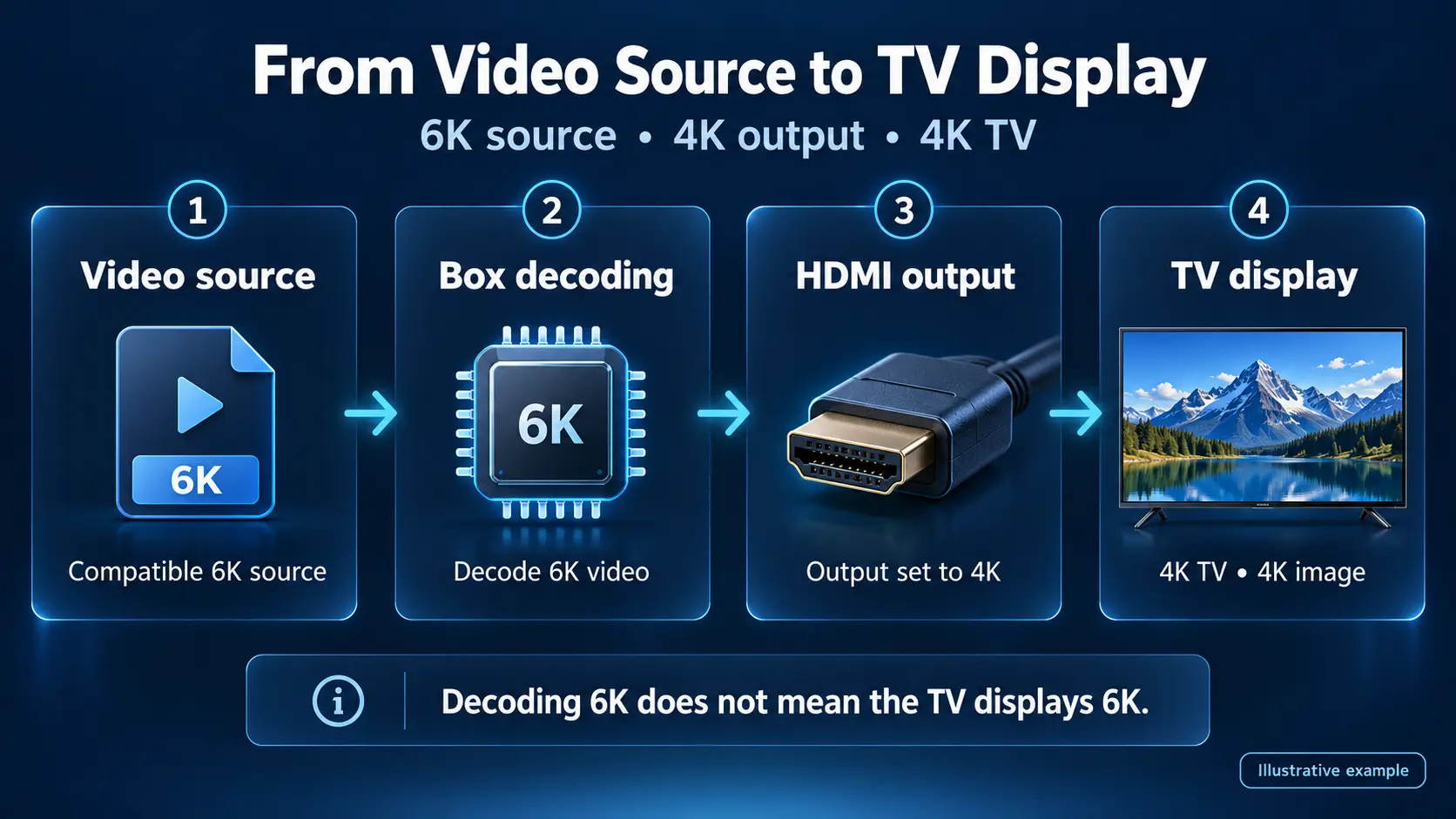
SuperBox S8 supports 4K playback and 6K decoding
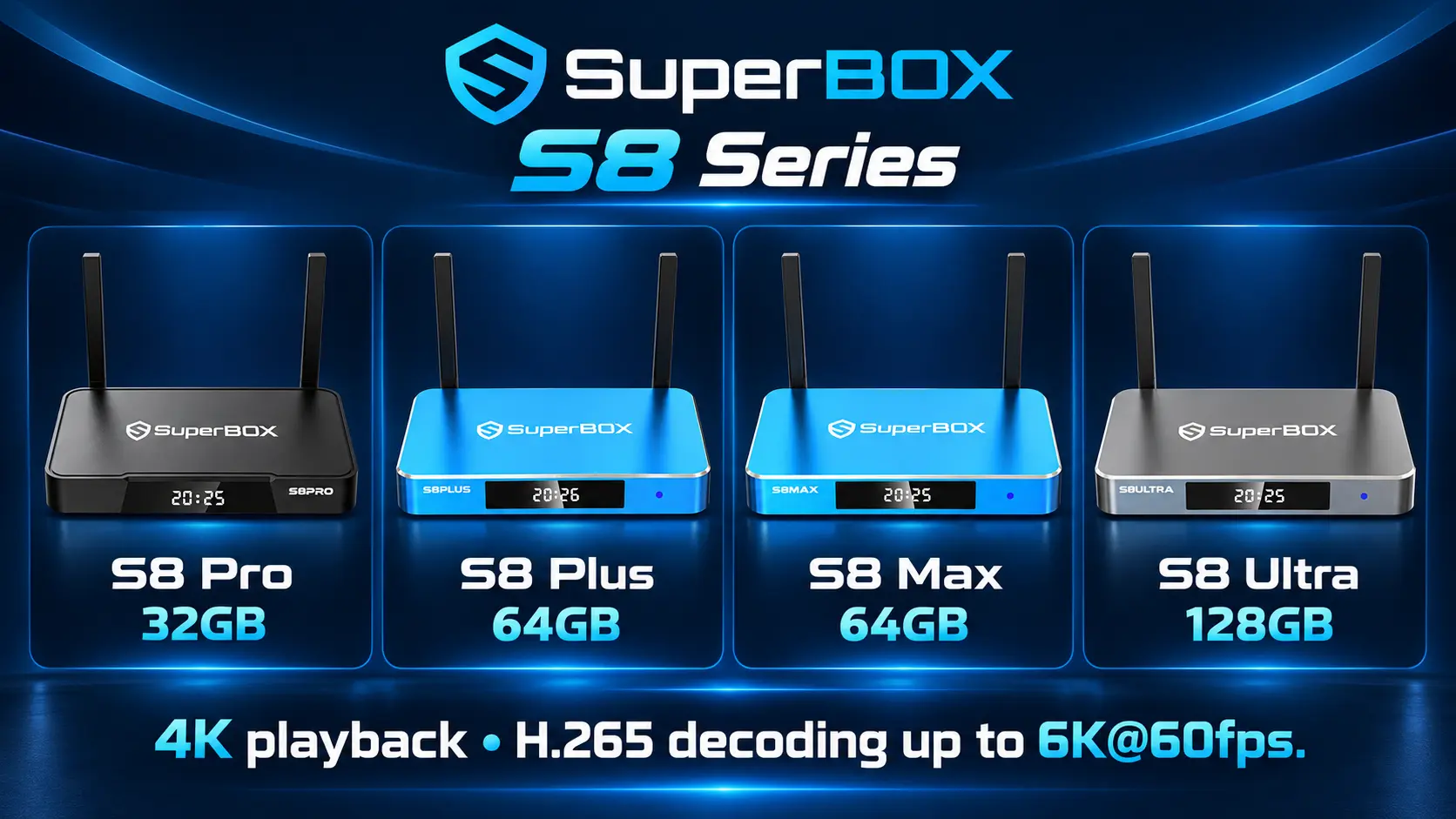
The S8 lineup includes the Pro, Plus, Max, and Ultra. Their product specifications describe 4K playback with compatible sources and displays and H.265 decoding up to 6K at 60fps. The S8 Max product page and S8 Ultra product page explain this distinction directly.
Here is the practical way to understand it:
- For a compatible 4K TV: Set up the box for supported 4K playback and use content delivered in suitable quality.
- For a 1080p TV: Use an output the TV supports. The same S8 features may still be useful, but the panel remains 1080p.
- For compatible higher-resolution media: The decoding specification describes a processing capability. The player, file format, and output path still need to work together.
The codec matters as much as the resolution. H.265, also called HEVC, is a video compression format. A 6K H.265 specification does not promise support for every 6K codec, professional camera format, bitrate, or file container. Android’s media format documentation distinguishes codecs, supported formats, and device capabilities for this reason.
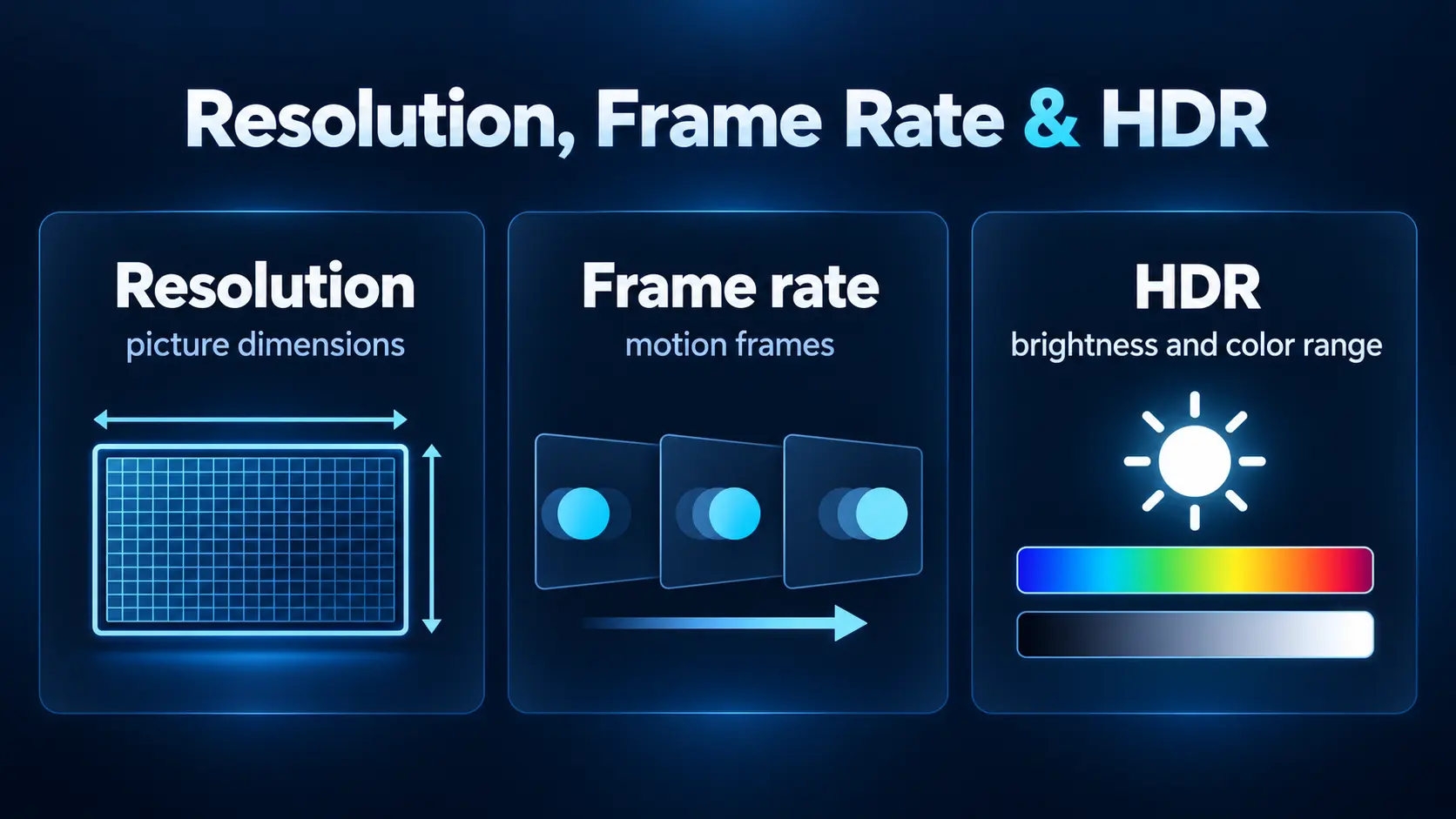
Likewise, a 60fps decoding specification does not make every movie or channel 60fps. The source has its own frame rate, and the display connection has its own supported modes. Treat the specification as a capability to check against your content, rather than a quality setting that applies to everything.
Will a 6K-capable box make 4K content look better
It may help you get a better overall setup, especially if your old player has connection or playback limitations. However, it does not create missing detail just because the decoder supports a higher resolution.
A 1080p program can be scaled to fill a 4K screen. The picture may look pleasing, but scaling does not recover the original detail of a program that was captured and delivered in native 4K. Similarly, setting HDMI output to 4K does not prove the stream itself is 4K.
Picture quality depends on several things working together: the original video, compression, app playback, HDMI settings, and the TV’s own panel and processing. A clean, stable picture at the right resolution is more useful than selecting the highest number without checking those conditions.
HDR is another separate part of the picture. It concerns brightness and color range rather than the number of pixels. If you want to understand HDR10, HDR10+, and Dolby Vision, read our SDR and HDR streaming comparison. A 6K decoding label alone does not establish support for a particular HDR format.
What matters for streaming in October 2026
When comparing boxes today, check the apps and services you plan to use instead of assuming a 6K label means higher quality everywhere. A streaming service may require a qualifying subscription, supported device, compatible HDMI path, and a title available in the requested format.
For example, Netflix’s video quality guidance describes requirements across the plan, device, display, cable, and HDMI connection. Those requirements belong to Netflix; they are not a promise of Netflix 4K availability on any device that advertises 6K decoding.
YouTube’s quality guidance also explains that playback quality changes with viewing conditions, including connection speed, the original video, and device or format support. The source and app matter even when your TV is correctly set to 4K.
The same buying rule applies to live channels and other entertainment apps: quality varies by source. Some programs are delivered below 4K, and the box cannot change the original broadcast into native 4K or 6K.
If you want to understand what you will use on an S8, start with our SuperBox S8 app installation guide. Choose the apps for your viewing needs and check the quality they actually deliver. You do not need a new television simply to use S8 features on a compatible HDMI display.
Reasons an SuperBox S8 can be worth buying beyond resolution
The S8’s value is easier to judge through the things you do every day. You open apps, choose programs, follow sports, save supported recordings, and navigate with the remote. Those are practical reasons to upgrade even when your television stays 4K.
Keep the TV you already like
If the screen still looks good but you want a different entertainment interface, an external box can provide that without replacing the whole television. This is particularly useful when you want your media platform to be independent of the TV brand.
Our streamer box versus smart TV guide explains that choice. You buy the screen for its picture and the box for the media experience. An S8 can add compatible viewing tools, but it cannot change the panel’s brightness, black levels, or physical resolution.
Follow more than one supported program
Picture-in-Picture keeps a smaller view visible alongside the main program. Multi-Screen provides a different layout for following supported streams together. These features may be more useful to a sports viewer than a higher decoding number.
Model choice matters: the Pro and Plus list Multi-Viewing for supported PPV and ESPN channels, while the Max and Ultra list full supported-channel Multi-Viewing. “Supported” matters; availability can vary with the app and programming. See the S8 Picture-in-Picture and Multi-Screen guide for the actual controls and layouts.
Record supported programming and use Playback
The S8 series adds built-in recording. You start and stop a recording manually; available recording time depends on the storage used and how much space remains. It is useful when you want to save an eligible program you are watching, but it should not be confused with scheduled DVR recording.
Read our S8 Recorder app guide for the workflow and storage checks. Playback serves a different purpose: it lets you browse eligible previously aired programs within the available window. Our S8 Playback guide explains that feature separately.
Make your favorite apps easier to open
The new S8 Home interface provides entertainment and utility shortcuts. You can place installed apps in the Home row and assign remote number keys through Quick Access. These changes make a difference when several people in a household use the same box.
Use the S8 shortcuts and number keys guide to configure the apps you open most. That is a daily benefit you can use on a 4K or compatible lower-resolution TV.
Choose storage and remote features you will use
All four models list 4GB RAM, while storage ranges from 32GB to 128GB. More storage gives you more room for compatible installed apps and local media; it does not increase the number of pixels in your television.
The Ultra also includes a backlit voice remote, which can make buttons easier to see in a dark room. The Max and Ultra include the NFL app in the lineup comparison. These differences help you choose the right model without assuming the highest storage tier automatically produces a higher-resolution picture.
Which SuperBox S8 should you choose
Start with the features you need, then check the current product listing and price. You can use the full S8 Pro, Plus, Max, and Ultra comparison for a more detailed breakdown.
| Model | Storage | Multi-Viewing scope | NFL app | Backlit remote | Best fit |
|---|---|---|---|---|---|
| S8 Pro | 32GB | Supported PPV and ESPN | No | No | Core S8 features with entry-level storage |
| S8 Plus | 64GB | Supported PPV and ESPN | No | No | More storage without the Max or Ultra feature mix |
| S8 Max | 64GB | Full supported channels | Yes | No | Sports-focused use with NFL app and broader Multi-Viewing |
| S8 Ultra | 128GB | Full supported channels | Yes | Yes | Largest storage tier with NFL app and illuminated remote |
For a balanced feature set, consider the S8 Max. It combines 64GB storage with the NFL app and full supported Multi-Viewing. Choose the S8 Ultra when you want the largest storage capacity and backlit remote. You are paying for those practical differences, not for a television picture that becomes 6K.
If you do not need the NFL app or broader Multi-Viewing, the Pro and Plus are worth comparing. All four share the 4K playback and H.265 6K decoding positioning, so let your app, storage, and viewing requirements guide the choice.
How to get the best picture from your S8
Before deciding you need another box or a higher-resolution TV, check the setup you already have. Follow these steps in order so you can identify what changes the result.
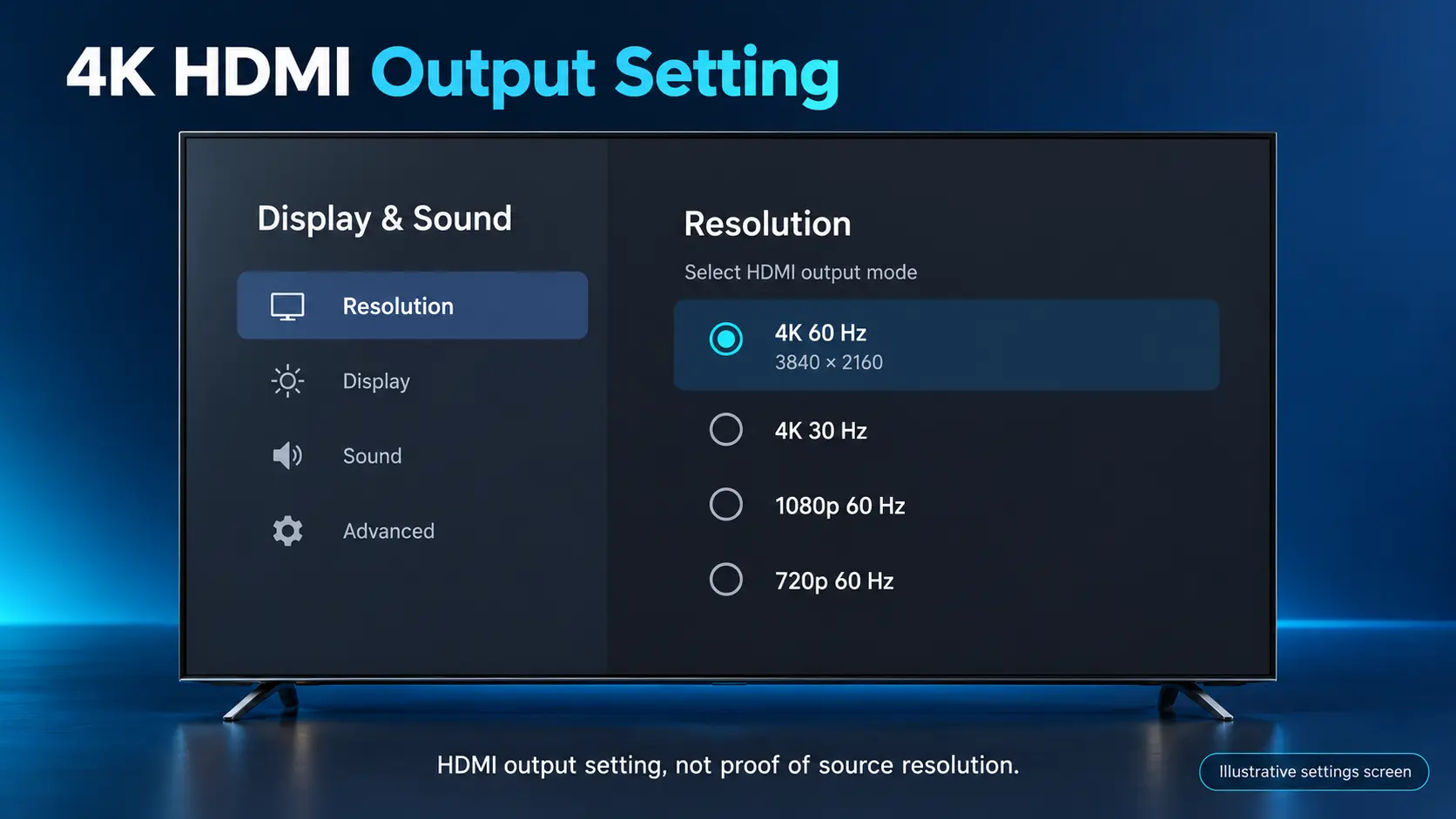
- Check your TV’s supported resolution. Use its model information or manual. Set a 1080p television to a supported 1080p mode and a compatible 4K television to a supported 4K mode. Use automatic detection as a starting point when available.
- Check the HDMI path. The TV input, cable, and any receiver or soundbar in between must support the mode you want. If the picture cuts out through another device, test a direct box-to-TV connection to isolate the problem.
- Check the actual content. Use a known-quality source and the app’s playback information where available. A TV reporting 2160p describes the HDMI signal; it may still be showing an upscaled lower-resolution stream.
- Check the network. Compare Wi-Fi and Ethernet when practical. Follow our S8 internet connection guide to confirm the connection rather than guessing from the internet plan you bought.
- Check HDR compatibility. Use a mode supported across the content, player, and TV. If a picture looks washed out, review the format and TV settings before forcing HDR for every program.
For a model-specific first setup, use the S8 Max unboxing and setup guide or the S8 Ultra setup guide. These walk through connecting the device, pairing the remote, and getting apps ready.
There is no single internet speed that guarantees every high-resolution stream. Netflix currently recommends 15 Mbps or higher for its 4K UHD viewing, but that is service-specific guidance. Other content, multiple simultaneous streams, and local media can have different bandwidth requirements. Stability at the box matters as well as the advertised plan speed.
When a 6K-capable box is worth the money
A box such as the S8 makes sense when you can name the features you will use. You might want an independent media interface for a TV with a good screen, supported manual recording, easier app navigation, or Multi-Viewing for eligible programs. Compatible higher-resolution decoding can be another useful capability.
You may not need to upgrade if your current player already provides the picture, apps, and controls you want. Replacing it solely because another box has a larger resolution number is a weaker reason to spend money.
| Buying reason | How to evaluate it |
|---|---|
| My current interface is inconvenient | Compare the S8 Home layout and shortcut controls |
| I want recording or supported Multi-Viewing | Check the feature workflow and model restrictions |
| I need more storage or a backlit remote | Compare Max and Ultra against your actual needs |
| I have compatible high-resolution local files | Check codec, format, player, and output support |
| I only want every channel to become 6K | Reconsider that expectation; original stream quality still matters |
Buy for today’s useful features rather than a promise that 6K broadcasts will become common on a particular date. Better decoding support can add flexibility, but future services may require different codecs, app approvals, or content formats.
Common questions about 6K TV boxes
Is a 6K TV box worth it for a 4K TV
Yes, when the device’s apps, controls, recording, connectivity, or compatible media support fit your needs. The 4K TV continues to display at its supported resolution. The value comes from the complete setup, not extra physical pixels appearing in the panel.
Does SuperBox S8 support 4K or 6K
The S8 series supports 4K playback with compatible content and displays. Its specifications list H.265 video decoding up to 6K at 60fps. Decoding capability and final display output are separate specifications.
Do I need a 6K television to use SuperBox S8
No. Use a compatible HDMI television and set the output to a supported mode. A suitable 4K TV is a practical match for S8 4K playback; compatible 1080p TVs can still use the box at lower output resolution.
Will a 6K box make all live channels 4K or 6K
No. The app receives the quality available from the source. Scaling a lower-resolution program to fit a 4K screen does not turn it into a native 4K broadcast.
Does 6K decoding guarantee Netflix 4K or Dolby Vision
No. Netflix 4K depends on its own device, plan, content, and connection requirements. Dolby Vision is a separate format that requires compatible support throughout the setup. Check the exact service and model before buying for either feature.
Is the S8 Ultra a higher-resolution box than the S8 Max
Both list the same 4K playback and H.265 6K decoding capabilities. The Ultra’s main differences here are its 128GB storage and backlit remote, compared with the Max’s 64GB and non-backlit remote. Choose by those features rather than expecting a resolution upgrade.
Can SuperBox S8 record programs automatically on a schedule
The recording workflow is manual: start it when you want to capture eligible programming and stop it when finished. Recording time depends on available storage. Supported Playback is a separate option for browsing previously aired programs within the available window.
Buy an S8 from a retailer you can verify
The strongest reason to choose a SuperBox S8 is a combination you can use today: 4K playback, compatible H.265 decoding up to 6K, and S8 viewing and navigation features. Match the model to your household and keep your existing TV if its screen still suits you.
SuperBox TV Box Store is an authorized retailer of authentic SuperBox devices for customers in the US and Canada. You can verify our authorization code SP20250414002 on the official SuperBox authorization website and learn more on our About the Store page.
Our product pages give you a direct place to check the exact model and current purchase information. Our linked setup guides help you get started after delivery. If you need help choosing, contact SuperBox TV Box Store with your TV model and the features you care about.
Compare the S8 models above and choose the viewing tools you will actually use. Keep your order confirmation from customer@superboxtvboxstore.com so we can identify your purchase if you later need order assistance. If you are unsure which retailer handled a purchase, our guide to checking whether you ordered from SuperBox TV Box Store explains what to look for.
The article was updated on:
