
Knowledge SuperBox
7 Best Free YouTube Alternatives for Videos and TV in 2026





The best free YouTube alternative depends on what you want to watch. Dailymotion is a useful starting point for general video browsing, Vimeo for independent films and creative work, Twitch for live communities, and TED for talks and ideas.
If you mainly open YouTube to find something longer to watch on the television, Tubi and Pluto TV may fit that habit better. PeerTube offers another route to videos published across independently operated sites.
You do not need to replace every part of YouTube with one service. Choose the option that improves the viewing you actually do.
This guide focuses on free video viewing, with information checked on November 1, 2026. If you mean the paid live-channel subscription instead, see the separate comparison of YouTube TV alternatives.
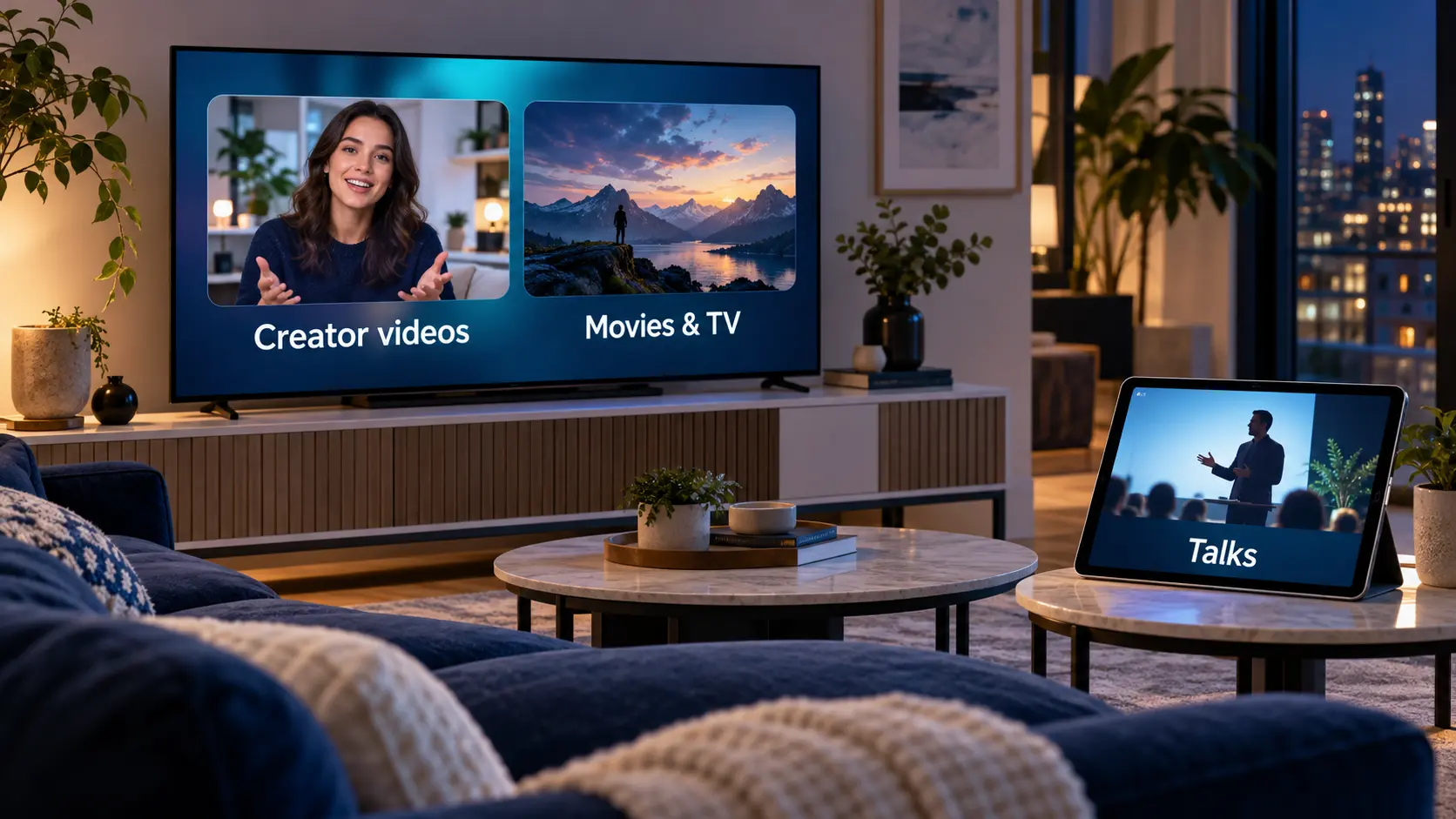
Compare seven free YouTube alternatives
| Service | A good fit for | What you can watch free | Main point to understand |
|---|---|---|---|
| Dailymotion | General public-video browsing | Public videos from creators and publishers | Advertising supports the experience |
| Vimeo | Short films and creative portfolios | Public videos made available by their owners | Free public viewing does not make every rental or paid video free |
| Twitch | Live streams and community interaction | Public live broadcasts and available recordings | Paid subscriptions and ad-reduction products are separate |
| TED | Focused learning and ideas | TED Talks | A curated talk library rather than an open-upload video feed |
| PeerTube | Independent and community-run video | Public videos across participating platforms | Catalogs and rules depend on the platform operator |
| Tubi | Movies and television series | Its available free catalog | Ad-supported; titles differ by market and over time |
| Pluto TV | Channel surfing and scheduled viewing | Its available channels and on-demand programs | Ad-supported; a TV service rather than a creator-upload platform |
The first five are closer to different parts of online video viewing. The final two are alternatives to the habit of finding entertainment on YouTube, particularly on a living-room screen.
Start with one option from the group that matches your needs. Installing every app usually adds more browsing without helping you decide what to watch.
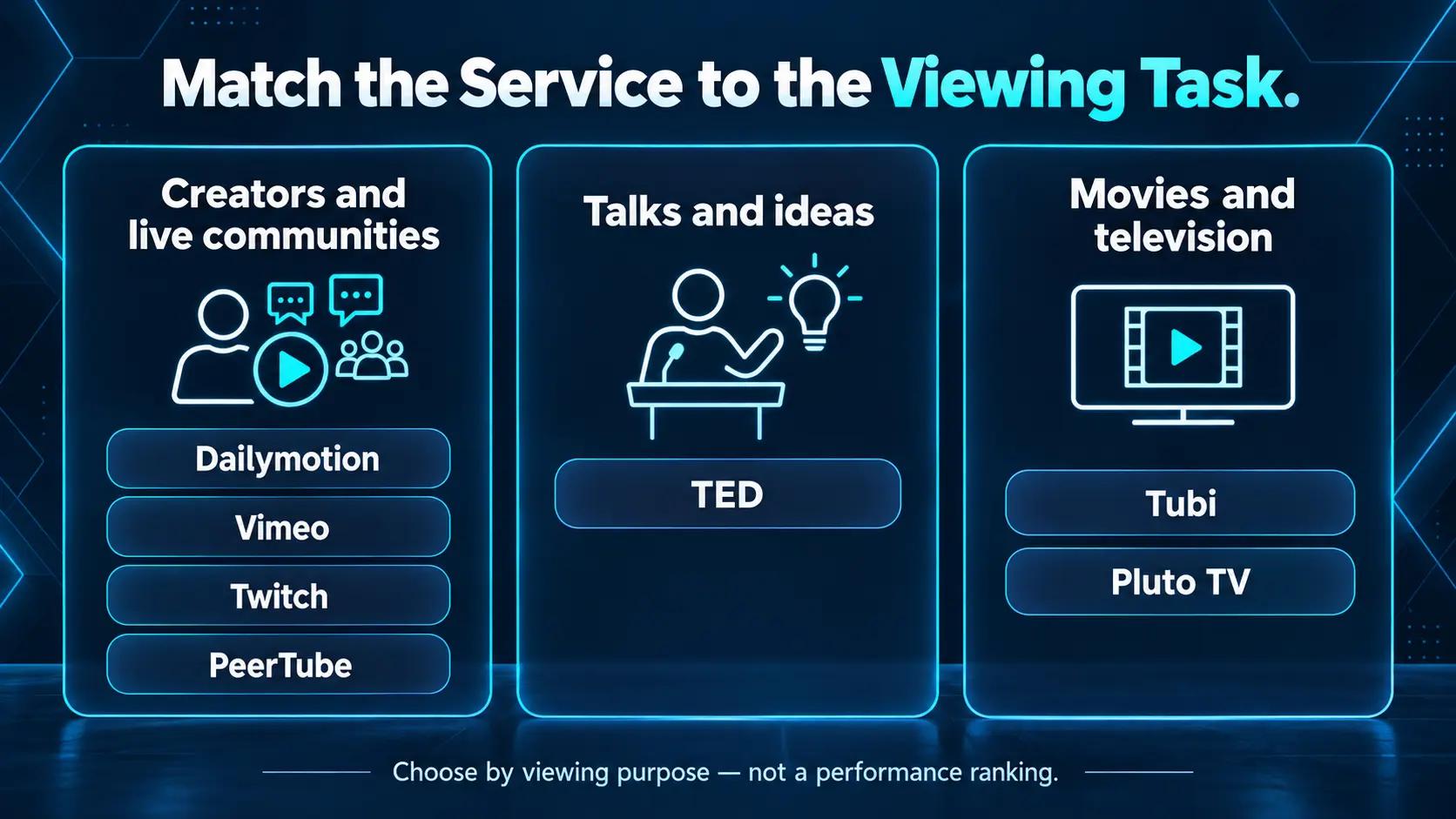
For creator videos and live communities
1 Dailymotion for familiar video browsing
Dailymotion lets you watch public videos and browse material from creators and publishers. Its service summary describes free viewing and sharing, including viewing without creating an account, although account features differ.
It is worth trying when you want a conventional video website with a search box and individual videos to open. Search for a subject or publisher you already follow, then judge whether the available results match your interests.
Expect advertising. Dailymotion’s ad documentation describes ads before, during and after videos; it is not an ad-free substitute.
The practical limitation is content. A favorite YouTube channel or an exact tutorial may not be published there. Try the subjects you watch most before deciding whether it can become your everyday alternative.
2 Vimeo for independent films and creative work
Vimeo’s Staff Picks are a useful place to begin if you prefer a finished short film or creative project to a continuously changing feed.
Vimeo says its video experience has no advertising. Its October 2026 free-plan announcement also expanded free public sharing: public, non-embeddable videos have unlimited storage and bandwidth. Private or embeddable hosting has separate limits, so creators should check the current plan rather than relying on older upload-cap advice.
For a viewer, the simpler point is that a public video can be a good free option without signing up for professional hosting tools. Rentals, paid access and other separately sold content remain different offers.
Choose Vimeo for a deliberate viewing session: a film, animation or visual project you want to give your attention to. It is less suited to replacing a specific creator’s entire YouTube library unless that creator also publishes there.
3 Twitch for live streams and conversation
Twitch centers on live communities, with categories spanning games, music, conversation, food and other interests. It suits viewers who enjoy following a host and joining a broadcast as it happens.
Public streams can be watched free. Supporting a creator through a channel subscription is a separate choice, with benefits described in Twitch’s subscription guide. Optional products such as Turbo also have their own paid terms.
Try a category that interests you, open a public broadcast and see whether the pace suits you. Live viewing feels different from selecting a short edited video.
For watching later, check the channel’s available recordings. A past stream is not necessarily preserved indefinitely, so Twitch is not a direct replacement for a permanent tutorial library.
Choose it for the live experience and the community around a broadcaster.
4 PeerTube for independently operated video communities
PeerTube connects videos across independently operated platforms. In everyday terms, it is a network of smaller video sites rather than one company’s central catalog.
The project FAQ explains that individual platform operators manage their own sites. Their topics, registration rules and moderation can therefore differ.
You do not need to run a server to watch. Begin with the project’s discovery pages or its official mobile app, then look for public videos about a subject you enjoy.
This option is particularly worth exploring if you want to discover communities publishing outside the largest commercial platforms. Finding a familiar creator may take more effort, and the experience depends on the site hosting the video.
Treat the operator’s own information as part of your choice. The fact that two sites use PeerTube software does not make them the same service.
For learning without an endless video feed
5 TED for talks and ideas
TED Talks offer a focused way to spend a break learning about a subject. Instead of searching through a large open-upload catalog, you can choose a talk or a topic-based selection.
TED’s viewing guide describes free talk access and ways to watch through supported devices. The wider TED organization has other activities and membership offers; those are separate from opening a free talk.
It is a good starting point when your goal is to understand an idea rather than follow a particular entertainment creator.
Choose a subject, watch one talk and use the available subtitles or transcript where provided. That gives the session a clear purpose.
TED is narrower than YouTube. For a detailed appliance repair, a particular product demonstration or a creator’s weekly vlog, you will need to check another source. Its strength is the curated talk format.
For free movies and television
6 Tubi for choosing a movie or series
Tubi is a stronger fit when you want to pick a full movie or television program rather than browse creator videos.
Tubi’s help center explains that advertising keeps its service free and that it currently has no ad-free option. You are choosing a free viewing service with commercial breaks.
Search for a genre or a specific title available in your location. The catalog can change, so an article naming a film is less useful than checking the service before planning an evening around it.
Tubi does not replace the tutorial, vlog or creator-upload side of YouTube. It replaces a different task: finding something longer to watch without adding another monthly entertainment subscription.
Check the official supported-device information if your main screen is a television.
7 Pluto TV for a channel guide and relaxed browsing
Pluto TV combines scheduled channels with on-demand programs. Its service overview describes both formats, while its viewing information explains that commercial breaks fund free access.
This makes it useful when you prefer to see what is playing now, choose a channel and settle into a program. You can also look for an available on-demand title.
That is a different experience from YouTube’s individual uploads, search results and creator subscriptions. Someone who misses the familiarity of channel surfing may prefer it; someone following a specialist creator may find it less relevant.
Use the lineup for your country rather than assuming a screenshot from another region matches your screen. Scheduled viewing also means you should check whether a particular program is currently on or available on demand.
Choose Pluto TV for the television-style routine, not as a duplicate of YouTube’s catalog.
Choose an alternative around the reason you are leaving
If advertisements are your main frustration, compare the actual viewing experience before moving your routine. A free service can still be funded by advertising. Vimeo’s public-video experience is one option to investigate; switching to another ad-supported service may not solve the problem you care about.
If you want a favorite creator’s videos, check that creator’s own website or verified profile for links to other platforms. Searching a copied channel name is less reliable than following a link the creator supplies.
If you want fewer decisions, try a focused starting point: a TED topic, a Vimeo selection or a television channel you can leave on. The useful change may be how you choose a program rather than which app opens first.
For movies, compare the catalogs available in your country. A free account, a free trial and a free-to-watch catalog are different offers. Check what the service asks you to pay for before adding it to your routine.
You can keep more than one option. A talk library and a movie service can meet different needs without either becoming a complete YouTube replacement.
When SuperBox makes sense for the living room
If your goal is broader television entertainment, a streaming box is another part of the decision.
SuperBox connects to a compatible HDMI television and provides its own supported app experience. It is hardware you buy, so it belongs in a different budget category from the free websites above.
Its dedicated apps include:
- Blue TV for live channel browsing; the store advertises access to 2,000+ live channels overall.
- Blue VOD for a broad selection of on-demand movies and series.
- Playback for eligible catch-up programming on supported channels.
The core compatible apps are free to use after the device purchase. Internet and any optional paid third-party subscriptions remain separate. The breakdown of SuperBox monthly fees and retained costs helps you compare the whole setup.
For a household also trying to reduce paid television expenses, those live and on-demand options may reduce the need to keep several subscriptions. Check the particular channels and programs you use before changing your current services.
If you choose the S8, the instructions for finding a movie, selecting an episode and saving favorites in Blue VOD explain the everyday viewing routine.
SuperBox does not transfer YouTube subscriptions, copy a creator’s catalog or turn every outside video service into a supported app. Choose it for the entertainment its own setup provides.
Choose the box for everyday convenience
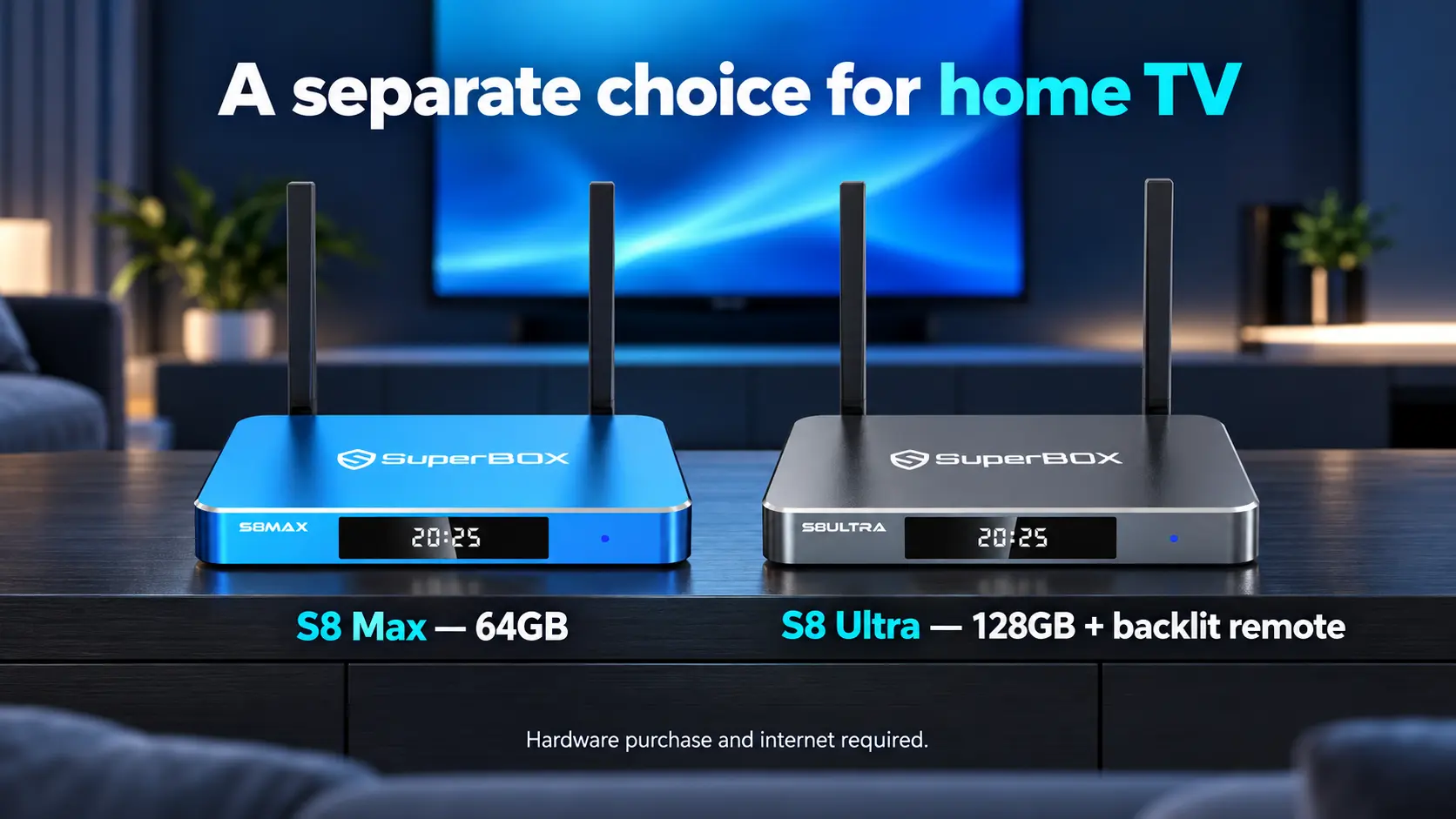
The SuperBox S8 Max combines 4GB RAM, 64GB internal storage, WiFi 6, Gigabit Ethernet and a voice-command remote. It is a practical starting point for a household that wants a dedicated television interface.
The S8 Ultra adds 128GB internal storage and an included backlit voice remote. Illuminated buttons can be useful for evening viewing. Choose those hardware conveniences for the way you watch; they do not change another service’s catalog or regional rules.
For help choosing a box for an existing television, SuperBox TV Box Store is an authorized retailer serving the US and Canada. Send your TV model and viewing priorities to customer@superboxtvboxstore.com. Customers ordering directly from our store can use that contact for both setup assistance and order questions.
Try the free options on your television before buying equipment
Start with the television or streaming device you already own. Search its official app store for the service, then check the provider’s supported-device list for your model and country.
An app being available on a phone does not establish that it has a remote-friendly version for every television. Likewise, an Android-based box is not automatically certified or supported by every video provider.
For example, Dailymotion publishes a device and browser compatibility guide. Follow the current information for the exact equipment instead of choosing an app download based only on its name.
If your television lacks the app, investigate the service’s supported casting method or an existing computer connected through HDMI. The options for streaming on a non-smart TV explain the general connection choices.
Test three things during a normal viewing session: can you find the program, read the menus from your seat and control playback comfortably? Also check captions if someone in the household uses them.
That short test can tell you more about suitability than downloading every service or buying a new box before confirming what you want to watch.
Frequently asked questions
What is the closest free alternative to YouTube
Dailymotion is a useful first option for conventional public-video browsing. The closest match for your household depends on whether you mainly watch creators, live streams, talks or movies. Test your usual subjects instead of expecting an identical catalog.
Which free YouTube alternative has no ads
Vimeo states that its video experience has no ads. Check whether the particular video is freely available rather than a paid offer. With independently operated video sites, review the platform itself instead of treating every operator as identical.
Can I watch the same YouTubers somewhere else
Only if they also publish there or make their work available through another service. Look for official links from the creator. A platform being an alternative to YouTube does not mean it carries that creator’s uploads.
Are Tubi and Pluto TV the same type of service as YouTube
They focus on movies, television and curated programming rather than an open library of creator uploads. They can be good alternatives for an evening of free entertainment, but they serve a different viewing task.
Do I need SuperBox to watch these free video sites
No. Many can be watched through a supported browser, phone, television or other existing equipment. SuperBox is a separate hardware choice for its supported entertainment experience, with an upfront purchase cost.
Is YouTube TV included in this comparison
The paid live-channel service is a separate topic. This article concerns alternatives to watching videos on YouTube. Use a live-TV service comparison when your actual goal is to replace a television subscription.
Start with one viewing session
Pick something you want to watch today: a short film, a talk, a live host or a movie. Open the service that fits that choice and try it on the screen you normally use.
Keep the options that make your routine easier. You may find that a few well-chosen services give you a better mix than searching for one website to replace everything YouTube does.
The article was updated on:
