
Knowledge SuperBox
Affordable SuperBox Models for Beginners in 2026





Buying your first SuperBox should start with a clear budget and a short list of things you want to watch. You do not need to understand every technical specification to make a sensible choice.
For beginners, S7 Max is the lower-cost 64GB option in this comparison, while S8 Max is our strongest recommendation for a first purchase with room to explore newer features. S7 Ultra deserves a look if you want 128GB at a lower price than S8 Ultra. Within the S8 range, Pro and Plus offer smaller steps into the generation, and Ultra adds more storage and an illuminated remote.
The useful question is how much you would pay for features you will actually use. This guide compares affordable SuperBox models for beginners, explains the differences in everyday language, and helps you keep the rest of your setup simple.
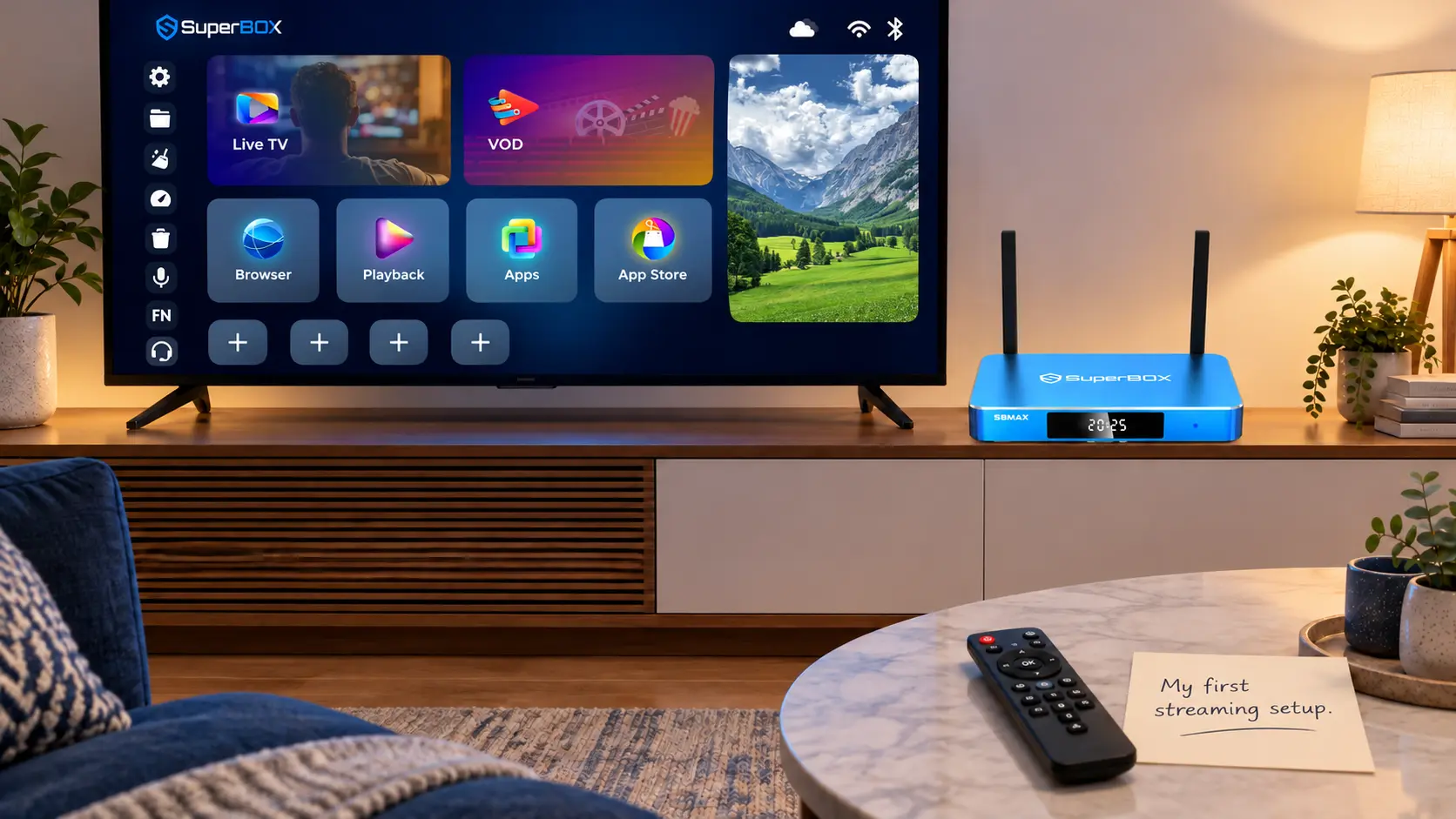
Affordable SuperBox models at a glance
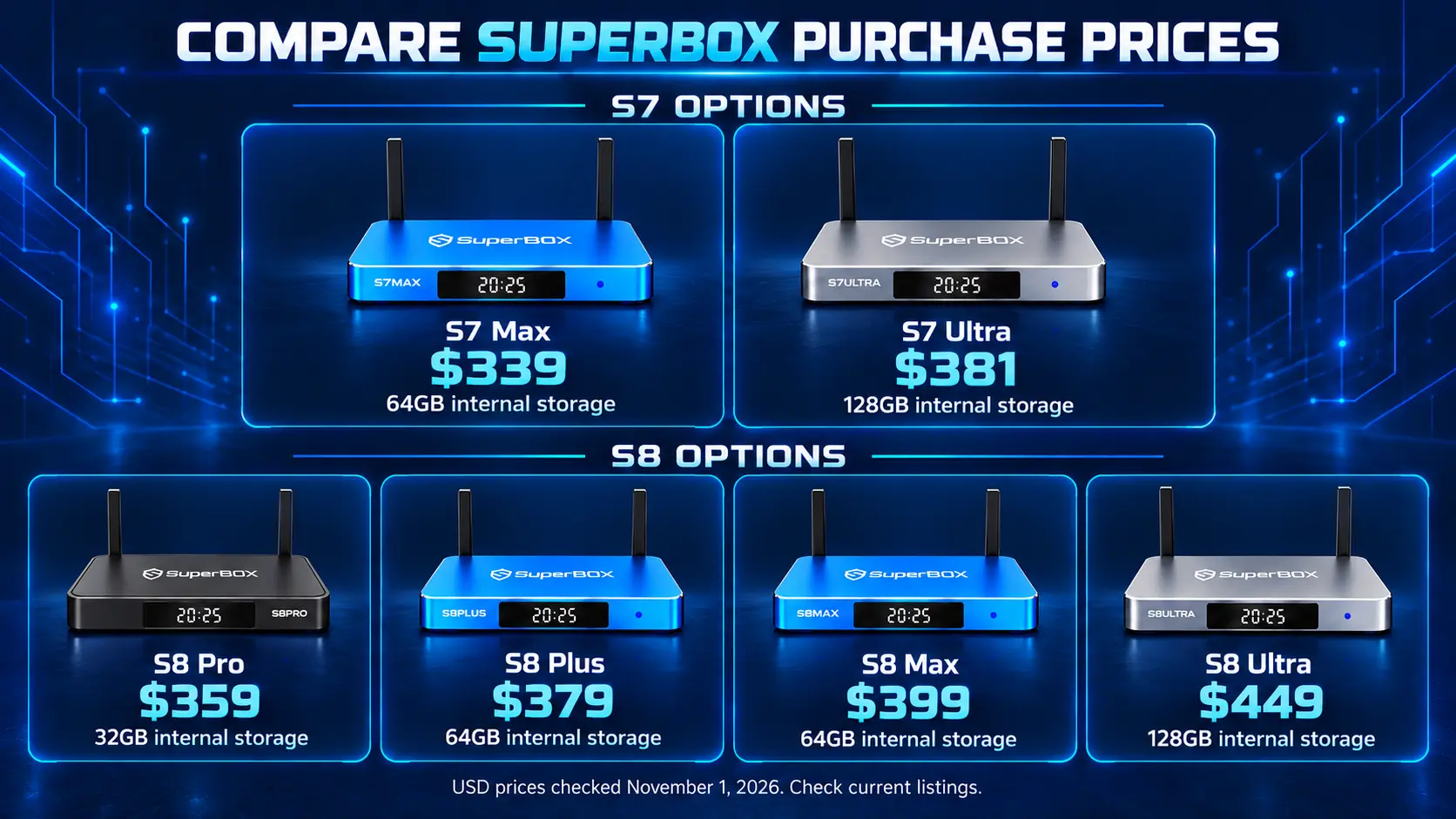
The prices below are the amounts displayed on SuperBox TV Box Store’s individual product pages on November 1, 2026, in US dollars. Check the linked listing for the current price and availability before ordering.
| Model | Listed price | RAM and storage | Main reason to consider it |
|---|---|---|---|
| S7 Max | $339 | 4GB / 64GB | Lower purchase price for a straightforward first setup |
| S8 Pro | $359 | 4GB / 32GB | Lowest-priced S8 in this comparison |
| S8 Plus | $379 | 4GB / 64GB | More S8 storage while staying below Max |
| S7 Ultra | $381 | 4GB / 128GB | Larger storage on a smaller budget |
| S8 Max | $399 | 4GB / 64GB | Our recommended balance of S8 features and cost |
| S8 Ultra | $449 | 4GB / 128GB | Premium S8 choice with a backlit remote |
All six list 4GB of RAM. The storage figure describes space inside the box, rather than the number of channels you receive.
Notice how closely several prices sit together. S8 Plus and S7 Ultra are just $2 apart, but they serve different priorities. One brings you into the S8 generation with 64GB; the other emphasizes 128GB in the S7 family. Compare what changes before deciding that the larger number is automatically better.
What a beginner actually needs from SuperBox
Start with ordinary viewing. Can you find live television, choose a movie, control the volume, and return to the home screen comfortably? Those tasks matter before recording or watching multiple views.
SuperBox has dedicated entertainment apps, including Blue TV for live television and Blue VOD for movies and series. The store advertises Blue TV with 2,000+ live TV channels. The core supported apps are free to use after purchasing compatible hardware, which gives beginners a way to explore entertainment without adding a separate monthly subscription for each core app.
Your internet connection remains a household expense, and optional paid services retain their own charges. Channel lineups and titles can change, so check the programming that matters to you before canceling an existing service.
A suitable first box should also fit the television and network you already have. A usable TV with HDMI does not need replacing simply because you want to start streaming.
Write down your three most important viewing needs. That might mean daily news, evening movies, and weekend sports. A short list makes choosing easier than trying to buy for every possible future hobby.
Where S7 Max and S7 Ultra still offer value
S7 Max for a lower starting price
At $339, the S7 Max with 64GB makes sense when your main priority is getting started for less. Its listed WiFi 6 and Gigabit Ethernet give you wireless and wired connection options.
Choose it when you expect to use the main entertainment apps and have little interest in the newer S8 viewing features. You can put the $60 difference from S8 Max toward something your setup actually needs, or simply keep it.
An older generation can still be a reasonable first purchase when its functions match your routine.
S7 Ultra for more internal storage
The S7 Ultra with 128GB is listed at $381. It offers more room for compatible apps and local files, plus an included backlit voice remote.
That combination can appeal to someone who watches in a dim bedroom or knows they want a larger app collection. You do not need 128GB just to browse more live channels, however.
At these prices, S8 Max costs only $18 more than S7 Ultra. That makes this a choice between the S7 Ultra’s storage and remote conveniences and the S8 Max’s newer feature set. If manual USB recording or expanded Multi-Viewing matters, focus on the S8 options.
Which S8 model gives beginners the best balance
S8 Pro and Plus when the budget has a firm limit
The S8 Pro costs $359 and has 32GB of storage. It is a sensible entry point for someone who wants the S8 interface and generation features while keeping the purchase below $379.
The S8 Plus costs $379 and doubles internal storage to 64GB. That extra $20 may be worthwhile if you plan to install more compatible apps.
Pro and Plus support Multi-Viewing for supported PPV and ESPN channels. Neither includes the dedicated NFL app listed for S8 Max and Ultra.
S8 Max for the strongest all-round starting point
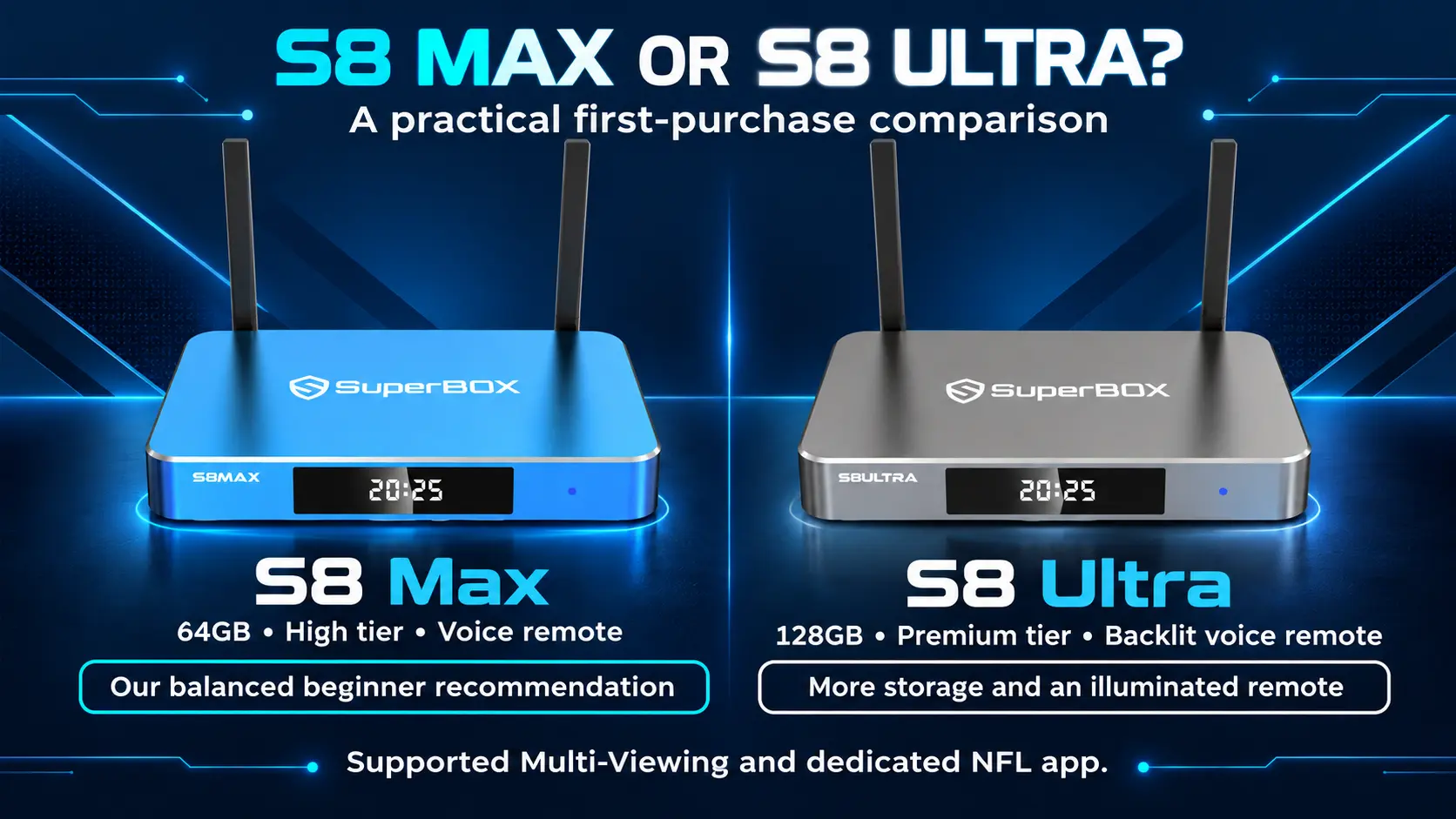
At $399, the SuperBox S8 Max is our main recommendation for beginners who can comfortably reach this budget.
It combines 64GB with the S8 interface, manual USB recording, Picture-in-Picture, broader Multi-Viewing across supported channels, and the dedicated NFL app. Compared with Plus, the additional $20 buys a feature difference even though both have the same storage.
You can learn the basic viewing routine first and explore those extra functions later. Buying Max does not require using everything on the first evening.
S8 Ultra when daily convenience justifies the upgrade
The SuperBox S8 Ultra costs $449, adding 128GB and a backlit remote while retaining Max’s listed viewing advantages.
For someone setting up a main television for regular evening use, those conveniences may justify the $50 difference. If 64GB and a standard voice remote suit you, Max leaves more money in your budget.
The S8 performance tiers are Essential for Pro, Standard for Plus, High for Max, and Premium for Ultra. These are positioning labels, not measured loading-time percentages. For a closer look at connections and viewing access, see the complete S8 model comparison.
Pay for useful storage and features
Storage does not determine your channel count
RAM is the box’s working memory. Storage is space used by the operating system, installed apps, and files. Available free space is lower than the advertised capacity because the system already occupies part of it.
For a small selection of viewing apps, 32GB may be sufficient. A 64GB model offers more flexibility, while 128GB is worth considering when you expect a larger collection of compatible apps or local media.
More storage does not automatically make your internet faster or give you a larger channel package.
S8 recordings use an external USB drive
S8 manual recording saves to connected USB storage. Choosing 128GB inside the box does not expand that recording drive.
If recording matters to you, budget for suitable USB storage and learn the manual Start and Stop workflow. Scheduled recording was still under development, manual recording needed for now.
Check the remote and power connection
Only Ultra includes a backlit remote within the S8 lineup. The S7 Ultra listing also includes backlighting, so check the exact generation and package.
Among S8 models, Plus uses a round power connector and USB 2.0 plus USB 3.0. Pro, Max, and Ultra use Type-C power and USB-C plus USB 3.0. Use the supplied power equipment for the model you order.
Work out the cost beyond the box
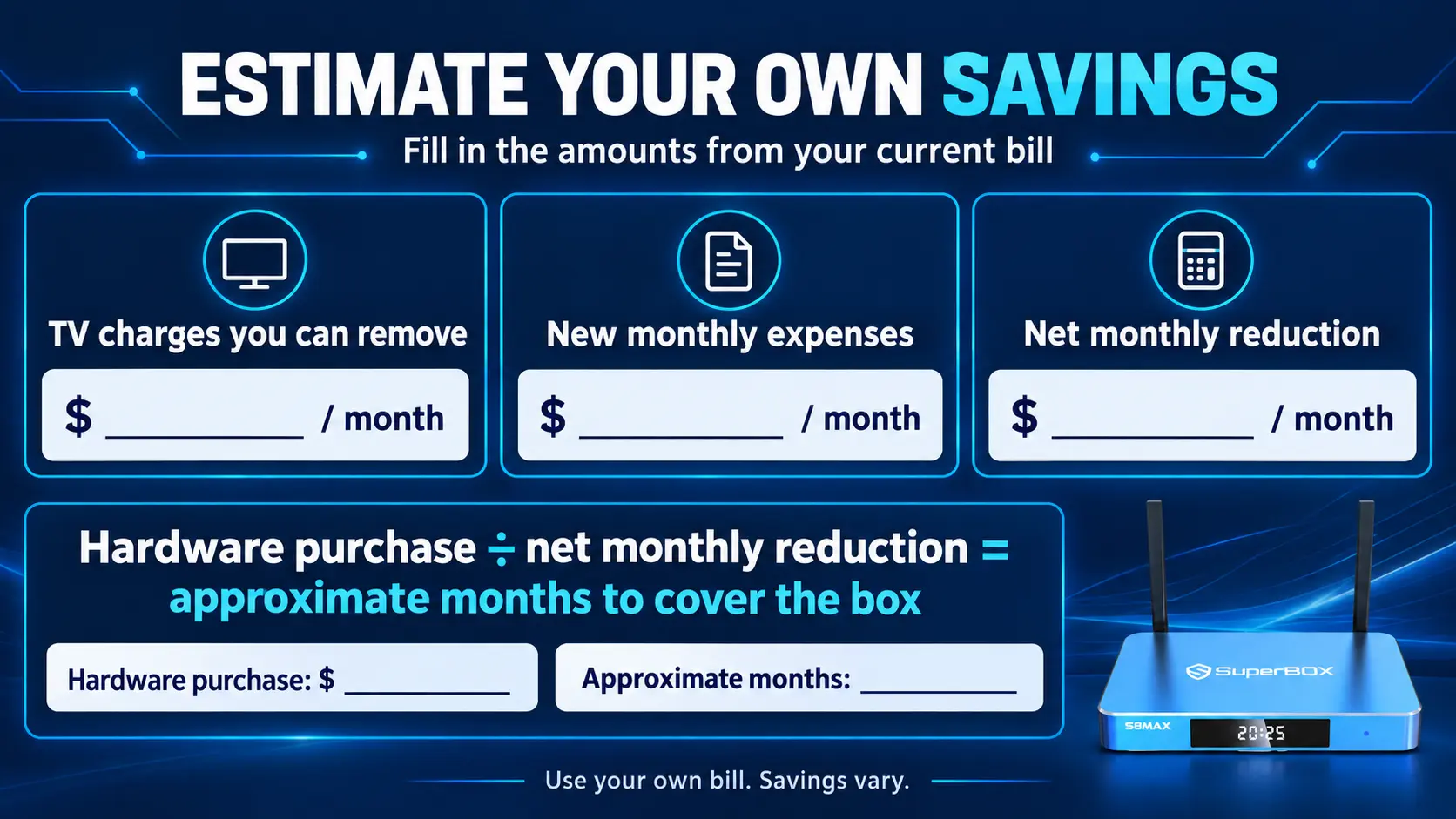
Affordable should describe the setup you can comfortably maintain. Before paying, separate three amounts: the hardware purchase, expenses you already have, and genuinely new costs.
Home internet may already be part of your household budget. Count any additional internet cost caused by switching, such as losing a bundle discount, rather than assuming the whole old cable bill disappears.
Then consider extras. You may need an Ethernet cable if the router is nearby, a USB drive for recording, or another box for independent viewing in a second room. Buy an accessory when it serves a specific purpose.
Here is an illustrative budgeting example, using the listed $399 S8 Max price:
| Assumed change | Amount |
|---|---|
| Cable television and equipment charges you can remove | $80 per month |
| New ongoing expenses after the switch | $10 per month |
| Net monthly reduction | $70 |
| Hardware purchase | $399 |
| Approximate time for the reduction to cover the hardware | 5.7 months |
These are example household expenses, not a promised saving. At $70 per month, twelve months would produce $840 in reductions; subtracting the $399 purchase leaves $441 before any other changes.
Use your actual bill and the costs you will retain. Our explanation of SuperBox monthly fees and ongoing expenses can help you build that comparison.
Choose a retailer who can help you get started
A first purchase is easier when you know who will help with the order and the initial setup.
SuperBox TV Box Store is an authorized retailer serving customers in the US and Canada. You can verify authorization code SP20250414002 at the SuperBox authorization website.
Before ordering, ask us to compare the models around your budget and viewing needs. “I want one living-room TV, mostly news and movies, and I would like to stay below $400” is enough to start a useful conversation.
For technical or order questions about a purchase made directly from our store, email customer@superboxtvboxstore.com. Include your order number when available and the exact model.
Keep your receipt and check which retailer it names. SuperBox is the product brand, and different sellers maintain separate order records. If you are unsure, you can check whether your order came from SuperBox TV Box Store.
Keep your first setup simple
Before delivery, check that the TV has an available HDMI input, find your WiFi password, and decide where the box will sit with space around it for ventilation.
Once it arrives, connect HDMI and the supplied power equipment, select the matching HDMI input on the television, and connect the box to your home network. Complete the supported app setup for your model.
For S8 Max, the unboxing and setup walkthrough covers the initial connections and app installation.
For the first viewing session, practice a small routine:
- Open the live TV app and find something familiar.
- Switch to on-demand viewing and choose a title.
- Return to the home screen.
- Check that you can use the remote comfortably.
- Show anyone else in the household the same routine.
Add more features when those actions feel familiar. If streaming struggles in the room, check the connection before buying a more expensive box. Our advice on improving WiFi where you watch television explains practical changes to try.
Frequently asked questions
What is the cheapest SuperBox for a beginner?
Of the six models compared here, S7 Max has the lowest listed price at $339. S8 Pro is the lowest-priced S8 at $359. Other listings and stock can change, so check the store before deciding.
Is S7 Max still worth buying when S8 is available?
Yes, when its price and everyday viewing features suit your needs. Choose S8 instead if its recording, Picture-in-Picture, or model-specific Multi-Viewing features are important to you.
Should a beginner choose S7 Ultra or S8 Max?
Choose S7 Ultra if 128GB and its included backlit remote are your priorities. Choose S8 Max if you prefer the S8 feature set and broader supported Multi-Viewing. The listed difference is $18.
Do I need 128GB to watch more channels?
No. Internal storage provides room for apps and files; it does not determine the channel lineup. Choose more storage for what you will install or save locally.
Do more expensive SuperBox models add a monthly equipment fee?
No. Moving up the model range changes the hardware purchase price rather than adding a recurring SuperBox equipment subscription. Internet and optional paid third-party services remain separate expenses.
Which beginner-friendly S8 models include the NFL app?
S8 Max and S8 Ultra include the dedicated NFL app in the listed comparison. Pro and Plus do not. Check the programming you want before buying for a particular game; the app name alone does not confirm every event.
Choose around the way you will watch
If your budget is firm, start with the lower-priced options and identify what you would give up by stopping there. If S8 Max fits comfortably, it offers a practical balance for a first purchase. Choose S8 Ultra when its extra storage and illuminated remote will make a difference in regular use.
S7 Max and S7 Ultra remain useful alternatives for buyers who prioritize their particular price and storage combinations.
Before ordering, finish this sentence: “I am choosing this model because I will use…” If the answer names features you understand and want, you have a stronger reason to buy than price or model name alone.
The article was updated on:
