
Knowledge SuperBox
How to Watch Prime Cinema Free with SuperBox Movie Guide?





Planning a cozy movie night at home used to be a simple pleasure. You picked up a couple of snacks, settled onto the couch with loved ones, and put on a film. Today, finding a movie to watch often feels like navigating a maze of paid subscriptions, expiring rental timers, and surprise charges.
Every commercial streaming platform wants a separate monthly fee, and when a brand-new blockbuster hits digital platforms, they frequently charge an extra $5.99 to $19.99 just to rent it for 48 hours. SuperBox changes all of that with Prime Cinema, a dedicated movie app that brings the theater experience straight to your living room completely free of rental fees.
Quick Movie Night Summary: Prime Cinema is a dedicated video-on-demand cinema portal bundled across the SuperBox ecosystem alongside Blue VOD.
It provides on-demand access to thousands of theatrical films organized by genre, release year, and resolution, supporting crisp 1080p Full HD and select 4K Ultra HD playback with multiple subtitle options.
Explore how this application pairs with other pre-installed tools in our guide to SuperBox Prime apps.
What Is Prime Cinema Explained for Movie Lovers
Think of Prime Cinema as having a private cinema lobby inside your television box. While apps like Blue VOD include television series, documentaries, and anime all mixed together, Prime Cinema is built exclusively for feature-length films.
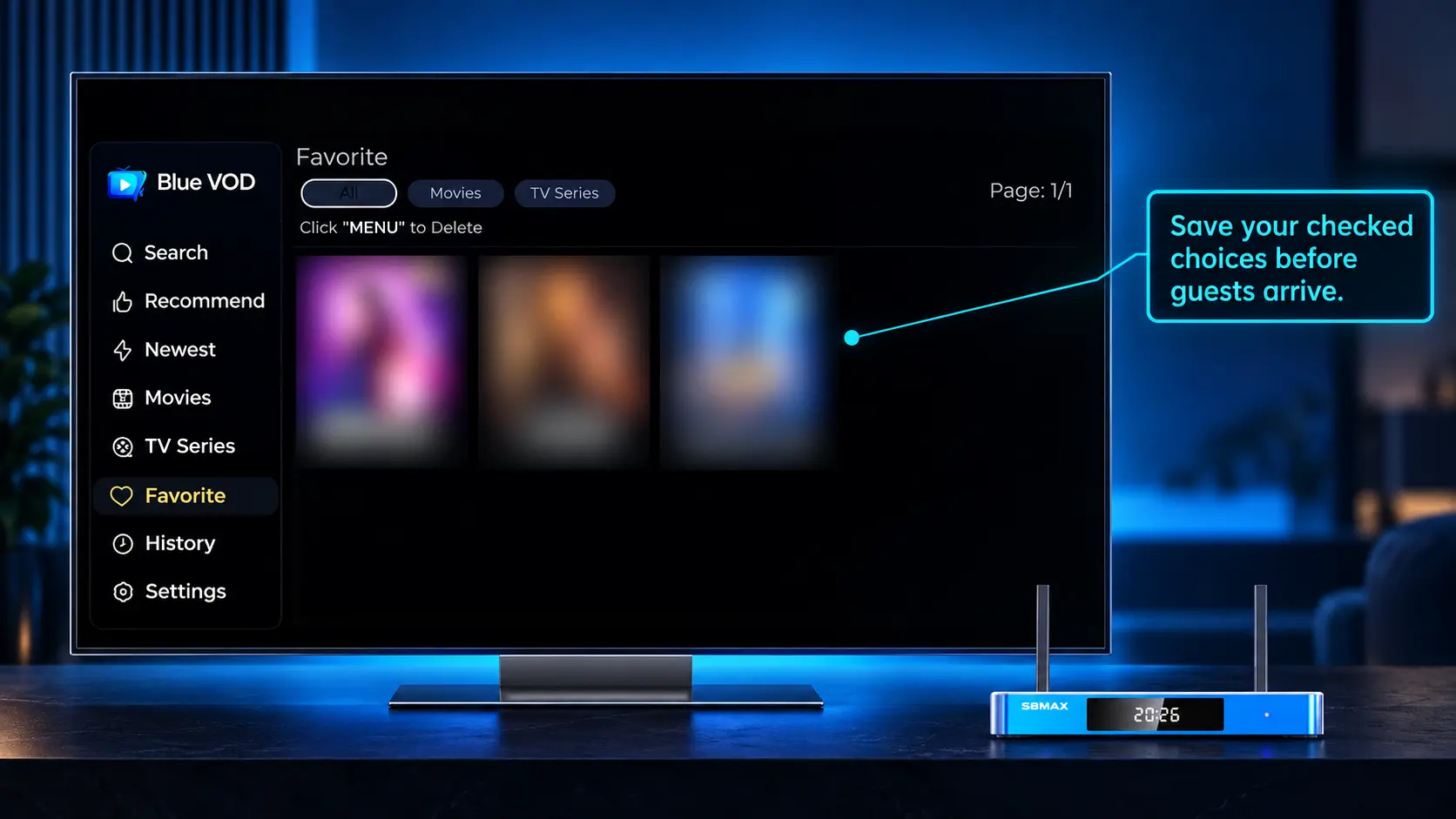
The screen looks just like a high-end commercial streaming theater, displaying full-color movie posters, plot summaries, lead actor rosters, release years, and viewer ratings.
You can browse through modern superhero blockbusters, laugh out loud with family comedies, get your heart racing with psychological thrillers, or revisit timeless golden-era Hollywood classics from decades past.
Best of all, there are zero 48-hour rental countdown timers. You can start a movie on Friday evening, pause it when the kids get sleepy, and finish the rest on Sunday afternoon without paying an extra dime.
Why Dedicated Movie Apps Beat Fragmented Streaming Services?
In recent years, the streaming market has become completely fragmented. Film rights bounce from one paid service to another every few months. A movie you bookmarked on one service last month has often moved to a competitor by the time you sit down to watch it.
Subscribing to four or five different movie services quickly adds up to over $70 every month. If you rent two or three new release movies on top of that, your monthly entertainment bill can easily rival an old-fashioned cable package.
Prime Cinema consolidates films into one centralized, easy-to-search home. You never have to wonder which app has the movie you are looking for, remember forgotten passwords, or pull out a credit card to unlock a premium cinema release.
Everything is ready to play with a simple click of your remote control, giving you a truly relaxing home theater experience.
Comparing Commercial Rental Platforms with Prime Cinema
| Platform Feature | Commercial Streaming & Rental Apps | SuperBox Prime Cinema |
|---|---|---|
| Monthly Membership Cost | $9.99 to $22.99 / month per service | $0.00 / month (Included with hardware) |
| New Release Rental Fee | $5.99 to $19.99 per 48-hour rental | $0.00 (Zero rental transactions) |
| Content Fragmentation | Spread across 5+ competing paid apps | Consolidated into one cinema library |
| Viewing Expiration Timer | 24 to 48 hours once playback starts | Unlimited viewing on your own schedule |
| Commercial Ads | Frequent ad breaks on cheaper tiers | 100% commercial-free movie playback |
| Account Requirements | Mandatory credit card and passwords | Zero accounts, passwords, or billing info |
By eliminating individual transaction fees and expiring rental timers, Prime Cinema restores the simple joy of spontaneous movie watching.
Step by Step Guide to Finding and Watching Movies
Finding a great film on your SuperBox is fun, visual, and takes only a few quick seconds.
Step 1: Open Prime Cinema from Your Home Screen
Turn on your television and SuperBox. Look for the clapperboard-styled icon labeled Prime Cinema on your home launcher bar and press OK on your remote.
The application loads directly into the main cinema lobby without asking for any login credentials or user profiles.
Step 2: Browse by Genre or Explore New Releases
Across the top of the screen, you will see organized genre categories: Action, Comedy, Drama, Romance, Sci-Fi, Horror, Animation, and Classic Cinema.
Use your remote arrow keys to browse through rows of movie cover posters. You can sort titles by popularity, viewer ratings, or release year.
Step 3: Use the Search Feature to Find Specific Titles
If you already know the movie you want to see, navigate to the magnifying glass Search icon at the top corner of the screen.
Type in the first few letters of the title using the on-screen keyboard, or use voice search on supported remotes. Matching movie posters will appear immediately.
Step 4: Select Your Movie and Adjust Subtitle Settings
Click on the movie poster to view the full description and press Play. Once the movie begins, press the Menu or Subtitle button on your remote control.
You can turn on English or Spanish subtitles, choose alternative language audio tracks, and adjust subtitle font sizing for comfortable viewing.
How Prime Cinema Compares with Built In Blue VOD
Many new SuperBox owners ask why the device includes both Blue VOD and Prime Cinema.
Blue VOD is the master on-demand catalog, featuring tens of thousands of television series, complete seasons, animated family shows, and popular movies all in one vast library.
Prime Cinema is dedicated 100% to feature-length cinema. It features a curated movie-first layout with zero television series clutter, making it the perfect destination when you want to settle into a great film.
Having two independent on-demand movie applications also provides great server redundancy, ensuring that you always have immediate access to world-class entertainment.
Helpful Tips for Theater Quality Picture and Sound at Home
To turn your living room into an authentic home theater, a couple of quick setup tweaks make a dramatic difference.
First, pick up your television remote and set the picture mode to Movie or Cinema. This softens harsh digital sharpness and delivers accurate colors just as the director intended.
Second, if you have a soundbar or surround sound system, connect it to your TV using an HDMI ARC cable. Prime Cinema audio tracks pass clean multi-channel surround sound for deep cinematic bass and crisp dialogue.
For smooth high-definition movie playback, a standard home download speed of 25 Mbps to 50 Mbps ensures titles load quickly without buffering.
How to Create the Perfect Family Movie Night Experience
Transforming your living room into an authentic cinema experience is easy when you have access to thousands of on-demand movies without rental charges or subscription fees.
Gathering the family for weekend movie nights often gets bogged down by endless scrolling through paid streaming menus trying to find something everyone agrees on. With Prime Cinema, content is categorized cleanly by age rating and genre.
You can easily browse family animation, fantasy adventure, lighthearted comedies, or historical dramas. Adding chosen titles to your favorites list throughout the week means you already have a curated shortlist ready when popcorn is served on Friday evening.
Because there are no pay-per-view rental windows expiring after 24 or 48 hours, kids can rewatch their favorite animated movies as many times as they want without incurring extra charges on your credit card.
Optimizing Home Theater Audio and High Definition Video
To truly bring cinematic films to life, pairing Prime Cinema with good home audio and video settings makes a huge difference in viewing pleasure.
If you have a 4K or large-screen television, connect your SuperBox directly to your display with a high-speed HDMI 2.0 or 2.1 cable to support vivid color depth and smooth frame rates.
Inside the player settings, you can adjust screen aspect ratios between Original, Fit to Screen, and 16:9 widescreen to match your television perfectly without stretching or distorting character proportions.
Connecting your TV or media box to a soundbar or home theater system gives movie dialogues crystal-clear clarity while delivering deep bass during action sequences, creating a truly immersive cinema atmosphere at home.

Frequently Asked Questions About Prime Cinema on SuperBox
Do I need to pay rental fees to watch movies on Prime Cinema?
No, there are zero rental fees, pay-per-view fees, or monthly charges. All movie titles in Prime Cinema are 100% free with your SuperBox hardware purchase.
Are newly released box office movies added to the app?
Yes, the movie catalog is regularly updated with new theatrical releases, award-winning films, and popular digital home releases as soon as digital copies are published.
Can I pause a movie and resume watching it the next day?
Yes, Prime Cinema automatically saves your viewing spot. When you return to a movie you started earlier, a prompt will ask if you want to resume right where you left off.
Are English and Spanish subtitles available for movies?
Yes, most movies include multiple subtitle options, including English and Spanish, which you can turn on or off using the remote Menu button during playback.
Does Prime Cinema stream in true 4K Ultra HD resolution?
Yes, select blockbuster movies are available in crisp 4K Ultra HD resolution, categorized under a dedicated 4K section for easy discovery.
How is Prime Cinema different from Blue VOD?
Blue VOD includes television series, complete seasons, and movies together, while Prime Cinema focuses exclusively on full-length feature cinema.
Can I create my own watchlist of movies to watch later?
Yes, highlight any movie poster and press the Star or Yellow button on your remote to add the title to your personal Favorites folder.
What internet speed do I need for smooth movie streaming?
A reliable broadband download speed of 25 Mbps to 50 Mbps provides smooth, high-definition streaming with fast video loading.
What should I do if a movie takes a long time to buffer?
Check your home Wi-Fi signal strength, or restart your internet router. You can also clear application cache under Settings > Apps > Prime Cinema.
Can I connect external soundbars for surround sound audio?
Yes, SuperBox supports optical audio and HDMI ARC outputs to pass high-fidelity surround sound to your soundbar or home theater receiver.
Final Thoughts on Hosting the Ultimate Home Movie Night
A great movie night should be about cozy blankets, delicious popcorn, and enjoying quality time with family, not stressing over monthly subscriptions or 48-hour rental deadlines. Prime Cinema restores the simple joy of cinema, offering thousands of unforgettable stories at your fingertips.
Whether you want to discover an exciting new action thriller, laugh together over an animated family adventure, or revisit a nostalgic classic, Prime Cinema has the perfect title waiting for you.
If you have any questions about movie playback or audio settings, our friendly support team is always happy to assist through our official Contact Us page.
The article was updated on:
