
Knowledge SuperBox
Best TV for Truck Drivers in 2026 and Sleeper Cab Setup Tips





For a smaller sleeper cab, a compact TV designed for 12V mobile use is usually the most useful place to start. Choose the screen only after checking the space, available power and mounting arrangement in your truck.
The Free Signal Transit Platinum 22-inch TV is a strong first model to shortlist because the manufacturer markets it for mobile use with a vibration-resistant chassis, 12V power and a 1080p screen. If you have more room, its 28-inch counterpart is another option. Supersonic also lists compact 19-inch and 24-inch models with DC 12V inputs.
The best TV for truck drivers is therefore a combination of fit, power compatibility and comfortable viewing. For internet entertainment, a separate device such as SuperBox S8 can expand what you watch through a compatible HDMI television.
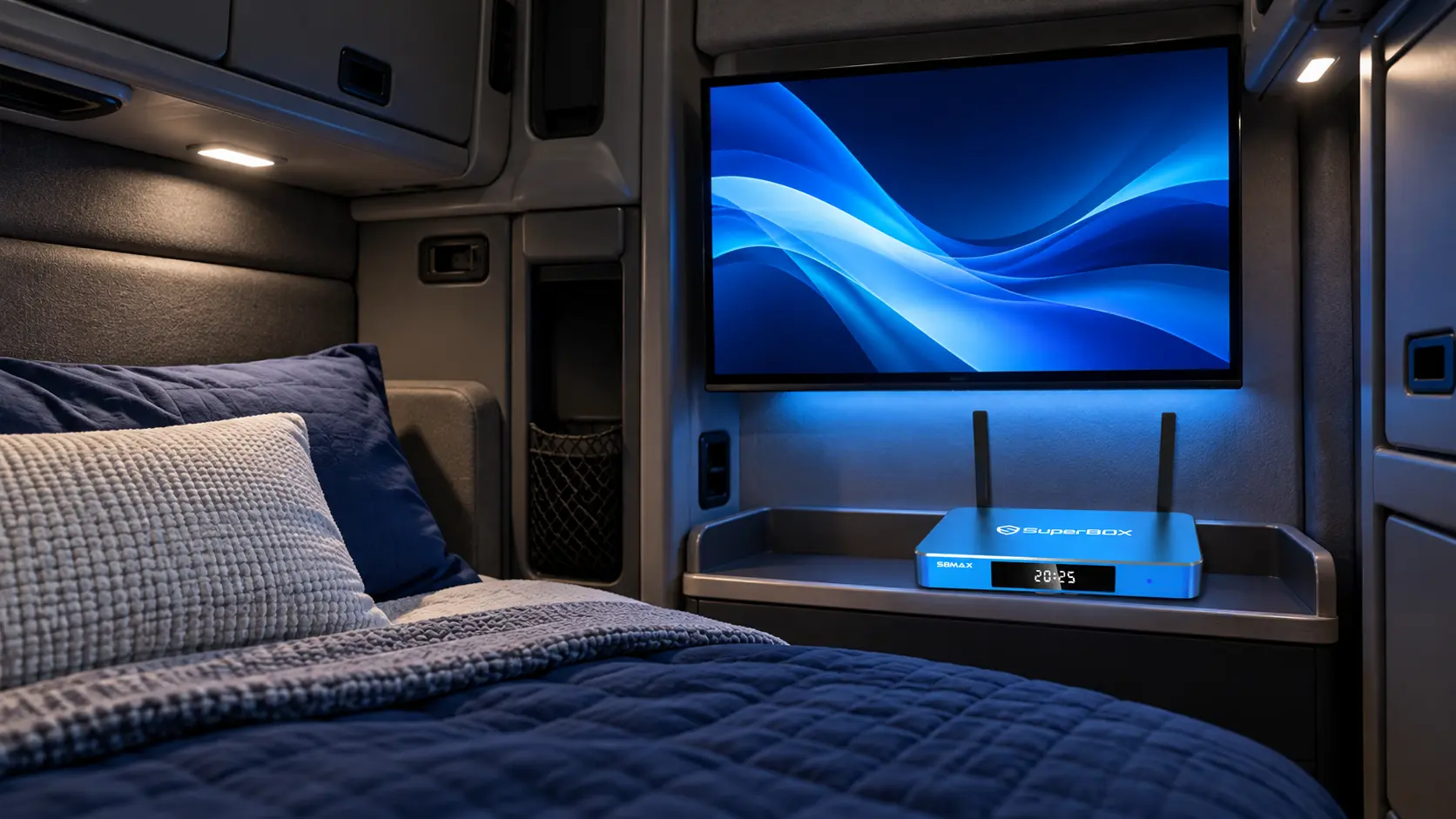
Measure the sleeper before you shop for a screen
Start where you normally sit or lie down to watch television. Look at the available wall or cabinet space from that position.
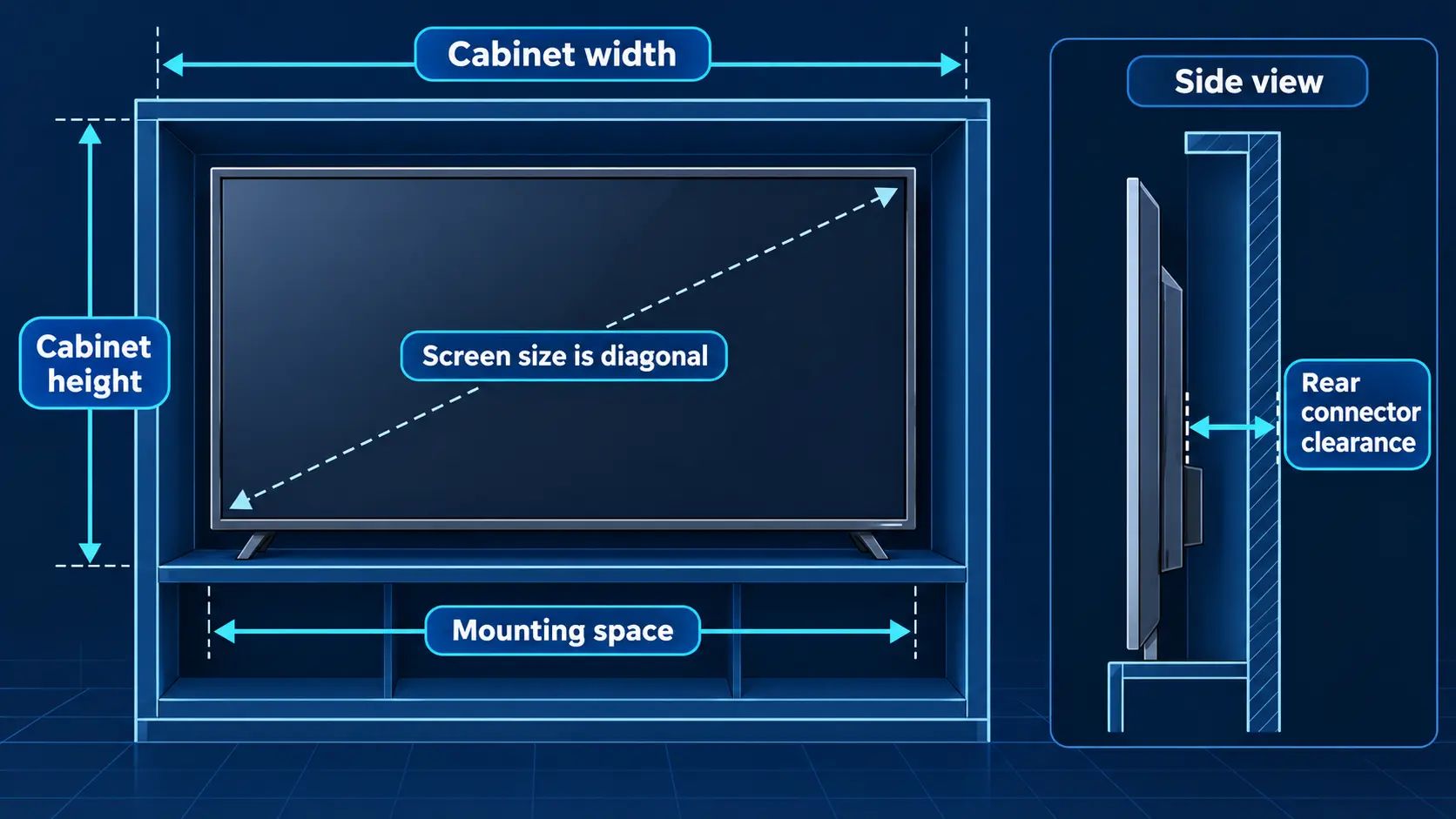
A screen size such as 22 inches is the diagonal measurement. It does not tell you the cabinet width, depth, stand footprint or clearance needed behind the television.
Before ordering, measure:
- The usable width and height of the mounting area.
- Clearance for doors, curtains, storage compartments and the bunk.
- The route for power and HDMI cables.
- Space behind the TV for connectors and ventilation.
- The distance between your usual viewing position and the screen.
A cardboard rectangle cut to the television’s published dimensions is a simple way to check fit. Put it where the screen would sit, then see whether it blocks anything or forces an uncomfortable viewing angle.
Treat a roughly 19-to-24-inch screen as a starting range for a compact sleeper, not a universal requirement. A larger cab may suit 28 inches or more; another truck may have less room than the screen size suggests.
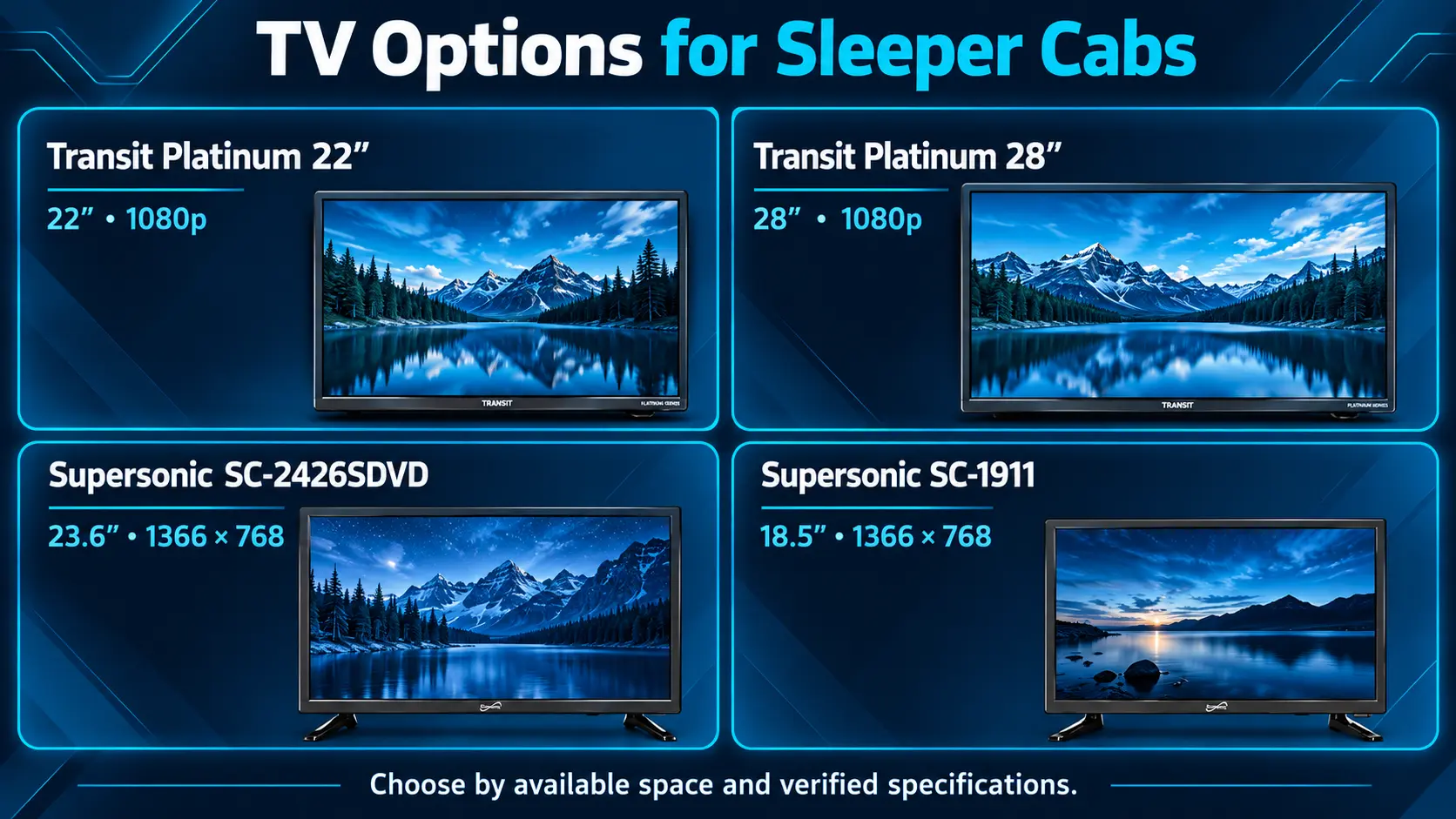
Four TVs worth comparing for a truck sleeper
These recommendations match published specifications to different cabin needs. They are not a claim that the televisions were tested side by side in a truck.
| TV | Best fit to investigate | Published screen specification | Power information to verify against your truck |
|---|---|---|---|
| Free Signal Transit Platinum 22-inch, FSTV-2222P | A compact screen marketed for mobile use | 22-inch, 1080p | Mobile 12V DC model; confirm the supplied equipment |
| Free Signal Transit Platinum 28-inch, FSTV-2822P | A larger sleeper with sufficient mounting space | 28-inch, 1080p | Mobile 12V DC model; confirm the supplied equipment |
| Supersonic SC-2426SDVD | A 24-inch class smart TV with a DVD option | 23.6-inch panel, 1366 × 768 | DC 12V; AC input also listed |
| Supersonic SC-1911 | A smaller non-smart TV for a tight installation | 18.5-inch panel, 1366 × 768, sold as 19-inch class | DC 12V; AC adapter input also listed |
Check the exact model number before buying. Similar-looking product names, supported input resolutions and bundled power accessories do not necessarily describe the same television.
Manufacturer catalog listings also do not establish that every retailer has stock or includes identical accessories.
Free Signal Transit Platinum 22 inch for a compact mobile setup
Free Signal lists the Transit Platinum 22-inch TV at $339. Its specification includes a 1080p screen, built-in WiFi, smart features, Bluetooth and an integrated DVD player. Free Signal describes the chassis as vibration resistant and designed for mobile use.
That combination makes it a sensible starting point if you want a compact TV with entertainment options built in. Manufacturer product photos also show HDMI inputs for a compatible external source.
Its mobile positioning is a useful distinction from choosing a household TV solely because it fits the space. Still, check the mounting pattern, full dimensions and power arrangements for the actual unit you order.
Shortlist this model for its combination of size and mobile-use features. Choose the larger screen only if your cab measurements justify it.
Free Signal Transit Platinum 28 inch for a larger sleeper
The Transit Platinum 28-inch model is listed at $407 on the manufacturer’s site and belongs to the same mobile 12V range. Its published description lists 1080p, smart connectivity and an integrated DVD player.
Consider it if you watch from farther back in a roomy sleeper and the larger cabinet clears the bunk, storage and mount.
A larger screen should improve comfort for your particular viewing position. It should not make the installation awkward just to increase the diagonal measurement.
Check its exact mounting and connector clearances independently. Do not assume the 22-inch model’s measurements or mounting hardware apply to the 28-inch television.
Supersonic SC-2426SDVD for smart features and DVD playback
Supersonic’s SC-2426SDVD specification lists a 23.6-inch panel, smart functionality, an integrated DVD player, three HDMI connections and a DC 12V input.
One detail matters when comparing picture quality: its native resolution is 1366 × 768. Although the listed supported video formats include 1080p, that does not make the panel a native Full HD display.
This model is worth investigating if you want a compact smart television with a disc option and multiple HDMI connections. The DVD player can be useful when you want entertainment that does not depend on a mobile signal.
Confirm the available apps, current software support and mounting requirements before choosing it primarily for streaming. An internet connection is still needed for online services.
Supersonic SC-1911 for a smaller non smart screen
The Supersonic SC-1911 is sold as a 19-inch class TV with an 18.5-inch, 1366 × 768 panel. The specification lists HDMI, a DC 12V input and an AC power adapter.
It is a useful comparison for a tight installation where a larger cabinet will not fit. It also demonstrates why a non-smart television can remain useful: a compatible external device can provide the streaming interface.
Check the viewing angle from your actual bunk position. A smaller screen mounted too high or too far to one side may be less comfortable than its dimensions initially suggest.
Rely on the current model specification rather than the wording of a product URL. The SC-1911 specification does not list the built-in DVD feature of the 24-inch model.
Match the TV to your power and mounting setup
A truck’s electrical system, an accessory socket and a television’s input are separate specifications. Check what the socket you will use actually supplies; do not assume every outlet in a 24V vehicle provides the same voltage.
For a DC-powered TV, follow the manufacturer’s approved connection method. For an AC-powered setup, confirm that your truck’s inverter, auxiliary power system or other supply is suitable for the equipment. Use the required adapter rather than selecting a cable because its plug fits.
Budget power for the complete viewing setup: TV, streaming box, hotspot or router, and any conversion equipment. A television’s maximum rated wattage is not a measured battery-runtime result. Choose around the truck’s permitted parked-use power arrangement.
The mount needs equal attention. Match its VESA hole pattern and weight rating to the television, and use a mount intended for mobile installations with a way to secure the screen for travel. The fixing point must support the installation; a matching bracket does not make a thin cabinet panel suitable.
If the truck is fleet-owned or leased, confirm the approved mounting location before making permanent changes. Position the installation so access to the bunk and storage remains straightforward, and secure the screen and loose equipment before moving.
Choose comfortable viewing rather than the largest resolution number
At close range, a clear picture and readable menus matter. Native resolution tells you the panel’s pixel count; accepted input formats tell you which signals the TV can receive. They answer different questions.
For example, feeding 1080p into a 1366 × 768 screen does not turn it into a 1920 × 1080 panel. Likewise, attaching a 4K-capable streaming device does not make a small HD television display native 4K.
Check the picture from your normal position, especially if you watch from the bunk. Look for readable text, acceptable reflections and enough adjustment to avoid an uncomfortable angle.
Also consider quiet evening use. Check the television’s actual headphone or audio-output options and the accessories you intend to connect. Do not assume Bluetooth on a TV or box guarantees support for every headset.
Good picture and sound are valuable when they make a short break relaxing. A specification you rarely benefit from should not take priority over fit and a comfortable viewing position.
Plan how you will watch when the truck is parked
An antenna, a DVD player and a streaming device solve different entertainment needs.
An over-the-air antenna can receive available local broadcast stations through a compatible TV tuner without using mobile internet. Reception depends on where you stop; rescan when you move to a new area.
A built-in DVD player, where the exact TV has one, gives you a disc-based option. Check supported formats rather than assuming every disc or USB video file will play.
For streaming, you need an internet connection at the parking location. A phone hotspot, dedicated mobile hotspot or suitable satellite setup may supply it. Test the connection inside the sleeper at the times you normally watch.
Check hotspot data separately from phone data
A phone plan described as unlimited may still have a separate high-speed hotspot allowance. Verizon’s Mobile Hotspot FAQ explains that connected-device use counts against the relevant allowance and that speeds can fall after the high-speed allocation is used.
Review your own plan’s hotspot limits and coverage along your routes. A working phone signal does not establish that a full evening of television will stream consistently.
If you already use Starlink, the guide to connecting SuperBox through a Starlink network explains the box-to-network side. The satellite equipment, plan and suitable reception remain separate requirements.
Keeping a disc or antenna option alongside streaming can make the setup more useful across different stops.
Add SuperBox when you want more entertainment from an HDMI TV
The television you choose does not need to provide every entertainment feature itself. A compatible HDMI TV can display the interface from a separate SuperBox.
That can be useful when you already have a screen installed in the sleeper or prefer a compact non-smart TV. The guide to adding streaming to a non-smart television explains the general approach.
SuperBox’s dedicated apps serve different purposes:
- Blue TV provides live channel browsing; the store advertises access to 2,000+ live channels overall.
- Blue VOD offers a broad on-demand movie and series catalog.
- Playback provides catch-up for eligible programming on supported channels.
For a driver with an irregular schedule, eligible catch-up programs can be more useful than having to watch at a fixed broadcast time. Playback is not a promise that every show will be available later.
The core compatible apps are free to use after the hardware purchase. There is no recurring SuperBox equipment subscription from our store, while internet and optional paid third-party services remain separate expenses. Review what still belongs in a SuperBox budget when comparing your options.
This can help you avoid maintaining several entertainment subscriptions just for time spent in the truck, provided the available programming suits your viewing. It does not replace the mobile data connection or remove another company’s subscription requirements.
S8 Max or Ultra for the sleeper
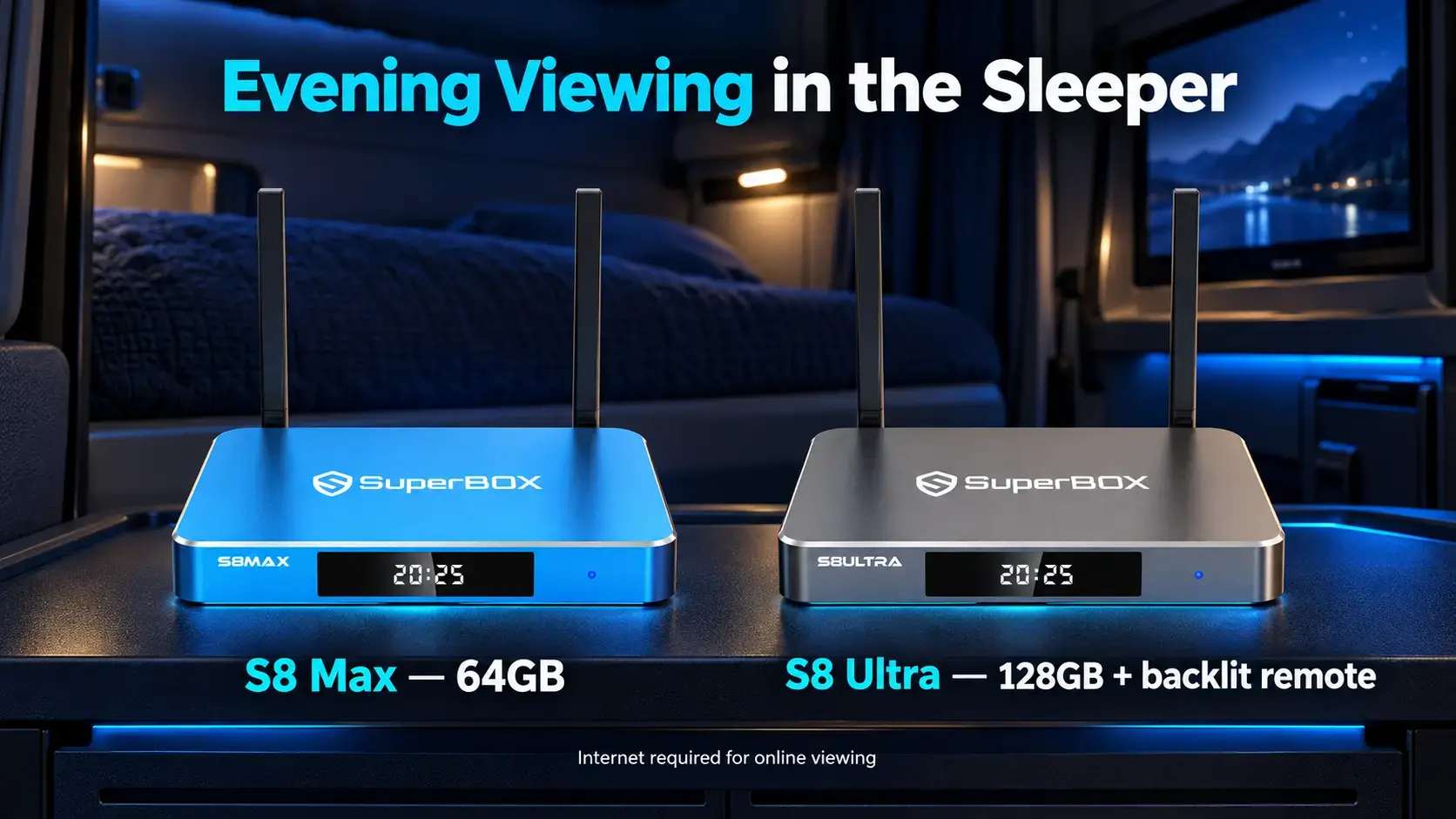
The SuperBox S8 Max offers 4GB RAM, 64GB internal storage, WiFi 6, Gigabit Ethernet and a voice-command remote. It is a practical starting point if you want the S8 entertainment tools without choosing the largest storage model.
The S8 Ultra has 128GB internal storage and an included backlit voice remote. Illuminated buttons can be particularly useful in a dim sleeper.
Both include the dedicated NFL app and broader supported Multi-Viewing. Check the particular content you want; neither feature guarantees every game or channel combination.
For one channel or movie at a time, focus first on a comfortable screen and dependable connection. Compare the other S8 model differences only after deciding which features you need.
SuperBox TV Box Store is an authorized retailer serving the US and Canada. If you are planning a truck setup, email customer@superboxtvboxstore.com with your TV model and viewing needs before ordering. Direct buyers can also contact us there for technical or order help.
Connect the TV and SuperBox as separate devices
Once the television is securely installed and the truck is parked, work through one complete viewing session.
- Power the TV using its approved equipment. Confirm that it turns on normally.
- Connect SuperBox to an available TV HDMI input. Remember that input’s number.
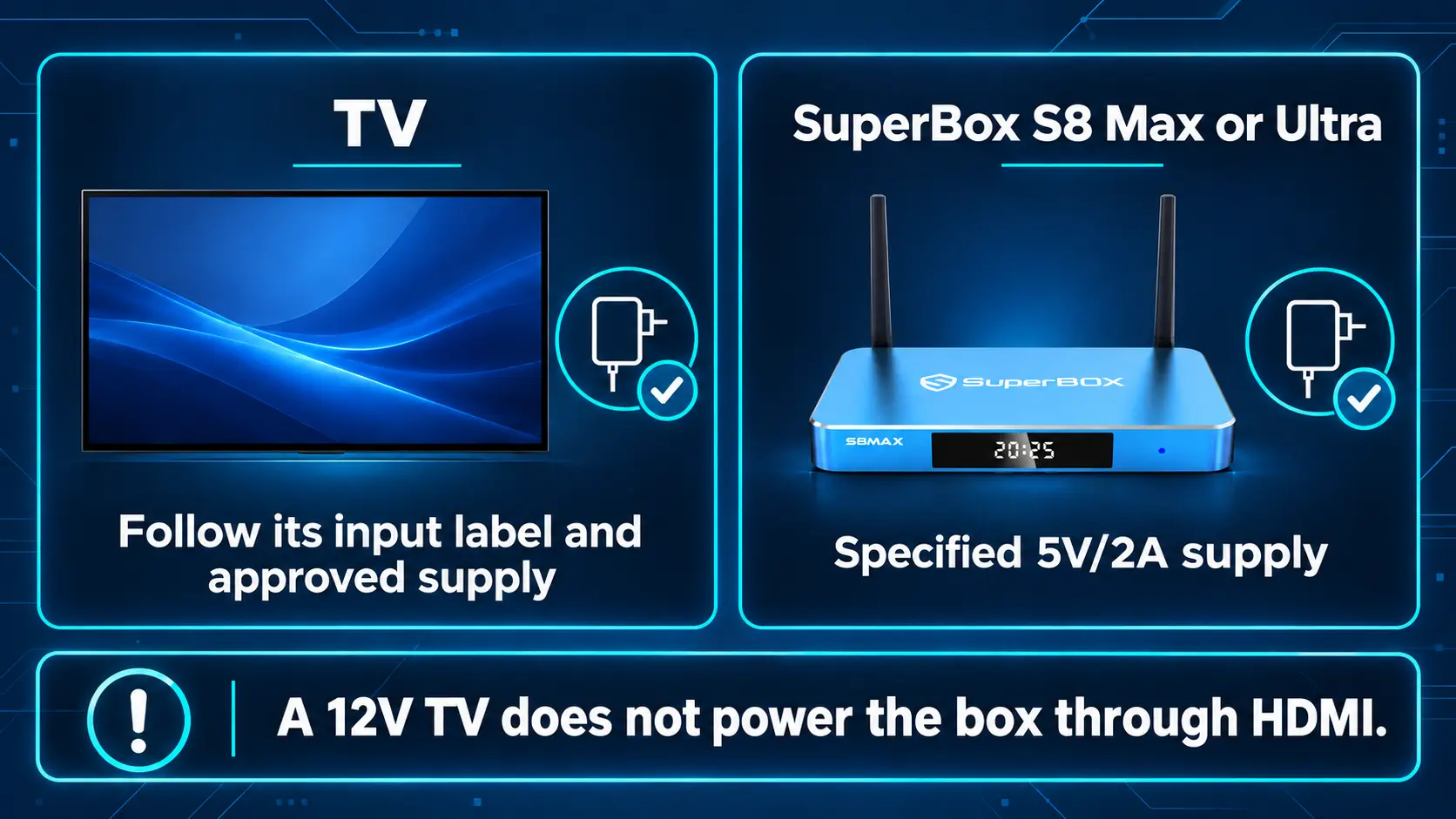
- Power SuperBox separately with its specified supply. S8 Max and Ultra list a 5V/2A supply. They should not be connected directly to a raw 12V or 24V vehicle output. Use the supplied power equipment with a compatible source.
- Select the matching HDMI input on the TV remote. The SuperBox Home screen should appear.
- Connect the box to your internet source. Follow the S8 WiFi or Ethernet instructions for the connection you have available.
- Open your viewing app and test picture and sound. Confirm that the connection remains usable for a normal session.
Keep the box ventilated and secure the box, adapters and cables for travel. Leave enough access to inspect connections without dismantling the installation.
A TV showing no SuperBox Home screen points you toward power, HDMI and input selection. A visible Home screen with an online program that will not load calls for checking the network or app instead. That distinction saves time when diagnosing a problem.
Common questions about TVs for truck drivers
What size TV is best for a semi truck sleeper
Start by measuring the space and your viewing position. A compact screen around 19 to 24 inches is a useful starting range, while a larger sleeper may suit 28 inches or more. Use the exact cabinet dimensions and mounting clearance before ordering.
Can I use a regular household smart TV in my truck
It may be suitable if its power requirements, installation, transport conditions and warranty terms fit your setup. Do not assume household equipment is designed for vibration simply because it fits the mount. Compare a purpose-marketed mobile TV when travel conditions matter.
Do I need a smart TV to use SuperBox
No. You need a compatible HDMI display, the correct power arrangements and an internet connection for online viewing. The separate box provides its interface on the television.
Will a 12V TV power SuperBox through HDMI
No. HDMI carries the viewing connection; the TV and box still need their appropriate power supplies. Do not treat a 12V television or a matching USB connector as confirmation of suitable power for another device.
Is 4K necessary for a small truck TV
Not necessarily. Prioritize fit, native panel quality and readable menus from your normal position. A higher-resolution source cannot add physical pixels to a lower-resolution screen, and a higher streaming quality setting can use more data.
Can SuperBox stream without internet at a truck stop
No. Its online apps need a working internet connection. A WiFi network name on the screen does not establish usable internet access.
Make the sleeper comfortable before adding more features
For a compact cab, begin by comparing the Transit Platinum 22-inch with the smaller or similarly sized Supersonic options. Consider the 28-inch Transit only when the available space and mount make the larger screen practical.
Choose the TV that fits, confirm the power and mounting arrangement, then test the entertainment source you intend to use. Add SuperBox if its live TV, on-demand options and ownership model suit your time on the road.
A setup that is easy to use after a long shift is a better purchase than a larger screen that complicates the cabin.
The article was updated on:
