
Knowledge SuperBox
How Much Storage Do You Need on a SuperBox S8? 32GB, 64GB and 128GB Explained





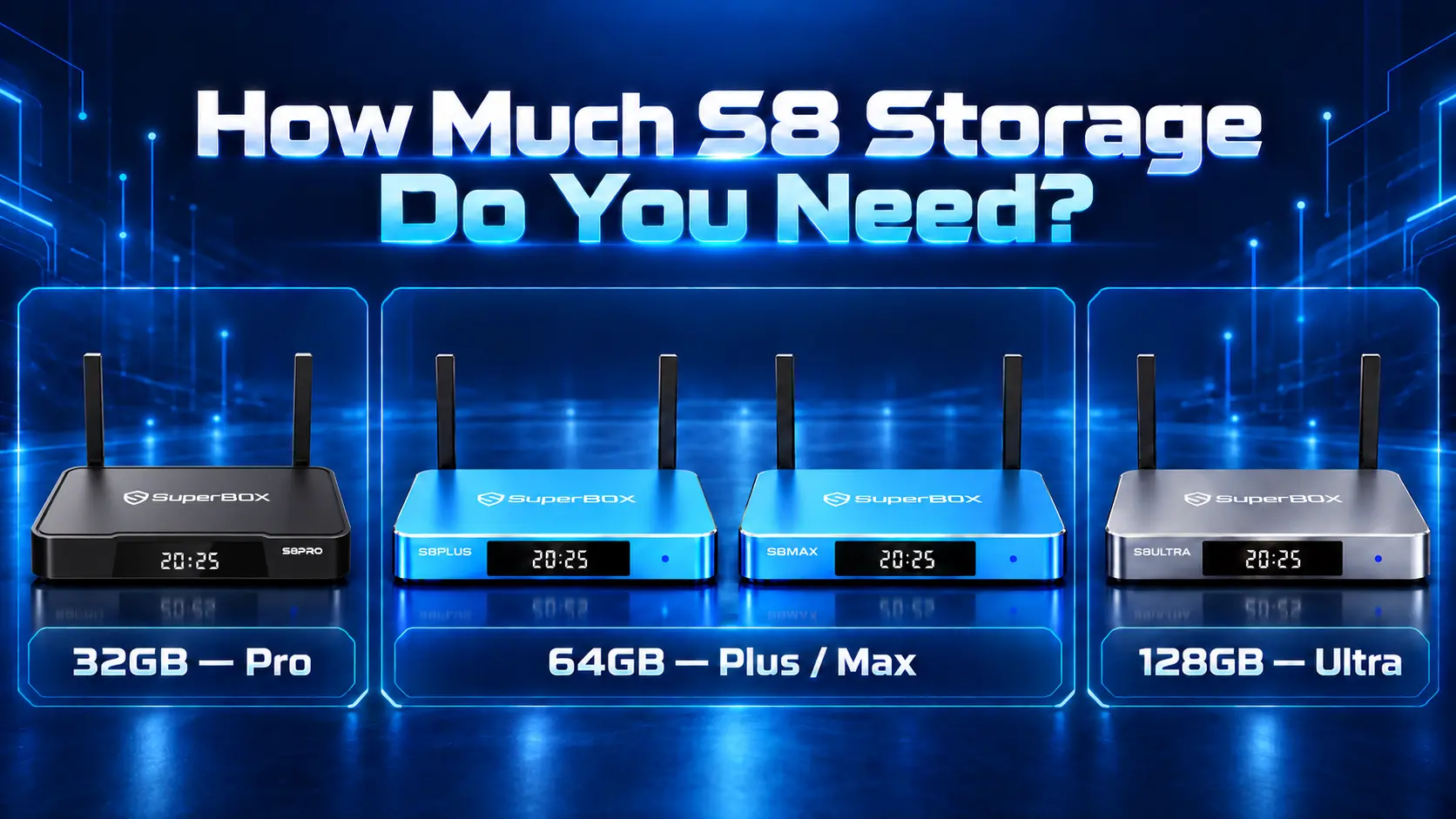
Choose Storage Around What You Keep on the Box
A SuperBox S8 can be used for an evening movie, daily live television, or a wider collection of compatible apps. Those habits do not all require the same amount of internal storage.
Start with 32GB for a focused app collection, consider 64GB for more flexibility, and choose 128GB when you expect to keep substantially more compatible apps or local files. The best capacity depends on what stays on the device, rather than how many hours you watch.
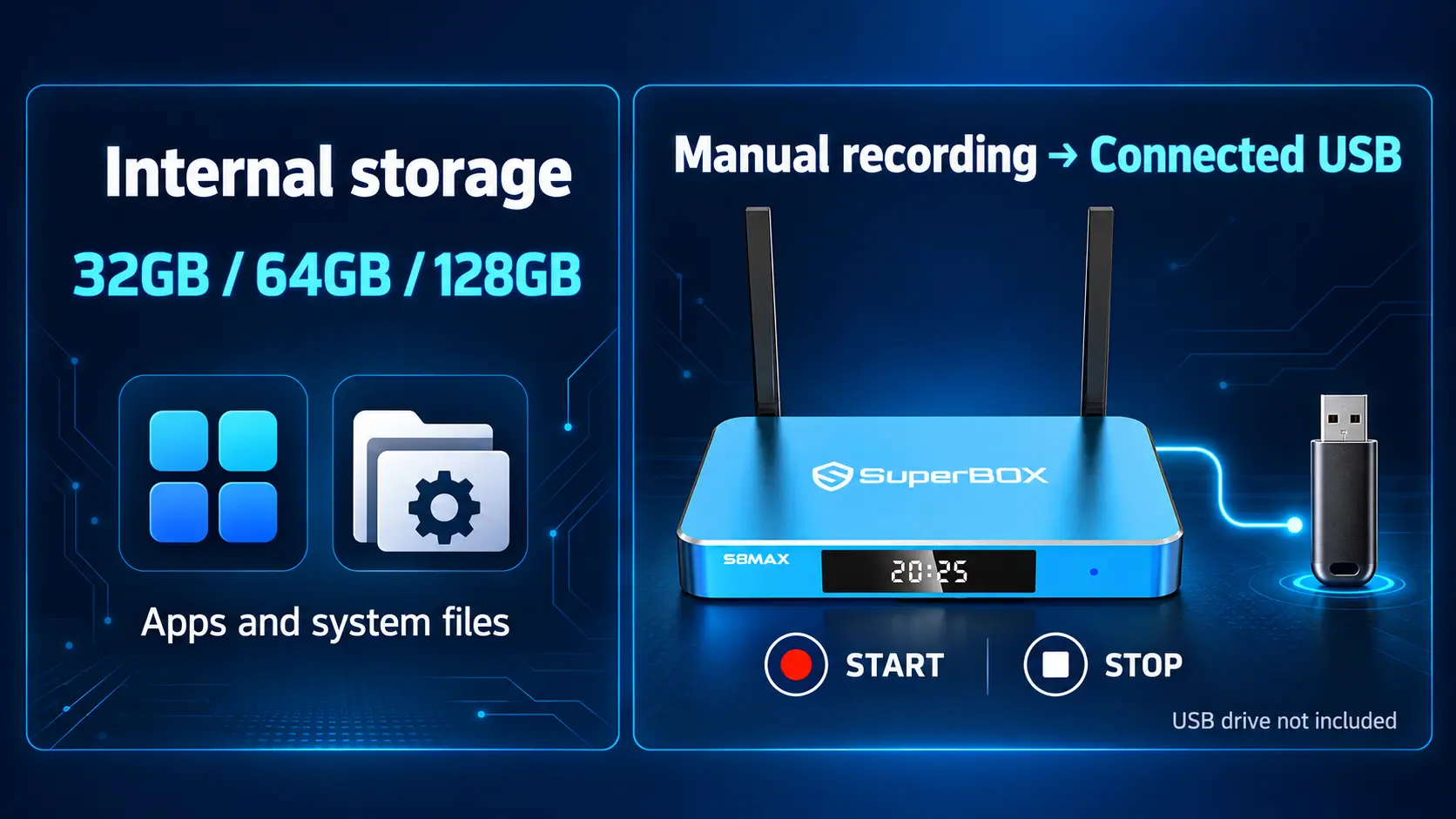
One distinction is especially important: S8 built-in recording saves to a connected USB storage device. Buying a model with more internal storage does not automatically give you more recording space.
This guide explains the three S8 capacities, what uses that space, and how to choose without paying for room you do not need. It also covers what to check if you already own a box and are wondering whether storage is causing a problem.
Which SuperBox S8 Models Have 32GB, 64GB and 128GB?
| Internal storage | S8 model | A practical starting point |
|---|---|---|
| 32GB | S8 Pro | A smaller collection of familiar apps and limited internal file storage. |
| 64GB | S8 Plus | More room for a broader compatible app collection. |
| 64GB | S8 Max | The same advertised capacity as Plus, with additional viewing features. |
| 128GB | S8 Ultra | The largest internal capacity for buyers expecting to keep more apps and local data. |
These are advertised internal capacities, not promises about empty space after setup. Each device uses some storage for its system and installed software.
All four models list 4GB RAM. Moving from 32GB to 64GB or 128GB changes the advertised storage capacity; it does not increase RAM to those amounts. Storage is one part of choosing an S8, alongside viewing access, connections, and remote preferences.
Internal Storage, RAM and USB Storage Explained
The word “memory” can make different specifications sound interchangeable. On the S8, it helps to separate three roles.
| Type | What it does | What to remember |
|---|---|---|
| Internal storage | Keeps the system, installed apps, app data, and files stored internally | This is the 32GB, 64GB or 128GB specification. |
| RAM | Gives the system and apps working space while running | All four S8 models list 4GB RAM. |
| Connected USB storage | Holds compatible external files and S8 recordings | Recording space comes from the connected USB device. |
If an installation fails because internal space is low, look at the device’s internal usage. If a recording cannot continue because its destination is full, check USB space. A larger number in one category does not automatically solve a shortage in another.
This distinction also helps when reading product comparisons. A 128GB model does not have 128GB of RAM, and a USB drive connected for recording does not automatically become extra internal app storage.
What Actually Uses Internal Storage on a SuperBox?
Your internal space is used by more than the apps you recognize on Home.
The operating system and system software occupy part of the capacity. Installed apps add their own files, and their stored data can change over time. Temporary app files, downloaded installation packages, and files you deliberately keep internally may also use space.
The Home screen is not a storage meter. A small number of visible shortcuts can lead to apps with different storage requirements. Removing a shortcut is also different from uninstalling an app.
Watching More Does Not Mean Keeping Every Program
Streaming through an online app is different from building a collection of complete video files on the box. Watching a long series does not automatically mean every episode remains stored internally.
Apps can still use temporary data and other local files while operating. The useful distinction is between watching content online and deliberately retaining files. For everyday browsing, our Blue VOD guide and Blue TV guide explain the viewing experience.
Available Space Is More Useful Than the Headline Number
If you already own an S8, check the storage information in its device settings. Look for internal capacity, used space, available space, and any app or file categories shown. The labels may differ with software version.
Confirm whether you are looking at the internal drive or a connected USB device before drawing conclusions. A photograph of that screen can also help support identify which storage is running low.
Do not expect a fixed free-space figure for every box with the same advertised capacity. Installed apps, updates, and local data can change it.
Is 32GB Enough for SuperBox S8?
32GB is worth considering when you want a focused streaming setup with a small group of compatible apps. S8 Pro is the model in this capacity tier.
A viewer who opens the same familiar entertainment apps and keeps few files internally may have little reason to buy the largest capacity. Someone who watches television every day can still have a relatively simple storage requirement.
Think about a bedroom TV used for a few regular programs, or a main TV whose owner rarely installs additional software. In those situations, Pro can be a sensible starting point.
The question to ask is: “What will I keep installed or stored?” A list of actual apps gives you a clearer answer than estimating how many hours you plan to watch.
There is no reliable universal promise that 32GB fits a particular number of apps. Installation sizes and app data differ. If you already know you want a broad collection, consider more capacity rather than relying on an arbitrary app count.
Who Should Choose 64GB?
64GB is a useful middle option when you want more room for a shared household’s apps or expect your setup to develop over time. Both S8 Plus and S8 Max provide this advertised capacity.
The practical benefit is flexibility. You have more internal room to keep compatible apps and their data without making the largest-capacity purchase.
A Shared Household With Different Preferences
One person may mainly watch live television, another may use on-demand apps, and someone else may want a compatible media player. Consider the combined collection, rather than only the habits of the person placing the order.
A larger internal drive can make that arrangement easier to accommodate. It does not create separate user profiles or make every app compatible; it provides space for the software you can actually use.
A Buyer Who Wants Room to Add Apps Later
If you are new to the S8 and expect to explore additional compatible apps, 64GB gives you more capacity than Pro while staying below Ultra’s 128GB tier.
You do not need to fill the drive to justify it. The benefit is having room available when there is a useful addition, rather than installing software simply because you can.
Plus or Max Is a Separate Decision
The two 64GB models are not identical. Plus lists PPV/ESPN Multi-Viewing, while Max offers the full supported channel tier and the listed NFL app. Their connection arrangements differ as well.
Choose the capacity first, then check which model provides the viewing features you want. Our full S8 comparison explains those differences.
When Is 128GB Worth Choosing?
128GB makes sense when you have a clear reason to want the largest internal capacity. S8 Ultra offers twice the advertised storage of Plus or Max and four times that of Pro.
That may appeal to someone who expects a larger compatible app collection, keeps more permitted local files internally, or prefers more capacity available as their setup changes.
Consider what those files and apps will be. A buyer who can name the use has a stronger reason to choose 128GB than someone expecting the bigger number to improve every part of television viewing.
Ultra also includes a backlit remote in the current model comparison. That may be a separate reason to choose it, particularly for evening viewing. It should be considered alongside storage rather than confused with a storage benefit.
For a person who mainly streams through a few apps, 128GB may be more than they need. For someone who actively keeps a larger internal collection, the additional capacity can be useful. Neither situation requires inventing a fixed number of films or apps that every Ultra will hold.
How Much Storage Do You Need for S8 Recording?
Plan recording storage separately from the box’s internal capacity.
The S8 recording workflow requires a connected USB storage device. You manually start recording and manually stop it. The resulting file saves directly to USB, rather than the internal 32GB, 64GB or 128GB drive. Scheduled recording of future programs is not currently supported.
Therefore, a 32GB Pro with suitable USB storage can use the recording feature without choosing Ultra for internal capacity. Conversely, an Ultra does not remove the need to connect USB before recording.
Check the Recording Destination
Before starting, confirm the USB device is recognized and has available space. If that destination becomes full, deleting an unrelated app from internal storage will not create more room on USB.
Recording file sizes can vary, so choose USB capacity around your intended use rather than relying on a universal hours-per-gigabyte promise. Review files you no longer need and keep important permitted recordings backed up separately.
Use our S8 Recorder guide for the recording controls. Our USB storage guide covers the separate storage topic; confirm the specific function before assuming external storage can replace built-in app capacity.
Does More Storage Make an S8 Faster?
Storage capacity and Performance Speed are separate specifications. The S8 Pro is rated Essential, S8 Plus Standard, S8 Max High, and S8 Ultra Premium for Performance Speed. Plus and Max illustrate the distinction clearly: both have 64GB but carry different performance ratings.
The capacity number tells you how much can be stored, rather than a fixed loading-speed multiplier. Similarly, 128GB does not mean a movie has twice the resolution of the same source played on a 64GB model.
If your concern is buffering, first identify whether the issue affects one title, one app, or everything online. More internal capacity is not a universal solution to a network or source problem. Our buffering and freezing guide helps you check the symptoms.
What to Do When Internal Space Runs Low
Start with the storage category causing the shortage. Then make targeted changes rather than deleting things at random.
- Review apps you installed but no longer use. Confirm what they do before removing them; do not uninstall a required viewing app just because its name is unfamiliar.
- Review files and old installation packages. Delete only items you recognize and no longer need.
- Distinguish temporary cache from app data. Cache contains temporary files; clearing app data can remove saved app information and require setup again.
- Recheck available space. Confirm whether your change addressed the shortage before making another one.
Our S8 Clean Up and support guide explains the Home utility. Its cleanup result should not be treated as a measurement of the entire internal storage capacity.
A cleanup can help when unnecessary files are the problem. If you repeatedly run out of internal space while keeping only apps and files you genuinely need, that is a stronger reason to consider a larger-capacity model.
A Quick Checklist Before Choosing Your Capacity
Write down the compatible apps you expect to keep, whether you retain files internally, and whether several people will add their own app choices.
- Choose 32GB when the setup is focused and the smaller capacity fits your plans.
- Consider 64GB when you want a broader app collection or more flexibility for shared use.
- Consider 128GB when you expect a larger internal collection and want the most capacity in the lineup.
- Plan USB separately whenever manual recording is part of your intended use.
Then check the model’s other features. Storage alone does not determine Multi-Viewing access, NFL app availability, power connection, or included remote backlighting. Match those details to the home as well.
Frequently Asked Questions
How Much Storage Does Each SuperBox S8 Have?
S8 Pro has 32GB, S8 Plus and S8 Max each have 64GB, and S8 Ultra has 128GB advertised internal storage. Available space after setup is lower because the system and software use part of it.
Is 32GB Enough for Everyday Streaming?
It can be enough for a focused collection of compatible apps with limited internal file storage. Choose around what you install and keep, rather than viewing hours alone.
Is 64GB the Best Choice for Everyone?
No. It is a useful middle option for a wider app collection or shared household. Someone with a simple setup may prefer 32GB, while someone keeping substantially more files may want 128GB.
Do S8 Recordings Use the Internal Drive?
No. Built-in recording requires connected USB storage and manual Start/Stop. The recording files save to USB, so internal capacity does not determine the available recording space.
Why Is Some Storage Already Used on a New Box?
The operating system and installed software occupy space. Compare actual available capacity rather than expecting the full advertised number to remain empty.
Does a USB Drive Automatically Increase Internal App Storage?
No. External file storage and USB recording are different from built-in storage. Confirm support for a particular app-storage function before relying on USB as an alternative to a larger internal drive.
Does 128GB Give Access to More Channels or Movies?
Capacity itself does not define the viewing catalog. Model-specific features can differ, and app content can change. Choose extra internal space for apps and files, then compare viewing access separately.
Should I Replace My Box If It Says Storage Is Low?
Check what is using the space first. Removing unnecessary files may solve the problem. Replacement makes more sense when the shortage repeatedly returns because your required internal collection genuinely exceeds the capacity available.
Find the S8 Capacity That Fits Your Home
The right storage choice gives your apps and files enough room while matching the way you watch. A simple streaming routine may suit Pro; a wider household app collection makes the 64GB models worth considering; a larger internal collection gives Ultra’s 128GB a practical purpose.
SuperBox TV Box Store is an authorized retailer serving the US and Canada. Verify our retailer status using SP20250414002 on the SuperBox authorization website.
If you are unsure which capacity suits your plans, contact our team with the apps and features you want. We can help you compare the S8 lineup so your choice covers both storage and everyday viewing needs.
The article was updated on:
