Are you looking to revolutionize your home entertainment experience? The Superbox S8 AI voice command features are designed to do just that, offering unparalleled convenience and a truly hands-free way to navigate your favorite content.
This comprehensive guide will delve into what these features are, how to set them up, and why they are a game-changer for anyone seeking a streamlined TV experience. As the most trusted retailer of authentic SuperBox TV Box S6, S7, and S8 series in the US and Canada, SuperBox TV Box Store is committed to helping you make the most of your Superbox S8. We have compiled this guide to answer all your questions, from basic setup to advanced troubleshooting, ensuring you can fully leverage the power of voice control.
What Are Superbox S8 AI Voice Command Features?
Understanding AI Voice Control on Superbox S8
AI voice command on the Superbox S8 refers to the ability to control your device and search for content using spoken words. This advanced functionality transforms how you interact with your TV box, moving beyond traditional button presses. The Superbox S8 integrates seamlessly with the Android 12 OS, leveraging its robust capabilities for voice processing. This integration allows for powerful interaction with Google Assistant, making your Superbox S8 a smart TV box voice assistant.

The underlying voice recognition technology ensures accurate commands are understood and executed. This means less frustration and more efficient content discovery. It allows for hands-free TV navigation, making your entertainment experience more fluid and enjoyable.
Key Components for Voice Control
The primary component enabling Superbox S8 AI voice command features is the backlit Bluetooth voice control remote. This specially designed remote includes a built-in microphone, acting as your direct interface for voice commands. It is essential for how to use Superbox S8 voice remote effectively.
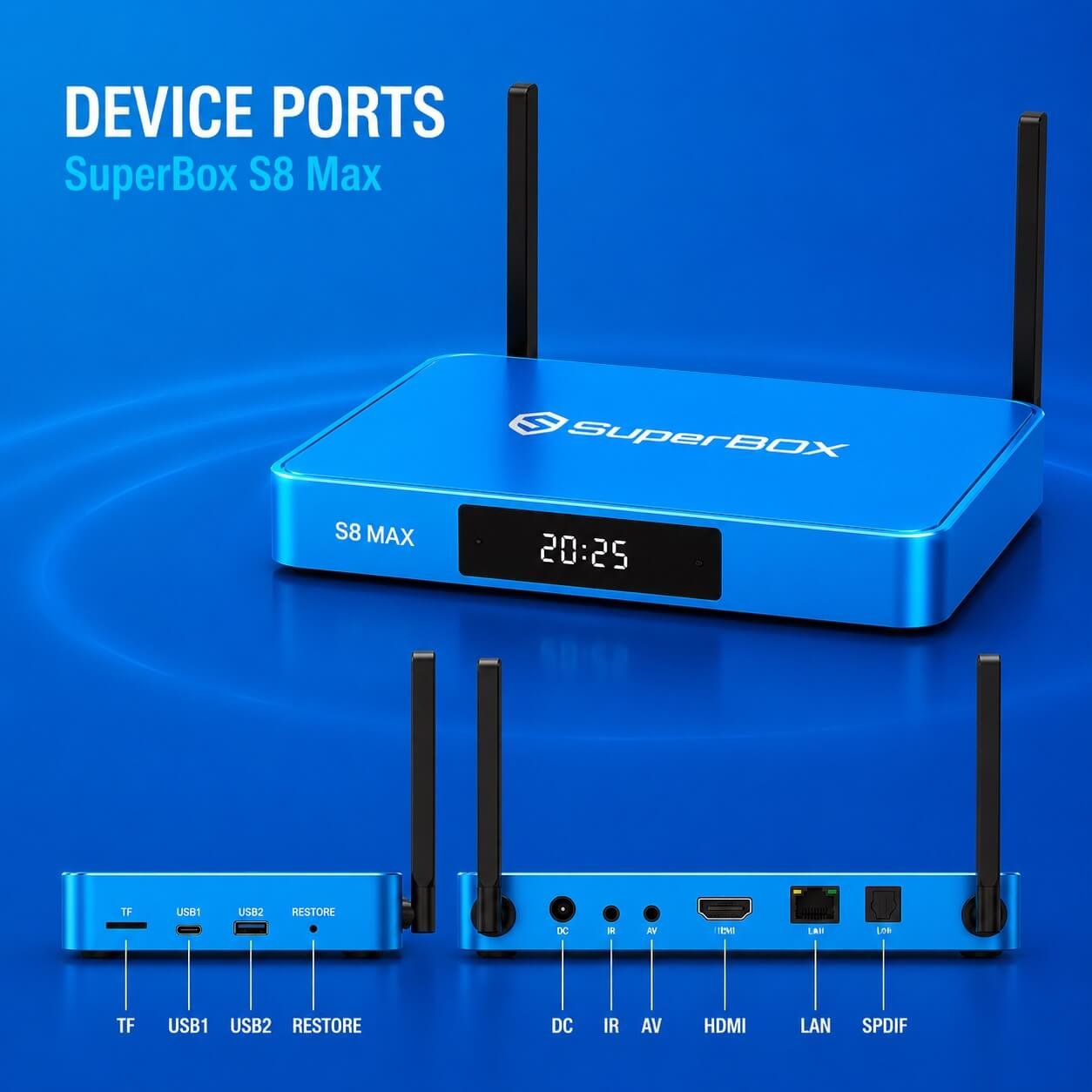
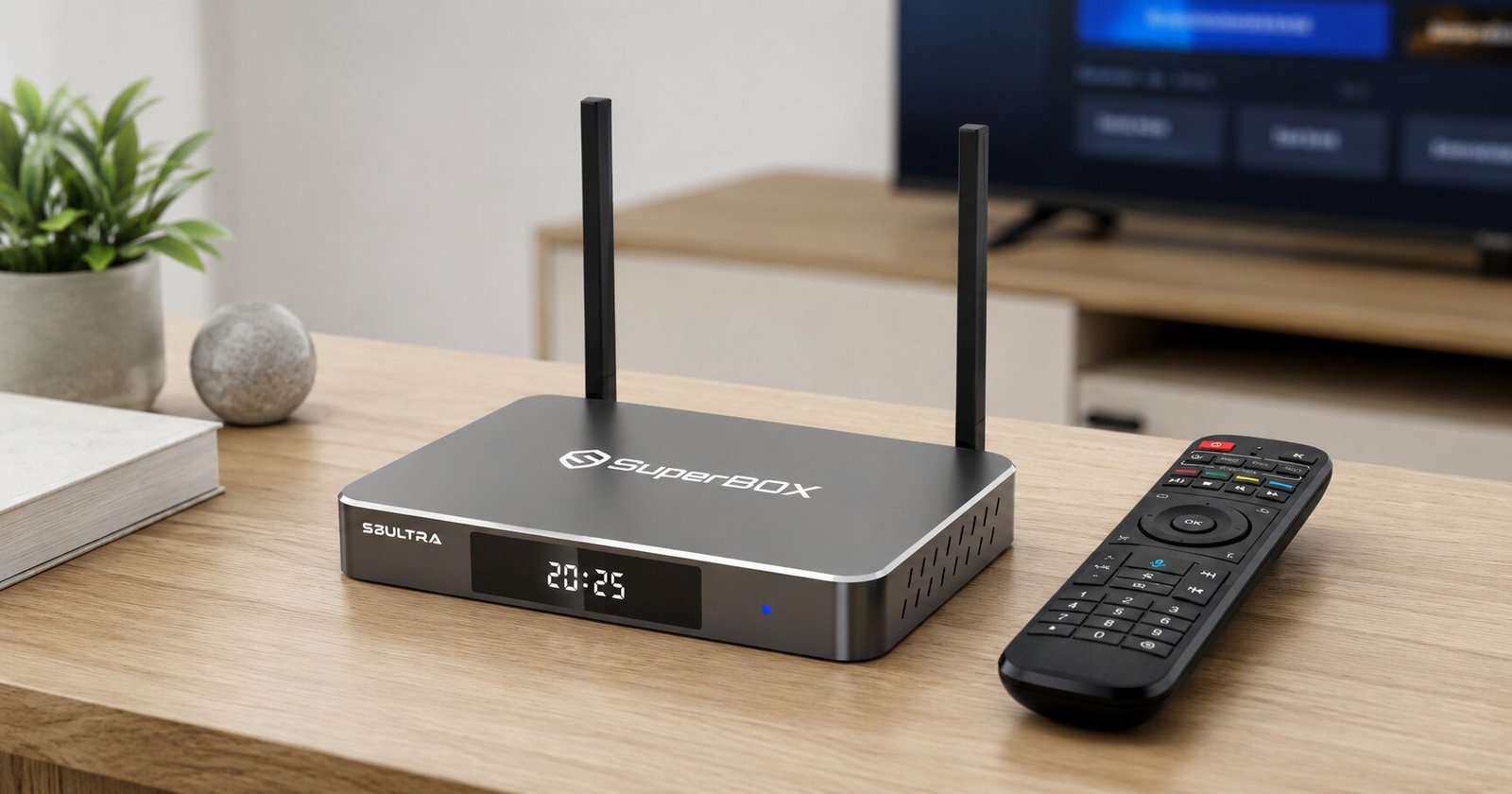
Beyond the remote, the Superbox S8 hardware itself, across all models like the S8 Pro, S8 Max, and S8 Ultra, provides the necessary processing power and connectivity. The robust internal architecture supports the complex voice recognition technology. This ensures your commands are processed quickly and accurately. The Bluetooth connectivity of the remote to the Superbox S8 is crucial for a responsive and reliable voice control experience.
How to Set Up and Activate Superbox S8 Voice Commands
Initial Setup: Inserting Batteries
The first step to activate your Superbox S8 voice remote is to ensure it has power. You will need two AAA batteries. Open the battery compartment on the back of the remote control. Insert the two AAA batteries, paying close attention to the correct polarity markings. Proper battery installation is vital for the remote to function.
Pairing Your Superbox S8 Voice Remote via Bluetooth
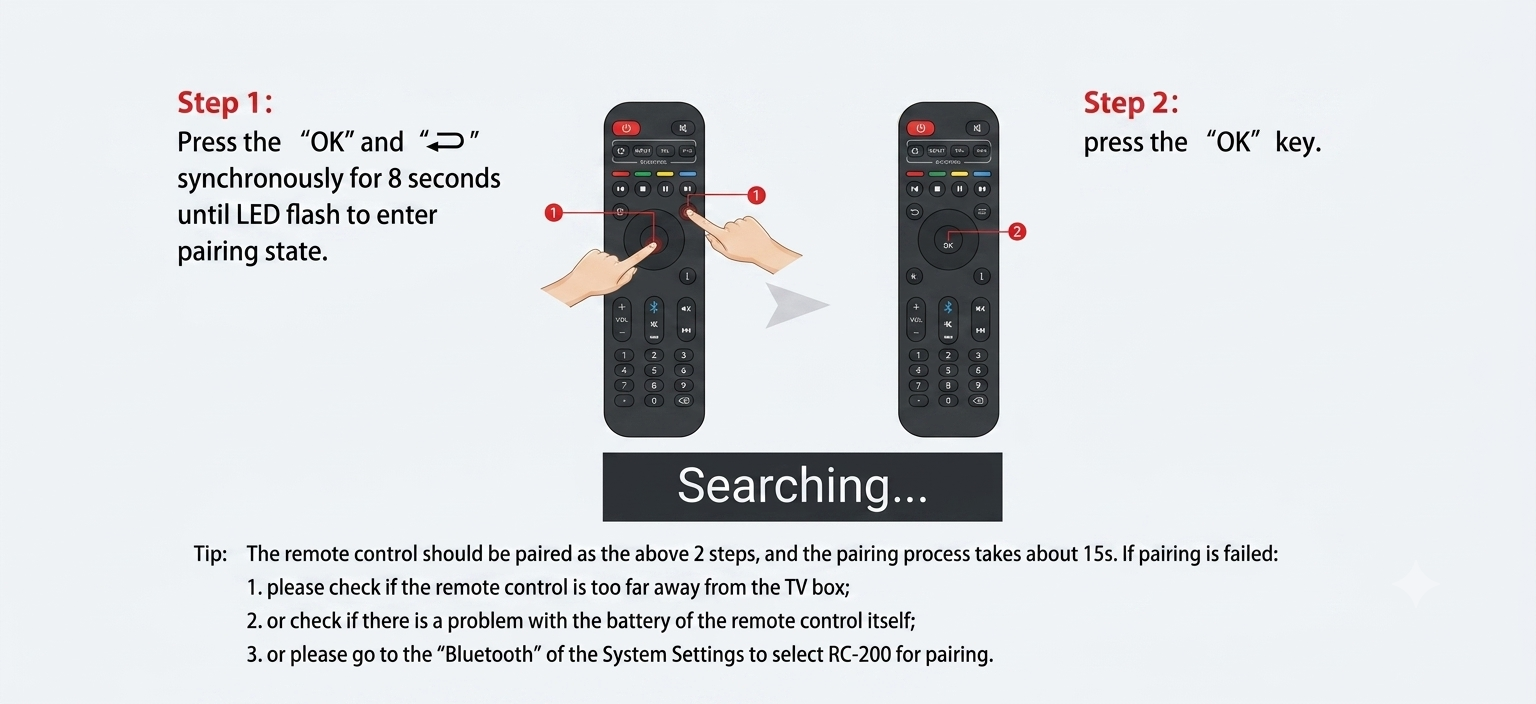
Once the batteries are in, you need to pair your Superbox S8 voice remote via Bluetooth with your Superbox S8 device. This establishes the wireless connection for voice commands.

1. Turn on your Superbox S8 and ensure it is connected to your TV.
2. Keep the remote and the Superbox S8 within 10 inches of each other for optimal pairing distance.
3. Press and hold the OK button and the Return button on the remote simultaneously. Hold them for approximately 8 seconds. The red indicator light on the remote will flash, signaling it is in pairing mode.
4. Continue pressing the OK button until the red light stops blinking. This indicates the remote has successfully initiated the pairing process.
5. To confirm a successful connection, navigate to the Superbox S8 settings. Go to Bluetooth or Remote & Accessories. You should see a device named RC-100 or RC-200 listed, confirming your Superbox S8 voice remote programming is complete.
Activating Voice Command for First Use
With your remote paired, activating voice command for first use is straightforward. Locate the microphone, or Voice, button on your remote. This button is typically easy to find and often features a microphone icon.
To use a voice command, press and hold this microphone button. Speak your command clearly into the top of the remote, where the microphone is located. Release the button once you have finished speaking your command. Speaking clearly and directly into the remote ensures the best voice recognition accuracy.
Master Your Superbox S8
Navigating Your Superbox S8 with Voice
Voice commands simplify navigating through your Superbox S8 interface. You can quickly launch your favorite applications without scrolling through menus.
- To open applications, simply say the app’s name. For example, say Open YouTube to launch YouTube, Open Blue VOD to access the video-on-demand library, or Open Browser to start web browsing.
- Returning to the home screen is also simple. Just say Home, and your Superbox S8 will take you back to the main interface. This provides Superbox S8 hands-free navigation.
Effortless Content Search and Discovery
Finding movies, TV shows, and channels becomes incredibly efficient with Superbox S8 voice search. This feature streamlines TV experience, allowing for faster content discovery.
- To search for specific content, use commands like Play [Movie/Show Name] to start watching immediately.
- You can also explore genres by saying Find a comedy movie or Find a drama series.
- For live television, say channel name in TV to watch a specific channel.
- The Superbox S8 voice search for live sports allows you to quickly find ongoing games or upcoming matches.
Seamless Playback Control
Controlling your content during playback is intuitive with voice commands. You can manage your viewing experience without ever touching a button.
- Adjusting volume is as simple as saying Volume up or Volume down.
- You can control the flow of your content with commands like Play, Pause, Fast forward, and Rewind. These commands offer precise control over your movies and shows.

Managing System Settings and Apps
Beyond entertainment, Superbox S8 AI voice commands extend to managing system settings and applications. This enhances the user-friendly TV box experience.
- Accessing system settings is quick. Say Settings, WiFi, Display, or OTA to jump directly to those specific menus.
- You can also manage your applications by voice. Use commands like Install app name to add new applications or Delete app name to remove unwanted ones. This makes Superbox S8 applications management effortless.
Information Queries
The integration with Google Assistant allows your Superbox S8 to answer various information queries. This turns your streaming device voice control into a versatile tool.
- For example, you can ask for real-time weather updates by simply saying What is the weather like today? or What is the weather in [City Name]?. This keeps you informed without interrupting your entertainment.
The Unmatched Benefits of Superbox S8 AI Voice Control
Unmatched Convenience and Hands-Free Operation
One of the most significant advantages is the unmatched convenience it provides. The Superbox S8 AI voice control eliminates tedious typing and complex menu navigation. You no longer need to painstakingly type out movie titles or scroll through endless lists.
This allows for effortless management of entertainment, giving you more time to enjoy your content. The hands-free TV navigation truly revolutionizes how you interact with your device.
Faster Content Discovery and Streamlined TV Experience
Superbox S8 voice control leads to faster content discovery. You can quickly find and access favorite shows, movies, and apps with a simple spoken command. This speed and efficiency streamline TV experience, making it more enjoyable and less cumbersome. It drastically cuts down the time spent searching, allowing you to dive straight into your chosen entertainment.
Enhanced Accessibility for All Users
The AI voice command features significantly enhance accessibility for all users. It simplifies the viewing experience, especially for individuals who may have difficulty using traditional remotes. Seniors, for instance, can benefit greatly from the intuitive voice commands, making the Superbox S8 a user-friendly TV box for everyone. This inclusive design ensures a wider audience can enjoy the advanced features.
Deeper Immersion and Reduced Distractions
Using voice commands minimizes interruptions during your viewing sessions. You can control playback, search for new content, or adjust settings without breaking your focus from the screen. This leads to deeper immersion in your movies and shows. Reduced distractions mean a more continuous and engaging entertainment experience.
Smart Home Entertainment System Integration
The Superbox S8 with its AI voice command capabilities can become a central part of a broader smart home entertainment system. While primarily focused on TV box control, the integration with Google Assistant opens possibilities for connecting to other smart devices. This positions the Superbox S8 as a modern TV control hub, enhancing your overall smart home ecosystem.
Troubleshooting Common Superbox S8 Voice Command Issues
Voice Command Not Working: Initial Checks
If your voice commands are not responding, start with these initial checks. Often, a simple restart can resolve minor glitches.
- Rebooting the Superbox is a good first step. Unplug the Superbox from its power source for about 30 seconds, then plug it back in and restart the device.
- Re-pairing the remote in Bluetooth settings can also fix connectivity issues. Go to your Superbox S8 settings, unpair the remote, and then follow the steps in Section II.B to pair it again. Ensure your Superbox S8 remote control has fresh batteries.

Optimizing Voice Recognition
Effective voice recognition depends on clear communication. If your commands are not being recognized, consider these optimization tips.
- Speak clearly and hold the remote close to your mouth when pressing the microphone button. This ensures your voice is picked up accurately.
- Rephrasing commands if not recognized can also help. Sometimes, a slight change in wording can make a big difference in how the voice recognition technology interprets your request.
Software and Permissions
Software settings and permissions can sometimes interfere with voice command functionality. Checking these can resolve underlying issues.
- Ensuring microphone permissions are enabled for relevant apps is crucial. Some applications might require explicit permission to access the microphone.
- Checking for and installing Superbox software updates is always recommended. Software updates often include bug fixes and performance improvements that can enhance voice command accuracy and reliability. Refer to your Superbox S8 user guide for detailed instructions on updating.
Superbox S8 Models: Consistent AI Voice Command Across the Series
Superbox S8 Pro, S8 Max, and S8 Ultra Voice Features
All Superbox S8 models, including the S8 Pro, S8 Max, and S8 Ultra, come equipped with a backlit voice control remote. This means that regardless of which S8 model you choose, you will benefit from the advanced AI voice command capabilities.
The core voice control functionality is consistent across the entire S8 series. This ensures that every user enjoys the same high level of convenience and hands-free operation. Whether you opt for the S8 Pro with its 32GB storage, the S8 Max with 64GB, or the S8 Ultra boasting 128GB, the ease of Superbox S8 voice search and navigation remains a standard feature.
Beyond Voice: Superbox S8’s Exclusive Features and Content
Pre-loaded Apps for Premium Entertainment
The Superbox S8 comes pre-loaded with a suite of exclusive applications, offering a vast library of content without extra subscriptions.

- Blue TV: This app provides access to over 2,000 live channels, making the Superbox S8 a premier IPTV box for US channels. You get a comprehensive selection of live programming.
- Blue VOD: For movie and TV show enthusiasts, Blue VOD features an extensive library of 15,000 movies and television shows. This library is updated daily, ensuring fresh content is always available.
- Playback App: The Playback app is a key part of this home entertainment system. It allows you to watch programs from the last 7 days across over 86 popular channels. A convenient rewind feature means you will never miss a moment, even if you missed a game.
- Bonus Prime Apps: SuperBox TV Box Store includes 7 additional Bonus Prime Apps. These apps unlock access to 10,000 international channels and 100,000 on-demand titles, expanding your viewing options significantly.
- Automatic activation of the Blue TV app means no subscription is required, offering a lifetime of entertainment value.
Stunning 6K Ultra HD Streaming and Lifetime Benefits
The Superbox S8 offers more than just content; it delivers a superior viewing experience with long-term benefits.
- Enjoy a no monthly fees TV box experience for a lifetime. This eliminates recurring costs, providing exceptional value.
- The simple plug-and-play setup takes less than 5 minutes, allowing you to start enjoying your content almost immediately.
- Experience stunning 6K Ultra HD streaming, which provides cinematic picture quality. This ensures every detail is crisp and vibrant, enhancing your enhanced viewing experience.
- Lifetime technical support is available from the SuperBox TV Box Store team, offering peace of mind.
- Gain instant access to the complete SuperBox S8 channel list.
- Watch pay-per-view events free without any hidden costs, adding even more value to your purchase.
Frequently Asked Questions about Superbox S8 AI Voice Commands
Does Superbox S8 AI voice command support Vietnamese or other languages?
The Superbox S8 runs on Android 12 OS and integrates with Google Assistant, which supports a wide array of languages. While specific details on Vietnamese language support within the Superbox ecosystem are not explicitly stated, Google Assistant generally offers broad international language support. Users can typically configure language settings within the Android OS.
How accurate are the Superbox S8 voice commands?
The Superbox S8 voice commands are highly accurate due to advanced voice recognition technology and integration with Google Assistant. Speaking clearly and holding the remote close to your mouth optimizes recognition. Rephrasing commands if not initially understood can also improve accuracy.
Can I use Google Assistant with my Superbox S8 voice remote?
Yes, the Superbox S8 integrates with Google Assistant, allowing you to use it with your voice remote. This means you can leverage Google Assistant’s capabilities for content search, information queries, and controlling various functions on your Superbox S8. Setting up Google Assistant on Superbox S8 is part of the seamless integration.
Is the Superbox S8 voice remote easy to program?
The Superbox S8 voice remote is very easy to program. The pairing process involves holding two buttons simultaneously for a few seconds and confirming the connection in the Bluetooth settings. This straightforward Superbox S8 voice remote programming ensures a quick setup for all users.
What are the benefits of Superbox S8 AI voice control for seniors?
The benefits of Superbox S8 AI voice control for seniors are significant. It simplifies the viewing experience by eliminating the need for complex button navigation and tedious typing. The hands-free operation makes content discovery and control much more accessible, enhancing their overall enjoyment and independence in managing their entertainment