
Knowledge SuperBox
SuperBox S8 Max Review 2026: Is It Worth $399?





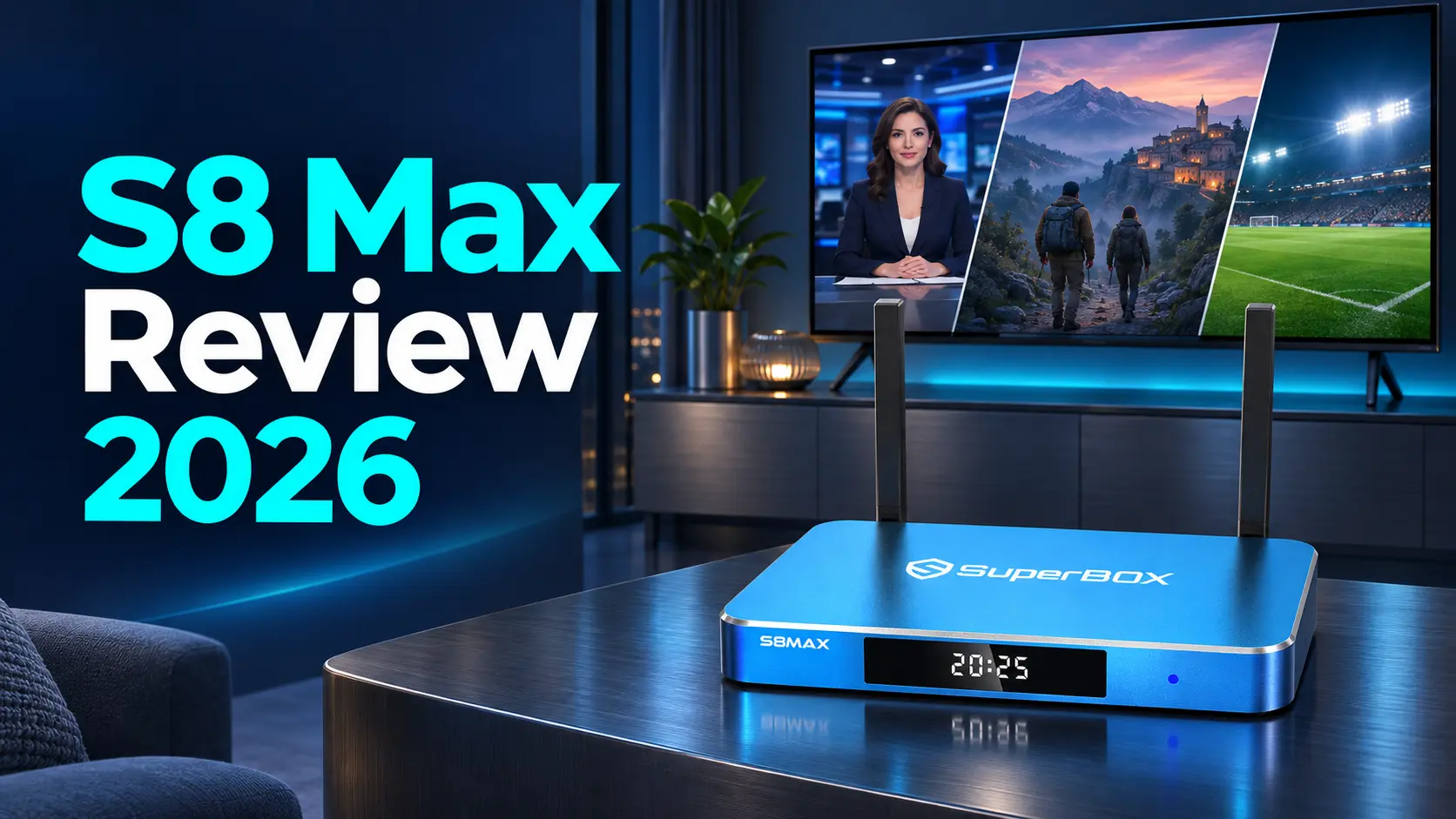
The SuperBox S8 Max makes its strongest case when you want more than a basic streaming player but have no particular need for the largest storage option. It combines the S8 generation’s newer viewing tools with 64GB of internal storage, broader supported Multi-Viewing, and the dedicated NFL app.
At the $399 price listed by SuperBox TV Box Store on November 11, 2026, Max is our recommended balance of S8 features and purchase cost. Its appeal goes beyond hardware: Blue TV offers 2,000+ live channels, while Blue VOD provides a large selection of on-demand movies and series. These core apps are free to use after buying a compatible SuperBox, giving households a practical way to reduce recurring television expenses.
The decision comes down to whether you will use that entertainment system and the extra viewing tools. Max is especially appealing for mixed live-TV, movie, and sports use. Its main compromises are a non-backlit remote, less internal space than Ultra, and a Recorder that requires manual operation and external USB storage.
This is SuperBox TV Box Store’s retailer review of the model’s documented features, costs, and suitability for different buyers.
Our verdict at a glance
S8 Max is a strong value choice for buyers who want the broader S8 viewing features with a manageable upfront price. It is a particularly sensible step up from Plus when simultaneous supported viewing and the NFL app matter more than extra storage.
| What works in Max’s favor | What to consider before buying |
|---|---|
| Free Blue TV and Blue VOD support a lower recurring TV budget | You still need home internet; optional paid services remain separate |
| Full supported Multi-Viewing and the dedicated NFL app | Check the broadcasts you follow rather than choosing from an app name alone |
| 64GB, High performance tier, WiFi 6 and Gigabit Ethernet | Ultra offers the Premium tier and 128GB if those are priorities |
| Manual USB recording and eligible seven-day catch-up | Recording needs external storage and manual Start/Stop |
| Voice remote and customizable S8 shortcuts | The included Max remote does not have backlit buttons |
The strongest reason to choose Max is the combination. A household can use familiar live channels, browse films, revisit eligible programs, and explore supported two-channel viewing on one device. You do not have to use every advanced function immediately for the package to be useful.
What does the $399 purchase buy?
The SuperBox S8 Max is an Android-based television box that connects through HDMI and streams over your internet connection. You can add it to a suitable smart TV or a non-smart television with a compatible HDMI input.
The listed configuration includes 4GB RAM, 64GB eMMC internal storage, a quad-core ARM Cortex-A53 processor, and Mali-G31 MP2 graphics. It also provides WiFi 6, Gigabit Ethernet, Bluetooth 5.2, USB-C plus USB 3.0 connections, and Type-C power.
Those specifications support different jobs. RAM supports active operation, internal storage keeps the system and installed files, and the network connections provide wired or wireless routes to the internet. The practical value depends on how those resources support the entertainment you want.
For the current configuration and purchase price, see the SuperBox S8 Max listing. The price in this review is a dated snapshot, so check the listing before ordering.
Buy the model and the seller together
SuperBox is the manufacturer’s brand, and different retailers handle their own orders. Buying directly from SuperBox TV Box Store gives you a clear point of contact for your purchase, setup questions, and technical support coordination.
We are an authorized retailer serving customers in the US and Canada. Our store identity and authorization information explains how to verify that relationship. If you want help choosing, use the website live chat and describe the channels you watch, the television location, and whether recording or Multi-Viewing matters.
For an order placed directly with us, email customer@superboxtvboxstore.com about either order or technical questions. That keeps the purchase and support conversation with the retailer that has your order record.
The entertainment value starts with Blue TV and Blue VOD
A review of S8 Max should explain what you will actually open after setup. Its appeal is closely connected to the Blue app experience, rather than simply having a box with a particular amount of memory.
Blue TV for a familiar live-channel routine
Blue TV offers access to 2,000+ live television channels, including news, sports, entertainment, and international programming. The combination of a channel list and program guide can feel more familiar to someone used to cable than a routine built entirely around separate streaming subscriptions.
The useful part is being able to organize that selection. Search helps find a channel by name, Favorites keeps regular choices together, and Recent helps return to something you opened earlier. A custom group can create a focused list for the way your household watches.
That makes the size of the lineup easier to manage. Someone who mainly watches a dozen channels can build around those choices rather than browse the complete catalog every evening. The Blue TV navigation guide explains those controls in detail.
Blue VOD for movies and television series
Blue VOD supplies the on-demand side of the setup. You can browse movies and series, search for a title, and select a season and episode where the listing provides them.
Its value is flexibility: live television does not have to be the only viewing option. You can finish the news and look for a film, or return to a series without organizing the evening around its broadcast time.
Favorites and History also make discovery more useful over time. One keeps titles you intentionally save; the other helps revisit recent activity. The Blue VOD search and viewing instructions are useful when you want to learn those features.
Blue TV and Blue VOD are free to use on a compatible SuperBox after the hardware purchase. They are distinct from paid services such as Netflix; buying Max does not provide another company’s subscription account. Check the current app listings for the particular channels or titles that matter most to you.
Multi-Viewing is Max’s most persuasive feature upgrade
Storage alone does not explain Max’s position in the S8 lineup. Plus also has 64GB. The bigger functional difference is that Max supports the broader full supported channel Multi-Viewing scope, while Pro and Plus have the designated PPV/ESPN scope.
For someone who likes following overlapping broadcasts, that difference can matter more than adding unused internal space.
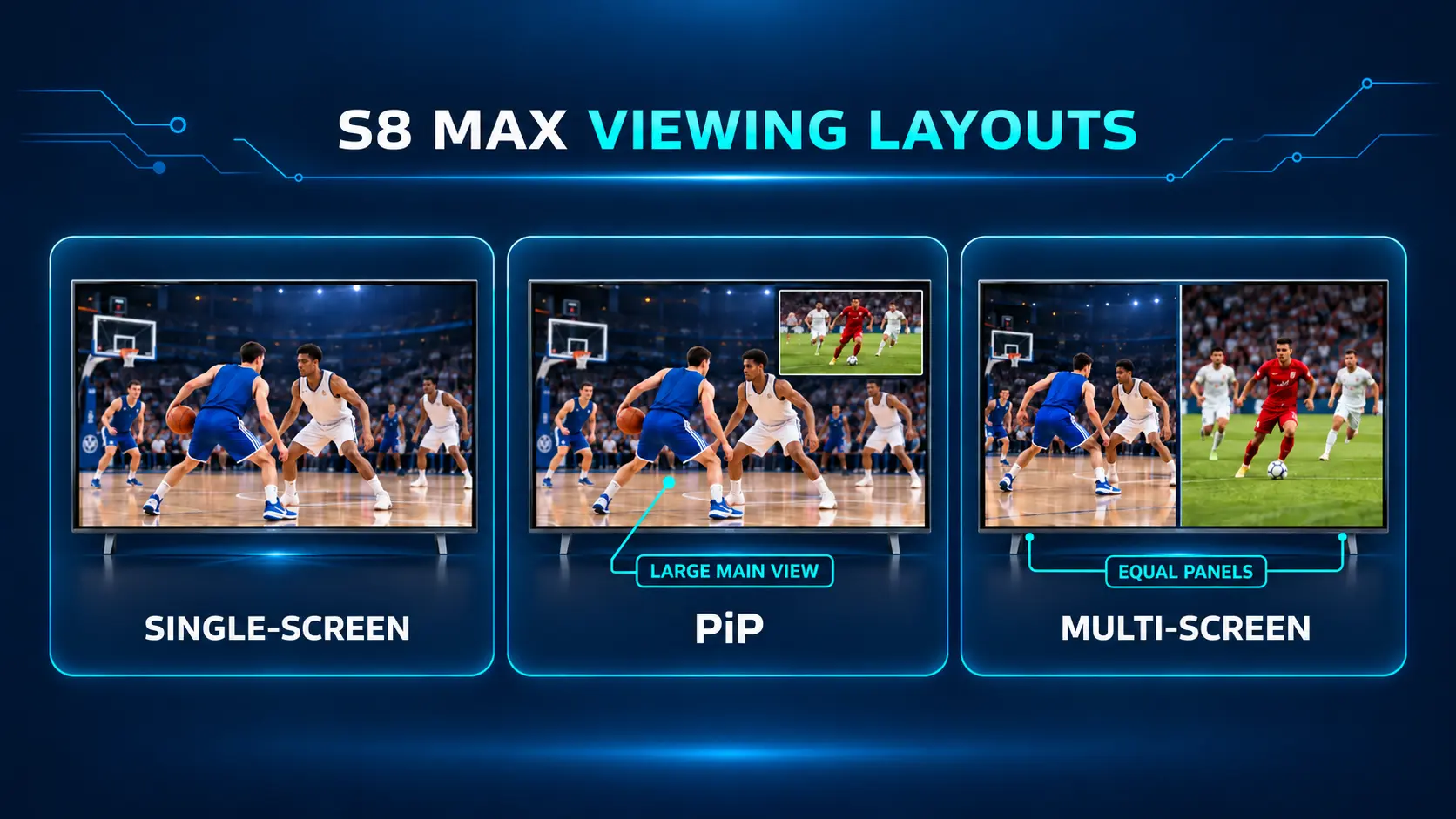
Picture-in-Picture keeps one channel as the large main picture and places a second supported channel in a smaller window. Multi-Screen divides the television into two equal views. They serve different levels of attention: PiP suits a main event with something else to monitor, while two equal windows suit programs you want to follow side by side.
Audio is also part of the choice. PiP uses the main channel’s sound. In Multi-Screen, the selected window determines which channel you hear. The feature does not require two overlapping commentaries to be useful.
Consider two supported games that overlap. One full-screen picture plus an inset lets you focus on the game you care about most and keep an eye on the other. If both become important, the equal split gives each a clearer place on the display.
This is a meaningful reason to consider Max, especially on a television large enough for smaller pictures to remain comfortable to watch. It is less important for someone who always prefers one program at a time.
Where the NFL app fits
S8 Max and Ultra include the dedicated NFL app listed in the S8 comparison. It is an additional model feature alongside Blue TV and Multi-Viewing, rather than a different name for either of them.
It makes Max more attractive to football viewers comparing it with Plus. Check the games and broadcasts you intend to follow; the app should not be confused with an included paid NFL+ or Sunday Ticket subscription.
For ordinary live television, the S8 models share the core channel system. Max’s expanded simultaneous-viewing scope does not mean Pro and Plus lose the corresponding channels from normal single-screen viewing.
Recording and catch-up add value in different ways
S8 Max offers two useful answers when watching live is inconvenient, but they work differently.
Playback and Time Shift let you revisit eligible earlier programming, with up to seven days available where supported. This is useful when you missed something without planning to record it first.
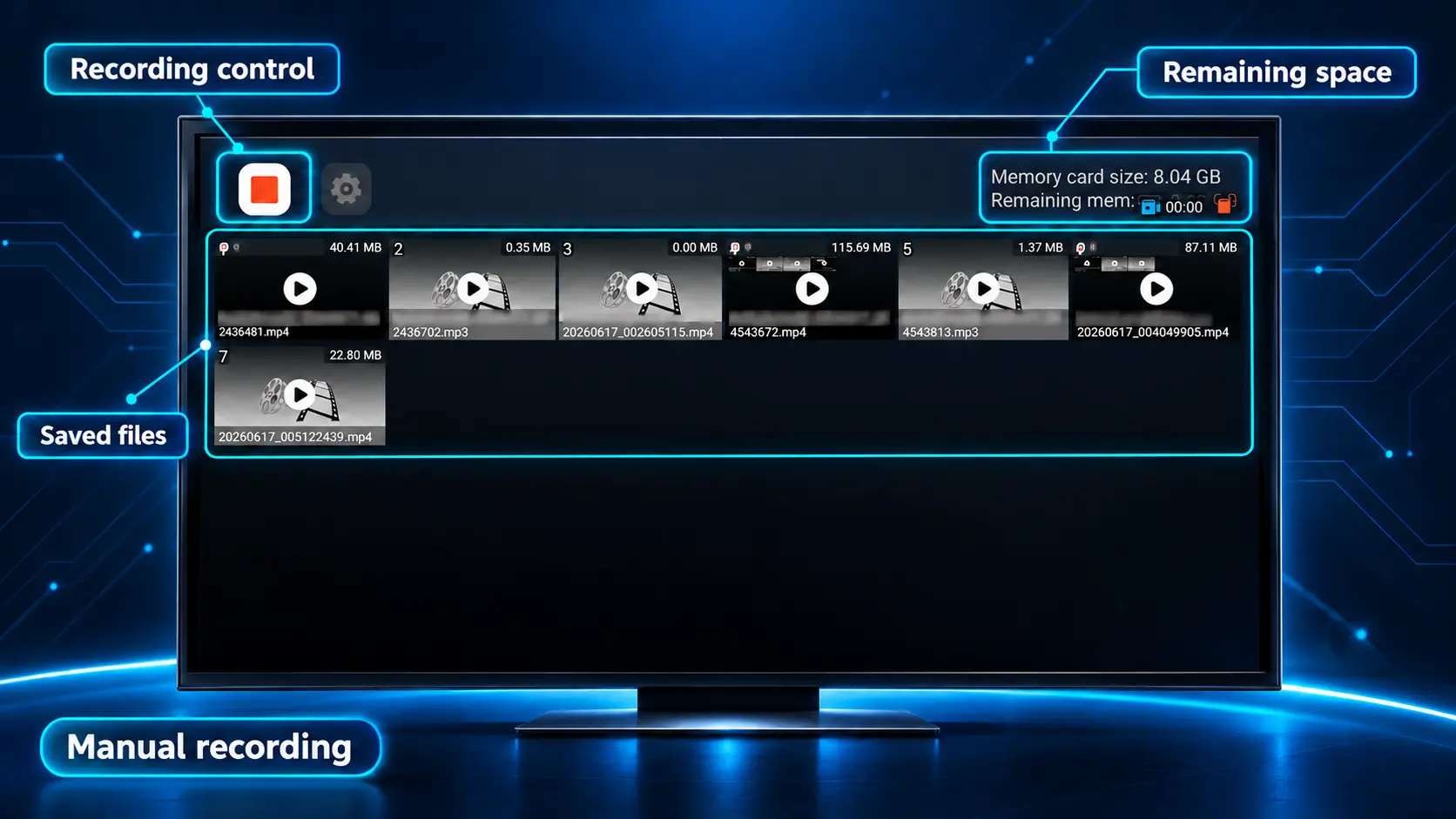
Recorder creates a file you initiate. On S8 Max, you connect compatible external USB storage and use manual Start and Stop. The recording is saved to the USB drive.
That distinction matters when assessing the package. If a program already has eligible catch-up, you may not need to create your own file. If you want to make a supported recording yourself, the Recorder provides that additional option.
The 64GB internal specification is not the capacity of your recording drive. Buying Ultra’s 128GB does not expand a separately connected USB device, so recording capacity is not a reason by itself to reject Max.
Scheduled recording is not part of the established manual workflow. Anyone replacing a cable DVR specifically for automatic future recordings should confirm the current software’s capabilities before ordering.
The best first recording is short: start it, stop it, and check the saved file plays before relying on a longer session. Our S8 Recorder guide covers the actual controls. Recording support depends on the application and program.
Performance review: what the High tier and 64GB tell you
S8 Max occupies the High Performance Speed tier, above Plus’s Standard tier and below Ultra’s Premium tier. Its 4GB RAM and 64GB internal storage give it a clear place in the range: a higher-tier S8 without the largest storage package.
Those labels describe product positioning; this review does not turn them into invented app-loading times or percentage benchmarks.
For a buyer, the useful question is whether the model suits the work you want it to do. Max combines the broader viewing tier, room for compatible apps, and the updated streaming system. That is a more meaningful package assessment than assuming 64GB means the same experience on every device.
The available internal space will be lower than the advertised capacity because the operating system and installed software use some of it. A household using a focused selection of entertainment apps may find 64GB a sensible middle ground. Someone intentionally keeping a much larger app and file collection has more reason to compare Ultra.
Streaming hours are not the same as saved-file storage. Watching a long series does not require storing every episode inside the box. Choose capacity around what you install and keep, rather than the number of hours you watch.
Network conditions still shape the result
WiFi 6 and Gigabit Ethernet give Max two useful connection options. Wireless suits flexible placement; Ethernet provides a wired path when the router or a suitable network outlet is accessible.
Neither rating is a guarantee that every source will play perfectly. Assess the connection at the television’s location, especially when other household devices are active. A good connection beside the router does not establish the same result behind walls in another room.
This is a practical consideration rather than a reason to buy the most expensive box: the right connection can matter more than changing storage tiers.
Picture quality: 4K playback and 6K decoding
S8 Max supports 4K playback with suitable content and equipment. Its specifications also list H.265 decoding up to 6K at 60fps.
These describe different parts of the video path. Decoding is the box processing the source video; the television displays the signal it receives at a resolution it supports. A 6K decoding specification does not make a 4K panel display native 6K pixels.
For this review, the sensible benefit is support for high-resolution entertainment on a compatible setup. The picture you receive still begins with the program itself. A standard-definition channel will not acquire the detail of a genuine 4K source simply because it plays through Max.
Evaluate the content you watch most, with your television’s normal picture settings. If a particular HDR or advanced audio format is essential, check support across the source, app, box, and connected equipment. The decoding figure alone does not establish those separate capabilities.
The remote and interface are part of the purchase
The included Max remote supports voice commands and conventional buttons. It is not backlit. This is worth deciding around before checkout if you regularly watch with the lights off.
For a normally lit living room, the standard voice remote may be entirely suitable. In a dark bedroom, illuminated buttons can be a daily convenience, making Ultra worth a closer look even if you do not need its extra capacity.
The S8 interface also lets you keep frequently used apps accessible. Home shortcuts and remote number shortcuts are separate tools: one supplies an on-screen icon, while the other launches an assigned app from Home using a number key.
That distinction makes personalization useful rather than confusing. Set up only the routes your household will use, then keep them consistent. The Home and number-key shortcut instructions show how each works.
First installation is still part of the experience. Connect HDMI and the supplied power equipment, establish internet access, pair the remote, and install the supported apps you want. Our S8 Max setup guide handles those steps separately from this buying assessment.
How much could S8 Max save over a year?
The strongest financial benefit comes when SuperBox’s free core apps replace television charges you would otherwise keep paying. That could reduce the cost of a traditional cable package or the number of paid services your household needs.
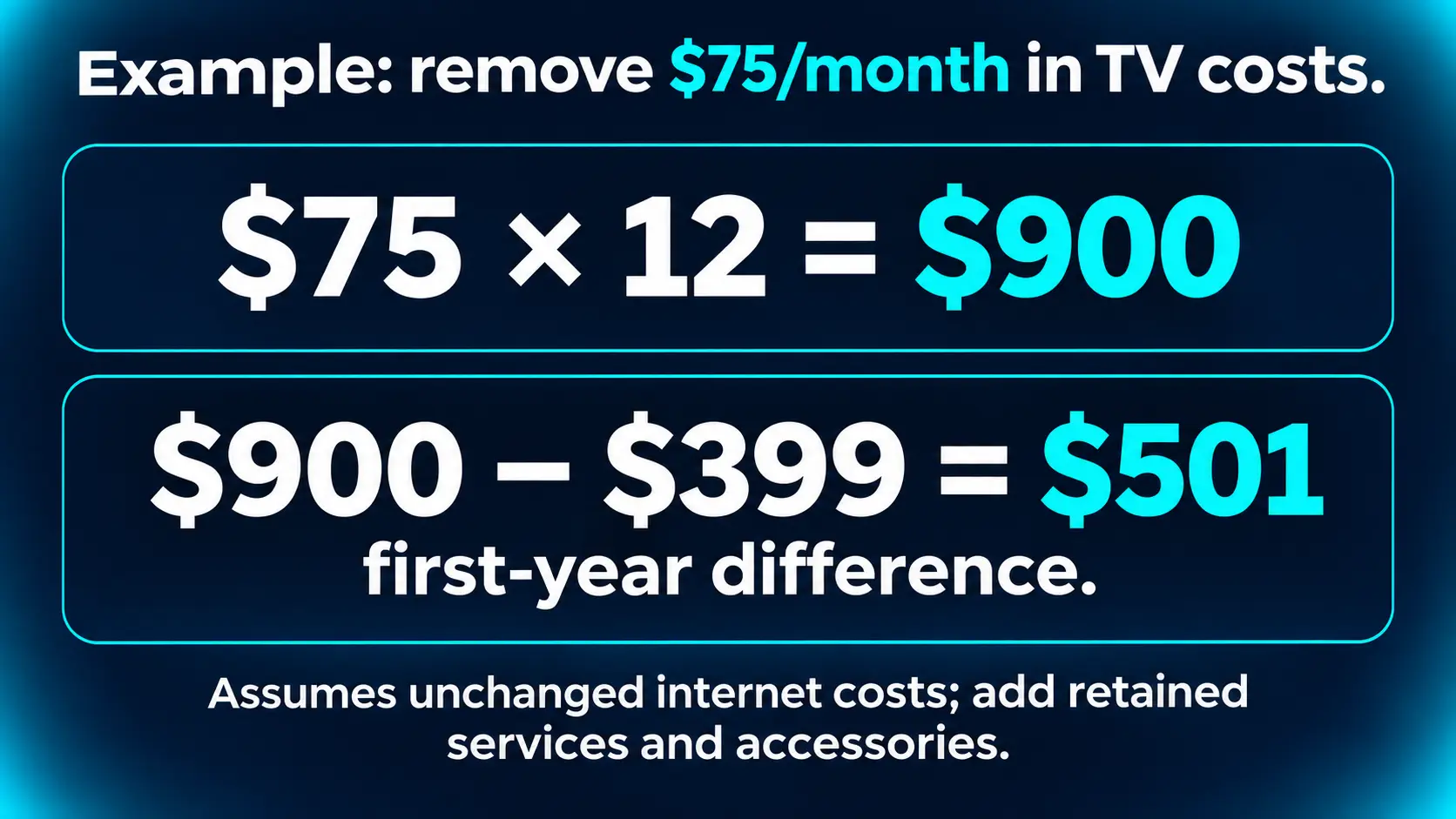
The first table below uses assumed removable TV spending, not quoted cable or streaming-plan prices. They subtract the $399 hardware price once and assume internet spending stays unchanged. Optional accessories, any change in internet cost, and any services you retain must be added to your own comparison.
| Assumed TV spending you can remove | Charges avoided over 12 months | Less $399 for Max | First-year difference |
|---|---|---|---|
| $50 per month | $600 | $399 | $201 less spent |
| $75 per month | $900 | $399 | $501 less spent |
| $100 per month | $1,200 | $399 | $801 less spent |
Your result depends on the bill you replace. A household removing $75 of monthly TV spending has a different result from one keeping all its existing services.
Real streaming-plan prices: what monthly subscriptions add up to
The following US direct-billing prices were checked on November 12, 2026. The 12-month column multiplies the current regular monthly rate by 12; it is not an annual-plan quote. Figures exclude taxes, add-ons, bundles, and introductory discounts, and assume the rate stays unchanged.
| Service and specific plan | Regular monthly price | 12 monthly payments |
|---|---|---|
| Netflix Standard — without ads | $19.99 | $239.88 |
| HBO Max Standard | $18.49 | $221.88 |
| Peacock Premium — with ads | $12.99 | $155.88 |
| YouTube TV main plan | $82.99 | $995.88 |
| SuperBox S8 Max core Blue apps | $0 | $0 in core-app subscriptions, plus the $399 hardware purchase |
Netflix, HBO Max, and Peacock are separate services in this example. YouTube TV is a live-TV subscription alternative, so compare it separately unless you actually pay for both a live-TV plan and additional on-demand services.
Example: replace three monthly streaming subscriptions
Suppose you currently pay for Netflix Standard, HBO Max Standard, and Peacock Premium every month and decide that SuperBox’s Blue TV and Blue VOD meet your viewing needs well enough to cancel all three.
- Monthly subscriptions removed: $19.99 + $18.49 + $12.99 = $51.47.
- Twelve months at those rates: $51.47 × 12 = $617.64.
- Less one S8 Max at $399: $617.64 − $399 = $218.64 less spent in the first year.
After the hardware purchase, those three cancelled subscriptions would represent $617.64 per year in avoided recurring payments if their rates stayed the same. You can also keep a favorite paid service and cancel the others; calculate savings using only the subscriptions you remove.
Annual billing changes the comparison. HBO Max Standard lists $184.99 annually and Peacock Premium lists $129.99 annually. Combined with 12 Netflix Standard payments of $239.88, that is $554.86, making the first-year difference $155.86 after buying Max. Use your actual billing arrangement.
Example: replace the main YouTube TV plan
At the regular $82.99 monthly rate, 12 payments total $995.88. If you cancel that plan and buy S8 Max for $399, the first-year spending difference is $596.88, assuming unchanged internet costs and no additional paid services or accessories.
For eligible new customers, YouTube TV was also advertising $59.99 per month for the first two months, then $82.99, with that offer ending November 16, 2026. That published introductory schedule totals $949.88 over the first 12 months, reducing the difference versus Max to $550.88.
These examples compare spending when you choose to cancel services. Their catalogs, sports coverage, account features, and DVR functions differ from SuperBox; the Blue apps do not include Netflix, HBO Max, Peacock, or YouTube TV subscription accounts. Check the programming you want before deciding which bills to remove.
To make the comparison useful, identify which bill lines you can actually remove. If internet and television are bundled, request an internet-only quote before assuming the full television portion becomes savings. Then check the channels and titles you want before changing a service.
For the wider budgeting details, see what remains to budget for with SuperBox.
Who should buy S8 Max, and who should choose differently?
Max is particularly well matched to someone who wants live television and on-demand viewing, expects to use supported two-channel layouts, and is comfortable with 64GB and a standard voice remote. In that situation, its feature package gives the price a clear purpose.
If you will never use broader Multi-Viewing or the NFL app, a lower S8 tier may meet your needs. Plus shares the 64GB capacity and core generation features, although its Multi-Viewing scope and connection layout differ. The Plus versus Max comparison explains that narrower decision.
Ultra deserves consideration when you want Premium performance positioning, 128GB, and illuminated buttons together. At the checked $449 price, that is a $50 step above Max. Use the Max versus Ultra comparison if those are the remaining alternatives.
Our overall verdict is that S8 Max earns its place as the balanced S8 purchase. Its strongest advantages are the free Blue app experience, broader supported viewing tools, and a price below the flagship. Choose it for the functions you will use, and it can be a convincing investment in a more flexible, lower-recurring-cost TV setup.
SuperBox S8 Max review FAQs
Is SuperBox S8 Max worth buying if I already have a smart TV?
Yes, it can be. A smart TV supplies the screen and its own apps; Max adds the SuperBox entertainment interface and supported viewing features through HDMI. It is most useful when you want that additional system, rather than simply duplicating a setup you already enjoy.
Do I need a cable television connection?
No. Streaming uses an internet connection. Connect Max to the television through HDMI, then connect the box to your home network. You can retain internet service without retaining a traditional cable television package.
Does S8 Max have a monthly subscription fee?
There is no separate monthly SuperBox device subscription, and the compatible core Blue apps are free to use after purchasing the hardware. Continue budgeting for internet and any optional paid services you choose to keep.
Is the S8 Max power connection USB-C or a round plug?
Max uses Type-C power and has USB-C plus USB 3.0 connections. S8 Plus is the round-DC exception within the four-model S8 lineup. Use the supplied equipment for the exact model.
Can one Max give two televisions different programs?
No. Multi-Viewing shows supported views on one connected television. For two rooms independently choosing and controlling different SuperBox programs, plan a separate box for each television.
What should I check if I am buying Max as a gift?
Confirm that the recipient has a suitable HDMI television, internet, and someone available to help with the first installation. Ask whether they need illuminated remote buttons. A gift is easier to enjoy when the essential apps and a short channel list are ready to use.
The article was updated on:
