
Knowledge SuperBox
Do You Need a SuperBox for Every TV? A Multi-Room Buying Guide





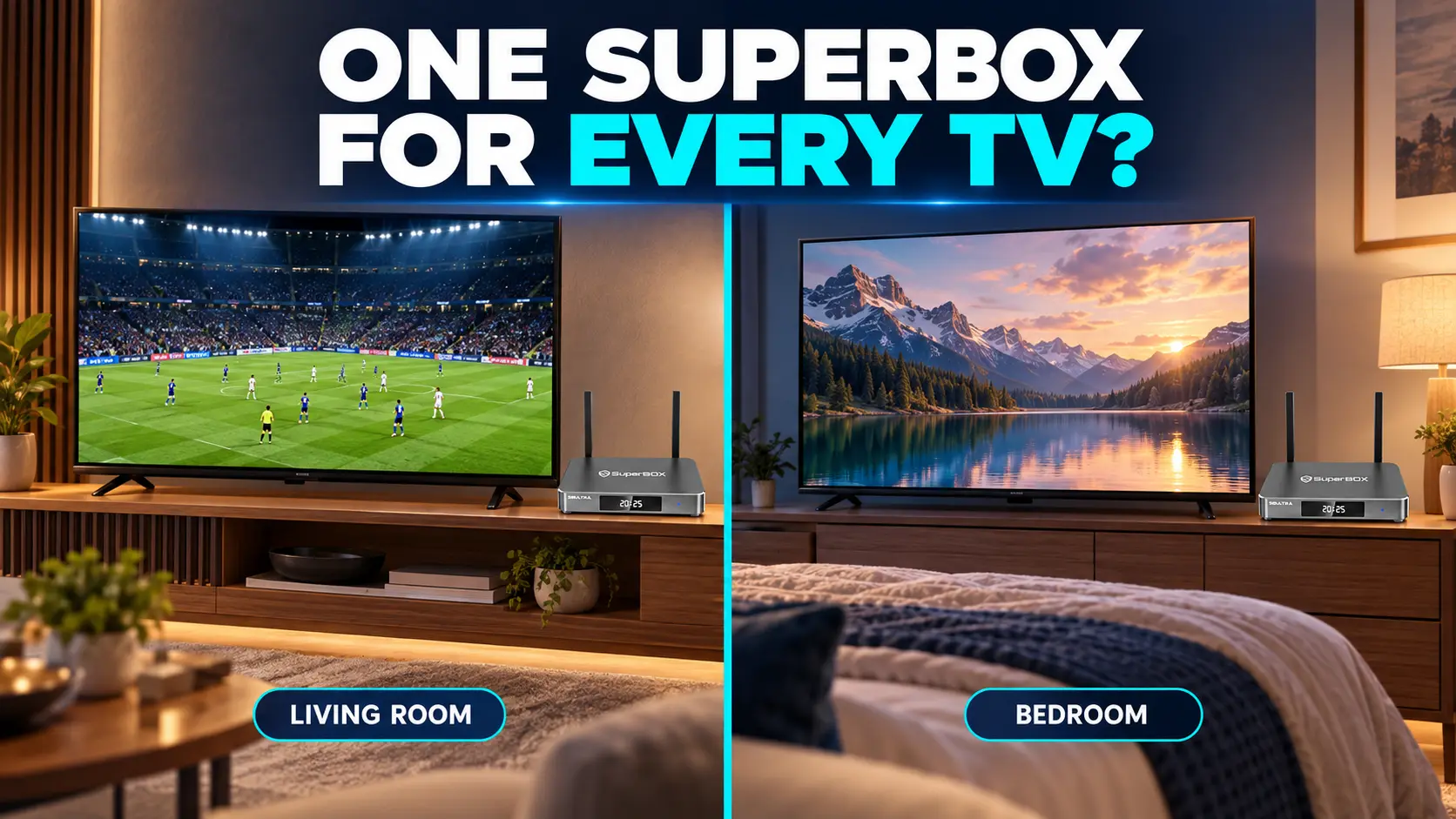
You have a television in the living room, another in the bedroom, and perhaps one in a guest room. Before buying several streaming devices, it makes sense to ask whether a single SuperBox can cover the whole house.
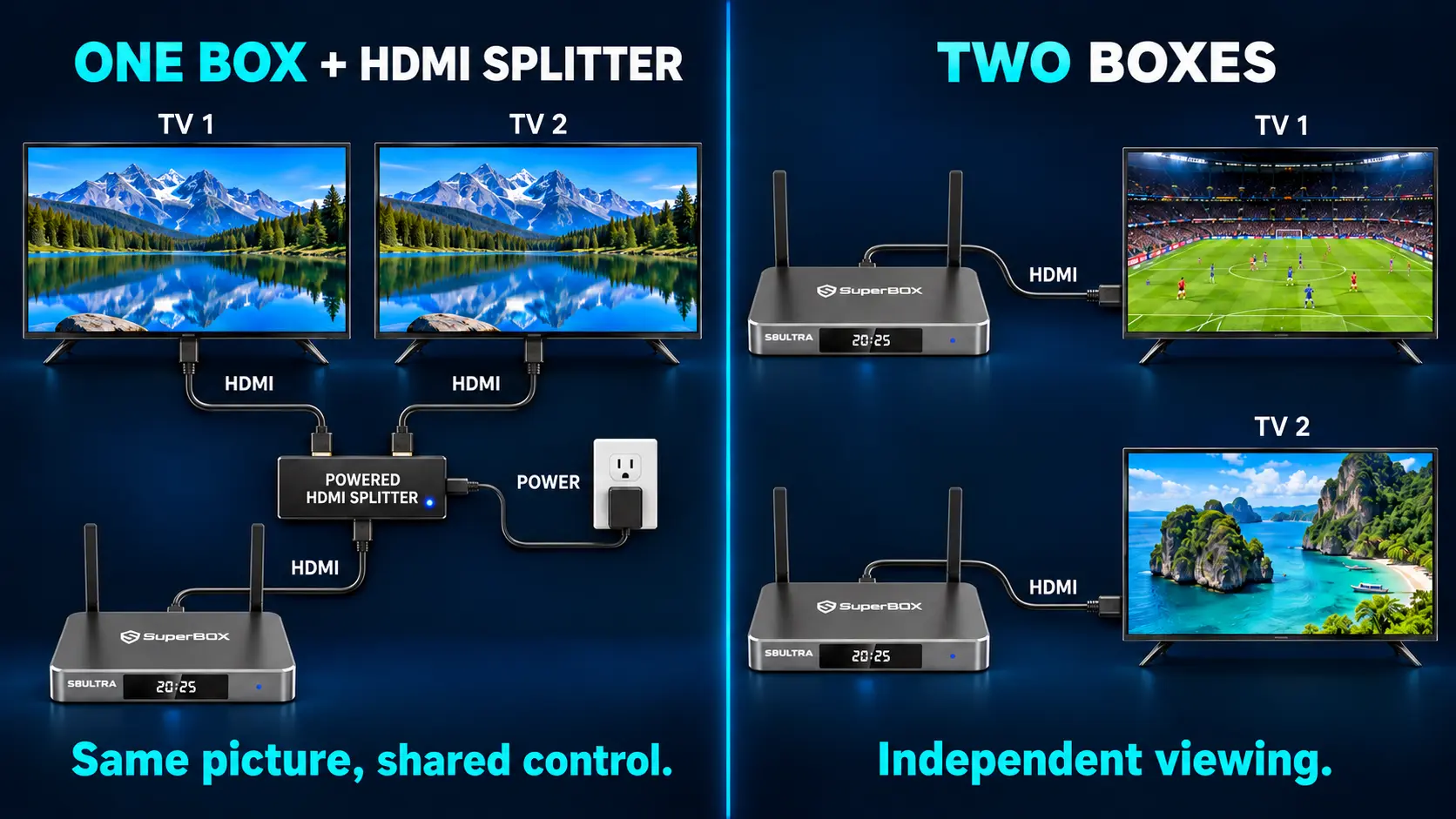
You need a separate SuperBox for each TV that needs independent SuperBox viewing at the same time. One box can also move between televisions used at different times. With suitable HDMI distribution equipment, one box may feed the same picture to more than one TV, but the screens share its content and controls.
The right number therefore depends on how your household watches. A useful multi-room plan starts with the people and programs in each room, then matches the equipment to those needs.
Work Out Which TVs Actually Need SuperBox
Count the televisions that need their own SuperBox experience, rather than every television you own.
A guest-room TV that rarely gets used may not need a permanent box. A kitchen television used only for its existing apps may not need SuperBox at all. However, a bedroom where someone watches a different channel while the living room is in use needs its own device for independent SuperBox viewing.
| Your household wants to do this | Practical arrangement |
|---|---|
| Use SuperBox on one TV | One box connected to that TV |
| Use the living room or bedroom at different times | Move one box, or add a second for convenience |
| Watch different programs in two rooms simultaneously | Two boxes, one for each TV |
| Show the same program on two nearby screens | Consider one box with a compatible HDMI splitter |
| Keep three rooms ready for separate viewing | Three dedicated boxes |
| Keep using a TV’s existing streaming apps | No additional SuperBox needed for those apps |
For example, a family with four TVs may only need two SuperBox devices if two rooms need dedicated access and the others use their existing entertainment options.
Understand What One SuperBox Sends to a Television
In a normal setup, SuperBox connects to the television through HDMI. The box runs the apps and produces the picture; the television displays that output.
This means the connected box has one shared viewing session. Opening a movie, changing channels, or returning to Home changes what that box sends to the screen.
Connecting the household to one WiFi router does not make that picture appear automatically on every TV. WiFi provides internet access to the device; it does not turn the router into a SuperBox video-distribution system.
If you are checking an older television, our guide to streaming on a non-smart TV explains the basic display connections. A compatible HDMI television can be a suitable screen without needing its own smart-TV operating system.
When Moving One SuperBox Between TVs Makes Sense
Moving a box is a practical starting point when the televisions are used at different times. You might watch in the living room during the afternoon, then take the box to the bedroom for an occasional evening.
You keep using the same physical device, so you do not need to purchase a second box simply because you occasionally change rooms.
How to Move It to Another Television
- Finish viewing and shut down the box before disconnecting its power.
- Move the box, its correct power supply, and its remote.
- Connect the HDMI cable to an available input on the second TV.
- Reconnect the supplied power equipment.
- Select the matching HDMI input on the television.
- Check internet access, reconnecting WiFi or Ethernet as needed.
- Open an app and confirm picture, sound, and remote operation.
You normally do not need a factory reset just to change televisions. Check display settings if the second screen needs a different compatible output setting.
The tradeoff is convenience. Moving equipment every night becomes tiring, especially when sockets sit behind a cabinet or wall-mounted screen. A dedicated second box keeps both rooms ready and avoids repeatedly handling the connections.
Keep each model’s approved power supply with it. Similar-looking connectors do not establish that adapters are interchangeable.
When an HDMI Splitter Can Share the Same Picture
An HDMI splitter takes one video source and distributes it to more than one display. For example, StarTech’s splitter documentation describes one HDMI source feeding two displays with the same image and sound.
For SuperBox, the distinction is straightforward: both televisions would show the output of the same box.
Change the channel, pause the channel and both screens change. Open the app menu, and both screens display the menu. The second television does not gain its own app session or independent remote control.
This may suit nearby rooms where everyone wants the same program. It is less useful when one person wants sports while another wants a movie.
Check the Entire Connection Before Buying Accessories
A working installation depends on the splitter, cable lengths, TVs, output format, audio support, and the content-protection requirements of the source. Confirm the accessory’s supported resolution, refresh rate, and HDCP compatibility.
If one television is 4K and the other is 1080p, check how the splitter handles mixed displays. Some models use the capabilities reported by a particular connected screen; others include scaling options. Do not assume every splitter preserves each TV’s preferred format.
Remote access also matters. Distributing HDMI does not automatically provide reliable box control from another room. Longer cable routes may require purpose-built distribution equipment and suitable control arrangements.
For a simple home installation, compare that complete accessory setup with the convenience of a second box. Neither approach is automatically the better buy.
Independent Viewing Needs a Device in Each Room
Separate boxes are the straightforward choice when people want different programs at the same time.
Each room can open its own available apps, browse its own channels, and use its own remote without changing the other room’s screen. One viewer can watch live television while another chooses on-demand entertainment.
This is also helpful when people have different routines. A parent may prefer a short favorites list, while another family member enjoys exploring movies. Set up each box for the person using that room.
For S8 devices, the app installation guide and Home shortcut guide cover those steps.
Separate hardware does not remove the account rules of third-party services. If an app requires a subscription, check its supported devices, household conditions, and simultaneous-stream limits. Buying another box does not automatically expand an external subscription.
S8 Multi-Screen Is Different From a Multi-Room Setup
The names are easy to confuse, especially when comparing newer SuperBox models.
On S8, Picture-in-Picture and Multi-Screen display supported live channels together on one television. The manufacturer’s FAQ identifies these as live-TV viewing modes.
They do not send one channel to the bedroom and another to the living room. If a splitter duplicates that output, the connected televisions see the same combined layout.
For actual operation, use our S8 Picture-in-Picture and Multi-Screen guide. When deciding how many boxes to buy, keep the question focused on whether each room needs independent control.
Choose Different SuperBox Models for Different Rooms
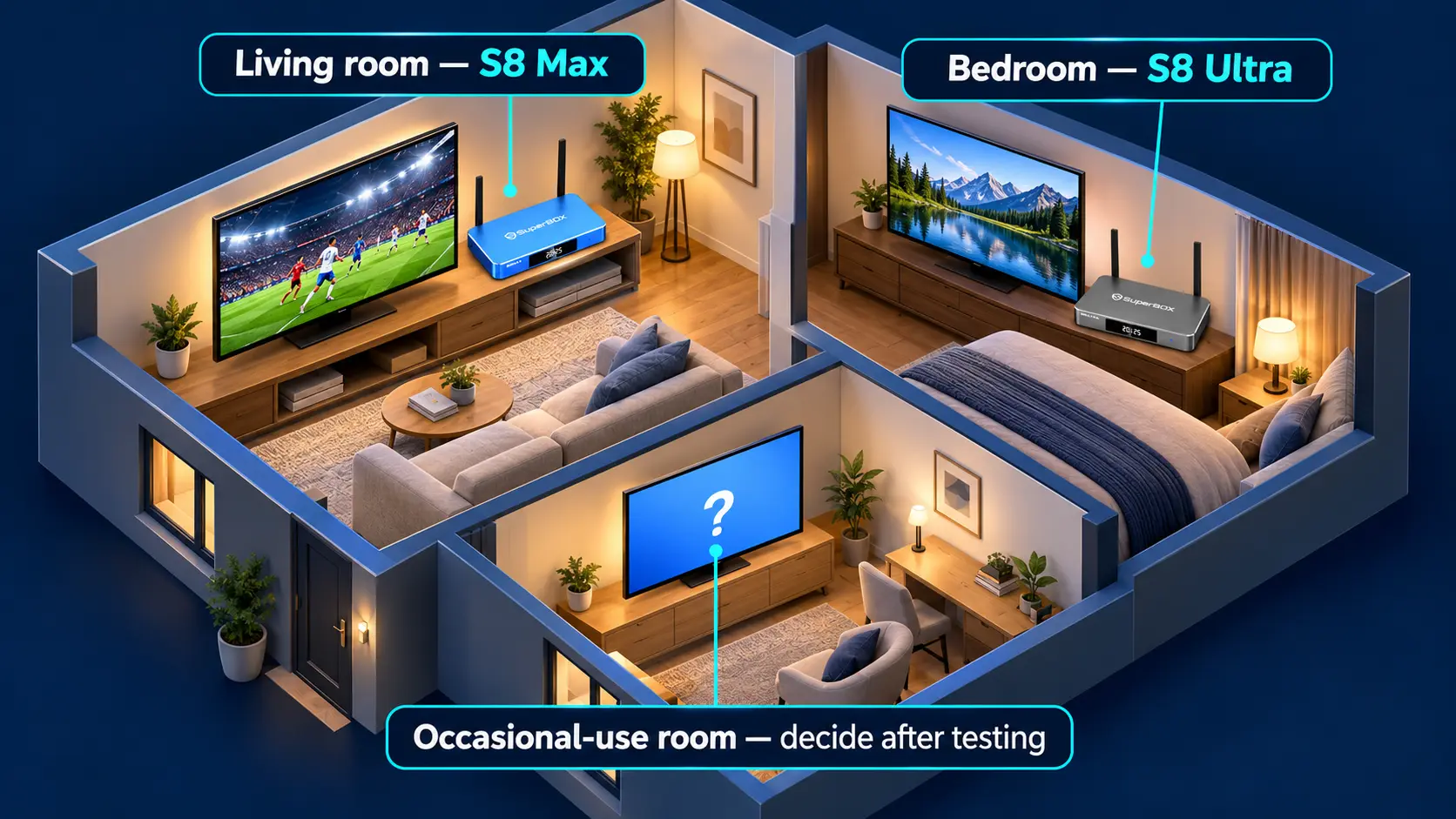
You can mix SuperBox models within the same household. Matching the purchase to each room can be more useful than buying the highest-priced option everywhere.
The main sports room might benefit from S8 Max or Ultra. A second room used mainly for ordinary single-screen viewing may be well served by Pro or Plus.
| S8 model | Internal storage | Supported Multi-Viewing scope | NFL app |
|---|---|---|---|
| S8 Pro | 32GB | Supported PPV and ESPN channels | No |
| S8 Plus | 64GB | Supported PPV and ESPN channels | No |
| S8 Max | 64GB | Full supported channels | Yes |
| S8 Ultra | 128GB | Full supported channels | Yes |
All four models include voice-command remotes. Ultra additionally includes backlit buttons, which can be useful in a dim bedroom or theater room.
Choose Max or Ultra where broader supported Multi-Viewing and the NFL app matter. Choose Plus when you want 64GB without those additional model features. Pro provides the lowest S8 entry price and 32GB storage.
The full S8 comparison covers the wider differences. A higher model still operates as a source for its connected TV; upgrading one room to Ultra does not replace a second room’s independent box.
Compare the Upfront Cost of Your Room Plan
As checked on October 25, 2026, our listed S8 prices are Pro $359, Plus $379, Max $399, and Ultra $449. Review the current product pages before ordering.
Here are three hardware-only examples:
| Example home setup | Model combination | Listed hardware total |
|---|---|---|
| Main sports room and a second everyday TV | S8 Max + S8 Pro | $758 |
| Two rooms needing Max’s features | Two S8 Max devices | $798 |
| Premium room, sports room, and everyday room | S8 Ultra + S8 Max + S8 Pro | $1,207 |
These are sums of the listed device prices before discounts, applicable taxes, or other checkout adjustments. They do not include optional networking or HDMI-distribution accessories.
The two-room examples show why room planning matters. Max plus Pro costs $40 less than two Max devices. If the bedroom needs Max’s features too, the additional $40 may be worthwhile.
Start with a single device if you want to test the interface, important programs, and home network before extending the setup. Add another once you know which room genuinely needs it.
Can Several SuperBox Devices Share One Internet Connection
Yes. Multiple boxes can connect to the same household router through WiFi or Ethernet. They do not each need a separate internet subscription.
However, simultaneous viewing adds traffic to the connection. A box that performs well on its own should also be tested while other rooms are streaming.
Check both the internet service reaching the home and the signal reaching each room. A strong connection beside the router does not prove that an upstairs bedroom has equally good coverage.
Ethernet can be helpful where a suitable cable route exists. WiFi can work well when the room has dependable coverage. Our S8 network setup guide and WiFi optimization guide explain those choices.
Avoid choosing a universal speed figure for every household. Requirements vary with the apps, video quality, number of streams, and other activity. Test the intended combination during a normal busy evening.
How SuperBox Can Fit a Lower-Cost Multi-Room TV Plan
Owning your streaming hardware can help reduce ongoing costs when it replaces a traditional cable package and rented receivers.
SuperBox does not require a recurring equipment subscription from our store. Adding a second device is an additional hardware purchase rather than a new monthly box-rental charge from us.
The financial benefit depends on what your household stops paying for. Include the initial boxes, internet service, retained subscriptions, and any changed bundle pricing in your comparison. Return rented cable equipment according to the provider’s process if you cancel those services.
You can also keep using a working older SuperBox in a secondary room while adding an S8 to the main room. Check that the older device still meets that viewer’s needs before replacing it.
Our cord-cutting guide helps with the broader household decision. A sensible room plan keeps the convenience while avoiding purchases you will rarely use.
Test Every Room Before Calling the Setup Finished
Connect and configure each box in the room where it will stay. Use the supplied power equipment, confirm the TV input, and install the required apps on that device.
Keep its remote nearby and label it by room if the remotes look alike. Set familiar shortcuts and favorites where supported.
Then run the TVs together. Change channels independently, test sound, and confirm that nobody’s actions interrupt another room’s viewing. Test both live and on-demand options your household intends to use.
If one room struggles, note whether the problem affects a particular item, the whole app, or other online activity too. Those details help distinguish a room-specific issue from a wider connection problem.
Frequently Asked Questions
Do I Need a SuperBox for Every TV in My House?
Only for TVs where you want dedicated, independent SuperBox viewing. Televisions using their existing apps do not need an additional box for those apps.
Can One SuperBox Work on Two TVs at Once?
A compatible HDMI splitter may duplicate the same output on both screens. For different programs and independent control, use separate boxes.
Can I Move SuperBox From the Living Room to the Bedroom?
Yes. Move the box with its correct power equipment and remote, connect HDMI, select the TV input, and check internet access. Both TVs cannot then use that one box independently at the same time.
Does S8 Multi-Screen Let Two Rooms Watch Different Channels?
No. It presents supported live channels together on one television. It does not create separate video outputs for different rooms.
Can I Mix S8 Pro and S8 Max in One Home?
Yes. Each is a separate device. Choose according to the room’s requirements; Max has broader supported Multi-Viewing and the NFL app.
Does Each Box Need Its Own Router or Internet Plan?
No. They can share your home network. The connection and room coverage must support the simultaneous viewing you expect.
Is a Wireless HDMI Kit the Same as WiFi Streaming?
No. A wireless HDMI system transports a source’s video using its own compatible transmitter and receiver arrangement. It does not create a second independent SuperBox session.
Will Buying a Second Box Add Another Monthly Equipment Fee?
Our SuperBox hardware does not require a recurring equipment subscription from the store. Internet and any separate third-party service fees still need to be budgeted.
Plan Your Multi-Room Purchase With SuperBox TV Box Store
Start with the rooms that need independent viewing. Choose each model around the viewer, check the network, and expand when another device adds real convenience.
SuperBox TV Box Store is an authorized retailer serving customers in the US and Canada. Verify our authorization using SP20250414002 at the SuperBox authorization website.
Browse SuperBox S8 Pro, S8 Plus, S8 Max, and S8 Ultra to build a combination that fits your home.
If you purchase directly from superboxtvboxstore.com, contact customer@superboxtvboxstore.com for any technical issue or order-related question. We value your experience and are here to help you choose, set up, and enjoy your SuperBox devices.
The article was updated on:
