
Knowledge SuperBox
SuperBox S8 Plus vs S8 Max: Same 64GB, Which Fits Your Home?





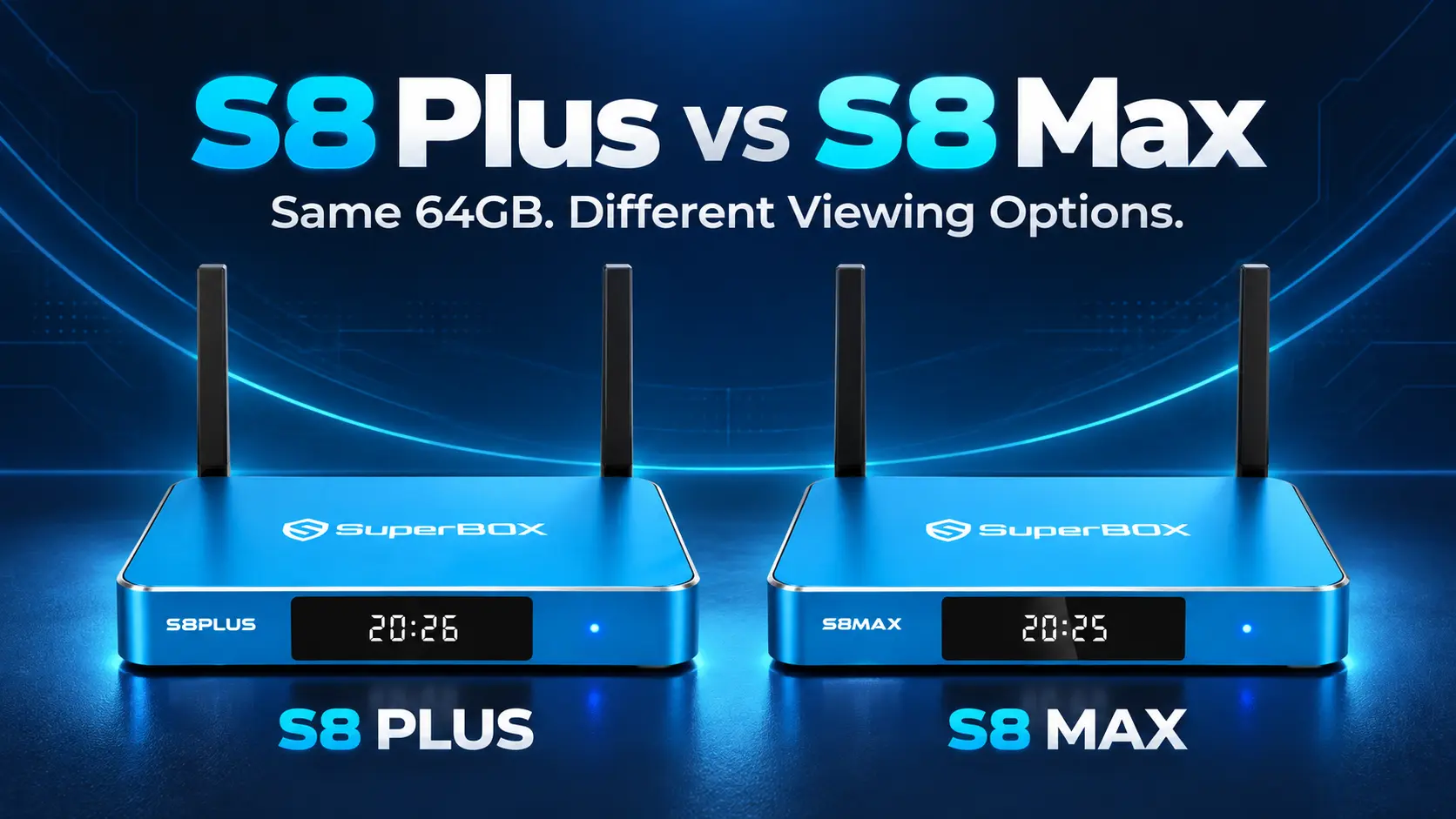
The Short Answer for Buyers Comparing Two 64GB Models
The SuperBox S8 Plus and S8 Max can look like almost the same purchase. Both have 4GB RAM and 64GB internal storage, both belong to the S8 generation, and both support the familiar Blue TV and Blue VOD experience.
The buying decision becomes clearer when you look beyond storage.
S8 Plus suits a home that wants core S8 entertainment and is comfortable with PPV/ESPN Multi-Viewing. S8 Max is the stronger choice when you want broader supported Multi-Viewing, the listed NFL app, and its USB-C and Type-C connection arrangement.
At SuperBox TV Box Store, the prices checked for this article are $379 for Plus and $399 for Max. With a $20 difference, Max deserves serious consideration even though it does not add internal storage. Here is how those differences translate into everyday viewing, and when Plus still makes sense.
SuperBox S8 Plus vs S8 Max at a Glance
| Feature | SuperBox S8 Plus | SuperBox S8 Max |
|---|---|---|
| Listed store price | $379 | $399 |
| RAM | 4GB | 4GB |
| Internal storage | 64GB | 64GB |
| Performance Speed | Standard | High |
| Multi-Viewing channel scope | Supported PPV and ESPN channels | Full supported channels |
| NFL app listed for model | No | Yes |
| USB connections | USB 2.0 + USB 3.0 | USB-C + USB 3.0 |
| Power connector | Round DC plug | Type-C |
| Voice-command remote | Yes | Yes |
| Included backlit remote | No | No |
| Blue TV, Blue VOD, Playback, Backup TV | Supported | Supported |
| Built-in recording | Manual recording to connected USB | Manual recording to connected USB |
| Wireless / wired internet | Wi-Fi 6 / Gigabit Ethernet | Wi-Fi 6 / Gigabit Ethernet |
| 4K playback | With compatible content and equipment | With compatible content and equipment |
Prices reflect the listings checked on October 21, 2026; confirm current pricing and checkout details before ordering. “Full supported channels” describes the broader Multi-Viewing tier, with availability still dependent on the channel and app.
You can review the current S8 Plus listing and S8 Max listing alongside this comparison.
What Does the Same 64GB Actually Mean?
The two models offer the same advertised capacity for installed apps, system files, and other compatible local uses. Buying Max does not give you additional internal space over Plus. Actual free space is lower than the headline capacity after the system and applications are installed.
RAM is a separate specification. Both list 4GB, which supports the software while it is running. It should not be confused with the 64GB used to keep installed files.
For a household that mainly opens a few familiar entertainment apps, storage is unlikely to explain why one of these models is the better purchase. Think instead about what you want those apps and viewing tools to do.
Standard vs High Performance Speed
S8 Plus has a Standard Performance Speed rating, while S8 Max has a High rating. Although both have 64GB internal storage, Max sits in the higher performance tier. Matching storage capacity does not mean the models have the same performance rating.
Consider that performance difference alongside Max’s broader supported Multi-Viewing and NFL app. The ratings describe separate tiers, rather than a fixed speed multiplier. Actual loading and streaming behavior also depend on the app, software, and network conditions.
If your existing setup buffers, identify whether the issue affects one program or the whole connection before assuming a different box will fix it. Our buffering and freezing guide can help with that diagnosis.
The Biggest Viewing Difference Is Channel Scope
Both Plus and Max support the S8 generation’s Multi-Viewing features. The distinction is the range of channels available to use in those modes.
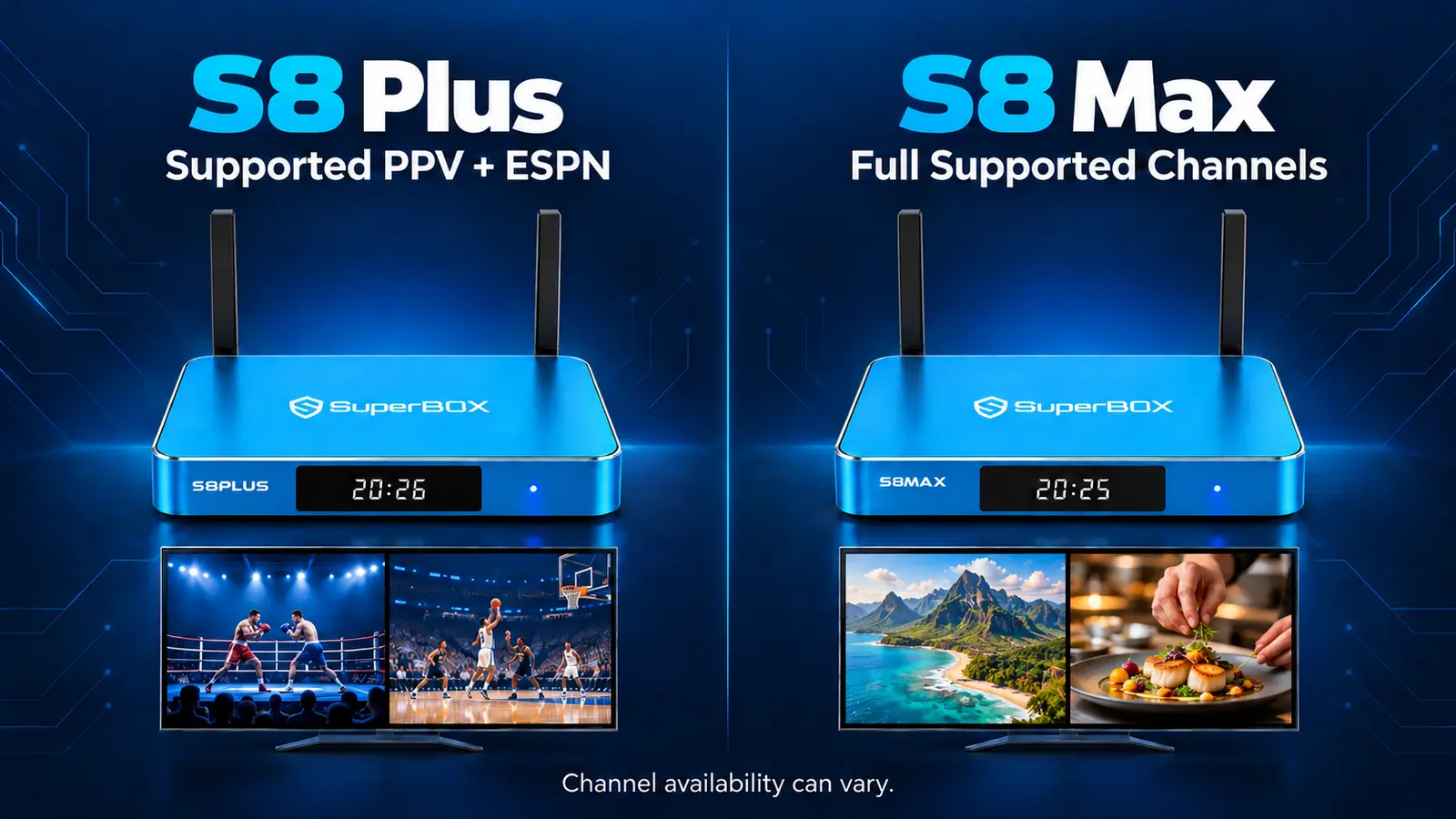
Plus covers supported PPV and ESPN channels. Max expands that to the full supported channel range. That matters when the channels you want to follow together sit outside Plus’s supported selection.
Picture-in-Picture keeps one live channel large with a smaller second view. Multi-Screen places two supported live channels beside each other. Both serve a different purpose from ordinary channel switching: you can keep track of two events while deciding which deserves your attention.
When Plus Covers the Need
Imagine a viewer who normally watches one program and occasionally follows two supported sports channels. If their preferred pair falls within Plus’s PPV/ESPN selection, the broader Max tier may offer little benefit to that particular routine.
The useful check is the actual channel pair. Do not buy based only on the words “supports Multi-Viewing,” because those words apply to both models while their scope differs.
When Max Offers More Flexibility
A household that follows a wider mix of live channels has a stronger reason to choose Max. You are less restricted to the narrower selection when planning which supported channels to monitor together.
That can matter even if you do not use two views every day. Someone who usually watches one channel may still appreciate the option during overlapping live events.
For the controls and layout choices, use our S8 Picture-in-Picture and Multi-Screen guide. These are live-channel features; they should not be treated as a way to combine any two arbitrary apps or on-demand films.
Does the NFL App Change Your Decision?
The NFL app is listed for S8 Max and is not listed for S8 Plus. For someone who specifically wants that app, Max is the relevant choice between these two models.
Check current app behavior and the programming you want before making it the sole reason for your purchase.
For a household that does not follow football, this difference may carry little weight. That does not make Plus unsuitable for live sports in general; it means the model-specific NFL app is one of Max’s extra features.
Put it on your checklist alongside Multi-Viewing. If either feature is important, the case for the Max upgrade becomes much clearer.
USB Ports and Power Are Different Too
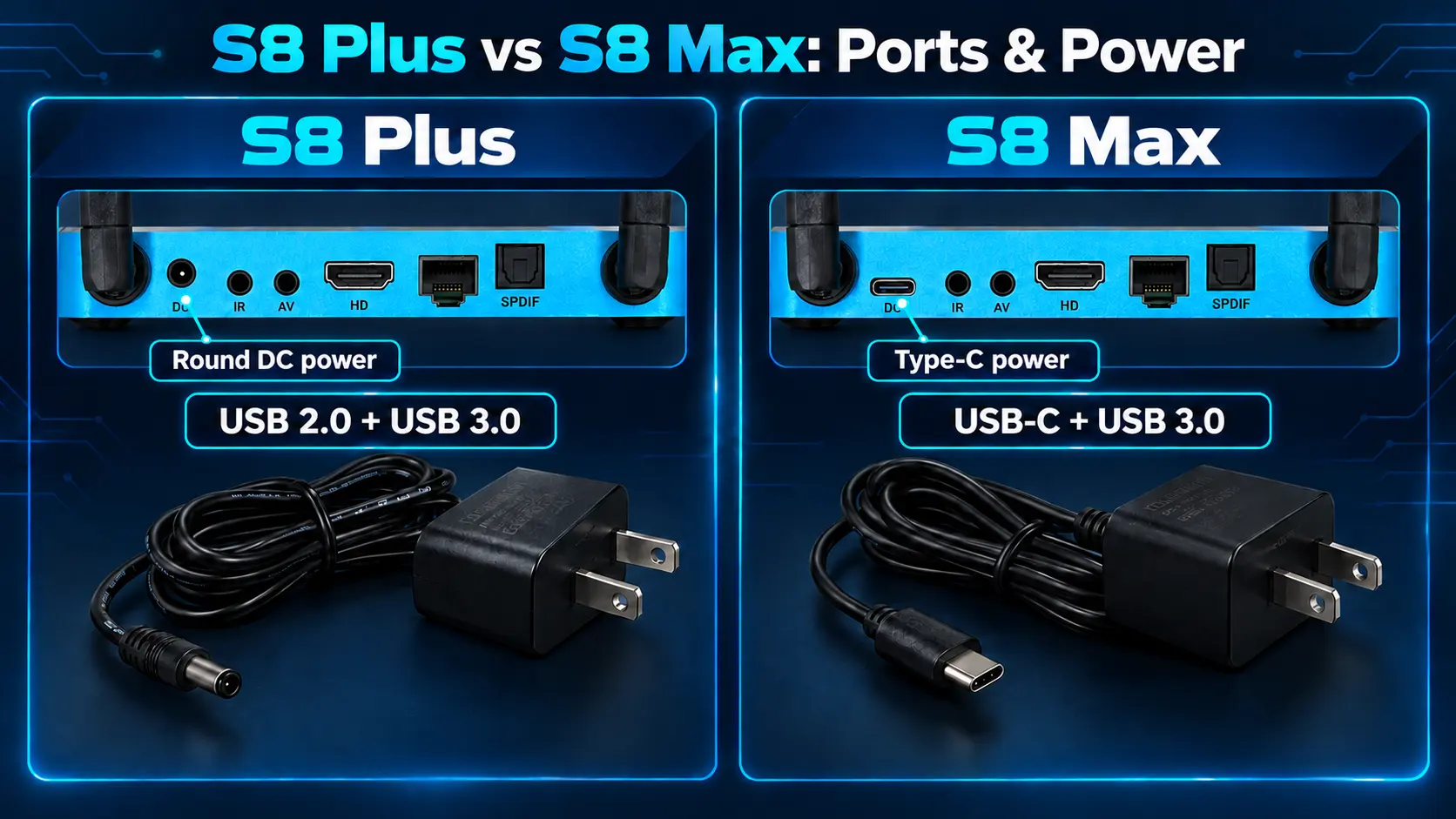
The Plus is the S8 model with a distinct connection arrangement. It has USB 2.0 and USB 3.0 ports, and its power adapter uses a round DC plug.
Max has USB-C and USB 3.0 connections, with Type-C power. This matches the connection pattern used by the S8 Pro and Ultra, rather than the Plus arrangement.
These details matter when connecting accessories, organizing cables, or replacing a power supply. A buyer comparing only “4GB + 64GB” can easily overlook them.
Use the Adapter Supplied for Your Model
Keep each device with its supplied power equipment, especially if your home has more than one S8 model. Labeling the adapters can prevent mix-ups between rooms.
A familiar-looking connector is not enough to establish compatibility with a replacement adapter. Check the device requirements or ask for help before substituting one. You do not need to buy Max simply to avoid a round plug; both models have a defined power arrangement that works when connected correctly.
For accessory use, check the actual port and the accessory’s requirements. A USB-C shape alone does not guarantee every possible USB-C function.
Our separate S8 Plus setup guide and S8 Max setup guide show how to get each model connected.
What You Still Get With Either Model
Choosing Plus does not mean giving up the main S8 entertainment experience. Both support Blue TV for live viewing, Blue VOD for on-demand browsing, Playback for eligible earlier programming, and Backup TV.
Both also offer the newer S8 Home interface and voice-command support. You can organize installed apps around your routine rather than choosing a model solely because a family member wants simpler navigation. Our S8 shortcut guide explains the customization options.
The two models share 4K playback capability with suitable equipment and sources. Max’s broader viewing tier does not automatically turn the same movie into a higher-resolution version. If picture setup is your concern, start with the TV box resolution guide.
Recording Uses USB on Both Models
Built-in recording is part of the S8 generation and is available on Plus and Max. Connect a USB storage device, manually start recording, and stop it when finished. The file saves to the connected USB device, not either box’s internal 64GB storage.
That means internal capacity is not a reason to claim one of these models keeps more recordings. Available USB space determines the storage room for the saved files. Scheduled recording of future programs is not currently supported.
See the S8 Recorder guide for the workflow, and keep this separate from Playback, which provides eligible previously aired programs without requiring you to record them first.
Which Model Fits Your Home?
For Movies and Series on One Screen
Plus is a reasonable option when your routine centers on opening an on-demand app, choosing a film, and watching it on one screen. Max does not add internal storage for that routine, and the core movie app is shared.
Consider whether anyone else in the home would use Max’s extras. A household decision should include the person who watches live events on weekends, not only the person choosing a movie tonight.
For a Shared Living Room With Mixed Interests
Max is the stronger recommendation when the same television serves movie nights, everyday channels, and sports fans. Its broader supported Multi-Viewing and listed NFL app provide more flexibility within one device.
At the checked $20 gap, that is a modest step up for someone likely to use those features. You do not need to use every extra immediately, but there should be a realistic reason to want them.
For Straightforward Viewing and a Firm Budget
Plus remains a valid choice if it already covers your needs and you want the lower upfront price. Saving money on an unused feature is sensible.
Make that a deliberate choice, though. If you already know that a required feature is exclusive to Max, choosing Plus solely because the storage matches will not meet that need.
For a Bedroom or Second Television
Choose according to the person using that room. A second TV used for one familiar app may suit Plus; a dedicated live-event setup may justify Max.
There is no need to make every room identical. Keep the correct power adapter with each box and leave a clear note about the TV input if several people use the equipment.
Is S8 Max Worth the Extra $20?
For a new buyer who wants flexibility in a shared home, we recommend Max at the current $20 difference. The recommendation comes from its broader supported viewing access and NFL app, rather than extra storage.
For a buyer confident that Plus covers their viewing habits, the lower price still has a purpose. The decision is whether the added capabilities are worth that difference to you.
If you already own a working S8 Plus, the calculation changes. Replacing it is not the same as paying $20 more at an initial checkout. Consider the full cost of another device, any applicable return terms, and whether the missing feature is important enough to justify a change.
For monthly expenses, both models offer the same basic opportunity to simplify your TV setup when their available entertainment replaces services you no longer need. SuperBox promotes 2,000+ live channels and varied media through its viewing apps. Internet and optional paid services remain separate costs. Compare your own must-have programming before canceling anything.
Frequently Asked Questions
Is S8 Plus the Same as S8 Max?
No. They share 4GB RAM and 64GB storage, but differ in Performance Speed, Multi-Viewing scope, NFL app availability, USB connections, and power connector. Those differences can matter more than storage for a household choosing between them.
How Much More Does S8 Max Cost?
The store listings checked on October 21, 2026 show Plus at $379 and Max at $399, a $20 difference. Check current listings and the final checkout amount before purchasing.
Can S8 Plus Use Multi-Viewing?
Yes, on supported PPV and ESPN channels. Max offers the broader full supported channel tier. Choose around the channels you actually want to follow together.
Which One Has the NFL App?
S8 Max lists the NFL app; S8 Plus does not. Check current app and programming availability if that is a requirement for your household.
Does S8 Plus Use USB-C Power?
No. Plus uses a round DC power connector. Max uses Type-C power. Use the power equipment supplied for the model you own.
Does Either Model Have a Backlit Remote?
Neither Plus nor Max includes a backlit remote in the S8 comparison. Both have voice-command support. If included illuminated buttons are a priority, compare S8 Ultra.
Can I Record Without Connecting USB Storage?
No. The S8 built-in recording workflow requires connected USB storage and manual Start/Stop. Recordings save to USB, so the identical 64GB internal specification is not the recording capacity of either model.
Should I Buy Max Just Because I Have a 4K TV?
Both support 4K playback with compatible sources and equipment. Choose Max for its additional viewing features and connection arrangement; the television’s resolution alone does not settle the comparison.
Choose Your Model With SuperBox TV Box Store
The clearest choice starts with a short list: what you watch, whether you want two supported channels visible, whether the NFL app matters, and how you plan to connect the device.
Choose Plus when its existing capabilities cover that list and the lower upfront cost matters. Choose Max when you want broader viewing flexibility, particularly at the checked $20 difference. If you are comparing the wider lineup, our complete S8 model guide puts Pro and Ultra in context too.
SuperBox TV Box Store is an authorized retailer serving customers in the US and Canada. Verify our retailer status using SP20250414002 at the SuperBox authorization website.
For help choosing, contact our team with your television details and the features you want. We can help you compare before ordering, so your purchase fits the way your home actually watches TV.
The article was updated on:
