
Knowledge SuperBox
SuperBox S7 Pro vs. Google TV Streamer: Which Device Is Better? Comprehensive Comparison





As cord-cutters look to retire legacy streaming sticks and escalating cable bills, two distinct hardware philosophies have taken center stage. On one hand, Google has reimagined its streaming ecosystem with the tabletop Google TV Streamer, focusing on smart home control, Gemini-powered recommendation carousels, and integration with third-party subscription apps. On the other hand, the SuperBox S7 Pro delivers an uncompromised, subscription-free television broadcast experience backed by dedicated high-speed cloud infrastructure. In this in-depth technical analysis, we compare hardware components, operating systems, networking performance, long-term costs, and daily streaming usability.

Detailed Technical Specifications: SuperBox S7 Pro vs. Google TV Streamer
Evaluating the internal component layout highlights distinct priorities in processor design, thermal volume, antenna configuration, and peripheral expansion options:
| Hardware Specification | Google TV Streamer | SuperBox S7 Pro | Functional Difference |
|---|---|---|---|
| MSRP Price | $99.99 (Upfront) | $305.00 (One-Time) | Google TV lower shelf price; S7 Pro includes free live TV |
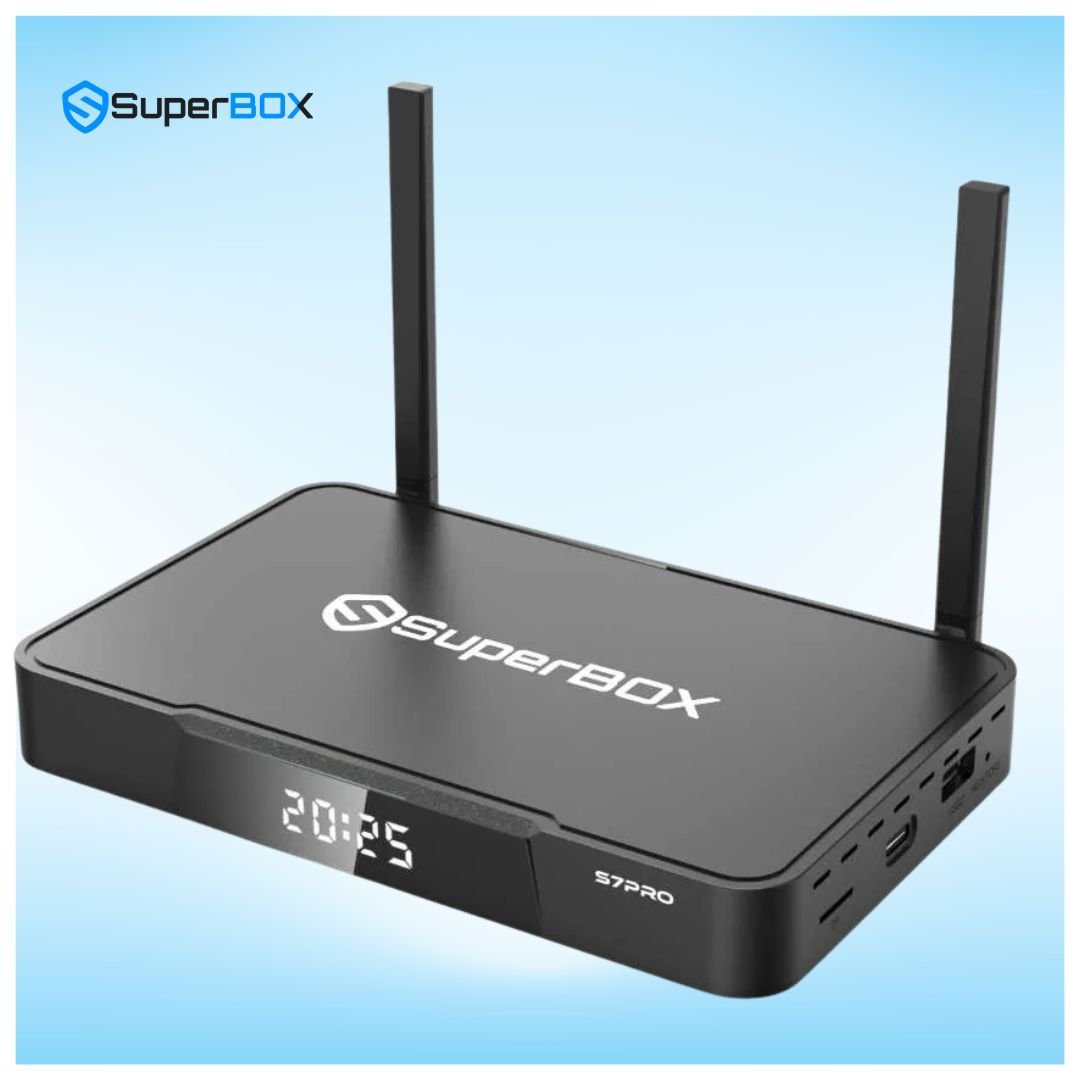
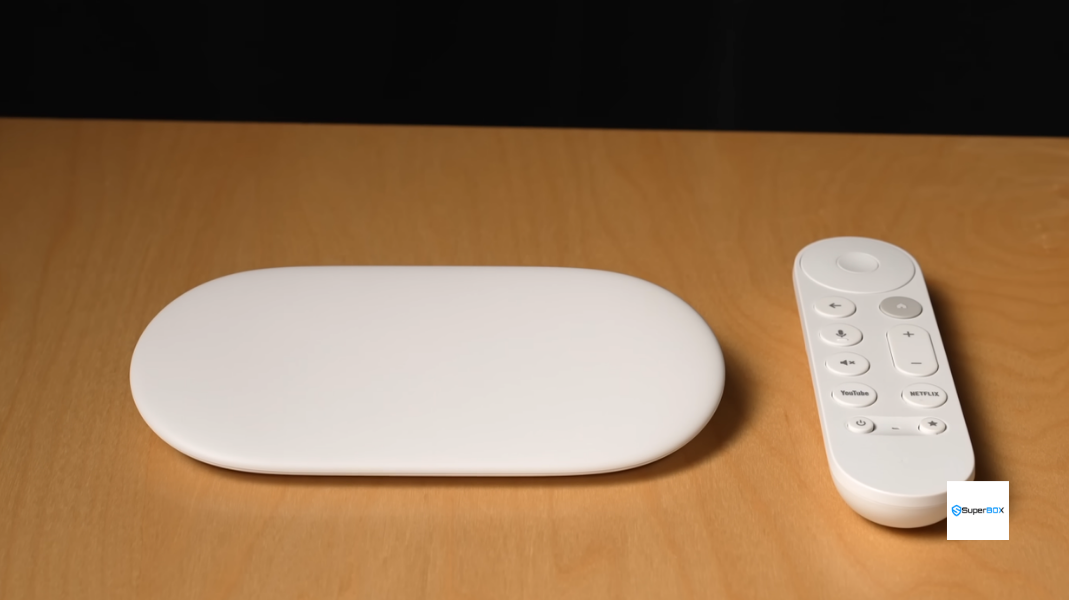
| Form Factor | Low-Profile Wedge Desktop | Set-Top Box with External Antennas | S7 Pro provides superior ventilation and RF reception |
| Processor (SoC) | MediaTek MT8696 Quad-Core | Quad-Core 64-bit ARM Cortex | Both decode 4K 60fps HDR10+ and Dolby Vision |
| System Memory (RAM) | 4GB LPDDR4 | 4GB DDR3 High-Bandwidth | Both feature 4GB RAM for fluid multitasking |
| Internal Storage | 32GB Flash (~24GB usable) | 32GB eMMC (~23GB usable) | S7 Pro supports direct USB drive expansion |
| Wireless Connectivity | Wi-Fi 5 (802.11ac), Internal Antennas | Wi-Fi 6 (802.11ax), Dual External Antennas | S7 Pro Wi-Fi 6 offers lower latency and better wall penetration |
| Wired Network Port | 1000M Gigabit Ethernet RJ45 | 1000M Gigabit Ethernet RJ45 | Both provide true gigabit low-jitter wired connections |
| Operating System | Google TV (Android 14) | Android 12 + Blue OS Engine | Google TV is ad-heavy; S7 Pro is completely ad-free |
| Smart Home Integration | Thread Border Router + Matter Hub | Google Assistant Voice Support | Google TV acts as an automated smart home hub |
| Live Channels Included | FAST Channels Only (Pluto, Tubi) | 2,000+ Live Sports, News & Premium Cable | S7 Pro provides turnkey live sports and cable networks |
The Subscription Economics: Understanding Total Cost of Ownership
The upfront price tag of $99.99 makes the Google TV Streamer appear budget-friendly. However, Google TV is designed primarily as a subscription portal. While it aggregates free ad-supported channels (FAST) from Pluto TV and Tubi, FAST channels consist largely of syndicated sitcom reruns, B-tier movies, and national news headline loops interrupted by frequent unskippable commercials. They do not broadcast live local NFL, NBA, MLB, or NHL games, nor do they carry premium cable channels like HBO, Showtime, ESPN, or Fox Sports.
To enjoy authentic live television on the Google TV Streamer, users must subscribe to a live TV provider like YouTube TV ($79.99/mo) or Hulu + Live TV ($76.99/mo). Over a 24-month span, subscription overhead dwarfs the initial hardware expense:
| Expense Category | Google TV Streamer + Live TV Plan | SuperBox S7 Pro Standalone |
|---|---|---|
| Initial Hardware Cost | $99.99 | $305.00 (One-Time) |
| Year 1 Live TV Subscriptions | $959.88 ($79.99/mo x 12) | $0.00 (Included) |
| Year 2 Live TV Subscriptions | $959.88 ($79.99/mo x 12) | $0.00 (Included) |
| Sports Package Add-ons | $240.00 ($20.00/mo x 12) | $0.00 (Included) |
| Cloud DVR Rental Fees | $0.00 (Included in YouTube TV) | $0.00 (7-Day Playback Included) |
| 2-Year Total Investment | $2,259.87 | $305.00 |
| Net Consumer Savings | $0.00 (Baseline) | $1,954.87 Total Savings |
Hardware & Networking: Wi-Fi 6 with Dual External Antennas vs. Wi-Fi 5 Internal
One surprising hardware compromise in the Google TV Streamer is its wireless transceiver: it incorporates Wi-Fi 5 (802.11ac) utilizing internal printed antennas. While adequate for compressed 4K streams from Netflix or Amazon Prime Video, Wi-Fi 5 lacks modern spatial management protocols like Orthogonal Frequency-Division Multiple Access (OFDMA).
The SuperBox S7 Pro integrates full Wi-Fi 6 (802.11ax) architecture paired with dual external high-gain omnidirectional antennas. In real-world living rooms, dual external antennas elevate the radio frequency transceiver away from television electromagnetic interference, improving signal capture by up to 50%. Combined with Wi-Fi 6’s superior multi-client handling, the S7 Pro maintains consistent packet pacing during high-bitrate 60fps live sports broadcasts. Both devices feature 1000M Gigabit Ethernet ports for uncompromised hardwired stability.
Thermal Engineering & Continuous 4K Sports Stability: Passive Airflow vs. Compact Wedge
Long-session streaming introduces substantial thermal loads on media decoders. The Google TV Streamer utilizes a compact, low-profile wedge chassis crafted from recycled plastic composites. While aesthetically minimalist on a media console, the dense plastic housing relies on bottom micro-perforations for passive cooling. During extended 4K live sports playback exceeding four hours, internal component temperatures can rise, occasionally causing minor background app evictions to prioritize video decoding.
The SuperBox S7 Pro is built inside a roomier set-top chassis with dedicated airflow vents along the chassis perimeter and underside. Rubber riser feet elevate the device by 4mm above media surfaces, allowing cool intake air to circulate across the internal aluminum heatsink. During an eight-hour continuous streaming stress test, the S7 Pro stabilized at an operating temperature between 42°C and 45°C. This thermal headroom ensures zero frame drops, smooth UI responsiveness, and prolonged hardware component life over years of daily usage.
User Interface: Ad-Supported Recommendations vs. Clean Blue TV Launcher
The Google TV interface is designed to maximize subscription engagement and ad clicks. The top half of the screen features auto-playing video trailers, sponsored product carousels, and content recommendations curated by Google’s Gemini algorithms. While visually slick, finding specific live channels requires clicking through multiple sub-menus or navigating third-party app interfaces.
The SuperBox S7 Pro runs an unencumbered, clean Android 12 launcher completely free of commercial advertisements. The interface centers around dedicated primary tiles: Blue TV for live broadcast television, Blue VOD for on-demand cinema, and Playback for 7-day time shift archives. Additionally, it features the Backup TV app, serving as a reliable secondary backup option to ensure uninterrupted streaming whenever Blue TV or Blue VOD undergoes maintenance or temporary outages. Channels are indexed logically by genre and region, and the RC-200 remote includes physical numeric buttons, allowing instant channel jumping just like traditional television.
The Catch-Up Advantage: 7-Day Live Playback vs. Cloud DVR
On mainstream streaming services, recording a live show requires setting up scheduled DVR timers before the program begins. If you forget to set the recording or a football game goes into overtime, the recording may be incomplete or missed entirely.
The SuperBox S7 Pro eliminates this friction through its integrated 7-Day Playback feature. SuperBox cloud server clusters record and store 168 continuous hours of broadcast content across hundreds of major sports, news, and entertainment networks. You can open the Playback app, scroll back across the past seven days, and instantly watch any game, documentary, or prime-time episode without manual recording setup.
Step-by-Step Guide: How to Transition from Google TV to SuperBox S7 Pro
Upgrading your entertainment setup from Google TV to the SuperBox S7 Pro is straightforward and takes only a few minutes:
Step 1: Unbox Hardware and Confirm Genuine Security Seals
Inspect the bottom label of the S7 Pro to confirm the presence of authentic serial barcodes and tamper-resistant holographic stickers. Purchasing through authorized distributors ensures uninterrupted lifetime server access.
Step 2: Connect High-Speed HDMI Cable Directly to a 4K TV Port
Plug the included high-speed HDMI cable into an HDMI 2.0 or 2.1 port on your display. Connect the power supply to a wall outlet or surge protector and power on the box.
Step 3: Connect to High-Speed Gigabit LAN or 5GHz Wi-Fi 6
Connect a Cat6 network cable into the 1000M RJ45 port for the ultimate zero-jitter streaming experience. If utilizing wireless, orient both external antennas vertically and connect to your router’s 5GHz Wi-Fi 6 network.
Step 4: Pair Bluetooth Voice Remote and Configure TV IR Power Keys
Insert two AAA batteries into the RC-200L remote. Hold the Home and OK keys simultaneously until the blue indicator illuminates to complete Bluetooth pairing. Use the infrared learning keys at the top of the remote to control your television’s power and volume.
Step 5: Launch SuperBox App Store and Install Blue TV and Blue VOD
From the main home dashboard, click on the SuperBox App Store icon. Download and install Blue TV, Blue VOD, and the Playback app. Grant all requested system permissions upon completion.
Step 6: Fine-Tune Resolution, Frame Rate, and Hardware Decoding
Navigate to Settings > Display and ensure resolution is set to 3840x2160p 60Hz. Open Blue TV, press Menu, and verify that stream decoding is configured to Hardware Plus (HW+) for accelerated H.265 decompression.
Step 7: Configure Regional EPG Time Zone and Setup Favorite Channels
Open app settings and set your home time zone to synchronize the Electronic Program Guide with live air times. Long-press OK on your favorite sports and news channels to create a customized Favorites row for instant one-click access.
Frequently Asked Questions
1. Can I install Google Play Store apps on the SuperBox S7 Pro?
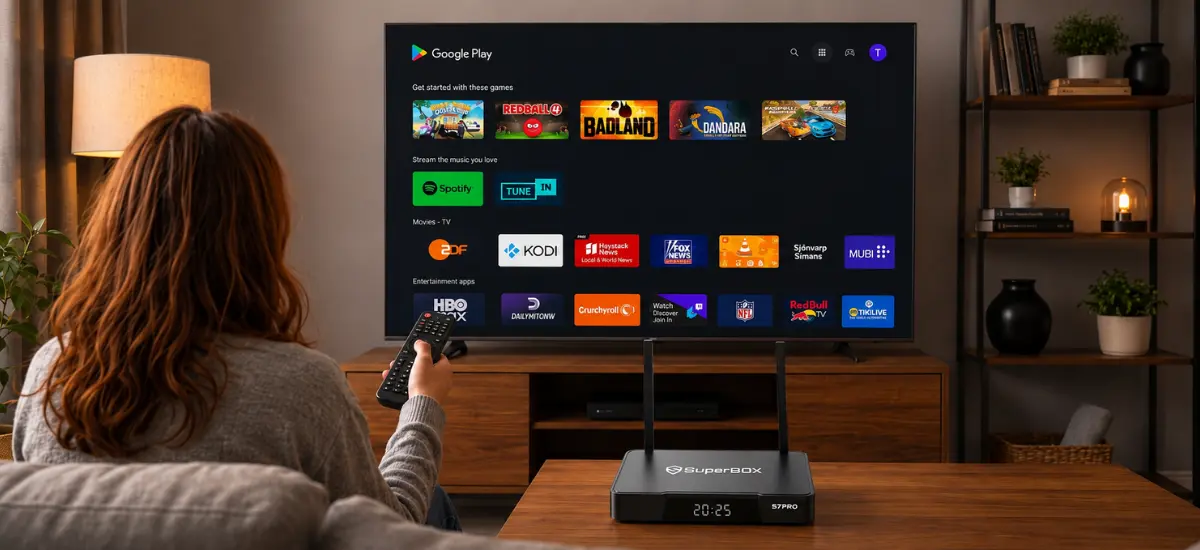
Yes. The SuperBox S7 Pro runs full Android 12 with official Google Play Store certification. You can log into your Google account and download streaming apps, web browsers, media players like VLC and Kodi, and casual Android games.
2. Does the SuperBox S7 Pro require any monthly subscription fees?
No. The SuperBox S7 Pro ($305.00) requires only a one-time hardware purchase. All 2,000+ live sports and news channels, on-demand movies, pay-per-view events, and 7-day cloud playback features are fully accessible without monthly subscription bills, contracts, or renewal fees.
3. Why does the S7 Pro have external antennas while Google TV does not?
External high-gain antennas capture wireless signals above media cabinet obstructions and avoid electromagnetic interference generated by modern televisions. This provides higher Wi-Fi gain, lower jitter, and superior stability during high-bandwidth 4K live broadcasts.
4. Can I control smart home devices with the SuperBox S7 Pro?
While the Google TV Streamer includes a built-in Thread border router and Matter hub specifically for IoT smart devices, the SuperBox S7 Pro focuses primarily on television entertainment. You can install Google Home or smart home management APKs from the Play Store, but it is not intended to act as a standalone Matter hardware coordinator.
5. Can I plug a USB flash drive or SSD into the SuperBox S7 Pro?
Yes. The S7 Pro features full-sized USB ports and a TF/microSD card slot, allowing plug-and-play playback of local video, music, and photo collections via VLC or Kodi. The Google TV Streamer only has a single USB-C port that is primarily used for power and requires external splitters for storage expansion.
6. How much internet speed is needed for the SuperBox S7 Pro?
We recommend a stable broadband connection of at least 25 Mbps to 30 Mbps for standard HD channels, and 50 Mbps to 100 Mbps for smooth 4K 60fps live sports. Using a wired Gigabit Ethernet connection or 5GHz Wi-Fi ensures optimal stream fidelity.
7. What warranty coverage comes with the SuperBox S7 Pro?
Authentic SuperBox hardware purchased from our authorized store includes an official 1-year manufacturer hardware warranty and dedicated 24/7 technical customer support for firmware updates and software guidance.
8. Is the internal storage on the SuperBox S7 Pro expandable?
Yes. In addition to its 32GB of internal eMMC flash storage, you can insert a microSD card or connect an external USB hard drive up to 2TB to store media, recordings, or sideloaded APK files.
9. How does the S7 Pro compare to the newer SuperBox S8 series?
The newer SuperBox S8 series (S8 Pro at $359.00 and S8 Max at $399.00) introduces an upgraded AI Voice Engine, dedicated TV Recorder app, and refreshed industrial design. However, the S7 Pro ($305.00) shares identical 4GB RAM, Wi-Fi 6, 1000M LAN, and live channel access, making it an exceptional high-performance value for cord-cutters.
The article was updated on:
