
Knowledge SuperBox
What Is Wi-Fi 6? Complete Guide to Wireless Streaming





Wi-Fi 6, technically designated as IEEE 802.11ax, represents the sixth generation of wireless local area network technology, engineered specifically to enhance network efficiency, increase data throughput, and reduce latency in high-density smart home environments where multiple connected devices compete for wireless bandwidth. At SuperBox TV Box Store, we regard Wi-Fi 6 as one of the most critical hardware advancements built into the flagship SuperBox S8 Ultra and SuperBox S8 Max consoles, ensuring that high-bitrate 4K and 6K live sports broadcasts stream smoothly without buffering pauses or packet dropouts.
Here is what you need to know about Wi-Fi 6 technology at a glance:
- It delivers theoretical maximum wireless speeds of up to 9.6 Gigabits per second, representing a 37 percent speed increase over Wi-Fi 5.
- It utilizes Orthogonal Frequency-Division Multiple Access (OFDMA) to communicate with dozens of smart home devices simultaneously without queuing lag.
- It incorporates 1024-QAM modulation, packing 25 percent more data into each transmitted radio wave symbol.
- It features BSS Coloring technology to eliminate co-channel interference from neighboring apartment or residential Wi-Fi networks.
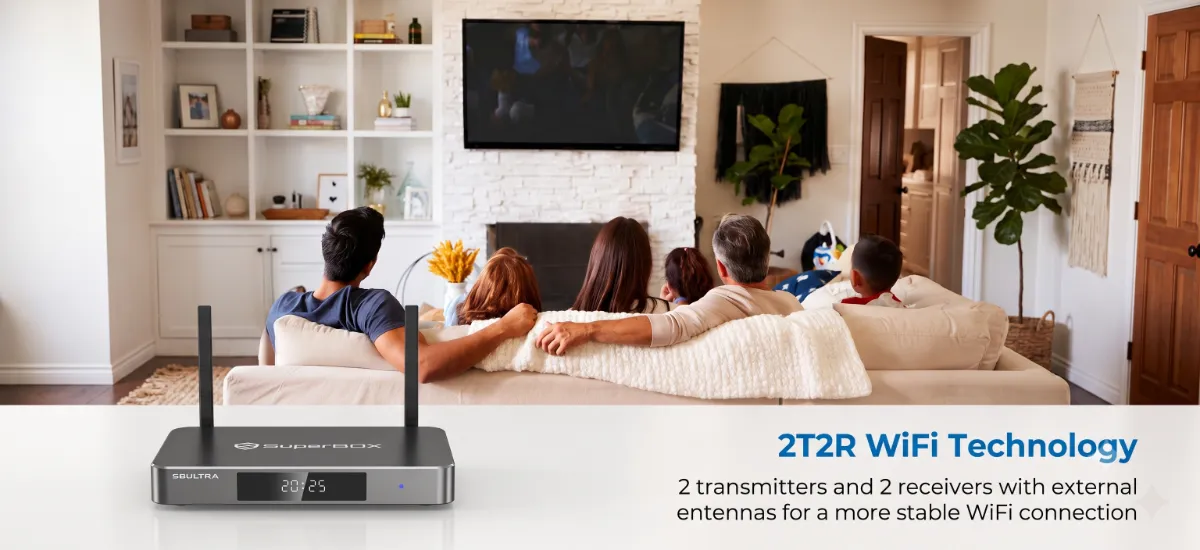
- On SuperBox hardware, Wi-Fi 6 pairs with high-gain 2T2R dual external antennas to maintain stable multi-room connections through walls and obstacles.
Defining Wi-Fi 6 ?
Wi-Fi 6 represents a fundamental philosophical shift in wireless engineering. While previous wireless standards prioritized raw top-speed benchmarks measured in laboratory conditions with a single connected device, Wi-Fi 6 prioritizes real-world network efficiency across crowded household environments.
In 2018, the Wi-Fi Alliance streamlined the technical terminology by replacing convoluted IEEE naming conventions (such as 802.11b, 802.11g, 802.11n, and 802.11ac) with intuitive consumer numbers. Under this unified framework, 802.11n became Wi-Fi 4, 802.11ac became Wi-Fi 5, and 802.11ax became Wi-Fi 6.
The 5 Core Technologies Powering Wi-Fi 6 Performance
Wi-Fi 6 achieves superior data throughput and consistency through five foundational radio frequency engineering innovations. These technologies work concurrently within your wireless router and SuperBox receiver to prevent buffer freezes during critical viewing moments.
Orthogonal Frequency-Division Multiple Access (OFDMA): Traditional wireless standards dedicate an entire radio frequency channel to a single transmission, regardless of whether you are downloading a massive 4K movie or sending a simple text message. With OFDMA technology, Wi-Fi 6 subdivides individual frequency channels into smaller sub-carriers called resource units. A single transmission burst can carry data packets for your SuperBox media console, a nearby smartphone, and a smart thermostat simultaneously, slashing transmission latency by up to 75 percent.
Multi-User, Multiple-Input, Multiple-Output (MU-MIMO): While Wi-Fi 5 introduced downlink MU-MIMO, Wi-Fi 6 expands this architecture into bidirectional 8×8 MU-MIMO technology across both uploading and downloading. This allows wireless access points to communicate with up to eight independent devices concurrently on dedicated spatial streams, preventing bandwidth contention during peak evening viewing hours.
1024-QAM (Quadrature Amplitude Modulation): QAM refers to how digital data is encoded into analog radio frequency waves. Wi-Fi 5 utilizes 256-QAM, encoding 8 bits of data per transmission cycle. Wi-Fi 6 upgrades this encoding to 1024-QAM, packing 10 bits of raw information into each radio wave symbol. This 25 percent density increase yields substantially higher raw data throughput across both 2.4 GHz and 5 GHz frequency bands.
BSS Coloring (Basic Service Set Coloring): In dense urban apartments or suburban neighborhoods, adjacent wireless routers broadcasting on the same channel frequently force your devices to pause transmission to avoid collisions.
BSS Coloring assigns a unique digital numerical color tag to every network packet. Your SuperBox console recognizes its home network color tag and immediately ignores foreign radio chatter, preventing phantom buffering caused by your neighbor’s streaming habits.
Target Wake Time (TWT): Wi-Fi 6 includes Target Wake Time protocols that negotiate precise transmission schedules between wireless clients and the access point. Instead of keeping the wireless receiver constantly powered and listening, the hardware sleeps between planned data transfers, reducing thermal buildup and prolonging console hardware longevity.
Generational Comparison: Wi-Fi 6 vs Wi-Fi 5 vs Wi-Fi 4 vs Gigabit Ethernet
Understanding the performance metrics of modern wireless standards helps cord-cutters evaluate their home network infrastructure and select the right connection type for their television viewing needs.
Why Wi-Fi 6 Is Crucial for Cord-Cutters and SuperBox Streaming
For dedicated cord-cutters streaming live television through the Blue TV streaming application or on-demand content through Blue VOD, network stability is far more important than raw speed. A 4K video stream only requires roughly 25 to 35 Mbps of sustained bandwidth, but it requires that data to arrive continuously without sudden micro-drops or packet jitter.
During high-profile live sporting competitions, such as the Super Bowl or international soccer finals, streaming servers deliver massive transport streams. If your wireless network hiccups for even 200 milliseconds, your player will pause to refill its buffer cache, spoiling dramatic live moments. Wi-Fi 6 eliminates this vulnerability by stabilizing the connection link.
Furthermore, when utilizing advanced interactive features like the time shift feature or the live rewind feature, your SuperBox console requests historical video chunks rapidly from cloud CDN edge caches. Wi-Fi 6 provides the low-latency channel access needed to reconstruct video timelines in under one second.
Step-by-Step Guide: How to Connect and Optimize Wi-Fi 6 on SuperBox?
Step 1: Position Your SuperBox Console for Optimal Wireless Line-of-Sight
Place your SuperBox console in an open location on your entertainment stand rather than tucking it inside closed metal cabinets. Adjust both external antennas so they point vertically upward or at a slight 45-degree angle. This orientation aligns the antenna radiation pattern with your home router signals.
Step 2: Access Network and Internet Settings on Android TV Home Screen
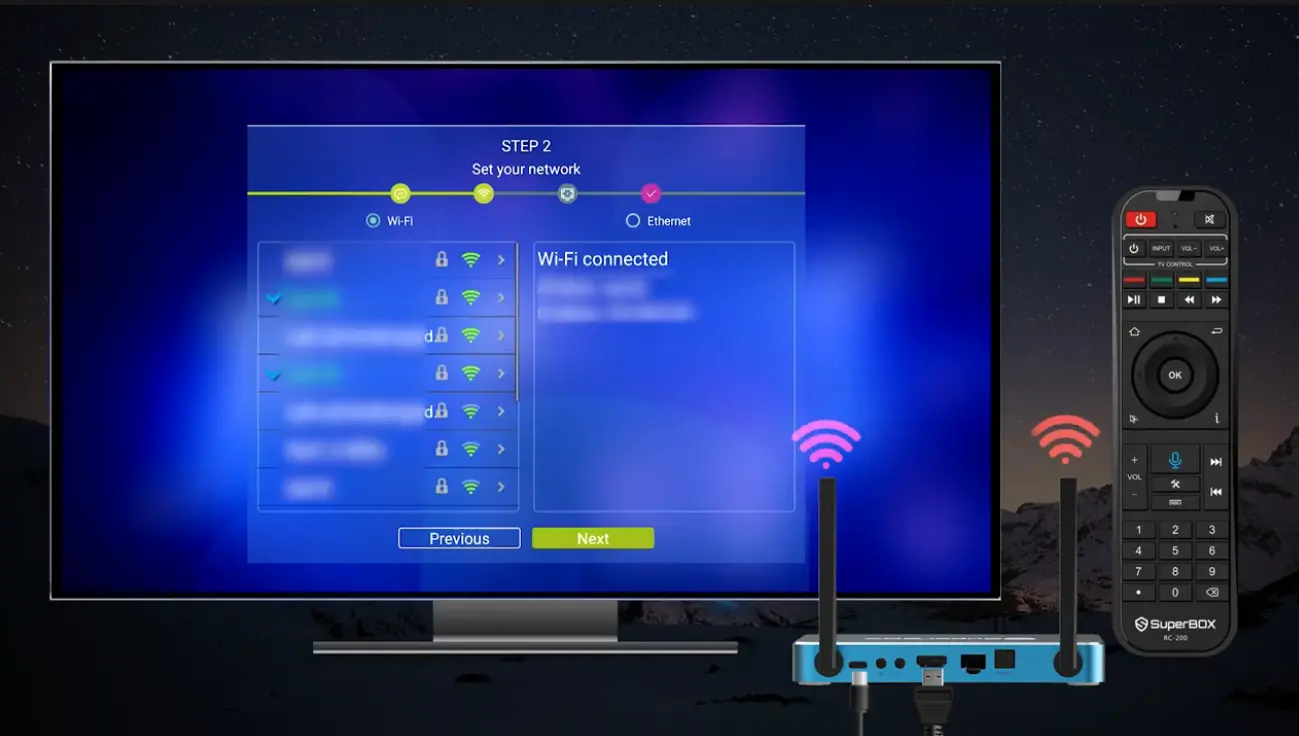
Power on your television display and SuperBox console. From the primary launcher screen, select the Settings gear icon located in the upper-right corner. In the settings sidebar, click on Network & Internet to open wireless scanning.
Step 3: Scan and Select Your Dedicated 5 GHz Wi-Fi 6 SSID Network
Enable the Wi-Fi toggle switch and allow the console to populate available nearby networks. Locate your home network name. If your router broadcasts separate 2.4 GHz and 5 GHz network names, select the 5 GHz Wi-Fi 6 SSID for superior bandwidth.
Step 4: Enter Encryption Passcode and Verify WPA3 Security Protocol
Use the on-screen keyboard and your SuperBox voice remote to enter your Wi-Fi password carefully. Wi-Fi 6 hardware supports modern WPA3 personal security encryption alongside backward-compatible WPA2 protocols. Select the checkmark button to initiate authentication.
Step 5: Run In-App Network Diagnostic Test to Confirm Low Latency
Once the system displays Connected Successfully, open the built-in Network Test utility or launch Blue TV. Verify that your connection registers signal strength above 80 percent, download speeds above 50 Mbps, and ping latency under 20 milliseconds.
Hardware Integration
Most consumer streaming dongles and compact media sticks conceal miniature internal ceramic antennas inside their plastic casing. When placed directly behind heavy metal smart televisions, these internal antennas suffer from signal blockage and thermal throttling.
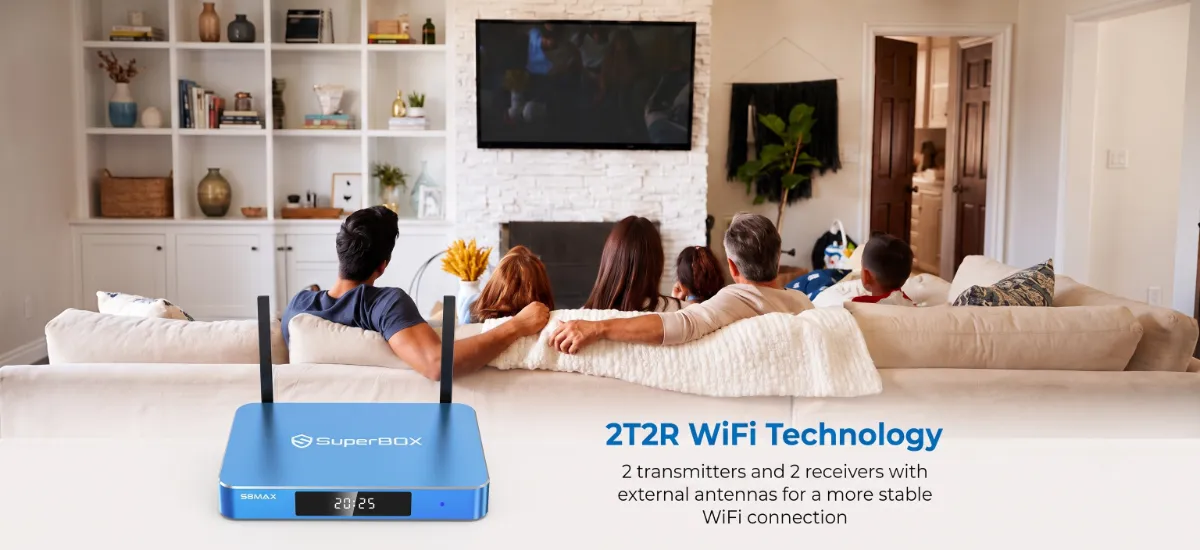
SuperBox engineers addressed this challenge on the flagship SuperBox S8 Ultra and SuperBox S8 Max by incorporating a 2T2R (2 Transmit, 2 Receive) dual external antenna array. This architecture provides tangible reception advantages:
- Dual Spatial Stream Reception: Two distinct physical antennas transmit and receive independent data streams simultaneously, doubling wireless throughput compared to 1T1R hardware.
- Dynamic Beamforming Support: The console hardware coordinates with Wi-Fi 6 routers to focus directional radio beams toward the television box rather than broadcasting in an unfocused sphere.
- Enhanced Wall Penetration: High-gain 5dBi external antennas capture faint 5 GHz signals across household walls, ensuring stable streaming in bedrooms or basements far from the central router.
Wi-Fi 6 vs Wired Gigabit Ethernet Which Connection Is Best for Your Setup?
While Wi-Fi 6 provides exceptional wireless performance that surpasses older cable standards, many home theater enthusiasts wonder whether wireless can truly replace a hardwired Ethernet connection.
Wired Gigabit Ethernet remains the absolute gold standard for zero-latency entertainment. Because physical copper Cat6 cables transmit electrical signals directly, they are 100 percent immune to radio frequency interference, household microwave disruption, and thick concrete walls. If your television console is situated within five feet of your home router, connecting via Gigabit Ethernet delivers an unbeatable jitter-free link.
However, running physical network cables through living room walls, ceilings, and hallways is impractical for many households and apartment renters. In these scenarios, Wi-Fi 6 is the premier wireless alternative. With OFDMA and sub-10ms transmission latency, a properly configured Wi-Fi 6 connection delivers over 95 percent of the stability of a physical Ethernet cable.
Troubleshooting Common Wi-Fi 6 Connection and Speed Issues
If you ever experience wireless connection drops, low download speeds, or intermittent video buffering, use these proven diagnostic steps to optimize your Wi-Fi 6 connection.
- Resolving Router Band-Steering Conflicts: Many modern mesh routers merge 2.4 GHz and 5 GHz bands under a single network name and attempt to steer devices automatically. If your SuperBox accidentally connects to the slower 2.4 GHz band, log into your router administration portal and create a dedicated 5 GHz SSID for streaming devices.
- Changing Congested Wi-Fi Channels: If neighbors operate routers on the same wireless frequency, channel congestion can degrade throughput. Use a Wi-Fi analyzer smartphone application to identify quiet channels (such as channels 36, 40, 44, or 48 on 5 GHz) and configure your router to use them permanently.
- Repositioning External Antennas: Never leave your SuperBox external antennas folded horizontally against the console chassis. Position one antenna straight up and angle the second antenna at roughly 45 degrees to maximize signal polarization and multi-path diversity.
Flushing Network Cache and Restarting: If the console encounters an authentication hang, navigate to Settings > Apps > System > Network Service, select Clear Cache, power off your home router for thirty seconds, and restart your SuperBox to acquire a fresh DHCP IP address.
Frequently Asked Questions About Wi-Fi 6
What is the main difference between Wi-Fi 5 and Wi-Fi 6?
While Wi-Fi 5 focuses primarily on peak speed on single devices, Wi-Fi 6 introduces OFDMA, 1024-QAM, and bi-directional MU-MIMO to handle multiple devices simultaneously, reducing network congestion and cutting latency by up to 75 percent.
Does SuperBox S8 support Wi-Fi 6?
Yes, flagship models in the SuperBox S8 lineup, including the SuperBox S8 Ultra and SuperBox S8 Max, feature built-in Wi-Fi 6 hardware complemented by high-gain 2T2R dual external antennas.
Do I need a Wi-Fi 6 router to use a SuperBox?
No, Wi-Fi 6 hardware on SuperBox is completely backward compatible with older Wi-Fi 5 (802.11ac) and Wi-Fi 4 (802.11n) routers. However, to unlock the full efficiency and speed benefits of Wi-Fi 6, pairing the console with a Wi-Fi 6 router is recommended.
Can Wi-Fi 6 prevent buffering during live sports streaming?
Yes, Wi-Fi 6 minimizes packet loss and transmission queuing. By dedicating resource units specifically to your SuperBox stream through OFDMA, it prevents buffering caused by other household devices downloading large files.
Is Wi-Fi 6 fast enough for 4K and 6K HDR streaming?
Yes, Wi-Fi 6 easily delivers sustained real-world wireless speeds between 300 Mbps and 800 Mbps in household environments, which exceeds the 25 to 50 Mbps bandwidth requirement for high-bitrate 4K and 6K HDR video streams.
What is 2T2R Wi-Fi on SuperBox?
2T2R stands for 2 Transmit, 2 Receive. It means the SuperBox hardware features two distinct physical antenna transmission chains that send and receive data simultaneously, doubling throughput and improving wall penetration compared to basic single-antenna designs.
Is wired Ethernet still better than Wi-Fi 6?
Direct Cat6 Gigabit Ethernet remains slightly superior because physical cables are completely immune to wireless radio interference. However, Wi-Fi 6 delivers the closest wireless performance to Ethernet ever achieved, making it ideal when cabling is impractical.
What is BSS Coloring in Wi-Fi 6?
BSS Coloring is a frequency-reuse technology that assigns a digital color tag to your wireless data packets. It allows your SuperBox to ignore radio signals from neighboring Wi-Fi networks operating on the same frequency channel, eliminating co-channel interference.
Does Wi-Fi 6 improve the range of my wireless signal?
Yes, Wi-Fi 6 improves range and coverage, particularly when paired with high-gain external antennas and beamforming technology that focuses radio signals directly toward your streaming console rather than radiating indiscriminately.
How do I check if my SuperBox is connected via Wi-Fi 6?
Navigate to Settings > Network & Internet on your SuperBox console and select your connected network. Under network details, the system will display the active protocol (802.11ax or Wi-Fi 6) along with connection speed and signal strength.
The article was updated on:
