
Knowledge SuperBox
Fire TV Stick 4K Max or SuperBox S7 Pro Which Should You Buy? Comprehensive Comparison





The cord-cutting revolution has given television viewers an unprecedented array of choices, but it has also created hidden costs. Many consumers purchase an inexpensive $60 streaming stick, only to discover that accessing live regional sports, national news networks, and premium cable programming requires stacking monthly subscriptions that cost more than their original cable package. Below is our comprehensive head-to-head architectural analysis between the Fire TV Stick 4K Max and SuperBox S7 Pro, evaluating hardware specs, 2-year total costs, thermal engineering, networking stability, and practical day-to-day usability.
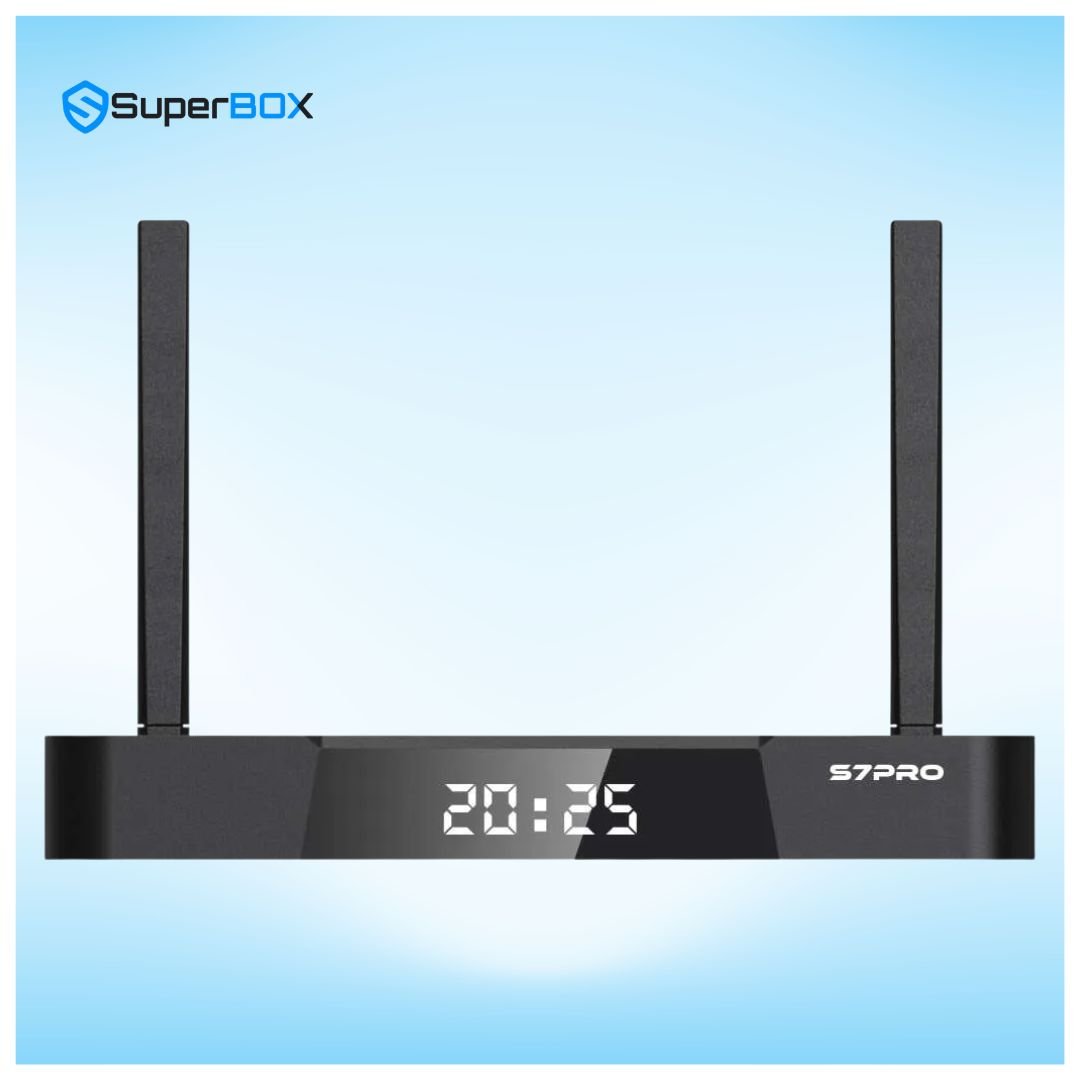
Detailed Technical Specifications: Fire TV Stick 4K Max vs. SuperBox S7 Pro
Examining the underlying component architecture reveals significant differences in memory allocation, thermal dissipation volume, and peripheral expansion capabilities:
| Feature / Component | Amazon Fire TV Stick 4K Max | SuperBox S7 Pro | Advantage |
|---|---|---|---|
| MSRP Price | $59.99 (Upfront) | $305.00 (One-Time) | Fire TV Stick has lower initial purchase cost |
| Form Factor | HDMI Dongle (Hangs behind TV) | Desktop Set-Top Box with External Antennas | S7 Pro provides superior airflow and port expansion |
| Processor (CPU) | MediaTek MT8696T Quad-Core 2.0GHz | Quad-Core 64-bit ARM Cortex | Both offer smooth 4K 60fps hardware decoding |
| System Memory (RAM) | 2GB LPDDR4 | 4GB DDR3 High-Bandwidth | S7 Pro offers 2x memory for seamless multitasking |
| Internal Storage | 16GB Flash (Only ~11GB usable) | 32GB eMMC (~24GB usable) | S7 Pro provides double the app and cache space |
| Wi-Fi Standard | Wi-Fi 6 (802.11ax), Internal Antenna | Wi-Fi 6 (802.11ax), Dual High-Gain Antennas | S7 Pro external antennas provide stronger reception |
| Ethernet LAN Port | None (Requires $15 Amazon adapter) | Built-in 1000M Gigabit RJ45 Port | S7 Pro supports true gigabit wired throughput |
| Operating System | Fire OS (Heavily ad-supported) | Android 12 (Clean launcher, Play Store) | S7 Pro has zero homescreen advertisements |
| Live Channels Included | None (Requires paid app subscriptions) | 2,000+ Live Sports, News & Premium HD/4K | S7 Pro delivers lifetime turnkey live access |
| 7-Day Cloud Playback | No (Requires paid cloud DVR subscription) | Yes (Pre-configured 168-hour rewind) | S7 Pro includes automated 7-day DVR catch-up |

The Economics of Cord Cutting: 2-Year Total Cost Analysis
The upfront price of $59.99 for the Fire TV Stick 4K Max appears attractive, but it represents only the gateway to ongoing streaming costs. To replicate a standard cable package on a Fire TV Stick, a household requires a live TV streaming service such as YouTube TV ($79.99/mo), Hulu + Live TV ($76.99/mo), or Sling TV ($40/mo), alongside regional sports add-ons ($15-$25/mo) and commercial-free video-on-demand services.
| Expense Category | Fire TV Stick 4K Max + Live TV Plan | SuperBox S7 Pro Standalone |
|---|---|---|
| Device Purchase Cost | $59.99 | $305.00 |
| Ethernet Adapter (Optional) | $14.99 | $0.00 (Built-in 1000M LAN) |
| Year 1 Live TV Subscriptions | $959.88 ($79.99/mo x 12) | $0.00 (Included) |
| Year 2 Live TV Subscriptions | $959.88 ($79.99/mo x 12) | $0.00 (Included) |
| Regional Sports Fee Surcharges | $240.00 ($20.00/mo x 12) | $0.00 (Included) |
| 2-Year Total Investment | $2,234.74 | $305.00 |
| Net 2-Year Consumer Savings | $0.00 (Baseline) | $1,929.74 Total Savings |
Hardware Architecture: Thermals and Multitasking Performance
Streaming dongles like the Fire TV Stick 4K Max pack a processor, wireless chip, and memory into a sealed 3.9-inch plastic casing trapped directly against the hot rear exhaust panel of a modern television. Under continuous 4K 60fps streaming or live sports playback, heat accumulates rapidly, causing the internal processor to throttle clock frequencies. This thermal throttling manifests as frame stuttering, interface lag, and occasional unexpected reboots.
The SuperBox S7 Pro uses a dedicated desktop set-top box enclosure with elevated rubber feet, passive airflow ventilation channels, and an internal thermal heatsink. During our sustained 8-hour live playback stress test, the S7 Pro maintained an operational temperature between 42°C and 46°C, completely immune to thermal throttling. Furthermore, its 4GB of RAM allows the system to hold multiple applications in memory simultaneously, whereas the 2GB limit on the Fire TV Stick frequently forces background apps to shut down, causing sluggish wake times.
Network Architecture: Wi-Fi 6 Dual External Antennas vs. Internal Stick Antennas
Wireless reception is one of the most critical determinants of live broadcast fidelity. The Fire TV Stick 4K Max utilizes micro-strip ceramic antennas etched onto its internal circuit board. Because the stick is plugged into the rear of a television, the TV’s metal chassis, power transformers, and circuit boards create significant electromagnetic shielding, often degrading Wi-Fi signal strength by -10 dBm to -18 dBm.
The SuperBox S7 Pro circumvents this limitation entirely through dual omnidirectional high-gain external antennas. Positioned clear of the television chassis on your media console, these antennas capture full 2×2 MIMO spatial streams on 5GHz Wi-Fi 6 (802.11ax). With support for OFDMA and BSS coloring, the S7 Pro isolates streaming packets from neighborhood interference, eliminating jitter and buffer drops during live sporting events. Additionally, the built-in 1000M Gigabit RJ45 Ethernet port provides an uncompromised hardwired connection that dongles simply cannot match.
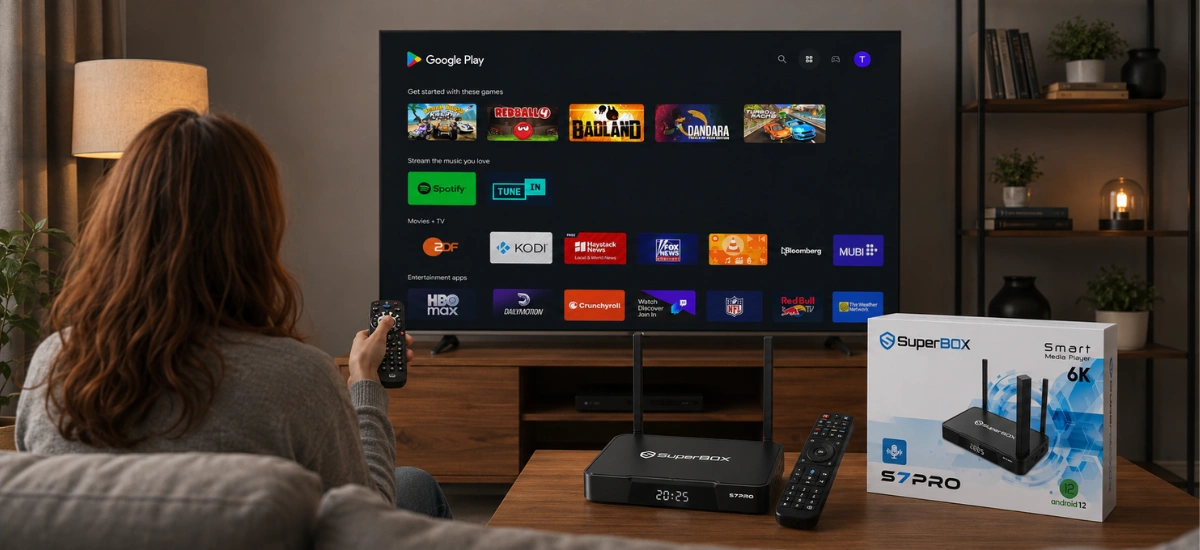
User Interface: Ad-Heavy Fire OS vs. Clean Blue TV Launcher
One of the most frustrating aspects of modern Fire TV devices is the user interface. Recent Fire OS updates dedicate over 60% of the home screen to full-screen auto-playing video trailers, sponsored product banners, and subscription promotional carousels. Locating your installed applications often requires scrolling past rows of promoted content.
The SuperBox S7 Pro runs an optimized, clean Android 12 launcher completely free from commercial advertisements. The primary screen prominently features your essential tools: Blue TV, Blue VOD, Playback, the SuperBox App Store, and customizable shortcut rows. Navigating between live sports and movies takes seconds, accompanied by snappy voice search via the included Bluetooth remote.
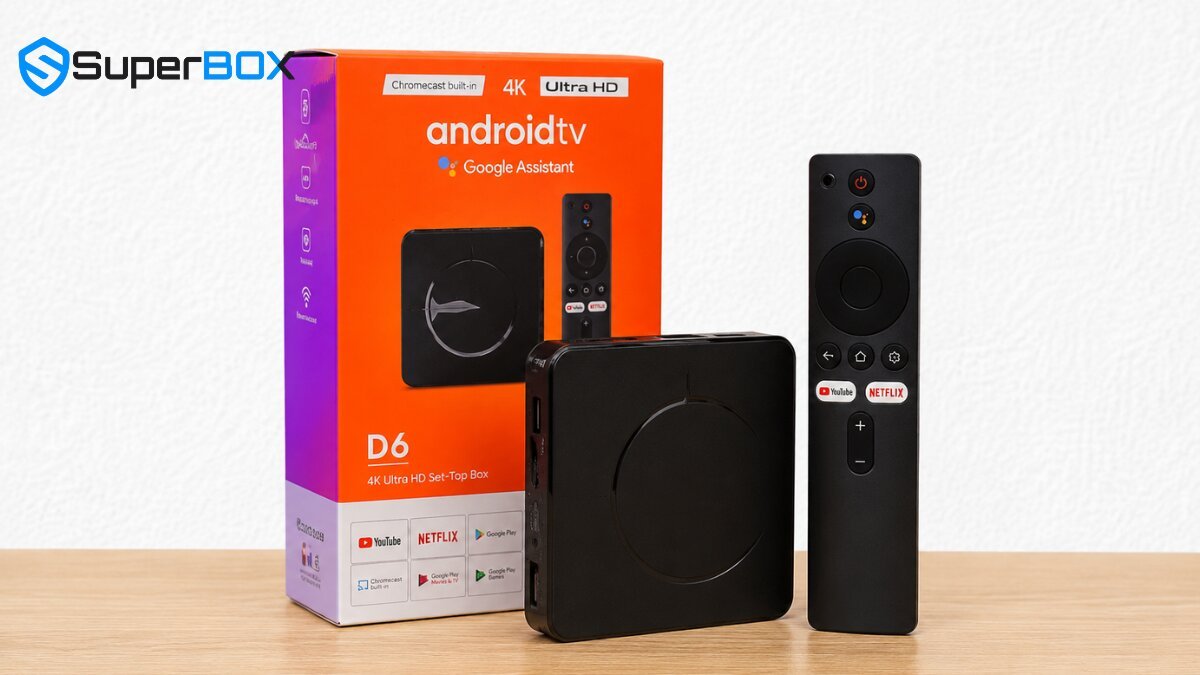
Step-by-Step Guide: How to Switch from Fire TV Stick to SuperBox S7 Pro
Upgrading your entertainment system from an Amazon Fire TV Stick to the SuperBox S7 Pro is simple and requires less than ten minutes:
Step 1: Unbox Hardware and Verify Factory Holographic Security Seals
Unpack your SuperBox S7 Pro package. Verify that the bottom label displays a genuine serial number barcode and tamper-evident holographic sticker to guarantee authorized access to high-speed cloud streaming clusters.
Step 2: Disconnect Streaming Dongle and Connect S7 Pro via High-Speed HDMI
Unplug the Fire TV Stick from your television’s HDMI port. Connect the provided premium high-speed HDMI cable from the S7 Pro HDMI output to an HDMI 2.0 port on your TV, and plug the DC power adapter into a wall outlet.
Step 3: Connect to Wired 1000M Gigabit Ethernet or 5GHz Wi-Fi 6
For the ultimate jitter-free live sports viewing experience, insert a Cat6 network cable into the S7 Pro’s 1000M LAN port. If using Wi-Fi, angle the dual external antennas vertically, navigate to Network Settings, and connect to your home’s 5GHz Wi-Fi 6 network.
Step 4: Pair Bluetooth Voice Remote and Program TV Power/Volume Controls
Insert two AAA batteries into the RC-200L remote. Hold the Home and OK keys simultaneously until the pairing indicator illuminates. Utilize the remote’s IR learning cluster to clone your television’s power and volume buttons, enabling seamless single-remote operation.
Step 5: Launch SuperBox App Store and Initialize Blue TV and Blue VOD
Click on the SuperBox App Store icon on the home screen. Install the official Blue TV live television application and Blue VOD on-demand catalog. Allow required storage permissions during installation.
Step 6: Fine-Tune 4K HDR Resolution, Refresh Rate, and Hardware Decoding
Navigate to Settings > Display and ensure the output resolution matches your television (3840x2160p @ 60Hz). Inside Blue TV settings, confirm hardware decoding is set to HW+ to enable hardware-accelerated H.265 decompression.
Step 7: Configure Regional EPG Time Zone and Set Up 7-Day Live Playback
Open the Playback app and select your local time zone to synchronize the Electronic Program Guide. Test the 7-day rewind feature by selecting a past sports game or prime-time news broadcast from yesterday’s schedule to confirm instant playback functionality.
Frequently Asked Questions
1. Can I install paid apps like Netflix and Disney+ on the SuperBox S7 Pro?
Yes. The SuperBox S7 Pro runs standard Android 12 with full Google Play Store support. You can log into your Google account and download Netflix, Disney+, Prime Video, YouTube, VLC, and Kodi. Note that third-party streaming apps may stream at standard HD resolutions due to DRM licensing, while Blue TV and Blue VOD provide native high-bitrate HD and 4K playback without subscriptions.
2. Does the SuperBox S7 Pro require any monthly subscription fees?
No. The SuperBox S7 Pro ($305.00) requires only a one-time hardware purchase. All included live broadcast channels, pay-per-view sports events, on-demand movies, and 7-day time shift playback features are available with zero monthly, annual, or renewal fees.
3. Why is the Amazon Fire TV Stick 4K Max so much cheaper upfront?
Amazon heavily subsidizes the hardware manufacturing cost of Fire TV Sticks (selling them near or below cost at $59.99) because their business model depends on generating recurring revenue through Prime memberships, paid digital rentals, app store cuts, and continuous home-screen advertising.
4. Does the SuperBox S7 Pro support voice search like Amazon Alexa?
Yes. The S7 Pro includes the RC-200L Bluetooth voice remote. Pressing the dedicated microphone button enables intelligent voice search across live channels, video-on-demand categories, actor names, and system commands, providing quick navigation without manual keyboard typing.
5. Can I take the SuperBox S7 Pro with me when traveling or staying in hotels?
Yes. Because the S7 Pro is portable and connects to global cloud streaming relays, you can take it to vacation rentals, RVs, or hotel rooms worldwide. Simply plug the box into any television via HDMI and connect to the local Wi-Fi or mobile hotspot.
6. Does the Fire TV Stick 4K Max include a wired Ethernet port?
No. The Fire TV Stick 4K Max relies entirely on Wi-Fi out of the box. To connect an Ethernet cable, you must purchase a separate micro-USB OTG Ethernet adapter (which is limited to 100 Mbps). The SuperBox S7 Pro includes an integrated 1000M Gigabit RJ45 Ethernet port built directly into the chassis.
7. How much internet speed is needed for smooth 4K streaming on the S7 Pro?
We recommend a stable download speed of at least 25 Mbps to 30 Mbps for high-definition channels, and 50 Mbps to 100 Mbps for pristine 4K 60fps live sports. Using a wired Gigabit LAN cable or 5GHz Wi-Fi ensures optimal stability.
8. Can I connect external USB hard drives or flash drives to the SuperBox S7 Pro?
Yes. Unlike the Fire TV Stick which requires specialized OTG splitter cables, the S7 Pro features built-in full-sized USB ports and a TF/microSD card slot. You can connect USB flash drives, external hard drives, wireless keyboards, or game controllers directly.
9. What is the manufacturer warranty and support policy on the SuperBox S7 Pro?
Authentic SuperBox hardware purchased from our authorized store includes an official 1-year manufacturer hardware warranty and dedicated 24/7 technical customer support for firmware updates and software guidance.
10. How does the S7 Pro compare to the newer SuperBox S8 series?
The newer SuperBox S8 series (S8 Pro at $359.00 and S8 Max at $399.00) introduces an upgraded AI Voice Engine, dedicated TV Recorder app, and refreshed industrial design. However, the S7 Pro ($305.00) remains an outstanding high-performance value, delivering identical 4GB RAM, Wi-Fi 6, 1000M LAN, and live channel access at a lower initial price point.
The article was updated on:
