
Knowledge SuperBox
Average Cable TV Bill in 2026: What You Pay and How to Lower It





What is the average cable TV bill in 2026
Published 2025 surveys put cable or satellite TV spending at roughly $122–$125 per month for the surveyed subscribers, while a bundled household bill can be substantially higher. Those figures are dated benchmarks, not a newly measured 2026 national average. For your decision today, use the total on your own statement and a current quote for the services you would keep.
J.D. Power’s January 2025 tracker reported $121.86 for unbundled cable or satellite TV and $187.99 for a cable or satellite TV bundle. Deloitte’s 2025 Digital Media Trends report put surveyed subscribers’ cable or satellite spending at $125 per month.
The distinction matters. A $190 bill that includes internet is not a $190 television charge. Canceling television usually does not eliminate the connection you still need for streaming, email and other household uses.
There is useful newer context too. J.D. Power’s September 2026 television study reported that cable/satellite cost $41 more per month than live TV streaming among the groups compared. It does not turn the older TV-only figures into a fresh 2026 average or promise your household that exact saving.
This guide explains the numbers, shows what to check on your bill and helps you calculate whether a different setup – including SuperBox S8 hardware – fits your budget.
Compare the numbers without mixing different services
| Published benchmark | Amount | What it describes |
|---|---|---|
| J.D. Power, January 2025 | $121.86/month | Unbundled cable/satellite TV in its tracker |
| J.D. Power, January 2025 | $187.99/month | Cable/satellite TV bundle in its tracker |
| Deloitte, 2025 report | $125/month | Cable/satellite spending reported by surveyed subscribers |
| J.D. Power, September 2026 study | $41/month difference | Cable/satellite versus live TV streaming costs in the study |
| Deloitte, 2026 report | $69/month | Streaming-video spending reported by subscribing households; not a cable bill |
These sources use different samples and definitions. Do not subtract two survey averages and call the result your guaranteed saving. A streaming-video subscription collection is also different from a live TV replacement with the local channels, sports and recording functions you want.
An average is useful for perspective. Your statement and replacement quotes tell you what a change would actually do for your household.
Why two households can have very different cable bills
One household might buy a small television package. Another might have premium channels, several receivers, a DVR option and bundled internet. A third might have a newer package that includes charges an older customer still sees separately.
The final cost can depend on the package, address, promotions, add-ons and equipment. Comparing only the headline plan price leaves important differences out.
Instead of asking whether your bill matches a national average, ask what each payment buys and whether you still use it. That gives you a practical place to begin reducing expenses.
How to read your cable statement
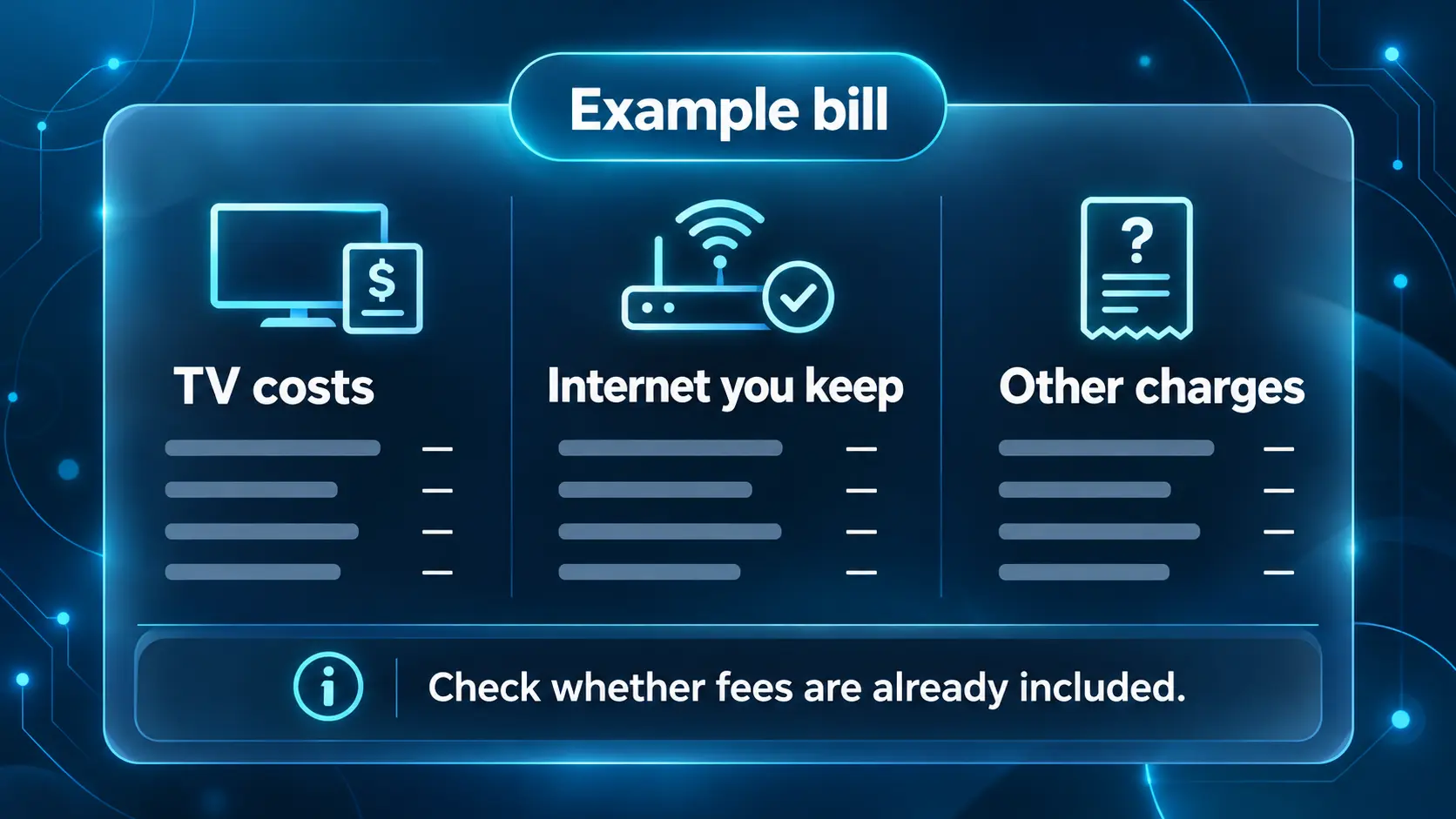
Take your most recent ordinary bill, not one containing a move, installation or overdue balance—and work through the following items.
| Bill item | What to check | Why it matters |
|---|---|---|
| Television package | Channels, current price and any promotional end date | Determines the main viewing expense |
| Internet | Current bundle price and a new internet-only quote | Usually remains necessary after canceling TV |
| Broadcast or sports charges | Whether they are separate or included | Prevents counting the same cost twice |
| Receivers and extra TV service | Which devices you still use | Unused rentals may be avoidable |
| DVR or recording service | Whether you need automatic recording | A replacement may offer different functions |
| Premium channels and add-ons | What was used recently | Small recurring payments add up |
| Taxes and other charges | Which disappear and which remain | Changes the final comparison |
| Credits or one-time charges | Whether they recur next month | Avoids budgeting from an unusual statement |
The amount due can include an old balance, a credit or a charge for only part of a month. If so, ask for the expected regular monthly total before using it in your comparison.
TV charges and internet charges need separate treatment
Ask your provider: “If I remove television and keep internet, what will my total regular bill be, including equipment and applicable fees?”
Do not assume that the internet portion currently displayed in a discounted bundle will stay the same. Get the new quote and any promotional end date in writing where possible.
If you also keep phone or mobile services, include changes to those charges. A lower TV expense can still be worthwhile, but the calculation should include any discount you lose elsewhere.
Some 2026 packages already include broadcast and sports fees
Xfinity says it introduced new all-inclusive television packages in early 2026, with broadcast and regional sports fees no longer separately itemized on those packages. Its guidance also distinguishes legacy pricing and other charges that may change. See Xfinity’s current bill explanation.
This is a reason to read the actual plan rather than apply a universal “hidden fees” total. If those costs are included, do not add them again. If your statement itemizes them, use the amounts shown for your account, not a fee quoted for another market.
Streaming can cost less but still needs a budget
Switching to streaming changes how you pay for television. It does not automatically remove all recurring payments.
A live TV plan can be a replacement for a channel package. On-demand subscriptions serve a different purpose, and several of them together may create a larger bill than expected. Free services and antenna reception can help, but they do not necessarily provide your complete must-watch list.
Current service prices to use as reference points
The following regular advertised prices were checked for this October 2026 guide. They exclude introductory offers and should be confirmed before subscribing.
| Option | Regular advertised monthly price | What to check before choosing |
|---|---|---|
| YouTube TV main plan | $82.99 | ZIP-code lineup, sports add-ons and extra features |
| Hulu With Ads + Live TV | $99.99 | Included bundle, eligibility, regional availability and add-ons |
| Philo Essential | $25 | Whether its entertainment-focused lineup meets your needs |
| Philo Bundle+ | $33 | Whether the bundled apps replace subscriptions you already pay for |
These are different products, not a ranking of identical channel packages. The lowest-priced plan may omit something important to you. A more expensive bundle may still be worthwhile if it replaces services you would otherwise pay for separately.
Use the regular price for a long-term comparison. If you take a temporary offer, record its end date and expected renewal price. Taxes, eligible add-ons and billing arrangements can affect your own total.
Antenna and free streaming are useful complements
An antenna can receive available local over-the-air stations without a monthly channel subscription, but reception depends on your location and setup. Check AntennaWeb’s location tool before buying equipment.
Free ad-supported streaming can supplement paid viewing. Treat it as a separate catalog: it does not automatically replace a specific local station, premium series or live game.
The lowest-cost combination is the one that covers what you actually watch without adding subscriptions “just in case.” Keep a short must-watch list and test it before canceling the existing service.
Where SuperBox S8 fits into a lower-cost TV setup
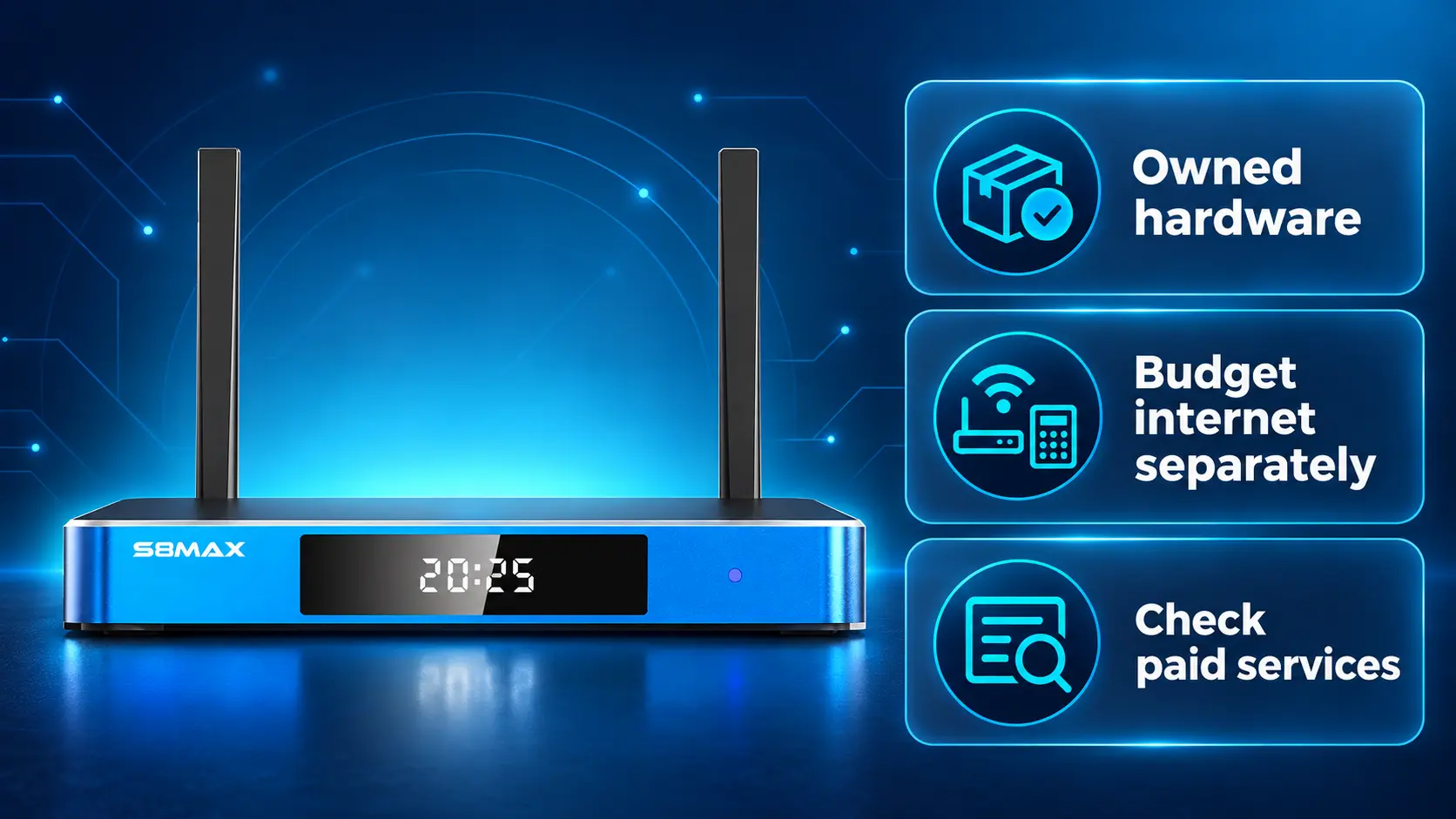
SuperBox S8 is a hardware purchase. You own the box rather than renting it from a television provider, and the hardware does not require a mandatory monthly device fee.
That can be useful for a household moving away from recurring cable equipment charges. It also lets you keep using a compatible HDMI television rather than buying a new screen purely to change the viewing interface.
However, buying a box is separate from buying content access. Internet service remains an expense, paid third-party apps can still require subscriptions, and app compatibility and programming availability should be checked. Ownership of hardware does not grant rights to every channel or show.
For the basic explanation, read how SuperBox works. If you are deciding whether to keep your current TV, our streaming box versus Smart TV guide explains that choice.
Choose features you will actually use
The S8 Series offers a refreshed interface, manual recording and supported two-channel viewing tools. These can be useful conveniences, but they should be considered alongside your viewing requirements.
For example, S8 recording is manual; it does not automatically schedule a future show while you are away. If that is why you currently pay for a DVR, compare the workflow before canceling it. Our S8 Recorder guide explains the distinction, and the Playback guide covers eligible past programs.
For overlapping live events, Picture-in-Picture and Multi-Screen offer different layouts on supported channels. The right purchase is about useful functions and a manageable total cost, not simply buying the most expensive model.
Calculate savings using your own numbers
Use two complete monthly totals:
Monthly saving = current household service total − new household service total.
The new total should include retained internet, paid viewing services, ongoing equipment charges and other services affected by the switch. Keep one-time hardware and setup expenses separate, then deduct them when calculating the first year.
Example budget with an S8 Max purchase
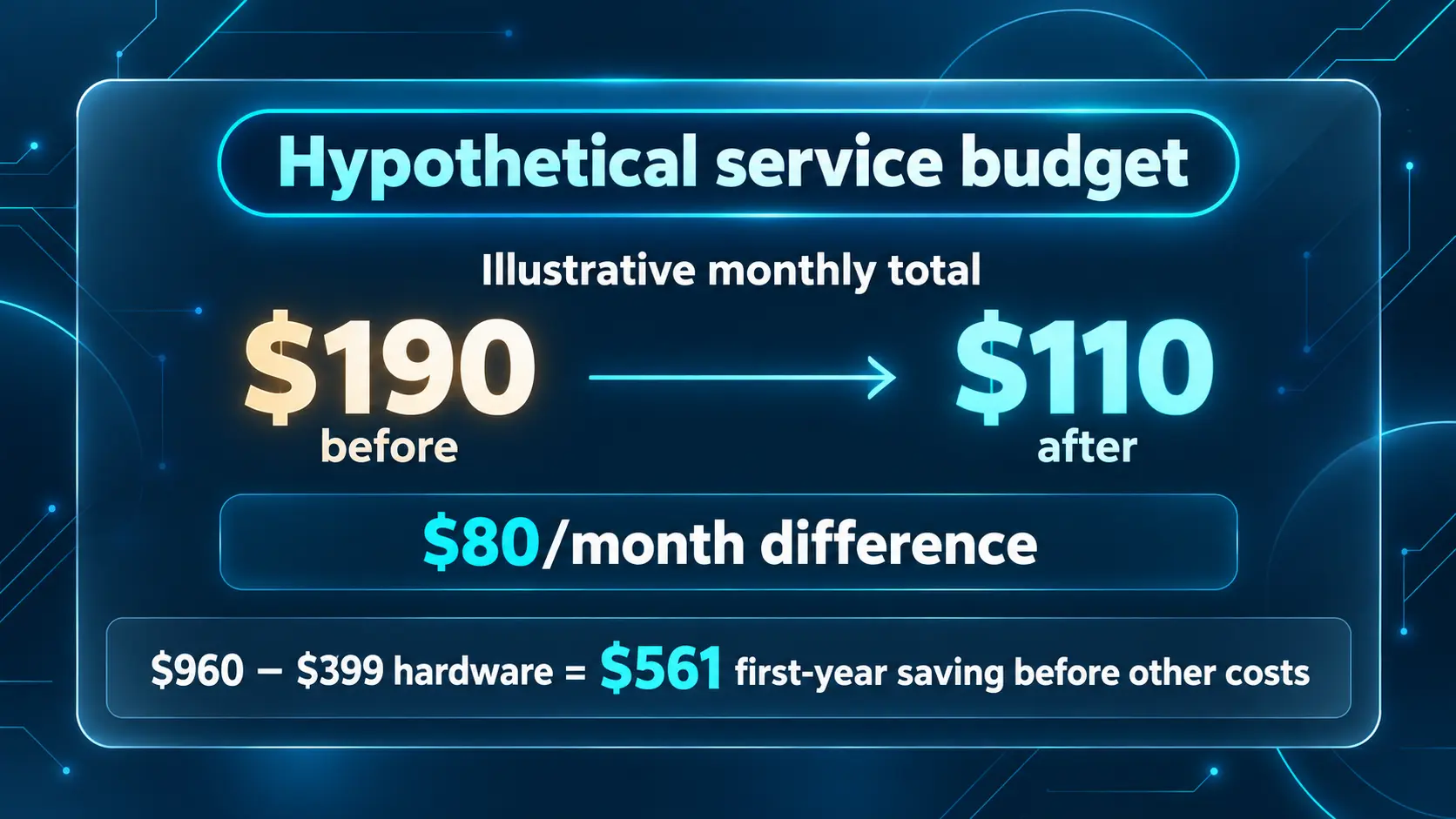
The service amounts below are hypothetical. They are not national averages, provider quotes or a claim that $30 of subscriptions replaces every cable package. The S8 Max hardware price of $399 is taken from our current product page; use the final checkout total for your own calculation.
| Monthly expense | Before the change | After the change |
|---|---|---|
| TV service and associated recurring charges | $120 | Removed in this example |
| Internet | $70 | $80 after removing the bundle |
| Replacement paid viewing subscriptions | $0 | $30 chosen by this example household |
| Total recurring cost | $190 | $110 |
The example saves $80 per month, or $960 over 12 months before one-time purchases. After subtracting one S8 Max at $399, first-year savings would be $561, before hardware tax, additional equipment, overlap or cancellation costs.
At $80 per month, that hardware outlay is recovered in approximately five months. If the replacement costs more, the saving falls and the payback takes longer. If the new recurring total is equal to or above the old total, the box has no savings-based payback under that budget.
Check the current S8 Max product page and use your actual bill. Additional televisions may require their own equipment, so a multi-room setup needs its own calculation.
A worksheet you can fill in
| Item | Your amount |
|---|---|
| Current regular monthly household service total | $___ |
| New internet and retained equipment total | $___ |
| Paid TV and streaming services you will keep or add | $___ |
| Other ongoing costs after the change | $___ |
| New monthly total | $___ |
| Monthly difference | $___ |
| Hardware, setup, overlap and cancellation costs | $___ |
| First-year saving: 12 × monthly difference − one-time costs | $___ |
Do not count the full cable-and-internet bundle as savings while leaving internet out of the new budget. Also avoid counting a service twice if it is already included in a replacement bundle.
Ways to lower your bill before replacing the whole setup
You may be able to reduce costs without making an immediate large change.
First, review add-ons you no longer use and receivers connected to televisions that rarely get switched on. Then ask about a smaller package or a current plan with clearer total pricing. Compare any new offer over the period you expect to keep it rather than judging only the first month.
Check paid subscriptions outside the cable bill too. A direct app charge, a bundle payment and a separate account can overlap. Canceling an unused subscription may be simpler than changing the entire household viewing setup.
If you decide to move away from cable, use our 2026 cord-cutting guide for the wider process. This article’s worksheet gives you the cost comparison to take into that decision.
Check four things before canceling television
Your must-watch content
List the local news, sports, programs and languages that matter to your household. Verify actual availability in the replacement services rather than relying on a long channel-count claim.
The experience on your television
Test the remote, menus and any recording functions. For older household members, a setup they can comfortably use may matter more than a small price difference.
The new internet-only bill
Confirm the total price, equipment and promotional terms. Set up the S8 connection using our Wi-Fi and Ethernet guide if you choose that hardware.
Cancellation and equipment returns
Ask which service is being removed, when the change takes effect and which devices must be returned. If you keep internet, confirm whether the gateway should stay.
For Xfinity, use its equipment-return instructions and retain the receipt. Follow your own provider’s procedure if you use another company. Review the next bill to confirm the requested changes and any final charges.
IMAGE 3 — INSERT HERE — 1600 × 900
Design: Four numbered cards: “Check your programs,” “Test the controls,” “Confirm the internet quote,” and “Keep return proof.” Use large text, simple icons and the dark cyan store style. No customer account information.
Caption: Test the replacement and confirm the remaining charges before canceling your current TV service.
Alt text: Four checks before canceling cable television and changing to a streaming setup.
Choosing an S8 model for your budget
Use the S8 Pro, Plus, Max and Ultra comparison for detailed specifications. As a starting point:
- S8 Pro offers the core S8 functions with 32GB storage.
- S8 Plus moves to 64GB while retaining the listed Pro/Plus Multi-Viewing scope.
- S8 Max combines 64GB with broader supported Multi-Viewing and the NFL app.
- S8 Ultra adds 128GB and the included backlit remote.
Pro and Plus list PPV/ESPN Multi-Viewing; Max and Ultra list full supported channels. The NFL app is listed only on Max and Ultra. App availability does not guarantee every game or replace checking applicable service access.
Avoid paying for features you do not need solely because the purpose is to save money. Buy a model that fits your intended use, then keep the recurring-services budget under control.
Buy from SuperBox TV Box Store
SuperBox TV Box Store is an authorized retailer serving customers in the US and Canada. Verify our retailer status with code SP20250414002 at the SuperBox authorization website.
If you are comparing S8 models, contact our team with the features your household needs before buying. Review our return policy and save the purchase confirmation from customer@superboxtvboxstore.com.
A clear seller relationship helps with order questions and applicable purchase terms. If you need to check a previous purchase, use our seller-identification guide. We can review orders placed through our own store; another retailer’s transaction remains with that retailer.
Frequently asked questions
Is $125 the average cable bill for 2026?
No. It is a figure from Deloitte’s 2025 report for surveyed cable/satellite subscribers. It should not be relabeled as a fresh 2026 national average.
Does the average cable bill include internet?
It depends on the source. TV-only spending and bundled bills are different measures. Check the definition before comparing an average with your statement.
Are broadcast and sports fees always added separately?
No. Some newer packages include them in the stated television price. Check your specific plan so you do not count the same charge twice.
Does switching to streaming always save money?
No. The result depends on retained internet, paid services, equipment and one-time expenses. Compare complete totals before deciding.
Does SuperBox S8 have a monthly device fee?
No. The hardware does not require a mandatory monthly device fee. Internet and paid third-party services remain separate expenses.
Will buying SuperBox let me cancel Netflix or another paid app?
If you continue using that paid service, its subscription terms still apply. Check which services you actually want and can access before canceling anything.
Can S8 automatically record a future program?
No. S8 recording is manual. Compare that with any scheduled-DVR functions your household currently uses.
What is the best first step to lower a cable bill?
Find the regular monthly total and ask for an internet-only quote. Then list the viewing services you would retain or add and calculate the difference.
Turn your cable bill into a clear decision
An average gives perspective, but your own numbers determine whether a change is worthwhile. Separate television from internet, check included fees and compare the full replacement budget.
If SuperBox S8 fits the way your household watches, compare the models at SuperBox TV Box Store and ask us about the purchase before checkout. The strongest saving comes from a setup you can use comfortably and a budget that includes every cost you will still pay.
The article was updated on:
