
Knowledge SuperBox
How to Watch Local TV Abroad: Complete Streaming Guide





The easiest way to watch local TV abroad is to use a portable Android streaming box like a SuperBox that carries hometown network affiliates, or connect a reliable VPN to access domestic streaming accounts from back home. When traveling or living outside the United States and Canada, standard cable apps and streaming services like YouTube TV and Hulu block access due to regional blackout restrictions and international copyright boundaries.
By packing a dedicated streaming device in your luggage and plugging it into any hotel or rental TV via HDMI, you bypass international geo-blocking entirely. A dedicated box like the SuperBox connects directly to live US local affiliates: CBS, NBC, FOX, and ABC, alongside regional sports networks and 7-day replay features, allowing you to watch local news, weather, and games from anywhere in the world without monthly fees.
Quick Answer: What Is the Best Method to Watch Local Channels Overseas?
If you are planning an overseas vacation, an extended business trip, or relocating abroad as an expat, you have three primary ways to access hometown television:
- A dedicated portable streaming box (SuperBox): The simplest plug-and-play solution. You carry the compact box with you, connect it to hotel Wi-Fi, and access all major US and Canadian local network affiliates with zero monthly fees and no VPN configuration required.
- A premium VPN paired with a domestic streaming subscription: You install a virtual private network on a laptop, tablet, or streaming stick, connect to a server in your home city, and log into paid services like YouTube TV or FuboTV. While effective, this requires paying ongoing monthly subscription fees and dealing with streaming services that frequently detect and block VPN IP addresses.
- A home Slingbox-style hardware encoder: You connect a network video transmitter to a cable box back in your home country and stream the signal to your mobile device overseas. This setup requires leaving hardware running in an empty house and depends heavily on your home internet upload speed.

Watching local television while abroad
For travelers who want a hassle-free experience that feels just like watching television in their own living room, packing a dedicated hardware console remains the most practical and reliable choice.
Comparison of Methods for Watching Hometown TV Overseas
| Evaluation Factor | Dedicated Streaming Box (SuperBox) | VPN + Domestic Streaming App | Home Slingbox / Network Encoder |
|---|---|---|---|
| Setup complexity | Plug into TV HDMI and connect to Wi-Fi | Install VPN, change servers, log into apps | Complex home server and router configuration |
| Risk of geo-blocking | Low (Direct server connections) | High (Apps routinely blacklist VPN addresses) | Low (Transmits from your personal home IP) |
| Ongoing monthly cost | $0 monthly fees forever | $80 to $120+ monthly across VPN and apps | $0 extra, but requires keeping cable back home |
| Time zone adjustment | Built-in 7-day playback replay tool | Cloud DVR recording (if supported by app) | Remote DVR scheduling on home cable box |
| Hardware portability | Compact console fits easily in carry-on | Requires laptop, tablet, or streaming stick | App on phone/laptop; hardware stays at home |
| Remote control ease | Standard handheld remote with voice control | Touchscreen or trackpad navigation | Virtual remote on phone or tablet screen |
Why Watching Local TV Abroad Is Usually Frustrating
1. Geo-blocks and regional content restrictions
Television broadcast rights are licensed on a strict geographic basis. Cable networks, regional sports channels, and streaming platforms use IP address tracking to identify your physical location.
The moment their servers detect that you are connecting from an internet service provider in London, Tokyo, or Cancun, your screen displays an error notification: This content is not available in your location. Even though you pay for the subscription back home, the service locks you out the second you cross an international border.
2. Streaming platforms actively detect and ban VPNs
The standard workaround for international travelers has historically been using a Virtual Private Network. However, major streaming providers now employ advanced security filters that monitor server IP pools.
When thousands of users connect through the same commercial VPN data center, the streaming platform flags that IP address as a proxy and blocks the stream. You find yourself spending your evening cycling through dozens of different server locations hoping to find one that has not yet been blacklisted.
3. The time zone dilemma
Even when travelers successfully unblock a live stream, international time zones create a major scheduling headache.
If you are traveling in Europe, your local six o clock evening news in Chicago or New York airs at midnight or one in the morning. An afternoon football game may not kick off until two o clock in the morning local time. Without a reliable catch-up or playback system, watching live local broadcasts becomes nearly impossible without disrupting your sleep schedule.
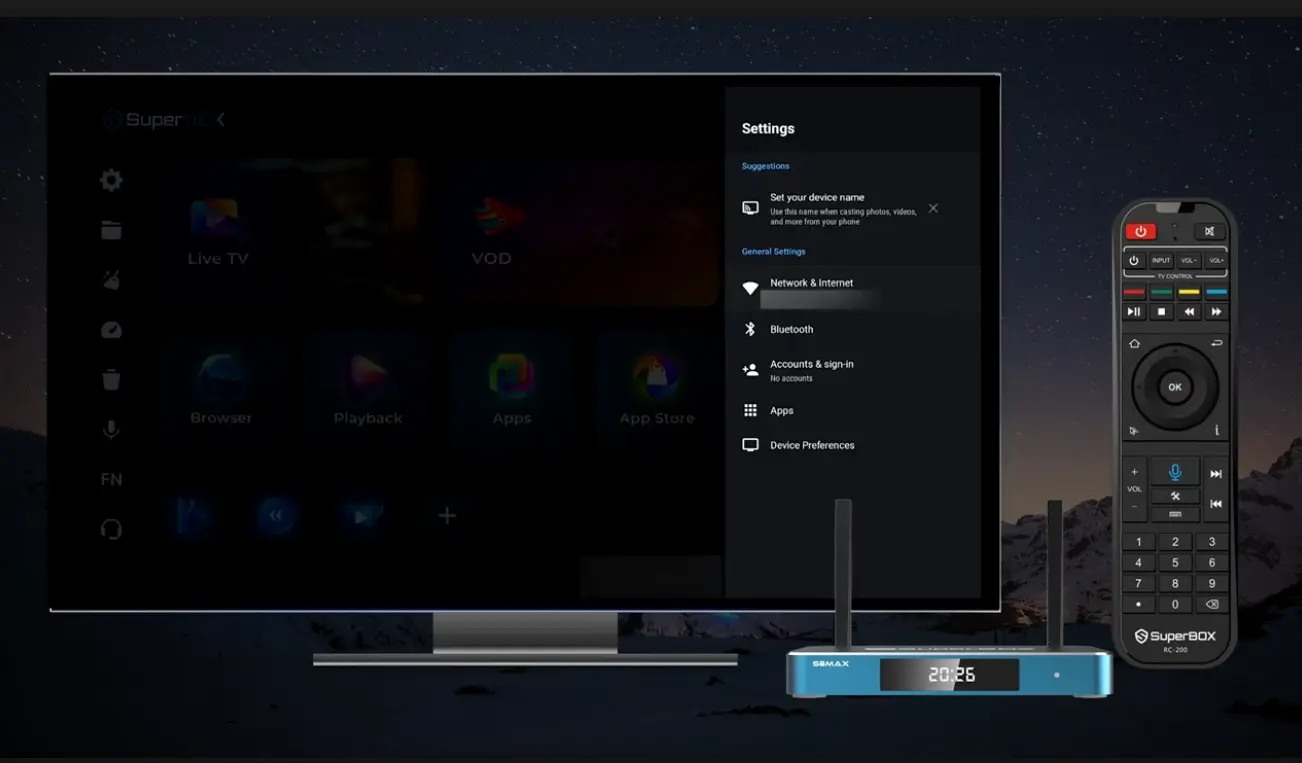
Checking international internet connection status
How SuperBox Solves the International Travel Problem
1. Direct server network with no separate VPN required
SuperBox hardware communicates directly with dedicated content delivery networks that carry live North American television feeds. Because the service routes content through proprietary media servers, you do not need to purchase, configure, or troubleshoot a third-party VPN on your device. You simply connect the box to whatever local internet is available in your hotel, apartment, or cruise cabin.
2. Major city-by-city local network affiliates
One of the biggest frustrations with standard international travel packages is that they only offer generic international news channels like CNN International or BBC World News. While informative, they do not tell you what is happening in your hometown.
Through the Blue TV application, SuperBox organizes local broadcast affiliates by major metropolitan markets across the United States. Whether you want to watch local morning news from Dallas, check the weather forecast in Philadelphia, or catch an evening newscast from Seattle, you simply select your home city from the menu.
3. Built-in 7-day Time Shift replay across time zones
The 7-day playback feature is a game-changer for international travelers. Major broadcast networks and sports channels are automatically archived on the server for seven full days.
If your hometown football team plays while you are asleep in Paris or Tokyo, you do not have to stay up all night or worry about setting a digital video recorder. When you wake up, open the program guide, scroll back to the game, and press play. You can watch the full broadcast with full pause, rewind, and fast-forward controls at whatever hour fits your travel schedule.
Catching up across time zones
4. Choosing a SuperBox model for travel and home use
The entire current SuperBox S8 series works internationally with standard 100-240V dual-voltage power supplies:
- SuperBox S8 Pro ($359): Features 4GB RAM and 32GB storage with a modern USB Type-C power connector. Its compact, lightweight footprint makes it easy to slip into any carry-on backpack.
- SuperBox S8 Plus ($379): Offers 4GB RAM and 64GB storage with a round DC power adapter, providing extra space for offline recordings and media files.
- SuperBox S8 Max ($399): Delivers 4GB RAM, 64GB storage, Type-C power, and multi-screen viewing capabilities for tracking multiple sports feeds.
- SuperBox S8 Ultra ($449): The flagship console with 4GB RAM, 128GB internal storage, and a backlit voice remote control that makes finding buttons easy in dark hotel rooms.
All models feature Wi-Fi 6 wireless connectivity and a Gigabit Ethernet port, ensuring smooth streaming on both wireless and wired hotel networks.
What You Need to Pack for Streaming Overseas
Before leaving on your trip, pack these essential accessories in your luggage to ensure quick setup upon arrival:
- Your SuperBox console and remote control: Pack the unit in your carry-on luggage with protective padding to keep it safe during transit.
- HDMI cable: A standard 3-foot or 6-foot HDMI cable is all you need to connect to any hotel or vacation rental television.
- Power adapter and international plug converter: The power supply included with your SuperBox supports universal 100V to 240V electricity. However, foreign wall sockets feature different prong shapes. Pack an inexpensive plug adapter matching your destination (such as Type C for Europe, Type G for the UK, or Type I for Australia).
- Stable local internet connection: A download speed of 15 to 25 Mbps is plenty for smooth high-definition viewing. Most modern hotels, Airbnb properties, and serviced apartments easily exceed this threshold.
- Remote control batteries: Ensure you have fresh AAA batteries installed in your remote control.
Live hometown channels streaming overseas
Step by Step Walkthrough: Setting Up Your Device Abroad
Step 1: Connect to the room television via HDMI
Locate an open HDMI port on the back or side panel of your hotel or apartment television. Insert one end of your HDMI cable into the TV and the other end into the HDMI OUT port on your SuperBox.
If the television is mounted flat against a wall, a flexible HDMI extender or right-angle adapter can make reaching rear ports much easier.
Step 2: Plug in power using your international adapter
Attach your international travel plug adapter to the SuperBox power plug and insert it into the wall socket. Connect the power cable to your box (USB Type-C on the S8 Pro, S8 Max, and S8 Ultra; round DC on the S8 Plus). The front panel display on the console will light up to confirm power delivery.
Step 3: Switch TV input and connect to Wi-Fi
Use the hotel television remote control to change the input source to the matching HDMI port (for example, HDMI 2).
Once the SuperBox home launcher appears on screen, navigate to the Settings gear icon, select Network and Internet, and click on your accommodation Wi-Fi network. Enter the room password and confirm connection.
Step 4: How to handle hotel captive portal login screens
Some international hotels require guests to accept terms or enter their room number and last name on a web browser pop-up screen (known as a captive portal) before internet access is granted.
If your hotel uses a portal screen, open the Google Chrome or web browser app pre-installed on your SuperBox home screen. The browser will automatically redirect to the hotel welcome page. Use your remote control mouse mode or plug in an inexpensive mini wireless keyboard to type in your room details, click Accept, and close the browser. Once accepted, all apps on the box will have full internet access.
Step 5: Clear cache and verify system clock
When traveling across time zones, it is good practice to run the Clean Up utility from the home screen to clear temporary cache files from previous connections.
Next, open Settings, select Device Preferences, click Date and Time, and verify that Automatic Date and Time is set to Use network-provided time. Ensuring your device clock aligns with your local network guarantees smooth digital certificate handshakes.
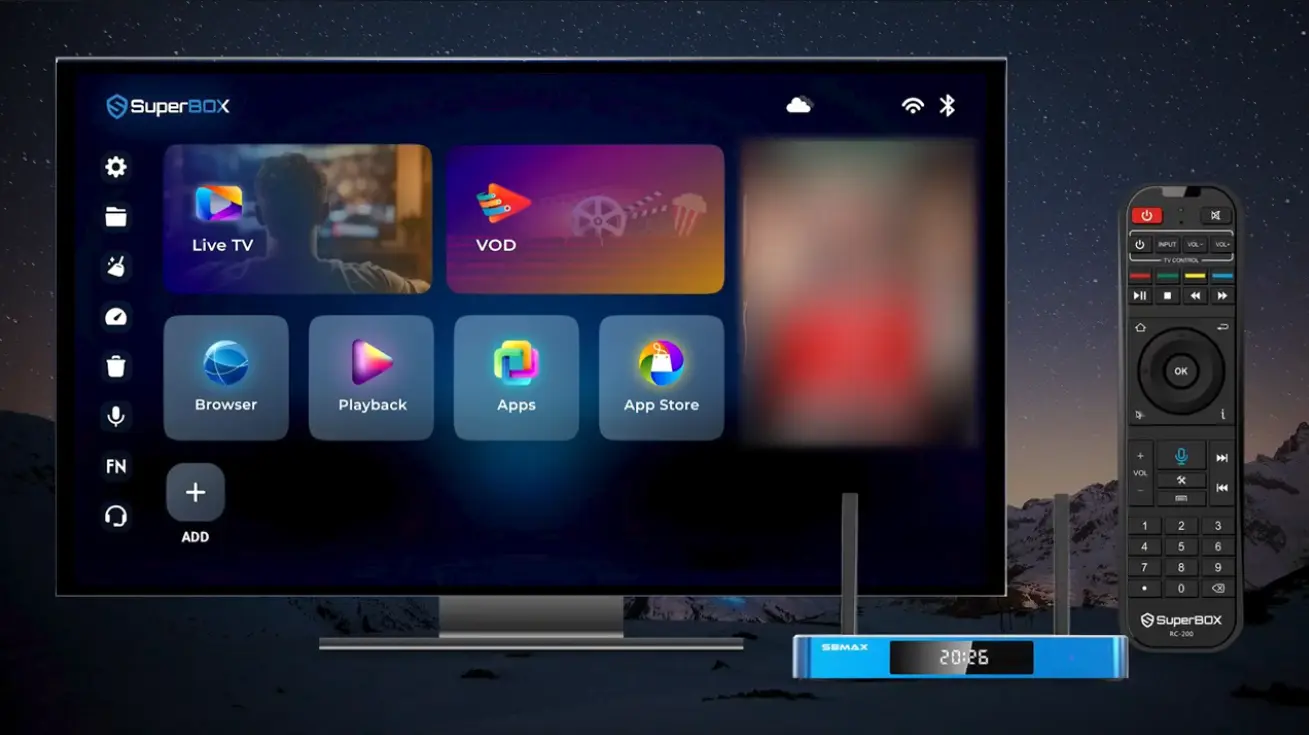
Clearing system cache while traveling
Step 6: Open Blue TV and select your hometown channels
Click on the Blue TV app from your home screen. Browse to the Local Channels or News category and select your home state or city. Within two to three seconds, your hometown live broadcast will fill the screen. You can add your daily channels to your Favorites folder for one-click access throughout your stay.
Practical Tips for Overcoming Travel Streaming Hurdles
Staying connected while traveling is simple when you keep these handy tips in mind:
- Use a mobile hotspot during weak Wi-Fi periods: If hotel Wi-Fi experiences heavy congestion during peak evening hours, turn on the personal hotspot feature on your international smartphone or pocket Wi-Fi device and connect your SuperBox to it.
- Drop display resolution on slow hotel networks: If your room connection drops below 15 Mbps, open Display settings on the box and set output resolution to 720p or 1080p at 60Hz. This reduces network data demand and prevents buffering.
- Leverage 7-day replay for evening leisure: Instead of trying to catch broadcasts during busy daytime sightseeing tours, use the 7-day playback tool to catch up on morning news or evening sports when you return to your room at night.
- Check customer support options: If you ever encounter an unexpected network hiccup while abroad, open the Blue TV feedback menu to access 24/7 online technical assistance.
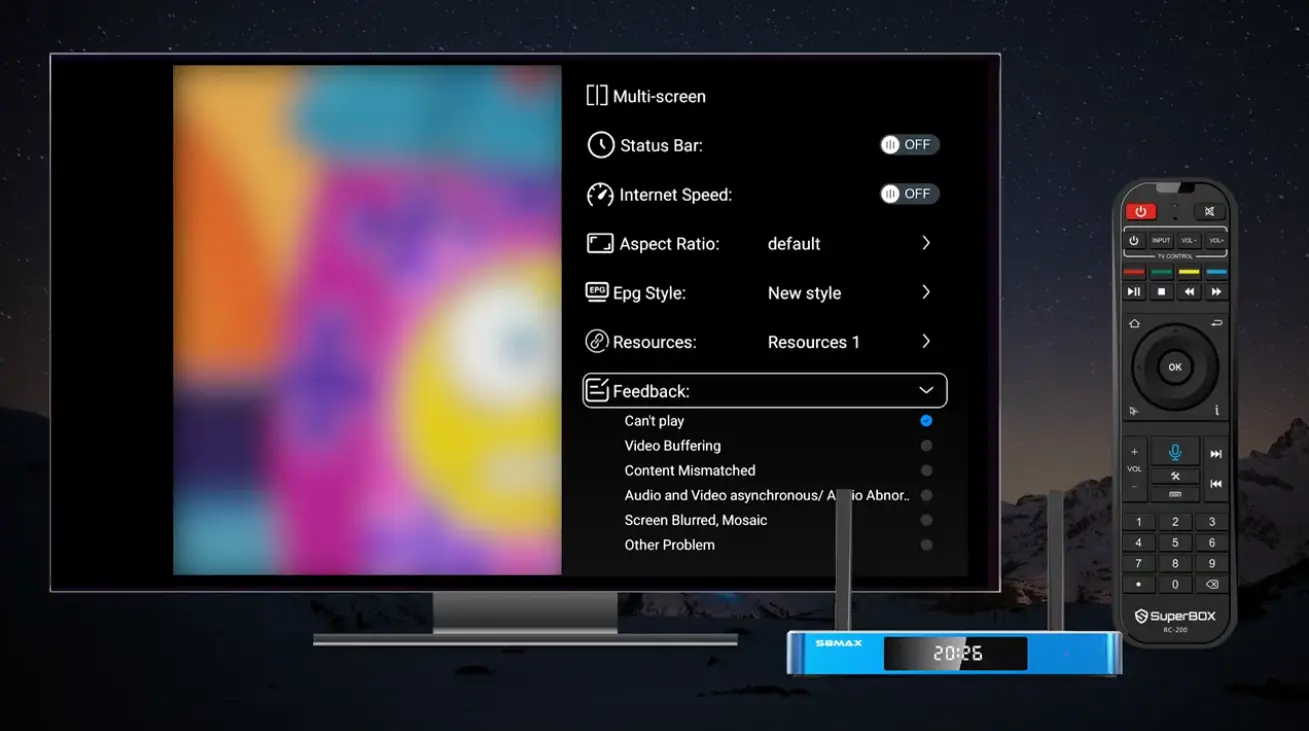
Customer support and feedback options
Troubleshooting Travel Streaming Issues by Symptom
| Observed Travel Issue | Quick First Check | Simple Solution |
|---|---|---|
| Wi-Fi connected but apps say No Internet | Check for hotel captive portal screen | Open browser app and accept hotel login page |
| Video pauses or buffers during streams | Check hotel Wi-Fi signal strength | Move box into open line-of-sight or use hotspot |
| TV screen displays No Signal message | Verify TV input channel number | Reseat HDMI cable firmly into TV port |
| Hotel TV remote cannot change input | Look for physical buttons on TV frame | Press physical Source button on side of TV |
| Live broadcast time does not match local time | Remember home time zone difference | Use 7-day playback guide to view at your convenience |
| Remote control feels unresponsive | Check line-of-sight and battery power | Replace remote batteries or re-pair Bluetooth |
Frequently Asked Questions
Can I legally use a SuperBox while traveling outside the US?
Yes, using an Android media streaming box for personal viewing while traveling abroad is completely legal.
Do I need a VPN to watch local TV abroad on a SuperBox?
No, SuperBox connects directly to its own dedicated server network, meaning you do not need to install or pay for a separate VPN.
Will the power adapter work on international 220V electricity?
Yes, all SuperBox power adapters support 100V to 240V electricity; you only need a simple physical plug adapter to fit the wall socket.
Can I watch local channels from specific US cities?
Yes, the channel lineup includes local broadcast affiliates (CBS, NBC, FOX, ABC) organized by major cities across North America.
How does the 7-day playback feature help with time zone differences?
Because broadcasts are saved for seven days, you can watch live sports and news whenever it fits your schedule rather than waking up at odd hours.
What should I do if a hotel television disables HDMI input ports?
Most hotel televisions have an accessible physical Input button on the bottom or side panel that bypasses the hotel menu lock.
How much internet speed do I need while abroad?
A steady internet download speed of 15 to 25 Mbps provides smooth high-definition streaming on international connections.
Can I connect the SuperBox to a mobile phone hotspot?
Yes, you can connect the box to your smartphone personal hotspot or a portable travel Wi-Fi hotspot device.
Which SuperBox model is easiest to travel with?
The SuperBox S8 Pro ($359) and S8 Max ($399) are especially convenient for travel due to their compact size and standard USB Type-C power ports.
Can I use the SuperBox on cruise ships?
Yes, as long as you purchase the ship internet package that allows video streaming, you can connect your box to the cabin television via HDMI.
Final Thoughts
Traveling or living abroad should not mean losing touch with your hometown news, weather, and favorite sporting teams. While commercial streaming platforms and cable apps make international viewing frustrating through aggressive geo-blocks and expensive monthly fees, a dedicated streaming console offers an effortless alternative.
By packing a lightweight SuperBox in your travel bag, you gain instant, reliable access to local network affiliates, live games, and 7-day catch-up replay on any screen in the world. With universal dual-voltage power, simple HDMI connectivity, and zero monthly subscriptions, enjoying a taste of home wherever your travels take you has never been easier.
The article was updated on:
