
Knowledge SuperBox S8, Knowledge SuperBox
SuperBox S8 Pro vs Plus vs Max vs Ultra: Which Model Should You Buy?





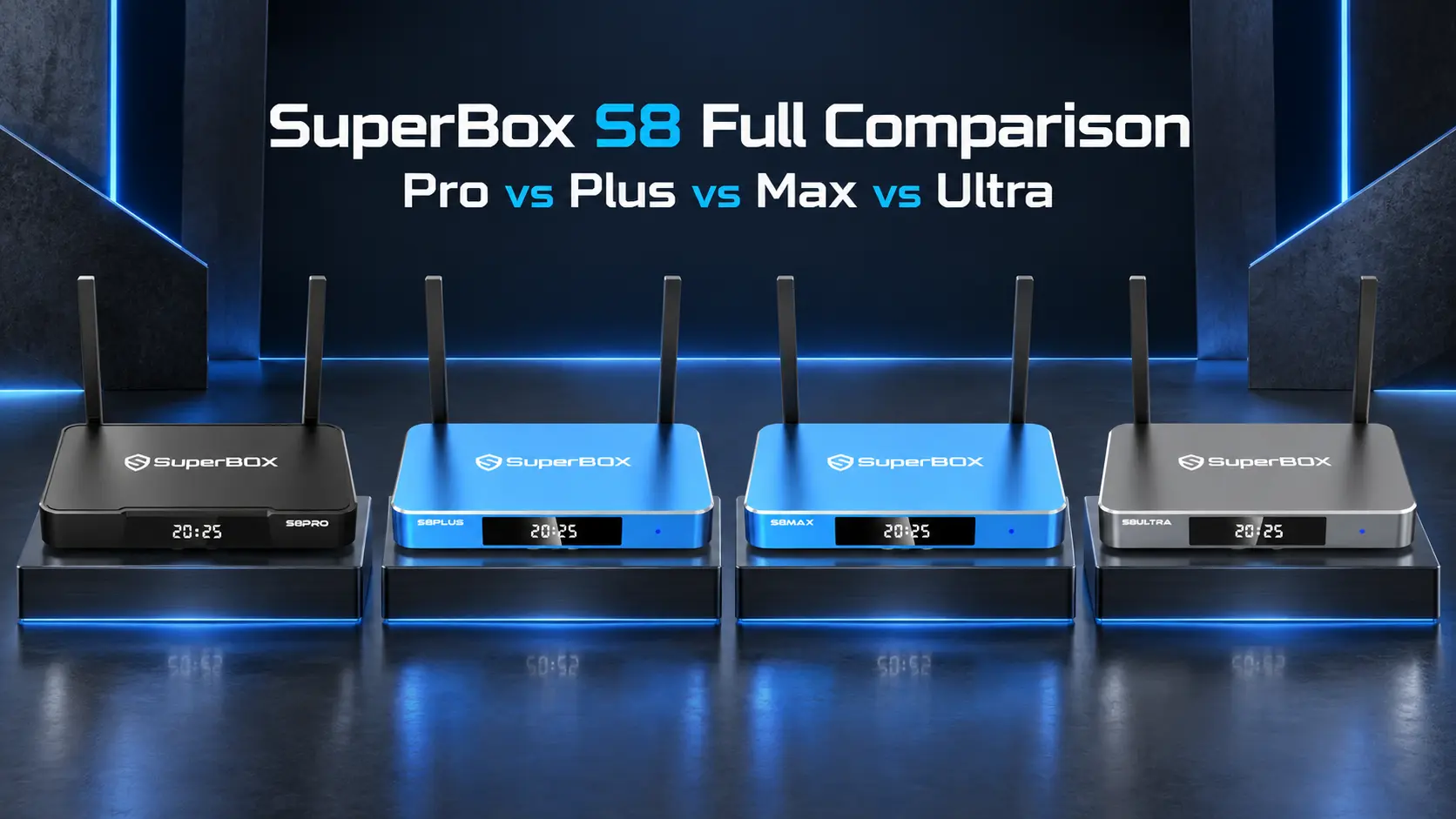
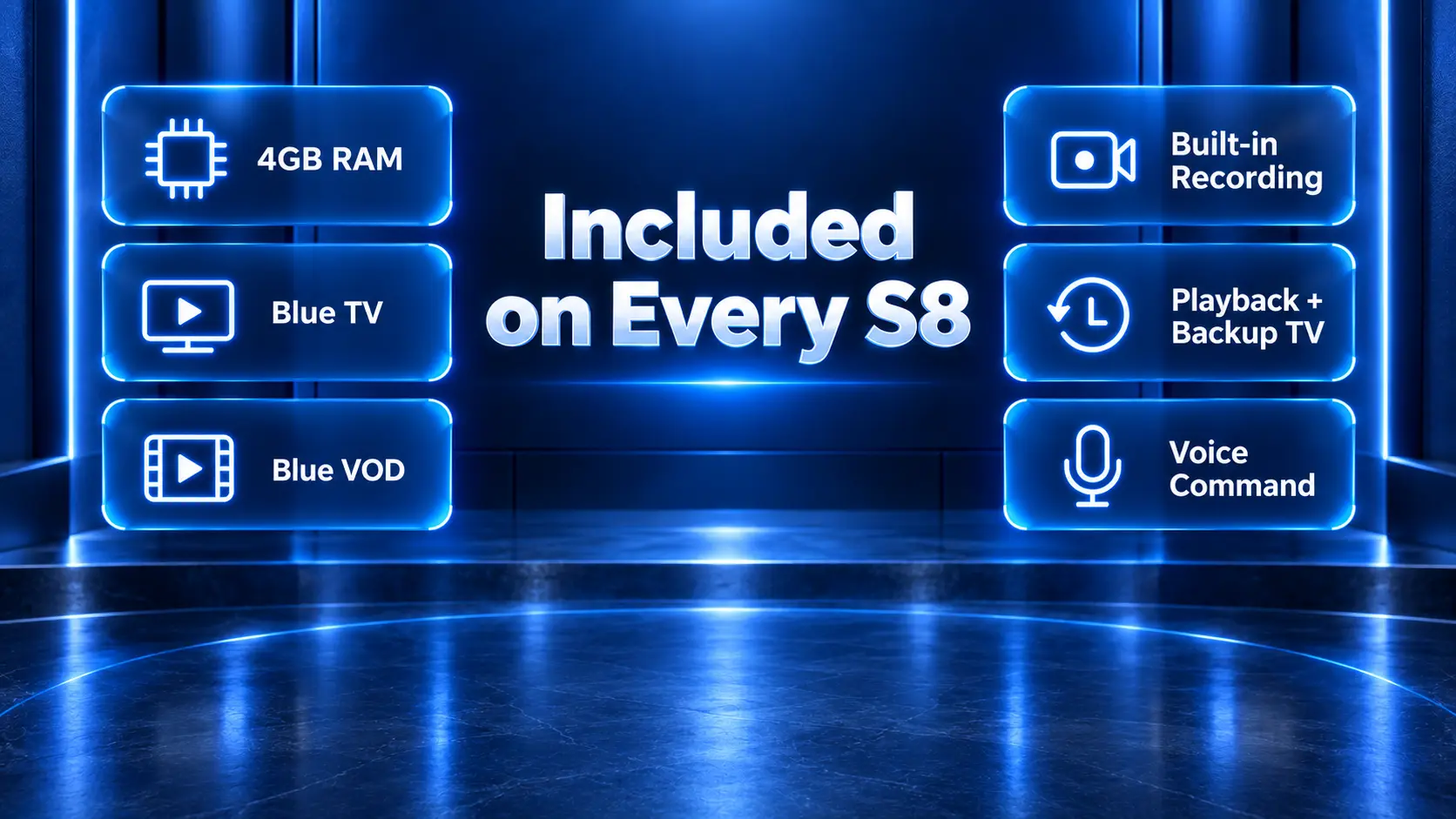
The new SuperBox S8 series gives buyers four choices: SuperBox S8 Pro, S8 Plus, S8 Max and S8 Ultra. At first glance, the models can look similar. Every version has 4GB of RAM, supports the core Blue TV and Blue VOD experience, includes built-in recording and offers voice-command control.
The differences become important once you look beyond the generation name.
Storage ranges from 32GB to 128GB. The Plus uses different USB and power connections from the other three models. Multi-Viewing is limited to PPV and ESPN channels on Pro and Plus but expands to full supported channels on Max and Ultra. The NFL app is available on Max and Ultra, not Pro or Plus. Most importantly for anyone who watches in a dark room, S8 Ultra is the only model in the official comparison supplied with a backlit remote.
That means the most expensive model is not automatically necessary—but choosing only by storage can lead to the wrong purchase. A buyer may prefer S8 Max over S8 Plus even though both have 64GB, because Max offers broader Multi-Viewing, the NFL app and Type-C power. Another buyer may be perfectly satisfied with S8 Pro because it still includes built-in recording and the main S8 apps.
This guide compares every meaningful difference, explains who each model is for and gives you a clear recommendation based on viewing habits rather than marketing labels.
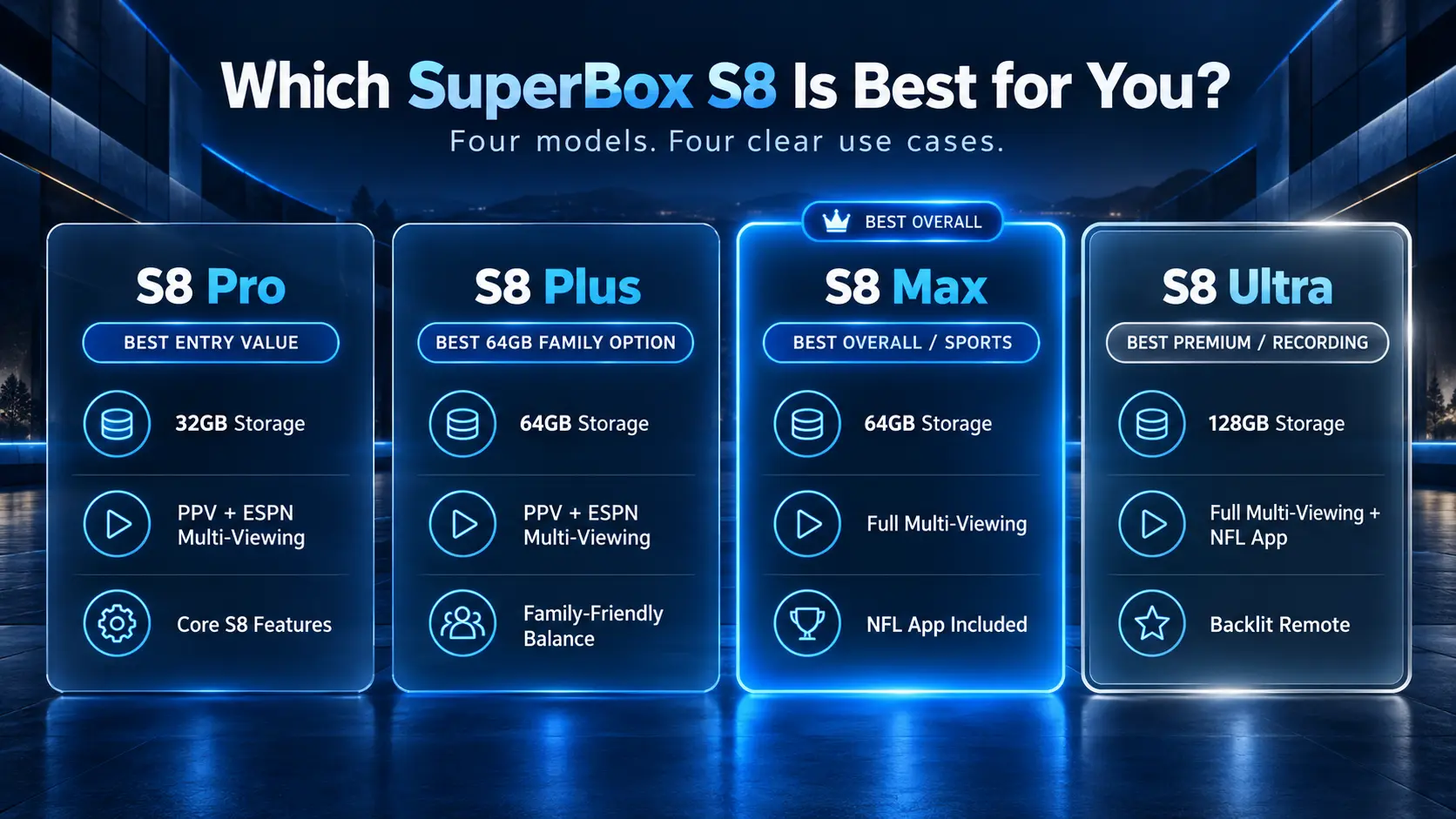
Quick verdict: S8 Pro is the entry-value choice. S8 Plus is the 64GB family option. S8 Max is the best overall balance for sports and broader Multi-Viewing. S8 Ultra is the flagship with 128GB and the only backlit remote in the official comparison.
SuperBox S8 Series Comparison at a Glance
The following table follows the official S8 comparison information supplied for this guide.
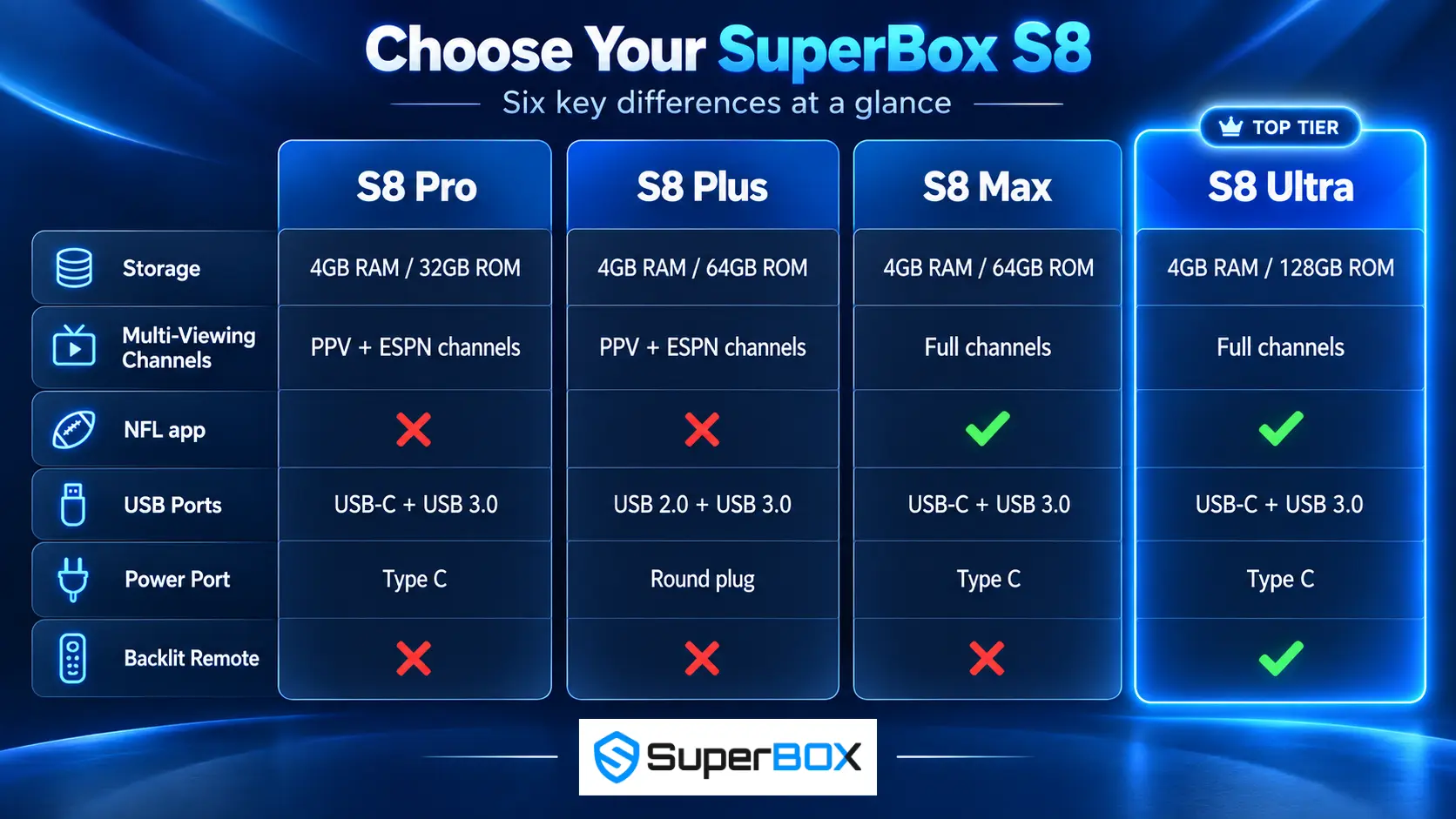
| Feature | S8 Pro | S8 Plus | S8 Max | S8 Ultra |
|---|---|---|---|---|
| RAM / internal storage | 4GB / 32GB | 4GB / 64GB | 4GB / 64GB | 4GB / 128GB |
| USB ports | USB-C + USB 3.0 | USB 2.0 + USB 3.0 | USB-C + USB 3.0 | USB-C + USB 3.0 |
| Power connection | Type-C | Round plug | Type-C | Type-C |
| Multi-Viewing channels | PPV + ESPN channels | PPV + ESPN channels | Full supported channels | Full supported channels |
| Blue TV | Yes | Yes | Yes | Yes |
| Blue VOD | Yes | Yes | Yes | Yes |
| NFL app | No | No | Yes | Yes |
| Built-in Recording | Yes | Yes | Yes | Yes |
| Playback | Yes | Yes | Yes | Yes |
| Backup TV | Yes | Yes | Yes | Yes |
| Backlit remote | No | No | No | Yes |
| Voice Command | Yes | Yes | Yes | Yes |
The table immediately reveals three purchasing tiers:
- S8 Pro: All core S8 functions with the lowest storage capacity.
- S8 Plus: Double the Pro’s storage while retaining the same limited Multi-Viewing scope.
- S8 Max: The sports-focused step up, with full supported Multi-Viewing and the NFL app.
- S8 Ultra: Every listed advantage of Max, double its storage and the exclusive backlit remote.
What All Four SuperBox S8 Models Have in Common
Before comparing differences, it helps to understand how much of the experience is shared. Choosing Pro does not mean losing the main S8 generation upgrades.
4GB of RAM across the lineup
Every model in the comparison has 4GB RAM. RAM supports active system processes, navigation and multitasking; it is not the same as the 32GB, 64GB or 128GB used for persistent storage.
Because RAM is equal, moving from Pro to Ultra is not simply buying more working memory. The upgrade decision is primarily about storage capacity, viewing and app access, port configuration, power connection and remote features.
Built-in Recording on every S8 model
Built-in Recording is available across Pro, Plus, Max and Ultra. This is one of the most important S8 generation changes, especially for customers comparing the new models with the S7 line.
Recording uses storage, so capacity still matters. Pro can access the feature, but its 32GB internal storage provides less headroom than the 64GB models or 128GB Ultra. Actual recording behavior, supported sources and storage consumption can depend on the application, firmware and content. Users should follow applicable copyright rules and service terms.
Blue TV and Blue VOD
All four models support Blue TV and Blue VOD according to the comparison chart. Buyers do not need to choose Max or Ultra merely to obtain these core app categories.
Available programming can change based on application support, region, service status and content rights. SuperBox TV Box Store sells hardware and does not host, transmit or maintain third-party media libraries.
Playback and Backup TV
Playback and Backup TV appear on every model. These shared functions give the entry-level S8 Pro much of the essential S8 viewing experience despite its lower storage tier.
Playback should not be confused with Built-in Recording. Playback or Time Shift generally concerns supported previously available programming, whereas recording creates a saved file or session through supported recording functions.
Voice Command
Every S8 model includes Voice Command. The key remote difference is illumination: voice control is universal, while backlighting is exclusive to S8 Ultra in the supplied comparison.
The Six Differences That Actually Matter
1. Internal storage: 32GB vs 64GB vs 128GB
Storage is the simplest difference to understand:
- S8 Pro: 32GB
- S8 Plus: 64GB
- S8 Max: 64GB
- S8 Ultra: 128GB
Internal storage is used by the operating system, compatible applications, cache, local files and supported recordings. The advertised capacity is not identical to the free space visible after setup because system files occupy part of it.
32GB is best for lighter use. Choose Pro if you primarily use the main apps, install relatively few extras and do not expect to retain many recordings.
64GB is the practical middle tier. Plus and Max provide twice the advertised capacity of Pro, giving a typical household more comfortable space for applications and recording use.
128GB provides the most headroom. Ultra is the better fit for frequent recording, a broader compatible app library or users who simply do not want storage management to influence the experience as quickly.
Storage capacity does not make streaming video sharper and does not automatically make internet playback faster. Its value is flexibility and headroom.
2. Multi-Viewing access
Multi-Viewing is included across the S8 generation, but its supported channel scope differs significantly.
- S8 Pro and S8 Plus: Multi-Viewing for PPV and ESPN channels.
- S8 Max and S8 Ultra: Multi-Viewing across full supported channels.
This is a bigger difference than the storage comparison alone suggests. Buyers who want Multi-Viewing primarily for a broader mix of live programs should start with Max, not Plus—even though both have 64GB.
“Full channels” should be understood as full supported channel access within the relevant application and feature. It does not guarantee that every possible channel, source or third-party app supports Multi-Viewing at all times.
3. NFL app availability
The supplied chart lists the NFL app on S8 Max and S8 Ultra only.
That makes Max the logical minimum model for a buyer specifically prioritizing this app. Pro and Plus may still provide other sports viewing options through supported applications, but they should not be advertised as including the S8 NFL app shown in the comparison.
App availability does not guarantee every game or eliminate regional restrictions. Live sports rights, schedules and availability may vary.
4. USB port configuration
Pro, Max and Ultra list USB-C + USB 3.0. Plus lists USB 2.0 + USB 3.0.
The practical implication is accessory planning. A buyer moving drives or accessories between devices should verify connector type, power requirements and compatibility. USB 3.0 is available across the lineup for compatible high-speed peripherals, while Plus retains a traditional USB 2.0 connection instead of the additional USB-C port shown on the other models.
5. Power connection
S8 Pro, Max and Ultra use Type-C power. S8 Plus uses a round power plug.
This detail does not determine picture quality or app performance, but it matters when organizing cables, purchasing a replacement adapter or moving a box between rooms. Always use the approved power supply for the exact model. A plug fitting physically does not prove that its voltage and current are correct.
6. Backlit remote
All four models have Voice Command, but only S8 Ultra includes the backlit remote in the official comparison.
This makes Ultra more convenient for dark rooms and home theaters. The distinction is easy to miss because “voice remote” and “backlit voice remote” sound similar. Pro, Plus and Max provide voice input without illuminated buttons; Ultra provides both.
SuperBox S8 Pro Review: Best Entry-Level S8
S8 Pro is the lowest-capacity model, but “entry-level” should not be mistaken for feature-poor. It has 4GB RAM, built-in recording, Blue TV, Blue VOD, Playback, Backup TV and Voice Command. Its Multi-Viewing covers PPV and ESPN channels.
The main compromise is 32GB storage. Buyers who record frequently or install many compatible apps may need to manage space more actively. It also lacks the NFL app and remote backlighting listed for the higher models.
Choose S8 Pro if:
- you want the core S8 experience at the lowest entry point;
- 32GB is enough for your expected applications and recordings;
- PPV and ESPN Multi-Viewing covers your intended use;
- you do not require the NFL app;
- and illuminated remote buttons are not important.
Skip S8 Pro if:
- recording is a major daily feature;
- you want broad Multi-Viewing beyond the listed PPV and ESPN scope;
- you specifically want the NFL app;
- or you prefer more long-term storage headroom.
Verdict: Best for light users and price-focused buyers who still want the defining S8 features.
SuperBox S8 Plus Review: Best 64GB Family Option
S8 Plus doubles the Pro’s advertised storage from 32GB to 64GB. It retains the shared Blue TV, Blue VOD, recording, Playback, Backup TV and Voice Command functions.
Its viewing access remains closer to Pro than Max: Multi-Viewing is listed for PPV and ESPN channels, and the NFL app is not included. It is also the only model in the chart with USB 2.0 + USB 3.0 and round-plug power.
This makes Plus a distinctive middle choice rather than a lower Max. It offers the comfortable 64GB storage tier for families that do not need the sports and broader Multi-Viewing advantages of Max.
Choose S8 Plus if:
- you want 64GB rather than Pro’s 32GB;
- the core S8 apps and recording are your priorities;
- PPV and ESPN Multi-Viewing is sufficient;
- you prefer its connection layout or already understand the round-plug power setup;
- and you do not need the NFL app or backlit remote.
Skip S8 Plus if:
- you want full supported Multi-Viewing;
- you specifically want the NFL app;
- you prefer Type-C power;
- or the final price is too close to S8 Max.
Verdict: Best for a family wanting 64GB and the core S8 experience without paying specifically for the Max/Ultra viewing tier.
SuperBox S8 Max Review: Best Overall Choice for Most Buyers
S8 Max also has 4GB RAM and 64GB storage, but it unlocks two important advantages over Plus: full supported Multi-Viewing and the NFL app. It also uses USB-C + USB 3.0 and Type-C power.
Those differences make Max the strongest balance for many launch-season buyers. It provides a meaningful step up in viewing flexibility without requiring payment for Ultra’s 128GB capacity and backlit remote.
Max does not include remote backlighting according to the supplied comparison. Buyers should not choose it expecting the same illuminated remote as Ultra.
Choose S8 Max if:
- 64GB gives you enough recording and application headroom;
- you want Multi-Viewing across full supported channels;
- you want the listed NFL app;
- Type-C power is preferable;
- and you want the best balance of advanced S8 access and storage.
Skip S8 Max if:
- you want the most internal storage available;
- a backlit remote is essential;
- or you only need core apps and limited Multi-Viewing.
Verdict: Best overall S8 for sports-focused households and buyers seeking the strongest balance of features and capacity.
SuperBox S8 Ultra Review: Best Premium S8
S8 Ultra is the only model that combines every listed S8 advantage: 4GB RAM, 128GB storage, full supported Multi-Viewing, the NFL app, USB-C + USB 3.0, Type-C power, built-in recording and a backlit Voice Command remote.
Its storage is four times the Pro’s advertised capacity and twice that of Plus or Max. That matters more in the S8 generation because built-in recording can create a legitimate reason to keep more space available.
The backlit remote is the Ultra’s most visible exclusive feature. Viewers can locate controls more easily without turning on room lights, making it a practical—not merely cosmetic—home-theater upgrade.
Choose S8 Ultra if:
- you expect to use built-in recording frequently;
- you want the maximum 128GB internal storage;
- you want full supported Multi-Viewing and the NFL app;
- you watch in a dark room and value backlit controls;
- or you prefer buying the most complete model once.
Skip S8 Ultra if:
- 64GB is comfortably enough;
- you do not care about remote backlighting;
- and S8 Max already covers your viewing priorities.
Verdict: Best premium model, best for recording headroom and the only correct choice if a factory-included backlit remote is required.
S8 Plus vs S8 Max: The Most Important Comparison
Plus and Max both have 4GB RAM and 64GB storage, so a shallow comparison may conclude that they are nearly identical. They are not.
| Difference | S8 Plus | S8 Max | Why it matters |
|---|---|---|---|
| Multi-Viewing | PPV + ESPN channels | Full supported channels | Max is more flexible for viewers following a wider channel mix |
| NFL app | No | Yes | Max is the minimum model for this listed app |
| USB layout | USB 2.0 + USB 3.0 | USB-C + USB 3.0 | Accessory connections differ |
| Power | Round plug | Type-C | Replacement power and cable organization differ |
| Backlit remote | No | No | Neither has Ultra’s backlit remote |
| Storage | 64GB | 64GB | No capacity advantage either way |
Buy Plus when 64GB storage and the core S8 experience are enough. Buy Max when broader Multi-Viewing, NFL app access and Type-C connectivity justify the step up.
For many customers, Max will be the better long-term value if the price gap is modest. Plus remains reasonable when those specific Max advantages are unnecessary.
S8 Max vs S8 Ultra: Is 128GB Worth It?
Max and Ultra share the two major viewing advantages: full supported Multi-Viewing and the NFL app. The decision therefore becomes much simpler.
| Difference | S8 Max | S8 Ultra |
|---|---|---|
| Storage | 64GB | 128GB |
| Backlit remote | No | Yes |
| Best fit | Strong overall balance | Maximum storage and premium convenience |
Buy Ultra when you expect frequent recording, want extra storage margin or care about a backlit remote. Buy Max when 64GB is enough and you prefer to put the price difference toward another part of the home-entertainment setup.
S8 Pro vs S8 Plus: Is the Extra Storage Necessary?
Pro and Plus share the same listed Multi-Viewing scope and both omit the NFL app and backlit remote. Their biggest difference is capacity: 32GB versus 64GB. They also use different USB and power configurations.
For streaming-focused use with few additional applications, Pro may be sufficient. For regular recording or a larger compatible app mix, Plus offers more breathing room. Check the price difference at purchase time rather than assuming more storage is automatically better value.
Which SuperBox S8 Should You Buy?
Use this decision guide:
Buy S8 Pro when budget comes first
It gives you built-in recording and the core S8 apps without making you pay for storage or viewing features you may not use.
Buy S8 Plus when you want 64GB but not the Max sports tier
It is the middle-storage family option. Choose it when PPV + ESPN Multi-Viewing is enough and the NFL app is not required.
Buy S8 Max for the best overall balance
For most buyers interested in the S8’s new multitasking potential, Max is the strongest recommendation. It combines 64GB with full supported Multi-Viewing, the NFL app, USB-C and Type-C power.
Buy S8 Ultra for recording, maximum storage and a backlit remote
Ultra is the complete model. Its 128GB capacity provides the most room for supported recording and applications, while the illuminated remote is exclusive within the chart.
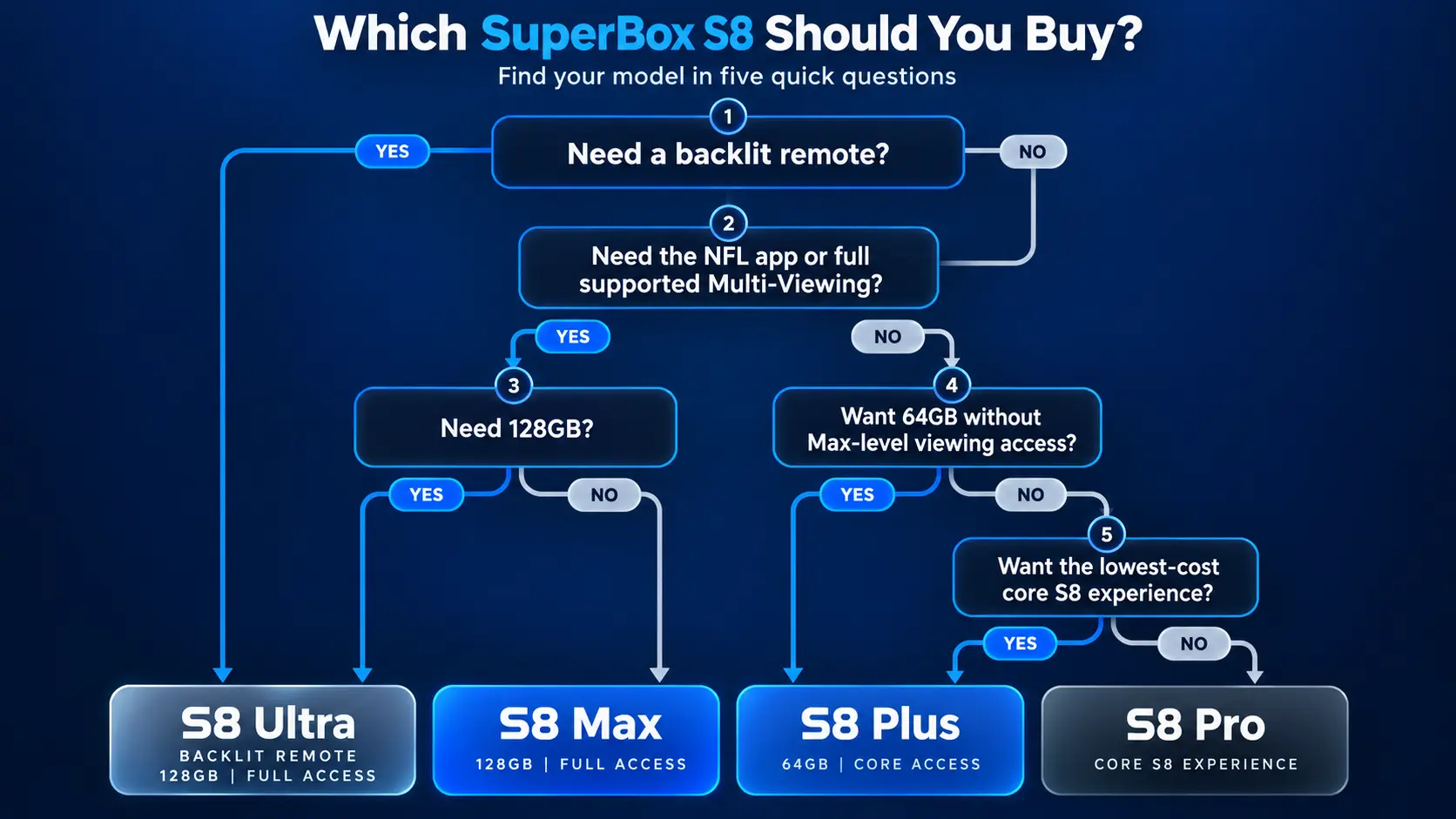
One-question shortcut
- Need a backlit remote? Buy Ultra.
- Need the NFL app or full supported Multi-Viewing? Choose Max or Ultra.
- Need 128GB? Buy Ultra.
- Want 64GB without Max-level viewing access? Choose Plus.
- Want the lowest-cost core S8 experience? Choose Pro.
Why Storage Matters More on the S8 Generation
In earlier streaming-box comparisons, storage mostly affected the number of apps and local files a user could keep. S8 adds another consideration: built-in recording is included throughout the lineup.
Recording consumes storage over time. File size can vary with resolution, bitrate, duration and application behavior, so it is not responsible to promise a fixed number of hours for each capacity without verified testing.
A practical approach is:
- choose Pro if recordings will be occasional and routinely deleted;
- choose Plus or Max if recording will be part of regular household use;
- choose Ultra if you want the largest internal margin and less frequent storage management.
External storage connectivity may add flexibility for compatible uses, but buyers should verify whether the specific recording function supports the chosen drive and file location. Do not assume every app can record directly to every USB device.
What Does Not Change Between the Models?
Paying more does not necessarily produce a faster internet connection, higher-quality source or better TV panel. The comparison chart gives all four models the same 4GB RAM and shared core applications.
Your final experience also depends on:
- internet stability;
- Wi-Fi or Ethernet conditions;
- application and server performance;
- the television and HDMI setup;
- available source resolution;
- simultaneous streaming load;
- and current firmware.
The higher model tiers buy specific capabilities and headroom. They do not override a poor network or guarantee that every online source will be interruption-free.
Buying from SuperBox TV Box Store
SuperBox TV Box Store is an authorized online retailer serving S8 launch customers. Buyers can compare the complete lineup, review current availability and choose the model that fits their actual feature priorities.
Purchasing through the store includes:
- original SuperBox hardware;
- published model specifications;
- U.S. and Canada-focused order support;
- shipment tracking;
- 30-day returns under the store’s policy;
- and a one-year warranty for eligible manufacturer defects.
Prices and stock can move quickly during a launch. Verify the final product page immediately before checkout. SuperBox TV Box Store sells open-platform consumer-electronics hardware and does not host, stream, transmit or maintain third-party channels or media libraries.
Compare the lineup: Visit the SuperBox S8 collection for current model pages, prices and availability.
Frequently Asked Questions
What is the best SuperBox S8 model?
S8 Max is the best overall balance for most buyers because it combines 64GB storage, full supported Multi-Viewing, the NFL app, USB-C and Type-C power. S8 Ultra is the best premium model with 128GB and the only backlit remote.
What is the cheapest SuperBox S8 model?
S8 Pro is the entry model. It has 4GB RAM and 32GB storage while retaining Blue TV, Blue VOD, Built-in Recording, Playback, Backup TV and Voice Command.
Is S8 Plus the same as S8 Max?
No. Both have 4GB RAM and 64GB storage, but Plus has PPV + ESPN Multi-Viewing, no NFL app, USB 2.0 + USB 3.0 and round-plug power. Max has full supported Multi-Viewing, the NFL app, USB-C + USB 3.0 and Type-C power.
Which S8 models have the NFL app?
The official comparison lists the NFL app on S8 Max and S8 Ultra. It is not listed on S8 Pro or S8 Plus.
Which SuperBox S8 has a backlit remote?
S8 Ultra is the only model shown with a backlit remote in the supplied official comparison. All four models have Voice Command.
Do all SuperBox S8 models have Built-in Recording?
Yes. Built-in Recording is listed for Pro, Plus, Max and Ultra. Recording compatibility and restrictions may vary by application, source and software version.
Which SuperBox S8 has the most storage?
S8 Ultra has 128GB, compared with 64GB on Plus and Max and 32GB on Pro.
Does more storage make SuperBox faster?
Not directly. All four models list 4GB RAM. Storage provides room for applications, local files, cache and recordings, while performance also depends on software, network conditions and active workloads.
Which S8 models support full Multi-Viewing channels?
S8 Max and S8 Ultra list full supported Multi-Viewing channels. Pro and Plus list Multi-Viewing for PPV and ESPN channels.
Does S8 Plus use Type-C power?
No. The official comparison lists a round power plug for S8 Plus. Pro, Max and Ultra use Type-C power.
What USB ports does S8 Plus have?
S8 Plus lists USB 2.0 + USB 3.0. Pro, Max and Ultra list USB-C + USB 3.0.
Should I buy S8 Max or S8 Ultra?
Buy Max if 64GB is sufficient and you want full supported Multi-Viewing plus the NFL app. Buy Ultra if you also want 128GB and a backlit remote.
Is S8 Pro enough for recording?
It has Built-in Recording, but its 32GB capacity offers the least storage headroom. It is best for occasional recording and users willing to manage stored files more actively.
Do SuperBox S8 models require internet?
Internet is required for online apps and streaming. Compatible local media functions may work without internet depending on the file, connected storage and application.
Does SuperBox have a mandatory monthly device fee?
SuperBox is sold as a one-time purchase that allow user access to 2000+ live channels and wide variety of entertainment media contents through app designed specifically for SuperBox.
Final Verdict
The SuperBox S8 lineup is easier to understand once you stop treating it as a simple storage ladder.
S8 Pro is the value entry point. It retains the S8’s core applications, recording and voice control in a 32GB configuration.
S8 Plus is the balanced 64GB family model, but its PPV + ESPN Multi-Viewing scope and lack of NFL app place it closer to Pro in viewing access.
S8 Max is the best overall recommendation for most serious viewers. It keeps 64GB storage but adds full supported Multi-Viewing, the NFL app, USB-C and Type-C power.
S8 Ultra is the definitive flagship. It doubles Max’s storage to 128GB and is the only model in the official chart with a backlit remote, making it the strongest option for frequent recording and premium home-theater use.
Choose based on the feature you would regret missing—not simply the highest number in the name. That approach leads most price-conscious users to Pro, family users to Plus, sports-focused buyers to Max and recording-heavy or premium buyers to Ultra.
The article was updated on:
