
Knowledge SuperBox
Can I Watch Live Sports on SuperBox?





Yes, you can watch live sports for free on SuperBox when the channel or event carrying the game is available to you. On a compatible SuperBox, Blue TV is the place to start for live channels. Our listings for the S8 Max and S8 Ultra include a dedicated NFL app, shown as NFL Sports in our S8 Max setup guide. To find a particular game, start with the league’s broadcast listing for your location, then check the channel or event on your box before kickoff.
Knowing the league or team gives you a starting point. Knowing the exact matchup, start time, and broadcaster tells you what to look for. That matters if you follow a team from another city, watch Canadian hockey, or want to catch a game that’s available only through a particular streaming service.
Where to look for live sports on SuperBox
| Viewing option | What to look for |
|---|---|
| Blue TV | A live channel carrying the game. Look up the broadcaster first, then find it in the channel list, Search, or program guide. |
| NFL Sports | A separate place to check current football listings on S8 Max and S8 Ultra. |
| Backup TV | An alternate live-viewing app to try if your usual channel or app has a problem. Check its own current lineup for the game. |
| A league or broadcaster service | An authorized stream for the matchup in your area. Check whether it needs a subscription, a TV-provider login, or a different supported device. |
Blue TV is useful when you know the station or network. A local affiliate is a station that carries programming from a national network in a specific area. Two stations tied to the same network can carry different Sunday games, so check the station and the program together. If the league sends you to a streaming service instead, open that service on a device it supports and check your access.
Save the SuperBox channel list if you want to look up a network name before sitting down at the TV. Use the list to narrow your search, then check the current program on your box. For example, finding a sports network in the directory helps you identify a channel to try. Its presence alone tells you nothing about whether tonight’s game is airing on that feed.
How to find the exact game before it starts
Start with the matchup, date, and location
Look up the game on the league or team website. Write down both teams, the date, the start time in your time zone, and the broadcaster or streaming service for the place where you’ll watch. Check the listing again on game day if the original announcement was made weeks earlier. For a tournament or fight card, identify the session or card you want too. An early round or preliminary bout may have a different viewing route from the main event.
If you’re buying a box for one team, try this exercise with a few upcoming games. Pick a home game, an away game, and a national broadcast if the schedule offers all three. You’ll see whether your team uses one familiar channel or several routes. If you’re planning to leave a TV package, use that list to decide which channels or separate subscriptions you still need.
Find the channel in Blue TV
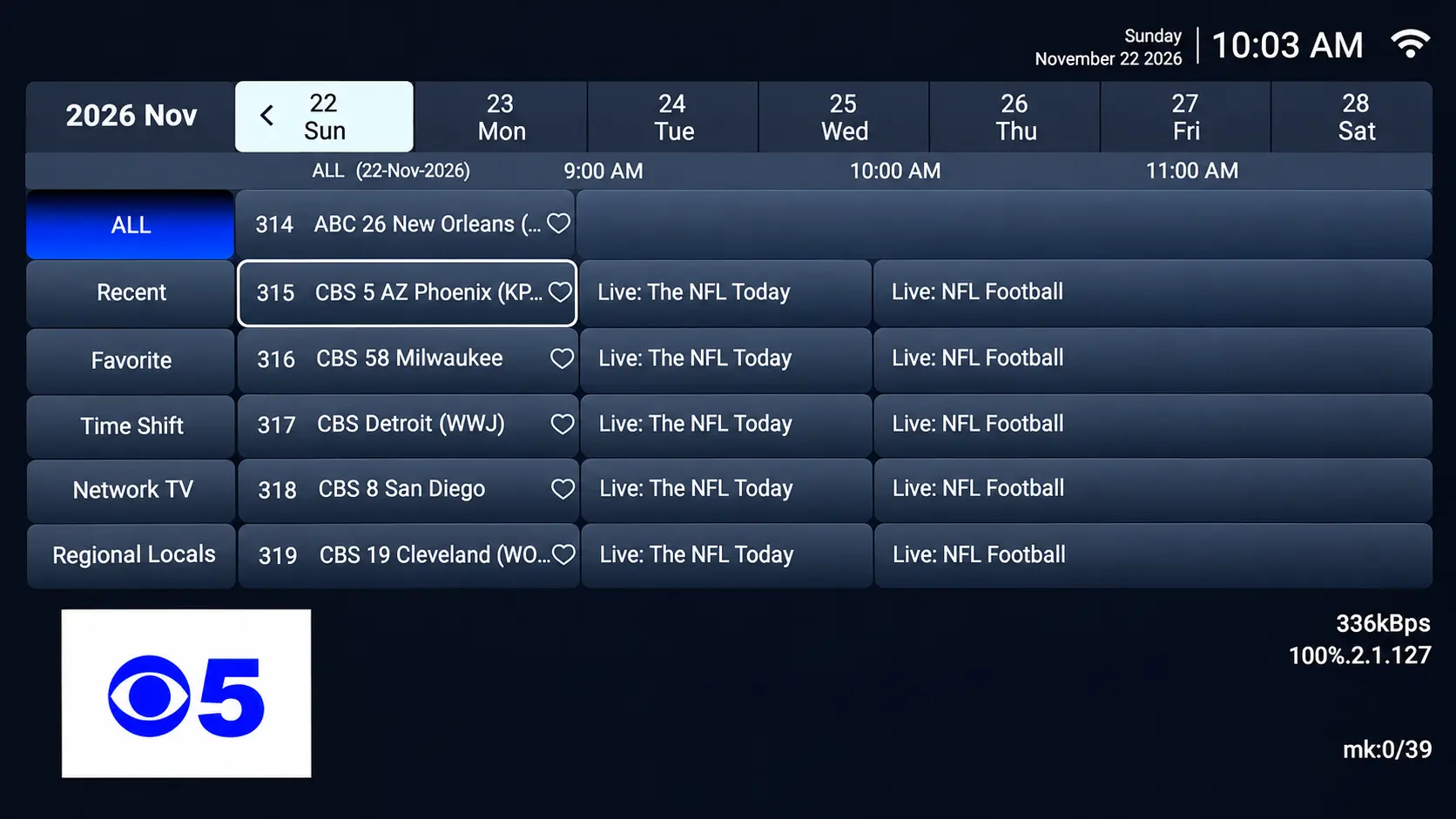
Open Blue TV and look for the channel name in Search or the channel list. Use the network or station name as your first search term. A matchup title may work in a listing that carries event names, but you’ll waste time if you expect a channel search to find every game by team. The Blue TV guide for S8 shows where the documented interface puts Search, the program guide, and Favorites.
Next, open the EPG, short for electronic program guide. That’s the on-screen schedule showing what a channel is airing at a given time. Compare the channel’s program at kickoff or puck drop with the matchup you noted. If the guide has a generic entry such as “College Football,” check the broadcaster’s schedule and open the channel close to the start to confirm the teams. For a feed you use every week, add the channel to Favorites once you’ve identified it.
Open the feed and have a second route ready
Start the channel a little before the game and let it play long enough to check picture and sound. If there’s a pregame show, confirm it’s covering your matchup. A channel tile and a schedule entry help you find a game. The video on screen is how you confirm that you opened the right feed.
For a game you’re hosting people to watch, check an authorized backup route before anyone arrives. That could be a broadcaster app on your smart TV, a service you already subscribe to, or a local over-the-air station you can receive where you live. If the service asks for a login, get through that step ahead of time. This is especially useful when the game listing points to a streaming service you seldom open.
Keep a short game-day checklist
For each matchup, write down the time, the local station or streaming service, and how you’ll open it. If coverage comes through a station, note the call letters or regional name where you can find them. If it comes through a service, note which device you’ll use and whether you’re signed in. You can make this list on your phone and use it again next week by replacing the game details.
If you’ll be away from home, check using the location where you’ll actually watch. A schedule saved for one city can point to a different regional game when you travel. And if your family prefers a particular language or commentary team, check the listed feed and its audio before adding it to Favorites. A channel logo alone won’t tell you which broadcast you’ll hear.
Where to check by sport in the US and Canada
NFL football
In the United States, use the NFL’s ways-to-watch guide and the week’s matchup listings. A Sunday afternoon game carried by a local station can have a different footprint from a prime-time matchup. If the game is assigned to an app or streaming service, check the service itself before assuming a related TV channel carries it.
In Canada, use the NFL’s Canadian viewing guide. The league lists CTV, TSN, and DAZN among the viewing choices. Find the specific matchup first and confirm which of those choices applies. A friend watching in the US may have a different channel or service even if you’re following the same teams.
The NFL Sports app listed for our S8 Max and S8 Ultra is separate from the league’s paid NFL+ service and from NFL Sunday Ticket. Check the app’s current listings if you have one of those models. If you already pay for NFL+ and expect to use it on a TV, check the NFL’s connected-TV rules. Live local and prime-time regular-season and postseason games on NFL+ are limited to phones and tablets.
NHL hockey
Start with the NHL’s national and regional viewing guide. For local games, the NHL broadcaster lookup takes a ZIP or postal code and lists regional broadcasters by team.
For example, if you’re in Calgary, the lookup lists Sportsnet West and Sportsnet Flames for regional coverage. Check whether the specific Flames game you want is on that regional route or is part of a national broadcast. Then look for the correct channel and confirm puck drop on its schedule. The regional listing helps you identify the broadcaster for your location. The team schedule helps you confirm which broadcaster has the game that night.
NBA basketball
Find the matchup on NBA Tap to Watch. Game listings can route you to a national broadcaster, a local partner, or NBA League Pass, depending on where you watch. If it shows a local TV station, find that station in the live guide. If it shows a streaming service, check whether your plan and device can play the game.
If you have League Pass, use the NBA’s blackout guide for your country. The NBA lists local-team and national restrictions for US subscribers and national restrictions for Canadian subscribers. A blackout in this context means the service can’t show the game live in the affected market. The guide also shows where to look for live coverage and when replays may become available.
MLB baseball and college football
For baseball, start with MLB’s team-by-team viewing guide for the 2026 season. It identifies local routes by club and gives context for national broadcasts. Find your club’s current schedule for a later season. As an example, MLB lists Sportsnet and Sportsnet+ among the Canadian viewing options for the Toronto Blue Jays in its 2026 guide. Check the listed carrier for the individual game, especially if it’s a national or exclusive broadcast.
For college football, use the NCAA’s college football TV schedule as a starting point. If a game is missing or has a time still to be announced, check the school’s athletics page closer to game day. Search for the broadcaster named on the game listing. If the schedule names a streaming service, look for that service’s listing rather than assuming a channel with a similar name will carry it.
UFC, boxing, and other special events
Use the organizer’s event page to confirm the viewing service, country, and card. A channel or app label such as PPV is a reason to check the event listing before buying access. For example, Paramount+ lists its US UFC coverage for 2026, and Paramount’s Canada announcement gives a separate 2027 start for the Canadian numbered-event main-card deal. Use the current rights and access terms for the card you want. Boxing and other events can have their own providers and payment requirements.
What changes when you choose a SuperBox S8 model?
The choice matters most if you want a dedicated football app or regularly put two supported channels on the same TV. Check the games you care about first. Then choose the model based on how you like to watch.
| S8 models | Dedicated NFL app on our listings | Multi-Viewing scope on our listings |
|---|---|---|
| S8 Pro and S8 Plus | No | Supported PPV and ESPN channels |
| S8 Max and S8 Ultra | Yes | Broader coverage across supported channels |
Multi-Viewing lets you keep supported streams visible together through Picture-in-Picture or Multi-Screen. Open the two feeds individually first. Once you’ve confirmed both are the programs you want, check whether your model can show that pairing. A feature that helps you keep two games in view is useful only when both feeds are available to begin with.
For one game at a time, the Pro or Plus can suit someone who has confirmed the live channels they use most. For the dedicated NFL app and broader Multi-Viewing, the SuperBox S8 Max offers both features. The SuperBox S8 Ultra offers those same viewing options with a backlit remote and more internal storage for people who will use it. See our four-model S8 comparison for the other differences. If you’ve seen a different S8 Plus feature list and either feature matters to you, ask the seller to confirm what comes with the unit you’ll receive.
What to try when the game is missing or keeps freezing
| What you see | First thing to check |
|---|---|
| The channel plays, but it shows a different game | Check the station or regional feed against the league’s game listing. |
| The game is listed, but that feed keeps freezing | Open another live channel in the same app to see whether the issue extends beyond that feed. |
| Several channels or apps keep freezing | Check the box’s network connection and compare playback on another device using the same home network. |
| A broadcaster app shows a blackout or sign-in message | Confirm your location, plan, and TV-provider access under that service’s rules. |
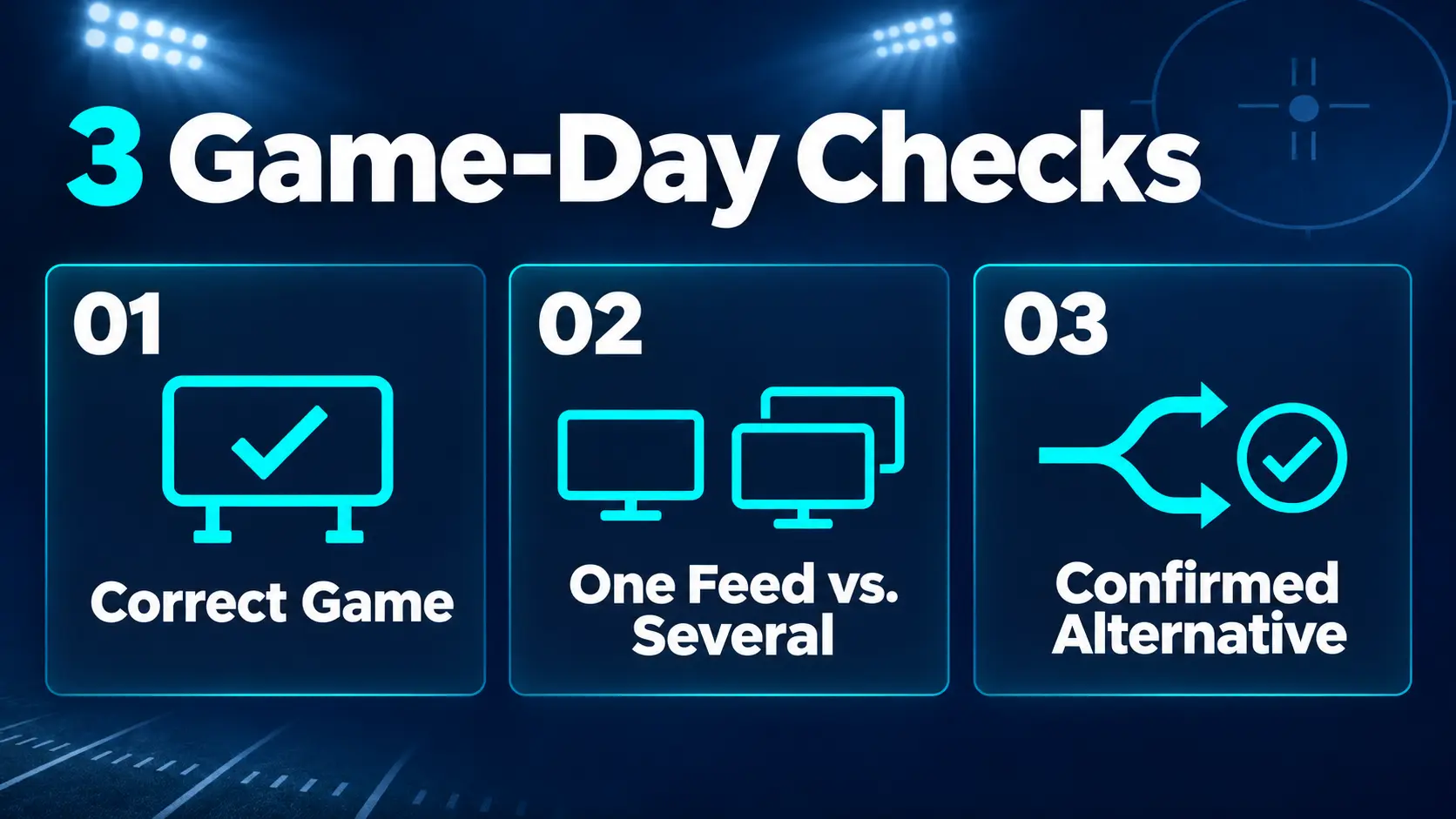
If only the game feed is affected and another live channel plays normally, make a note of the affected feed and time. Try reopening the feed. You can also check Backup TV for another available live feed or use the broadcaster you identified earlier. If the current listing sends you to a separate service, switch there instead of spending the first half restarting the SuperBox.
If multiple streams are freezing, start with a single feed and see whether the box is connected to the intended Wi-Fi network. When you can run a cable to the router, try an Ethernet connection on S8 to compare against Wi-Fi. Run the same playback test again so you can tell whether the connection change helped. The SuperBox buffering guide walks through further checks.
If you ordered from us and the problem persists, email customer@superboxtvboxstore.com with your order number, model, app, channel or event name, and the time the problem occurred, including the time zone. Say what happened on a second channel and whether the box was on Wi-Fi or Ethernet. A photo of the message can help. For an order from another retailer, contact that seller with the same details.
Use a single stream if two feeds stutter
If each game plays on its own but the picture starts freezing when you use Multi-Viewing, return to one feed. Repeat the test with the same two channels once the connection is steady. This helps you tell whether the problem appears with a particular feed or only when you try to keep both open. If the game is already underway, stay on the feed that plays reliably and run the comparison later.
Frequently asked questions
Can I watch live sports without a cable subscription?
You can use a compatible SuperBox over home internet without a traditional cable connection. If the game you want is carried by a separate streaming service, check whether that service requires a subscription or provider login. An over-the-air station is another option if it carries the game and you can receive it with an antenna. Base the decision on the games you actually watch during the season.
Do I need two boxes for two people to watch different games?
Plan on one box per TV for independent viewing. An HDMI splitter can send the same picture from one SuperBox to two displays. For one person to watch hockey in the living room while someone else watches football in the bedroom, each TV needs its own viewing source. That second source could be another box, a supported smart-TV app, or an antenna for a local broadcast.
Can I replay a game I missed?
Check Playback for the channel, date, and program. Catch-up can extend up to seven days for supported programming, with availability depending on the game and channel. If it doesn’t show up, check the league or broadcaster’s replay options. On S8, the Recorder app is a separate option you start and stop manually for supported programming with a compatible external USB drive attached.
Will a delayed live stream spoil the score?
A live stream can trail another feed or a phone notification. If you’re watching with friends who have a different service, mute score alerts until the game ends or ask the group chat to hold reactions until everyone has seen the play. If you’re comparing two feeds at home, wait for the same play to finish on each before you decide which one you want to keep on screen.
The article was updated on:
