
Knowledge SuperBox
TOP 11 “Black Box” Free TV Streaming Devices: Complete Buyer’s Guide





The colloquial term “Black Box” has long existed in home entertainment lexicon, historically referring to analog cable descramblers in the late 1990s. In the modern streaming era, the phrase has evolved into popular consumer shorthand for fully configured Android TV media hubs engineered to stream live television broadcasts, premium sports events, pay-per-view cards, and massive on-demand movie catalogs without recurring monthly subscription fees. However, with dozens of competing devices flooding the market, understanding the difference between fly-by-night pirate boxes and legitimate, enterprise-grade media hubs like SuperBox is crucial for long-term satisfaction.
Cord-cutting households face soaring monthly subscription fees across cable TV and streaming platforms. Combining multiple streaming services such as YouTube TV, Hulu + Live TV, Netflix, Disney+, and standalone sports packages now routinely costs consumers upwards of $120 to $180 per month. A turnkey black box media player permanently replaces this fragmented recurring overhead with a single, one-time hardware purchase, giving viewers uninhibited access to live broadcasts, news networks, regional sports, and global cinema.
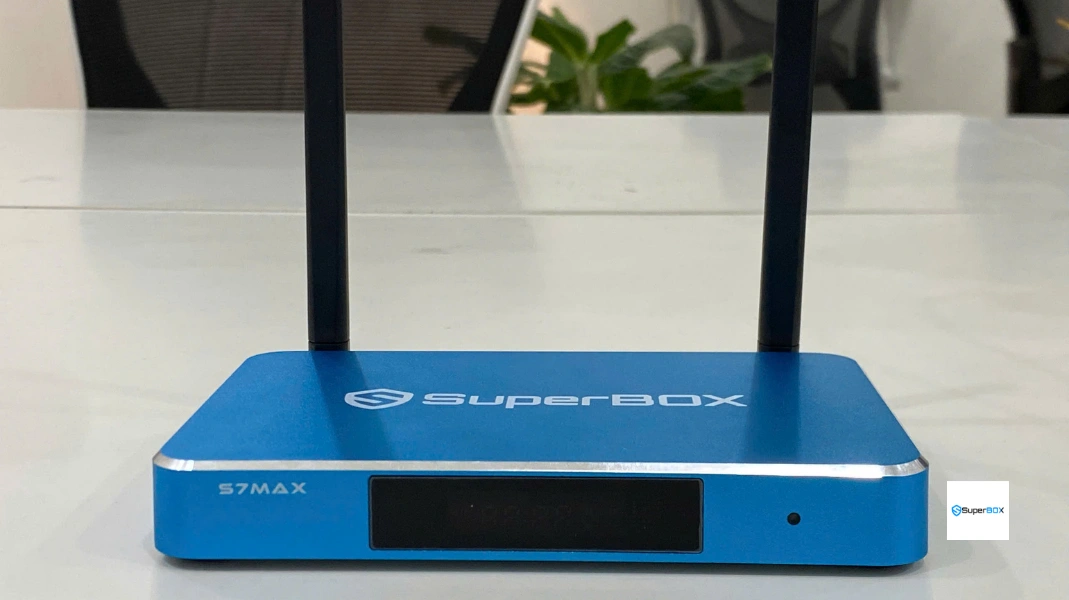
Top “Black Box” Streaming Devices: Hardware & Reliability Matrix
The performance of any black box media player depends heavily on its processing chipset, memory throughput, networking silicon, and the quality of its server delivery network. Below is a comparative technical evaluation of the top contenders:
| Device / Brand | Current Price | Memory & Storage | Network Silicon | Server Reliability | Chassis Construction |
|---|---|---|---|---|---|
| SuperBox S7 Max | $339.00 | 4GB RAM / 64GB Storage | Wi-Fi 6 + 1000M Gigabit | Elite (Private Dedicated CDN) | Aircraft-grade Aluminum Alloy |
| SuperBox S7 Pro | $305.00 | 4GB RAM / 32GB Storage | Wi-Fi 6 + 1000M Gigabit | Elite (Private Dedicated CDN) | Ventilated High-Impact ABS |
| SuperBox S8 Ultra | $449.00 | 4GB RAM / 128GB Storage | Wi-Fi 6 + 1000M Gigabit | Elite (Private Dedicated CDN) | Heavy-Duty CNC Aluminum |
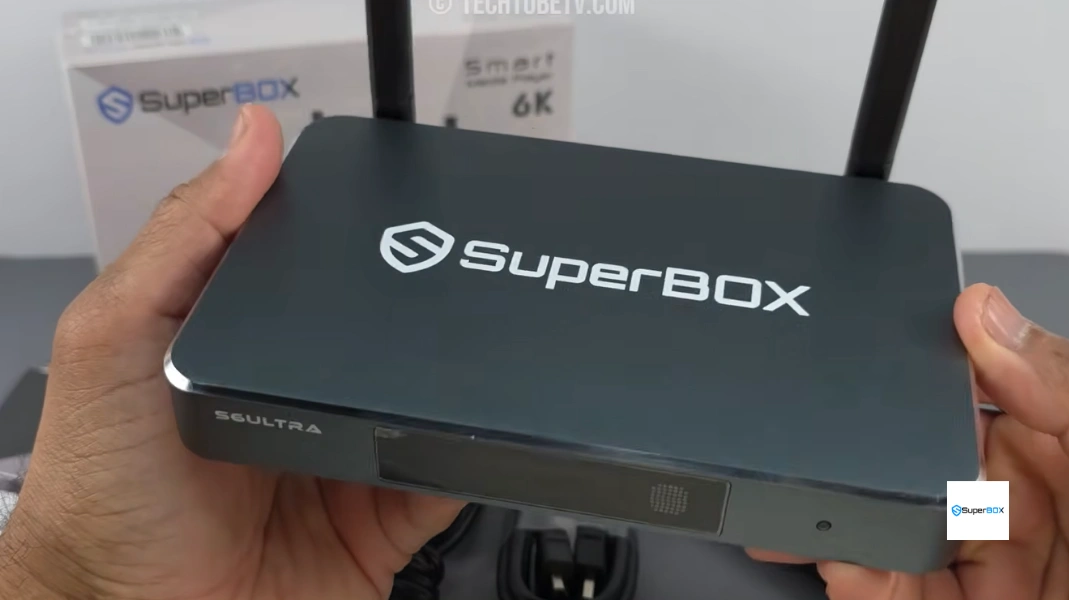
| SuperBox S6 Ultra | $299.00 | 4GB RAM / 128GB Storage | Wi-Fi 5 + 100M Ethernet | High (Legacy Network) | Ventilated High-Impact ABS |
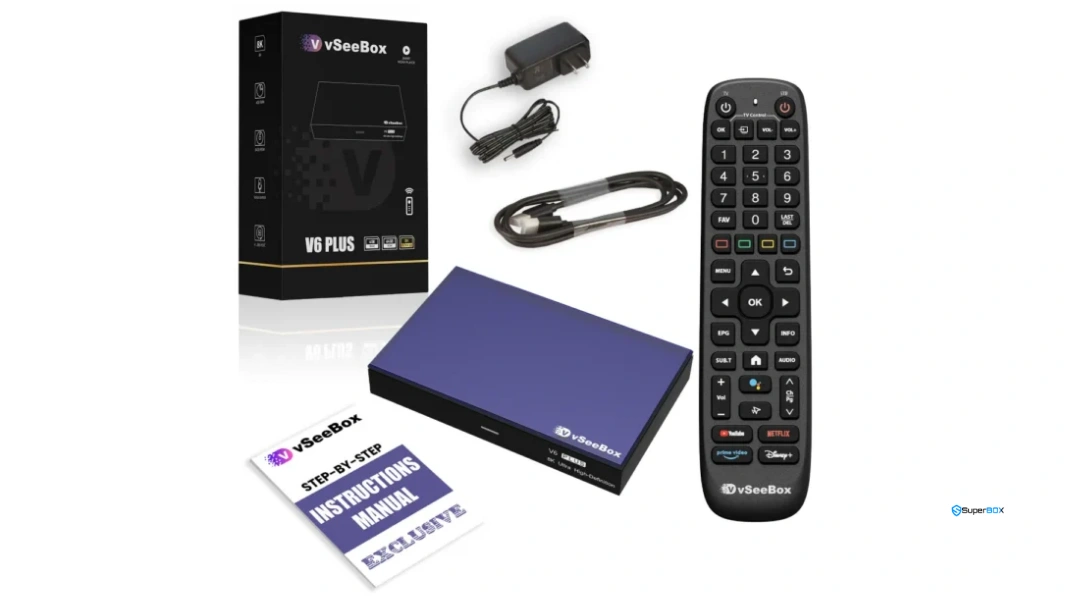
| vSeeBox V6 Max | $349.00 | 4GB RAM / 64GB Storage | Wi-Fi 6 + Gigabit LAN | Moderate to High | Polymer Enclosure |
| EVPAD 12P | $329.00 | 4GB RAM / 64GB Storage | Wi-Fi 6 + 100M Ethernet | Moderate (Asian focus) | Standard Plastic Enclosure |
Legitimacy Checklist: Dedicated Cloud Infrastructure vs. Fly-by-Night Scrapers
The critical difference between an investment-grade media hub and an unreliable counterfeit lies in server architecture. Consumers should use the following criteria to evaluate any TV streaming hardware before purchasing:
| Evaluation Feature | Genuine SuperBox Media Hub | Fly-by-Night / Generic Android Box |
|---|---|---|
| Server Backing | Privately maintained, globally distributed high-speed CDNs | Public scraped M3U links hosted on free cloud servers |
| Live Sports Stability | 60fps high-bitrate feeds with zero buffer stalls | Severe buffering, stream drops, and audio desync |
| Cloud DVR (Playback) | Built-in 7-day rolling catch-up on hundreds of channels | None; no cloud playback or EPG synchronization |
| Firmware Updates | Automated Over-The-Air (OTA) updates and security patches | Zero software maintenance; apps abandon within months |
| Warranty & Support | 1-Year Manufacturer Replacement Warranty + Live Help | No warranty; seller account disappears after transaction |
| Remote Control | RC-200L Backlit Remote with Bluetooth 5.2 & IR Learning | Cheap infrared-only plastic remote with unresponsive keys |
3-Year Economic Breakdown: Black Box Hardware vs. Cable Subscriptions
When consumers analyze the real financial impact of shifting from legacy cable or multi-app subscriptions to a dedicated black box streaming unit, the numbers are staggering. The average American household pays approximately $115 to $145 per month for traditional cable TV packages, encompassing broadcast TV fees, regional sports fees, set-top box equipment rentals, and regulatory taxes.
Over a 36-month timeline, cable expenditures exceed $4,500 to $5,200. Conversely, investing in a high-end turnkey hardware hub such as the SuperBox S7 Max ($339.00) or SuperBox S8 Max ($399.00) incurs zero recurring subscription fees. The device pays for itself in less than 3 months of cord-cutting, delivering over $4,000 in net disposable savings across three years of continuous entertainment.
Network Protocol Deep Dive: HLS Packet Delivery and Wi-Fi 6 Latency Control
Streaming pre-recorded movies on Netflix or Amazon Prime Video relies on massive client-side data buffering: the device downloads 30 to 60 seconds of video into RAM ahead of time, ensuring temporary Wi-Fi hiccups never interrupt playback. In contrast, live sports broadcasts utilize HTTP Live Streaming (HLS) and Dynamic Adaptive Streaming over HTTP (MPEG-DASH) with rolling 2-to-4-second media segments. If packet jitter occurs, the video stream immediately freezes or stutters.
Modern black boxes overcome this challenge through cutting-edge networking silicon. Hardware units like the SuperBox S7 Max and S8 series feature Wi-Fi 6 (802.11ax) with Orthogonal Frequency-Division Multiple Access (OFDMA). OFDMA divides each wireless transmission channel into hundreds of smaller sub-carriers, allowing the media player to transmit and receive video packets concurrently without waiting behind smartphones, laptops, and smart home appliances on your home router. Coupled with 1000M Gigabit Ethernet ports, genuine black boxes eliminate packet latency for uncompromised live 4K viewing.
Thermal Engineering: Why Build Materials Matter in Continuous 4K Streaming
Continuous video decoding of high-definition and 4K 60fps streams places substantial thermal load on the central processing unit and integrated graphics chip. Cheap plastic black boxes frequently overheat after 2 to 3 hours of continuous playback. When internal temperatures exceed 75°C, the processor automatically throttles its operating frequency by 40% to 50% to prevent burnout, resulting in choppy video, frame stutter, and app crashes.
This is why top-tier hardware like the SuperBox S7 Max ($339.00) and S7 Ultra ($381.00) utilizes an aircraft-grade CNC-milled aluminum alloy enclosure. Aluminum features a thermal conductivity rating exceeding 200 W/m·K (compared to just 0.2 W/m·K for plastic). The entire metallic chassis absorbs internal heat and disperses it passively into the surrounding room, keeping operating temperatures comfortably between 41°C and 45°C during marathon viewing sessions.

Step-by-Step Guide: Setting Up and Optimizing a Free TV Black Box
Follow these sequential, verified technical steps to set up, calibrate, and enjoy your SuperBox streaming media player.
Step 1: Unpack Hardware and Verify Genuine Holographic Barcodes
Inspect the packaging upon delivery. Ensure the box features official tamper-evident seals and check the bottom panel for the genuine barcode sticker displaying the MAC address and Serial Number. Avoid unsealed or unbranded packaging.
Step 2: Connect HDMI to 4K Display and Power via Surge Protector
Connect the included high-speed HDMI 2.0 cable between the SuperBox and an HDCP 2.2-compliant HDMI port on your television. Connect the original 5V DC power adapter directly to a surge protector to prevent voltage spikes from damaging the internal flash memory.
Step 3: Establish Wired Gigabit LAN or 5GHz Wi-Fi Connection
For pristine 4K video streams without wireless interference, connect a Cat6 Ethernet cable to the 1000M Gigabit Ethernet port on S7/S8 models. If connecting wirelessly, select your home router’s 5GHz or Wi-Fi 6 band (never connect to 2.4GHz for high-definition video streaming).
Step 4: Pair Bluetooth Voice Remote and Calibrate TV IR Controls
Insert two fresh AAA alkaline batteries into the RC-200L remote. Hold down the [OK] and [Return] keys simultaneously until the LED status indicator flashes blue. Complete pairing in Settings > Remotes & Accessories. Program the IR learning cluster at the top to control TV power and volume.
Step 5: Launch SuperBox Store and Complete App Initialization
From the home launcher, click the SuperBox App Store tile. Download and install Blue TV, Blue VOD, and the Playback app. Open each application once to grant mandatory internal storage permissions and verify initial authentication tokens.
Step 6: Fine-Tune 4K HDR Resolution and In-App Stream Buffering
Open device Settings > Display > Screen Resolution. Verify that output is locked to 3840x2160p @ 60Hz. Open Blue TV, press the remote Menu button, navigate to Stream Quality, and set Decoding Mode to “Hardware Plus (HW+)” and Buffer Size to “Medium” for instant channel zapping.
Step 7: Configure 7-Day Time Shift Playback and Regional Time Zones
Open the Playback app, navigate to settings, and confirm your local time zone matches your geographical location. This synchronizes the Electronic Program Guide (EPG) grids so that 168-hour historical catch-up feeds align perfectly with broadcast start times.
Frequently Asked Questions
1. What is a “Black Box” for free TV, and how does it work?
A modern “Black Box” is an Android-powered set-top media device configured with pre-installed media portals (such as Blue TV and Blue VOD on SuperBox). Instead of scraping unstable public links, authentic devices connect to dedicated, high-speed private cloud server clusters that stream live cable channels, regional sports networks, and on-demand movies directly over your home broadband connection with zero monthly fees.
2. Is buying and owning a Black Box streaming device legal?
Yes. Owning and operating an Android TV media player is 100% legal. These devices run on standard Android operating systems (Android 12) with full Google Play Store support. They function as hardware media decoders similar to an Apple TV, NVIDIA Shield, or Fire TV stick, with the hardware cost subsidizing server maintenance.
3. How does a Black Box stream live channels without a monthly subscription fee?
The upfront hardware purchase price of a genuine SuperBox covers both the physical hardware and perpetual access to the manufacturer’s distributed cloud streaming network. This hardware-subsidized infrastructure model completely eliminates recurring customer billing, contracts, and monthly subscriptions.
4. Will a Black Box stop working if the company goes out of business?
This is why brand reputation is critical. Cheap, fly-by-night boxes often go dark within six months because the sellers abandon their servers. In contrast, SuperBox has continuously maintained and upgraded its cloud network across multiple hardware generations spanning many years, ensuring uninterrupted service for all users.
5. What is the difference between SuperBox and cheap generic Android boxes?
Generic Android boxes sold online are unconfigured hardware running pirated public IPTV scrapers that suffer from constant buffering, dead links, and zero customer support. SuperBox units are enterprise-grade hardware featuring Wi-Fi 6, 1000M Gigabit Ethernet, aircraft-grade aluminum passive heatsinks, dedicated cloud CDN servers, and a 1-year manufacturer replacement warranty.
6. Can a Black Box stream live sports events in 60fps HD and 4K?
Yes. Genuine SuperBox models feature high-bitrate live feeds for major sporting leagues including NFL, NBA, MLB, NHL, MLS, college football, Premier League soccer, and pay-per-view combat sports, broadcast in smooth 60fps high definition and 4K resolution.
7. Do I need to connect a VPN to use a Black Box safely?
A VPN is not mandatory for SuperBox because all media queries between the device and private cloud servers utilize encrypted data tunnels. However, if your Internet Service Provider (ISP) throttles streaming traffic during high-traffic evening hours, installing a VPN directly from the Google Play Store can stabilize download speeds.
8. What internet speed is necessary to operate a Black Box without buffering?
We recommend a minimum stable broadband connection speed of 25 Mbps to 30 Mbps for standard high-definition channels, and 50 Mbps to 100 Mbps for 4K live sports and 60fps streams. Using a wired Gigabit Ethernet connection or 5GHz Wi-Fi 6 ensures rock-solid stability.
9. How do I update the channels and software on a Black Box?
Software and channel list updates on genuine SuperBox devices are 100% automated. Server engineers continuously update channel links and program guides remotely. When system firmware updates or new app features are released, the device receives automatic Over-The-Air (OTA) update prompts requiring only a single click to install.
10. Which Black Box model is currently considered the best value for money?
The SuperBox S7 Max ($339.00) represents the gold standard in overall value, pairing an aircraft-grade aluminum alloy enclosure with 4GB RAM, 64GB storage, Wi-Fi 6, and 1000M Gigabit LAN. For users seeking the absolute latest AI voice engine and recording capabilities, the SuperBox S8 Max ($399.00) is the premier flagship.
Final Verdict: Maximizing Your Cord-Cutting Experience
Investing in a high-performance black box media hub allows households to permanently break free from monthly cable bills and fragmented subscription plans. By choosing an authentic, cloud-backed device like the SuperBox S7 Max or S8 Max with Wi-Fi 6 and aluminum cooling, you secure a reliable, high-definition entertainment center that delivers premium sports, news, and movies for years to come.
The article was updated on:
