
Knowledge SuperBox
Top TV Boxes to Get All Channels Free: Complete Cord-Cutting Guide





Rising subscription costs across traditional cable television, satellite providers, and fragmented streaming platforms have pushed millions of households toward modern cord-cutting solutions. The average American household now spends upwards of $150 to $220 each month on bundled television services, only to face annual price hikes, regional sports surcharges, and equipment rental fees. Dedicated Android media hubs—often termed “all-channel TV boxes”—have emerged as the definitive alternative, delivering live national broadcasts, premium sports packages, international programming, and extensive on-demand movie libraries without recurring monthly bills.
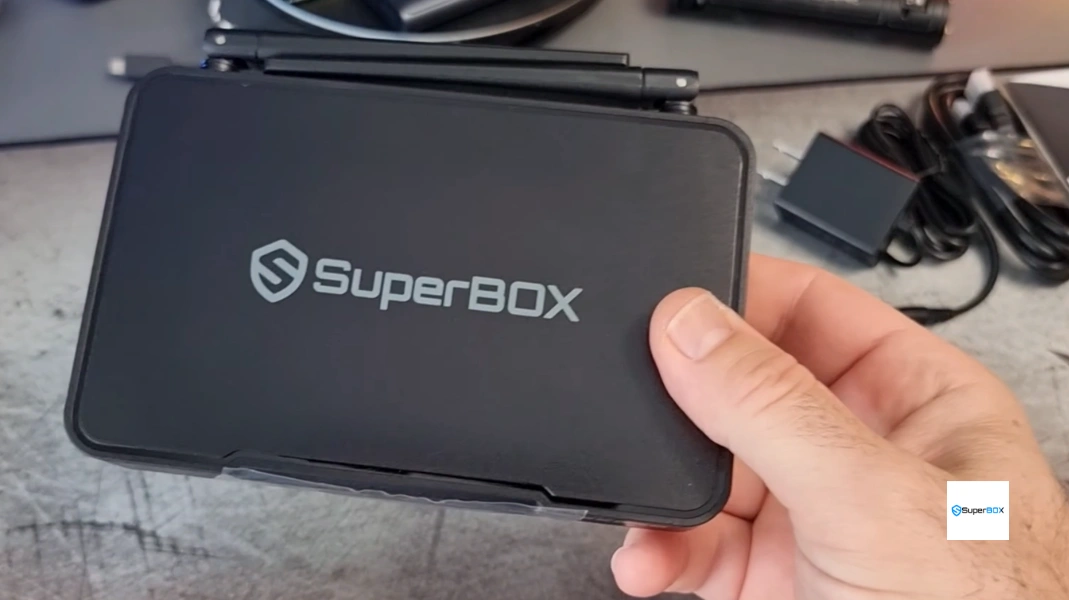
Top TV Boxes for Free Television Channels: Comprehensive Comparison
When selecting a media streaming box to replace traditional cable, hardware specifications, server stability, cloud DVR catch-up, and ongoing maintenance dictate your everyday viewing experience. Below is the technical comparison across leading cord-cutting devices:
| Streaming Device | Upfront Cost | Monthly Fees | Live Channel Reliability | Catch-Up DVR | Best Suited For |
|---|---|---|---|---|---|
| SuperBox S7 Max | $339.00 | $0.00 / month | High (Dedicated Cloud CDN) | 7-Day Cloud Playback | Ultimate all-around living room home theater hub |
| SuperBox S7 Pro | $305.00 | $0.00 / month | High (Dedicated Cloud CDN) | 7-Day Cloud Playback | Best budget-friendly Wi-Fi 6 streaming value |
| SuperBox S8 Ultra | $449.00 | $0.00 / month | Elite (AI Enhanced Routing) | 7-Day Playback + USB Recorder | Enthusiasts wanting 128GB storage & recording |
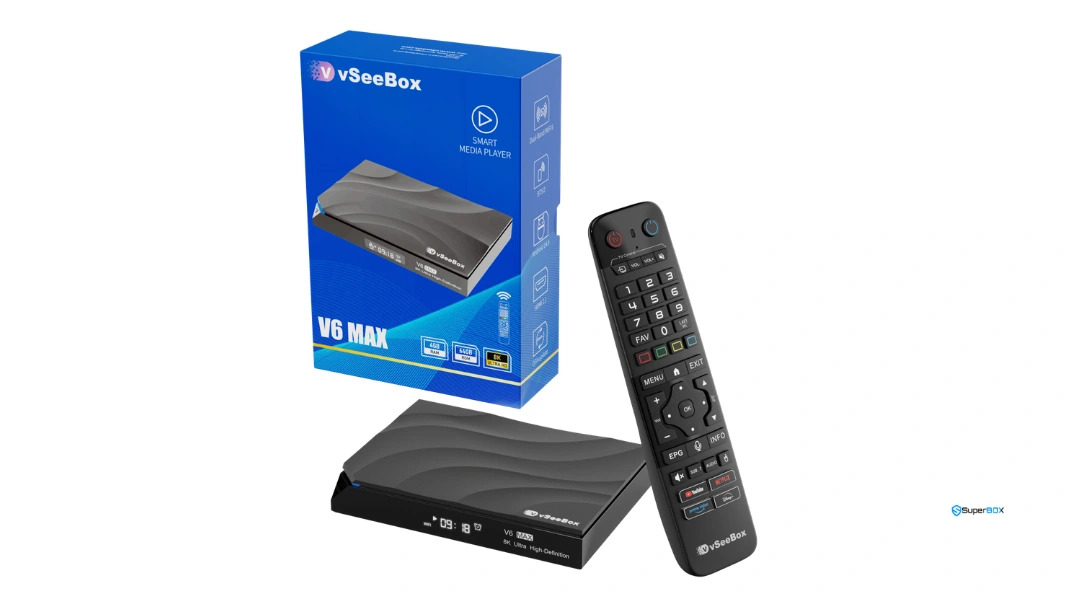
| vSeeBox V6 Max | $349.00 | $0.00 / month | Moderate to High | 7-Day Playback | Alternative secondary television option |
| Amazon Fire TV Cube | $139.99 | $75–$140/mo (Apps) | Requires Paid Subscriptions | Cloud DVR (Paid Add-On) | Users committed to Amazon ecosystem & paid apps |
| Apple TV 4K | $149.00 | $80–$160/mo (Apps) | Requires Paid Subscriptions | App-Dependent (Paid) | Apple ecosystem users prioritizing sleek UI |
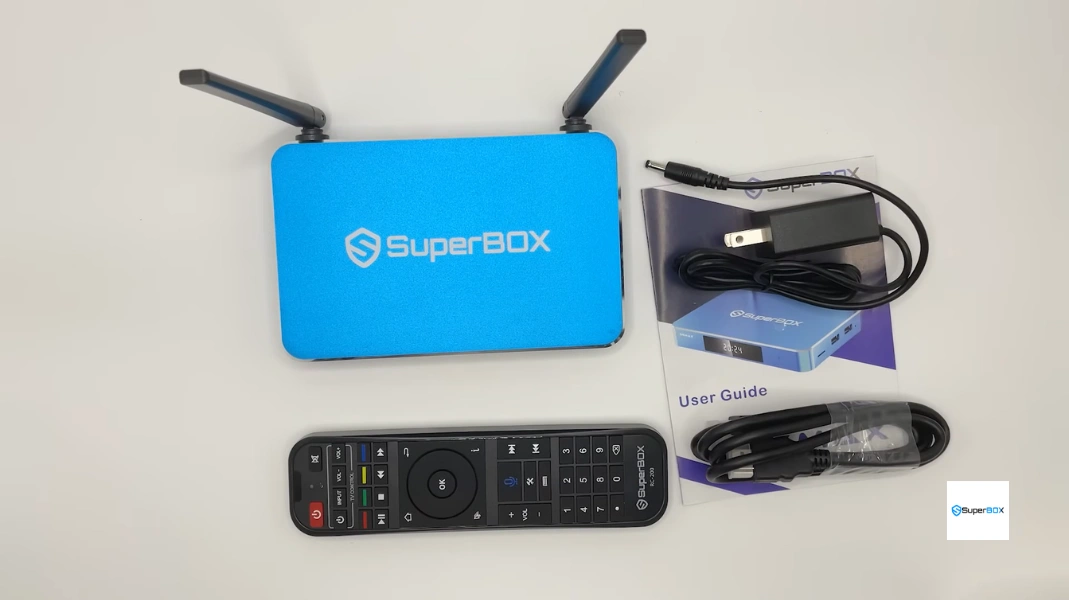
3-Year Total Cost of Ownership: Cable vs. Paid Streaming vs. SuperBox
Understanding the long-term economics of television consumption reveals the massive financial advantage of one-time hardware purchases. The table below outlines real-world expenditures over a 36-month timeline:
| Cost Category | Traditional Cable / Satellite | Fragmented Paid Apps (Hulu, Sling, YouTube TV) | SuperBox S7 Max Hardware |
|---|---|---|---|
| Initial Hardware Cost | $0 – $100 (Installation) | $50 – $150 (Streaming Sticks) | $339.00 (One-Time) |
| Monthly Service Subscription | $160.00 / month average | $110.00 / month average | $0.00 / month |
| Equipment & DVR Rental Fees | $25.00 / month (2 Boxes) | $0 – $10.00 / month | $0.00 / month |
| Broadcast & Regional Sports Fees | $28.00 / month | Included in live TV bundles | $0.00 / month |
| Year 1 Total Expenditure | $2,556.00 | $1,420.00 | $339.00 |
| 3-Year Total Cumulative Cost | $7,668.00 | $4,260.00 | $339.00 (Save over $7,300) |
Why Dedicated Cloud CDN Hubs Outperform “Jailbroken” Sticks
Many consumers initially experiment with so-called “jailbroken” Fire TV sticks or generic unbranded Android boxes purchased from online auction sites. These makeshift solutions rely on public, unmonitored scraping scripts, pirate M3U playlists, and ad-laden APKs that break constantly. When a major sporting championship airs, public scraping servers crash immediately under peak load, leaving viewers with black screens and spinning buffering wheels.
In contrast, reputable media hardware like the SuperBox operates on dedicated, private Content Delivery Network (CDN) server infrastructure. Broadcast feeds are ingested directly from high-bandwidth satellite and terrestrial downlinks, encoded using hardware-accelerated H.265/HEVC compression, and distributed across globally replicated edge caches. This ensures smooth 60fps video delivery, crystal-clear 1080p and 4K resolution, and zero buffer pauses during high-traffic live events.
Network Protocol Deep Dive: Adaptive Bitrate Streaming (HLS & MPEG-DASH)
The technical foundation separating professional cord-cutting hardware from unstable piracy scripts lies in the transport protocol architecture. SuperBox cloud streaming engines utilize HTTP Live Streaming (HLS) and Dynamic Adaptive Streaming over HTTP (MPEG-DASH). Instead of attempting to pull a single continuous monolithic stream—which breaks entirely upon the slightest packet collision—video is broken into encrypted two-second media segments.
Each media segment is served across multiple bitrate profiles (e.g., 4K at 25 Mbps, 1080p at 8 Mbps, 720p at 4 Mbps). If household network congestion momentarily peaks due to large file downloads or cloud backups on other family devices, the SuperBox client dynamically requests the appropriate chunk profile without dropping frames or interrupting audio continuity. Once bandwidth recovers, playback seamlessly scales back up to pristine uncompressed resolution.
Live Sports Broadcast Stability: Frame Pacing and 60fps Rendering
For sports enthusiasts, frame rate is the defining performance metric. Fast-moving sports like basketball, hockey, football, and soccer appear blurry and nauseating at standard 30fps television broadcast rates. SuperBox prioritizes high-frame-rate 60 frames per second (fps) feeds across all major national sports networks, regional sports networks (RSNs), and pay-per-view events.
The integrated multi-core Mali graphics processors present in SuperBox hardware feature dedicated hardware motion deinterlacing and hardware-accelerated VSYNC frame synchronization. This guarantees that ball trajectory, player movements, and on-screen score tickers glide across your 4K display with liquid-smooth clarity, identical to high-end uncompressed digital satellite receivers.
SuperBox Product Lineup: Finding the Ideal Model for Your Home
Selecting the right hardware configuration ensures optimal performance tailored to your network environment and viewing habits:
- SuperBox S6 Series ($299.00 across S6 Pro, S6 Max, S6 Ultra): The budget-friendly gateway. Features Android 12, dual-band Wi-Fi 5, and 100M Ethernet. The S6 Ultra ($299.00) delivers outstanding clearance value with 4GB RAM and 128GB of internal storage.
- SuperBox S7 Pro ($305.00): Modern entry point featuring next-generation Wi-Fi 6 (802.11ax), full 1000M Gigabit Ethernet, and the RC-200L Backlit Voice Remote for just $6 more than the S6.
- SuperBox S7 Max ($339.00): The undisputed sweet spot of the market. Combines 4GB RAM, 64GB storage, Wi-Fi 6, Gigabit LAN, and an aircraft-grade CNC-milled aluminum alloy enclosure that dissipates heat 20 times faster than plastic.
- SuperBox S7 Ultra ($381.00): Top-tier 7th Generation model with 128GB internal storage, aluminum chassis, front-panel LED clock, and enhanced 6K decoding capabilities.
- Flagship SuperBox S8 Series ($359.00 – $449.00): Cutting-edge platform comprising the S8 Pro ($359.00), S8 Plus ($379.00 with multi-view Picture-in-Picture), S8 Max ($399.00), and S8 Ultra ($449.00), featuring AI Voice Command search and native TV Recorder apps.

Step-by-Step Guide: How to Set Up and Optimize Your Free TV Box
Follow these sequential, verified technical steps to unbox, configure, and optimize your media box for flawless live streaming.
Step 1: Unbox Hardware and Connect High-Speed 4K HDMI Cable
Carefully unbox your device and connect the included high-speed HDMI 2.0 cable to an HDCP 2.2-compliant HDMI input on your 4K television or soundbar receiver. Connect the 5V DC power adapter to the rear port and plug it into a surge protector.
Step 2: Establish Gigabit Ethernet or 5GHz / Wi-Fi 6 Connection
For the lowest possible latency and instantaneous channel switching, connect a Cat6 Ethernet cable to the 1000M Gigabit LAN port. If connecting wirelessly, select your home router’s 5GHz or Wi-Fi 6 (802.11ax) network band rather than the congested 2.4GHz band to ensure stable 25–50+ Mbps throughput.
Step 3: Pair Bluetooth Voice Remote and Configure TV IR Power/Volume
Insert two fresh AAA batteries into the remote. Follow the on-screen setup prompts to pair the remote via Bluetooth by holding the Voice and OK buttons for 5 seconds. Next, use the top “TV Control” infrared learning cluster to clone your TV’s power and volume buttons, unifying your setup into a single handheld remote.
Step 4: Launch App Store and Initialize Blue TV, Blue VOD & Playback
From the main Android launcher, open the pre-installed SuperBox Store application. Download the primary entertainment utilities: Blue TV for live television, Blue VOD for movies and series, and Playback for 7-day cloud DVR catch-up. Launch each application once to complete automated activation.
Step 5: Organize Favorite Channels and Configure Live EPG Categories
Open Blue TV and explore the channel categories (Sports, News, Entertainment, Locals, Movies, Kids). Highlight your most-watched channels and press the Yellow button or OK button on your remote to add them to your custom “Favorites” list for rapid one-touch access.
Step 6: Fine-Tune 4K HDR Video Decoding and In-Stream Buffer Settings
Press the Menu key on your remote while inside Blue TV. Under settings, confirm that Hardware Decoding is selected to leverage the integrated GPU. Set the default buffer to Normal (3s) or High (5s) depending on your broadband connection speed to eliminate buffering micro-stutters.
Step 7: Configure 7-Day Time Shift Playback and Audio Passthrough
Open the Playback app and set your local time zone in Android settings so that the 7-day electronic program guide accurately matches broadcast times. In Android Sound settings, enable Pass-through (RAW) if connected to a surround soundbar or AV receiver for uncompressed Dolby 5.1 audio.
Frequently Asked Questions
1. Is it legal to use a TV box like SuperBox to stream free television channels?
Yes. Owning and operating an Android TV media hub like SuperBox is 100% legal. The device functions as an open Android media player running authorized cloud applications. SuperBox delivers public and unencrypted broadcast feeds through private cloud servers without tampering with encrypted physical cable infrastructure.
2. Are there any hidden monthly subscription charges or activation fees?
No. When you purchase an authentic SuperBox, all streaming capabilities, live channel access, on-demand movies, and 7-Day Cloud Playback are fully included for the lifetime of the hardware. There are zero monthly bills, zero annual contracts, and zero hidden renewal fees.
3. What internet speed is required to stream live channels in 4K and 1080p without buffering?
For smooth, buffer-free 1080p 60fps streaming, a steady broadband download speed of at least 25 Mbps is recommended. For 4K Ultra HD video playback, 50+ Mbps provides optimal stability. For best performance, connect the box via a wired Gigabit Ethernet cable or 5GHz Wi-Fi.
4. How does SuperBox deliver live sports and premium channels without a cable contract?
SuperBox operates a globally distributed private Content Delivery Network (CDN). Broadcast feeds are downlinked from high-capacity satellite and terrestrial feeds, optimized through hardware encoders, and cached across edge servers. Users connect directly to these cloud streams over high-speed internet, bypassing local cable company monopolies.
5. Can I use a SuperBox when traveling outside the United States or Canada?
Yes! SuperBox hardware is fully portable. As long as you have access to a broadband internet connection (via hotel Wi-Fi, Ethernet, or mobile hotspot) and an HDMI-equipped television, your box will stream all of your channels, sports, and movies anywhere in the world without regional geo-blocking.
6. What is the difference between SuperBox S7 ($305–$381) and SuperBox S8 ($359–$449)?
The SuperBox S7 series (S7 Pro $305.00, S7 Max $339.00, S7 Ultra $381.00) features Wi-Fi 6, 1000M Gigabit LAN, aluminum enclosures on upper trims, and the RC-200L backlit remote. The flagship S8 series (S8 Pro $359.00, S8 Plus $379.00, S8 Max $399.00, S8 Ultra $449.00) introduces advanced AI Voice Search, Picture-in-Picture multi-screen viewing on the Plus, and a native USB TV Recorder app.
7. How does SuperBox compare to jailbroken Amazon Fire Sticks?
Jailbroken Fire Sticks rely on unstable, third-party public scraping links that frequently buffer, display low-resolution feeds, and break entirely during major sporting events. SuperBox utilizes proprietary, private cloud infrastructure with 99.8% uptime, hardware-level decoding, 7-Day Playback, and a dedicated customer support team.
8. Does the box update its channel lineup automatically when new channels launch?
Yes. The channel database updates automatically on the server side. Whenever new channels, regional sports feeds, or movie categories are added to the network, they appear in your Blue TV and Blue VOD app menus without requiring manual downloads or firmware updates.
9. Can I connect the box to older non-smart televisions?
Yes. Any television equipped with a standard HDMI port is compatible with SuperBox. The box contains its own complete Android operating system and processor, transforming any television into a high-powered smart entertainment center.
10. Which SuperBox model offers the best value for budget-conscious families?
The SuperBox S7 Max ($339.00) represents the absolute sweet spot of the entire market. With 4GB of RAM, 64GB of storage, Wi-Fi 6, Gigabit Ethernet, an illuminated backlit remote, and an aircraft-grade aluminum alloy cooling chassis, it provides flagship-level performance and long-term durability at a highly competitive price point.
The article was updated on:
