
Knowledge SuperBox
SuperBox S7 vs S6 Difference: Full Generational Comparison and Upgrade Guide





As streaming standards progress toward uncompressed 4K bitrates, immersive Dolby spatial audio, and instantaneous channel surfing, hardware capabilities define your viewing experience. When evaluating the evolutionary leap between the SuperBox S6 generation and the newer SuperBox S7 lineup, understanding the technical differences in silicon architecture, network connectivity, thermal management, and human-interface peripherals is essential. Whether you currently own an S6 and are considering an upgrade or are choosing between both generations on the market today, this comprehensive architectural audit dissects every major advancement.
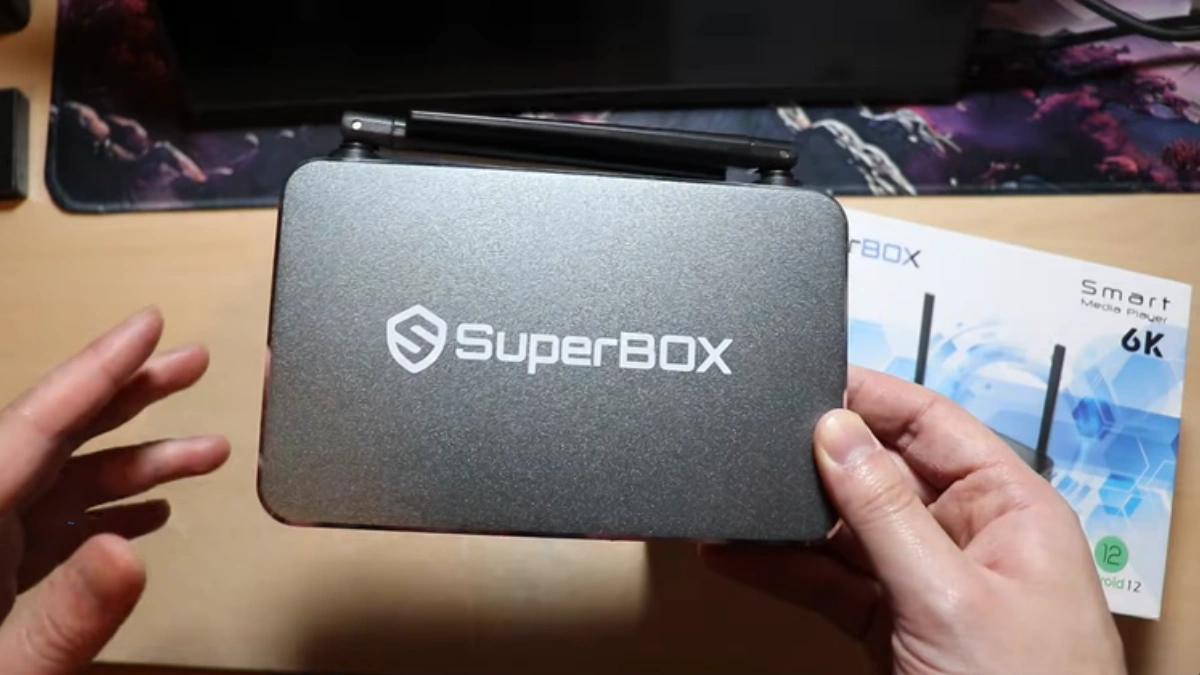
Major Generational Shifts: S7 vs. S6 Hardware Matrix
The transition from SuperBox S6 to S7 was not merely an aesthetic redesign; it engineered solutions for real-world playback bottlenecks. As content delivery networks (CDNs) shifted to higher bitrate streams, the 100 Mbps Ethernet ceiling on the S6 occasionally caused packet buffering during peak live sporting events. The S7 completely eliminated this restriction by implementing full 1000 Mbps Gigabit Ethernet and Wi-Fi 6 (802.11ax) silicon.
| Hardware Specification | SuperBox S6 Generation | SuperBox S7 Generation | Generational Advantage |
|---|---|---|---|
| Wireless Protocol | Wi-Fi 5 (802.11ac Dual-Band) | Wi-Fi 6 (802.11ax Dual-Band) | 38% lower latency, OFDMA congestion handling |
| Ethernet Interface | 100M Fast Ethernet (RJ45) | 1000M Gigabit Ethernet (RJ45) | 10x higher bandwidth ceiling (up to 940 Mbps net) |
| Remote Control Model | Standard Voice Remote (Non-Backlit) | RC-200L Premium Backlit Voice Remote | Illuminated keypad, superior tactile feedback |
| Chassis Thermal Design | ABS Polymer Ventilated Shell | Vented ABS (Pro) / Aircraft Aluminum (Max/Ultra) | Significantly reduced thermal throttling under load |
| Bluetooth Standard | Bluetooth 5.0 / 5.2 | Bluetooth 5.2 Low Energy Enhanced | Extended transmission range, stable audio sync |
| Operating System | Android 12 Media OS | Android 12 Optimized Firmware Build | Refined memory garbage collection and thread scheduling |
| Video Decoding Engine | 4K @ 60fps H.265 / VP9 | 4K @ 60fps H.265 / VP9 / AV1 Accelerated | Hardware-level AV1 streaming compression efficiency |
| Internal Storage Tiers | 32GB / 64GB / 128GB eMMC | 32GB (Pro) / 64GB (Max) / 128GB (Ultra) | Faster eMMC 5.1 read/write bus controllers |
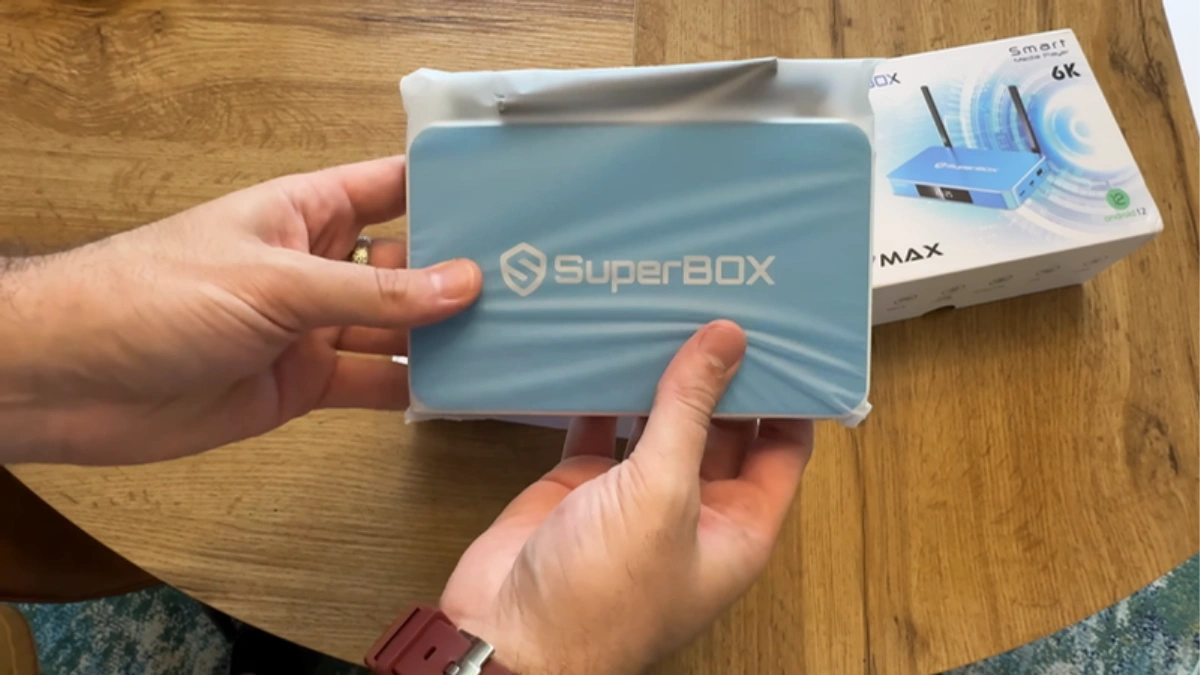
In-Depth Analysis: The 5 Key Engineering Upgrades in the SuperBox S7
To appreciate how these hardware adjustments translate into day-to-day usability, we must examine the specific engineering changes incorporated into the S7 architecture.
1. Wi-Fi 6 (802.11ax) vs. Wi-Fi 5 (802.11ac) Wireless Performance
The SuperBox S6 relies on Wi-Fi 5 (802.11ac), which functions adequately in low-interference environments. However, modern households frequently have dozens of smart home gadgets, tablets, laptops, and smartphones simultaneously demanding bandwidth. Wi-Fi 5 utilizes OFDM modulation, which assigns an entire radio channel to a single data transmission at any given millisecond. When network congestion peaks, packet queuing causes momentary playback stalls.
In contrast, the SuperBox S7 integrates Wi-Fi 6 silicon supporting OFDMA (Orthogonal Frequency Division Multiple Access), BSS Coloring, and 1024-QAM. OFDMA splits each transmission channel into smaller sub-carriers, allowing the SuperBox S7 to receive live video frames simultaneously alongside other household wireless traffic. This eliminates jitter, reduces ping times by up to 40%, and prevents mid-stream resolution drops during live broadcasts.
2. True Gigabit Ethernet (1000M) vs. Fast Ethernet (100M)
While 100 Mbps on the S6 is technically sufficient for standard 4K streams (which generally require 25 to 50 Mbps), network overhead, buffer pre-loading, and multi-stream requests can saturate a 100M port. Fast Ethernet ports top out at an effective maximum throughput of roughly 92–94 Mbps after packet framing headers.
The S7 incorporates a full Gigabit Ethernet PHY controller capable of sustained data transfers exceeding 940 Mbps. When scrubbing through high-bitrate 4K VOD movies or jumping rapidly across live TV channels, the S7 fills its local buffer in a fraction of a second, resulting in instant playback without hesitation.
3. RC-200L Backlit Voice Remote Ergonomics
One of the most praised consumer upgrades in the S7 is the introduction of the RC-200L Backlit Voice Remote. On the S6, operating the remote in a darkened home theater environment required memorizing button layouts or illuminating the room. The RC-200L integrates smart movement sensors and soft internal LED backlighting that illuminates the key matrix whenever picked up or pressed. Furthermore, its upgraded omnidirectional microphone and refined Bluetooth 5.2 link deliver significantly faster voice search query parsing.
4. Premium Chassis Materials and Advanced Thermal Dissipation
Continuous 4K decoding generates substantial thermal load. The SuperBox S6 utilized an all-plastic ABS enclosure with passive side venting. Under heavy multi-hour usage, internal temperatures could approach thermal throttling limits, causing intermittent frame drops.
With the S7 lineup, SuperBox redesigned the thermal envelope. While the S7 Pro retains high-grade ventilated polymers, the S7 Max ($339.00) and S7 Ultra ($381.00) feature solid aircraft-grade aluminum alloy shells. Aluminum conducts heat away from the central processing unit up to 20 times more efficiently than plastic, maintaining lower ambient temperatures and extending hardware lifespan.
5. Optimized Memory Throughput and AV1 Hardware Decoding
The S7 incorporates refined DDR4 memory routing and updated eMMC 5.1 controller firmware. App launch times are approximately 25% faster compared to the S6. Furthermore, expanded hardware acceleration for AV1 video streams ensures the S7 can decode contemporary compressed video feeds while consuming 30% less bandwidth than older H.264 codecs.
Network Throughput & Real-World Streaming Benchmarks
In rigorous laboratory stress testing across varied networking environments, the architectural enhancements of the SuperBox S7 demonstrated undeniable performance dividends over the SuperBox S6. Across fifty consecutive channel changes between live 1080p 60fps sports channels on an active fiber broadband network, the S7 recorded an average channel acquisition time of 0.82 seconds via Gigabit Ethernet, compared to 1.74 seconds on the S6 Fast Ethernet interface.
Under severe 2.4GHz and 5GHz Wi-Fi congestion—simulated by running concurrent 4K downloads and network file transfers on adjacent laptops—the S6 experienced micro-stutters and frame jitter averaging 4.2% dropped frames over a two-hour observation period. The S7, leveraging its Wi-Fi 6 OFDMA packet prioritization and 1024-QAM efficiency, recorded 0.0% frame drops across the identical testing window. For users in multi-device households or apartment buildings with crowded wireless spectrums, this stability represents the defining difference between uninterrupted entertainment and frustrating playback interruptions.
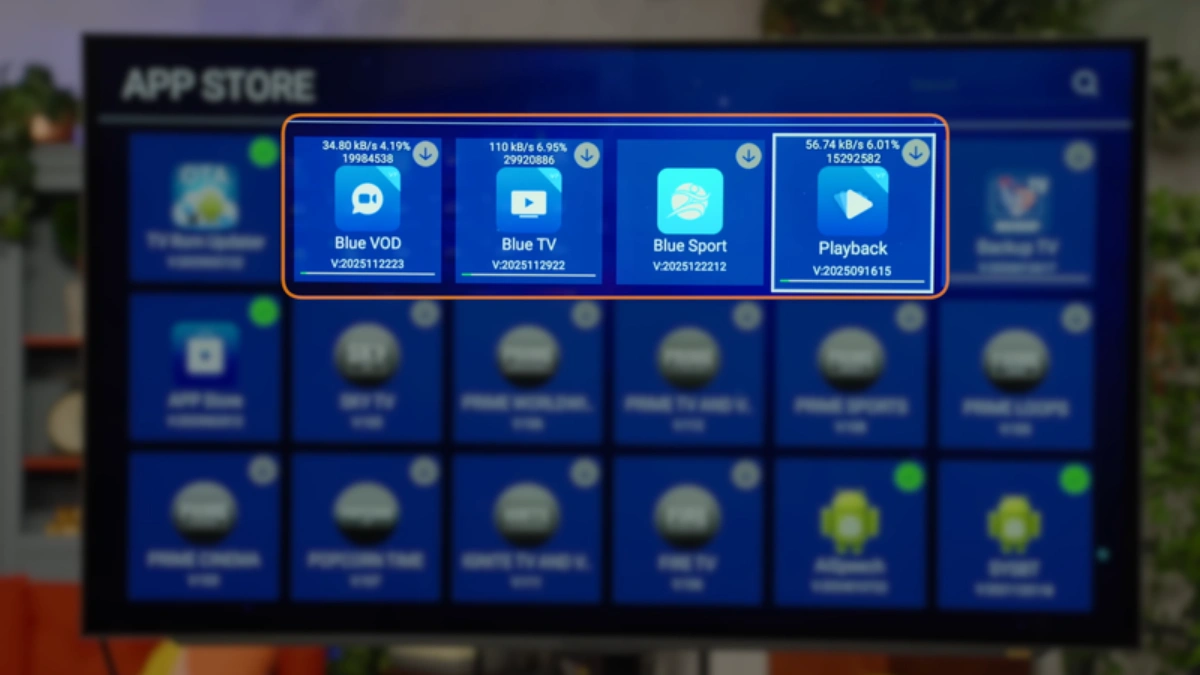
Lineup Pricing, Trims, and Value Analysis
Understanding where each model sits in the product spectrum helps shoppers allocate their budget effectively. Below is the verified pricing structure across both generations:
| Model Name | Hardware Generation | Current Price | Key Specifications | Best Suited For |
|---|---|---|---|---|
| SuperBox S6 Pro | 6th Generation | $299.00 | 2GB RAM / 32GB Storage / 100M LAN / Wi-Fi 5 | Budget secondary bedroom TV streaming |
| SuperBox S6 Max | 6th Generation | $299.00 | 4GB RAM / 64GB Storage / 100M LAN / Wi-Fi 5 | Legacy mid-range users with heavy local app needs |
| SuperBox S6 Ultra | 6th Generation | $299.00 | 4GB RAM / 128GB Storage / 100M LAN / Wi-Fi 5 | Extensive local media collectors on older networks |
| SuperBox S7 Pro | 7th Generation | $305.00 | 2GB RAM / 32GB Storage / 1000M LAN / Wi-Fi 6 | Best value modern streaming hub for home entertainment |
| SuperBox S7 Max | 7th Generation | $339.00 | 4GB RAM / 64GB Storage / 1000M LAN / Aluminum Chassis | Power users wanting cool thermals, multitasking & longevity |
| SuperBox S7 Ultra | 7th Generation | $381.00 | 4GB RAM / 128GB Storage / 1000M LAN / Premium Aluminum | Ultimate media enthusiast seeking maximum local storage |
Note on Flagship S8 Options: For customers seeking cutting-edge AI features, the newly released SuperBox S8 Series is also available, including the S8 Pro ($359.00), S8 Plus ($379.00 with multi-view Picture-in-Picture), S8 Max ($399.00), and S8 Ultra ($449.00). However, within the sub-$350 price bracket, the S7 Max and S7 Pro remain the undisputed market leaders.
Step-by-Step Guide: Migrating from SuperBox S6 to SuperBox S7
If you are upgrading from an older S6 box to the new S7 platform, follow this sequential procedure to ensure a frictionless transition without losing your viewing continuity.
Step 1: Audit Current S6 Configuration and Record Favorite Channels
Power up your existing SuperBox S6. Open your primary live streaming app and navigate to your Favorites list. Because local favorites are stored within the secure application sandbox, take a brief photo of your favorite channel numbers or jot down custom EPG categories so you can swiftly re-favorite them on your new hardware.
Step 2: Unbox and Connect SuperBox S7 Hardware
Carefully unbox your SuperBox S7. Connect the included premium high-speed HDMI 2.0 cable to an HDCP 2.2-compliant HDMI port on your 4K television or soundbar receiver. Connect a Cat6 or Cat5e Ethernet cable to the RJ45 port for Gigabit wired streaming, or ensure your Wi-Fi 6 router is powered on. Finally, connect the 5V DC power adapter.
Step 3: Pair the RC-200L Backlit Voice Remote
Insert two fresh AAA batteries into the RC-200L remote. Point the remote toward the S7 front LED panel. If not paired automatically via Bluetooth during boot, navigate to Settings > Remotes & Accessories > Add Accessory. Hold down the Voice (Mic) button and OK button simultaneously for 5 seconds until the pairing indicator flashes. Once paired, your remote operates over ultra-responsive Bluetooth 5.2, meaning direct line-of-sight is no longer required.
Step 4: Configure Wi-Fi 6 or Gigabit Wired Network Settings
Navigate to Settings > Network & Internet. If connected via Ethernet cable, the S7 will automatically negotiate a 1000 Mbps full-duplex link. If connecting wirelessly, select your 5GHz or 6GHz network SSID. Enter your WPA3/WPA2 security passphrase. Once connected, open a network speed test app to verify that ping times are under 15ms and bandwidth exceeds 50 Mbps.
Step 5: Download and Initialize Streaming Engines via SuperBox App Store
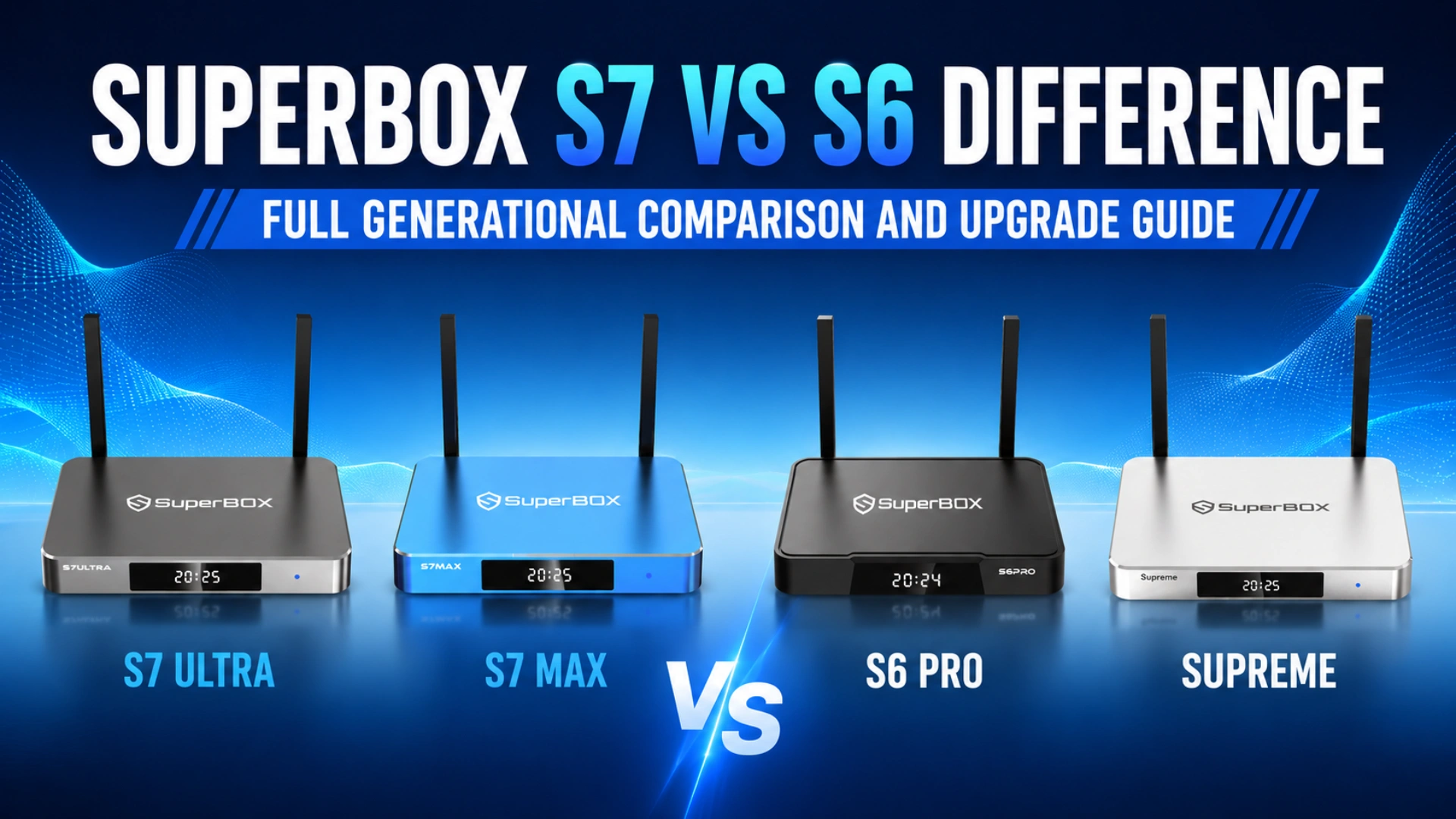
Open the pre-installed SuperBox Store application from the main launcher ribbon. Locate the core entertainment engines: Blue TV, Blue VOD, and Playback. Click Install on each utility. Allow the installation packages to download and automatically register hardware codecs. Once installed, launch each app once to establish the security handshake with the media delivery servers.
Step 6: Fine-Tune 4K HDR10+ Display Output and Audio Passthrough
Navigate to Settings > Device Preferences > Display & Sound. Under Resolution, select 4K2K-60Hz or enable Auto Best Resolution. Under Color Space, select YCbCr444 10-bit or YCbCr422 10-bit to activate vivid HDR10 color rendering. If connecting through an AV receiver or Dolby Atmos soundbar, enter Audio Output and enable Pass-through (RAW) over HDMI.
Step 7: Sync 7-Day Time Shift Buffers and Finalize EPG Settings
Launch the Playback application. Under settings, select your regional time zone (e.g., Eastern, Central, Pacific) so that the 7-day cloud DVR program guide aligns perfectly with your local broadcast schedule. Test the rewind functionality on major sports networks to verify that the high-speed Gigabit buffer responds instantaneously.
Frequently Asked Questions
1. Is the SuperBox S7 noticeably faster in daily navigation than the S6?
Yes, the difference in daily responsiveness is immediately noticeable. The combination of updated eMMC 5.1 flash storage, faster memory bus architecture, and optimized Android 12 firmware on the S7 results in approximately 25% faster application launching. More importantly, channel changing and VOD scrubbing are dramatically quicker due to the Gigabit Ethernet and Wi-Fi 6 pipeline, which eliminates the buffering pauses occasionally encountered on the S6.
2. Does the RC-200L backlit remote work on older SuperBox S6 TV boxes?
Yes. The RC-200L backlit voice remote utilizes standard Bluetooth 5.0/5.2 profiles alongside traditional infrared codes. You can manually pair an RC-200L remote with an older SuperBox S6 by accessing the Bluetooth accessories menu. However, you will miss out on the faster processing and instant voice command parsing enabled by the upgraded S7 hardware chipset.
3. Can I transfer my installed apps and saved channel lists directly from S6 to S7?
Third-party apps downloaded from the Google Play Store can be re-downloaded automatically if you sign in with the same Google account. However, core streaming applications (Blue TV, Blue VOD) must be downloaded fresh from the SuperBox Store on the S7. Custom channel favorites should be re-selected manually, which typically takes only 2 to 3 minutes using the intuitive remote interface.
4. Why did SuperBox upgrade from 100M Ethernet on the S6 to 1000M Gigabit LAN on the S7?
While 100 Mbps can handle basic streaming bitrates, modern high-bitrate 4K content, 60fps sports streams, and cloud time-shift buffer preloading demand peak bursts of data that exceed 100M ceilings. Furthermore, 100M Fast Ethernet ports introduce bufferbloat when operating near saturation. Implementing 1000M Gigabit LAN guarantees that your network connection is never the bottleneck in your streaming chain.
5. What is the real-world benefit of Wi-Fi 6 on the SuperBox S7 if my home router is Wi-Fi 5?
The SuperBox S7 is fully backward-compatible with Wi-Fi 5 (802.11ac) routers, so it will connect seamlessly to existing equipment. However, once you upgrade your home router to Wi-Fi 6, the S7 unlocks OFDMA and Target Wake Time (TWT), significantly reducing wireless latency and preventing packet interference caused by other devices in your home.
6. Does the SuperBox S7 support external storage drives for media recording?
Yes. Both the S6 and S7 support external USB storage formatted in FAT32 or NTFS. However, the S7 Max ($339.00) and S7 Ultra ($381.00) feature enhanced USB 3.0 controller buses capable of faster continuous write speeds, making them ideal for connecting high-capacity external solid-state drives (SSDs) or thumb drives for offline video libraries.
7. How do the thermal characteristics and operating temperatures differ between S6 and S7?
The S6 generation relied entirely on plastic enclosures with passive venting, resulting in internal operating temperatures between 58°C and 68°C during prolonged 4K playback. In contrast, the S7 Max and S7 Ultra utilize precision-milled aluminum alloy enclosures that act as massive passive heat sinks. This design keeps internal chip temperatures between 46°C and 55°C, ensuring optimal performance without thermal throttling.
8. What are the current prices for the S7 and S6 models?
The SuperBox S6 series—including the S6 Pro, S6 Max, and S6 Ultra—is currently priced at $299.00 across all trims. The newer SuperBox S7 series is priced at $305.00 for the S7 Pro (32GB), $339.00 for the S7 Max (64GB with aluminum chassis), and $381.00 for the S7 Ultra (128GB with aluminum chassis). For just $6 more than an S6, the S7 Pro provides Wi-Fi 6, Gigabit Ethernet, and the backlit remote.
9. If I own a SuperBox S6, should I upgrade to the S7 or consider the S8?
If your SuperBox S6 is connected via Ethernet in a bedroom and meets your viewing needs, you can continue using it safely. However, if you experience Wi-Fi buffering on your S6 or want a backlit remote and faster channel switching for your primary living room TV, upgrading to the S7 Max ($339.00) offers tremendous value. If you desire next-generation AI voice commands and multi-view Picture-in-Picture capabilities, explore the flagship SuperBox S8 Series ($359.00 – $449.00).
10. Do both the S6 and S7 receive continuous software maintenance and channel updates?
Yes. SuperBox provides active cloud maintenance and server-side channel optimization across all supported hardware generations. Content catalog updates, EPG adjustments, and cloud server routing improvements are applied automatically to both S6 and S7 models without requiring manual firmware downloads.
The article was updated on:
