
Knowledge SuperBox
Lifetime Free Channel Set Top Box Guide for Home Streamers





A lifetime free channel set top box is an innovative home entertainment device that connects to your television and delivers live broadcasts, sports events, news, and movies without ongoing monthly subscription bills. If you are tired of watching your monthly cable bill climb higher every year, owning a standalone television console is the most practical alternative available today.
Many everyday viewers wonder how these boxes work, whether they are difficult to install, and if they truly eliminate recurring charges. In this friendly, beginner-friendly guide, we break down everything you need to know about lifetime free television consoles in plain English, avoiding complicated technical jargon so you can make an informed decision for your living room.
Quick Summary: Lifetime Free Channel Set Top Boxes at a Glance
– Core Concept: Pay once for the hardware box and stream live channels over home Wi-Fi with $0 recurring fees.
– Recommended Flagship: SuperBox S8 Ultra ($449) featuring backlit remote and 128GB internal storage.
– Best Daily Family Value: SuperBox S8 Max ($399) or S8 Plus ($379) with 64GB storage and voice remote.
– Internet Speed Needed: 15 Mbps to 25 Mbps broadband connection for smooth, buffer-free playback.
– Installation Time: Under five minutes using a standard HDMI cable and power plug.
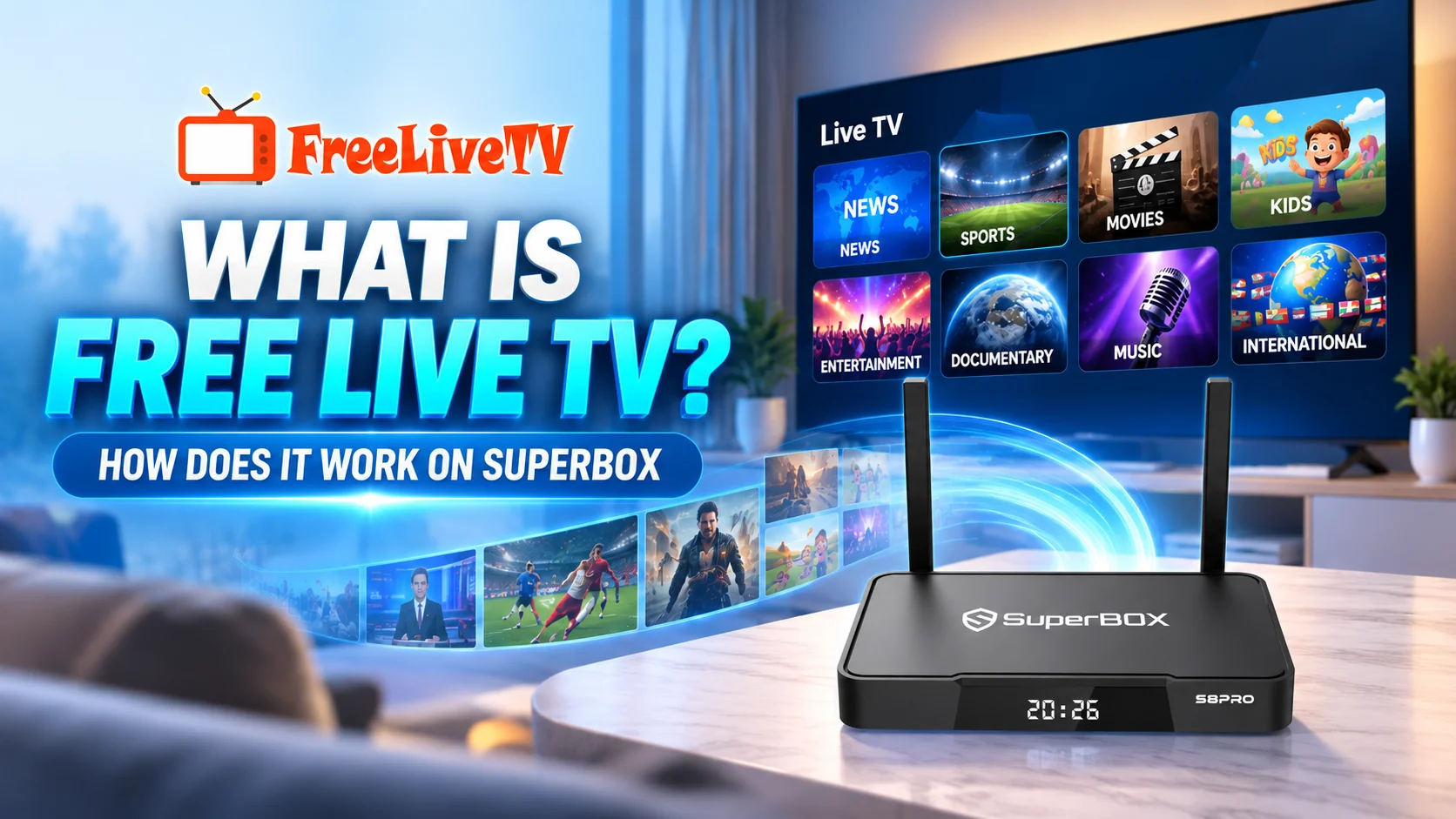
What Is a Lifetime Free Channel Set Top Box?
At its heart, a lifetime free channel set top box is a small, quiet computer tailored specifically for your television. It looks very similar to the traditional cable box you might already have sitting on your entertainment stand, but it works very differently behind the scenes.
Traditional cable companies require you to sign long-term service contracts and pay rental fees for their hardware every single month. When you cancel their service, you must return their equipment or face steep penalty fees.
In contrast, a lifetime box belongs to you completely. You make a single one-time purchase to own the console outright. It streams programming over your existing home Wi-Fi connection, meaning you never receive an ongoing bill from a television provider.
How Does Free Television Streaming Work in Plain English?
You do not need an engineering degree to understand how these streaming consoles operate. The entire process works much like watching an online video on your smartphone or home computer.
When you turn on the console and select a television channel using the handheld remote, the box sends a signal across your home wireless network. It connects securely to dedicated cloud media servers that host the broadcast feed.
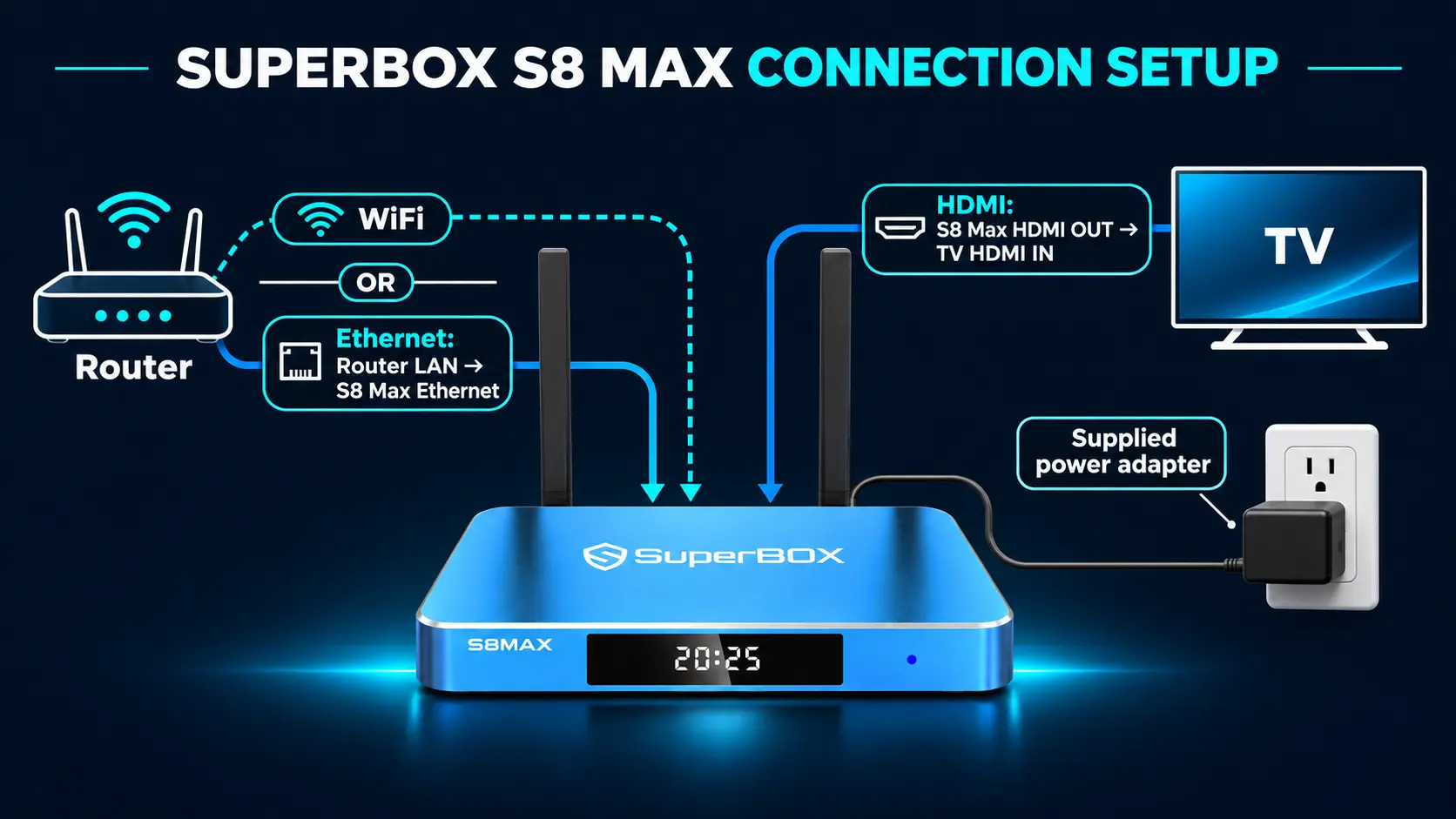
The device translates that digital stream into high-definition picture and sound, sending it through your television HDMI port directly onto your screen. Because everything travels across the internet, you do not need outdoor roof antennas, satellite dishes, or cable coaxial wiring drilled through your living room walls.
Top Lifetime Free Channel Set Top Box Options for Your Home
SuperBox S8 Ultra Flagship Console
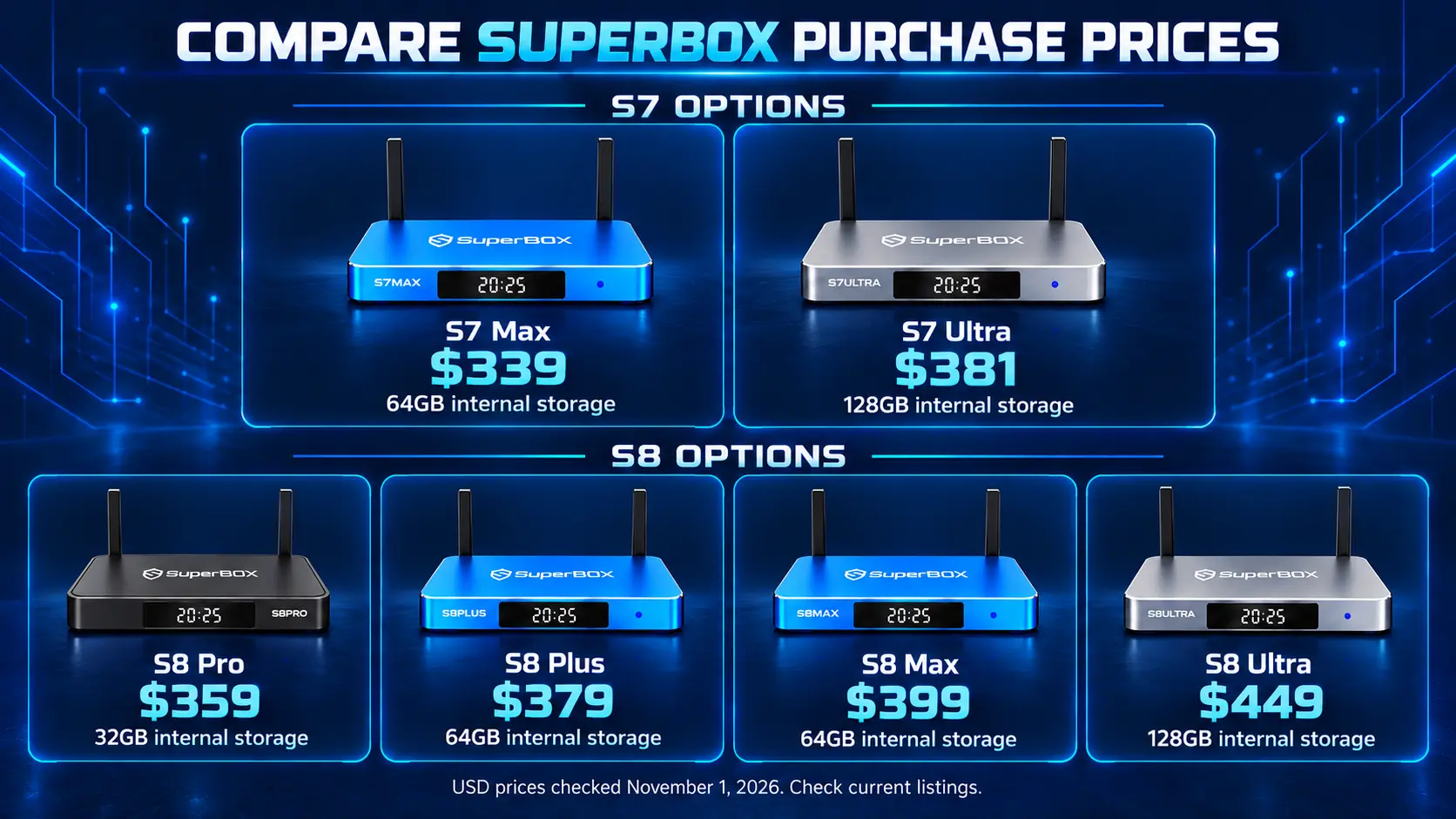
The SuperBox S8 Ultra represents the pinnacle of modern home television technology, priced at $449. It features 4GB of RAM and a spacious 128GB of internal storage, ensuring that menu transitions feel instantaneous and apps load without hesitation.
The standout feature of the S8 Ultra is its exclusive backlit voice remote control. When viewing in dimmed lighting, you can easily read every button. You can turn the backlight on or off anytime by pressing OK and zero together on the remote keypad.
SuperBox S8 Max Everyday Workhorse
At $399, the SuperBox S8 Max is the most popular choice for family living rooms. It delivers 4GB of RAM and 64GB of storage, offering plenty of capacity for extensive media collections and smooth multitasking.
The S8 Max includes modern Wi-Fi 6 wireless reception alongside a physical Gigabit Ethernet connection port, providing rock-solid streaming stability during major live sporting events and season premieres.
SuperBox S8 Plus Balanced Entertainment Hub
The SuperBox S8 Plus retails at $379 and includes the same generous 4GB of RAM and 64GB of storage. It is engineered for households seeking dependable multi-room performance with zero monthly contracts.
It comes with a standard responsive voice remote control that lets you change channels, adjust volume, and search for movie titles using convenient spoken commands.
SuperBox S8 Pro Entry Model
The SuperBox S8 Pro is available at $359 and features 4GB of RAM paired with 32GB of internal storage. It provides a simple, direct pathway into the current generation of subscription-free television.
For seniors or budget-focused buyers who want clean, dependable viewing without unnecessary complexity, the S8 Pro delivers everything needed right out of the box.
Proven Value Models From the S7 Series
Viewers looking for discounted pricing can choose the SuperBox S7 Max at $339 (4GB RAM and 64GB storage) or the SuperBox S7 Pro at $305 (4GB RAM and 32GB storage). Both previous-generation consoles provide dependable high-definition channel viewing at very attractive price points.
Comparing Lifetime Television Boxes with Monthly Cable Packages
Seeing the financial difference in plain numbers helps illustrate why millions of North American households are saying goodbye to traditional cable providers.
| Feature Comparison | Lifetime SuperBox Console | Traditional Cable Package | Live TV Streaming Apps |
|---|---|---|---|
| Upfront Equipment Cost | $305 to $449 (one-time purchase) | $0 upfront (with hidden rental fees) | $30 to $100 for streaming stick |
| Monthly Service Charges | $0.00 forever | $110 to $190 per month | $75 to $95 per month |
| First Year Total Expense | $359 to $449 total | $1,320 to $2,280 total | $900 to $1,140 total |
| Second Year Total Expense | $0.00 | $1,500+ (promotions expire) | $900 to $1,140 |
| Equipment Ownership | 100% owned by you | Rented (must return when canceled) | Owned streaming stick |
| Contract Obligations | None | 12 to 24-month agreement | Monthly cancellation allowed |
Optimizing Your Home Internet and Wi-Fi for Smooth Playback
While set-top streaming boxes are very forgiving, having a healthy home network ensures you never encounter buffering during the final seconds of a tense basketball game or movie climax.
Most modern home routers broadcast two separate wireless signals. You will often see your home Wi-Fi name with a 5GHz label and another with a 2.4GHz label.
The 5GHz wireless band transmits video data at significantly faster speeds with lower interference from kitchen microwaves or cordless phones. If your set-top box sits in the same room as your router, connecting to the 5GHz frequency provides the smoothest streaming performance.
If your television is located on a different floor or at the far end of the house, the 2.4GHz signal travels much better through thick drywall and wooden doors. You can also plug an inexpensive Ethernet cable directly from your router into the back of your SuperBox for a rock-solid physical connection that never drops.
Why Do Non Technical Viewers and Seniors Love Free Set Top Boxes?
Modern smart televisions often overwhelm viewers with cluttered home screens packed with advertisements, rotating banners, and dozens of separate app icons. Finding what you want to watch can feel like navigating a complex maze.
Lifetime television boxes streamline this experience by returning to the classic television interface everyone grew up with. When you turn on the box, you are greeted by straightforward channel categories and numbered channels that you can flip through with a traditional remote control.
Family members do not need to memorize separate passwords for multiple streaming services or enter credit card information to watch their favorite morning talk shows. Everything remains centralized and ready to play with a single button press.
Simple Step by Step Installation Guide for Beginners
Step 1: Connect the HDMI Cord to Your TV
Unpack the HDMI cord included in the package. Insert one end into the HDMI port on the back of your television box and plug the opposite end into any available HDMI port on your television.
Step 2: Plug in the Power Cord
Attach the small power connector to the back of the set-top box and insert the wall adapter into an electrical outlet. Your TV screen will turn on and display the home setup screen.
Step 3: Connect to Your Home Wireless Internet
Take the remote control and select Network Settings from the on-screen options. Find your home Wi-Fi network name, enter your normal Wi-Fi password, and press OK to establish the connection.
Step 4: Open the Entertainment App and Start Watching
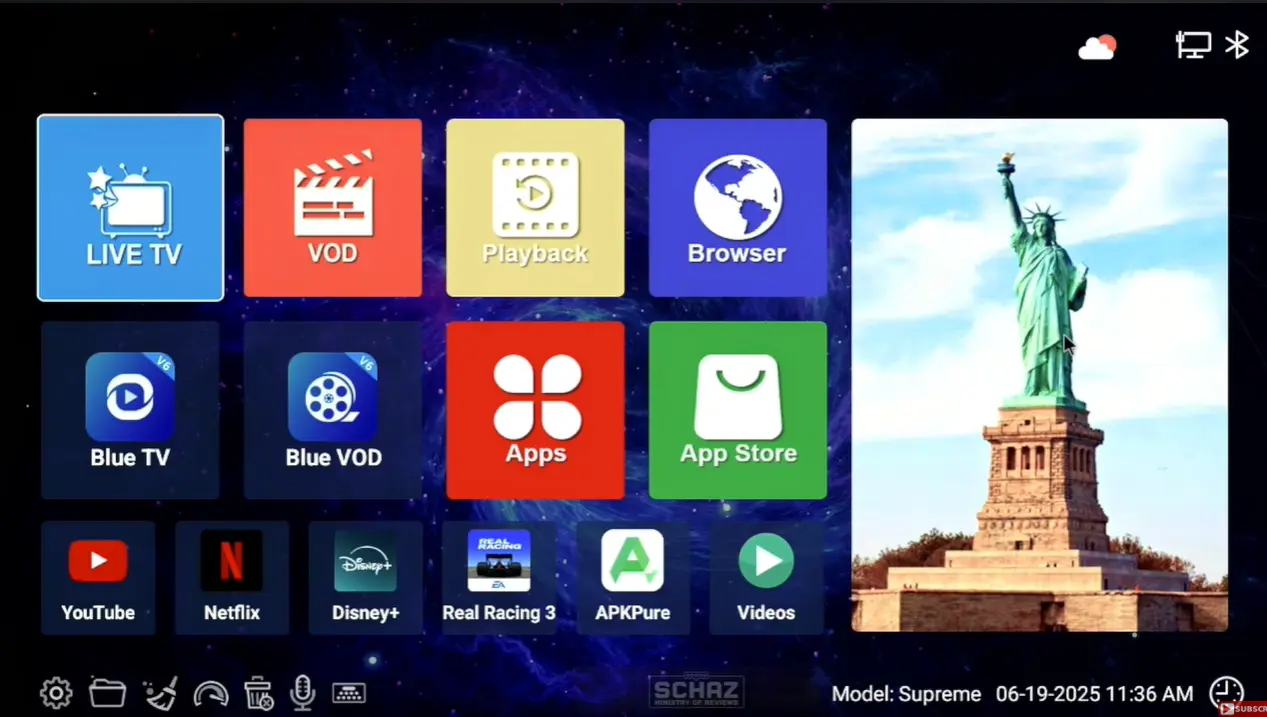
From the main menu screen, open the primary television viewing application. Choose any category from news, sports, entertainment, or local broadcasts and enjoy full access right away.
Real Life Experiences from Everyday Households
Hearing from ordinary homeowners who made the switch helps answer practical daily questions.
Case Study 1: Gary and Susan M. from Columbus, OH. Gary and Susan are in their late sixties and were frustrated by cable bills that kept increasing by $15 every few months. They purchased a SuperBox S8 Pro for their den. Gary noted that installation took four minutes, and Susan loves having all her morning news channels accessible using simple channel up and down buttons.
Case Study 2: Mark T. from Nashville, TN. Mark is an avid college sports fan who wanted to watch regional games without paying for premium sports packages. He installed a SuperBox S8 Ultra in his home theater room and streams football, basketball, and baseball games with zero monthly charges.
Frequently Asked Questions
Are there really no monthly fees of any kind?
Yes. After your initial purchase of the SuperBox hardware, there are zero monthly subscription charges, activation fees, or recurring equipment bills required.
What internet speed do I need for a lifetime free channel box?
We recommend a standard home internet connection of 15 Mbps to 25 Mbps. This provides ample bandwidth for smooth high-definition video playback without buffering.
Can I use this set-top box on any television?
Yes. Any television equipped with a standard HDMI port is fully compatible. You can connect it to older flat-screen TVs, smart TVs, computer monitors, or projectors.
How do I pair the Bluetooth remote control?
To pair the voice remote on SuperBox consoles, hold down the OK button and the Return or Back button simultaneously for approximately eight seconds until the red LED light flashes, then select it in the Bluetooth menu.
Can I record live shows to watch later?
On SuperBox S8 Series devices, you can plug in an external USB flash drive and use the Video Recorder app to perform manual screen recordings. Automatic timer recordings are not supported.
Can I rewatch shows that aired earlier in the week?
Yes. SuperBox provides a convenient Playback feature allowing you to review broadcast programs up to seven days on supported television channels.
Which SuperBox model has a backlit remote control?
Only the flagship SuperBox S8 Ultra ($449) includes the exclusive backlit voice remote control. Models S8 Pro, S8 Plus, and S8 Max come with standard voice remotes.
What should I do if a channel ever freezes or buffers?
Simply press the back button on your remote to return to the channel guide, wait a few seconds, and reopen the stream. You can also restart your home Wi-Fi router if your internet is sluggish.
Can I bring my lifetime box with me when traveling?
Yes. The console is small, lightweight, and easy to pack. You can take it on vacation, plug it into a hotel or rental home television, and connect to Wi-Fi to keep watching your favorite shows.
Where can I get help if I need technical assistance?
The SuperBox TV Box Store provides dedicated customer support and technical guidance 24/7 to help you with setup, connection questions, or device optimization.
The article was updated on:
