
Knowledge SuperBox
SuperBox S5 Review Historical Specs and Top Modern Upgrades





If you are researching the superbox s5, you are looking at one of the pivotal earlier models that helped popularize subscription-free home television streaming across North America. When the S5 first hit the market several years ago, it introduced thousands of families to the joy of canceling expensive monthly cable bills.
However, technology moves quickly in the television streaming world. Today, the original SuperBox S5 has been officially discontinued and succeeded by newer generations like the current S8 Series and value-packed S7 Series. In this simple, plain-English guide, we explore the legacy of the S5, review its original hardware capabilities, and explain why upgrading to a modern console makes sense for your living room.
Quick Summary: SuperBox S5 Status and Modern Replacements
– Current Product Status: Discontinued legacy model; no longer manufactured or sold by authorized retailers.
– Original Hardware Profile: Older Android operating system, 2GB of RAM, and older Wi-Fi wireless standards.
– Modern Successor Lineup: SuperBox S8 Series released in September 2026 with 4GB RAM, Android 12, and Wi-Fi 6.
– Recommended New Models: SuperBox S8 Pro ($359), S8 Plus ($379), S8 Max ($399), or S8 Ultra ($449).
– Budget Alternative: SuperBox S7 Pro ($305) or S7 Max ($339) for reliable 4GB RAM performance under $350.
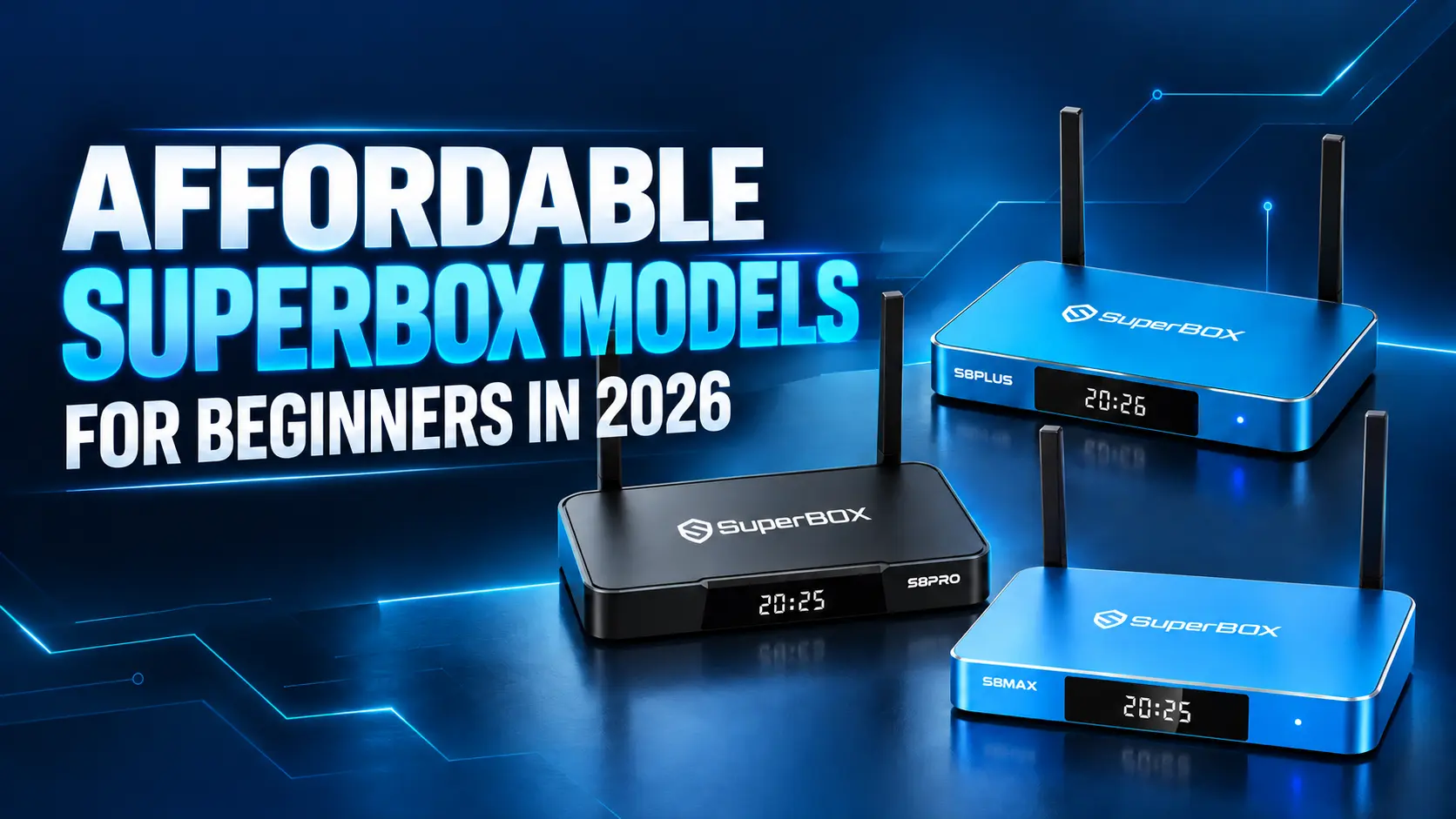
The History and Legacy of the SuperBox S5 Console
When the SuperBox S5 made its debut, it was celebrated as a breakthrough television console for everyday cord-cutters. Before its arrival, watching live broadcast television without a cable subscription often meant installing awkward roof antennas or fiddling with unreliable free websites on a laptop.
The S5 changed that dynamic by providing a plug-and-play set-top box with a clean home screen and a dedicated handheld remote control. For many households, it was the first piece of equipment that proved you could disconnect traditional cable boxes and still watch evening news, Saturday football games, and family movies.
Over the years, streaming video quality improved from basic standard definition to ultra-sharp high-definition and 4K streams. While the S5 performed admirably during its production era, modern video encoding requires more processing power and wireless bandwidth than older boxes were built to deliver.
Original Technical Specifications of the SuperBox S5
To understand how much television technology has improved, it helps to examine what was inside the original S5 hardware console.
The S5 was built with 2GB of system RAM memory. In its day, 2GB was sufficient to run basic streaming applications, but modern entertainment apps have grown significantly larger, demanding more memory to switch channels seamlessly.
Internal storage on the S5 was typically limited to 16GB or 32GB on select regional variations. It relied on older Wi-Fi wireless standards, which were more prone to household signal interference from walls, microwaves, and competing smartphones.
Why Is Buying a Used SuperBox S5 Not Recommended Today?
You may occasionally see used SuperBox S5 consoles offered on secondary marketplaces or classified sites at tempting discount prices. However, purchasing a used legacy box often leads to frustration.
First, older S5 devices run on outdated Android operating system versions that no longer receive official security patches or firmware updates. Modern streaming applications regularly update their code, and older Android builds eventually lose compatibility with modern server feeds.
Second, secondhand consoles carry no official manufacturer warranty protection. If a used power adapter burns out, an internal memory chip fails, or the remote stops syncing, you have no access to warranty replacements. Investing in a brand-new, factory-sealed console guarantees full customer care and guaranteed long-term reliability.
Comparing the Legacy S5 with Current SuperBox S8 and S7 Models
The differences between the older S5 and modern SuperBox units are substantial. Here is an easy-to-read comparison table showing how modern models outpace older hardware.
| Hardware Specification | Original SuperBox S5 | SuperBox S7 Series | Current SuperBox S8 Series |
|---|---|---|---|
| System RAM Memory | 2GB RAM | 4GB RAM | 4GB RAM (High Speed) |
| Internal Storage | 16GB to 32GB | 32GB / 64GB / 128GB | 32GB / 64GB / 128GB |
| Operating System | Older Legacy Android | Android 12 | Android 12 OS |
| Wireless Networking | Wi-Fi 4 / Older Dual-Band | Wi-Fi 6 Dual-Band | Wi-Fi 6 High Gain Antennas |
| Ethernet Network Port | Standard 100Mbps Port | 1000Mbps Gigabit Port | 1000Mbps Gigabit Ethernet |
| Remote Control | Basic IR Remote | Standard Voice Remote | Voice Remote (Backlit on Ultra) |
| Video Processing | Basic 1080p / 4K Decoder | 6K@60fps Hardware Decoder | 6K@60fps Hardware Engine |
Best Modern Upgrades for Existing SuperBox S5 Owners
SuperBox S8 Ultra for Maximum Comfort and Storage
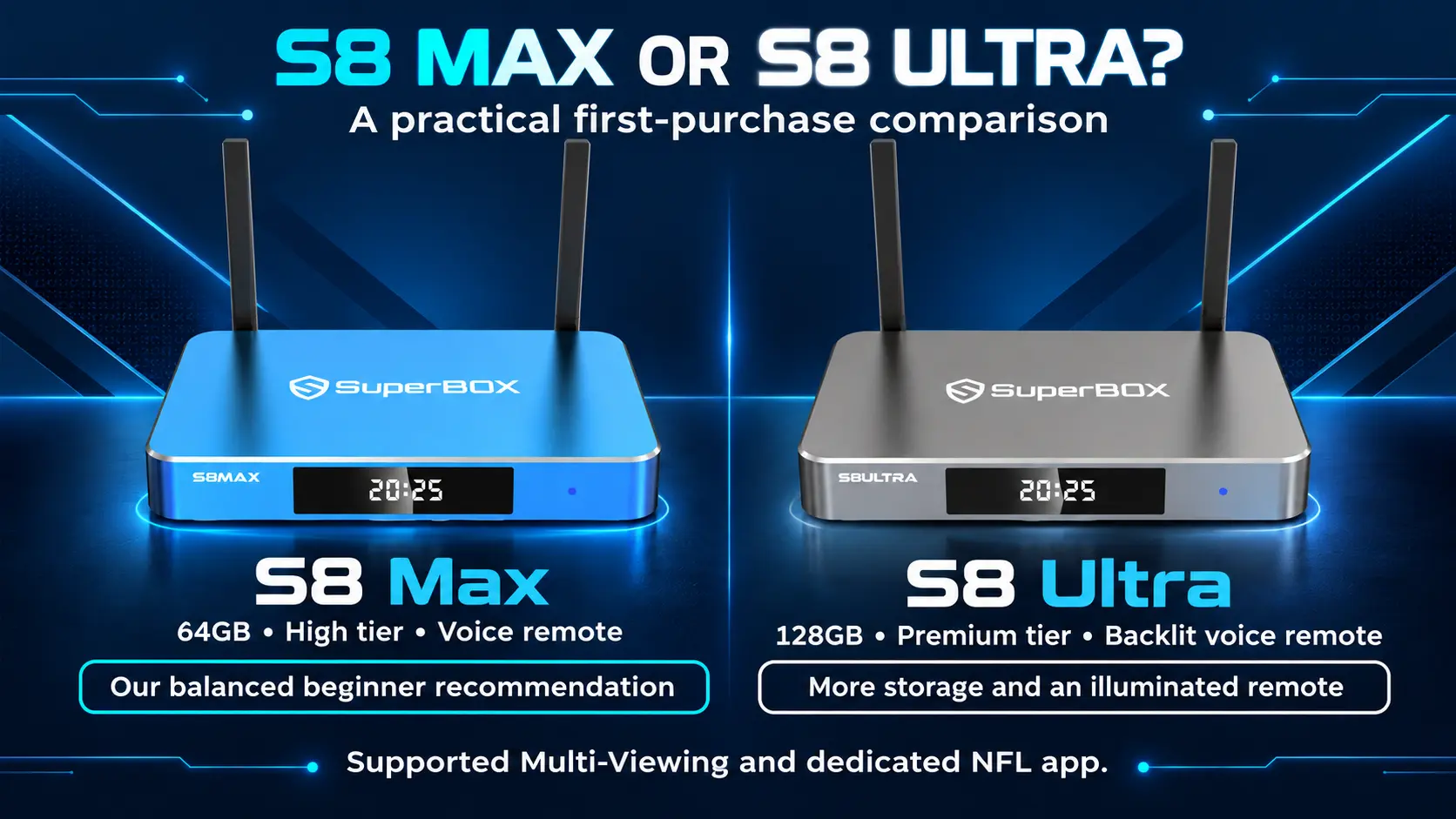
The SuperBox S8 Ultra ($449) is the ultimate replacement for any older console. With a massive 128GB of internal storage, you can download all your favorite apps without worrying about running out of room.
Its standout advantage is the backlit voice remote. If you watch television in a darkened room, you will immediately appreciate how the soft glow illuminates each button clearly. You can toggle the light on or off using the OK and zero button combination.
SuperBox S8 Max for Everyday Family Entertainment
The SuperBox S8 Max ($399) provides the best balance of price and capability. Featuring 4GB of RAM and 64GB of storage, it switches channels in a fraction of a second and handles high-definition live feeds effortlessly.
SuperBox S8 Plus for Dependable Multi-Room Streaming
Priced at $379, the SuperBox S8 Plus gives you the exact same 4GB of RAM and 64GB of storage found on the Max model, paired with a standard voice remote. It is an ideal pick for secondary family rooms.
SuperBox S8 Pro for Direct Everyday Value
At $359, the SuperBox S8 Pro offers 4GB of RAM and 32GB of storage. It is double the memory of the original S5, ensuring that daily news, sports, and sitcoms load without stuttering.
Budget-Friendly S7 Series Options
If you want to keep your upgrade cost under $350, both the SuperBox S7 Max ($339 with 64GB storage) and SuperBox S7 Pro ($305 with 32GB storage) offer modern 4GB RAM architectures at substantial discounts.
How to Transition from an Old S5 to a Modern S8 Box
Upgrading to a newer console is completely stress-free. You do not need to reprogram complex network settings or run new cables behind your entertainment furniture.
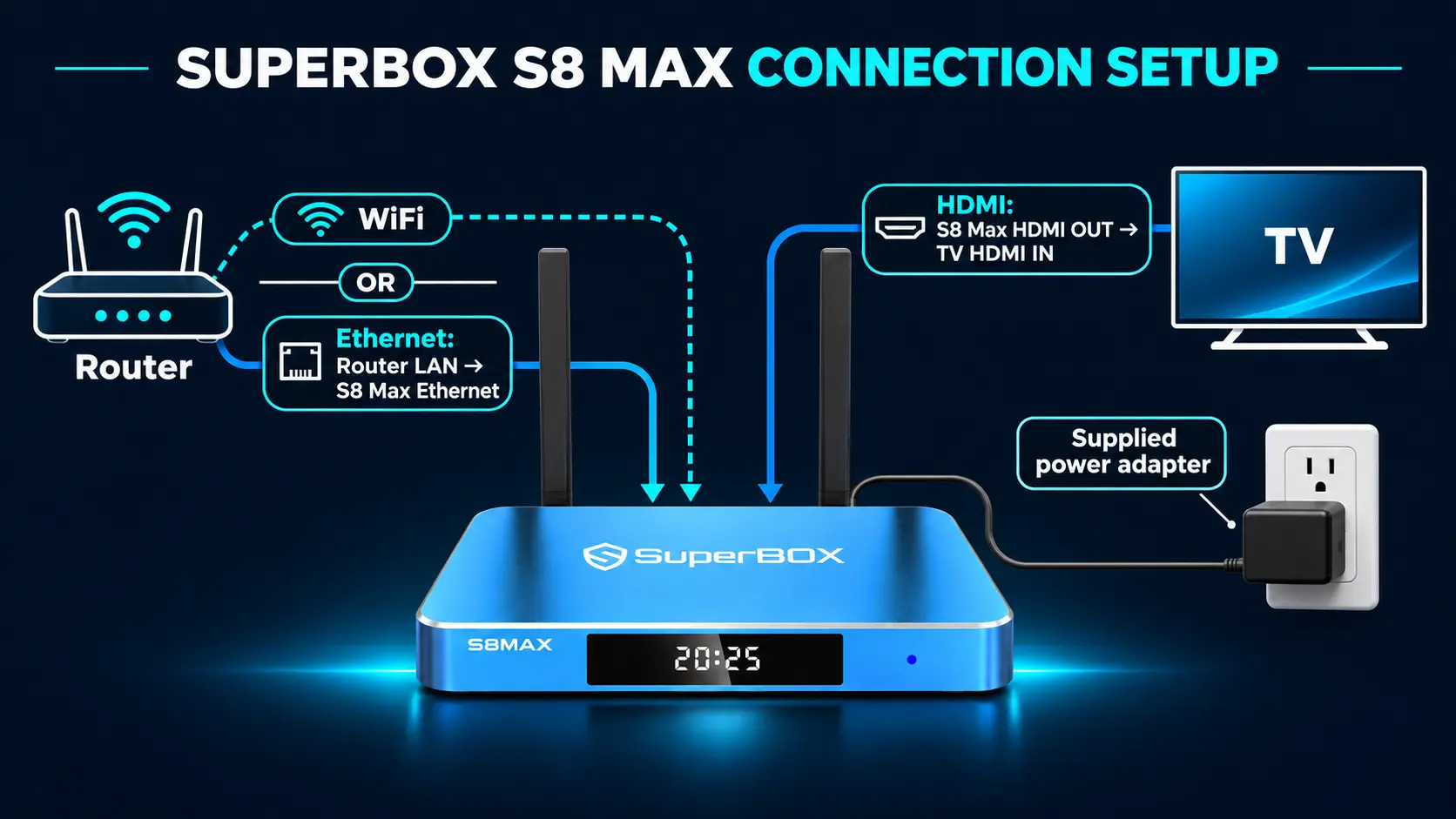
Simply unplug your old S5 HDMI cord and power brick, and plug in the fresh cables included with your new S8. Because your new console connects via high-speed Wi-Fi 6, it will automatically discover your home wireless network during setup.
You can instantly recreate your favorite channel list using the dedicated favorites feature inside the live TV application, marking your preferred news, sports, and movie stations with a simple click of the remote.
Troubleshooting an Older S5 Box That Buffers or Freezes
Step 1: Clear Application Cache in System Settings
Over time, temporary data accumulates in your storage memory. Open Settings on your home screen, navigate to Apps, select your television application, and choose Clear Cache to free up valuable flash memory.
Step 2: Restart Your Home Wi-Fi Router
Unplug your internet router from the wall outlet, wait 30 seconds, and plug it back in. This simple step clears congested wireless channels and refreshes your home broadband speed.
Step 3: Connect an Ethernet Cable for Better Stability
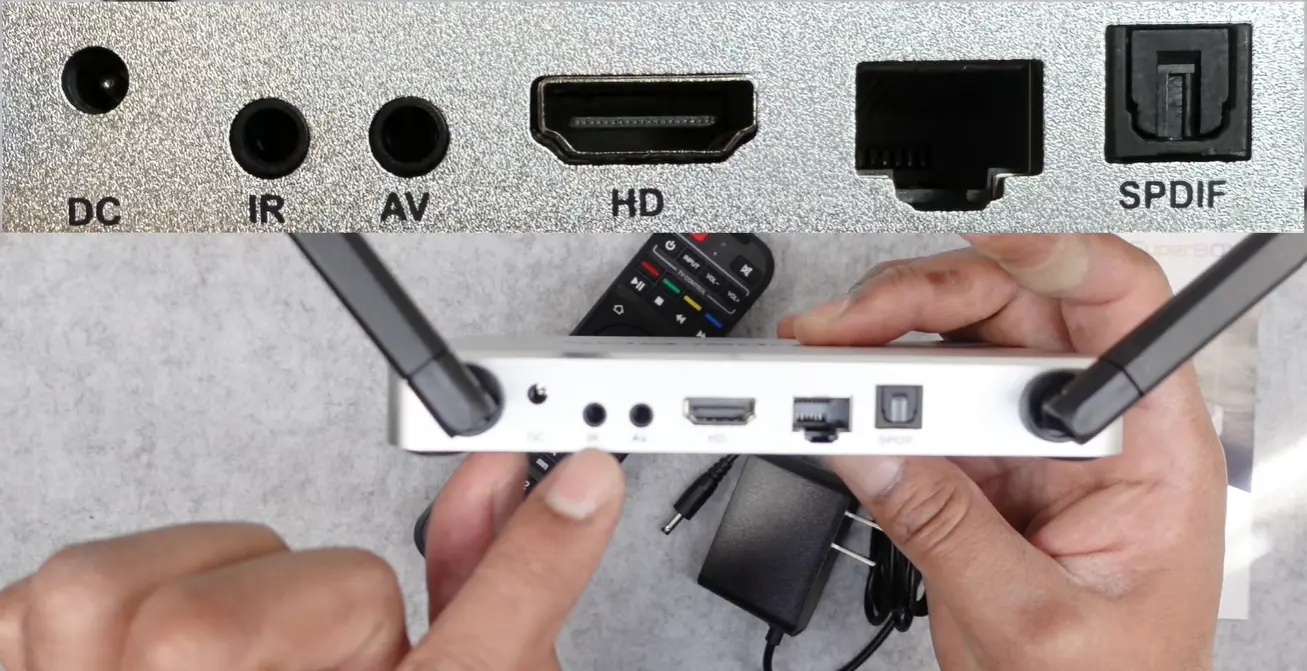
Because the S5 uses older wireless antennas, plugging a direct physical Ethernet cord from your router into the box will significantly reduce buffering during peak evening hours.
Real User Upgrading Experiences
Hearing from former S5 owners who upgraded to modern hardware provides helpful perspective.
Case Study 1: Kevin R. from Indianapolis, IN. Kevin purchased a SuperBox S5 four years ago and loved it. However, as high-definition channels expanded, channel loading slowed to 6 – 8 seconds per click. Kevin upgraded to the SuperBox S8 Max ($399) and was amazed that channels now open in less than one second, with much crisper picture quality.
Case Study 2: Linda S. from Tampa, FL. Linda kept her S5 in her living room until the remote buttons became worn down. She stepped up to the SuperBox S8 Ultra ($449) and especially loves the backlit remote, which makes watching evening drama series relaxing and easy on her eyes.
Organizing Live Channels and Customizing Your Home TV Experience
Modern television consoles make organizing your daily viewing significantly easier than older vintage boxes. On older models like the S5, finding a specific channel often meant scrolling through long alphabetical lists without quick category shortcuts.
On current SuperBox consoles, you can create a personalized Favorites group by pressing the heart or OK button on any channel. This places all your regular morning news programs, regional sports feeds, and evening movie channels into a single custom folder at the top of your menu.
Families with children can also set up parental locks directly inside the settings menu. This ensures that younger viewers only access age-appropriate animated series and family entertainment while preventing accidental changes to system network configurations.
Connecting a home audio soundbar or wireless Bluetooth headphones is equally simple. In Bluetooth settings, click Add Device and put your soundbar into pairing mode. Clear spoken dialogue will instantly transmit across your living room without complicated audio receiver wiring.
Frequently Asked Questions
Is the SuperBox S5 still being manufactured today?
No. The SuperBox S5 has been officially discontinued and replaced by newer generations, including the S6, S7, and current S8 Series models.
Does an older SuperBox S5 still receive television channels?
Older S5 consoles that are still in working condition may still access streaming feeds, but channel switching and application navigation will feel noticeably slower compared to modern 4GB RAM consoles.
How much RAM memory did the original SuperBox S5 have?
The original SuperBox S5 came equipped with 2GB of system RAM memory, whereas all modern S7 and S8 models come with a full 4GB of RAM.
What is the direct modern replacement for the SuperBox S5?
The direct modern equivalent is the SuperBox S8 Pro ($359) or the upgraded SuperBox S8 Max ($399), both offering faster processors, double the memory, and Wi-Fi 6.
Can I pair a new S8 voice remote with an older S5 box?
Newer Bluetooth voice remotes are designed specifically for Android 12 systems and may not support all voice search features on older Android versions found on the S5.
Can I record live television on a SuperBox S5?
The older S5 does not have the built-in USB Video Recorder application found on modern S8 consoles, which allows manual recording to an external USB flash drive.
How do I pair a replacement remote on modern SuperBox models?
On current models, hold down the OK button and the Return or Back button simultaneously for approximately eight seconds until the red LED flashes, then pair it in the Bluetooth menu.
Does SuperBox require any monthly subscription fees?
No. Across all generations, SuperBox operates on a hardware-ownership model with zero monthly subscription fees, contracts, or recurring service charges.
What should I do if my older S5 runs out of storage space?
You can uninstall unused third-party apps and clear application cache data in System Settings, or upgrade to a modern console like the S8 Max (64GB) or S8 Ultra (128GB).
Where can I safely purchase an authentic modern SuperBox?
You should always purchase directly through the authorized SuperBox TV Box Store to guarantee brand-new, factory-sealed hardware, authentic firmware, and official warranty support.
The article was updated on:
