
Knowledge SuperBox
How to Watch Bravo and TLC Without Cable in 2026





You can watch Bravo and TLC without cable through live TV streaming packages such as Philo Essential, Sling Blue, YouTube TV’s main plan, and Hulu + Live TV. If you prefer choosing episodes rather than following a channel schedule, Peacock carries Bravo shows, while discovery+ offers TLC programming.
There is also a different approach for households trying to reduce recurring TV bills: SuperBox, with free-to-use Blue TV and Blue VOD apps after purchasing the hardware. Our companion channel guide lists Bravo and TLC, and you can search for those channels directly in Blue TV.
The right choice depends on whether you want tonight’s premiere, older episodes, a replacement for your wider cable lineup, or fewer monthly subscriptions. Here is how to compare those options without paying for the wrong kind of access.
US plans and prices checked November 13, 2026. Prices below are in USD.
First decide whether you need the live channels
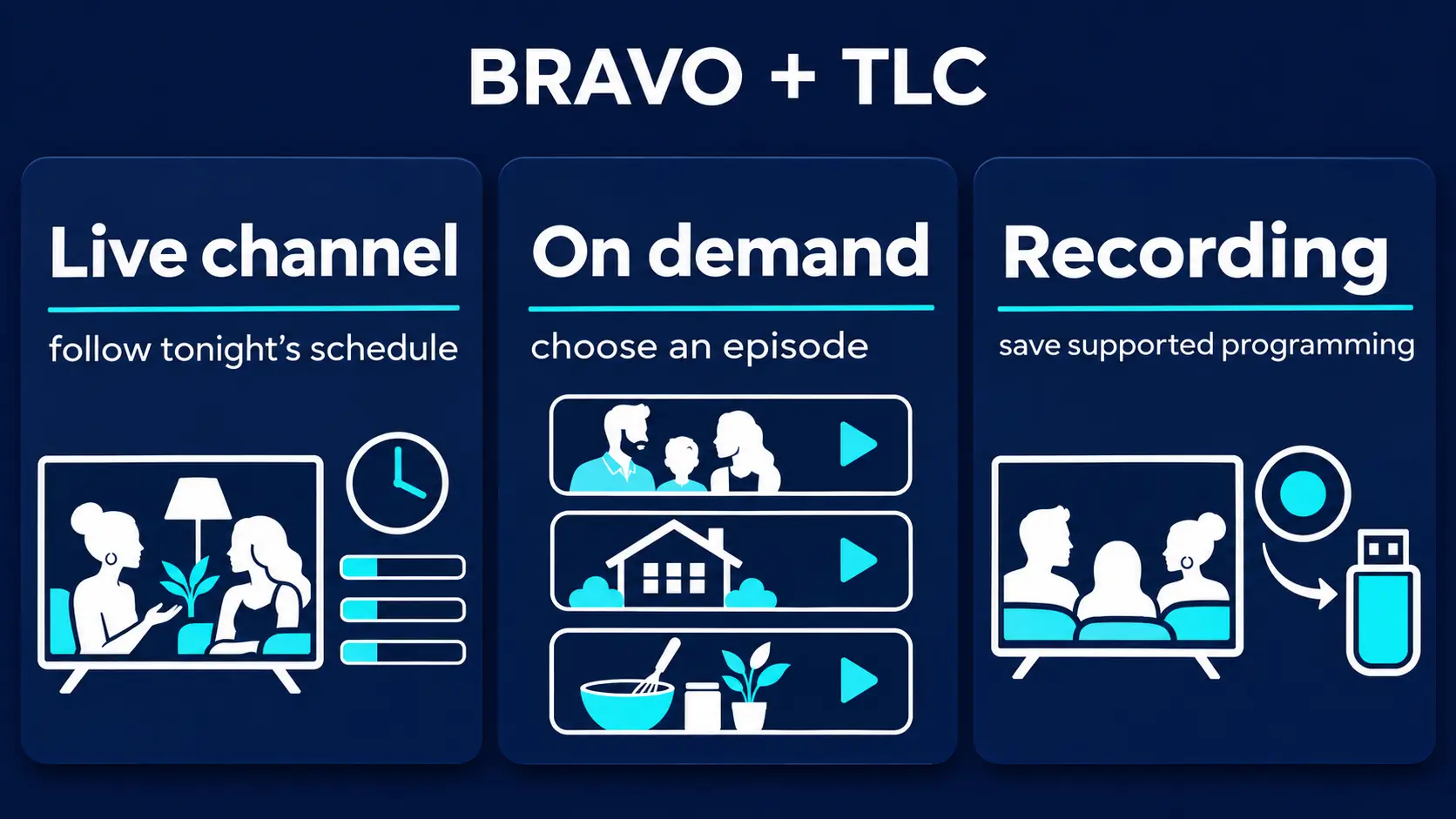
“Watching Bravo” can mean turning on the network during its scheduled broadcast or selecting an episode from a library. Those experiences are different.
If you want to see a reunion as it airs, follow the evening’s lineup, or switch between Bravo and TLC, look for live channel access. A service advertising shows from a network does not necessarily carry that network’s live feed.
If your usual routine is watching several episodes on a weekend, an on-demand library may suit you better. Check the exact series, season, and episode before subscribing. A familiar logo on the homepage does not tell you how complete its catalog is.
A third option is recording programs for later. Paid services can offer cloud DVR, while SuperBox S8 has a separate manual recording feature for supported programming using external USB storage. Neither should be confused with a guaranteed permanent library of every show.
For a household with two reality-TV fans, ask one more question: do you need separate programs playing on different televisions at the same time? That affects both the subscription’s stream allowance and the equipment you need.
Compare the services that carry both Bravo and TLC
These four paid packages offer a straightforward way to keep both networks while dropping a traditional cable television subscription.
| Service and plan | Bravo live | TLC live | Regular monthly price checked | Most useful when |
|---|---|---|---|---|
| Philo Essential | Yes | Yes | $25 | Entertainment and reality TV are the priority |
| Sling Blue | Yes | Yes | From $45.99 | Its additional channels fit your household |
| YouTube TV main plan | Yes | Yes | $82.99 | You want a broader live TV replacement |
| Hulu with ads + Live TV | Yes | Yes | $99.99 | You value its live lineup and included streaming bundle |
These are regular monthly prices before applicable taxes, extras, and introductory offers. Check the exact plan and your location at checkout.
Philo Essential now includes Bravo
This is an important change for anyone using an older cord-cutting comparison. Philo added Bravo on November 5, 2026, joining TLC in its entertainment lineup.
Philo’s announcement confirms Bravo on Essential at $25 per month and Bundle+ at $33. At launch, Bravo access was live, with on-demand episodes coming later. Do not subscribe assuming every Bravo season is already in Philo’s library.
Essential is the lowest-priced regular monthly package among the four compared here. Its current Bravo offer also advertises a seven-day trial for eligible new subscribers and unlimited DVR with one-year storage.
The distinction is between Philo’s paid packages and its separate free channel offering. Bravo requires Essential or Bundle+; downloading an app with free channels does not unlock the paid lineup.
For viewers mainly keeping cable for reality and lifestyle networks, Essential is a sensible first package to examine.
Sling Blue carries both networks
Sling Blue lists Bravo and TLC, with regular pricing starting at $45.99 per month. Select the Blue package specifically rather than assuming every Sling plan has the same lineup.
Its appeal is the combination of those networks with other channels your household might want. Compare the whole shortlist before buying extra channel packs.
Sling Blue includes three streams for channels in that plan and 50 hours of cloud DVR. Local channel availability depends on the market, so enter your location when checking the package.
If you only need Bravo and TLC, compare its higher monthly price with Philo first. Sling becomes more compelling when its other included channels solve an additional viewing need.
YouTube TV suits a wider cable replacement
The YouTube TV network directory lists Bravo and TLC. Its main plan’s regular price is $82.99 per month, and it includes unlimited DVR storage.
Be careful with the cheaper plan advertised at the top of its homepage. YouTube TV now distinguishes the main lineup from a Sports + News plan. This comparison refers to the main YouTube TV plan; check the selected package rather than treating the brand name as one universal channel list.
It makes more sense when the family also wants a broad mix of television. Paying that price solely to retain two entertainment networks deserves a second look.
For a broader package comparison, see our YouTube TV alternatives. Here, the immediate goal is keeping both Bravo and TLC.
Hulu requires the Live TV package
Hulu + Live TV lists both channels. Its advertised Hulu-with-ads live package is $99.99 per month and includes Disney+ with ads and ESPN access.
The ordinary Hulu streaming-library subscription is a different product. When checking out, make sure the plan explicitly includes Live TV.
This option deserves consideration if your household actually uses the bundled services. Before judging the price, compare it with the separate subscriptions you would cancel. If you keep paying for the same services elsewhere, the bundle may not reduce your total bill as much as expected.
How to start watching a paid service on your TV
Once you choose a package, check that your television or streaming device appears on that provider’s supported-device list. Do this before paying, especially if you plan to use an older smart TV.
- Open the provider’s official website and review the selected plan.
- Confirm that both Bravo and TLC appear in its channel lineup for your location.
- Create the account and complete the subscription or eligible trial.
- Install the provider’s app on a supported TV or streaming device.
- Sign in with that same account, then open the live channel guide.
- Select Bravo, test playback, and repeat with TLC.
If the app asks you to subscribe again, first check the account email and plan name. Signing into a different account can make an existing purchase difficult to locate.
Test during a normal evening viewing session. Check that the person who watches these networks can open the guide, switch between them, and return to the app after turning the TV off.
Keep your sign-in details and billing date somewhere accessible. If you start with a trial, note when paid billing begins so the eventual monthly charge matches your decision.
Watching episodes instead of live TV
You do not necessarily need a large live TV package to keep up with reality shows. An episode library can work well if watching at the original broadcast time is not important.
Peacock for Bravo shows
Peacock’s Bravo collection includes series such as The Real Housewives, Below Deck, Summer House, and Top Chef. Its current plan choices include Select at $8.99 per month and Premium at $12.99.
Select focuses on television and excludes movies, sports, live programming, and Peacock Originals. Premium adds broader entertainment and sports. Choose based on the shows and extras you want rather than automatically buying the higher tier.
Peacock promotes next-day viewing for current Bravo programming. That is useful for avoiding spoilers the following evening, but it is a different promise from receiving the live Bravo channel during tonight’s premiere.
Open the page for your particular series and check the episodes offered. Franchise names can cover several different shows.
discovery+ for TLC programming
discovery+ includes programming from TLC and other factual-entertainment brands. Its current US monthly prices are $6.99 with ads and $11.99 ad-free.
Those prices changed for new subscribers in October 2026 and began applying to existing subscribers’ billing dates on or after November 12. Older comparisons showing the former prices need updating.
Use discovery+ as an episode-library option for this decision. Do not buy it expecting the same experience as selecting TLC’s scheduled live feed. Check the exact show and season, especially if you want the newest episode immediately after broadcast.
Peacock Select plus ad-supported discovery+ totals $15.98 per month. Peacock Premium plus that discovery+ plan totals $19.98. These are two separate subscriptions, and the combination is useful only when both libraries contain what you want.
Where SuperBox fits for Bravo and TLC viewers
SuperBox offers a hardware-based route for people who want familiar channel browsing while reducing recurring television subscriptions.
You connect the box to your TV through HDMI and to your home internet. Blue TV handles live channel browsing, while Blue VOD provides on-demand movies and series. The core apps are free to use after purchasing a compatible SuperBox, without separate monthly Blue TV or Blue VOD subscriptions.
SuperBox TV Box Store advertises access to 2,000+ live channels alongside a broad on-demand selection. Our companion SuperBox channel list lists Bravo, TLC, and TLC West. Channel availability and numbering can change, so check the current entries in Blue TV for the feed you want.
That can appeal to someone who enjoys turning on a channel and browsing rather than managing several different subscription libraries.
The savings come from removing paid TV charges you no longer need. You still pay for internet, the box itself, and any optional subscriptions you decide to keep. Our explanation of SuperBox’s monthly costs separates those expenses.
Find Bravo and TLC in Blue TV
- Open Blue TV from the SuperBox Home screen.
- Open the left navigation panel and choose Search.
- Enter Bravo using the on-screen keyboard.
- Select the matching channel and check what is playing.
- Search again for TLC, reviewing any differently labeled feeds.
- Use the program guide to check the channel’s displayed schedule.
Search by network name for live viewing. Searching for a series title in Blue VOD is a separate task and does not establish that every episode of that series is available.
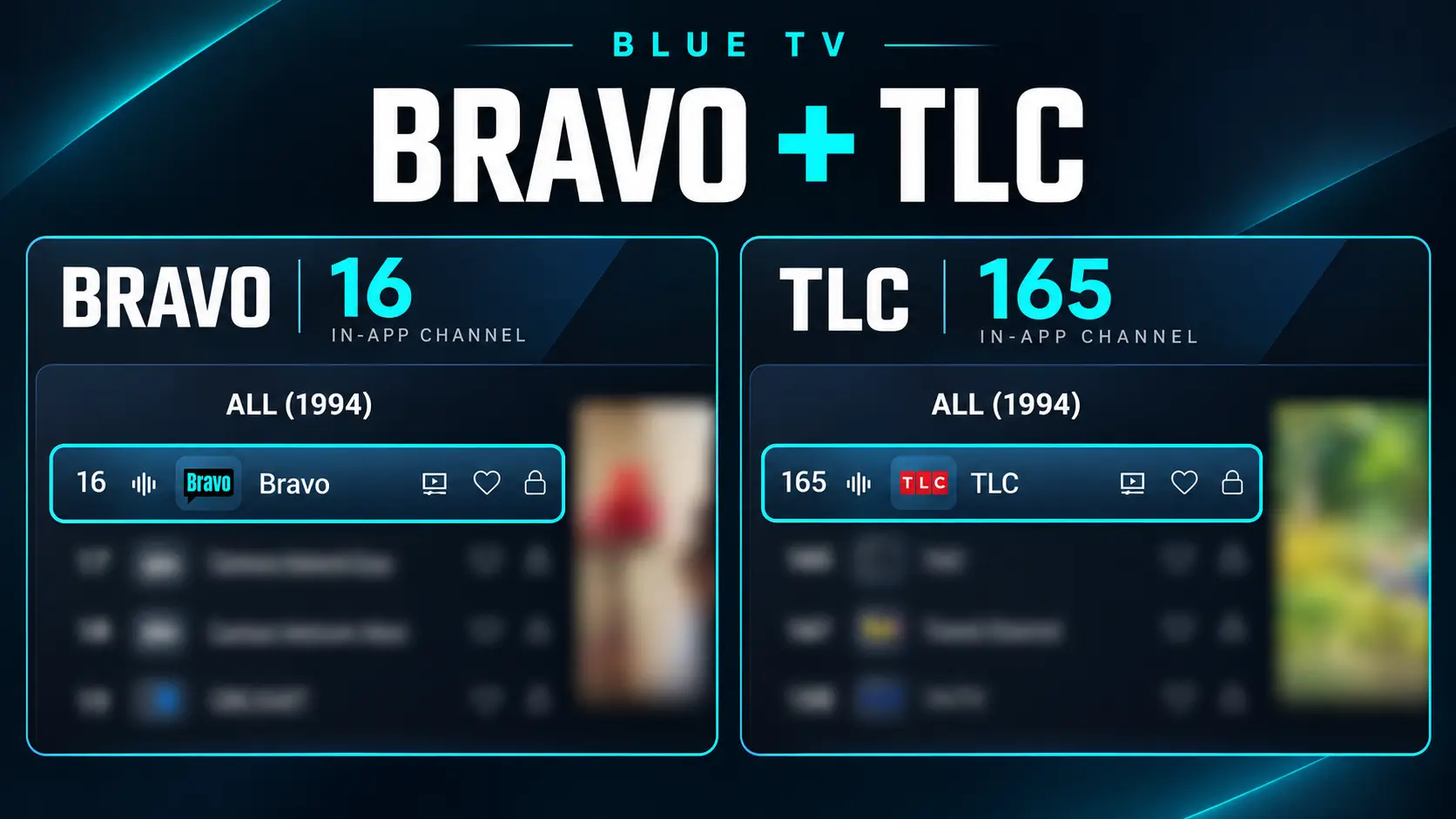
The October 2026 downloadable companion guide lists these reference numbers:
| Guide entry | Channel Number |
|---|---|
| Bravo | 16 |
| TLC West | 164 |
| TLC | 165 |
Our Blue TV navigation guide covers search, the program guide, favorites, and everyday channel switching.
Choose the box for your viewing habits
The SuperBox S8 Max is listed at $399, with 4GB RAM and 64GB storage. It is a practical place to start if you want the current S8 interface and a balanced hardware budget.
The SuperBox S8 Ultra is listed at $449, with 128GB storage and an included backlit voice remote. The illuminated buttons can be useful when watching evening television in a dim room.
Both use the shared core viewing apps. You do not need to buy Ultra simply to obtain a different Bravo or TLC package. S8 Pro and Plus also belong to the same core channel ecosystem.
For help choosing, buy through an identifiable retailer. SuperBox TV Box Store is an authorized retailer serving the US and Canada. If you buy directly from us, contact customer@superboxtvboxstore.com for technical or order questions so we can review your purchase and assist.
Compare the real cost over time
A small monthly subscription can be less expensive initially than purchasing a box. A hardware purchase can become more attractive over a longer period when it replaces recurring charges.
At the regular prices checked:
- Philo Essential costs $300 over 12 monthly payments.
- Sling Blue starts at $551.88 over 12 monthly payments.
- YouTube TV’s main plan costs $995.88 over 12 monthly payments.
- Hulu’s listed live package costs $1,199.88 over 12 monthly payments.
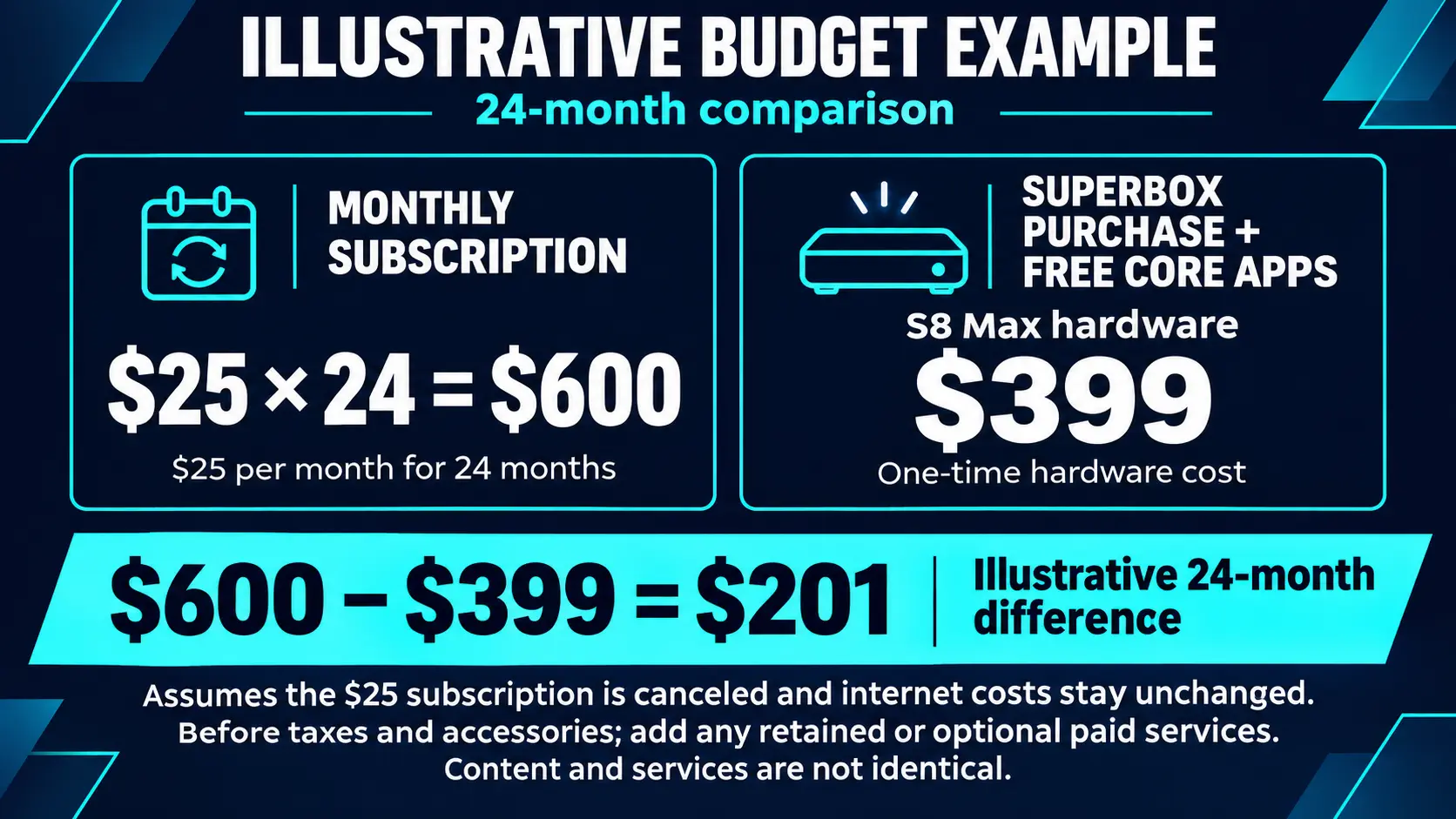
An S8 Max at $399 costs $99 more upfront than one year of Philo Essential. Over 24 months, Philo’s unchanged $25 rate would total $600, compared with $399 for the Max hardware and $0 in core app subscription fees.
That gives a $201 difference over two years if the SuperBox setup replaces that subscription. Against two years of Sling Blue at $45.99, the corresponding difference is $704.76.
These examples exclude taxes, introductory promotions, accessories, and retained subscriptions. They assume an existing suitable internet connection and unchanged prices. The services also differ in channel availability, catalogs, and DVR features; SuperBox does not include paid accounts for those providers.
Use the comparison to make a household budget. Count only the bills you will actually stop paying, and evaluate the viewing experience before committing to the switch.
Test your replacement before canceling cable
Make a short list of the programs you care about most. Include a Bravo premiere, a TLC show, and anything another household member would miss.
Then try the replacement on the television you normally use:
- Open both live channels if live viewing matters.
- Check the correct regional feed and tonight’s schedule.
- Find an older episode if catching up matters.
- Test recording or replay separately if you depend on it.
- Check another television if someone needs a different program simultaneously.
With SuperBox, one box serves one independent TV setup. An HDMI splitter mirrors the same picture; it does not let two rooms select separate programs.
Also check what canceling TV does to your internet bill. If cable television and broadband are bundled, the new internet-only rate matters more than subtracting an advertised TV package price.
Keep account details, return instructions for rented equipment, and cancellation confirmation together. Once the replacement passes your own viewing checklist, you can cancel the service you no longer need with a clearer picture of the result.
Frequently asked questions
What is the cheapest live streaming option here for Bravo and TLC?
Among the four paid live packages compared, Philo Essential has the lowest regular monthly price at $25. Both networks are included following Bravo’s November 2026 addition. Check current pricing and trial eligibility before signing up.
Can I watch both channels for free without buying anything?
A qualifying free trial can provide temporary access, but it is not permanent free television. Philo advertises a seven-day Essential trial for eligible new subscribers. SuperBox’s core apps have no separate monthly fee, but compatible hardware and internet are required.
Does TLC GO work without a TV provider?
TLC GO’s live channel is locked behind account linking, and access depends on an eligible TV package. Installing the free app alone does not establish access. discovery+ is a separate subscription for its available episode library.
Does Peacock replace a live TV package for both networks?
For this purpose, Peacock is a route to Bravo episodes. It is not a combined Bravo-and-TLC live package. If you want both scheduled channels, compare a live service carrying both rather than choosing an app solely because it has Bravo shows.
Can I use a Roku or Fire TV to watch these services?
Check each provider’s supported devices before subscribing. The streaming device and the subscription are separate purchases: owning a box does not automatically unlock Philo, Sling, YouTube TV, or Hulu’s paid live packages.
Can Canadian viewers use this price comparison?
The subscription prices and plan descriptions above are for the US. Canadian service arrangements and feeds differ. Check the service available where you live and confirm the exact Bravo or TLC entry instead of assuming a US account or listing applies.
Start with the way you actually watch
Choose a live package when watching the original channel schedule is essential. Compare episode libraries when you prefer catching up at your own pace. Consider SuperBox when familiar channel browsing and reducing recurring TV fees are central to the decision.
Before paying, write down three things: the exact channels or shows you want, the television setup you will use, and the monthly charges you expect to remove. The best choice is the one that passes those checks in your home.
The article was updated on:
