
Knowledge SuperBox
How to Watch TV in an RV Simple Step by Step Guide





Modern recreational vehicle travel blends the beauty of the outdoors with the comfort of home living. Whether you are dry camping in a national forest or resting at a full-hookup resort, having reliable access to live sports, news, and movies makes your rig feel like home.
However, navigating RV television – balancing 12V power constraints, cellular data caps, satellite alignment, and spotty campground Wi-Fi – can be challenging. This guide breaks down every RV television option, 3-year operating costs, power requirements, and step-by-step setup procedures.
Quick Camper’s Summary: Watching television in an RV has evolved beyond fuzzy antenna signals and bulky rooftop satellite dishes.
Today, RV owners have five distinct options: Over-the-Air (OTA) digital antennas for local broadcasts, campground coaxial cable hookups, portable satellite dishes (DISH Outdoors/DIRECTV), cellular/Starlink internet streaming, and turnkey Android TV media hubs like SuperBox.
For travelers seeking full contract-free independence, the SuperBox S8 series ($359.00 – $449.00) and S7 series ($305.00 – $339.00) deliver over 2,000 live sports and broadcast channels, 7-day time-shift playback, and video-on-demand movies over mobile hotspots or Starlink with zero recurring monthly subscription bills.
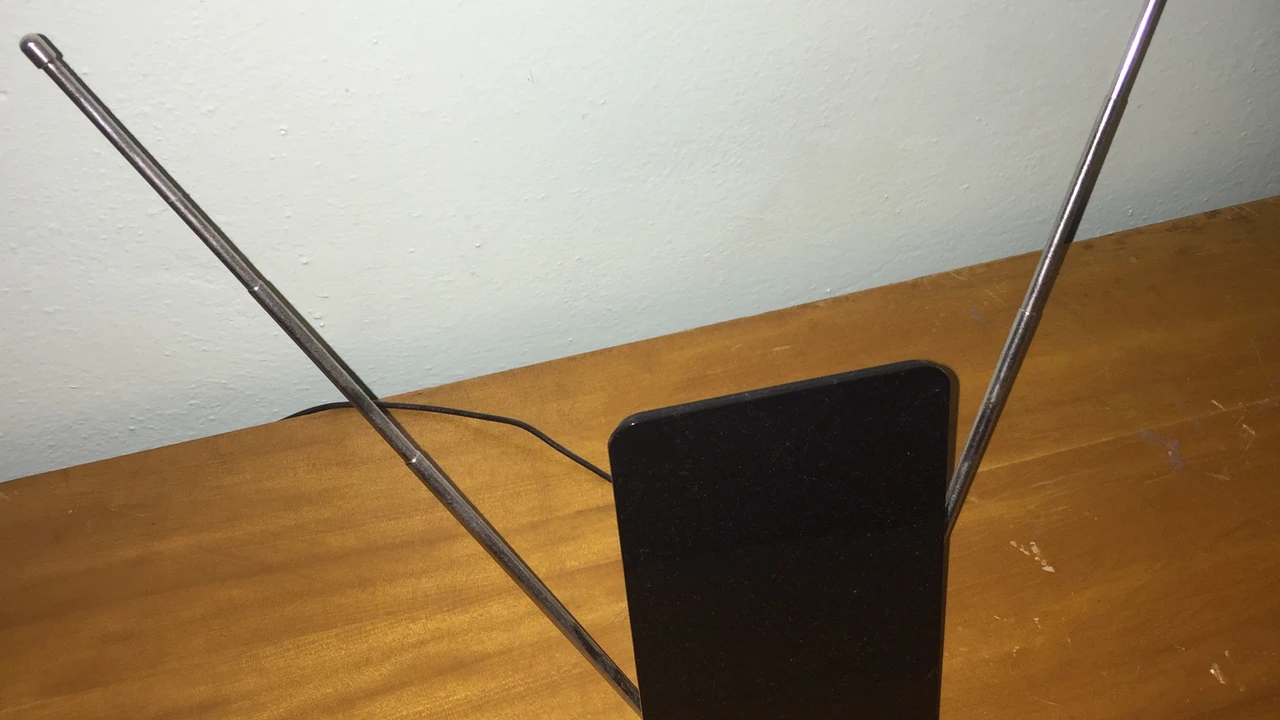
The Five Primary Ways to Watch TV in an RV
Watching television in a motorhome, fifth wheel, or travel trailer is achieved through five primary pathways: digital broadcast antennas, park coaxial cable connections, portable satellite receivers, cellular streaming sticks, and turnkey dedicated cloud media hubs.
Each technology carries distinct trade-offs between initial hardware investment, recurring monthly subscription expenses, power consumption, and geographic reliability.
| Entertainment Technology | Initial Hardware Cost | Monthly Service Fees | Channel & Content Breadth | Internet / Data Requirement | Primary Strength | Major Limitation |
|---|---|---|---|---|---|---|
| Over-the-Air (OTA) Antenna | $0 – $120 (Standard in most RVs) | $0.00 / month | 10 – 45 local broadcast channels | None (Broadcast RF) | 100% free; uncompressed HD picture | Zero signal in remote or mountainous areas |
| Campground Coaxial Cable | $15 – $25 (Coaxial cable) | $0.00 (Included in campsite fee) | 20 – 60 standard definition channels | None (Wired Coaxial) | Zero mobile data usage; plug-and-play | Only available at select developed RV resorts |
| RV Satellite Dish (DISH / DIRECTV) | $350 – $600 (Portable dish & receiver) | $80.00 – $135.00 / month | 120 – 250+ cable networks | None (Satellite link) | Works anywhere with clear southern sky | High monthly bills; blocked by tree canopy |
| Standard Streaming Sticks (Fire TV / Roku) | $39.99 – $59.99 | $79.99 – $120.00 / month (App stack) | Dependent on individual subscriptions | Continuous 15 – 25 Mbps broadband | Access to home streaming app profiles | Burns mobile hotspot data caps quickly |
| Turnkey Media Hub (SuperBox S8 / S7) | $305.00 – $449.00 (One-time) | $0.00 / month (Perpetual access) | 2,000+ live sports, news & VOD | Low-latency 15 – 50 Mbps hotspot | All-in-one cable replacement; zero monthly bills | Requires stable 4G/5G or Starlink connection |
Over-the-Air (OTA) Digital Broadcast Antennas
Nearly all factory-manufactured recreational vehicles come pre-wired with a rooftop digital television antenna, such as a directional crank-up batwing or an omnidirectional dome like the Winegard Air 360+.
These antennas capture uncompressed High-Definition signals broadcast over public radio frequencies (VHF and UHF) regulated under over-the-air television standards.
While OTA antennas provide crystal-clear local news, ABC, CBS, NBC, FOX, and PBS near metropolitan areas, effective range is limited to 35 to 60 miles from transmission towers. When camping in state parks, national monuments, or mountainous terrain, reception often drops to zero.
Campground Pedestal Cable Hookups
Many commercial RV resorts and KOA campgrounds install a coaxial cable television jack on the campsite utility pedestal alongside electrical hookups.
Connecting a standard RG6 coaxial cable from the pedestal to your RV’s “Cable In” port delivers basic cable networks without consuming mobile cellular data.
However, park cable systems are increasingly outdated. Picture quality is frequently analog standard definition (480i), channel selections are limited, and newer campgrounds are phasing out cable wiring in favor of commercial Wi-Fi mesh networks.
Portable RV Satellite Systems (DISH Outdoors and DIRECTV)
For decades, portable satellite dishes like the DISH Tailgater, Winegard Pathway X2, or King Quest served as the traditional solution for remote campers.
Portable satellite systems automatically acquire orbital satellites in the southern sky, providing consistent live programming regardless of cellular signal availability.
Despite their reliability in open deserts, satellite setups suffer from high monthly costs ($80 to $135 per month) and line-of-sight vulnerability. If your campsite is shaded by tall pine trees, oak canopies, or a canyon wall, the dish cannot lock onto the satellite signal.
Mainstream Streaming Sticks via Mobile Hotspots
Mainstream streaming dongles like the Amazon Fire TV Stick 4K Max ($59.99), Roku Streaming Stick ($49.99), and Google TV Streamer ($99.99) allow travelers to log into home subscription accounts.
However, this model introduces heavy subscription creep. Replacing traditional television requires subscribing to live TV providers (YouTube TV at $79.99/mo, Hulu + Live TV at $76.99/mo, or Sling TV at $40/mo), alongside standalone sports passes.
Furthermore, these dongles feature internal micro-antennas that struggle with signal loss inside aluminum-skinned campers.
Turnkey Dedicated Media Hubs (The SuperBox Advantage)
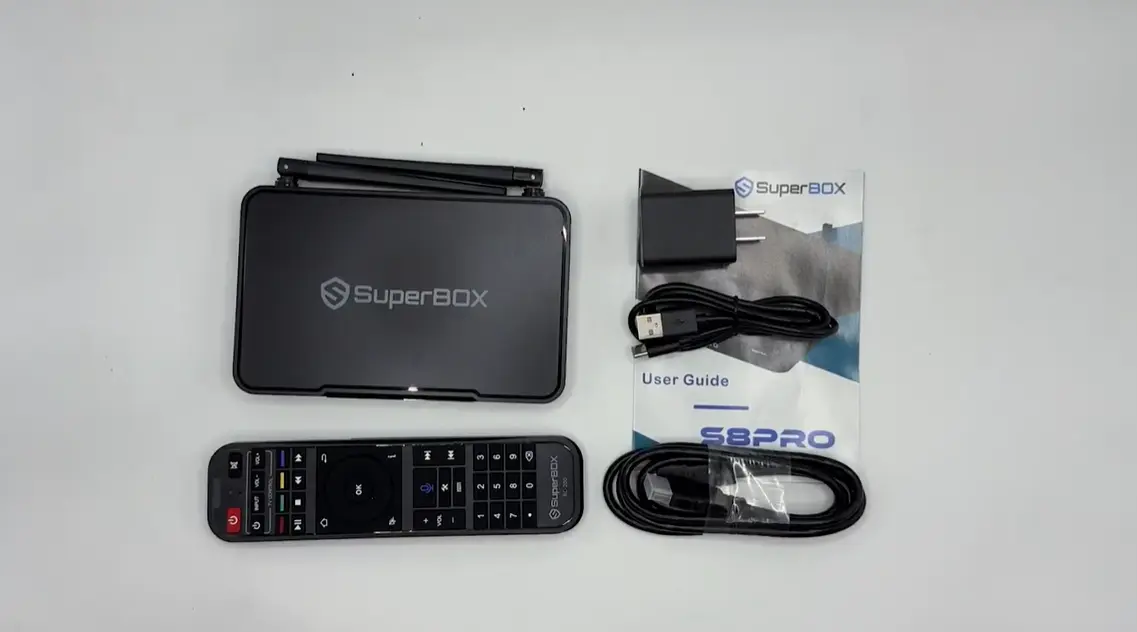
Turnkey Android media players – most notably the SuperBox S8 Series ($359.00 – $449.00) and SuperBox S7 Series ($305.00 – $339.00) – have modernized RV entertainment.
Instead of relying on fragmented app subscriptions or cumbersome satellite dishes, a genuine SuperBox connects directly to redundant private cloud streaming relays over any mobile internet connection.
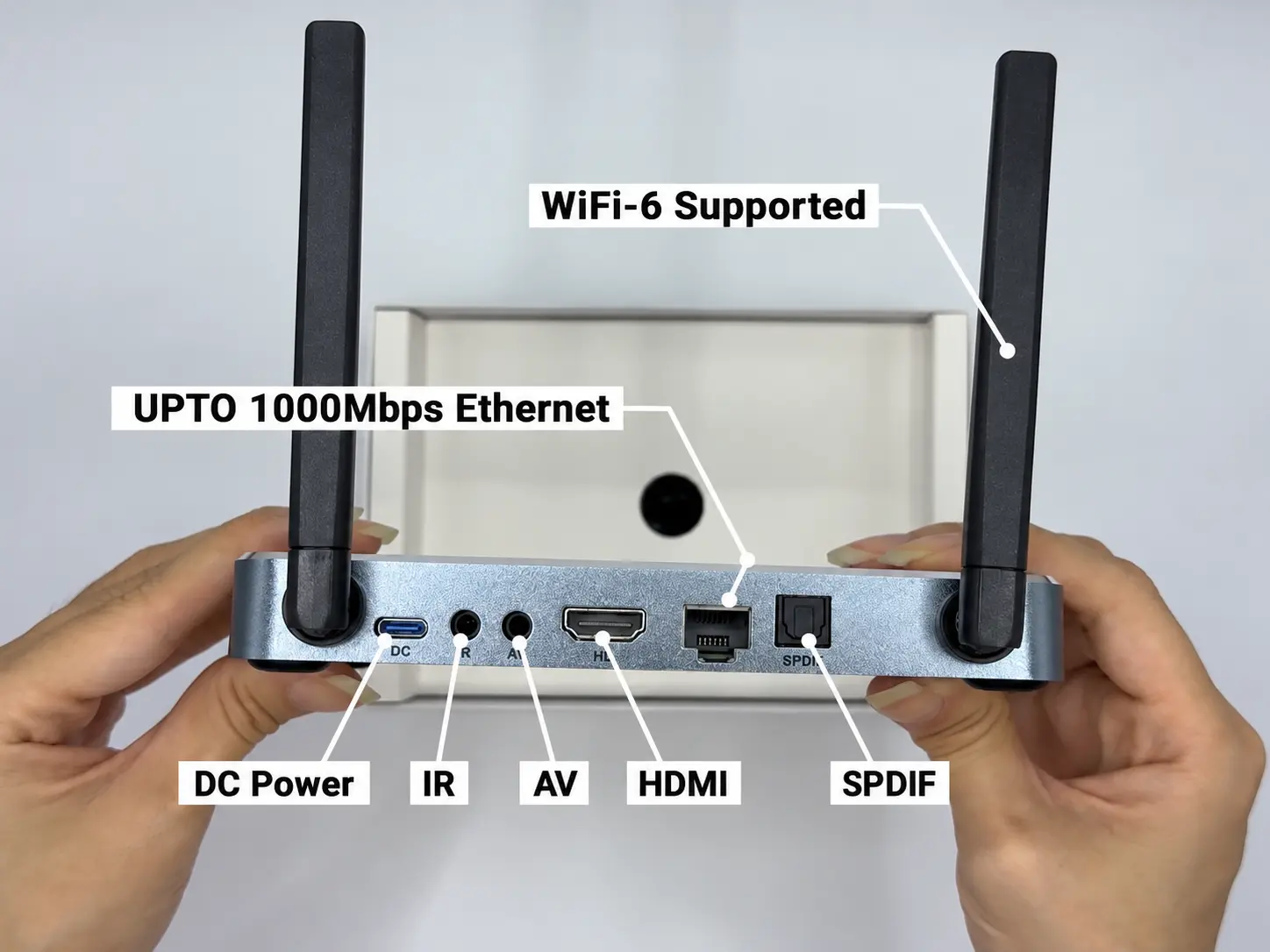
Equipped with 4GB RAM, dual external high-gain Wi-Fi 6 antennas, and an integrated 1000M Gigabit LAN port, SuperBox delivers over 2,000 live sports, news, and entertainment feeds with 7-day automated cloud playback and zero monthly subscription fees.
Comparing RV Entertainment Budgets Over 3 Years
| Expense Category | Portable Satellite (DISH Outdoors) | Fire Stick + Live TV Streaming Plan | SuperBox S7 Max / S8 Max Standalone |
|---|---|---|---|
| Hardware & Equipment Cost | $429.00 (Dish & Receiver kit) | $59.99 (Fire TV Stick 4K Max) | $339.00 – $399.00 (One-time) |
| Live TV Service (Year 1) | $1,080.00 ($90.00/mo x 12) | $959.88 ($79.99/mo YouTube TV) | $0.00 (Included) |
| Live TV Service (Year 2) | $1,080.00 ($90.00/mo x 12) | $959.88 ($79.99/mo YouTube TV) | $0.00 (Included) |
| Live TV Service (Year 3) | $1,080.00 ($90.00/mo x 12) | $959.88 ($79.99/mo YouTube TV) | $0.00 (Included) |
| Regional Sports Network Add-ons | $540.00 ($15.00/mo x 36) | $720.00 ($20.00/mo x 36) | $0.00 (Included in Blue TV) |
| DVR Cloud Storage Rentals | $360.00 ($10.00/mo DVR fee) | $0.00 (Included with cloud caps) | $0.00 (Built-in 7-Day Time Shift) |
| 3-Year Total Financial Investment | $4,549.00 | $3,659.63 | $339.00 – $399.00 |
| Net 3-Year Household Savings | $0.00 (Baseline) | $889.37 vs. Satellite | $3,260.00+ Saved with SuperBox |
Power Management & Technical Setup: 12V DC vs. 110V AC Inverters for RV Television
Electrical power management is the single most critical technical consideration when camping off-grid (boondocking).
In an RV, electrical systems operate across two distinct circuits: a 12-volt Direct Current (DC) battery bank and a 120-volt Alternating Current (AC) household system powered by shore power pedestals, on-board generators, or DC-to-AC inverters.
Understanding how television equipment consumes electrical energy prevents dead house batteries and protects delicate electronics:
- 12V DC Native RV Televisions: Specialized 12-volt televisions connect directly to your camper’s 12V fuse box. They consume between 25W and 45W of continuous DC power and bypass the need for an inverter, making them efficient for boondocking. However, native 12V TVs are more expensive, feature slower internal smart processors, and rarely offer screens larger than 40 inches.
- 120V AC Household Smart TVs with Inverters: Standard residential LED televisions operate on 120V AC household electricity. When camping without shore power, running a standard TV requires a Pure Sine Wave Inverter (300W to 1,000W). Inverters incur an efficiency conversion loss of roughly 10% to 15%, drawing approximately 3.5 to 5.5 amps from a 12V battery bank per hour of viewing.
- Low Power Draw of SuperBox Hardware: SuperBox set-top boxes operate on an ultra-efficient 5V/2A DC power supply. Under full 4K 60fps streaming load, a SuperBox consumes a mere 6W to 9W of power (less than 0.75 amps on a 12V circuit). Even when connected to an inverter alongside a 32-inch LED television, the entire entertainment system draws under 45 watts, allowing off-grid campers to enjoy evening movies without depleting house battery banks.
Checklist: Boondocking Energy Budget for Evening TV Viewing
Use this pre-trip checklist to calculate your off-grid entertainment electrical reserves:
- Verify battery capacity: Confirm your RV battery bank provides at least 100Ah of usable lithium (LiFePO4) or 50Ah of usable AGM storage.
- Use Pure Sine Wave Inverters: Never power sensitive streaming boxes or smart TVs with cheap Modified Sine Wave inverters, which generate harmonic distortion and cause capacitor whine.
- Optimize TV brightness: Lower your television backlight setting to 65%-75% to reduce display power draw by up to 30%.
- Disconnect standby draws: Unplug the streaming box power brick or use a switched power strip when the system is not in use to eliminate phantom standby draw.
Mobile Internet Architecture
Cellular 5G Mobile Hotspots and Dedicated RV Routers
Cellular data represents the most common internet pipeline for campers.
Utilizing mobile hotspot tethering from an unlimited smartphone plan or dedicated mobile routers delivers download speeds ranging from 25 Mbps to 150 Mbps in coverage areas.
For full-time travelers, pairing a multi-carrier cellular setup with a roof-mounted cellular signal booster (like the weBoost Drive Reach RV) pulls distant cell signals directly into your rig.
Starlink Roam (Mobile Satellite Internet)
Starlink Roam has transformed off-grid camping by delivering high-speed satellite broadband (50 Mbps to 220 Mbps with 30ms – 50ms latency) to virtually any campsite in North America.
Unlike traditional geostationary satellite TV, Starlink utilizes low-Earth orbit (LEO) constellations.
When paired with a SuperBox S7 Max or S8 Max, Starlink delivers a full live cable television experience in the deep wilderness where zero cellular towers exist.
Why Dual External Wi-Fi 6 Antennas Beat Streaming Sticks
A major hidden obstacle in RV streaming is the rig’s physical construction. Most campers are constructed with aluminum side framing, dense fiberglass shells, and foil-backed radiant barrier insulation.
This metallic shell creates a Faraday cage effect that degrades internal Wi-Fi signals by -12 dBm to -20 dBm. Streaming dongles plugged behind the TV suffer from severe signal loss, causing dropped frames and buffering.
The SuperBox S7 and S8 series solve this vulnerability with dual high-gain omnidirectional external antennas supporting Wi-Fi 6 (802.11ax).
Positioned atop your media console, these antennas capture full 2×2 MIMO spatial streams, cutting packet jitter and penetrating interior RV cabinetry effortlessly.
Step-by-Step Guide Set Up and Optimize a TV Streaming Box in Your RV
Step 1: Mount Television and Secure HDMI 2.0 Cable Connections
Mount your television securely to the RV wall bracket using a locking travel mount that prevents screen vibration during highway transit.
Connect the included high-speed HDMI 2.0 cable from the streaming box HDMI output directly into an HDMI port on your television labeled HDMI 1 or HDMI 2.
Step 2: Connect Power via 110V Inverter or Dedicated In-Cabin Outlet
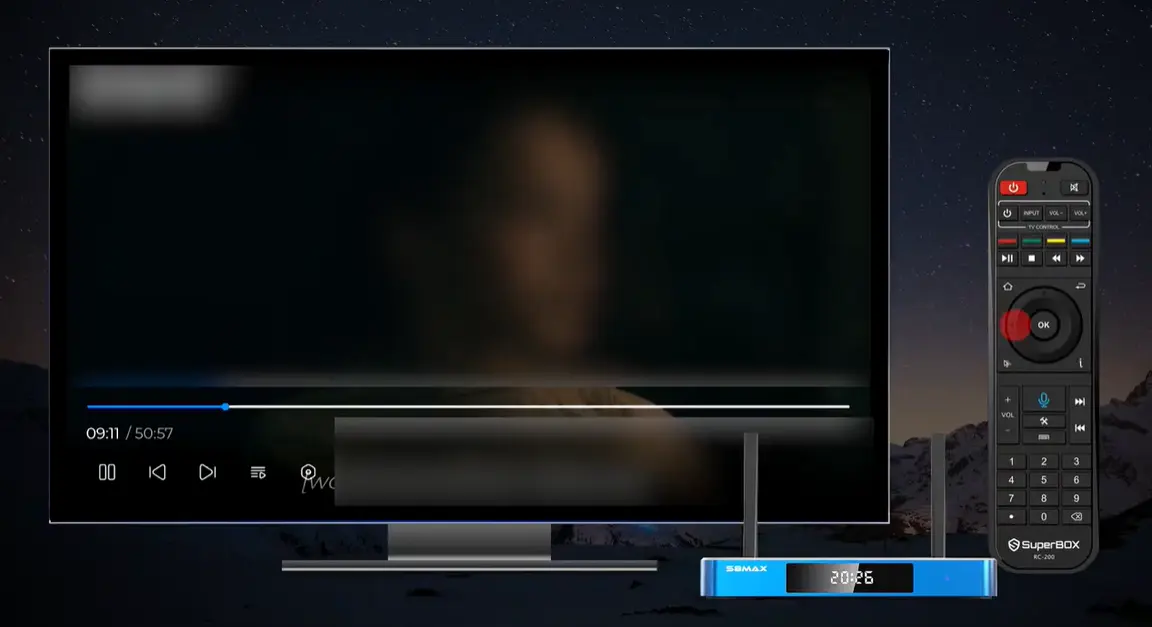
Plug the 5V DC power adapter into an AC outlet powered by your RV inverter or shore power circuit.
If your camper features an inverter sub-panel, ensure the outlet remains active when running off 12V house batteries during boondocking.
Step 3: Establish High-Speed Connection via 5GHz Mobile Hotspot or Starlink
Power on your cellular mobile hotspot, 5G router, or Starlink Wi-Fi router.
On your TV screen, navigate to Settings > Network & Internet, select your mobile network’s 5GHz Wi-Fi band, and verify signal strength. Position the streaming box’s dual external antennas vertically for optimal wireless capture.
Step 4: Pair Bluetooth Voice Remote and Calibrate TV Power Keys
Insert two AAA batteries into the RC-200L remote control. Hold the Home and OK buttons simultaneously until the indicator LED flashes blue to complete Bluetooth pairing.
Program the infrared learning cluster at the top of the remote to control your television’s power and volume, allowing single-remote convenience in the cabin.
Step 5: Launch SuperBox App Store and Initialize Blue TV and Blue VOD
From the home dashboard, open the SuperBox App Store. Download and install Blue TV, Blue VOD, and the Playback app.
Open each application once to grant required storage permissions and establish initial cloud connection tokens.
Step 6: Fine-Tune Video Resolution, Hardware Plus (HW+) Decoding, and Buffer Cache
Navigate to Settings > Display and set output resolution to match your TV display (1080p 60Hz or 4K 60Hz).
Inside Blue TV settings, set stream decoding mode to Hardware Plus (HW+) and configure buffer size to Medium. This ensures immediate channel tuning while buffering video data against sudden cellular signal fluctuations.
Step 7: Configure Regional EPG Time Zone and Setup 7-Day Live Playback
Open app settings in Blue TV and Playback and set your current local time zone (Eastern, Central, Mountain, or Pacific). This synchronizes the Electronic Program Guide (EPG) with local broadcast schedules.
Test the 7-day rewind feature by selecting a past sports game from yesterday’s schedule to confirm instant playback functionality.
Frequently Asked Questions
Can I watch TV in an RV while driving on the highway?
Yes, passengers can watch television while the vehicle is in motion, provided the rig is equipped with an active mobile internet connection (such as an in-motion Starlink dish or a cellular 5G hotspot) and powered via an inverter or on-board generator.
Note that in many jurisdictions, it is illegal for the driver to view a video display while operating a motorhome.
How can I watch local news and weather in my RV when moving between states?
With an over-the-air antenna, you must run a new “Channel Scan” on your TV every time you relocate to pick up local regional towers.
With a SuperBox media hub, local news channels and national network affiliates (ABC, CBS, NBC, FOX) across all major US metropolitan markets are pre-indexed in the Blue TV guide, allowing you to watch local home weather or destination news without re-scanning.
Do I need an internet connection to watch TV in an RV?
Not necessarily. If you use a rooftop over-the-air digital antenna, a campground coaxial cable hookup, a portable satellite dish (DISH/DIRECTV), or pre-downloaded movies on a USB flash drive, you can watch television without an active internet connection.
However, streaming live channels and accessing on-demand libraries via a TV box requires an internet source such as a mobile hotspot or Starlink.
How much internet data does streaming TV consume per hour in an RV?
Video streaming data consumption depends on resolution. Standard definition (480p) streams consume roughly 0.7 GB to 1.0 GB per hour, while High Definition (1080p) streams consume approximately 1.5 GB to 2.5 GB per hour.
Ultra HD (4K) broadcasts consume 5.0 GB to 7.0 GB per hour. For mobile hotspot users with data caps, setting streaming resolution to 1080p balances crisp video quality with efficient data usage.
Can I use a regular household smart TV in an RV?
Yes. Many modern RVs come equipped with standard 120V household LED televisions. As long as your RV has a functioning inverter or is connected to shore power, a standard residential TV functions perfectly.
However, ensure the TV is mounted on a heavy-duty locking bracket designed to withstand road bumps and vibrations.
Is satellite TV better than streaming for RV camping?
Satellite TV is advantageous primarily in remote areas where cellular reception is non-existent and you do not own Starlink.
However, satellite systems require expensive hardware ($350 – $600), high monthly subscriptions ($80 – $120/mo), and are completely blocked whenever trees obstruct the southern sky.
Modern turnkey streaming boxes paired with 5G or Starlink deliver superior reliability, lower long-term costs, and zero obstruction headaches.
How does SuperBox work in an RV without cable or satellite subscriptions?
A genuine SuperBox connects directly over Wi-Fi or Ethernet to the manufacturer’s distributed cloud streaming server clusters.
Purchasing the hardware unit grants perpetual, lifetime access to live sports, news, international programming, and 7-day time shift playback without monthly billing, contracts, or renewal fees.
Can I power a SuperBox and TV using a 12V battery system while boondocking?
Yes. The SuperBox draws a modest 6W to 9W of power (5V DC via its included power adapter).
When connected to a Pure Sine Wave Inverter alongside a 32-inch LED television, total system power draw is approximately 40W to 45W (around 3.5 to 4.0 amps per hour on a 12V battery system), making it ideal for solar-equipped boondocking campers.
How do I fix buffering or freezing when streaming TV at an RV park?
Campground Wi-Fi is notorious for evening congestion. To resolve buffering, switch your internet connection from park Wi-Fi to a dedicated cellular 5G mobile hotspot.
Next, navigate to Blue TV settings and ensure decoding mode is set to Hardware Plus (HW+) with Buffer Size set to Medium. Also orient the SuperBox’s dual external antennas vertically for optimal RF gain.
Which SuperBox model is the best choice for full-time RVers and campers?
The SuperBox S7 Max ($339.00) represents the single best value for RV owners, offering an all-aluminum thermal heatsink chassis that dissipates heat effectively in summer weather, 4GB RAM, 64GB storage, and Wi-Fi 6.
For power users seeking an AI voice engine and local TV recording capabilities, the SuperBox S8 Ultra ($449.00) or S8 Max ($399.00) provides the ultimate future-proof entertainment hub.
Final Verdict
Recreational vehicle travel should offer freedom from rigid schedules and escalating monthly bills. By stepping away from expensive satellite contracts and unreliable antenna scans in favor of a modern turnkey media hub like the SuperBox S7 or S8 series, campers gain an uncompromised living room experience anywhere the road leads.
Paired with a mobile 5G hotspot or Starlink broadband, your RV entertainment setup delivers seamless live sports, breaking news, and on-demand cinema with zero monthly fees – empowering you to focus on the journey ahead.
The article was updated on:
