
Knowledge SuperBox
What Are Prime Apps ? Complete 7 SuperBox Bonus Apps Guide





Prime Apps refers to a proprietary suite of seven supplemental entertainment applications developed for SuperBox Android TV hardware, designed to expand your streaming options with backup live television channels, a 100,000-title vintage cinema vault, and secondary server redundancy without recurring monthly subscription fees. While the primary Blue TV and Blue VOD applications handle mainstream live broadcast networks and current box office releases, the Prime Apps suite provides a robust secondary network that guarantees uninterrupted viewing across North America.
Here is what you need to know about Prime Apps at a glance:
- It includes seven dedicated streaming portals: Prime TV, Prime VOD, Prime Cinema, Prime Sports, Backup TV, Backup VOD, and regional specialty channels.
- It operates as a secondary server infrastructure designed to provide 100 percent viewing uptime during peak sports traffic or scheduled maintenance.
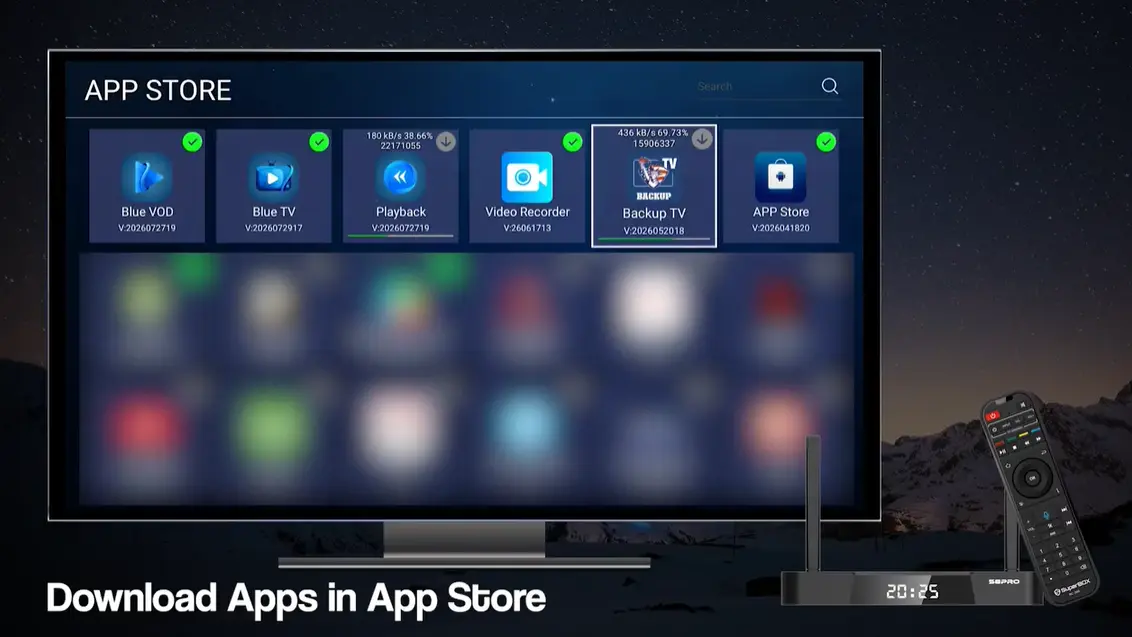
- It does not come preloaded out of the box; customers easily download the package from the built-in App Store or App Installer in under three minutes.
- It unlocks over 10,000 international channels and more than 100,000 classic films, international titles, cult series, and comedy specials.
- Access is 100 percent subscription-free with no activation charges, renewal fees, monthly contracts, or hidden equipment leases.
Understanding the Basics: Why Does SuperBox Include Prime Apps?
When customers transition from expensive cable packages to SuperBox media players, they frequently wonder why the console provides multiple applications for television and movies. Having different streaming portals might initially appear redundant, but it represents one of the strongest engineering decisions built into the SuperBox ecosystem.
At SuperBox TV Box Store, we describe the Prime Apps collection as your built-in safety net and expanded archive. No single streaming server cluster can guarantee 100 percent uptime indefinitely. During major live sports finals, such as the Super Bowl, World Cup tournaments, or heavyweight championship bouts, millions of households connect to live streams concurrently.
To prevent bandwidth congestion and buffering slowdowns, SuperBox engineers established a dual-network architecture utilizing high availability server infrastructure. The primary Blue TV and Blue VOD network operates on dedicated content distribution clusters, while the Prime Apps network functions on independent secondary server farms. If one network undergoes cloud optimization or high-traffic load, you simply switch to the corresponding Prime application and continue watching without interruption.
Furthermore, the Prime Apps suite acts as an expansive international media vault. While Blue VOD emphasizes recent Hollywood releases and trending series, Prime Cinema and Prime VOD curate vintage classics from the 1970s through the 2000s, independent documentaries, stand-up comedy specials, and foreign-language cinema.
Comparing the Suites
Blue TV and Blue VOD deliver high-definition linear broadcasts and current cinema. When you want to watch domestic network sports, national news, or newly released blockbusters, the Blue suite serves as your everyday homepage. When you want to explore obscure vintage cinema, international sports competitions, or require a backup channel feed during network congestion, the Prime Apps suite provides instant access.
Step-by-Step Installation
Step 1: Connect SuperBox to High-Speed Internet
Turn on your television and SuperBox console. Verify that your device displays a strong network connection via dual-band Wi-Fi or a Gigabit Ethernet cable. High-speed connectivity ensures swift downloading and smooth subsequent video playback.
Step 2: Open the App Store or App Installer on Home Screen
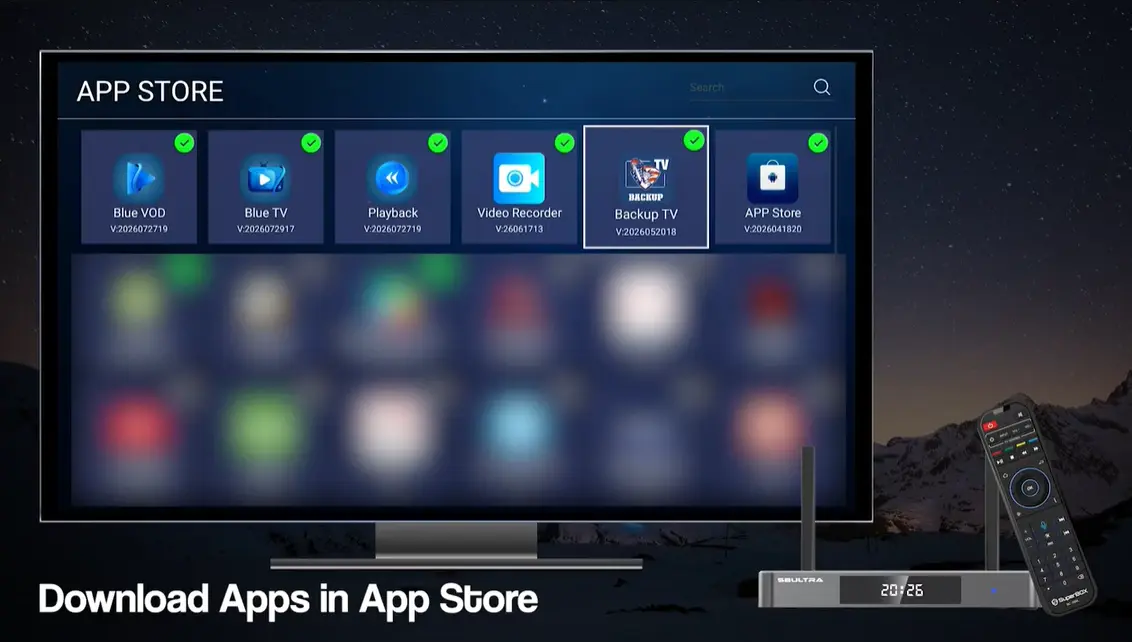
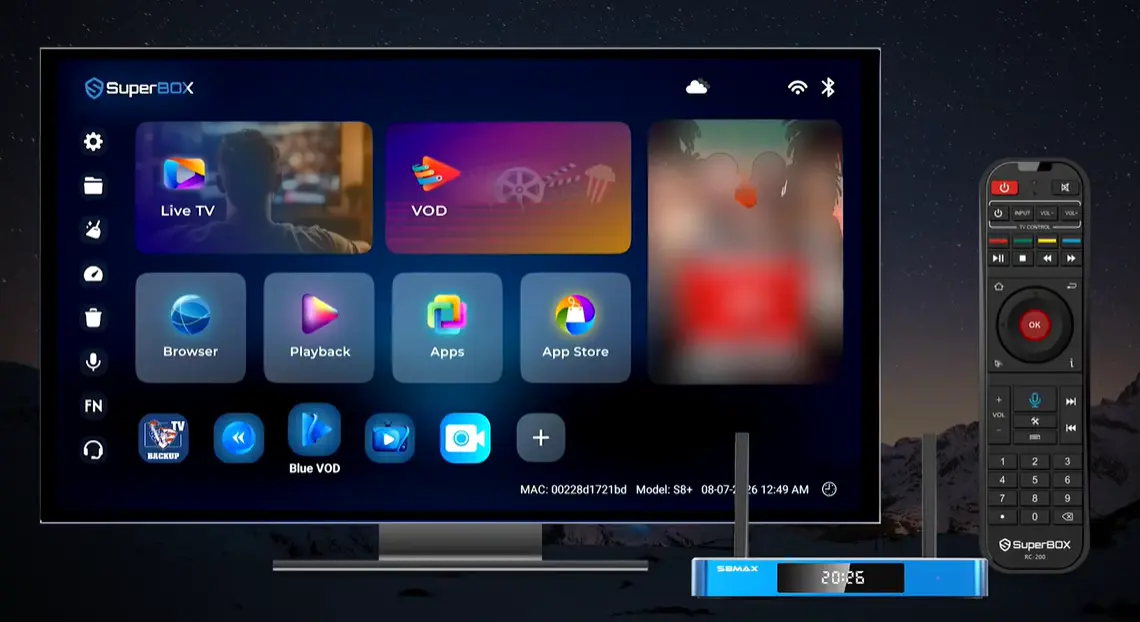
From the main Android launcher desktop, navigate to the App Store or App Installer tile using your remote control arrows. Press the OK button to enter the application catalog.
Step 3: Browse to the Prime Apps and Bonus Category
Inside the catalog interface, look through the category sections or scroll down to the Bonus Apps section. You will see individual tiles for Prime TV, Prime VOD, Prime Cinema, Prime Sports, and Backup TV.
Step 4: Download and Confirm Installation of Prime Utilities
Select the Prime application you wish to install first and press the OK button on your remote. The console downloads the installation package automatically. When the installation prompt appears, click Install to finalize setup. Repeat this quick process for the remaining Prime utilities.
Step 5: Assign Quick Shortcuts and Begin Streaming
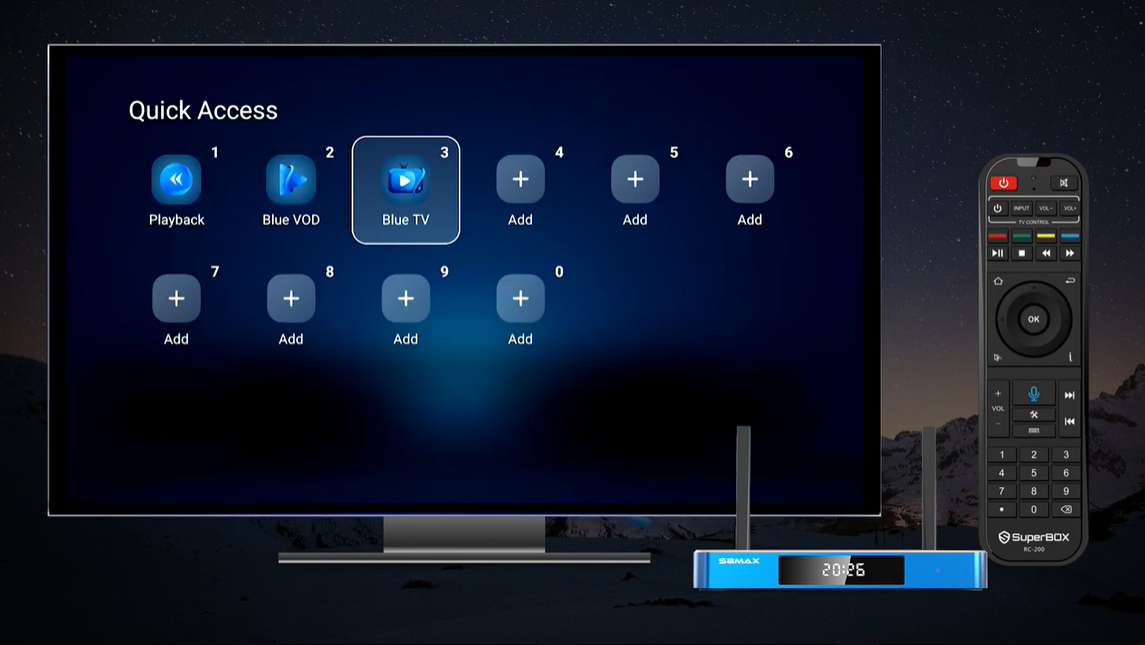
Return to your main desktop screen. The newly installed Prime applications now appear in your application tray. You can launch them immediately to browse content or map them to custom remote control number keys for rapid one-button access.
SuperBox separates application deployment from factory assembly to protect customer privacy and device storage health. This clean-system structure guarantees that your media console always receives the most current, secure software build directly from the cloud repository.
Exploring the Prime Vault
The depth of entertainment within Prime Apps distinguishes SuperBox hardware from ordinary streaming boxes. While mainstream streaming services frequently rotate their licensing rights and remove popular movies every thirty days, the Prime library remains an expansive permanent archive.
Prime Cinema Vintage and Cult Movie Archive provides a curated destination unmatched by standard streaming services for cinema enthusiasts who appreciate film history:
- Golden Era Collections: Browse thousands of restored films spanning the 1960s, 1970s, and 1980s.
- Cult Classics and B-Movies: Discover vintage science fiction, martial arts cinema, and retro horror titles that rarely appear on subscription platforms.
- Stand-Up Comedy Specials: Enjoy full-length comedy performances from legendary performers over the past four decades.
- Documentaries and Biographical Films: Access extensive historical archives, nature documentaries, and investigative reports.
Worldwide International Broadcasts connect millions of households across the United States and Canada to their ancestral homelands through regional television directories covering diverse global regions:
- European Broadcast Feeds: Live television channels from the United Kingdom, Spain, Italy, Germany, and France.
- Latin American Networks: Spanish-language sports, telenovelas, and regional news broadcasts from Mexico, Central America, and South America.
- Asian and Middle Eastern Channels: Cultural and news broadcasting across East Asia, South Asia, and the Middle East.
Prime Sports Event Coverage expands your sports viewing options when multiple major athletic competitions take place concurrently, aggregating international sports feeds, motorsport circuits, combat sports matches, and tennis opens from global broadcasters.
Hardware Acceleration and Network Requirements
Running high-bitrate video streams across secondary server networks requires capable hardware and stable home data delivery. Modern SuperBox consoles are built to handle simultaneous data decoding effortlessly.
Console Hardware Capabilities on the flagship SuperBox S8 lineup feature dedicated specifications designed to maximize streaming reliability:
- Quad-Core ARM Cortex Architecture: Handles high-throughput stream processing without system throttling.
- Mali-G31 MP2 Graphics Engine: Delivers hardware decoding acceleration for smooth 60fps playback.
- Ample Memory and Storage: Available with up to 4GB of DDR RAM and 128GB of internal eMMC storage on the SuperBox S8 Ultra for swift app switching.
- Android TV 12 System: Certified operating environment supporting the modern Android TV developer specifications.
Wireless and Ethernet Optimization practices ensure consistent streaming performance across Prime TV and Prime Cinema:
- Gigabit Ethernet: Whenever practical, connect your SuperBox directly to your home router with a Cat6 Ethernet cable. Direct wired connections bypass Wi-Fi interference completely.
- Wi-Fi 6 Wireless Networking: When using wireless connections, pair your console with the 5 GHz band of a modern router compliant with the Wi-Fi 6 standard. Dual external antennas on SuperBox S8 consoles ensure robust data throughput across household distances.
- Minimum Bandwidth: Ensure your broadband internet provides at least 25 Mbps stable download bandwidth for high definition and 50 Mbps for high-bitrate 4K content.
Troubleshooting Common Prime Apps Symptoms
Because Prime Apps connect to secondary cloud distribution clusters, occasional server rebalancing or localized data caching may require quick adjustments. Use this symptom table to diagnose and resolve common playback issues:
For monthly maintenance, follow this quick routine once every four weeks to keep your SuperBox applications performing at peak efficiency:
- Clear application cache for Prime TV and Prime Cinema inside Android Settings.
- Check the built-in App Store tool for updated application versions.
- Reboot your home internet router and modem to refresh DNS routing tables.
- Test secondary backup channels to ensure your failover options are ready before major sporting events.
Frequently Asked Questions
Do Prime Apps require an extra monthly fee on SuperBox?
No, access to the entire Prime Apps suite is 100 percent subscription-free and included with your authorized SuperBox hardware purchase.
How many applications make up the Prime Apps suite?
The suite includes seven specialized applications, including Prime TV, Prime VOD, Prime Cinema, Prime Sports, and Backup TV.
What is the primary difference between Blue TV and Prime TV?
Blue TV is the primary live broadcast network for mainstream North American channels, while Prime TV provides secondary server redundancy and extensive international channels.
What kind of movies are available on Prime Cinema?
Prime Cinema hosts over 100,000 titles emphasizing vintage classics from the 1970s through the 2000s, cult movies, independent documentaries, and international films.
Can I install Prime Apps on other Android TV boxes or Firesticks?
No, the Prime Apps suite is proprietary software authenticated exclusively through genuine SuperBox hardware decoders.
Where do I download Prime Apps on my SuperBox?
You download them directly from the pre-installed App Store or App Installer tool located on your SuperBox home screen.
What should I do if a live channel buffers on Prime TV?
Check your internet speed first, connect via a Cat6 Ethernet cable, or switch to the corresponding feed on Blue TV or Backup TV.
Do Prime Apps support remote control voice search?
Yes, on SuperBox S8 series consoles equipped with the backlit voice remote, holding down the microphone button allows you to search titles across supported apps.
How do I clear the cache for Prime Cinema if it slows down?
Navigate to Android Settings on your home screen, click Apps, select Prime Cinema, and choose Clear Cache to refresh system memory.
Are Prime Apps available on all SuperBox models?
Yes, the Prime Apps suite is supported across SuperBox S6, S7, and flagship S8 series consoles, including the S8 Ultra, S8 Max, S8 Plus, and S8 Pro.
Final Thoughts
The Prime Apps suite represents an essential pillar of the SuperBox home entertainment experience. By providing a secondary layer of high-availability streaming servers and expanding media access to over 100,000 vintage cinema titles and international broadcasts, SuperBox delivers true entertainment independence.
Rather than relying on a single streaming server that could slow down during major live sports finals, SuperBox owners enjoy the security of redundant broadcast networks and permanent movie archives. When combined with the high-performance hardware decoders and Wi-Fi 6 connectivity of the SuperBox S8 lineup, Prime Apps ensures that your living room entertainment remains reliable, comprehensive, and entirely free of monthly bills.
The article was updated on:
