
Knowledge SuperBox
Cutting the Cable Cord with SuperBox: Complete Cutting Guide





Cutting the cable cord with SuperBox means replacing your expensive monthly cable or satellite television package with a dedicated Android streaming box that provides live sports, news, entertainment channels, and on-demand movies with zero monthly bills or contracts.
Instead of paying continuous monthly fees for equipment rentals, regional sports networks, and channel tiers, you make a one-time hardware purchase, connect the box to your home internet via HDMI, and stream everything directly through your television screen.
For an average household paying $120 to $200 per month for traditional cable packages, switching to a SuperBox console can save over $1,500 every single year while keeping all your favorite local networks, live games, and premium entertainment accessible in one simple menu.
Quick Answer: How Much Money Do You Actually Save by Cutting the Cord?
The average American household spends around $150 each month on cable or satellite television. When you factor in mandatory equipment rental fees for each television set, broadcast TV surcharges, and regional sports fees, that total easily reaches $1,800 to $2,400 every year.
With a SuperBox streaming media player, you buy the console once and own it outright. There are no monthly subscription fees, no annual service contracts, and no hidden equipment charges. Even when selecting the flagship SuperBox S8 Ultra at $449, the hardware pays for itself in less than three to four months of regular viewing. Over three years, a family can keep between $4,000 and $6,000 in their bank account rather than sending it to a cable company.
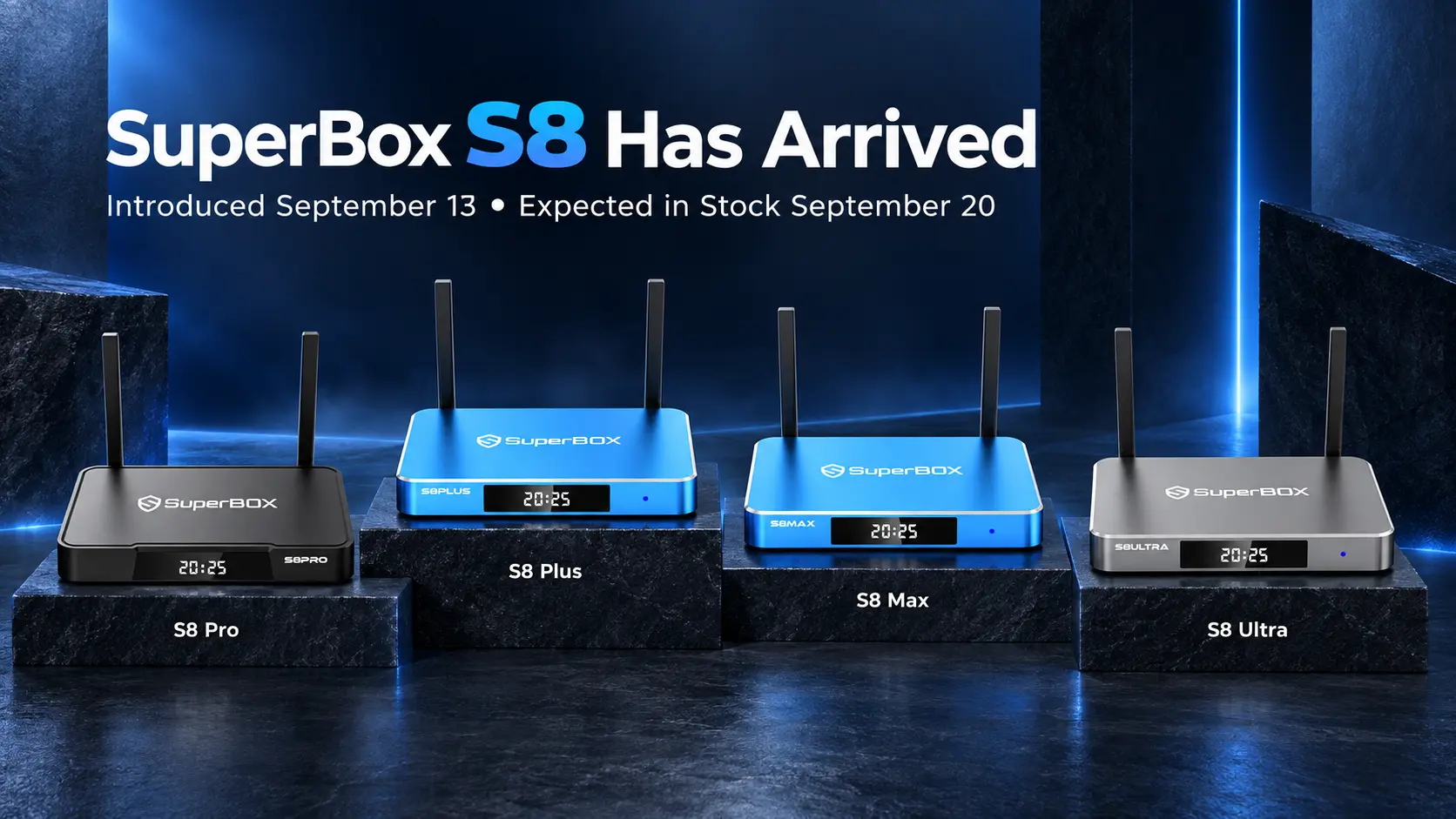
SuperBox streaming player and remote
Many viewers also try cutting the cord using standard streaming sticks like a Roku or Firestick, only to realize that subscribing to live TV apps, regional sports packages, and multiple movie libraries ends up costing over $100 per month anyway. SuperBox eliminates this subscription fatigue by grouping live channels, pay-per-view events, and on-demand movies directly into a single system without monthly bills.
Cable TV vs SuperBox: The Real-World Breakdown
| Feature | Traditional Cable / Satellite | Standard Streaming Apps (Roku / Firestick) | SuperBox S8 Series |
|---|---|---|---|
| Monthly fee | $120 to $200+ every month | $80 to $120+ across separate apps | $0 monthly fees forever |
| Hardware cost | $10 to $15 monthly rental per box | $30 to $50 per stick | One-time purchase ($359 to $449) |
| Service contracts | Usually 1 or 2 year binding contracts | Month-to-month, easy to lose track | No contracts, no cancellation fees |
| Live sports access | Requires premium tier and sports fees | Requires separate sports add-ons | All major sports and events included |
| DVR / Playback | $10 to $20 monthly cloud DVR fee | Varies by app, often limited hours | Built-in 7-day playback replay feature |
| Multiple room usage | Extra box rental fees for each TV | Buy sticks, pay same subscriptions | Portable; move box to any TV easily |
| Remote controls | Multiple confusing remotes | App-heavy navigation | Single voice remote with TV learning |
Why Millions of Viewers Are Leaving Cable Behind
1. The endless creep of hidden fees
Look closely at your latest cable bill and you will notice that the advertised package price is only a fraction of what you actually pay. Cable providers routinely tack on five to seven separate extra fees:
- Broadcast TV Surcharge: Often $15 to $25 per month just to receive local channels that are broadcast over the air for free.
- Regional Sports Fee: Typically $10 to $18 per month, even if nobody in your home watches local team broadcasts.
- Set-Top Box Rental: Charging $10 to $15 per month for every converter box connected in your bedrooms and living room.
- Franchise and Administrative Fees: Extra charges added to pass corporate operating expenses down to consumers.
These fees often add $50 to $80 on top of the original package rate every single month.
2. The promotional price trap
Many customers sign up for cable during a promotional offer promising service for $69 or $89 per month. After twelve months, that initial discount expires automatically. Without warning, the monthly statement jumps to $160, $190, or more.
Calling customer service to renegotiate rates has become an exhausting yearly chore that often results in reduced channels or another binding two-year contract.
3. The frustration of juggling five different apps
When people first consider cutting the cord, they often think about buying an inexpensive streaming stick and signing up for individual apps. Within a few months, they find themselves subscribed to a live TV package, a sports service, and two or three movie apps.
Not only does this approach end up costing nearly as much as cable, but it also creates a frustrating experience. You have to open one app to watch local news, close it and open another app for a football game, and search through a third app for an evening movie. A dedicated box like the SuperBox organizes everything into clean, unified menus so you can change channels just like a regular television.
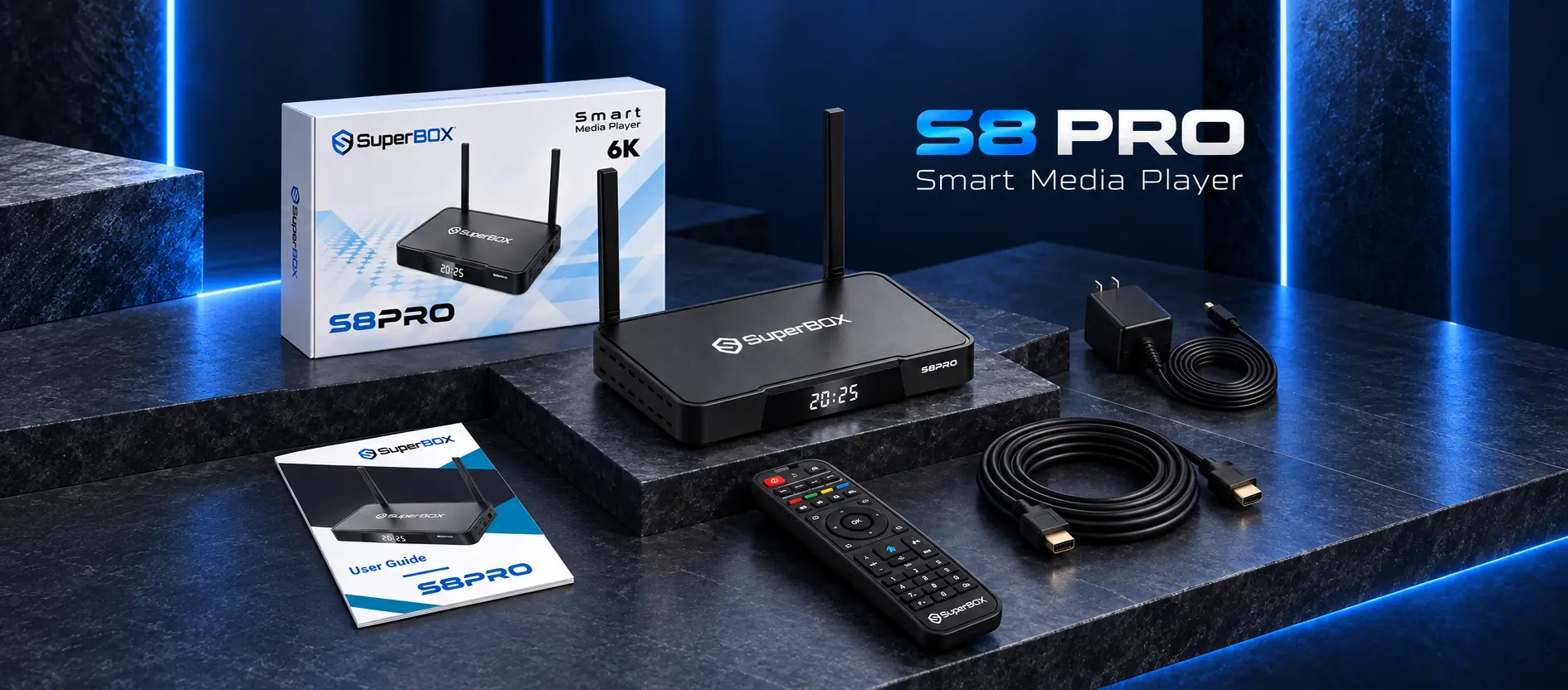
Complete hardware kit and cables
How SuperBox Delivers a Familiar Cable-Like Experience
1. Blue TV: Live television with a traditional channel guide
The primary live viewing application on SuperBox is Blue TV. When you open Blue TV, you are greeted by a full electronic program guide that looks and behaves just like the on-screen guide you are used to on cable.
You can browse channels by category: local network affiliates (CBS, NBC, FOX, ABC), national news, kids programming, lifestyle networks, and dedicated live sports. You can scroll through current and upcoming shows, preview programs in a small picture window, and press OK on your remote to jump straight to the channel. There is no complicated searching or signing into separate accounts.
2. Complete live sports and major events
For sports fans, cutting the cord used to be difficult because games were scattered across regional networks, national broadcasters, and pay-per-view carriers.
SuperBox organizes live games into dedicated sports sections, covering professional football, basketball, baseball, hockey, college athletics, soccer, motorsport, and combat sports. You do not have to pay extra for Sunday ticket packages or out-of-market games; they are available right in the main sports menu.
3. Built-in 7-day playback feature
One of the most practical features on the SuperBox is the 7-day Time Shift replay tool. In traditional cable setups, recording shows requires paying an ongoing monthly fee for a digital video recorder or cloud DVR storage.
With the SuperBox Time Shift feature, major networks and sports channels are automatically archived on the server for seven full days. If you come home late from work and miss the beginning of a game, or if you forgot to watch a primetime drama on Tuesday, you simply navigate back in the program guide and press play. You can pause, rewind, and fast-forward past commercials without needing any recording hardware.
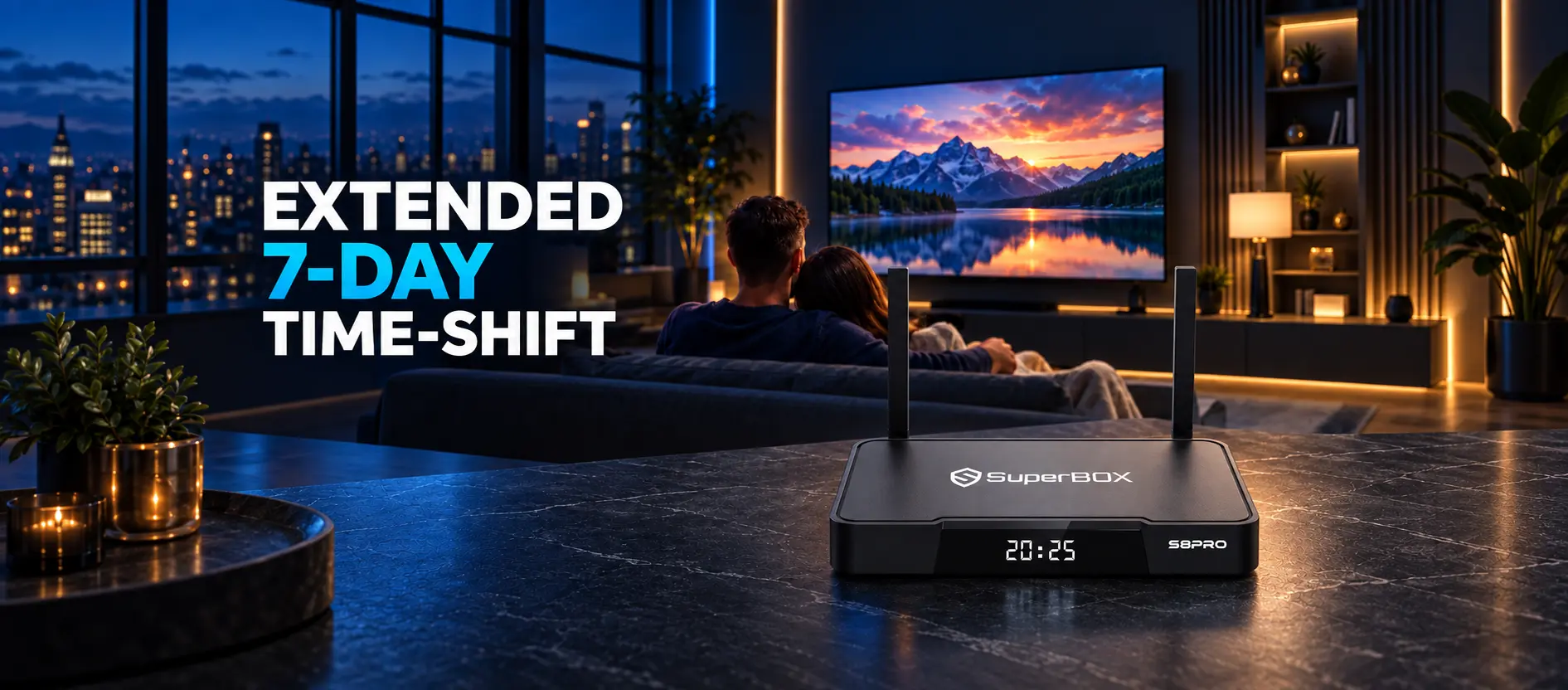
Seven day playback replay guide
4. Choosing the right SuperBox model for your home
The current SuperBox S8 series offers four different models to match different room setups and storage needs:
- SuperBox S8 Pro ($359): Features 4GB of RAM and 32GB of internal storage with a USB Type-C power connector. It is an ideal, budget-friendly choice for bedrooms, guest rooms, or everyday living room streaming.
- SuperBox S8 Plus ($379): Features 4GB of RAM and 64GB of storage. It uses a traditional round DC power adapter and includes USB 2.0 and USB 3.0 ports for connecting external flash drives and keyboards.
- SuperBox S8 Max ($399): Provides 4GB of RAM, 64GB of storage, a Type-C connector, and supports advanced multi-viewing features that let sports fans watch multiple live feeds simultaneously.
- SuperBox S8 Ultra ($449): The flagship model with 4GB of RAM and a massive 128GB of internal storage. It includes a premium backlit voice remote control that makes finding buttons easy in a dark home theater, along with full multi-viewing capabilities.
All four models run on fast quad-core processors, support Wi-Fi 6 wireless networking, and include an integrated Gigabit Ethernet port for the smoothest possible playback.
What You Need Before You Cancel Your Cable Package
Before you call your cable company to cancel television service, make sure you have the basics in place so your household experiences zero downtime.
- Keep your high-speed internet connection: You only want to cancel your cable TV service, not your home internet. Most internet service providers allow you to drop the TV package while keeping standalone broadband.
- Verify your internet download speed: To stream video smoothly across your home, you will want a broadband speed of at least 25 Mbps for HD viewing and 50 Mbps or higher if multiple people stream 4K content at the same time.
- An open HDMI port on your television: Ensure your television has an available HDMI input. Every SuperBox connects with a single HDMI cable.
- A nearby power outlet: Ensure you have an open socket on your surge protector or wall outlet near the TV.
- An Ethernet cable (recommended): While SuperBox supports fast Wi-Fi 6, connecting your box to your router with a simple Ethernet cable provides the most reliable connection for live sports.
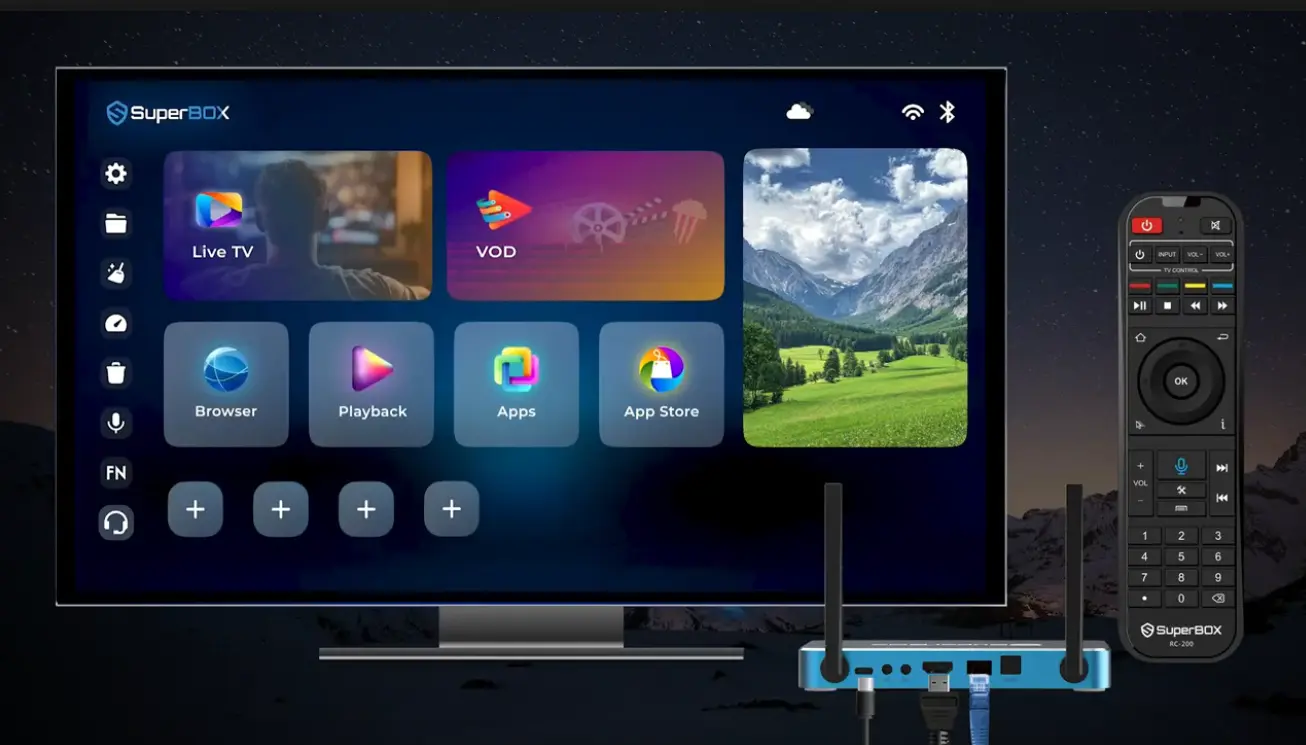
Ethernet port for stable streaming
Step by Step: How to Transition from Cable to SuperBox Smoothly
Step 1: Set up your SuperBox before cancelling cable
Do not call your cable provider to cut service on day one. Instead, leave your existing cable box connected and plug your new SuperBox into a second HDMI port on your television (such as HDMI 2).
This allows you and your family to explore the menus, test the channel guide, and get comfortable with the remote control for a few days without feeling pressured.
Step 2: Connect to your home network
Power on the SuperBox and switch your TV to the correct HDMI input. Follow the on-screen prompts to connect to your home Wi-Fi network, or simply plug an Ethernet cable into the rear network port for an instant wired connection.
Step 3: Explore Blue TV and set up your favorites
Open the Blue TV application from the home launcher. Take fifteen minutes to scroll through the channel lineup. When you find channels your family watches daily (such as your local news stations, ESPN, HGTV, or CNN), press the yellow or star button on your remote to add them to your Favorites list.
This creates a quick-access folder so you do not have to scroll through thousands of channels to find what you want.
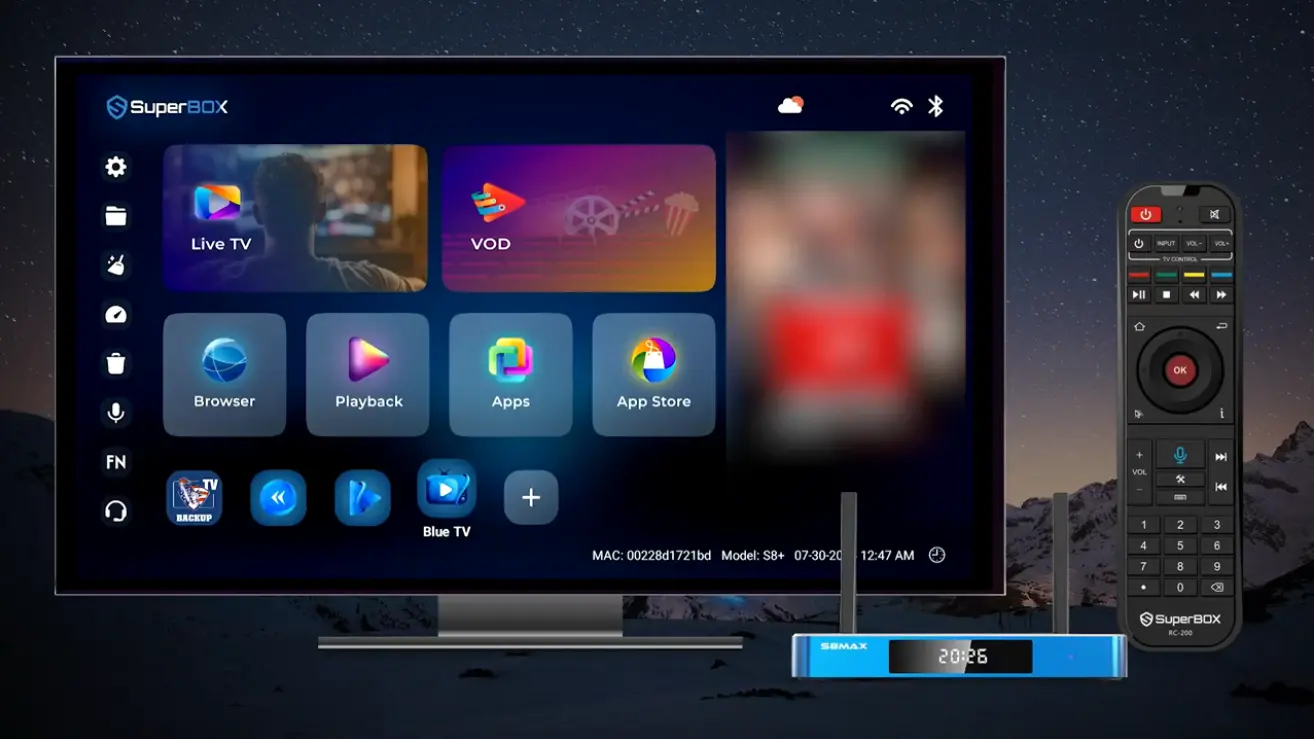
Home screen with live television
Step 4: Program the SuperBox remote for your TV
The SuperBox remote features infrared learning keys at the top. Hold down the learning button on the SuperBox remote until the indicator light stays solid, point your television remote at it head-to-head, and press the Power and Volume buttons.
Once programmed, you can store your original TV remote in a drawer. The SuperBox remote will turn your television on, adjust master volume, and control all your streaming.
Step 5: Return your cable equipment and enjoy your savings
Once your household feels completely confident using the SuperBox, call your cable company and inform them that you want to disconnect television service while keeping your internet plan.
Pack up their rented converter boxes, power cords, and remotes, drop them off at your local provider store, and request a written receipt. From that day forward, your monthly cable bill drops to zero.
How to Check Your Setup for Everyday Family Viewing
After setting up your console, take two minutes to confirm that everything is performing properly:
- Sharp, clear channel guide: Text on the guide and program information should be clean and easy to read from your couch.
- Smooth live action: Watch a live hockey or basketball game for a few minutes. The picture should remain steady and smooth without freezing or pixelated distortion.
- Accurate lip sync: Confirm that people speaking on live news or talk shows match the audio coming from your television or soundbar.
- Easy channel switching: Test changing between three or four channels using the channel up and down buttons on your remote. The video should load within one to two seconds.
High definition sports and movies
Simple Solutions for Everyday Questions
What to do if live video buffers during a major game
Buffering is almost always caused by home Wi-Fi congestion or interference.
If possible, connect an Ethernet cable directly from your router to the back of the SuperBox. If running a cable is difficult, move your router closer or switch your Wi-Fi connection from the 2.4GHz network to the 5GHz network in the box settings. You can also use the built-in Clean Up tool on the home screen to clear temporary memory.
What to do if your screen displays No Signal
If your TV says No Signal, check the back of your television to see which HDMI port the cable is plugged into. Use your TV remote to make sure the input matches that exact number (for example, HDMI 1). Unplug the cable and push it firmly back into both the TV and the SuperBox.
What to do if text is cut off at the edge of the TV
If channel numbers or sports scores are partially hidden by your TV frame, open Settings on the SuperBox, choose Display, and select Screen Percent. Use your remote arrows to adjust the zoom until the picture lines up with your screen border.
The reference table below covers quick checks for common setup questions:
| Observed Situation | Quick First Check | Simple Solution |
|---|---|---|
| TV screen shows No Signal | Check HDMI port number on TV | Select matching input on TV remote |
| Video stutters or buffers | Check home Wi-Fi connection | Switch to 5GHz Wi-Fi or plug in Ethernet |
| Scores cut off at screen edge | Check screen zoom setting | Adjust Screen Percent slider in Display settings |
| Voice remote not searching | Check remote pairing status | Re-pair Bluetooth remote in Android settings |
| Cannot find favorite channel | Check channel guide category | Use Search bar or add channel to Favorites |
| Missed a show earlier today | Check channel playback availability | Open 7-day Time Shift guide to replay show |
Frequently Asked Questions
Is cutting the cord with SuperBox legal?
Yes, purchasing and using an Android streaming media player like SuperBox is completely legal in the United States and Canada.
Do I have to pay any monthly fees after buying the box?
No, SuperBox hardware comes with permanent lifetime server access, meaning there are zero monthly subscription charges or ongoing service fees.
Will I still get my local channels for news and weather?
Yes, Blue TV includes local network affiliates across major metropolitan areas, providing access to local news, weather forecasts, and regional broadcasts.
Can I watch out-of-market sports games on SuperBox?
Yes, the live sports section provides feeds for major football, basketball, baseball, hockey, and soccer games, including out-of-market and pay-per-view events.
What internet speed do I need to cut the cord?
A steady internet connection of 25 Mbps is sufficient for HD channels, while 50 Mbps or higher is recommended for 4K streaming and busy households.
Can I take my SuperBox with me when I travel?
Yes, SuperBox is lightweight and portable; you can plug it into any hotel or vacation home television that has an HDMI port and Wi-Fi access.
Does one SuperBox work for every television in my house?
One SuperBox connects to one television at a time, but its compact size makes it easy to move between rooms, or you can place a separate box on each TV.
How does the 7-day playback feature work?
Major channels automatically save past broadcasts on the server for seven days, allowing you to scroll back in the program guide and replay shows without a separate DVR.
Will the SuperBox remote replace my television remote?
Yes, the remote includes programmable learning buttons that copy your TV power and volume controls, allowing single-remote operation for daily watching.
Which SuperBox model should I choose to cut the cord?
The S8 Pro at $359 is great for standard viewing, the S8 Plus at $379 offers extra storage, while the S8 Max ($399) and S8 Ultra ($449) provide advanced multi-viewing features.
Final Thoughts
Cutting the cable cord with SuperBox is one of the most practical and rewarding upgrades you can make to your home entertainment setup. For years, cable providers have relied on confusing contracts, creeping fees, and expensive box rentals that drain thousands of dollars from family budgets.
By making a simple one-time investment in a dedicated SuperBox console, you eliminate monthly television bills forever while keeping the familiar channel guide, live sports, local news, and favorite movies your household loves. With straightforward setup, a single easy remote, and reliable performance, ditching cable has never been simpler.
The article was updated on:
