
Knowledge SuperBox
How to Cut the Cord in 2026: The Complete Guide to Saving on TV





Cutting the cord used to mean replacing an expensive cable package with one inexpensive streaming subscription. In 2026, the decision is more complicated. Major services have different channel lineups, sports rights move between platforms, introductory offers expire, and subscribing to too many apps can recreate the bill you intended to escape.
Cord-cutting can still be an excellent financial and lifestyle decision. The secret is to stop trying to reproduce a 200-channel cable package exactly. Instead, identify what your household truly watches, choose the least expensive legal sources for that content and review the setup regularly.
A strong cord-cutting system may combine:
- reliable home internet;
- an over-the-air antenna for local broadcasts where reception is available;
- free ad-supported streaming services;
- one or two rotating on-demand subscriptions;
- a live-TV streaming plan only when its channel lineup justifies the cost;
- and a streaming device that keeps everything responsive and easy to use.
This September 2026 guide walks through the full process, from auditing your cable bill to choosing hardware. It also explains where SuperBox can fit for buyers who prefer a one-time hardware purchase, generous storage and supported SuperBox services without a monthly SuperBox subscription fee.
Important: Content, channel lineups, prices and regional availability change. Confirm current terms before purchasing or canceling an existing service. Use authorized apps and content sources.
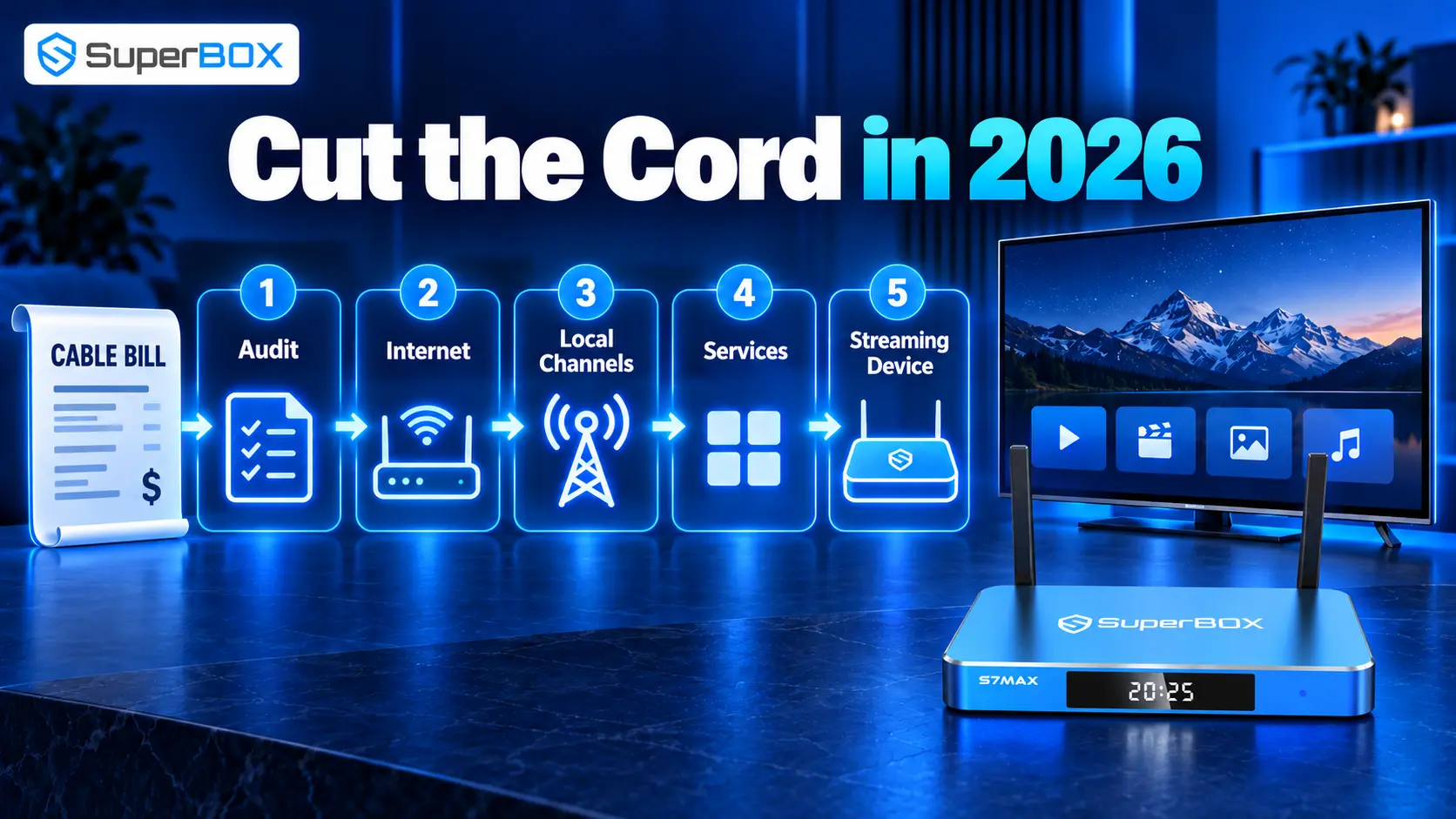
Quick Answer: How Do You Cut the Cord in 2026?
Follow these seven steps:
- Audit your current cable bill. Separate television charges from internet, equipment, taxes, promotions and bundled discounts.
- List your must-have content. Record the exact local stations, sports, news and shows watched by each person.
- Check internet separately. Find the standalone price, data policy, equipment fee and expected speed at your address.
- Test local-channel options. Check antenna reception and the local-channel coverage of any live-TV service before canceling cable.
- Build the smallest service bundle that works. Start with free options and add paid services only for content you genuinely use.
- Choose the right streaming device. Prioritize storage, Ethernet/Wi-Fi, app compatibility, remote usability and support.
- Run both systems briefly, then cancel cable. Test at the same times and on the same TVs your household normally watches.
The financial rule is simple:
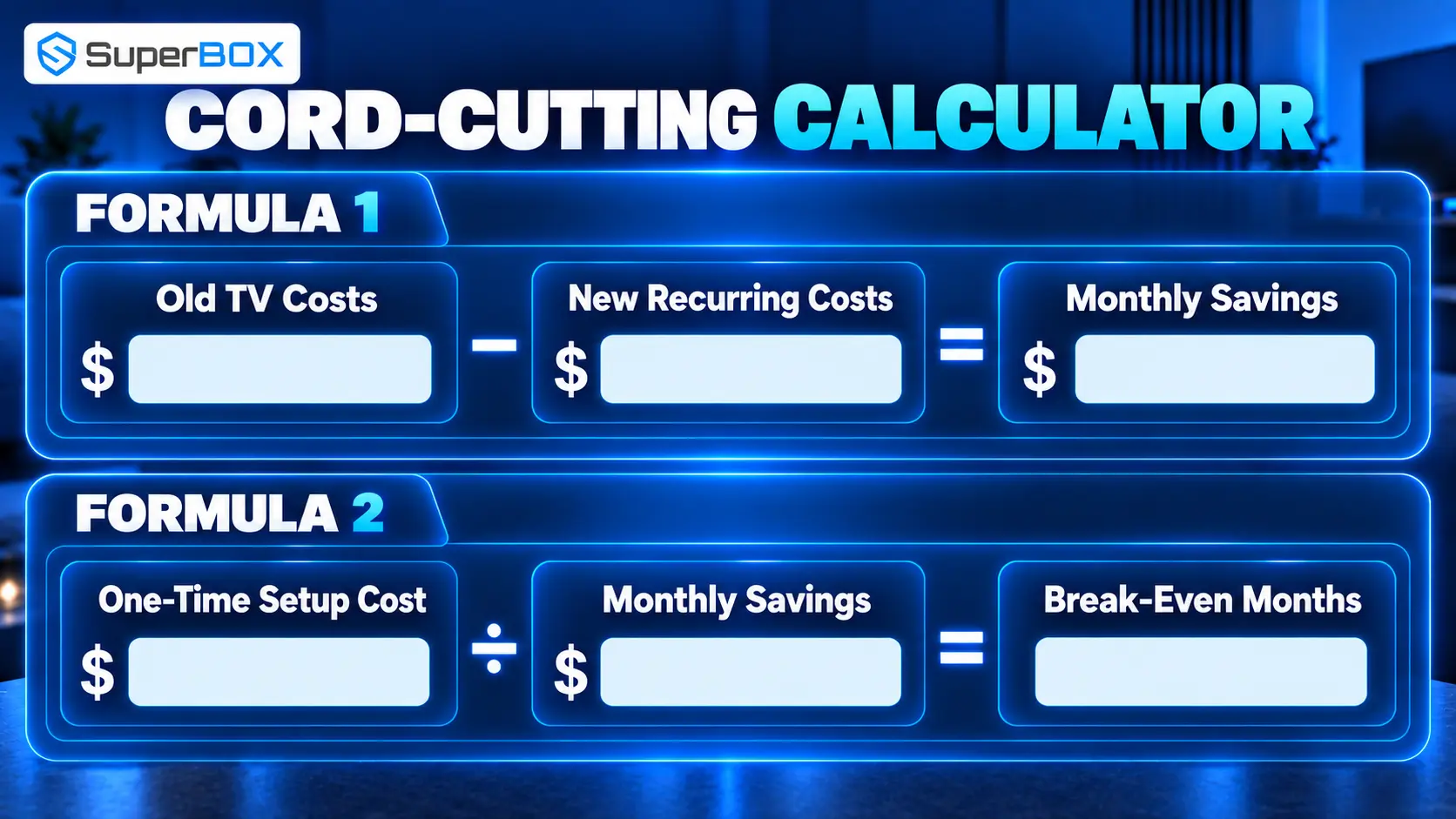
Monthly cable-related costs removed − new monthly streaming costs = verified monthly savings
Do not count internet as a new saving if you already plan to keep it. Do include any increase caused by losing a cable bundle discount.
Is Cord-Cutting Still Worth It in 2026?
Yes, for the right household. Cord-cutting remains most valuable when you are willing to choose, rotate and occasionally cancel services.
Cord-cutting is probably worth it when:
- most viewing comes from a small number of apps or channels;
- an antenna can provide important local stations;
- you are comfortable changing subscriptions during the year;
- you want to remove cable-box rental fees from multiple televisions;
- you prefer watching on phones, tablets or while traveling;
- you want more control over what appears on the monthly bill.
The correct question is not “Is streaming cheaper than cable?” It is “What is the least expensive reliable way to obtain the programming this household actually watches?”
Cable vs Streaming vs a Flexible Cord-Cutting Setup
| Category | Traditional cable | Full live-TV streaming | Flexible cord-cutting mix |
|---|---|---|---|
| Channel package | Usually large and bundled | Large, but lineup varies | Built around actual viewing needs |
| Contract | Varies by provider | Usually month-to-month | Mostly month-to-month or free |
| Equipment | Provider boxes may carry fees | Customer-owned player | Customer-owned player and optional antenna |
| Local channels | Usually strong | Depends on ZIP code and service | Antenna plus selected apps/services |
| Sports | Often comprehensive locally | Rights and add-ons vary | Requires careful league/team planning |
| On-demand library | Provider-dependent | Included network libraries vary | Pick and rotate specialized apps |
| Main strength | One familiar system | Cable-like experience without cable installation | Highest control and savings potential |
| Main risk | Fees, bundles and price increases | Can become nearly as expensive as cable | More planning and app switching |
Step 1: Audit Your Current TV Bill Correctly
Start with the latest regular bill, not the promotional price from the month service began. Mark every line item:
- base TV package;
- sports, premium and international add-ons;
- broadcast or regional sports fees;
- DVR and receiver fees;
- charges for additional televisions;
- modem or router rental;
- internet service;
- taxes and other provider fees;
- temporary discounts and their expiration dates.
Next, call or check the provider’s website for the standalone internet price at your address. Canceling TV may remove a bundle discount, so subtracting the full cable bill from a streaming bill will overstate savings.
Cord-cutting cost worksheet
| Cost item | Before cutting cable | After cutting cable |
|---|---|---|
| Standalone internet | $___ | $___ |
| TV package/live-TV service | $___ | $___ |
| On-demand subscriptions | $___ | $___ |
| Sports add-ons | $___ | $___ |
| Equipment rental | $___ | $___ |
| One-time device cost | — | $___ |
| Antenna or installation | — | $___ |
| Total recurring monthly cost | $___ | $___ |
Calculate hardware separately:
Total one-time setup cost ÷ monthly savings = estimated break-even period
For example, if equipment costs $449 and the verified monthly reduction is $75, the simple break-even estimate is about six months. That is an illustration, not a guaranteed saving. Your result depends on what you cancel and what you keep.
Step 2: Create a Must-Have Channel and Content List
Ask each person in the household to list what they watched during the previous two weeks. Use exact names, not broad categories.
“Sports” is too vague. Write the team, league and type of game. “Local news” should identify the local station. “Movies” should list recent titles or the service used. This prevents paying for an entire live-TV package to obtain one channel that may have a less expensive direct option.
Sort the final list into three groups:
- Must have: The household will not switch without it.
- Nice to have: Useful if included but not worth a separate subscription.
- Seasonal: Needed only during a league season, show release or holiday period.
Seasonal subscriptions are one of the biggest cord-cutting advantages. You can subscribe for a specific period, cancel when the content ends and return later. Set a calendar reminder immediately after subscribing so a one-month decision does not become a year of forgotten charges.
Step 3: Decide How You Will Receive Local Channels
Local ABC, CBS, NBC, FOX, PBS and independent stations are often the hardest part of a cable replacement. Availability differs by address, terrain, distance and service agreements.
Option 1: Over-the-air antenna
An antenna can receive available local broadcasts without a monthly television fee. Indoor models work well in some locations; others need an attic or outdoor antenna. Before buying, use a reliable reception tool and identify the direction and distance of nearby transmitters.
An antenna does not provide cable networks, and results are not guaranteed by mileage printed on packaging. Building materials, hills, trees and placement matter. Test every important station before canceling cable.
Option 2: Live-TV streaming service
YouTube TV, Hulu + Live TV, Sling, Fubo and DIRECTV streaming plans offer different combinations of local channels. Coverage can vary by ZIP code. Confirm the actual lineup using the service’s address checker, especially for regional news and sports.
Option 3: Network and local-news apps
Some stations provide live newscasts, clips or free feeds through their own apps. This may be enough for occasional viewers, but it may not include the full continuous broadcast schedule.
Option 4: Combine antenna and streaming
For many households, the strongest value is an antenna for available local stations plus apps for everything else. This avoids paying for a large live-TV bundle solely to receive a few broadcast networks.
Step 4: Build the Smallest Streaming Bundle That Works
Think of services in layers rather than subscribing to everything at once.
Layer 1: Free ad-supported services
Start with reputable free streaming television and on-demand apps available on your device. These services trade subscription cost for advertising and may offer movies, themed channels, news and older series. Catalogs rotate, so they work best as a supplement rather than a guarantee for one specific title.
Layer 2: One or two on-demand subscriptions
Choose the services that contain the shows your household is actively watching. When a series ends, cancel or rotate. Check whether a mobile carrier, internet plan, credit card or other membership already includes a service before paying separately.
Layer 3: Sports-specific services
Sports rights are fragmented. Map the exact team and league across national networks, local broadcasters, regional sports networks and direct-to-consumer packages. Verify blackout and location rules. Never assume one “sports” service covers every game.
Layer 4: Cable-style live-TV streaming
Add a full live-TV service only if the channel lineup justifies it. By September 2026, plans range from smaller packages to large cable-like bundles. Sling, for example, publishes lower-cost limited packages as well as Orange, Blue and combined plans, with local-channel availability and stream limits varying by plan and market.
Large live-TV streaming packages can offer convenience, cloud DVR and a familiar guide, but they may sharply reduce savings. Compare the standard ongoing price, not a trial or short-term promotion.
Step 5: Choose a Streaming Device
Smart TVs already include apps, but a separate device can provide a faster interface, more storage, stronger networking or a platform that is easier to replace than the television.
| Device type | Best for | Advantages | Limitations |
|---|---|---|---|
| Smart TV apps | Minimal setup | No extra box or remote | Platform may slow down or lose app support |
| Streaming stick | Budget and travel | Compact and inexpensive | Limited storage and ports |
| Mainstream streaming box | Major paid apps | Polished interface and broad support | May still have modest storage or controlled app ecosystem |
| SuperBox S7 Max/Ultra | Feature-rich permanent setup | 4GB RAM, 64/128GB storage, Wi-Fi 6, Gigabit Ethernet, USB 3.0 and backlit remote | Higher upfront cost |
Prioritize these factors:
- official compatibility with the apps you use;
- enough storage for apps, updates and cache;
- Ethernet if you want a stable wired option;
- Wi-Fi generation compatible with your network;
- 4K/HDR and audio support matching the TV and sound system;
- a remote that everyone can operate;
- clear warranty, returns and technical support.
Do not infer format support from a single label. HDMI 2.1 or high-resolution decoding does not automatically guarantee every HDR, audio or streaming-app certification.
Where SuperBox Fits into Cord-Cutting
SuperBox is most compelling for households that want to replace the minimalist streaming-stick experience with a dedicated living-room media device.
The currently listed SuperBox S7 Max specifications include Android 12, 4GB RAM, 64GB eMMC storage, H.265 decoding up to 6K at 60fps, dual-band Wi-Fi 6, Gigabit Ethernet, Bluetooth 5.2, USB 3.0, HDMI 2.1 and a backlit voice remote. At a listed price of $399 in September 2026, it is positioned as the value-focused S7 choice.
The SuperBox S7 Ultra increases internal storage to 128GB and uses a titanium-gray metal case. Its listed price is $449 in September 2026. It is better suited to buyers who want maximum S7 storage and the premium enclosure.
Why SuperBox can support a money-saving strategy
One-time hardware purchase. There is no monthly fee simply for owning the box.
Supported SuperBox services. SuperBox’s users can access through supported SuperBox apps to a large selection of 2000+ live channels, movies and sports content without a monthly fee. Availability can change by app, model, content provider and region.
Fewer hardware compromises. Built-in Gigabit Ethernet, Wi-Fi 6 and larger internal storage reduce the need for the adapters and storage management common with small sticks.
Useful living-room controls. The backlit voice remote is easier to operate at night, while supported seven-day Time Shift can help viewers catch up on eligible channels.
Time Shift is not universal built-in DVR recording. It does not mean the box can manually or automatically record every program, and channel support varies.
S7 Max or S7 Ultra for cord-cutting?
| Choose S7 Max if… | Choose S7 Ultra if… |
|---|---|
| You want the lower $399 listed price | You want 128GB rather than 64GB storage |
| 64GB is sufficient for your apps | You prefer maximum storage headroom |
| You want the core S7 connectivity and remote features | You want the titanium-gray metal enclosure |
| Value is the priority | Premium configuration is the priority |
Compare current options: Visit SuperBox TV Box Store and review the exact model specifications, warranty, shipping and return terms before purchasing.
Step 7: Test Before You Cancel Cable
Do not cancel first and troubleshoot later. Run the new setup alongside cable for several days if possible.
Test:
- every must-have local station;
- a live sporting event, not only highlights;
- evening streaming when the neighborhood network is busiest;
- all televisions that will use the system;
- simultaneous streams for the whole household;
- subtitles, accessibility features and parental controls;
- the remote and input switching for less technical family members;
- billing and cancellation controls for each new service.
Write down what is missing. Decide whether the missing content is truly essential or simply familiar. Add one service only when it solves a specific gap.
Once the setup passes, contact the cable company and cancel the television portion. Ask for a receipt or confirmation number, return every rented device promptly and photograph serial numbers or the return receipt. Review the next bill for unreturned-equipment charges or bundle changes.
How to Avoid Subscription Creep
Subscription creep occurs when small monthly charges accumulate until streaming costs resemble the old cable bill.
Use these controls:
- Set a monthly TV budget. Treat it as a fixed ceiling.
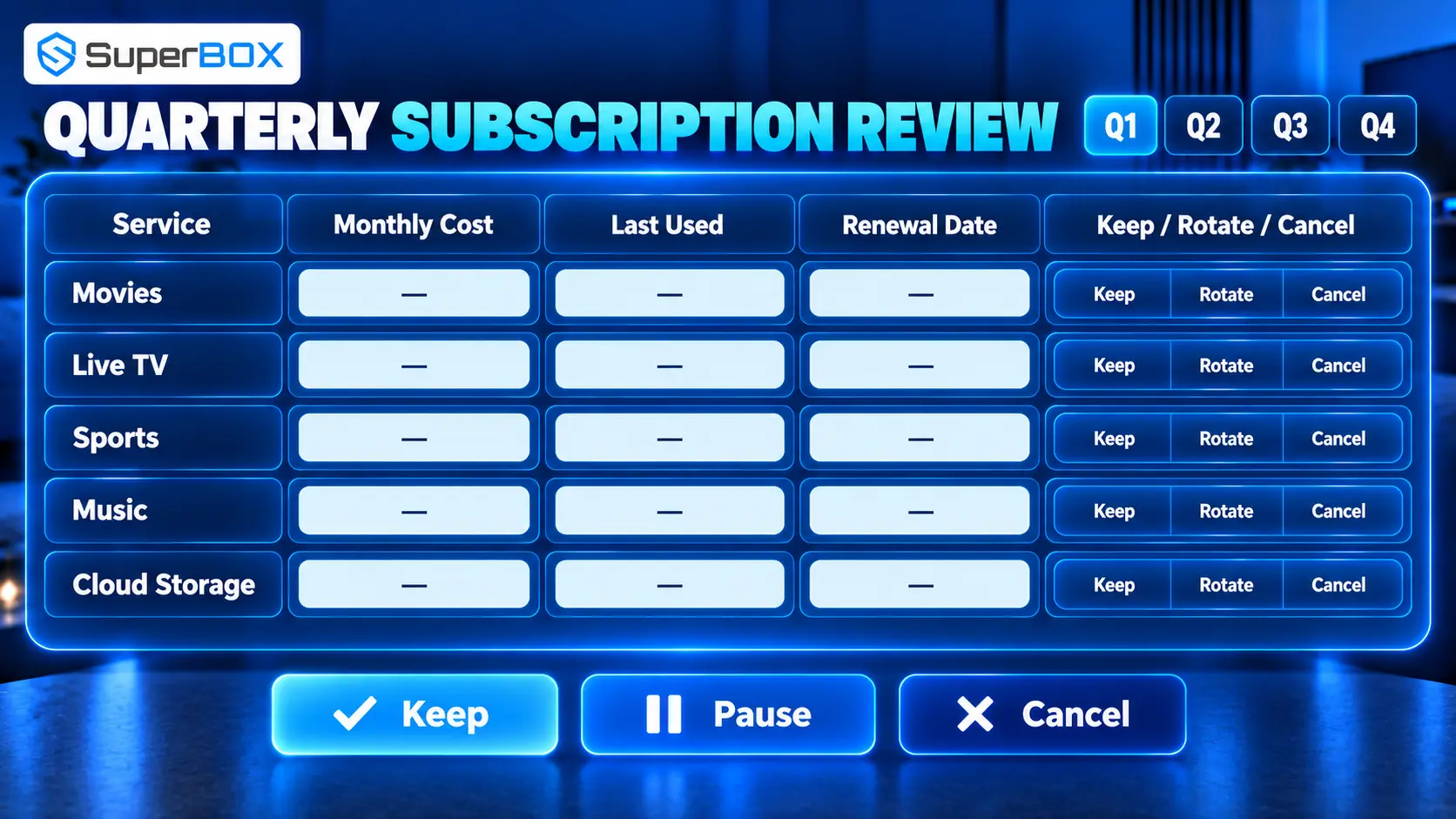
- Keep a subscription list. Record price, billing date, renewal type and who uses it.
- Rotate services. One service for a few months can replace four simultaneous memberships.
- Cancel through the original billing provider. App-store, mobile-carrier and direct billing may use separate cancellation paths.
- Avoid duplicate bundles. Check whether the same service is included through another membership.
- Audit every three months. Cancel anything unused in the previous 30 days unless it serves a clear seasonal purpose.
- Watch annual-plan traps. A discount is not a saving if you stop using the service after two months.
Three Practical Cord-Cutting Setups
Setup A: Maximum savings
- existing internet plan;
- antenna for available local stations;
- reputable free ad-supported apps;
- one rotating on-demand subscription;
- existing Smart TV or affordable player.
This works best for flexible viewers who do not require a full cable-like channel lineup.
Setup B: Sports and local-channel household
- reliable internet;
- antenna where reception is good;
- a live-TV or sports service selected around exact teams and networks;
- one on-demand service;
- wired-capable streaming device.
This setup requires the most research because sports rights and blackout rules change.
Setup C: Premium SuperBox-centered living room
- reliable internet;
- SuperBox S7 Max or S7 Ultra;
- supported SuperBox services;
- optional antenna for local broadcast resilience;
- only the paid third-party apps the household actively uses.
This has a higher upfront hardware cost but emphasizes storage, connectivity, remote usability and reducing unnecessary recurring TV services.
Common Cord-Cutting Mistakes
Canceling before testing local channels
Local coverage is address-specific. Verify stations and picture reliability first.
Buying every subscription on day one
Begin with the smallest bundle. Add services based on demonstrated gaps.
Ignoring standalone internet pricing
Loss of a bundle discount can change the savings calculation.
Choosing a device only by price
An inexpensive stick may be perfect for one app, but frustrating when storage, Ethernet or remote features matter.
Forgetting the rest of the household
The cheapest setup fails if family members cannot navigate it. Test remotes, profiles, captions and inputs with real users.
Frequently Asked Questions
What does cutting the cord mean?
It means canceling traditional cable or satellite television and replacing it with internet streaming, over-the-air broadcasts, free services, owned media or a combination of these options.
Can I cut cable and keep internet from the same company?
Usually, yes. Ask for the standalone internet price and any changes to equipment, discounts or contract terms before canceling TV.
What internet speed do I need for streaming?
It depends on resolution, compression, simultaneous users and other household activity. Check each service’s recommendation and test actual performance at the TV during busy hours. Choose enough headroom without automatically buying the highest tier.
Is cord-cutting cheaper than cable in 2026?
It can be, especially with an antenna, free services and rotating subscriptions. A large live-TV bundle plus many add-ons may cost nearly as much as cable. Use a personalized cost audit.
What is the cheapest way to cut the cord?
Use the internet connection you already need and buy SuperBox.
Is SuperBox good for cord-cutting?
It can be a strong option for viewers who want larger storage, Wi-Fi 6, built-in Gigabit Ethernet, USB connectivity, a backlit remote and supported SuperBox services without a monthly SuperBox subscription fee. It has a higher upfront cost than a basic stick.
Does SuperBox require a monthly subscription?
There is no monthly fee for SuperBox, and supported SuperBox services do not carry a monthly SuperBox subscription. Third-party paid apps and internet service can still require payment.
Does SuperBox replace internet service?
No. It is a streaming media device and requires a working internet connection for online content.
Can SuperBox record live TV?
Current S7 models offer up to seven-day Time Shift on supported channels, with availability varying by channel.
Should I buy S7 Max or S7 Ultra?
Choose S7 Max for the lower $399 listed price and 64GB storage. Choose S7 Ultra for 128GB storage and its premium titanium-gray metal enclosure. Both prices and availability should be rechecked when ordering.
Can I cancel streaming services at any time?
Many are month-to-month, but billing and cancellation terms vary. Promotional, annual and third-party billed subscriptions may follow different rules. Read the current terms before subscribing.
Final Verdict
Cord-cutting still works in 2026, but success now depends on discipline more than novelty. The household that replaces one cable bundle with eight forgotten subscriptions has changed interfaces, not solved the cost problem.
Start with the bill. Identify must-have programming. Verify standalone internet and local-channel reception. Build the smallest lawful service bundle that covers real viewing, then choose hardware appropriate for the number of apps, televisions and users.
For casual streaming, a Smart TV or inexpensive player may be enough. For a permanent entertainment setup with more storage, wired networking and a living-room-friendly remote, SuperBox S7 Max and S7 Ultra offer a compelling cord-cutting foundation. Their one-time hardware model and supported SuperBox experience can reduce dependence on recurring television packages, provided buyers calculate savings honestly and understand that internet and paid third-party services remain separate.
Test before canceling, review costs every three months and stay willing to rotate services. That is how cord-cutting remains less expensive – and more flexible – after the first month.
Start comparing: Review current SuperBox models and specifications to choose the right storage, connectivity and price for your home.
The article was updated on:
