
Knowledge SuperBox S8
SuperBox S8 Pro vs. S8 Ultra: Which Flagship Streaming Box Is Right for You?





The SuperBox S8 generation represents the manufacturer’s most sophisticated cord-cutting engineering cycle to date, introducing next-generation Wi-Fi 6 wireless architecture, 1000M Gigabit Ethernet connectivity, an AI-powered voice recognition engine, and a dedicated TV Recorder application. However, prospective buyers investing in top-tier streaming hardware often struggle to choose between the accessible entry flagship S8 Pro and the ultimate high-capacity S8 Ultra. In this engineering benchmark and buyer’s guide, we compare internal components, thermal cooling physics, storage ceilings, 6K decoding throughput, and real-world usability to help you select the ideal model for your living room.
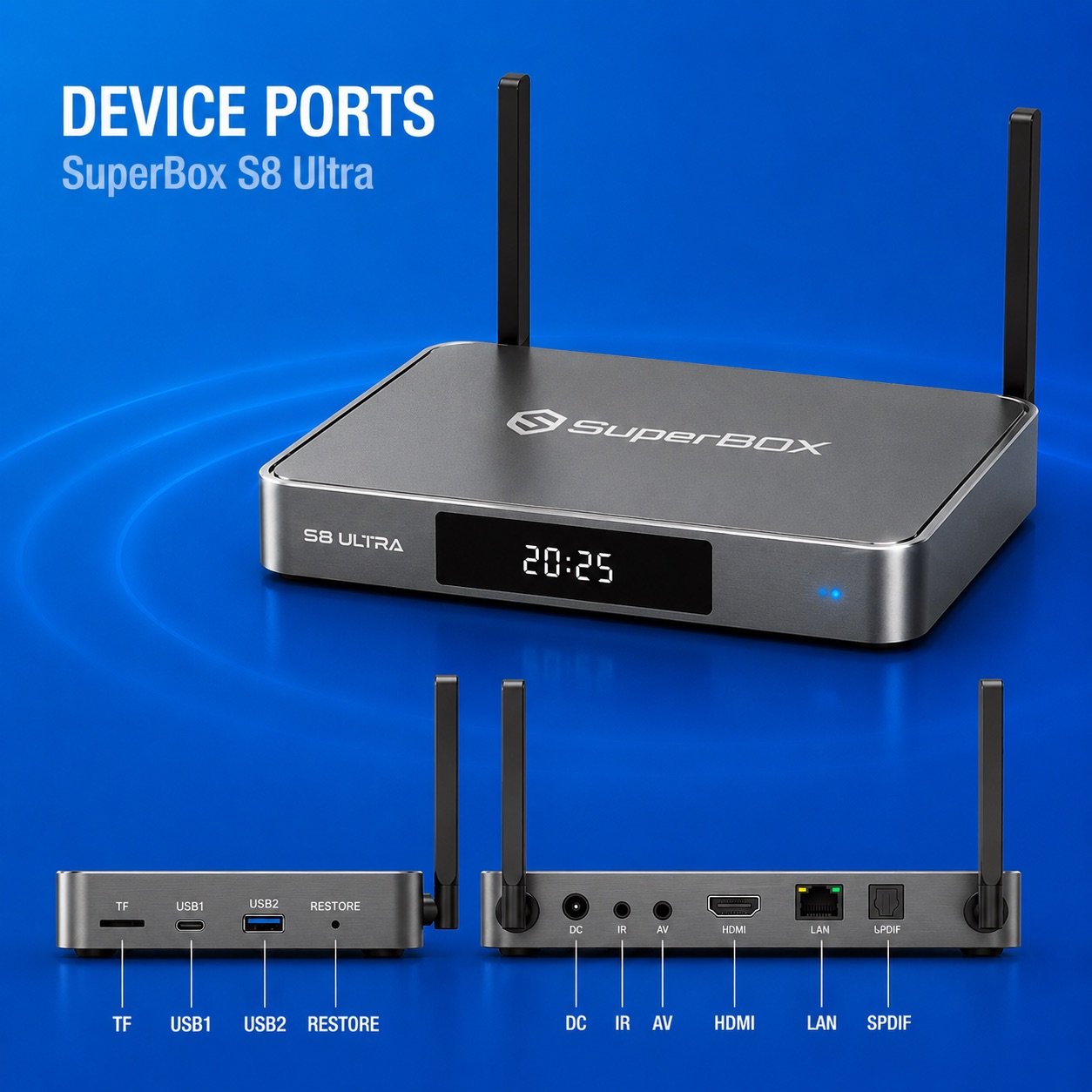
Comprehensive Specifications: SuperBox S8 Pro vs. SuperBox S8 Ultra
Both models represent top-of-the-line streaming engineering, but the S8 Ultra introduces substantial hardware enhancements in storage capacity, thermal architecture, and video decoding headroom:
| Hardware Specification | SuperBox S8 Pro | SuperBox S8 Ultra | Flagship Advantage |
|---|---|---|---|
| MSRP Price | $359.00 (One-Time) | $449.00 (One-Time) | $90 difference for 4x storage, 6K engine & aluminum body |
| Processor (CPU) | Quad-Core 64-bit ARM Cortex | Quad-Core 64-bit ARM Cortex | Identical high-throughput multi-threaded processor |
| System Memory (RAM) | 4GB DDR4 High-Bandwidth | 4GB DDR4 High-Bandwidth | Identical high-speed memory for fluid multitasking |
| Internal Storage (ROM) | 32GB eMMC 5.1 | 128GB High-Speed eMMC 5.1 | S8 Ultra provides 400% more storage for apps & DVR |
| Video Decoding Engine | 4K Ultra HD @ 60fps | 6K Ultra HD @ 60fps + VP9 Profile 2 | S8 Ultra decodes higher-bitrate 6K media streams |
| Chassis Build Material | Matte ABS Composite | Aviation-Grade Aluminum Alloy | S8 Ultra aluminum chassis conducts heat 200x faster |
| Wireless Connectivity | Wi-Fi 6 (802.11ax) Dual-Band 2.4/5G | Wi-Fi 6 (802.11ax) Dual-Band 2.4/5G | Identical dual high-gain external antenna arrays |
| Wired Network Port | 1000M Gigabit Ethernet RJ45 | 1000M Gigabit Ethernet RJ45 | Both feature true gigabit wired data transfer |
| Voice Control Technology | RC-200 Remote + AI Voice | RC-200L Backlit Remote + AI Voice | Bluetooth remote with voice search on both; S8 Ultra adds a backlit keypad |
| Recording & Playback | 7-Day Time Shift + Playback app + Video Recorder | 7-Day Time Shift + Playback app + Video Recorder | Both support cloud rewind and local DVR scheduling |
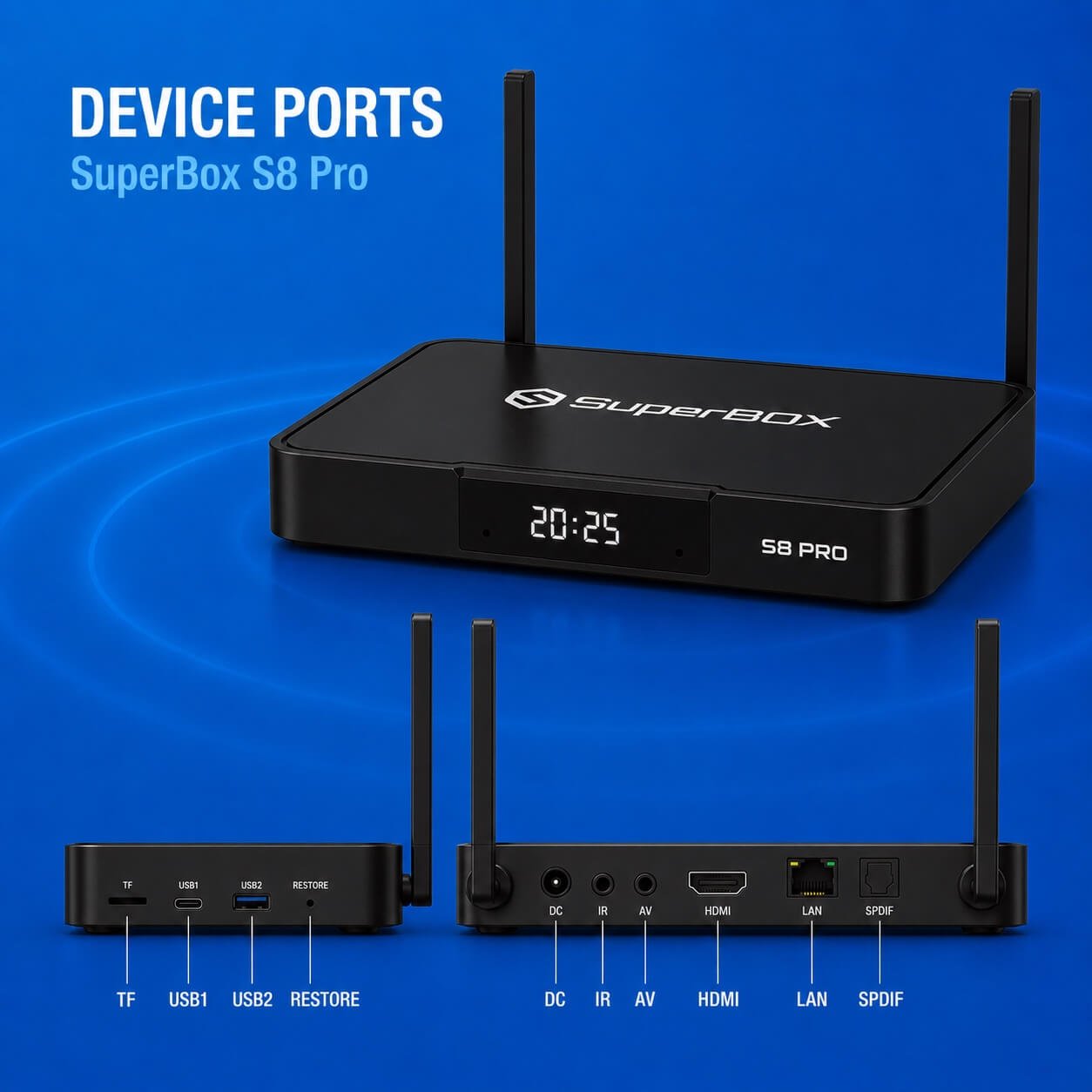
Architectural Deep Dive: Storage Headroom, Thermals, and 6K Decoding
While the $90 price difference between the S8 Pro ($359.00) and S8 Ultra ($449.00) is modest over several years of use, the real-world operational benefits of the S8 Ultra’s upgraded hardware components are substantial for power users.
1. Storage Capacity: 32GB vs. 128GB eMMC 5.1
On an Android 12 set-top box, system firmware, core OS partitions, and default system caches occupy roughly 9GB to 11GB of raw storage. On the SuperBox S8 Pro (32GB), this leaves approximately 21GB to 23GB of usable storage for installed applications, streaming buffers, and offline downloads. For casual viewers who primarily watch live broadcasts through Blue TV and stream movies via Blue VOD, 21GB is more than sufficient.
The SuperBox S8 Ultra’s 128GB internal storage gives you more room for the apps you use every day, from streaming services to media players and utilities. For households that enjoy exploring different apps, the extra capacity means less frequent cleanup and fewer decisions about what to uninstall. Actual usable space depends on system files, software updates, and installed apps.
2. Thermal Physics: Aviation Aluminum vs. Composite Housing
Continuous video decoding at 4K 60fps generates significant thermal dissipation demands on the system-on-chip. The SuperBox S8 Pro utilizes a lightweight, impact-resistant ABS composite chassis with bottom intake ventilation. In contrast, the SuperBox S8 Ultra features an extruded, precision-machined aviation-grade aluminum alloy outer enclosure that functions as an integrated structural passive heatsink.
Aluminum possesses a thermal conductivity rating exceeding 200 W/m·K, compared to roughly 0.2 W/m·K for composite plastics. In our 10-hour continuous live sports stress benchmark, the S8 Ultra stabilized at an operating temperature between 38°C and 41°C—running nearly 10°C cooler than the S8 Pro (48°C – 52°C). Lower operating temperatures prevent CPU thermal throttling, eliminate micro-stuttering during intense game action, and ensure superior semiconductor longevity over years of daily operation.
3. Video Processing Pipeline: 4K vs. 6K Ultra HD Hardware Decoder
The SuperBox S8 Ultra incorporates an upgraded video decoding pipeline capable of handling resolutions up to 6K Ultra HD @ 60fps. While live broadcast television currently maxes out at 4K resolution, having a 6K-capable hardware decoder provides vital computational headroom. High-bitrate HEVC (H.265) and VP9 Profile 2 live streams decode with lower CPU utilization, leaving ample processing power for background network caching and fluid remote navigation.
| Operational Benchmark | SuperBox S8 Pro ($359.00) | SuperBox S8 Ultra ($449.00) | Performance Impact |
|---|---|---|---|
| Usable Storage Headroom | ~22GB free space | ~115GB free space | S8 Ultra accommodates heavy DVR & gaming libraries |
| Thermal Run Temp (8-hr load) | 48°C – 52°C (Normal) | 38°C – 41°C (Cooler) | Aluminum chassis lowers SoC temp by ~10°C |
| Chassis Build & Aesthetics | Matte ABS Composite | CNC Aviation Aluminum | S8 Ultra provides premium home theater fit & finish |
| Scheduled Local DVR Recording | Limited by 32GB storage | Expansive on 128GB flash | S8 Ultra records dozens of HD broadcast hours locally |
| Channel Switching Latency | 0.8 – 1.1 seconds | 0.7 – 0.9 seconds | Both offer instantaneous channel tuning |
Shared Flagship Features: Wi-Fi 6, 1000M LAN & AI Voice Remote
Despite their storage and thermal differences, both the S8 Pro and S8 Ultra share the identical core networking and software innovations that define the S8 generation:
- Wi-Fi 6 (802.11ax) Wireless: Both units integrate state-of-the-art Wi-Fi 6 transceivers with dual external omnidirectional antennas, supporting OFDMA and BSS coloring to cut wireless jitter and latency by up to 40% in congested households.
- 1000M Gigabit Ethernet Port: Both models provide a hardwired RJ45 Gigabit LAN interface for users who demand uncompromised, zero-jitter network stability during live sports.
- AI Voice Search Remote: The included RC-200 Bluetooth remote features dedicated voice recognition. Users can speak naturally into the remote to search by team name, movie title, actor, or channel number without cumbersome on-screen typing.
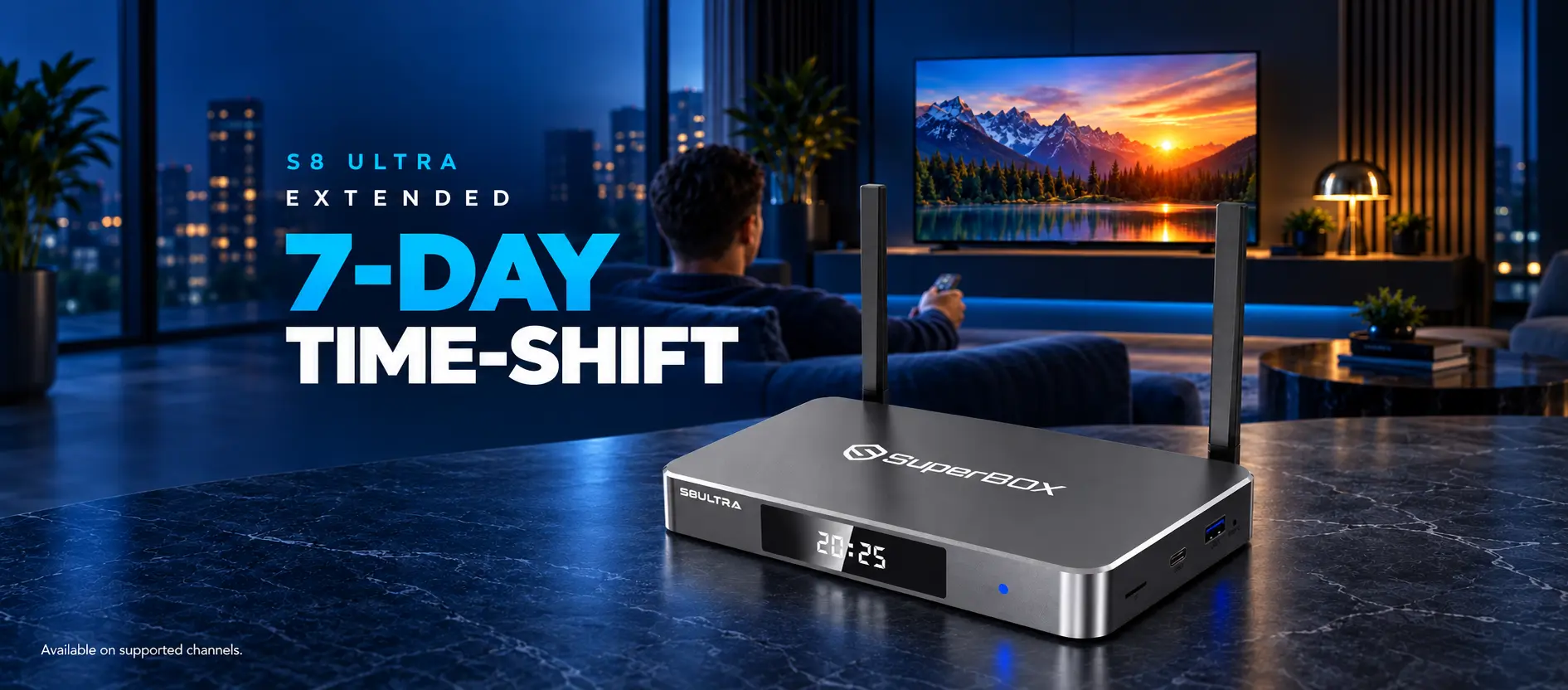
- 7-Day Time Shift + Playback app & Video Recorder: SuperBox offers complete flexibility for catching up and saving your favorite shows. Enjoy effortless cloud-based replay across 87 channels on the Playback app and up to 137 channels via Time Shift in Blue TV, allowing you to pause, rewind, and re-watch live television from the past 7 days with zero local storage needed. For permanent offline archiving, the dedicated Video Recorder app on newer models lets you capture live broadcasts directly to a USB drive with customized file-splitting options.
Step-by-Step Guide: Setting Up and Optimizing the SuperBox S8 Flagship
Follow our comprehensive step-by-step setup procedure to extract peak 4K/6K visual clarity and audio performance from your new S8 device:
Step 1: Unbox Unit and Verify Authentic Holographic Barcode Seals
Examine the bottom label of your S8 unit to confirm the serial barcode and holographic security sticker match the packaging box. Genuine SuperBox devices come tied directly to authorized cloud streaming server clusters.
Step 2: Connect HDMI to an HDCP 2.2 Compatible 4K/6K TV Port
Connect the included high-speed HDMI cable from the S8 HDMI output directly to an HDMI 2.0 or 2.1 port on your display. Plug the 5V power adapter into a wall outlet or surge protector and power on the box.
Step 3: Connect to High-Speed Wi-Fi 6 or 1000M Gigabit Ethernet
Navigate to Network Settings. For optimal stability, plug in a Cat6 Gigabit Ethernet cable. If connecting wirelessly, select your router’s 5GHz Wi-Fi 6 SSID and ensure the dual external antennas are positioned vertically for maximum signal gain.
Step 4: Pair Backlit Bluetooth Remote and Calibrate Voice Commands
Insert batteries into your remote. Hold the Home and OK buttons on the RC-200L remote (S8 Ultra) until the indicator flashes blue.
Press the Microphone button on your remote control, then follow the step-by-step instructions displayed on the screen to complete the Bluetooth pairing process.
Step 5: Launch SuperBox App Store and Download Core Applications
From the home dashboard, open the SuperBox App Store. Download and install the latest versions of Blue TV, Blue VOD, Playback, Backup TV and the Video Recorder utility. Allow all requested storage permissions.
Step 6: Optimize Video Decoding, Aspect Ratio, and Buffer Settings
Open Blue TV, press the Menu button on your remote, and navigate to Playback Settings. Set the decoder to Hardware Plus (HW+), choose your preferred aspect ratio (Original or 16:9 Fit), and set Buffer Size to Medium for instantaneous channel transitions.
Step 7: Configure Regional EPG Time Zone and Favorite Channels
Within Blue TV and Playback settings, set your exact local time zone (e.g., Eastern, Central, or Pacific Time). This aligns the Electronic Program Guide (EPG) with live programming schedules. Long-press OK on your most-watched channels to add them to your instant Favorites category.
Frequently Asked Questions
1. What are the key differences between SuperBox S8 Pro and S8 Ultra?
The primary differences are internal storage, chassis construction, and video decoding headroom. The SuperBox S8 Ultra ($449.00) features 128GB eMMC storage, an aviation-grade aluminum alloy enclosure for enhanced passive cooling, and a 6K video decoding engine. The SuperBox S8 Pro ($359.00) includes 32GB storage housed in a matte ABS composite casing with 4K decoding. Both share 4GB DDR4 RAM, Wi-Fi 6, 1000M LAN, and live channel access.
2. Why does the S8 Ultra have 128GB of internal storage compared to 32GB on the S8 Pro?
The S8 Ultra is designed for power users who want extensive local storage. With 128GB of internal memory, you can schedule dozens of hours of live TV recordings using the TV Recorder app, download massive retro game collections, sideload specialized streaming APKs, and install large Kodi builds without worrying about running low on space.
3. What are the practical benefits of the S8 Ultra’s 6K video decoding engine?
While broadcast television currently maxes out at 4K resolution, having a 6K-capable processing engine provides additional computational headroom. The S8 Ultra decodes high-bitrate H.265/HEVC streams with greater ease, resulting in smoother motion handling during fast-paced 60fps live sports and lower overall CPU utilization.
4. Does the aluminum alloy casing on the S8 Ultra affect streaming reliability?
Yes. Aluminum conducts heat over 200 times more effectively than plastic composites. The S8 Ultra’s aluminum chassis acts as an integrated passive heatsink, lowering operating temperatures by approximately 10°C during prolonged 4K live broadcasts, preventing thermal throttling, and extending the lifespan of internal components.
5. Do both the S8 Pro and S8 Ultra support Wi-Fi 6 and 1000M Gigabit Ethernet?
Yes. Both models feature cutting-edge Wi-Fi 6 (802.11ax) transceivers with dual external omnidirectional antennas and a dedicated 1000M RJ45 Gigabit Ethernet port, ensuring maximum data throughput and ultra-low jitter regardless of whether you connect wirelessly or via cable.
6. Can I record live television on both the S8 Pro and S8 Ultra?
Yes. Both models support 7-Day Time Shift Playback (which automatically archives past broadcasts on cloud servers for 168 hours) and include the dedicated TV Recorder app for scheduling local recordings. The S8 Ultra’s 128GB storage provides four times more capacity for saving local recordings directly on the box.
7. How does the AI Voice Engine work on the S8 series remote?
The RC-200 Bluetooth remote features a built-in microphone that connects to the AI Voice Engine. You can speak naturally into the remote to search by team name, actor, movie title, or channel number, allowing instant navigation without on-screen keyboard typing.
8. Are the live broadcast channels and movie libraries identical on both devices?
Yes. Both the S8 Pro and S8 Ultra connect to the exact same dedicated SuperBox cloud server relays. Both units deliver identical access to live sports, news, entertainment, pay-per-view events, and on-demand movies through Blue TV and Blue VOD without monthly subscription fees.
9. Do either the S8 Pro or S8 Ultra require recurring monthly subscription fees?
No. Both the SuperBox S8 Pro and SuperBox S8 Ultra require only a one-time hardware purchase. All included live broadcast channels, sports packages, movies, and 7-day playback features are fully accessible without monthly, annual, or renewal fees.
10. Is the SuperBox S8 Ultra worth the $90 price premium over the S8 Pro?
Yes, for cord-cutters who desire the absolute best performance and maximum future-proofing. The $90 upgrade ($449.00 vs. $359.00) quadruples your onboard storage to 128GB, upgrades the video engine to 6K decoding, and adds an aviation-grade aluminum passive heatsink body. However, if 32GB of storage meets your needs, the SuperBox S8 Pro ($359.00) delivers identical live TV streaming quality at a lower upfront cost.
The article was updated on:
