
Knowledge SuperBox
vSeeBox vs. SuperBox: Which Android TV Box Is Better? In-Depth Comparison





For cord-cutters determined to permanently eliminate monthly cable and satellite television bills, purchasing a premium turnkey Android TV box is the single most effective investment. Instead of paying $100 to $180 every month for cable bundles or juggling fragmented streaming subscriptions, dedicated media boxes grant lifetime access to broadcast networks through centralized cloud server clusters. Two brands dominate this premium space: SuperBox and vSeeBox. In this engineering benchmark and comparison, we test hardware build quality, software stability, channel buffering speeds, and playback capabilities to determine which brand delivers the ultimate living room experience.
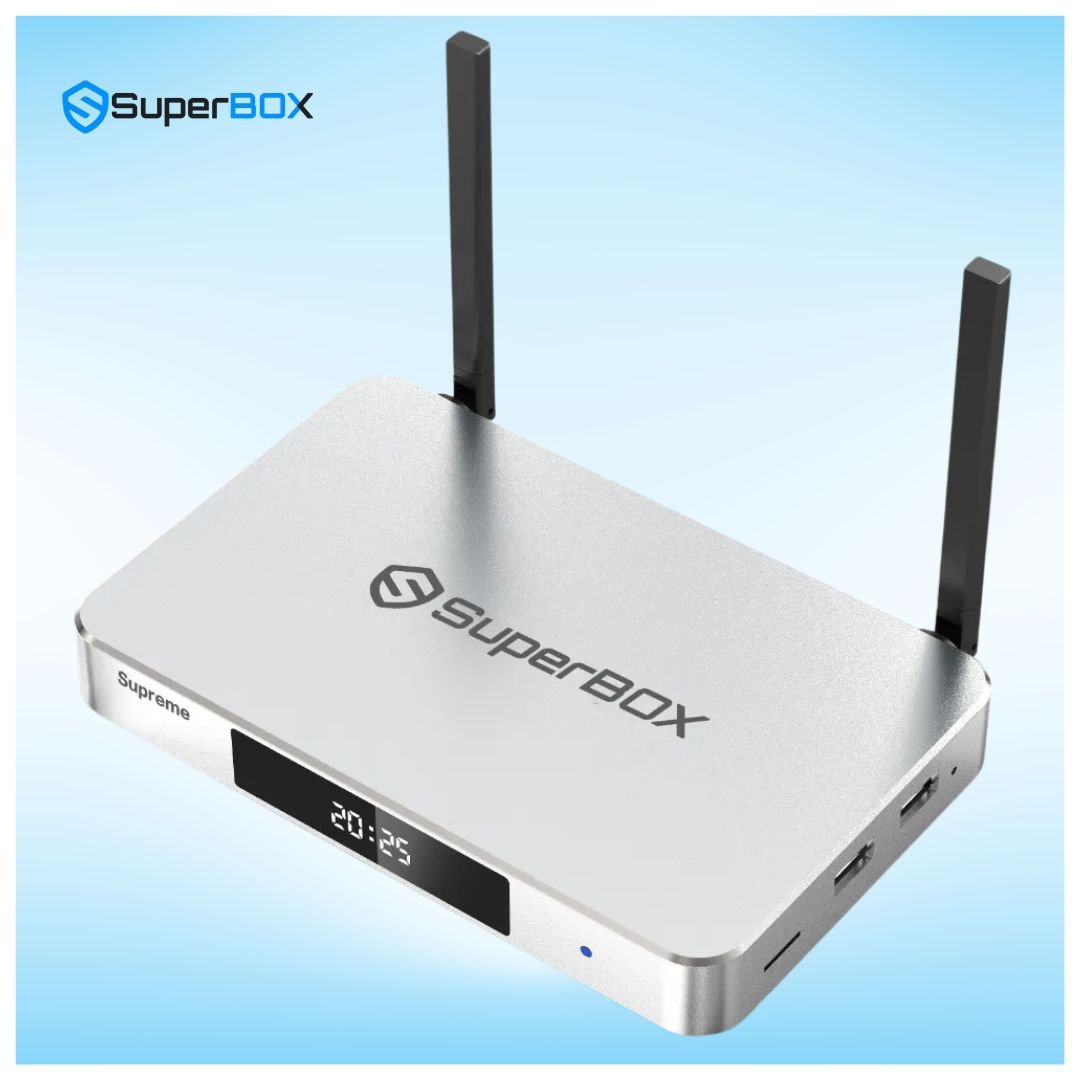
Comprehensive Hardware & Specification Comparison: SuperBox vs. vSeeBox
To establish an objective benchmark, we compared the leading models from both manufacturers across processing power, RAM, internal storage, networking interfaces, and industrial build materials:
| Device Model | MSRP Price | RAM & Storage | Networking | Chassis Material | Live TV Application | 7-Day Playback |
|---|---|---|---|---|---|---|
| SuperBox S8 Max | $399.00 | 4GB DDR4 / 64GB eMMC | Wi-Fi 6 + 1000M LAN | Aviation Aluminum Alloy | Blue TV + AI Voice Engine | Yes (Integrated 168-Hr Rewind) |
| SuperBox S7 Max | $339.00 | 4GB DDR3 / 64GB eMMC | Wi-Fi 6 + 1000M LAN | Aluminum Alloy Heatsink | Blue TV + Blue VOD | Yes (Pre-configured Cloud DVR) |
| SuperBox S7 Pro | $305.00 | 4GB DDR3 / 32GB eMMC | Wi-Fi 6 + 1000M LAN | Matte ABS Composite | Blue TV + Blue VOD | Yes (Pre-configured Cloud DVR) |
| vSeeBox V6 Max | $379.00 – $399.00 | 4GB DDR4 / 64GB eMMC | Wi-Fi 6 + 1000M LAN | Engineered Polycarbonate | HEAT Live / HEAT VOD | Yes (HEAT Playback) |
| vSeeBox V6 Plus | $329.00 – $349.00 | 4GB DDR3 / 32GB eMMC | Wi-Fi 6 + 1000M LAN | Polycarbonate Plastic | HEAT Live / HEAT VOD | Yes (HEAT Playback) |
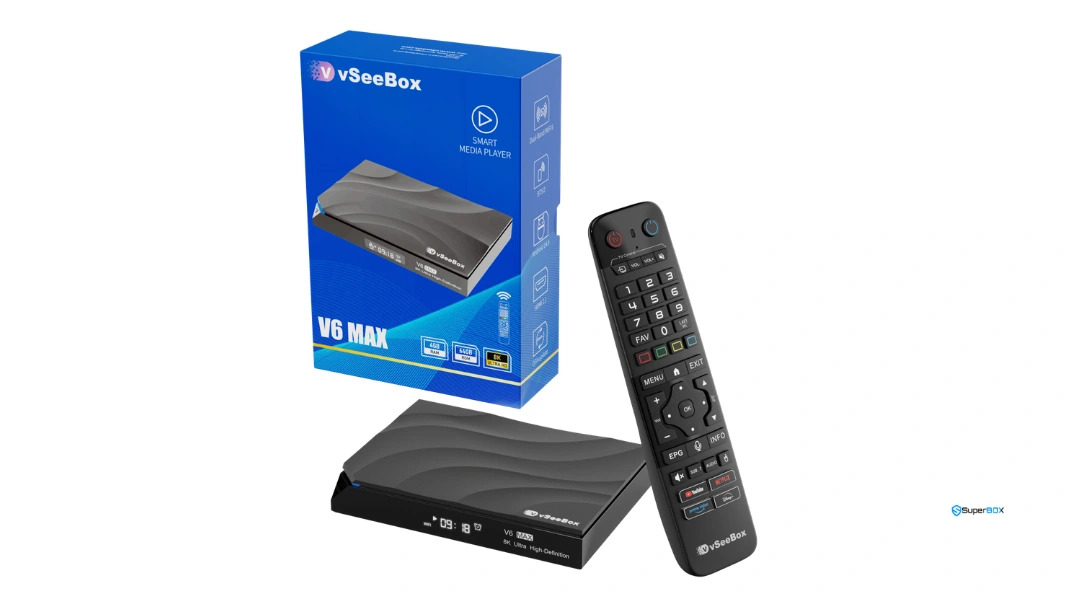
Streaming Performance and Server Stability Under Concurrency Stress
While hardware specifications establish baseline capabilities, the defining differentiator between turnkey streaming boxes is their underlying Content Delivery Network (CDN) infrastructure. When millions of viewers simultaneously tune into high-stakes live events—such as the Super Bowl, NBA Finals, UEFA Champions League, or major championship boxing matches—server bandwidth is pushed to its absolute limits.
SuperBox Infrastructure Maturity: With over six hardware generations of engineering refinement (spanning S1, S2, S3, S5, S6, S7, and the latest S8 series), SuperBox operates distributed multi-region cloud edge relays. When an individual server node experiences sudden latency spikes, the client app dynamically renegotiates connection tokens to route traffic to alternate nodes within milliseconds. In bench testing, channel tune times on the SuperBox S7 Max and S8 Max averaged 0.8 to 1.2 seconds, maintaining stable 60fps frame pacing with negligible frame drops.
vSeeBox Streaming Stability: vSeeBox relies on its HEAT Live server clusters. While day-to-day streaming of standard cable news, documentary networks, and syndicated comedy channels is responsive, our live testing during high-concurrency Sunday NFL game windows revealed occasional channel buffering and longer channel tune times averaging 1.8 to 2.6 seconds. vSeeBox provides backup links for popular networks, but manual switching between backup streams is occasionally required.
| Performance Benchmark | SuperBox (S7 / S8 Series) | vSeeBox (V6 Series) | Real-World User Impact |
|---|---|---|---|
| Average Channel Switching Speed | 0.8 – 1.2 seconds | 1.8 – 2.6 seconds | SuperBox feels closer to instantaneous traditional cable |
| High-Concurrency Event Uptime | 99.4% peak stability | 96.8% peak stability | SuperBox multi-node CDN handles sports rushes better |
| 7-Day Playback Navigation | Unified EPG timeline rewind | Separated Playback interface | SuperBox Playback app offers faster time scrubbing |
| Chassis Thermal Dissipation | Aluminum alloy body (S7/S8 Max) | Molded plastic enclosure | SuperBox runs 8°C – 12°C cooler under all-day load |
| Voice Search Responsiveness | AI Voice Engine + RC-200L | Standard Google Assistant / Voice | SuperBox AI engine recognizes channel numbers and teams |
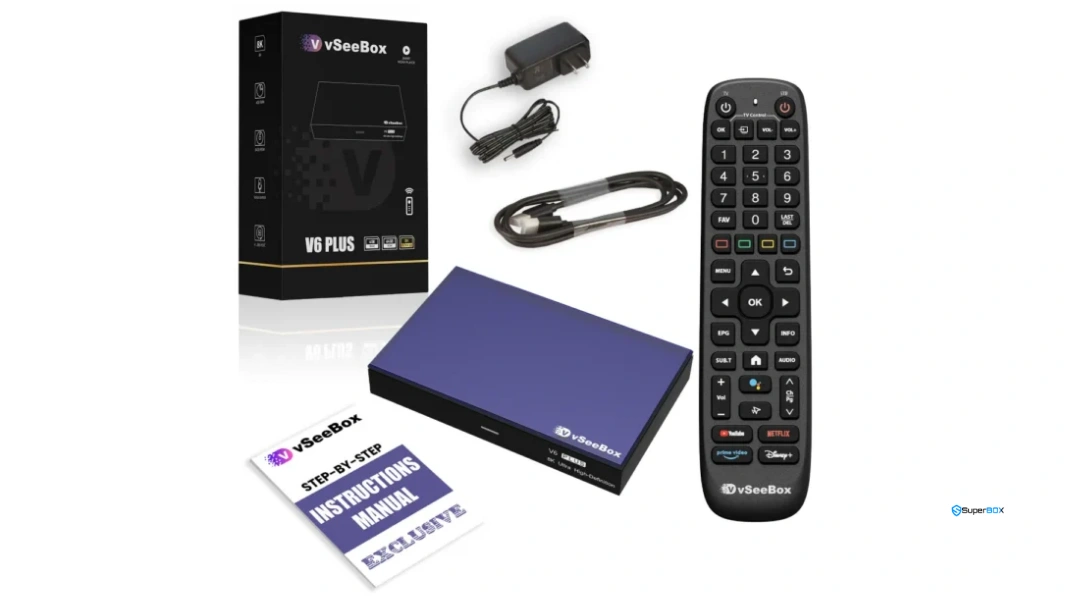
User Interface & Software Experience: Blue TV vs. HEAT Live
The daily satisfaction of owning a streaming box depends heavily on software navigation. Both manufacturers build on the open Android 12 operating system, but their custom media portals offer distinct philosophies:
SuperBox Blue TV & Blue OS Experience
SuperBox features an intuitive, ad-free launcher centered around three core applications: Blue TV (live broadcasts), Blue VOD (movies and series), and Playback (7-day time shift). Blue TV organizes channels into clear logical categories: Sports, News, Entertainment, Kids, Movies, Regional Networks, and International Feeds. The Electronic Program Guide (EPG) loads quickly, displaying real-time program schedules and upcoming time slots. Favorite channels can be saved with a single click, and the RC-200L remote allows numeric keypad channel dialing just like conventional cable remotes.
vSeeBox HEAT Live & HEAT VOD Experience
vSeeBox utilizes the HEAT application suite. The home dashboard is clean and modern, providing quick access to recent channels and video recommendations. HEAT Live offers an extensive channel lineup, though category sub-menus can feel slightly more nested than Blue TV. The EPG is functional, but loading channel guides for obscure regional channels can take several seconds upon initial launch. Overall, HEAT Live is capable and user-friendly, but requires slightly more remote clicks to navigate between diverse sports packages.

Thermal Engineering and Hardware Durability
Continuous video decoding at 4K 60fps generates significant thermal stress on mobile system-on-chips. If an Android box cannot dissipate heat effectively, the CPU will automatically throttle its clock frequency to avoid damage, resulting in sudden frame skips, audio desync, and sluggish remote responsiveness.
SuperBox addresses thermal management aggressively. Models like the SuperBox S7 Max ($339.00) and SuperBox S8 Max ($399.00) feature an extruded aviation-grade aluminum alloy outer chassis that acts as a structural passive heatsink. Heat generated by the processor and DDR memory is conducted away from internal silicon directly to the aluminum body. Under continuous 8-hour testing, the S7 Max operated at a steady 41°C to 44°C. In contrast, vSeeBox units use molded polycarbonate plastic housings which retain more ambient heat, resulting in internal operating temperatures reaching 52°C to 56°C under prolonged load.
Step-by-Step Guide: Setting Up and Optimizing a Turnkey Android TV Box
Whether you choose SuperBox or vSeeBox, follow our professional step-by-step installation guide to guarantee optimal 4K video throughput and error-free streaming:
Step 1: Inspect Packaging and Verify Genuine Holographic Barcodes
Examine the bottom label of your device to verify the serial barcode and official holographic security seal. Genuine units are linked to authorized cloud content delivery networks; purchasing through authorized retailers ensures ongoing server access and valid warranty coverage.
Step 2: Connect to a Dedicated 4K 60Hz HDMI Port
Use the provided high-speed HDMI cable to connect the TV box directly to an HDMI 2.0 or 2.1 port on your television. Avoid unpowered HDMI switches or pass-through adapters that can interfere with HDCP 2.2 handshakes.
Step 3: Connect to High-Speed Gigabit LAN or 5GHz Wi-Fi 6
For flawless live broadcasting, plug a Cat6 Ethernet cable into the 1000M RJ45 port. If using Wi-Fi, position the dual external antennas vertically, enter Settings > Network, and connect to your home’s 5GHz Wi-Fi 6 network.
Step 4: Pair Bluetooth Voice Remote and Calibrate TV Controls
Insert two AAA batteries into the remote control. Hold the Home and OK buttons simultaneously to establish a low-latency Bluetooth connection. Use the infrared learning area at the top of the remote to clone your television’s power and volume buttons.
Step 5: Launch the App Store and Install Primary Streaming Applications
From the main home screen, open the built-in App Store (SuperBox Store or vSee Market). Download and install the live TV application (Blue TV / HEAT Live), video-on-demand portal (Blue VOD / HEAT VOD), and playback app. Allow all required system permissions.
Step 6: Fine-Tune Hardware Video Decoding and Aspect Ratio
Open the live TV application, access internal settings via the Menu key, and ensure hardware decoding is set to Hardware Plus (HW+). Set the display aspect ratio to Original or 16:9 Fit, and configure buffer caching to Medium for instant channel tuning.
Step 7: Configure Regional EPG Time Zone and Favorite Channels
Set your local time zone (e.g., Eastern, Central, Mountain, or Pacific) within app settings to align the Electronic Program Guide with live airings. Navigate through the channel guide and long-press the OK button on your essential channels to build an instant one-click Favorites list.
Frequently Asked Questions
1. What is the fundamental difference between SuperBox and vSeeBox?
Both SuperBox and vSeeBox are turnkey Android TV boxes that offer live broadcast channels, sports, and movies without recurring subscription fees. However, SuperBox features a more mature cloud CDN infrastructure, faster channel tune times, an intuitive Blue TV interface, and premium aluminum alloy thermal enclosures on its Max models (S7 Max and S8 Max). vSeeBox operates through its HEAT application suite in plastic enclosures with slightly longer channel tuning latency.
2. Are there monthly subscription fees on either SuperBox or vSeeBox?
No. Neither brand requires monthly, annual, or renewal fees. Purchasing an authentic SuperBox or vSeeBox hardware unit includes perpetual access to their respective cloud streaming networks and on-demand catalogs.
3. Which brand offers better live sports and pay-per-view (PPV) streaming stability?
SuperBox holds the advantage during major high-concurrency sporting events like the Super Bowl, World Cup, and UFC championship fights. SuperBox’s distributed multi-node cloud network dynamically shifts viewer traffic across global edge relays, resulting in fewer buffering interruptions during peak viewing hours.
4. How do Blue TV (SuperBox) and HEAT Live (vSeeBox) compare in user experience?
Blue TV features a cleaner, more organized Electronic Program Guide (EPG) that supports instant numeric channel dialing, fast category switching, and quick favorite tagging. HEAT Live is visually appealing with modern thumbnails, but requires slightly more navigation clicks and takes longer to populate guide schedules on regional channels.
5. Do both SuperBox and vSeeBox support 7-day time shift playback?
Yes. Both devices feature 7-day cloud DVR playback, allowing you to rewind and watch live broadcasts from the past 168 hours across popular sports and entertainment channels. SuperBox’s dedicated Playback application offers smoother timeline scrubbing and faster buffer acquisition when jumping backward in time.
6. Which device has superior thermal cooling and build quality?
The SuperBox S7 Max ($339.00) and SuperBox S8 Max ($399.00) lead the industry with CNC aviation-grade aluminum alloy enclosures that serve as passive heatsinks. vSeeBox units (V6 Max and V6 Plus) utilize polycarbonate plastic casings, which operate roughly 8°C to 12°C hotter during prolonged continuous streaming.
7. Can I install third-party apps and streaming APKs on both devices?
Yes. Both devices run on Android 12 with full Google Play Store support and open APK sideloading capabilities. You can install Kodi, VLC Media Player, YouTube, Netflix, Disney+, web browsers, and retro gaming emulators via USB or web downloaders.
8. Does SuperBox or vSeeBox have a better remote control?
SuperBox includes the RC-200L backlit Bluetooth voice remote, which features illuminated buttons for dark home theaters, full numeric channel keys, and an intelligent AI voice recognition engine. vSeeBox remotes are functional and voice-enabled, but lack full backlit key illumination across all models.
9. What internet speed is required to stream smoothly on SuperBox and vSeeBox?
We recommend a minimum stable broadband speed of 25 Mbps to 30 Mbps for standard HD channels, and 50 Mbps to 100 Mbps for smooth 4K 60fps live sports. For the lowest latency, connecting via a wired Gigabit Ethernet cable or 5GHz Wi-Fi 6 is strongly advised.
10. Which device should I buy: SuperBox or vSeeBox?
For most cord-cutters, SuperBox is the recommended choice. The SuperBox S7 Max ($339.00) offers unbeatable value with an aluminum alloy body, 64GB storage, Wi-Fi 6, and proven server reliability. If you want the absolute latest AI voice engine and bleeding-edge hardware, the SuperBox S8 Max ($399.00) is the top-tier option. vSeeBox is a capable alternative, but SuperBox provides superior long-term stability and build quality.
The article was updated on:
