
Knowledge SuperBox
Best VPN for SuperBox in 2026 and How to Set It Up





Should you use a VPN with your SuperBox, or will it just make streaming slower? The answer depends on your connection and what you want the VPN to do. A VPN is optional for normal SuperBox use. If your apps already open and play smoothly, you can keep using the box without buying another subscription.
If you want more privacy on a shared network or need to test a possible network restriction, a VPN can be useful. The important part is choosing an app that works with your particular box and checking whether it actually improves your experience.
For shoppers looking for the best VPN for SuperBox, NordVPN, Surfshark, ExpressVPN, and Proton VPN are worth considering for different reasons. Below, you will find a practical comparison, setup steps, and fixes for the most common problems, including advice for the SuperBox S8 series.
Do you need a VPN for SuperBox?
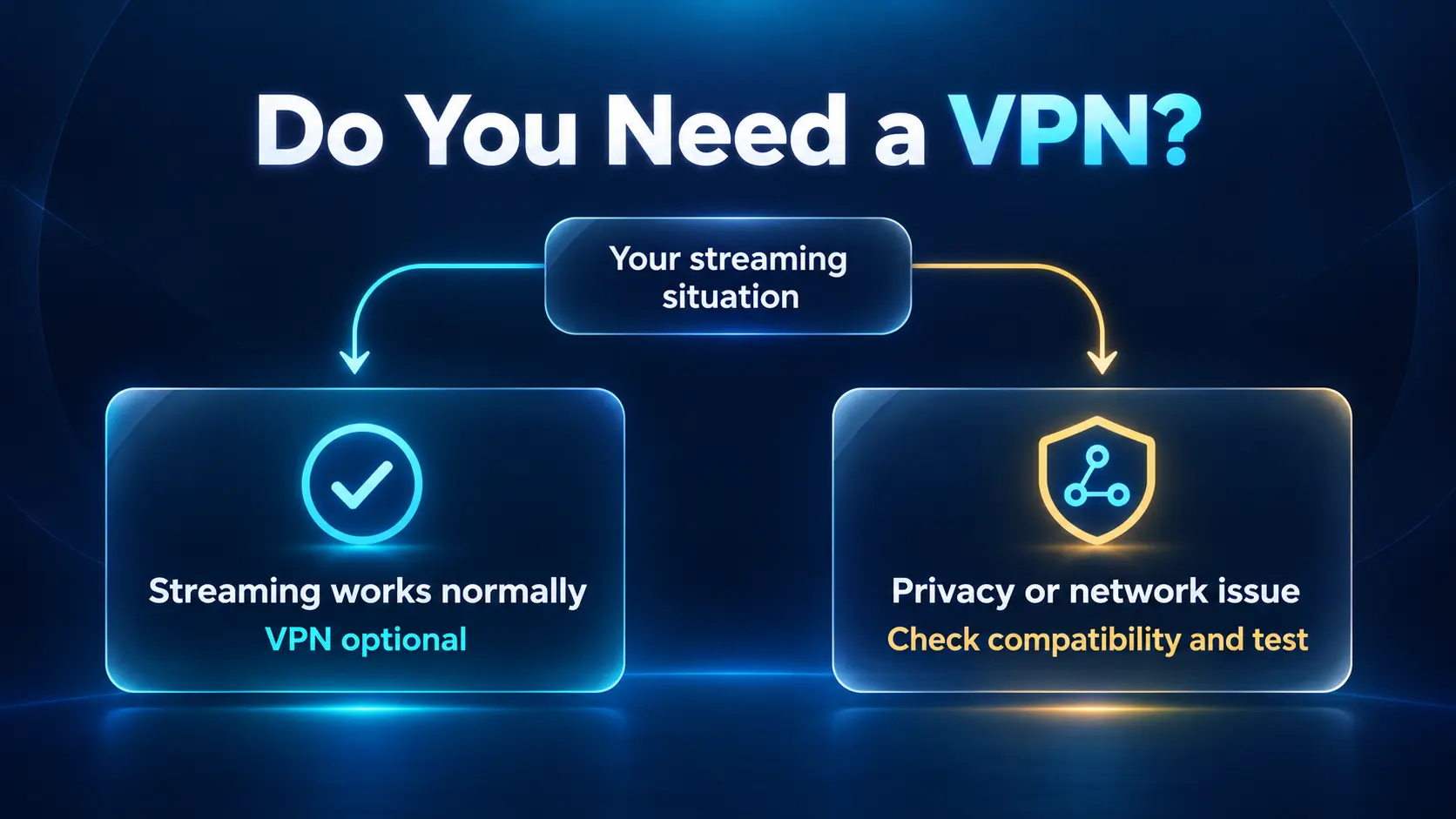
No, you do not need a VPN just to use SuperBox. Start with a stable Wi-Fi or Ethernet connection. A VPN can be an optional privacy tool or a way to test certain network restrictions when an app does not connect properly.
Think about the problem before choosing the tool. If the box keeps losing Wi-Fi, fix the connection first. If one app is having a service problem, a VPN cannot repair its servers. If you want to reduce what your local network can see about your traffic, a VPN has a more relevant role.
| Your situation | Sensible next step |
|---|---|
| SuperBox works normally on your home network | Continue without a VPN unless you want its privacy features |
| You use a shared network and want more privacy | Consider a trusted VPN that supports your device |
| An app works on another network but fails on yours | Ask support to help compare the networks; a VPN test may help |
| Streaming freezes even with the VPN off | Check Wi-Fi, Ethernet, and the affected app first |
| You see an activation or Device Forbidden error | Contact the appropriate support team; a VPN is not an activation tool |
For S8 owners, our Wi-Fi and Ethernet setup guide is a better first stop than paying for a VPN to solve an unidentified connection issue.
What a VPN does and what it cannot fix
A VPN creates an encrypted connection between your device and the VPN server. For traffic routed through that connection, websites see the VPN server’s public IP address instead of your normal one. It can also reduce what your internet provider or local network operator sees about the destinations you access.
It does not make you completely anonymous. Apps can still recognize accounts you sign into, and you are placing trust in the VPN provider. The Electronic Frontier Foundation’s VPN guide explains this trade-off and why a VPN is not a replacement for software updates or other basic security measures.
A VPN also does not provide streaming subscriptions, activate SuperBox apps, or grant permission to access content. Use services according to their access rules. Some streaming services restrict VPN connections, so a working VPN connection can occasionally make an app harder to use.
As for buffering, changing the network route might help in some cases. It can also add delay or reduce speed. If playback improves with a VPN, that alone does not prove your internet provider was deliberately slowing it down. A different route or server can change the result too.
Best VPN options for SuperBox in 2026
The following shortlist compares documented Android TV or Android box support and useful settings. Choose the features that suit your needs, then confirm compatibility with your exact model and software before subscribing. Actual speed will depend on your network and the server you use.
| VPN | Best fit in this guide | Main reason to consider it | Important check |
|---|---|---|---|
| NordVPN | Users wanting app and protocol controls | Android TV app with split tunneling and protocol choices | Confirm the supported installation route for your box |
| Surfshark | Households with several devices | Unlimited simultaneous VPN connections | Check its Android TV Ethernet limitation before buying |
| ExpressVPN | Users wanting clear setup instructions | Detailed Android TV and TV box installation guidance | Use its current Android requirements and official installer |
| Proton VPN | Trying a free privacy option | Free Android TV use and an unlimited-data free plan |
NordVPN for useful app controls
NordVPN is a reasonable starting point if you want control over how individual apps connect. Its Android TV setup guide documents Quick Connect, split tunneling, and protocol choices including NordLynx and OpenVPN.
Split tunneling lets selected apps use your normal connection while the others use the VPN. That can be useful when an app works better without the VPN: you can exclude it rather than disconnecting the whole device every time.
Begin with automatic connection settings and a nearby location. Change a protocol only when you are trying to solve a specific problem. More settings do not automatically mean better streaming, and extra privacy routes are not necessary for a basic connection test.
Choose NordVPN if: You want a TV app with controls for which apps use the VPN and how the connection is made.
Surfshark for a household with several devices
Surfshark’s clearest advantage for a family is its unlimited simultaneous connection policy. One subscription can cover compatible household devices without choosing a plan based on a small device allowance.
Its current Android TV settings guide documents auto-connect, Bypasser, protocol settings, and a kill switch. Bypasser allows selected apps or websites to connect outside the VPN.
There is an important compatibility detail: Surfshark’s Android TV installation guide, updated October 6, 2026, says its app does not support Ethernet connections on Android TVs running Android 9 and 12. That is a provider-stated Android TV limitation, not confirmation that every SuperBox running Android 12 has the same problem. If wired streaming matters to you, ask Surfshark about your model before paying.
Choose Surfshark if: Several household devices need a VPN and your intended box and connection type are supported.
ExpressVPN for a clearly explained setup process
ExpressVPN is worth considering if you want installation and settings explained in one place. Its Android TV and TV box guide, updated September 22, 2026, covers installation, connection, protocol changes, split tunneling, and auto-connect.
The current guide specifies Android 7.0 or later for its setup steps. It also provides an official APK route when Google Play is unavailable and advises against downloading its installer from third-party sources.
The Android TV app now documents a Network Protection kill switch that is disabled by default. If you enable it, internet access may stop when the VPN cannot connect or reconnect. Remember that setting when troubleshooting: a blocked connection may be the protection feature doing its job.
Choose ExpressVPN if: You value detailed installation help and want to follow the provider’s own instructions rather than an old tutorial.
Proton VPN for a free privacy starting point
Proton VPN is a practical option if you want to try a known provider without committing to a paid plan immediately. Its free plan has no data limit or advertising, according to Proton.
However, unlimited data does not mean every streaming feature is included. Proton’s Android TV guide says you can install and run the app with a free account, while streaming support is available on paid plans. It currently lists Android 8 or later for the standard Android TV app, with different requirements for Amazon Appstore builds.
Use the free plan as a privacy option, not as a promise that a particular streaming service will work. If your main goal is supported streaming access, compare the paid plan with the other providers and check the exact app you intend to use.
Choose Proton VPN if: You want a free privacy option first and understand the difference between free connectivity and paid streaming support.
Free or paid VPN for SuperBox?
Start with what you need. A free plan can make sense for occasional privacy use. A paid plan may be a better fit when you need particular server locations, household device coverage, or the provider’s supported streaming features.
Do not assume that a paid plan will fix buffering. Test the connection before committing to a long contract. Likewise, do not assume every free VPN has a data cap; Proton is an example of a free plan without one.
Before buying, read the full billing information. A low advertised monthly equivalent can represent a long subscription paid upfront. Compare the total first payment, renewal charge, cancellation process, and any refund conditions. An introductory offer is useful only if the service works for you and the later cost is acceptable.
If you already pay for a VPN on your phone or computer, check whether that account includes a compatible TV app. You may not need a second subscription.
Check compatibility with your SuperBox first
SuperBox is an Android-based streaming device, but an Android TV support page is not an automatic compatibility guarantee for every SuperBox model. The operating system version, available app store, installer, and remote interface all matter.
Before subscribing, check these points:
- Android version: Compare the version shown in your box’s device information with the provider’s current requirements.
- Installation source: Check whether the official app is available on your box. If not, ask the provider for a supported official installation method.
- Remote controls: Confirm you can sign in, select a server, and disconnect using your remote.
- Connection type: Tell support whether you use Wi-Fi or Ethernet, especially if a provider lists a wired-network limitation.
For the S8 Pro, Plus, Max, and Ultra, select a model based on its actual features rather than assuming a more expensive box guarantees a faster VPN. Our S8 model comparison explains the lineup. Your VPN results also depend on the server, network route, and app.
How to set up a VPN on SuperBox
The exact screens vary by provider and box software. These steps give you a safe starting process without assuming every SuperBox has the same app store.
1. Test your normal connection
With the VPN off, open an app you normally use and play something you are allowed to access. Note whether it opens, loads, and plays smoothly. If your S8 is not online yet, follow the internet connection guide first.
2. Install the provider’s official app
If Google Play is available on your box and lists the compatible app, install it there. Check the provider name so you do not choose an unrelated app with a similar logo.
If the official app is unavailable, follow the provider’s supported download instructions. Use an APK only when the provider offers it for your setup. Avoid modified installers, random download sites, and tools claiming they will unlock SuperBox services.
3. Sign in and approve the VPN connection
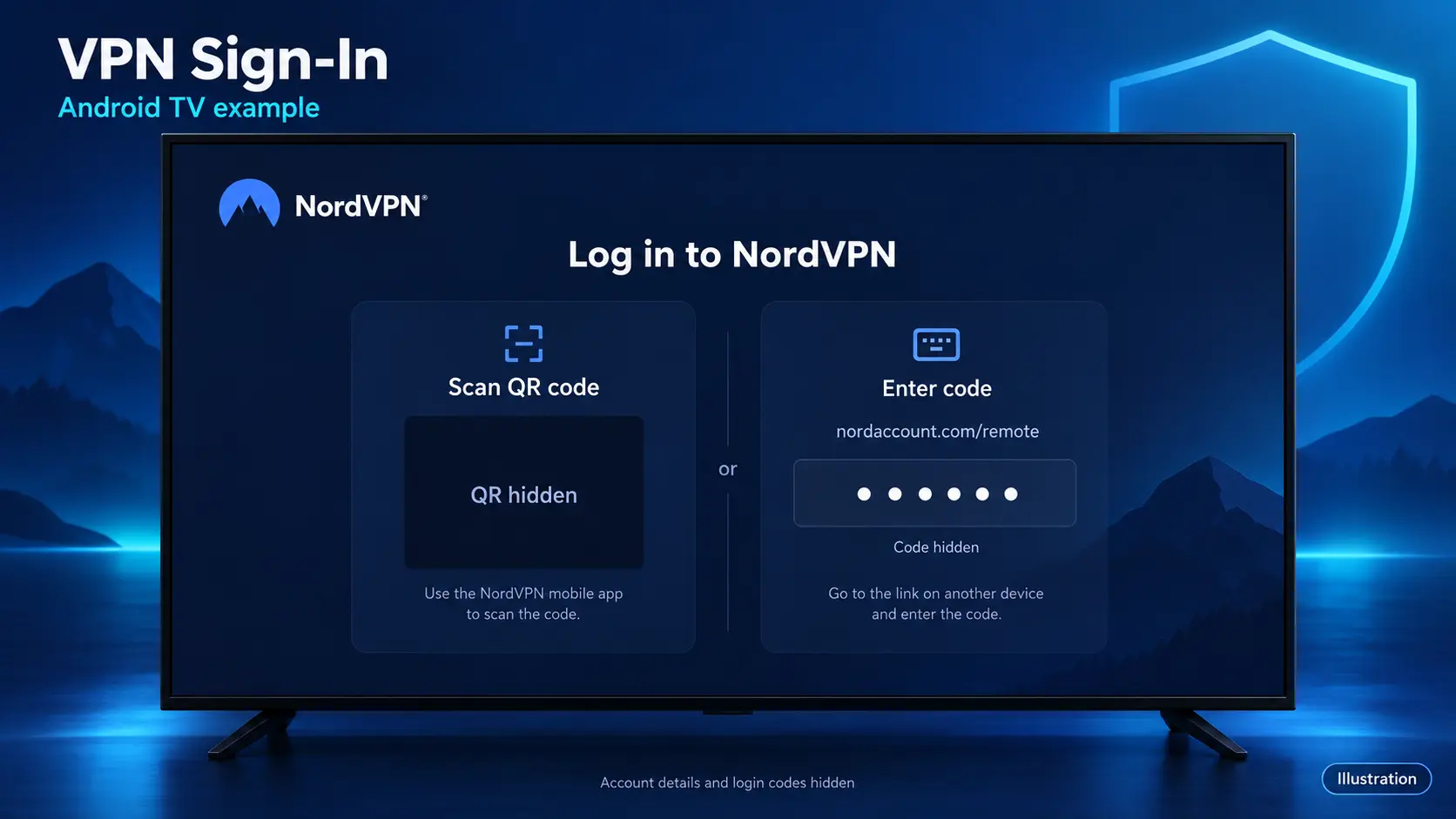
Open the app and use the sign-in method it offers. Some TV apps let you scan a QR code or enter a code on your phone, which saves typing a password with the remote. When Android asks permission to create a VPN connection, confirm only if you have installed the intended provider’s app.
4. Connect to a nearby location
Start with Quick Connect, the recommended location, or a nearby server in your own country. Wait until the app shows that it is connected. You can then return to Home and reopen the streaming app.
5. Compare playback and keep a way to disconnect
Try the same app and content you checked earlier. Watch long enough to see whether the original problem returns. Before finishing, make sure you know how to reopen the VPN app and select Disconnect. That makes later troubleshooting much easier.
Can you use a VPN router instead?
Yes, if your router supports a compatible VPN client. A router setup can route connected devices through the VPN without installing a separate app on each one. It is a useful alternative when the box’s app installation is unsupported.
Check your router model against the VPN provider’s supported setup instructions first. The settings vary, and router performance can affect streaming. Depending on the configuration, the VPN may also change the connection for other household devices. Surfshark’s TV and router setup guidance explains these options and limitations.
For most beginners, try a supported app on the box first. A router setup is more suitable when you already understand your network or have provider support guiding you.
Settings that help without overcomplicating things
Keep automatic protocol selection for your first test. If the VPN cannot connect, try another available protocol following the provider’s instructions. Change one setting at a time so you know what affected the result.
Use split tunneling only when you want a particular app to connect directly. An excluded app does not receive the VPN’s tunnel protection. Check the list carefully if your VPN appears connected but one app still uses your normal connection.
Auto-connect can be convenient after you have confirmed the setup works. A kill switch serves a different purpose: it can block internet access when VPN protection fails. Available controls differ by app and platform, so check the settings actually shown on your device.
VPN not working on SuperBox?
If a problem started after enabling the VPN, check the VPN first. Do not factory reset the box just because an app stops loading.
| Problem | What to try first |
|---|---|
| More buffering with the VPN on | Disconnect, compare playback, then try a nearer server |
| VPN cannot connect | Check sign-in and subscription status; try another server or supported protocol |
| No internet after a failed connection | Check whether kill switch or Network Protection is blocking traffic |
| One app fails but others work | Test it with the VPN off; check its access rules and split tunneling settings |
| Wi-Fi works but Ethernet fails with VPN | Compare with VPN off and check provider guidance for your OS and connection type |
| Device Forbidden or an activation message remains | Contact device support and your original seller |
NordVPN’s Android TV connection troubleshooting includes trying another server and protocol. Proton also documents Ethernet-related issues affecting some Android TV firmware in its Android TV help page. These are reasons to check your exact setup, not proof that your box’s LAN port is defective.
When contacting support, send your model, Android version, VPN app version, connection type, error message, and whether the issue disappears with the VPN off. Keep passwords and active login codes out of screenshots. Contact the VPN provider for its app or account issues and SuperBox TV Box Store for help with a purchase from our website.
Common questions about SuperBox VPNs
What is the best VPN for SuperBox?
Choose by your needs and confirmed compatibility. NordVPN offers useful app controls, Surfshark suits multiple-device households, ExpressVPN has detailed setup guidance, and Proton provides a free privacy starting point. Test your connection rather than assuming one provider is fastest for everyone.
Will a VPN stop SuperBox buffering?
It might help a routing-related problem, but it can also slow the connection. Compare the same app with the VPN off and on. If playback is poor in both cases, investigate the network and app before buying another VPN.
Can I use a free VPN on SuperBox?
You can use a compatible free app. Check its data allowance, server controls, and supported features. Proton permits free Android TV use, but supported streaming features are part of its paid plans.
Do I need a VPN for the SuperBox S8 series?
No. A VPN is an optional network and privacy tool, not a required S8 setup step. Get the box connected normally first, then decide whether a VPN addresses a need you actually have.
Should I keep the VPN connected all the time?
Only if you want it and your apps work properly. Once tested, auto-connect can help you keep it on. If a particular app works better without it, disconnect or use supported split tunneling while understanding the privacy difference.
Buy SuperBox from a retailer you can verify
Good setup advice should help you use the box without adding costs you do not need. At SuperBox TV Box Store, we sell authentic SuperBox devices and publish practical guides for customers in the US and Canada.
We are an authorized SuperBox retailer. Verify our authorization code SP20250414002 through the official SuperBox authorization site, or read about our store. For an order placed directly on our website, you have a clear seller contact at customer@superboxtvboxstore.com.
Compare the SuperBox S8 models, choose the hardware that fits your needs, and get your normal connection working first. A VPN can be a useful addition when it serves a clear purpose. You do not need to buy one simply because you bought a SuperBox.
The article was updated on:
