
Knowledge SuperBox
What Is Blue VOD? Complete Guide to Video on Demand





Blue VOD is a dedicated video on demand streaming application built for SuperBox Android TV hardware, designed to organize and stream a vast on-demand library of over 18,000 movies and 3,700 complete TV series without recurring monthly subscription fees. While conventional cable providers and monthly streaming platforms charge ongoing fees every thirty days, access to the Blue VOD platform is authenticated directly through your genuine SuperBox hardware console.
Here is what you need to know about Blue VOD at a glance:
- It functions as an on-demand movie and episodic series portal specifically optimized for SuperBox home entertainment consoles.
- It does not come preloaded out of the box; owners download it in less than two minutes from the App Store or App Installer tool on their home screen.
- It provides comprehensive playback controls including pause, fast-forward, instant rewind, audio language selection, and customizable subtitles.
- It organizes media through an intuitive graphic catalog divided by release year, genre, popular trending collections, and actor searches.
- Access is 100 percent subscription-free with no recurring bills, expiration dates, activation charges, or renewal contracts.
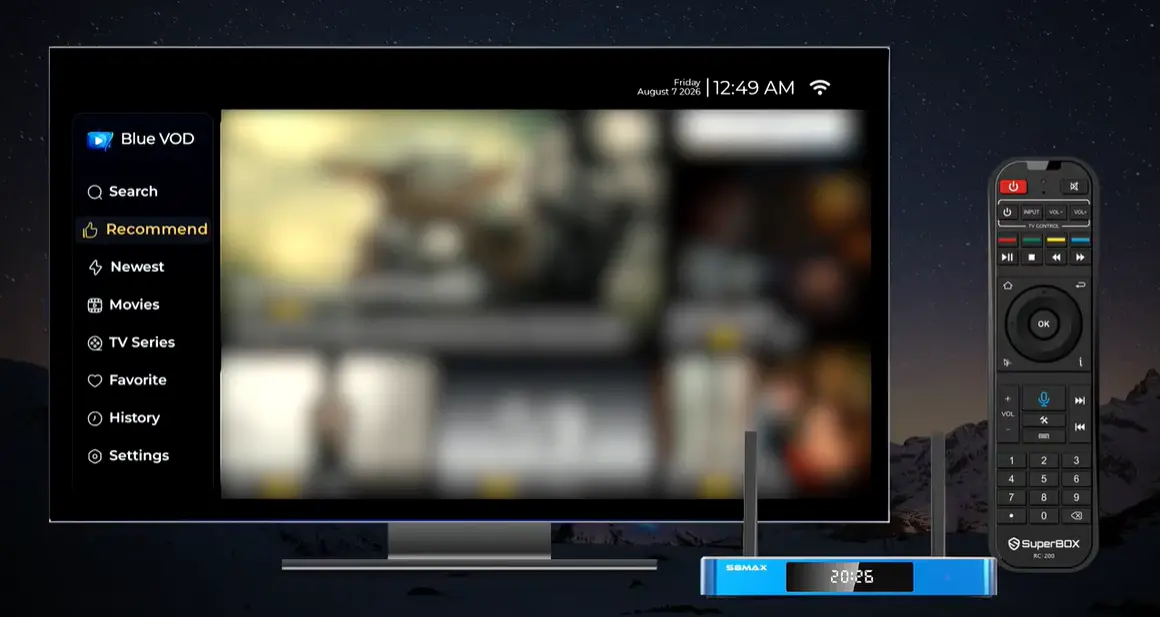
Understanding the Basics: What Makes Blue VOD Different?
When households consider cutting traditional cable cords to reduce monthly utility expenses, they frequently ask how SuperBox organizes its media content. While live broadcast channels require an active real-time transmission, on-demand entertainment allows viewers to start, pause, and finish movies whenever their daily schedule permits.
The fundamental technology powering the platform relies on modern digital video on demand infrastructure. Instead of tuning into a fixed broadcast schedule where you must sit down at an exact hour, Blue VOD retrieves video files hosted on dedicated cloud content distribution networks. The moment you select a title, your SuperBox begins streaming the digital video package over your home internet connection.
Because the software interacts directly with the quad-core hardware processor and Mali-G31 graphics engine inside SuperBox consoles, playback starts swiftly without extensive buffering pauses.
Comparing the SuperBox Trio
Blue TV provides live real-time television feeds, which works best when you want to watch ongoing sports matches or immediate news. The Playback app stores a rolling seven-day buffer of those live broadcasts. In contrast, Blue VOD is a permanent catalog that does not expire after seven days. You can watch an entire series season at your own pace whenever you want.
Step-by-Step Installation
Step 1: Connect SuperBox to High-Speed Internet
Turn on your television and SuperBox console. Navigate to the Network settings menu to verify that your device has an active internet connection through either a high-speed dual-band Wi-Fi network or a direct Cat6 Gigabit Ethernet cable.
Step 2: Open the App Store or App Installer on Home Screen
From the main launcher desktop, use your remote control navigation arrows to locate the App Store or App Installer tile. Click the OK button to open the repository.
Step 3: Locate the Blue VOD Application Icon
Browse through the application directory on your screen until you find the blue film reel tile labeled Blue VOD. This application represents the dedicated video on demand streaming portal for your device.
Step 4: Download and Confirm Installation
Highlight the Blue VOD icon and press the OK button on your remote control to initiate the download process. The system downloads the application package and prompts you to install. Confirm the prompt to let the system unpack and install the software automatically.
Step 5: Launch Blue VOD and Begin Streaming
Return to your home screen where you will now see the Blue VOD tile permanently added to your application lineup. Click the tile to launch the media center, browse through thousands of on-demand movies, and start streaming immediately.
Setting up your home entertainment system should feel straightforward and predictable. By decoupling software installation from the initial factory build, SuperBox preserves device storage hygiene and ensures you always download the newest platform version directly from the repository.
Exploring the Content Catalog
Cinema Library Structure
The movie catalog is structured into intuitive discovery sections that reduce browsing fatigue:
- New Releases: Displays recent cinematic releases alongside major digital premieres.
- Genre Classification: Filters titles across action, thriller, comedy, romance, sci-fi, horror, and family animation.
- 4K Ultra HD Showcase: A dedicated category containing high-bitrate films encoded for 4K displays.
- Classic Decades: Curated collections spanning 1980s retro classics through 2010s blockbuster franchises.
Episodic TV Series Directory
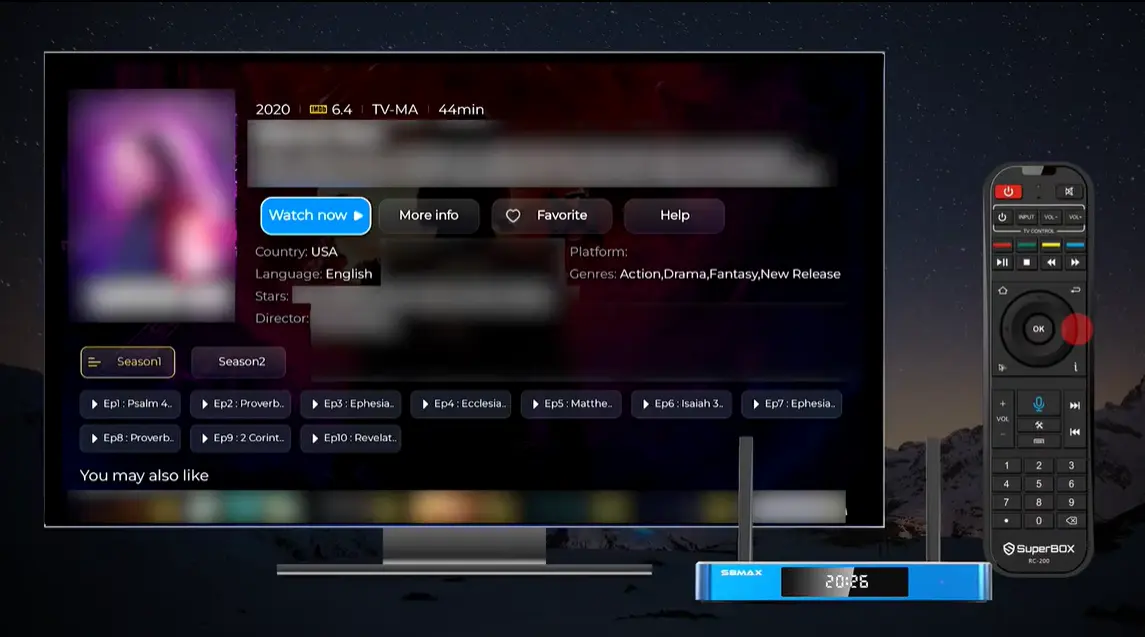
Binge-watching full seasons requires organized episode management. Blue VOD presents television series in structured folders:
- Season Breakdown: Episodes are arranged chronologically from Season 1 through final installments.
- Episode Memory Tracking: Watched episodes display a visual marker so you never lose your spot.
- Auto-Play Progression: When an episode concludes, the player automatically queues the subsequent chapter.
User Experience and Advanced Playback Features
Precision Keyword Search and Voice Commands
Typing movie titles using an on-screen keyboard can feel tedious with a standard directional pad. Blue VOD addresses this in two distinct ways:
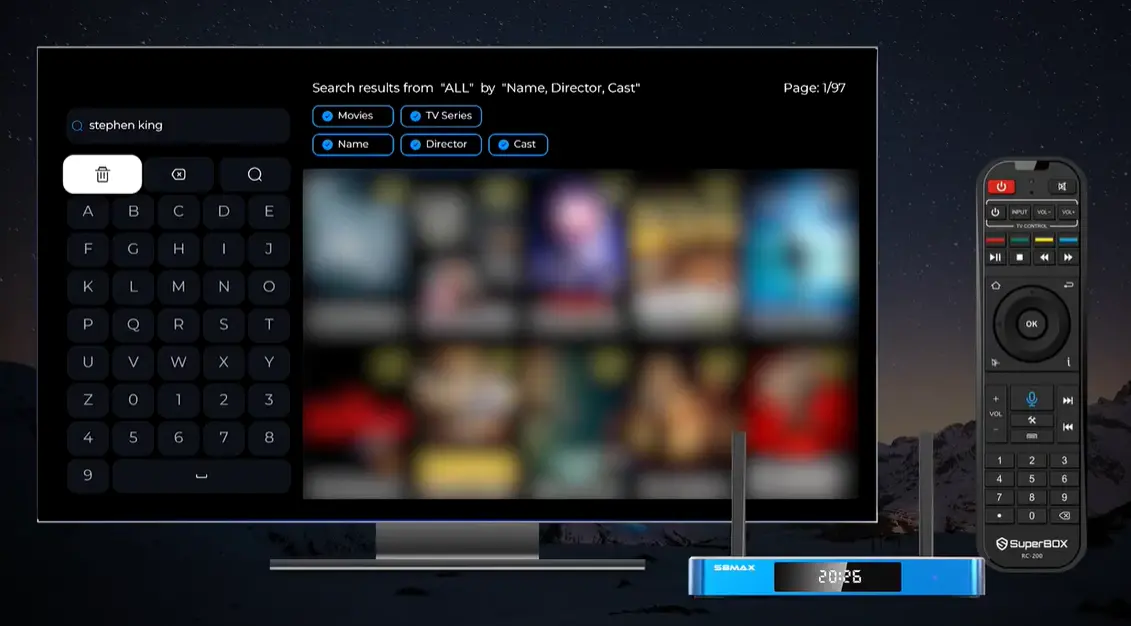
- T9 Predictive Keyboard: Type the first two or three letters of a film title to narrow thousands of entries down to exact matches.
- Smart Voice Remote Integration: If you own a modern SuperBox S8 Ultra, S8 Max, S8 Plus, or S8 Pro, you can hold down the microphone button on your backlit voice remote. Speak the title of an actor, director, or movie, and the system opens the search results automatically.
Subtitle Customization and Audio Tracks
Clear audio and accessible subtitles enhance home viewing for every family member. While watching any title in Blue VOD, pressing the Menu button on your remote reveals audio and caption settings:
- Subtitle Languages: Switch between English, Spanish, French, and additional languages when available.
- Subtitle Time Offset: If captions appear slightly ahead of spoken dialogue, use the time-adjustment slider to synchronize text perfectly down to milliseconds.
- Audio Track Switching: Choose between multi-channel surround sound or stereo audio configurations.
Bookmarking and Custom Favorites
When you discover an engaging film or series that you wish to view later, you do not need to search for it again. Highlight the title and press the Menu button to add it to your personal Favorites folder. The folder is accessible from the top navigation menu, giving you instant access to your curated home watchlist.
Technical Setup Network Optimization and Decoding Modes
Bandwidth and Connection Guidelines
To avoid buffering pauses during high-action movie sequences, align your home network with these baseline recommendations:
- Minimum Speed for 1080p Streaming: 25 Mbps stable download speed.
- Recommended Speed for 4K Ultra HD: 50 Mbps or higher download speed.
- Connection Priority: Whenever practical, connect your SuperBox directly to your router using a Cat6 Gigabit Ethernet cable. Wired connections eliminate wireless interference and latency fluctuations.
- Wireless Best Practices: If using Wi-Fi, connect to the 5 GHz band of a modern router compliant with the Wi-Fi 6 standard. Dual external antennas on SuperBox S8 consoles ensure strong signal reception even through residential walls.
Hardware vs Software Video Decoding
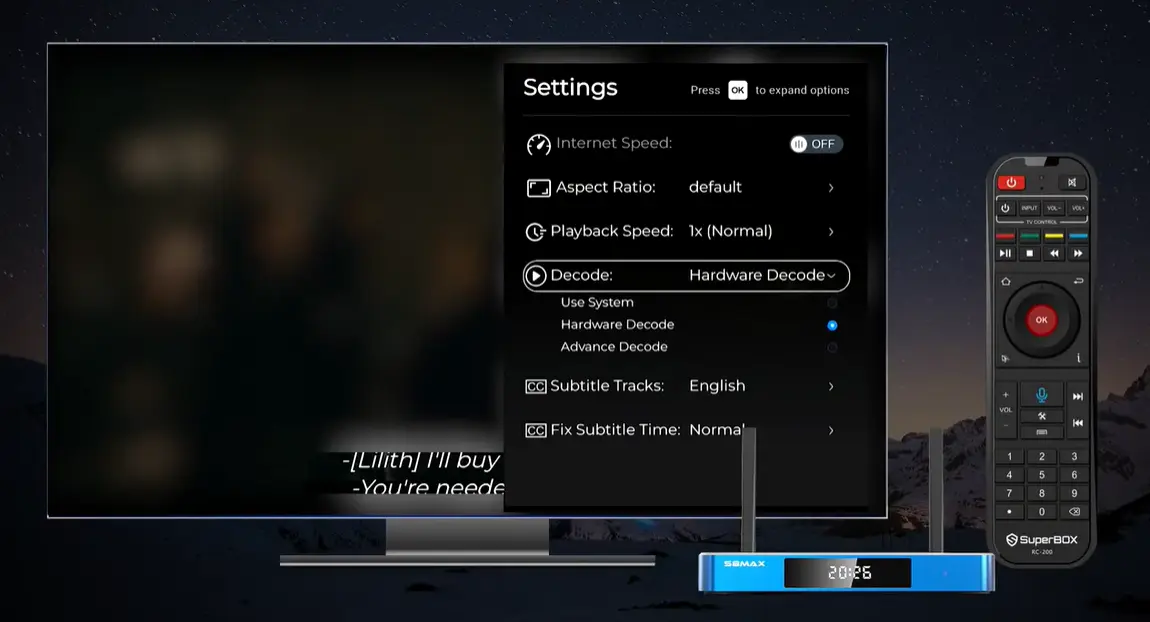
Inside the Blue VOD settings menu, users will notice an option for Video Decoder Mode. Understanding this setting helps you optimize playback performance across different video encodings:
- Hardware Decoding (Recommended): Utilizes the dedicated video processing unit (VPU) embedded within the SuperBox quad-core CPU. This mode produces the smoothest 60fps frame rates while keeping operating temperatures low.
- Software Decoding: Processes video streams through the general system processor. This acts as a reliable fallback if a unique or older file format encounters audio-sync discrepancies under hardware mode.
Troubleshooting Common Blue VOD Symptoms
Routine Maintenance Checklist
Keep your streaming console running smoothly by following this brief maintenance checklist once each month:
- Clear the Blue VOD application cache inside Android Settings to remove accumulated temporary catalog thumbnails.
- Check the App Store utility for version updates to ensure you have the newest streaming player features.
- Reboot your home internet modem and router to clear congested wireless channels.
- Confirm your SuperBox storage has at least 5GB of free space for temporary video buffers.
Frequently Asked Questions
Does Blue VOD require a monthly subscription fee?
No, access to the Blue VOD library is completely subscription-free with zero monthly charges, contracts, or renewal fees.
How often is the Blue VOD movie library updated?
The media catalog updates automatically through cloud servers on a daily basis with newly added cinematic releases and episodic seasons.
Can I download movies to watch offline on Blue VOD?
Blue VOD streams video directly through an active internet connection and does not store full movie downloads locally on the console storage.
What internet speed do I need for buffer-free streaming on Blue VOD?
We recommend a minimum download speed of 25 Mbps for standard 1080p high definition and 50 Mbps or higher for uninterrupted 4K Ultra HD playback.
How do I turn on subtitles while watching a movie?
Press the Menu button on your SuperBox remote control during playback, navigate to Subtitles, and select your preferred language track.
Can I use voice search to find movies in Blue VOD?
Yes, on SuperBox S8 series consoles equipped with the backlit voice remote, holding down the microphone button allows you to search titles by voice.
What should I do if a movie buffers or stutters during playback?
Check your internet speed first, connect via a wired Ethernet cable if practical, or toggle between Hardware and Software decoding in the player settings.
Is Blue VOD available on smartphones or generic streaming sticks?
No, Blue VOD is proprietary software engineered exclusively for authorized SuperBox Android TV hardware decoders.
How do I clear the cache for Blue VOD if it runs slow?
Navigate to Android Settings on your home screen, select Apps, choose Blue VOD, and click Clear Cache to refresh system memory.
Can I resume watching a movie from where I left off?
Yes, Blue VOD includes automatic memory playback that prompts you to resume from your exact timestamp whenever you reopen a title.
Final Thoughts
Blue VOD transforms SuperBox Android TV hardware into a comprehensive, high-definition on-demand theater that eliminates the frustration of rotating streaming subscriptions and costly monthly cable packages. By offering over 18,000 films and thousands of episodic series within an intuitive, remote-friendly interface, it puts total viewing control back in the hands of the consumer.
Whether you enjoy catching up on classic cinema franchises, exploring newly released drama series, or gathering the family for weekend movie nights, Blue VOD delivers a dependable, high-fidelity entertainment hub. When paired with the reliable hardware decoders and Wi-Fi 6 connectivity of the SuperBox S8 series, you enjoy smooth, responsive streaming for years to come.
The article was updated on:
