
Knowledge SuperBox
How to Program Remote SuperBox: TV Learning & Bluetooth Voice Pairing Guide





Modern home theater setups frequently suffer from “remote clutter”—the frustrating experience of juggling three or four separate plastic wands just to power on your television, adjust audio volume on a soundbar, and navigate your media streaming box. SuperBox solves this operational friction by engineering its remote controls with a sophisticated dual-transmission architecture: **Infrared (IR) Learning** for universal TV hardware control and **Bluetooth 5.2 Low Energy (BLE)** for responsive voice search and 360-degree menu navigation. Programming your remote properly unifies your entire entertainment center into a single, seamless handheld controller.
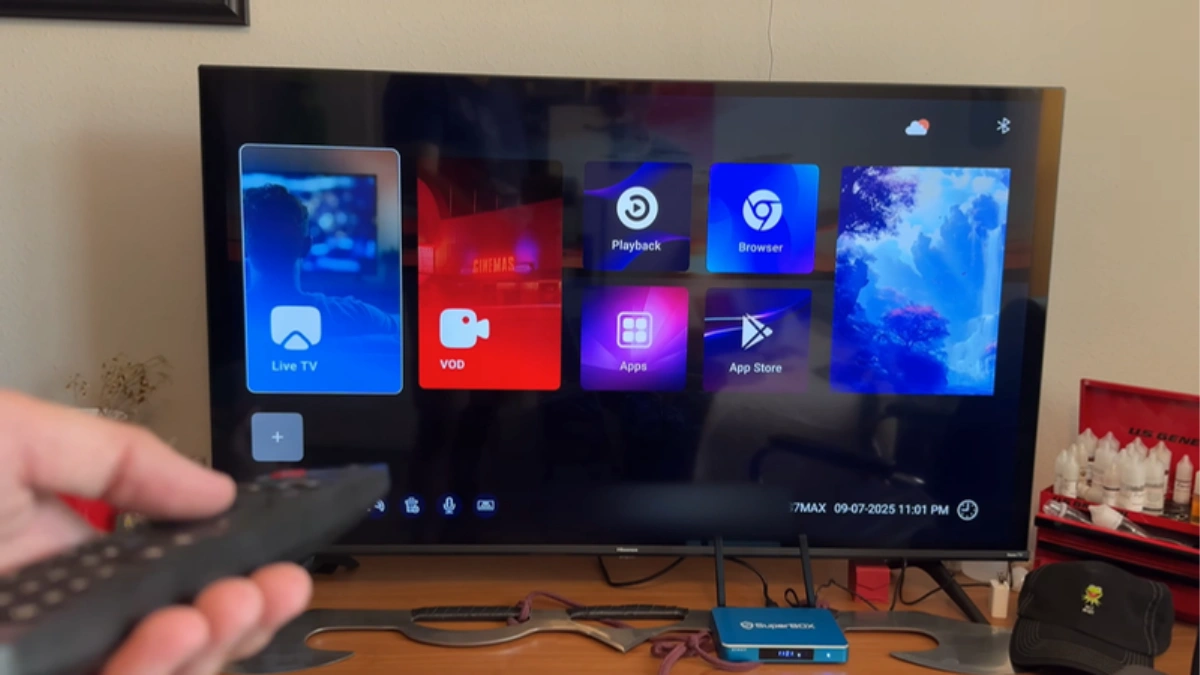
SuperBox Remote Specifications & Generational Matrix
Over successive hardware releases, SuperBox has continuously upgraded remote ergonomics, transmission protocols, and power efficiency. Understanding the exact capabilities of your remote model helps you maximize its features:
| Remote Control Model | Infrared Learning Zone | Bluetooth Standard | Backlit Keys | Voice Recognition | Included With |
|---|---|---|---|---|---|
| Standard SuperBox Voice Remote | 4 Dedicated Keys (Power, Vol+, Vol-, TV) | Bluetooth 5.0 / 5.2 | No | Integrated Google Voice Engine | SuperBox S6 Pro, S6 Max, S6 Ultra ($299.00) |
| RC-200L Backlit Voice Remote | 4 Dedicated Keys (White Outline Zone) | Bluetooth 5.2 Low Energy | Yes (Motion Activated) | Upgraded Omni-Directional Mic | SuperBox S7 Pro ($305.00), S7 Max ($339.00), S7 Ultra ($381.00) |
| SuperBox S8 AI Voice Remote | 4 Dedicated Keys (Universal Clone) | Bluetooth 5.3 Enhanced | Yes (Motion Activated) | Next-Gen AI Semantic Voice Engine | SuperBox S8 Pro, S8 Plus, S8 Max, S8 Ultra ($359.00 – $449.00) |
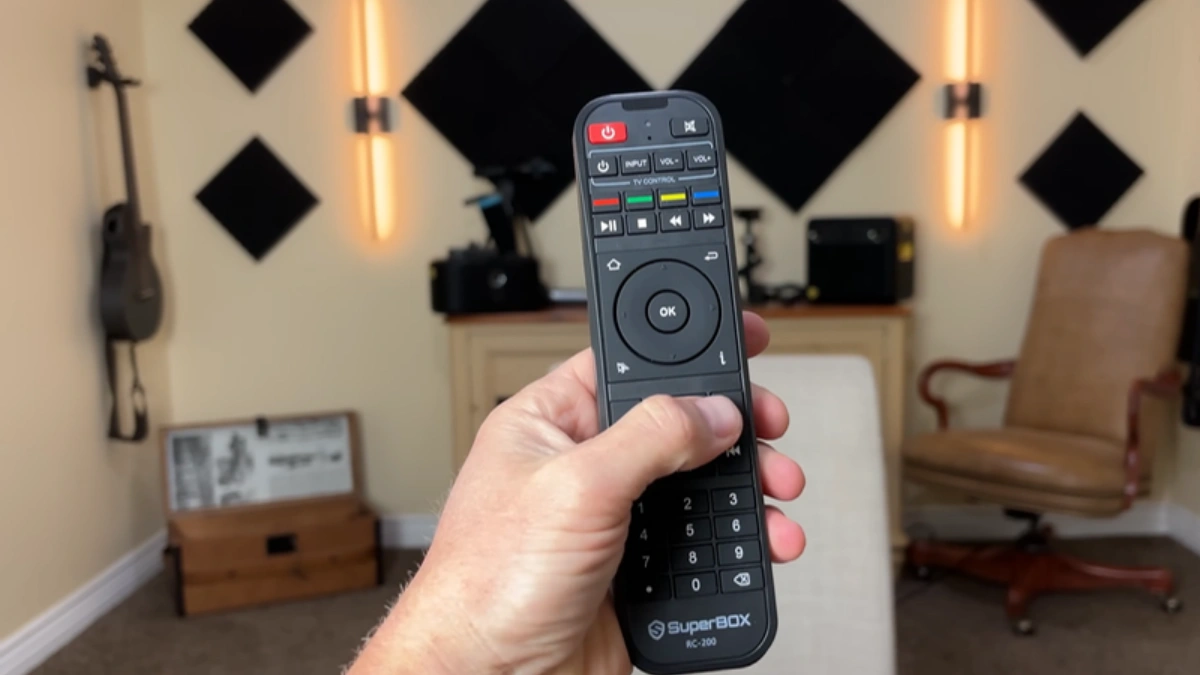
Infrared Learning Mechanics: How Code Cloning Functions
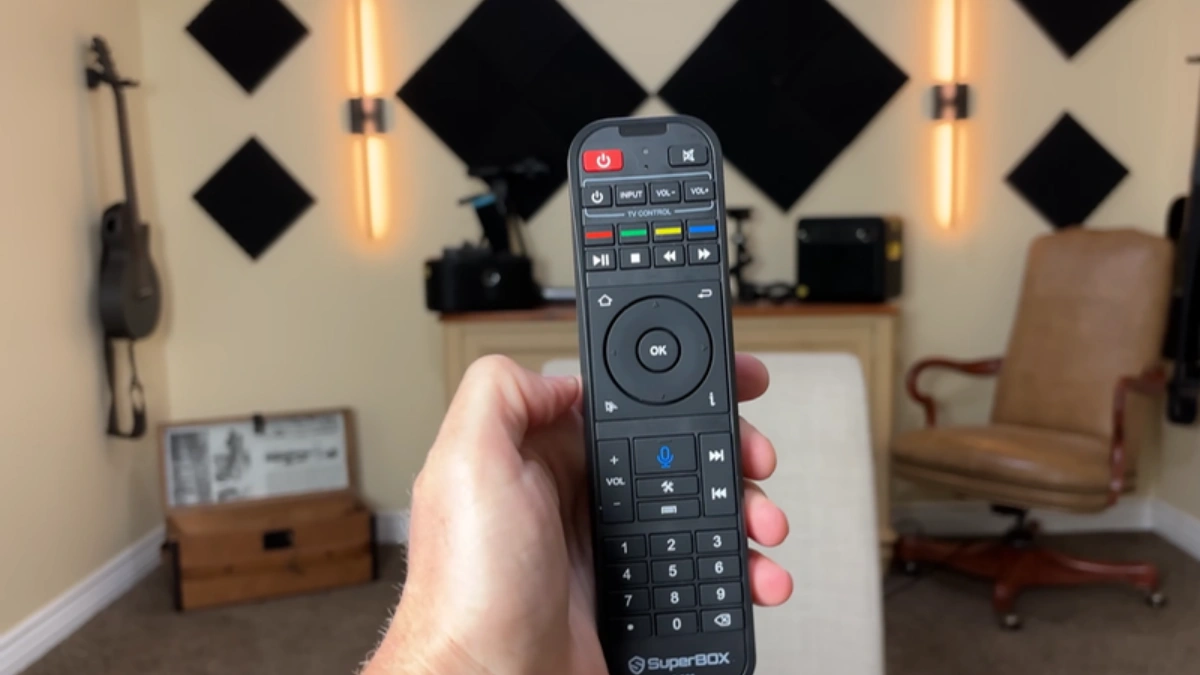
The top section of your SuperBox remote features a distinct “TV Control” cluster bordered by a white or grey outline line. This cluster contains four programmable keys: TV Power, Volume Down, Volume Up, and TV/AV Input. Unlike pre-programmed universal remotes that require searching through lengthy four-digit code booklets, SuperBox utilizes optical pulse-width modulation (PWM) learning.
Inside the tip of the SuperBox remote sits both an infrared LED transmitter and an infrared photodiode receiver. When placed into “Learning Mode,” the receiver listens for carrier frequencies (typically 38 kHz to 56 kHz) transmitted by your original television remote (Samsung, LG, Sony, Vizio, TCL, Hisense). It records the exact timing intervals of the infrared pulse trains, burning the binary hex codes into volatile internal memory. Once programmed, pressing the button broadcasts the identical optical signal as your factory television remote.
| Indicator LED Behavior | Operational Meaning | Diagnostic Condition | Recommended Action |
|---|---|---|---|
| Solid Continuous Red Light | Remote is actively in IR Learning Mode | Ready to receive infrared pulse from TV remote | Press target learning key within 10 seconds |
| Rapid Triple Red Blink | Code successfully captured and saved | Optical hex pulse verified and burned to memory | Proceed to program the next key in the cluster |
| Continuous Slow Flashing | Bluetooth pairing broadcast active | Searching for nearby SuperBox Bluetooth receiver | Hold Mic + OK buttons within 3 feet of TV box |
| No LED Response on Keypress | Dead or improperly seated batteries | Voltage dropped below 2.2V operating threshold | Replace with two fresh alkaline AAA batteries |
HDMI-CEC vs. Infrared Learning: Which Should You Use?
Many modern smart televisions support HDMI-CEC (Consumer Electronics Control), an electronic protocol that passes control signals through the HDMI cable. On Android 12, enabling HDMI-CEC in Settings > Device Preferences > Display & Sound > HDMI-CEC allows your TV to power on automatically when the SuperBox wakes up. However, HDMI-CEC often exhibits compatibility quirks with certain television brands (such as Samsung Anynet+ or LG SimpLink), and it rarely supports input source switching or external audio receiver volume scaling.
The optimal home theater strategy is a hybrid configuration: utilize physical IR Learning for guaranteed television power toggling and audio volume adjustments, while relying on Bluetooth 5.2 for instant, line-of-sight-free SuperBox streaming control.
Acoustic Engineering & Noise Cancellation in the RC-200L Remote
Voice-enabled television navigation frequently suffers from background audio interference. In a lively home theater environment with soundbar dialogue, surrounding conversations, or air conditioning fans, standard microphones struggle to isolate user voice commands. The RC-200L backlit voice remote (standard on S7 Pro $305.00, S7 Max $339.00, S7 Ultra $381.00, and S8 models) incorporates a MEMS digital acoustic microphone coupled with hardware-level noise suppression algorithms.
When the voice button is depressed, the remote activates an acoustic beamforming window that focuses sensitivity directly along a 30-degree forward cone toward the user’s mouth while actively attenuating ambient 360-degree room reverberation. The captured analog audio is immediately digitized at 16-bit / 16 kHz sample rates and transmitted across the encrypted Bluetooth Low Energy channel directly to the Android speech recognition daemon, ensuring near-perfect voice transcription accuracy even at high television volume levels.
Comprehensive Voice Command Syntax for SuperBox Navigation
The integrated voice engine on SuperBox responds to both direct operating system commands and deep semantic media queries. Mastering voice syntax accelerates navigation across thousands of entertainment options:
- Direct App Launching: Press voice button and speak “Open Blue TV”, “Launch Blue VOD”, or “Open YouTube” to bypass launcher menus entirely.
- Direct Channel Surfing: Say “ESPN”, “CNN”, “HBO East”, or “Channel 104” while inside Blue TV to jump immediately to the target broadcast feed.
- Actor & Genre Filtering: In Blue VOD, speak “Tom Cruise movies” or “Action thriller 4K” to populate filtered content carousels automatically.
- System Utilities & Settings: Speak “Open Network Settings”, “Check Storage”, or “Mute volume” for hands-free device management.
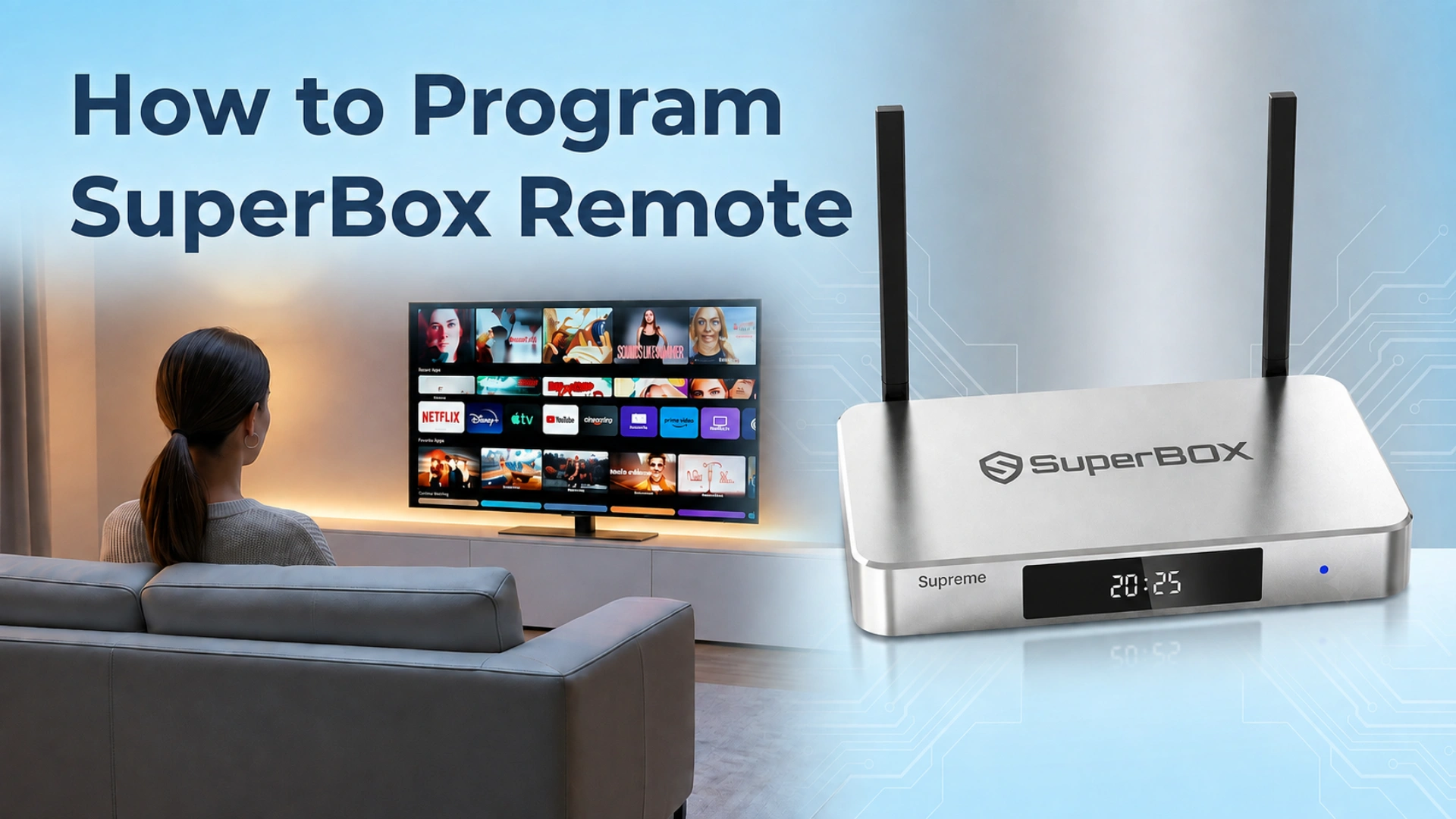
Step-by-Step Guide: How to Program and Pair Your SuperBox Remote
Follow these sequential, verified technical steps to clone your TV remote commands and pair the Bluetooth voice engine.
Step 1: Inspect Batteries and Identify Remote Transmission Mode
Insert two fresh AAA alkaline batteries into the battery compartment on the rear of the remote. Avoid using partially depleted rechargeable batteries during the programming phase, as low voltage can cause infrared code capture corruption. Verify the LED indicator flashes when pressing any button.
Step 2: Enter Infrared Learning Mode
Locate the TV Control zone at the top of the SuperBox remote. Press and hold down the TV Power button (or the dedicated Set / Learn button depending on model) for approximately 5 to 7 seconds. The red LED indicator will transition from a dim blink to a solid, continuous red illumination. This confirms the remote’s photodiode receiver is actively listening for incoming infrared pulses.
Step 3: Align IR Emitters Head-to-Head
Place your SuperBox remote and your original television remote on a flat tabletop facing each other directly head-to-head. Position the front infrared lenses approximately 1 to 2 inches (2.5 to 5 cm) apart. Ensure there are no bright fluorescent lights or direct sunlight shining between the remotes, as ambient optical noise can interfere with hex code transmission.
Step 4: Map Television Power, Volume, and Input Source Commands
Execute the button-by-button cloning procedure systematically:
- On the SuperBox remote, tap the specific key you wish to program (e.g., tap TV Power). The solid red LED will begin flashing slowly, indicating it is ready to receive that specific key’s code.
- On your original TV remote, press and hold the corresponding Power button firmly for 2 to 3 seconds.
- Observe the SuperBox LED indicator. It will flash rapidly three times and return to a solid red light. This confirms the infrared code was successfully captured and stored.
- Repeat this exact process for the remaining keys: tap Volume Up on SuperBox > press Volume Up on TV remote; tap Volume Down > press Volume Down; tap TV/AV Input > press Source/Input.
Step 5: Save and Exit IR Learning Mode
Once all desired keys have been cloned, press any button outside the TV Control zone (such as the OK button or Menu button), or simply wait 10 seconds without pressing anything. The solid red indicator light will turn off completely. Test the cloned keys directly against your television: press TV Power to turn off your TV, and test Volume +/- to confirm smooth audio modulation.
Step 6: Pair Bluetooth Voice Control in Android TV Settings
To enable 360-degree navigation without pointing at the box and activate the integrated microphone for voice search, pair the remote over Bluetooth:
- Turn on your television and boot into the SuperBox Android home screen.
- Navigate to Settings (Gear Icon) > Remotes & Accessories > Add Accessory. The box will begin scanning for nearby Bluetooth devices.
- Hold the SuperBox remote within 3 feet of the TV box. Press and hold down the Voice (Microphone) button and the OK (Center) button simultaneously for 5 to 8 seconds.
- Release the buttons when the red LED begins flashing continuously.
- When “SuperBox Remote” or “RC-200L” appears on your TV screen, select it using your directional keys and press OK to finalize the pairing handshake. The screen will display “Connected.”
Step 7: Calibrate Microphone Sensitivity and Test AI Voice Commands
Once paired over Bluetooth, test the voice engine. Press and hold the Voice button on the remote, speak clearly into the top microphone pinhole (e.g., say *”Open Blue TV”* or *”Search action movies”*), and release the button. The Android speech-to-text daemon will transcribe your query on-screen with near-zero latency, taking you directly to your requested content.
Frequently Asked Questions
1. How do I know if my SuperBox remote is operating via Bluetooth or Infrared?
If you have to point the remote directly at the front glass of the SuperBox for buttons to respond, it is operating in Infrared fallback mode. Once paired over Bluetooth, the remote operates via omnidirectional radio frequencies, meaning you can navigate menus, change channels, and trigger voice search from under a blanket, behind a wall, or pointing the remote in the opposite direction from up to 35 feet away.
2. Why won’t the SuperBox remote learn commands from my Samsung or LG TV remote?
Certain modern “Magic Remotes” or “One Remotes” (particularly on newer Samsung OLED and LG webOS TVs) operate exclusively over Bluetooth or RF radio waves rather than standard infrared optical light. Because the SuperBox learning receiver captures infrared light pulses, it cannot clone RF/Bluetooth signals. The simple solution is borrowing a standard infrared remote for your TV brand (readily available for under $8 online) to clone the codes into your SuperBox remote.
3. Can I use the SuperBox remote to control soundbars or AV audio receivers?
Yes! The TV Control cluster does not care what device the original remote controlled. You can map the SuperBox TV Power button to your television display, and map the Volume Up and Volume Down keys directly to your Sonos, Bose, Yamaha, or Vizio soundbar remote using the identical head-to-head learning procedure.
4. How do I unpair or reset my SuperBox remote to factory defaults?
To reset the remote and wipe stored IR codes and Bluetooth pairings, remove both AAA batteries. Hold down the Power button for 10 seconds while the batteries are out to discharge internal capacitors. Reinsert the batteries while holding down the OK and Home buttons simultaneously for 5 seconds until the LED flashes red three times.
5. What should I do if the voice search button says “Microphone Not Recognized”?
This message occurs when the remote is communicating via infrared rather than an active Bluetooth link. Enter Android Settings > Remotes & Accessories, verify that the remote shows as “Connected.” If it shows “Disconnected,” remove the pairing profile and repeat the Bluetooth pairing procedure in Step 6.
6. Does the RC-200L backlit remote work on older SuperBox S6 and S5 TV boxes?
Yes. The RC-200L backlit voice remote is fully backward-compatible across older SuperBox S6, S5, and S4 models. Because it utilizes standard Android TV Bluetooth HID profiles, you can purchase an RC-200L remote separately to upgrade an older box with backlit keys and improved voice recognition.
7. How long do batteries last in the RC-200L backlit voice remote?
Under typical household streaming usage (3 to 5 hours daily), a set of high-quality alkaline AAA batteries lasts between 6 and 9 months in the RC-200L remote. The remote incorporates internal gyroscopes that only illuminate the LEDs when movement is detected, automatically powering down key lights after 3 seconds of inactivity to conserve power.
8. Can I pair a wireless mini keyboard or air mouse alongside the SuperBox remote?
Yes. The Android operating system on SuperBox supports multiple simultaneous Bluetooth and 2.4GHz USB wireless peripherals. You can keep your primary SuperBox remote connected over Bluetooth while simultaneously plugging in a mini wireless keyboard dongle for typing long passwords or URLs.
9. Why does my SuperBox remote occasionally disconnect or lag after sleep mode?
When the SuperBox enters deep sleep, Bluetooth radios enter a low-power standby mode. In rare cases, aggressive Android battery-saver settings can delay Bluetooth wake-up. Go to Settings > Device Preferences > Power and disable “Deep Sleep” or enable “Keep Bluetooth active during standby” to ensure instant wake-up responses.
10. What is the operational range of the Bluetooth voice connection compared to IR?
Standard infrared requires direct line-of-sight and typically tops out at 15 to 20 feet. In contrast, the Bluetooth 5.2 link in SuperBox remotes operates reliably up to 35 to 45 feet through drywall, cabinet doors, and living room furniture with zero line-of-sight restrictions.
The article was updated on:
