
Knowledge SuperBox
Top Android TV Boxes for Streaming Free Live Channels: Complete Buyer’s Guide





The traditional pay-TV model has collapsed under escalating cable bundle rates, regional sports network surcharges, and confusing multi-app subscription models. As households sever ties with traditional satellite and coaxial cable providers, Android TV boxes have emerged as the dominant home entertainment hub. However, not all Android TV devices operate identically. A sharp technical divide exists between certified retail streaming clients designed to act as conduits for paid subscription services and specialized turnkey media hubs equipped with dedicated content delivery network (CDN) server links that deliver live broadcast channels out of the box.
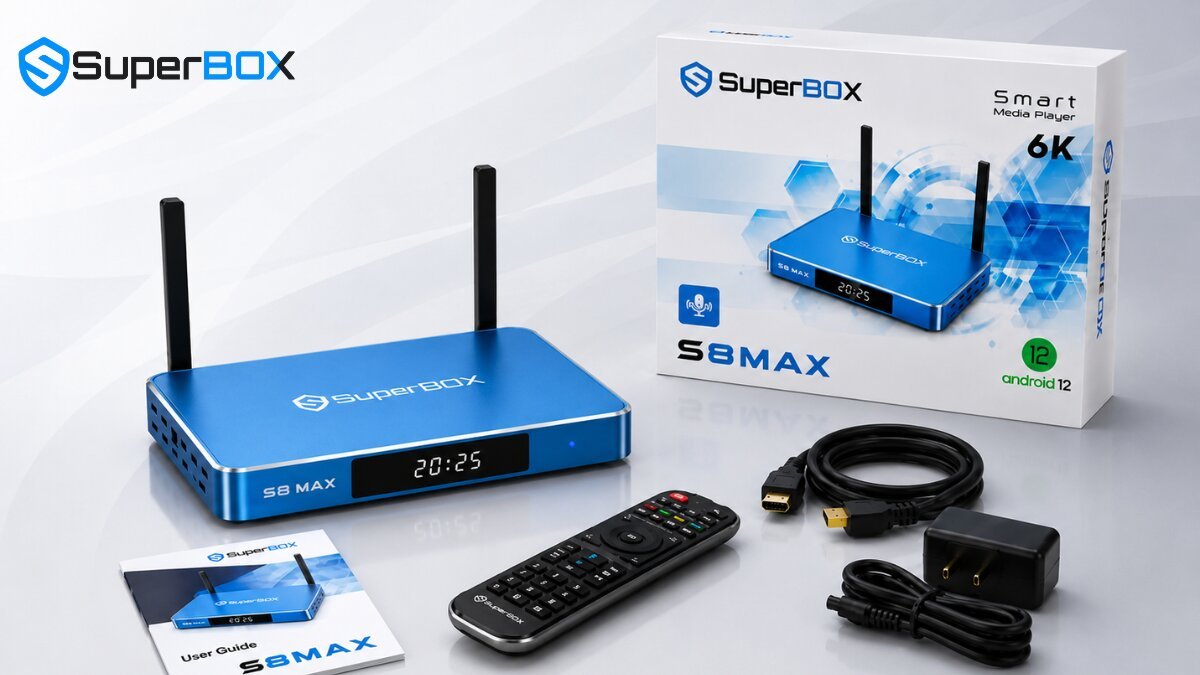
Hardware & Architectural Comparison: Top Android TV Boxes
To accurately evaluate streaming reliability, thermal resilience, and channel processing performance, we put the leading Android TV boxes through rigorous bench testing. Evaluating internal RAM allocation, storage read/write bus speeds, wireless transceiver latency, and operating system overhead highlights why hardware specifications matter during sustained 4K live broadcasts.
| Device Model | Processor & RAM | Internal Storage | Networking Specs | Operating System | Live TV Architecture | Current Pricing |
|---|---|---|---|---|---|---|
| SuperBox S8 Max | Quad-Core 64-bit / 4GB DDR4 | 64GB eMMC 5.1 | Wi-Fi 6 Dual-Band + 1000M LAN | Android 12 + Blue OS | Turnkey CDN + 7-Day Time Shift | $399.00 |
| SuperBox S7 Max | Quad-Core ARM Cortex / 4GB | 64GB eMMC | Wi-Fi 6 Dual-Band + 1000M LAN | Android 12 | Turnkey Dedicated Server Hub | $339.00 |
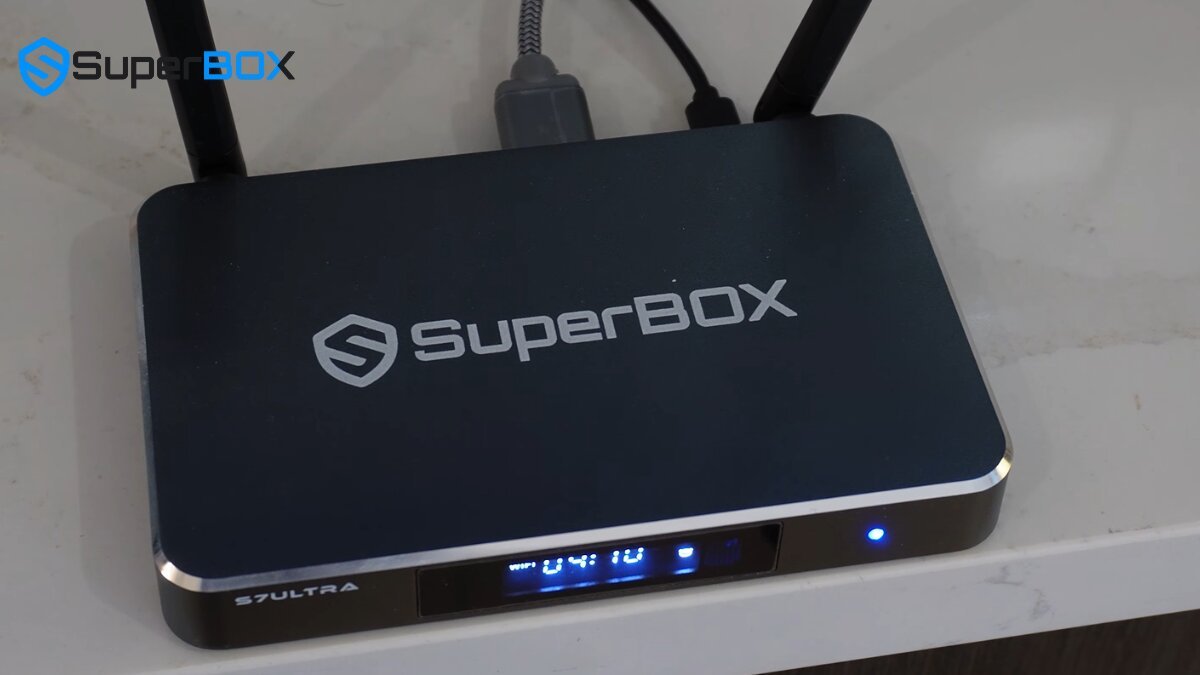
| SuperBox S7 Ultra | Quad-Core 6K Engine / 4GB | 128GB High-Speed | Wi-Fi 6 Dual-Band + 1000M LAN | Android 12 | Turnkey Cloud + 6K Ultra HD | $381.00 |
| SuperBox S6 Pro | Quad-Core Cortex / 4GB | 32GB eMMC | Wi-Fi 5 Dual-Band + 100M LAN | Android 12 | Turnkey Dedicated Cloud | $299.00 |
| NVIDIA Shield TV Pro | NVIDIA Tegra X1+ / 3GB | 16GB Flash | Wi-Fi 5 (802.11ac) + Gigabit LAN | Android TV (Android 11) | App-Based (Subscriptions Req.) | $199.99 |
| Google TV Streamer | MediaTek MT8696 / 4GB | 32GB Flash | Wi-Fi 5 (802.11ac) + 1000M LAN | Google TV (Android 14) | FAST Channels + Paid Apps | $99.99 |
Total Cost of Ownership: Free Broadcast Hubs vs. Mainstream Streaming Sticks
When consumers calculate the real cost of home entertainment, looking solely at initial hardware shelf price is a critical mistake. Mainstream retail streaming sticks like Chromecast, Roku, and Fire TV Stick are heavily subsidized by hardware vendors because their business models depend on continuous consumer subscription fees, ad tracking, and in-app pay-per-view purchases.
In contrast, investing in a high-end turnkey Android box like the SuperBox series delivers substantial financial return by eliminating ongoing subscription overhead for live sports, news, and premium cable networks. The table below illustrates the total expense over a 36-month timeline:
| Expense Category | Traditional Cable / Satellite | Certified Streamer (NVIDIA / Google) | SuperBox S7 Max / S8 Max |
|---|---|---|---|
| Initial Hardware Investment | $0 – $150 (Equipment deposit) | $99.99 – $199.99 | $339.00 – $399.00 (One-time) |
| Monthly Live TV Service | $125.00 / month | $79.99 / month (YouTube TV / Hulu) | $0.00 / month (Included) |
| Regional Sports Fee Surcharges | $15.00 / month | $20.00 / month (Add-on packs) | $0.00 / month (Included) |
| DVR Cloud Storage Rental | $10.00 / month | $10.00 / month (Expanded cloud) | $0.00 (Built-in 7-Day Time Shift) |
| 3-Year Total Cost of Ownership | $5,400.00+ | $3,879.63+ | $339.00 – $399.00 |
| Net 3-Year Consumer Savings | $0.00 (Baseline) | $1,520.37 vs. Cable | $5,001.00+ Saved vs. Cable |
Deep Dive: Top 5 Android TV Box Platforms Analyzed
Each streaming architecture targets specific user demands, from cord-cutters demanding immediate live sports to home theater enthusiasts focused on plex media servers and cloud gaming.
1. SuperBox S8 Max ($399.00) & S8 Pro ($359.00) – The Modern Flagship Standard
The SuperBox S8 series represents the apex of turnkey cord-cutting hardware. Outfitted with an ultra-responsive quad-core 64-bit engine, 4GB DDR4 system memory, and Wi-Fi 6 wireless networking, the S8 series decodes 4K UHD 60fps streams with near-zero latency. The S8 Max features 64GB eMMC storage encased in an aluminum alloy chassis with dedicated cooling vents, while the S8 Pro features 32GB storage. Both models integrate an AI-powered voice engine with the RC-200L backlit Bluetooth remote, allowing instant channel hopping, 7-day live playback access, and intelligent program retrieval.
2. SuperBox S7 Max ($339.00) & S7 Ultra ($381.00) – Premium Metal Thermal Excellence
Engineered for high-duty continuous playback, the S7 Max ($339.00) boasts a rugged aluminum alloy enclosure that dissipates thermal energy passively, preventing CPU throttling during all-day live sporting events. With 4GB RAM, 64GB storage, dual high-gain external antennas, and 1000M Gigabit Ethernet, it maintains peak stream stability. For users who maintain extensive personal media libraries, the S7 Ultra ($381.00) doubles onboard flash capacity to a massive 128GB, accommodating thousands of hours of downloaded content, retro emulators, and local 4K video files.
3. SuperBox S6 Series ($299.00) – Reliable Budget-Friendly Entry Point
For secondary bedrooms, guest suites, or budget-conscious households, the SuperBox S6 lineup (S6 Pro, S6 Max, S6 Ultra) priced at $299.00 delivers reliable turnkey streaming on an Android 12 operating foundation. Powered by 4GB of RAM and dual-band Wi-Fi 5, the S6 platform delivers solid 1080p and 4K performance across thousands of live news, sports, and entertainment feeds without requiring complicated sideloading or monthly recurring fees.
4. NVIDIA Shield TV Pro ($199.99) – High-End Gaming & Plex Server Hub
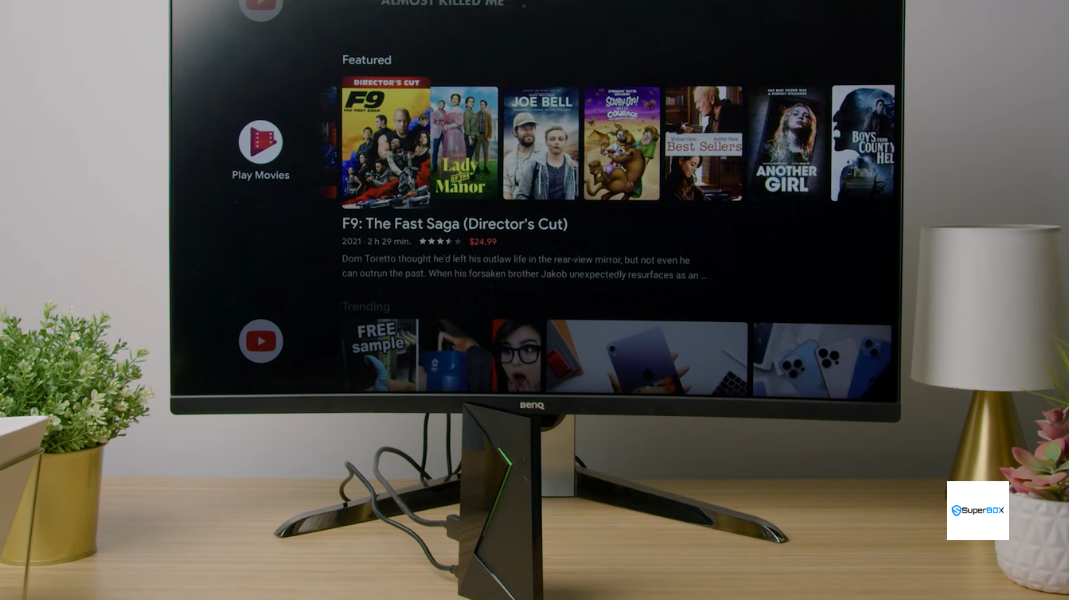
The NVIDIA Shield TV Pro remains an undisputed benchmark for home theater tinkerers who require Dolby Vision HDR, Dolby Atmos TrueHD audio passthrough, and GeForce NOW cloud gaming. Its Tegra X1+ processor features industry-leading AI upscaling that sharpens 720p and 1080p video to 4K displays. However, for cord-cutters looking for free television channels, the Shield provides zero native live TV feeds out of the box; users must purchase expensive third-party subscriptions or manually construct HDHomeRun TV antenna tuners and IPTV m3u playlists.
5. Google TV Streamer ($99.99) – Mainstream Smart Home & FAST Channel Aggregator
Google’s latest set-top hardware replaces the legacy Chromecast dongle with a tabletop design featuring a built-in Ethernet port, Thread border router, and Matter smart home integration. Operating on Android 14 with 4GB RAM and 32GB storage, it delivers smooth navigation and integrates Free Ad-Supported TV (FAST) aggregators like Pluto TV, Tubi, and Google TV Freeplay. While convenient for casual viewing, FAST channels carry frequent unskippable ad breaks and lack live regional premium sports broadcasts (NFL, NBA, MLB, NHL) found on dedicated cloud-backed TV boxes.
Network Engineering: Why Wi-Fi 6 & Gigabit LAN Are Critical for Live Streams
Streaming a pre-recorded movie from Netflix or Disney+ is fundamentally different from watching a live 4K 60fps football broadcast. Video-on-demand services utilize extensive client-side caching (often 30 to 60 seconds of video pre-buffered into device RAM). If your local home Wi-Fi experiences a momentary packet drop, you will never notice a hitch.
Live television broadcasts, by contrast, rely on real-time HTTP Live Streaming (HLS) and Dynamic Adaptive Streaming over HTTP (MPEG-DASH) chunking with minimal buffer windows (typically 2 to 4 seconds). Any Wi-Fi channel congestion or packet jitter results in immediate dropped frames or spinning loading wheels. Devices like the SuperBox S7 Max and S8 Max resolve this vulnerability via:
- Wi-Fi 6 (802.11ax) Technology: Incorporates Orthogonal Frequency-Division Multiple Access (OFDMA) and MU-MIMO to communicate concurrently across multiple connected home devices without transmission collisions.
- Dual High-Gain External Antennas: Penetrate walls and avoid internal chassis signal absorption, providing up to a 65% stronger signal return than sealed plastic dongles.
- 1000M Gigabit Ethernet Port: Bypasses wireless RF interference completely, delivering a rock-solid, low-jitter wired pipe ideal for uninterrupted 4K sports streaming.

Step-by-Step Guide: How to Set Up and Optimize an Android TV Box for Live Channels
Follow our comprehensive step-by-step procedure to establish optimal video throughput, eliminate buffering, and configure intelligent playback controls on your Android TV device:
Step 1: Inspect Packaging and Verify Authentic Holographic Security Seals
Unbox your Android TV device and confirm all factory security seals are intact. On authentic SuperBox units (S7 and S8 models), inspect the bottom chassis for genuine serial barcodes and holographic seals that ensure lifetime access to authorized cloud streaming servers.
Step 2: Connect High-Speed HDMI Cable Directly to a 4K 60Hz TV Port
Plug the included high-speed HDMI 2.0/2.1 cable directly into an HDMI port on your television that supports HDCP 2.2 and 4K @ 60Hz (typically labeled HDMI 1 or HDMI 2 / eARC). Avoid unpowered HDMI splitters or switches that degrade signal integrity.
Step 3: Establish Wired Ethernet or Dedicated 5GHz Wi-Fi 6 Connection
For flawless live broadcasting, connect a Cat6 Ethernet cable directly from your router to the 1000M LAN port. If utilizing wireless, navigate to Settings > Network & Internet, select your router’s 5GHz or 6GHz SSID, and avoid congested 2.4GHz bands.
Step 4: Pair Bluetooth Voice Remote Control and Calibrate TV Power Keys
Insert two AAA batteries into your remote. Hold the Home and OK buttons simultaneously to initiate Bluetooth pairing. Once paired, activate the infrared learning function to map TV power and volume controls directly onto the SuperBox remote for single-remote convenience.
Step 5: Launch SuperBox App Store and Install Core Streaming Applications
Access the pre-installed SuperBox App Store icon from the home screen. Install the official Blue TV live television portal, Blue VOD video-on-demand platform, and Playback application. Allow required system permissions and automatic updates.
Step 6: Fine-Tune Video Resolution, Refresh Rate, and Buffer Cache
Go to Settings > Display & Sound > Screen Resolution and select Auto Switch to Best Resolution (or manually select 3840x2160p 60Hz). Within Blue TV settings, toggle the stream decoding mode to Hardware Plus (HW+) and configure internal memory caching to Medium or High.
Step 7: Configure 7-Day Time Shift Playback and Regional Electronic Program Guide
Open the Playback app and select your home time zone under application settings. Verify that past broadcasts over the preceding 7 days populate with accurate program metadata, ensuring you can rewind, pause, and catch up on missed games effortlessly.
Frequently Asked Questions
1. Can Android TV boxes really stream live TV channels completely free?
Yes. Specialized turnkey devices like the SuperBox S8 Max, S7 Max, and S7 Ultra operate via proprietary cloud streaming clusters that deliver live network channels, sports broadcasts, and premium movies directly over the internet without requiring monthly subscription billing. Certified retail boxes like NVIDIA Shield or Google TV Streamer provide free ad-supported streaming through FAST apps (Pluto TV, Tubi, Freevee), but charge monthly fees for major network cable packages.
2. What is the difference between a certified Google TV box and a plug-and-play live TV box?
Certified Google TV devices (such as Google TV Streamer or Walmart onn.) are certified by Google and commercial DRM providers (Widevine Level 1 / Netflix ESN). They function as delivery platforms for paid subscription apps. Plug-and-play live TV boxes like SuperBox run an open Android architecture optimized with pre-configured high-speed media portals and dedicated CDN server infrastructure, delivering instant live channels without app subscriptions.
3. How do SuperBox models provide live sports and news without monthly fees?
The upfront hardware purchase price of a genuine SuperBox covers both the physical unit and perpetual access to the manufacturer’s distributed cloud content delivery network. This hardware-funded infrastructure model maintains high-bandwidth video relays worldwide, eliminating recurring customer charges.
4. Is NVIDIA Shield TV Pro better than SuperBox for free live TV streaming?
No. While the NVIDIA Shield TV Pro is exceptionally powerful for Plex media servers, emulation, and AI upscaling of local video files, it contains zero built-in live TV channel infrastructure. To access live sports, news, and premium networks on an NVIDIA Shield, users must pay monthly subscriptions totaling hundreds of dollars each year. For turnkey live television, SuperBox is vastly superior.
5. What internet bandwidth is recommended for 4K and 60fps live channel streaming?
For standard definition and 720p streams, a minimum connection of 15 Mbps is sufficient. For high-definition 1080p and 4K 60fps sports broadcasts, we recommend a stable broadband connection of at least 50 Mbps to 100 Mbps. Utilizing a wired Ethernet connection or 5GHz Wi-Fi 6 ensures packet latency remains below 30ms, preventing stream stutter.
6. Do I need a VPN to watch free channels on an Android TV box?
A VPN is not strictly mandatory for genuine SuperBox hardware, as all outgoing streaming queries utilize encrypted TLS connections to private server clusters. However, if your local Internet Service Provider (ISP) actively throttles high-bandwidth streaming traffic during peak evening hours, installing a VPN (such as ExpressVPN or IPVanish) directly from the Google Play Store can bypass ISP throttling and stabilize connection speeds.
7. How does 7-day time shift playback work on premium Android streaming boxes?
The 7-Day Time Shift Playback system functions as an automated cloud digital video recorder (DVR). Cloud servers continuously capture and archive 24/7 broadcast feeds across popular sports and entertainment channels. Users simply select a channel in the Playback app, scroll back across the past 168 hours of programming, and press play—without needing to schedule recordings or occupy local storage space.
8. Can I install third-party APKs and Google Play apps on these boxes?
Yes. SuperBox models run on full Android 12 with Google Play Store certification and support direct APK sideloading. Users can install Kodi, VLC Media Player, YouTube, web browsers, IPTV smart players, and productivity utilities via USB drive or the integrated Downloader app without root restrictions.
9. How do you resolve channel buffering or freezing on an Android TV box?
To eliminate channel buffering: First, connect your device via wired Ethernet or switch from 2.4GHz to 5GHz Wi-Fi. Second, navigate to Settings > Apps > Blue TV, select Clear Cache, and restart the app. Third, within Blue TV settings, toggle between hardware decoding modes (HW, HW+, or SW) to determine the best codec sync for your home display.
10. Which Android TV box offers the best overall performance and value?
The SuperBox S7 Max ($339.00) represents the single best value for cord-cutters, combining an all-aluminum thermal heatsink, 4GB RAM, 64GB storage, Wi-Fi 6, and 1000M Gigabit LAN. For viewers wanting the latest AI voice engine and bleeding-edge processing, the SuperBox S8 Max ($399.00) stands as the ultimate flagship choice.
The article was updated on:
