
Knowledge SuperBox
Best TV for Airbnb in 2026: Complete Host Buying and Setup Guide





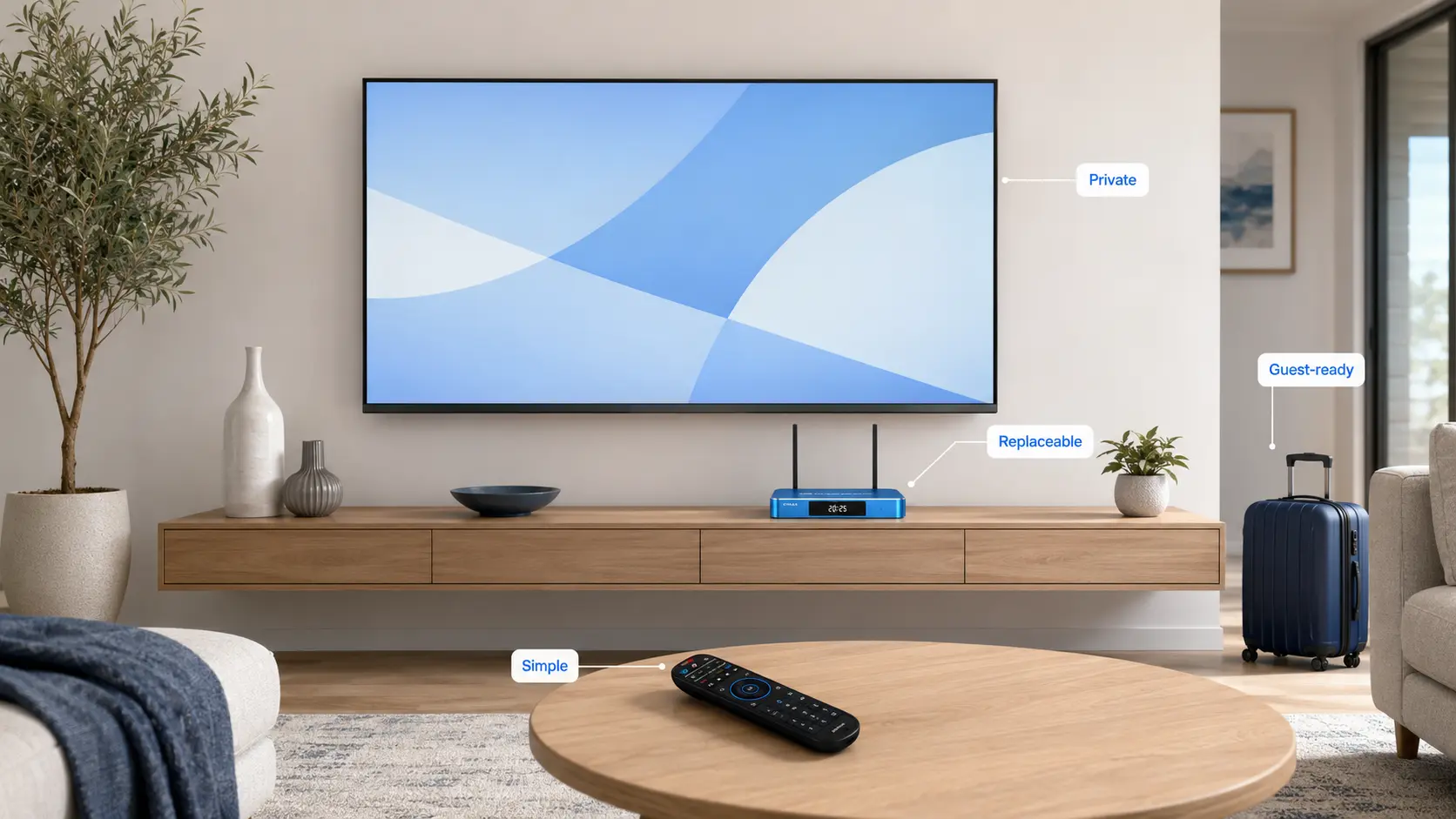
The best TV for an Airbnb is not automatically the television with the brightest panel, the most advanced processor, or the longest feature list. In a short-term rental, the best TV is the one guests can use without calling the host.
It should turn on to the correct input, respond to a clearly labeled remote, provide straightforward access to entertainment, and make it easy to remove guest account information after checkout. It also needs to survive frequent turnover without becoming expensive or difficult to replace.
That changes the buying decision. Picture quality still matters, but simplicity, privacy, durability, remote management, and replacement cost matter just as much.
This guide compares the best TV choices for Airbnb properties in 2026, explains how to select the right screen size and smart platform, and provides a complete setup checklist for hosts managing one rental or an entire portfolio.
Quick answer: For most Airbnb living rooms, choose a reliable 55- or 65-inch 4K LED TV with at least three HDMI inputs, simple input switching, parental or purchase controls, and a widely supported smart platform. Roku TV is particularly useful when host-managed Guest Mode is the priority. A basic or mid-range 4K display paired with a dedicated streaming device such as SuperBox is often the better choice when you want the same interface across different TV brands and the ability to replace the streaming hardware independently.
Best Airbnb TVs at a Glance
| Host scenario | Recommended TV or setup | Why it fits | Main trade-off |
|---|---|---|---|
| Best overall for most rentals | 55- or 65-inch LG NU85 4K Nano TV (2026) | Current webOS platform, broad size range, 4K upscaling, familiar brand support | Guest credentials still require a checkout process unless an external guest-mode device is used |
| Best for automatic guest sign-out | Roku TV or a reliable 4K TV paired with Roku | Roku Guest Mode supports automatic account removal on the selected checkout date | Guests need their own subscriptions; feature availability varies by country |
| Best for a bright living room | TCL QM6K QD-Mini LED Google TV | High-brightness Mini-LED design, 4K resolution, four HDMI inputs | More TV performance than a basic rental may need |
| Best for a design-led luxury listing | Samsung The Frame LS03HE (2026) | Art Mode, glare-free QLED panel, wall-oriented design | Premium purchase price and optional art-related costs |
| Best for bedrooms or budget portfolios | 32- to 43-inch mainstream LED/Roku TV | Lower replacement cost and a size that suits smaller rooms | Smaller display and more basic picture quality |
| Best for multi-property consistency | Mid-range 4K TV plus the same external streaming device in every unit | Standardized interface; TV and streaming hardware can be replaced separately | One additional device, power cable, and remote to manage |
There is no single winner for every property. A studio apartment, a five-bedroom vacation home, and a luxury urban rental have different viewing distances, guest expectations, and replacement economics.
What Makes a TV Good for an Airbnb?
A consumer television review normally focuses on contrast, color accuracy, gaming performance, and movie quality. An Airbnb host needs a different scorecard.
1. Guests Must Understand It Immediately
The interface should be clear enough for a tired traveler to use without a manual. A dedicated Home button, obvious volume controls, fast input switching, and a responsive remote are more valuable than advanced settings buried inside multiple menus.
If the setup requires one remote to power the TV, another to change inputs, and a third to control streaming, support requests are almost inevitable. The ideal setup uses one main remote or labels the limited controls guests actually need.
2. Guest Accounts Must Be Protected
Travelers often sign into Netflix, Prime Video, YouTube, sports apps, or other services with their own accounts. If they forget to sign out, the next guest may see viewing history or access the previous guest’s account.
This is where Roku Guest Mode has a genuine operational advantage. According to Roku’s current Guest Mode instructions, guests can use their own subscriptions, choose a checkout date, and have their credentials and added apps removed automatically. Hosts can also sign a guest out remotely. Availability varies by country, so verify it where the property is located.
Other platforms can still work well, but the host needs a documented checkout procedure for signing out of apps, clearing credentials, and returning the television to the correct home screen.
3. The TV Must Be Easy to Reset Without Erasing Everything
Guests may change picture settings, language, captions, Wi-Fi, inputs, or accessibility options. Hosts should be able to restore the normal configuration quickly without performing a full factory reset after every stay.
Before purchasing several TVs, test whether you can:
- Return to the preferred HDMI input easily.
- Disable unauthorized purchases with a PIN.
- Prevent or discourage major setting changes.
- Sign out of guest accounts without deleting the whole setup.
- Reconnect the remote quickly.
- Restore picture and audio settings without factory-resetting the television.
4. Replacement Cost Matters More Than Luxury Specifications
A rental television may be used by hundreds of different guests. Remotes disappear, screens get touched, cables are unplugged, and settings are changed. For most properties, a dependable mid-range LED television offers a better ownership balance than an expensive OLED.
Premium picture technology makes sense when the television is part of the listing’s design or supports a high nightly rate. Otherwise, spend first on the correct screen size, secure mounting, stable Wi-Fi, cable management, and a simple guest interface.
5. Connectivity Must Be Practical
Look for:
- At least three HDMI ports if you may add a streaming box, soundbar, or game console.
- HDMI-CEC support for compatible one-remote control.
- Ethernet when a wired connection is possible.
- Dual-band Wi-Fi.
- An easily accessible USB port for maintenance or local media.
- eARC or ARC if the property uses a soundbar.
For an external streaming device, reserve one HDMI port and one nearby power outlet. Confirm that the wall mount does not block the ports.
What TV Size Is Best for an Airbnb?
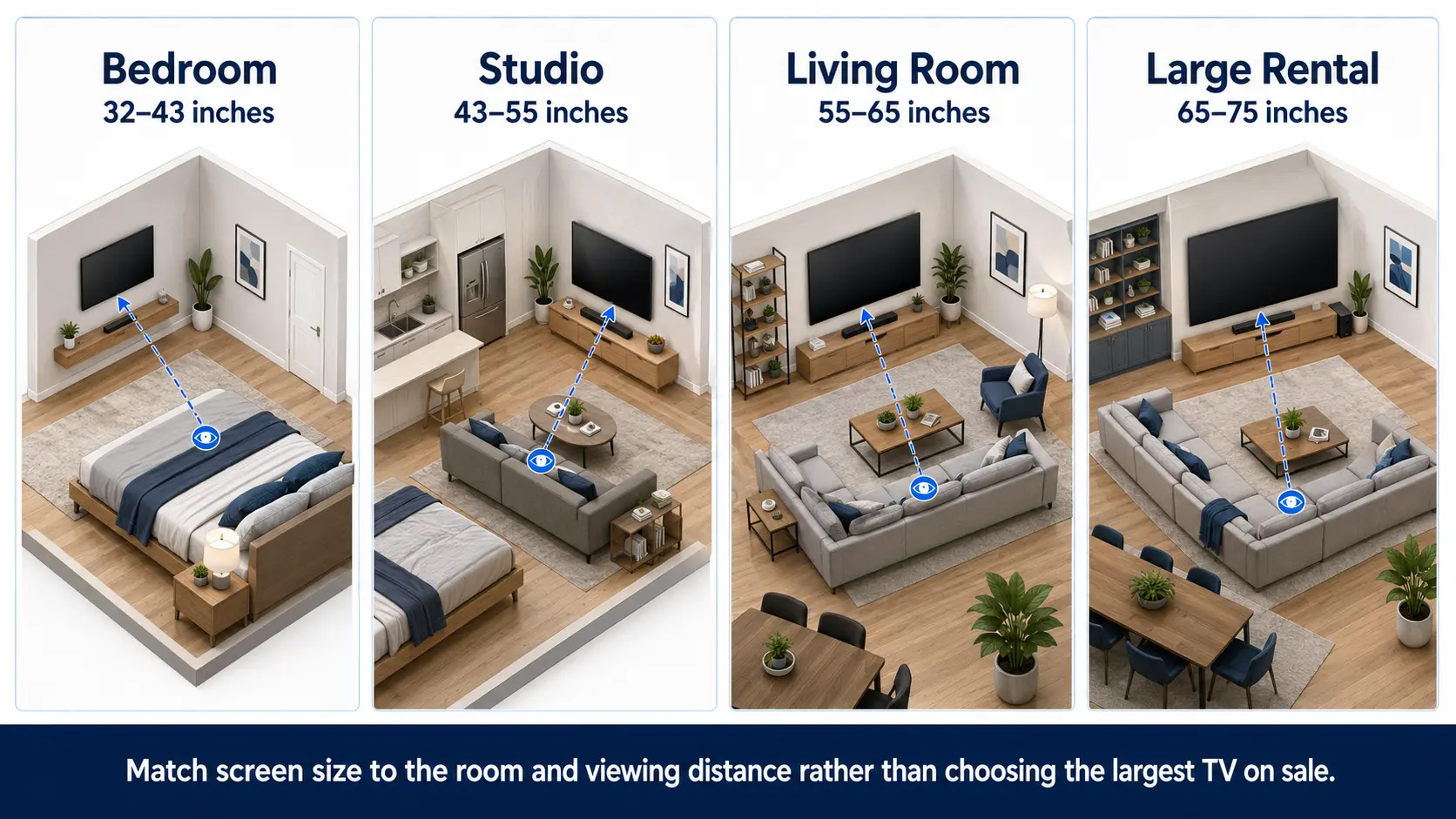
The correct size depends on viewing distance, room purpose, furniture layout, and replacement budget. Bigger is not always better: an oversized bedroom TV can dominate the room, while an undersized living-room screen can make the property feel less thoughtfully equipped.
| Room type | Practical starting size | When to move larger |
| Compact bedroom | 32–43 inches | Choose 43 inches when viewing from across a larger bedroom |
| Studio or small lounge | 43–55 inches | Choose 55 inches when the TV is the main shared entertainment feature |
| Standard living room | 55–65 inches | Choose 65 inches for group stays or a longer seating distance |
| Large vacation-home living area | 65–75 inches | Choose 75 inches when the room and mounting wall can support it comfortably |
| Luxury media room | 75 inches or larger | Use only when the viewing distance, wall structure, and listing position justify the cost |
Treat these as planning ranges rather than rigid rules. Before ordering, mark the proposed screen dimensions on the wall with painter’s tape and view the outline from the main seating position.
The Best TVs and TV Setups for Airbnb in 2026
Best Overall: LG NU85 4K Nano AI Smart TV (2026)
The 2026 LG NU85 is a strong all-round option for a modern rental because it is offered in common living-room sizes and combines 4K resolution with LG’s current webOS 2026 platform. LG lists HDR10 Pro, 4K upscaling, and access to its built-in smart environment on the official NU85 product page.
Why it fits an Airbnb:
- Available in sizes that work across standard and large living rooms.
- Current-generation smart platform.
- Familiar interface for many guests.
- Suitable as a complete smart TV or as a display for an external streaming device.
- Mainstream brand support makes matching or replacing units easier than with an unknown label.
What hosts should know: LG’s network-based smart features may require an LG account, and third-party streaming services may require separate subscriptions. Establish a post-checkout sign-out checklist rather than leaving a host’s personal streaming account open.
Best for: Hosts who want a balanced, current-generation television without moving into premium art-TV pricing.
Best for Guest Privacy: Roku TV or Roku Streaming Device
For short-term rentals where guests will use their own subscriptions, Roku’s platform offers one of the clearest privacy workflows. Guest Mode allows a visitor to select a checkout date, use their own app accounts, and have account information removed when the session ends. The host can also trigger sign-out remotely through the Roku account.
This makes a Roku TV—or a reliable television connected to a Roku player—particularly practical for hosts who prioritize turnover automation.
Why it fits an Airbnb:
- Purpose-built Guest Mode workflow.
- Automatic removal of guest credentials and added apps.
- Remote guest sign-out for hosts.
- Customizable welcome message.
- Guests use their own paid subscriptions.
What hosts should know: Guest Mode availability varies by region, and guests still need their own accounts for paid services. Do not advertise included subscriptions unless the property actually provides them under the applicable provider terms.
Best for: Hosts who want the simplest guest-login and checkout-privacy process.
Best for Bright Rooms: TCL QM6K QD-Mini LED Google TV
Properties with large windows or strong daytime light benefit from a brighter display. The TCL QM6K uses QD-Mini LED technology and Google TV, with a native 4K panel and four HDMI inputs listed on the official TCL QM6K specifications.
Why it fits an Airbnb:
- Strong option for bright living rooms.
- Four HDMI inputs provide room for a streaming device and soundbar.
- 4K Google TV platform.
- Available in several larger screen sizes.
- Higher-performance picture system suits premium family rentals without art-TV pricing.
What hosts should know: Its gaming and high-refresh capabilities may exceed what ordinary guests need. Buy it for the brighter Mini-LED display and connectivity, not simply because the feature list is longer.
Best for: Sunlit condos, living rooms with large windows, and properties marketed around group entertainment.
Best Luxury Option: Samsung The Frame LS03HE (2026)
In a design-led rental, the TV affects listing photography even when it is turned off. Samsung’s 2026 The Frame LS03HE combines a glare-free QLED panel with Art Mode and a wall-oriented frame design. The current series is offered in multiple sizes, including 55, 65, 75, 85, and 98 inches on Samsung’s 2026 product page.
Why it fits an Airbnb:
- Enhances interior photography and design positioning.
- Art Mode makes a powered-down screen less visually intrusive.
- Glare-free panel works well in bright, curated interiors.
- Wide size range for upscale bedrooms and living areas.
What hosts should know: The premium is primarily justified by design. Art services or optional features may add costs, and the TV should be mounted carefully to achieve the intended built-in appearance.
Best for: Luxury apartments, design-forward cabins, boutique stays, and properties where listing photography supports a higher nightly rate.
Best Budget Strategy: A Mainstream 4K LED TV
Bedrooms, studios, and multi-unit portfolios rarely need Mini-LED or premium lifestyle displays. A 32- to 43-inch mainstream LED TV for a bedroom, or an affordable 50- to 55-inch 4K model for a living room, can deliver a better return on investment.
Instead of chasing the lowest price, check four operational details:
- The replacement remote is easy to buy.
- The TV remembers or quickly returns to the preferred HDMI input.
- Purchase controls can be protected with a PIN.
- The manufacturer provides a clear warranty and support path.
An unfamiliar bargain brand can become expensive if remotes, firmware guidance, or warranty service are unavailable. Standardizing one or two mainstream models across several properties reduces spare-part and training complexity.
Best for: Bedrooms, smaller rentals, and hosts equipping multiple units at once.
Should an Airbnb Use a Smart TV or an External Streaming Device?
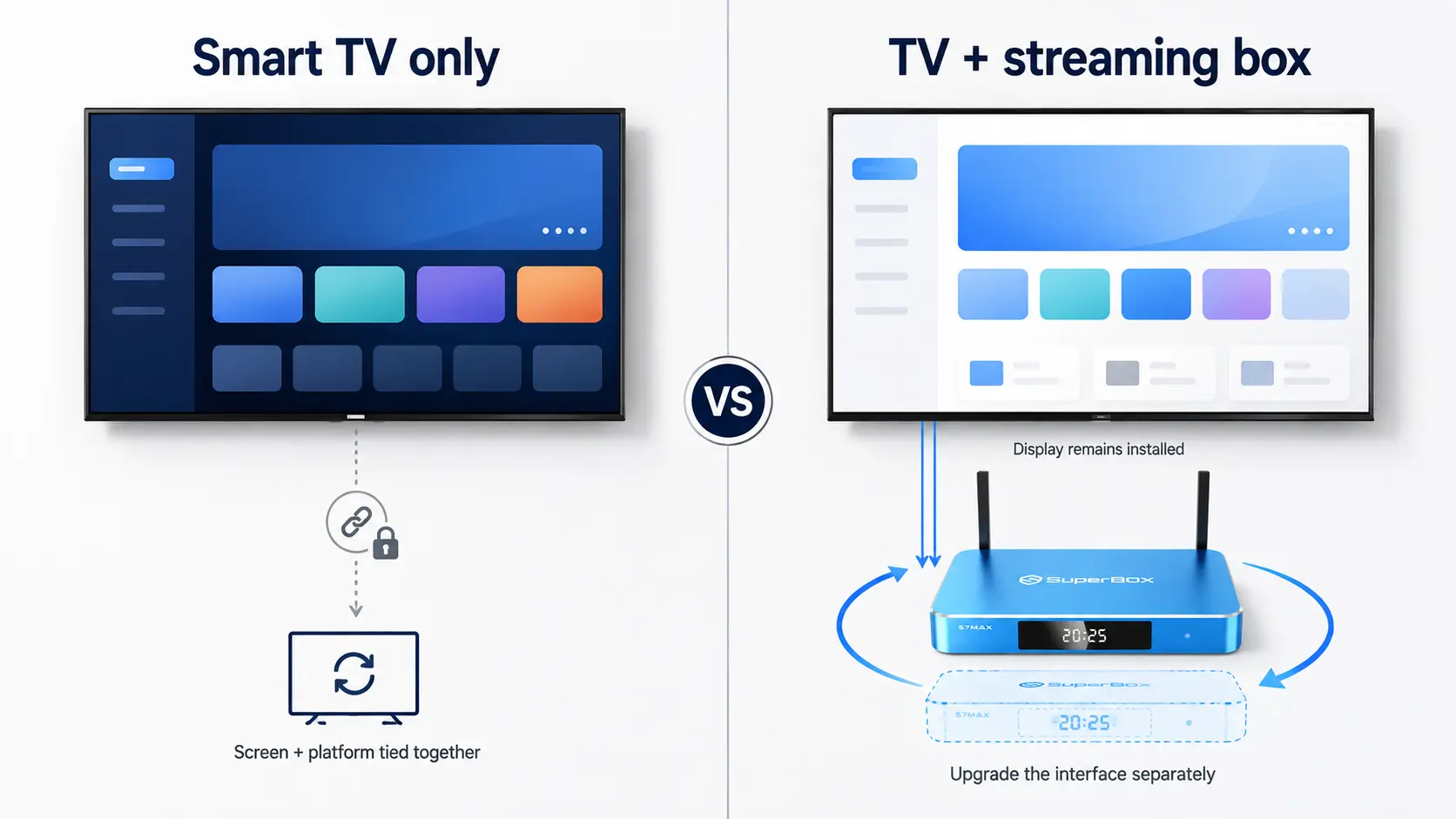
Both approaches work. The best choice depends on whether the host values fewer physical components or a consistent interface across different televisions.
| Setup | Advantages | Limitations | Best use case |
| Smart TV only | One device, one power connection, fewer cables | Smart platform ages with the screen; guest-account cleanup varies | Single property with a well-supported TV platform |
| Roku TV or Roku player in Guest Mode | Strong guest sign-out workflow and remote host controls | Guests supply subscriptions; regional availability varies | Frequent turnover and privacy-focused operations |
| Basic 4K TV plus external streaming box | Replaceable platform, consistent interface, independent upgrades | Additional power cable and hardware to secure | Multi-property standardization |
| Premium smart TV plus external device | High picture quality plus a separate entertainment interface | Highest cost and more components | Luxury property or media-focused listing |
The external-device approach can extend the useful life of the display. If the streaming interface becomes outdated or damaged, the host can replace the small device instead of replacing the entire television.
It also allows a property manager to use the same guest-facing interface across TVs from different manufacturers.
Using SuperBox in an Airbnb TV Setup
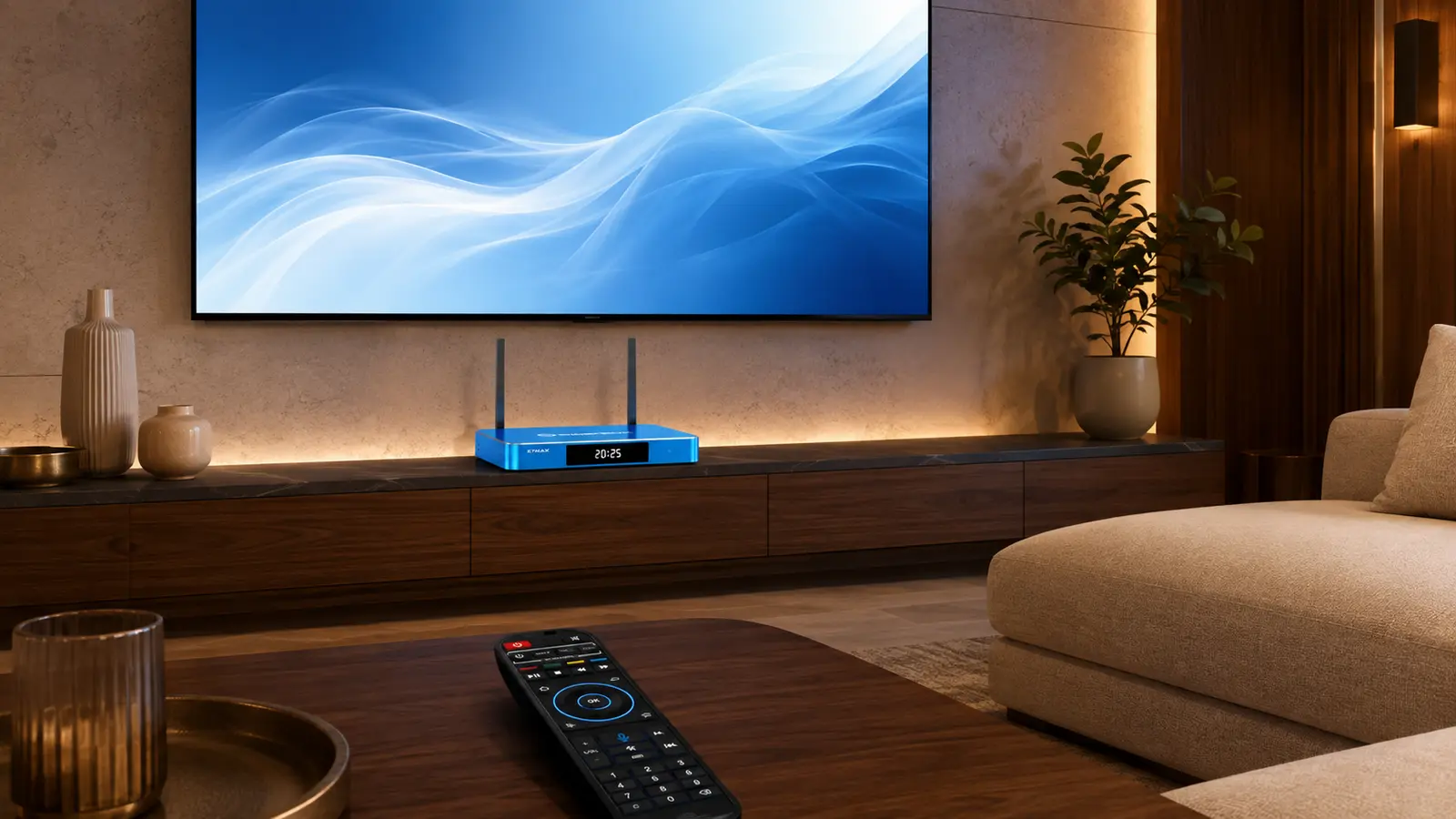
SuperBox can be connected to a compatible television through HDMI, creating a separate Android-based interface rather than relying entirely on the TV manufacturer’s built-in software. This can be useful when a host wants to standardize navigation across different display brands or replace the media device independently.
For a rental property, the practical advantages include:
- A consistent home screen across compatible televisions.
- HDMI connectivity with modern 4K TVs.
- Independent replacement of the display and streaming hardware.
- Wi-Fi or Ethernet connectivity on supported SuperBox models.
- Access to compatible Android applications, subject to each app’s availability and terms.
- Features like Time Shift, which lets viewers pause, rewind, or replay content within supported apps
- SuperBox is widely considered a plug-and-play device, making it incredibly easy to set up and use right out of the box.
The SuperBox S8 hardware comparison lists HDMI 2.1, USB 3.0, Wi-Fi 6, and Gigabit Ethernet across the S8 series. Hosts who do not need the newest hardware can also compare the SuperBox S7 and S8 series before choosing a standardized device.
SuperBox does not remove the host’s privacy responsibilities. Do not leave personal credentials, payment information, or unrestricted purchasing access on any shared rental device. Guests should use only applications and services they are authorized to access, and the host should follow local laws and each service provider’s terms.
Why Guests Love Having Access to Their Favorite Apps and Content
Today’s travelers increasingly expect the TV experience in their rental to be as convenient as the one they have at home. Instead of switching between multiple devices or navigating unfamiliar TV menus, guests want a simple way to open their favorite streaming apps from one place.
That matters for different types of travelers. Sports fans may want to sign in to the services they already subscribe to, international guests may look for familiar apps from their home country, and families often prefer an easy-to-navigate interface that everyone can use without spending time figuring out the television.
For Airbnb and vacation-rental hosts, SuperBox can serve as a centralized entertainment hub connected to the property’s TV. Its Android-based platform provides access to a broad selection of compatible apps through a single interface, while guests can also sign in to supported third-party streaming services using their own accounts and subscriptions.
This approach can be particularly useful when managing multiple rental properties. Rather than relying on whatever smart-TV platform happens to come with each television, hosts can use SuperBox to provide a more consistent entertainment setup across different rooms or properties. The TV remains the display, while SuperBox provides the primary interface guests interact with.
For hosts looking for the best streaming device for hotels or short-term rentals, a dedicated streaming box like SuperBox can make the entertainment experience simpler, more flexible, and easier to standardize – without requiring guests to juggle multiple streaming devices and remotes.
How to Set Up an Airbnb TV Step by Step
Step 1: Install and Secure the Television
Use a wall mount rated for the television’s size and weight. Mount into studs or use the appropriate structural hardware for the wall type. If you are not confident in the installation, use a qualified installer.
A fixed or tilting mount is usually simpler for a rental than a long articulating arm. The goal is to prevent tipping, reduce accidental movement, and keep the screen aligned between stays.
Do not hide the TV’s ventilation openings or trap an external device in an unventilated cavity.
Step 2: Create a Dedicated Guest Network
Connect the television and streaming device to a guest Wi-Fi network rather than the host’s private network. Use a stable network name and password that can be included in the property guide.
If the TV location supports Ethernet, a wired connection can reduce dependence on wireless signal strength. Label the cable at the router and television ends so cleaners or technicians can identify it quickly.
Step 3: Choose One Primary Interface
Decide whether guests should use the smart-TV home screen or the external streaming device. Do not leave two equally prominent interfaces unless both are necessary.
If using an external device:
- Connect it to a clearly documented HDMI input.
- Enable compatible HDMI-CEC controls if they operate reliably.
- Configure the TV to return to that input when possible.
- Hide or remove unused source options from the guest instructions.
Step 4: Protect Purchases and Settings
Enable PIN protection for purchases, app installation, and restricted content wherever the TV or streaming platform supports it. Do not include the administrative PIN in the guest guide.
If families are a major audience for the property, configure age-appropriate restrictions and explain only the controls guests are permitted to change.
Step 5: Prepare a One-Minute Guest Guide
Guests should not need a long technical manual. Place a small printed card near the remote or add the same instructions to the digital house manual.
Include:
- Which remote to use.
- How to turn the TV on and off.
- The correct HDMI input, if applicable.
- How to reach the main entertainment screen.
- How guests should sign into and out of their own apps.
- Where to find captions.
- A contact method for genuine technical problems.
Step 6: Run a Guest Test
Ask someone unfamiliar with the setup to perform five tasks without coaching:
- Turn on the TV.
- Reach the main entertainment screen.
- Open an app.
- Adjust volume and captions.
- Sign out and turn the system off.
Every point of hesitation is a setup problem. Simplify the interface or update the instruction card before the next guest arrives.
Airbnb TV Turnover Checklist
Use this checklist after every checkout:
| Turnover task | What to verify |
| Check the screen | No cracks, pressure marks, or new scratches |
| Confirm the remote | Present, responsive, clean, and supplied with working batteries |
| Remove guest accounts | Guest Mode completed or every personal app account signed out |
| Restore the interface | TV opens to the correct home screen or HDMI input |
| Test network access | TV or streaming device reconnects to the guest network |
| Check audio | Normal volume, no Bluetooth device left connected |
| Inspect cables | HDMI, Ethernet, and power cables remain secure |
| Review settings | Correct language, captions state, picture mode, and parental controls |
| Test playback | Open one authorized app and play a short test item |
| Clean safely | Use a screen-safe dry microfiber cloth; do not spray liquid directly on the panel |
Common Airbnb TV Mistakes to Avoid
Buying the Cheapest Unknown Television
The lowest purchase price can be offset by poor software support, unavailable replacement remotes, and inconsistent warranty service.
Leaving the Host’s Personal Accounts Signed In
This exposes viewing history and can allow unwanted rentals or purchases. Use Guest Mode, a property-specific account where permitted, or a documented guest sign-out process.
Using Too Many Remotes
If two remotes are required, label them by purpose. If three are required, redesign the setup.
Hiding the Streaming Device Where It Overheats
Conceal cables, not ventilation. Keep the device secure but accessible for restart and maintenance.
Advertising Services the Property Does Not Provide
An app icon on the screen does not mean a paid subscription is included. State clearly whether guests must sign in with their own accounts.
Factory Resetting Between Every Stay
A full reset creates unnecessary setup work and can remove apps, Wi-Fi information, and custom controls. Use platform sign-out features and a turnover checklist instead.
Frequently Asked Questions
What is the best TV for an Airbnb?
For most rentals, the best choice is a reliable 55- or 65-inch 4K LED TV from a mainstream manufacturer. Prioritize easy navigation, HDMI connectivity, purchase controls, replaceable remotes, and a clear guest-account cleanup process over premium display specifications.
What size TV should an Airbnb have?
Bedrooms typically suit 32- to 43-inch televisions, while standard living rooms usually work well with 55- or 65-inch screens. Larger group properties may justify 65 to 75 inches. Confirm the choice against the actual viewing distance and wall space.
Is Roku or Google TV better for an Airbnb?
Roku is particularly attractive for rentals because Guest Mode supports automatic sign-out and remote removal of guest credentials in supported countries. Google TV offers a broad app environment, but hosts should establish a manual account-cleanup process for every turnover.
How does Roku Guest Mode work in an Airbnb?
The host enables Guest Mode with a Roku PIN. The guest selects a checkout date and signs into their own apps. Roku removes guest credentials and added apps when the session ends, and the host can sign the guest out remotely if necessary.
Should I provide streaming subscriptions?
You do not have to provide paid subscriptions. Many hosts ask guests to use their own accounts. If you provide a subscription, confirm that the service’s terms permit use at the rental property and protect purchases with a PIN.
Can guests connect their own streaming device?
Yes, if you leave an accessible HDMI input and power outlet. Include clear instructions for returning the TV to the property’s normal input before checkout.
Should an Airbnb TV be wall-mounted?
Wall mounting can reduce tip-over risk, protect furniture space, and create a cleaner appearance. The mount and wall hardware must be rated for the TV and installed correctly. Use a professional installer when the wall structure or cable routing is uncertain.
Is an OLED TV worth it for an Airbnb?
Usually not for a standard rental. OLED can be justified in a premium media room, but most guests benefit more from the correct screen size, simple operation, bright-room visibility, stable internet, and clear audio.
Is Samsung The Frame worth it for an Airbnb?
It can be worthwhile for a design-focused property where listing photography and interior styling support the nightly rate. For an ordinary rental, a less expensive 4K television usually offers better replacement economics.
Can I use SuperBox with an Airbnb TV?
Yes, a compatible SuperBox connects through HDMI and can provide a consistent external interface across different televisions. Secure the hardware, protect settings and purchases, use a guest network, and ensure that guests access only apps and services they are authorized to use.
How do I stop guests from changing TV settings?
Enable available PIN controls, limit the instructions to guest-safe functions, choose one primary interface, and verify the normal configuration during every turnover. Commercial hospitality TVs offer stronger lock-down tools but can cost more than consumer models.
What should I do if a guest forgets to sign out?
On Roku Guest Mode, the account information is removed at the selected checkout time and the host can trigger sign-out remotely. On other platforms, use the app’s sign-out function or follow the platform’s account-removal procedure before the next check-in.
Final Verdict
The best TV for Airbnb hosting is the system that produces the fewest questions while protecting guest accounts and remaining economical to maintain.
For most living rooms, begin with a 55- or 65-inch mainstream 4K LED television. Choose Roku when automated guest sign-out is the leading priority, the LG NU85 for a balanced current-generation smart TV, the TCL QM6K for a bright room, and Samsung The Frame when design value justifies the premium.
For hosts managing several rentals, a basic or mid-range display paired with the same external streaming device in every unit can be even more practical. Standardization means the same remote instructions, the same HDMI input, and the same troubleshooting process across the portfolio.
Whatever hardware you choose, complete the setup with secure mounting, a guest network, protected purchases, a one-minute instruction card, and a repeatable checkout checklist. Those operational details not an expensive specification sheet – are what turn a television into a dependable Airbnb amenity.
Ready to standardize entertainment across your rental property? Compare the latest SuperBox S7 and S8 hardware or contact SuperBox TV Box Store for help selecting a compatible streaming setup.
The article was updated on:
