
Knowledge SuperBox
SuperBox S2 Pro vs S1 Pro Classic Models and Modern TV Guide





Comparing the superbox s2 pro vs s1 pro takes us back to the pioneering roots of subscription-free home television streaming. When the original SuperBox S1 Pro was first introduced, it offered households across North America a radical new concept: enjoy live sports, broadcast news, and on-demand movies on your living room television without paying recurring monthly cable bills.
The subsequent release of the SuperBox S2 Pro refined that formula by introducing dual external wireless antennas and enhanced system stability. Today, both devices hold legendary status among early cord-cutters, but both have completed their production lifecycles and been succeeded by modern consoles like the S8 Series. In this friendly, nostalgic comparison, we look back at what made the S1 Pro and S2 Pro so special, examine how they compare, and provide simple upgrade recommendations in plain everyday language.
Quick Summary: SuperBox S2 Pro and S1 Pro at a Glance
– S1 Pro Significance: The pioneer model that launched subscription-free streaming for thousands of early cord-cutters.
– S2 Pro Improvements: Added prominent external dual antennas, dual-band Wi-Fi, and a more responsive remote control.
– Current Status: Both are discontinued vintage models running legacy Android versions.
– Modern Upgrade Options: SuperBox S8 Pro ($359), S8 Plus ($379), S8 Max ($399), or S8 Ultra ($449).
– Budget Replacement: SuperBox S7 Pro ($305) offering 4GB RAM, Android 12, and Gigabit Ethernet under $310.
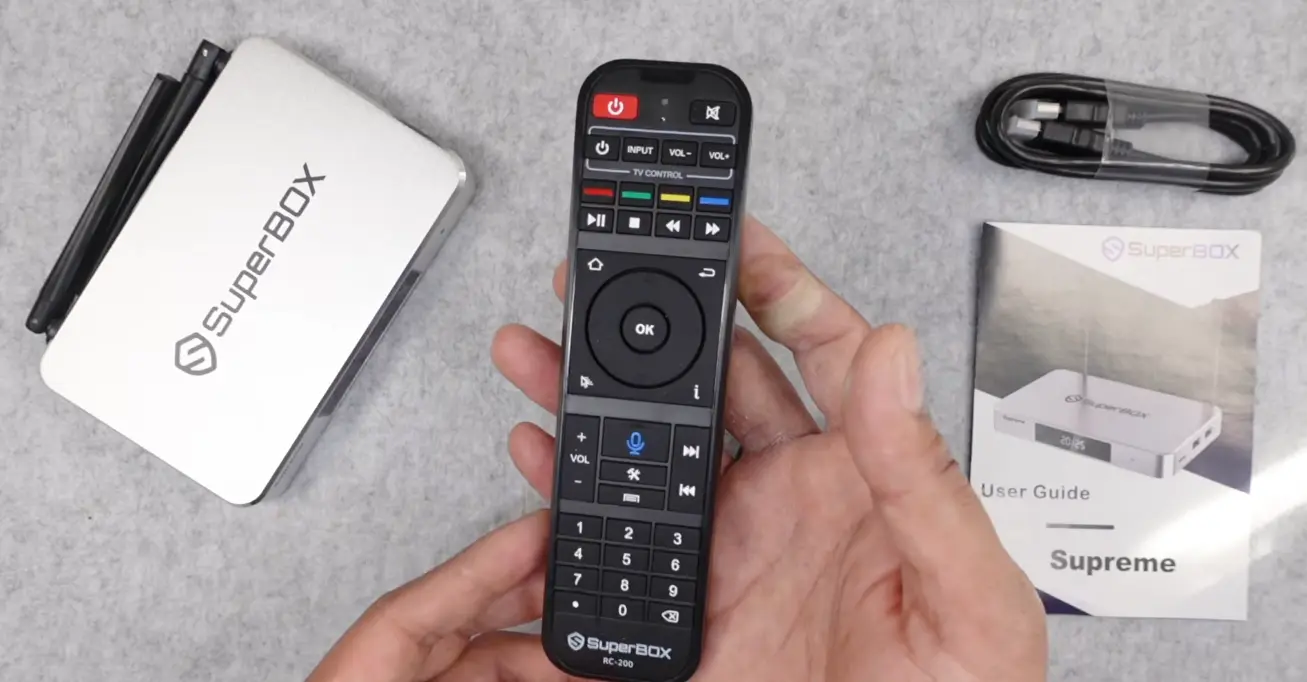
What Did the Original SuperBox S1 Pro Bring to Families?
Before the SuperBox S1 Pro made its debut, watching television without a monthly cable subscription was inconvenient. Families had to adjust indoor metal antennas on window sills or connect complicated computers to their living room screens.
The S1 Pro was built around an uncomplicated idea. You plugged a single HDMI cord into your TV, connected the device to your home internet, and used a standard handheld remote control to watch television just like regular cable.
It ran on an early Android operating system build with 2GB of memory and 16GB of storage. While those specifications seem small by modern standards, they were a major breakthrough for early streamers who simply wanted to watch evening news and weekend baseball games.
How Did the SuperBox S2 Pro Improve the Formula?
Building on the massive popularity of the S1 Pro, SuperBox engineers developed the S2 Pro to address the most common feedback from early viewers: wireless range.
The most recognizable visual feature of the S2 Pro was its dual high-gain external antennas on the back of the chassis. These antennas allowed the box to catch 2.4GHz and 5GHz wireless signals much more effectively from routers located in other rooms.
The S2 Pro also introduced an upgraded infrared remote control with improved button layout and responsive channel switching. It quickly became a best-seller, proving that subscription-free television was here to stay.
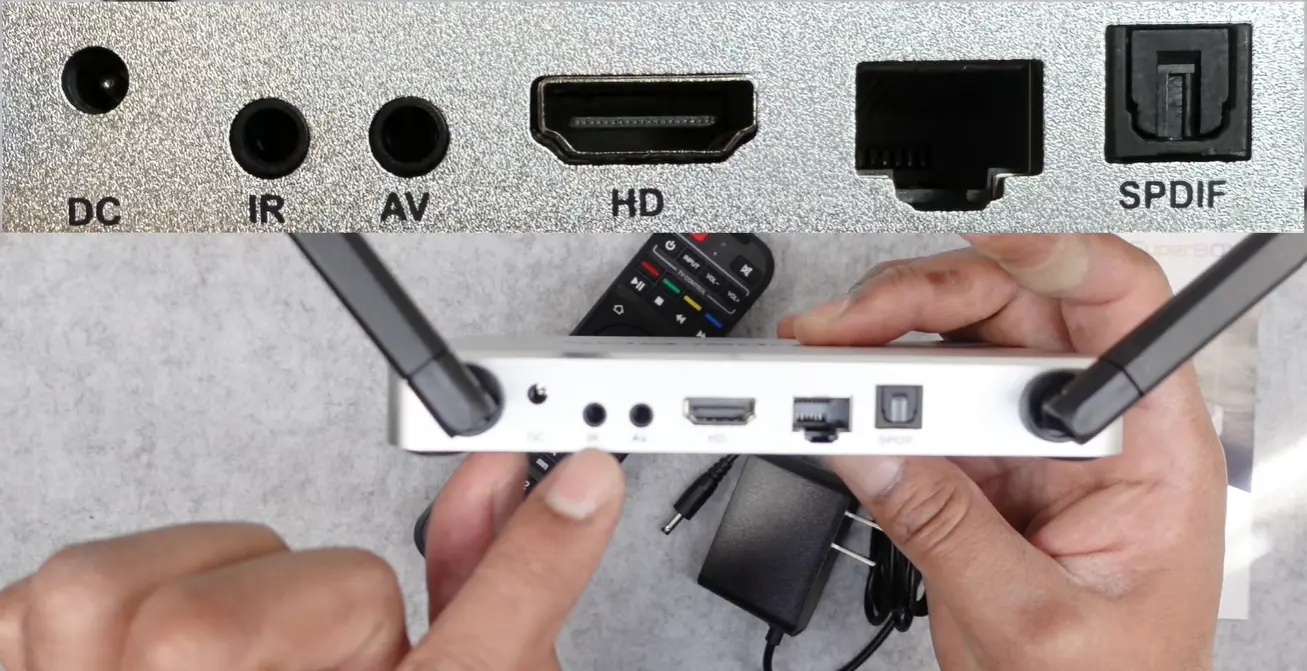
Direct Comparison Between SuperBox S2 Pro and S1 Pro
Here is how the two pioneer consoles compared in their original hardware designs, illustrating the rapid pace of television technology.
| Hardware Feature | Original SuperBox S1 Pro | SuperBox S2 Pro Evolution | Modern S8 Series Evolution |
|---|---|---|---|
| Release Era | 2018 – 2019 | 2020 | September 2026 |
| System RAM Memory | 2GB RAM | 2GB RAM | 4GB High Speed DDR |
| Internal Storage | 16GB Flash | 16GB Flash | 32GB / 64GB / 128GB |
| Wi-Fi Antennas | Internal Antenna | Dual External Antennas | Wi-Fi 6 High Gain Antennas |
| Operating System | Legacy Android 7.0 | Legacy Android 9.0 | Android 12 OS |
| Remote Control | Basic IR Remote | Enhanced IR Remote | Voice Remote (Backlit on Ultra) |
| Ethernet Network Port | 100Mbps Ethernet | 100Mbps Ethernet | 1000Mbps Gigabit Port |
Why Are Both S1 Pro and S2 Pro Considered Vintage Consoles Today?
While many owners feel nostalgic affection for their old S1 Pro or S2 Pro, these boxes are now over four to six years old. In the fast-moving world of electronics, that makes them classic vintage hardware.
Over the past several years, television broadcast networks have upgraded their streams to higher bitrates and modern compression standards. Older boxes running on 2GB of memory and early Android versions struggle to process these modern video streams smoothly.
If you still have an S1 Pro or S2 Pro running today, you have likely noticed that apps take longer to open, channels take several seconds to buffer, and certain modern features are no longer supported. Upgrading to a new console is like replacing an old flip phone with a modern smartphone.
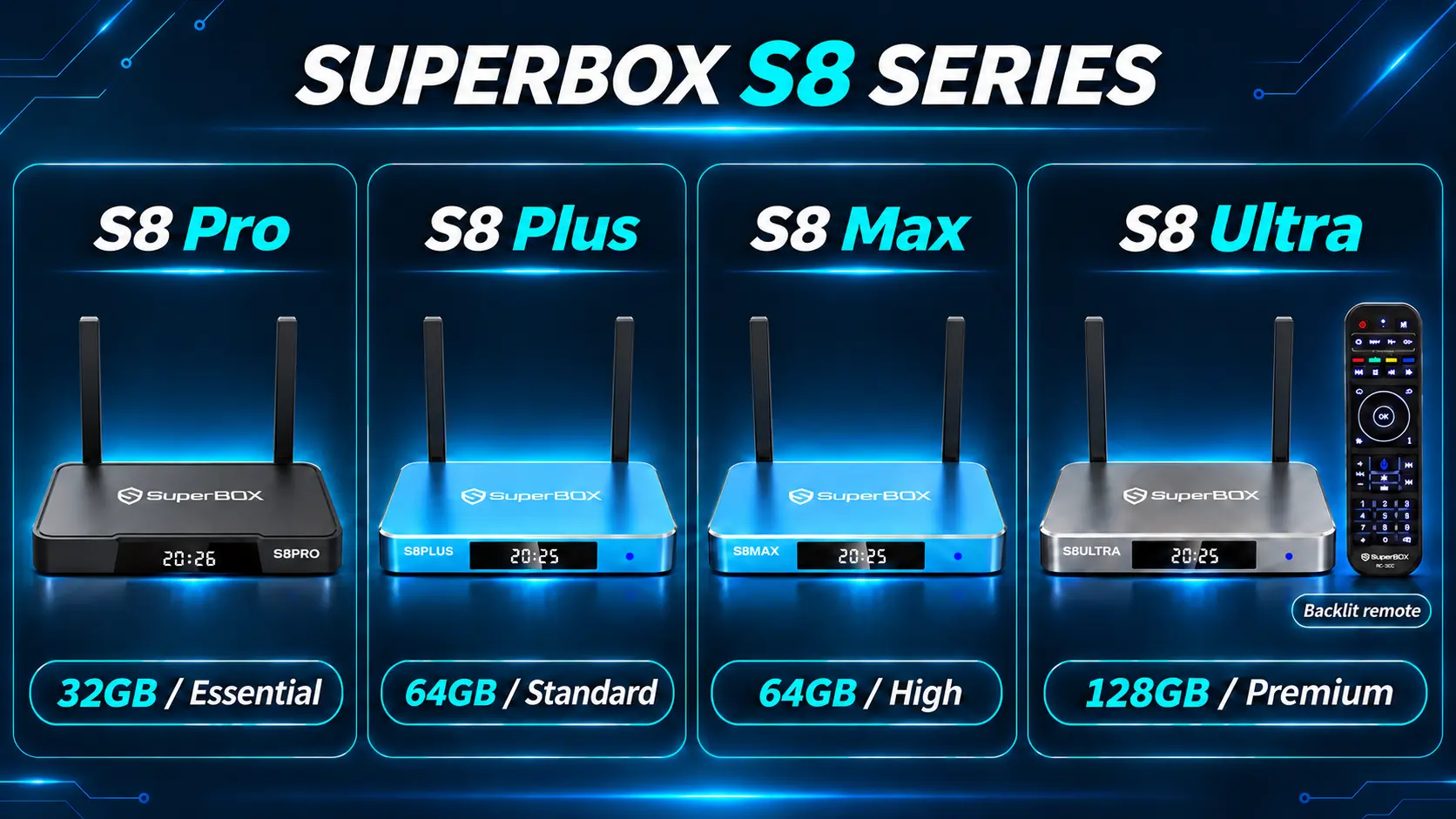
Recommended Modern Upgrades for S1 Pro and S2 Pro Owners
SuperBox S8 Ultra for the Ultimate Viewing Experience
The SuperBox S8 Ultra ($449) is the top-of-the-line flagship console. It features 4GB of RAM and a colossal 128GB of internal storage, eight times the storage of your old S1 Pro or S2 Pro.
It also features the exclusive backlit voice remote control. The buttons softly illuminate in a dark room whenever you pick up the remote, making evening television viewing relaxing and easy on the eyes. You can turn the backlight on or off anytime using the OK and zero key combination.
SuperBox S8 Max for Reliable Everyday Entertainment
Priced at $399, the SuperBox S8 Max delivers 4GB of RAM and 64GB of storage. It is powered by high-speed Wi-Fi 6 wireless technology and a physical Gigabit Ethernet network port, ensuring that live sporting events and season finales stream without buffering pauses.
SuperBox S8 Plus for Balanced Multi-Room Streaming
The SuperBox S8 Plus ($379) offers the exact same generous 4GB of RAM and 64GB of storage found on the Max model, paired with a standard voice remote. It is an ideal pick for secondary family rooms or vacation cabins.
SuperBox S8 Pro for Direct Familiar Value
At $359, the SuperBox S8 Pro provides 4GB of RAM and 32GB of storage. It carries forward the exact same straightforward, easy-to-use spirit of the original S1 and S2 Pro, updated with modern speed, Android 12, and zero monthly fees.
SuperBox S7 Pro for Budget-Minded Upgrades
If you want to upgrade your TV room while keeping your budget as low as possible, the SuperBox S7 Pro ($305) delivers modern 4GB RAM architecture and Gigabit networking for just over $300.
How to Replace Your Old Vintage Box in Three Easy Steps
Step 1: Disconnect the Old Hardware
Unplug the old power adapter from your wall outlet and disconnect the old HDMI cable from the back of your television. You can safely store your vintage box as a nostalgic collectible.
Step 2: Connect the New Cables
Plug the fresh High-Speed HDMI cable included with your new SuperBox into your television, and connect the new power adapter to the wall. Your television will automatically show the setup guide.
Step 3: Connect to Wi-Fi and Pair the Remote
Select your home Wi-Fi name and enter your password. To pair your new voice remote control, hold down the OK button and the Return or Back button simultaneously for approximately eight seconds until the red LED flashes, then click connect in the Bluetooth menu.
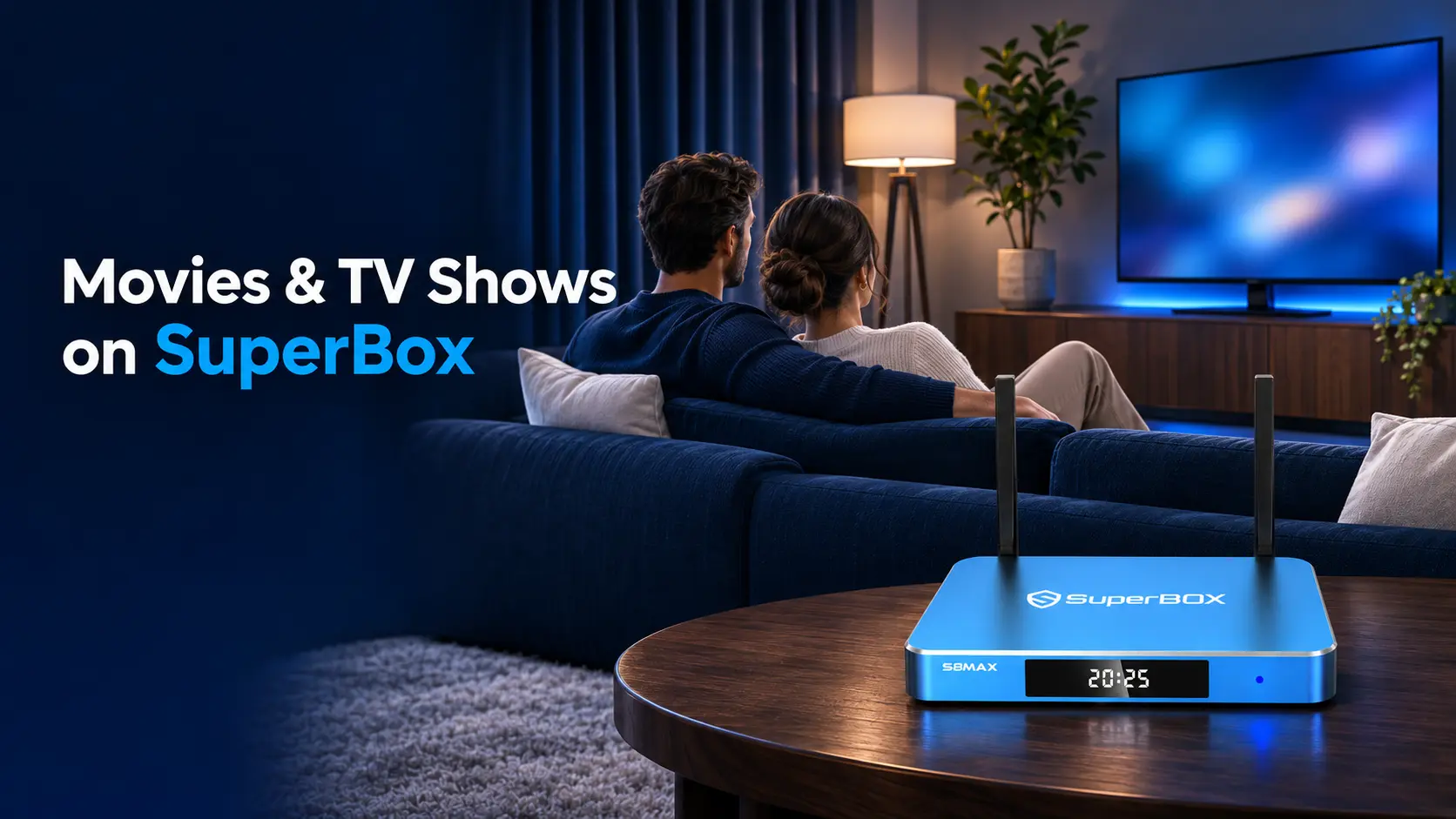
How Did Remote Controls Evolve Across the SuperBox Generations?
One of the most noticeable improvements when stepping up from an older S1 Pro or S2 Pro to a modern S8 console is the handheld remote control. The early S1 and S2 models relied entirely on traditional infrared signals, meaning you had to point the remote directly at the front sensor on the box without books or furniture blocking the line of sight.
Current SuperBox consoles utilize modern Bluetooth voice remotes. Because Bluetooth signals travel through cabinets and wooden doors, you can hide your streaming box completely out of sight behind your television or inside an entertainment cabinet without losing remote responsiveness.
Voice command functionality allows you to search for news channels, sports networks, or blockbuster movies simply by holding down the voice key and speaking naturally. You no longer need to type long titles letter by letter on an on-screen keyboard.
On the top-tier SuperBox S8 Ultra ($449), the remote features softly glowing backlit buttons that illuminate in dark rooms, making nighttime viewing effortless. You can turn the backlight on or off anytime using the OK and zero button combination.
Frequently Asked Questions
Can I still use my SuperBox S1 Pro or S2 Pro today?
Older S1 Pro and S2 Pro units may still operate if they are in working condition, but you will experience significantly slower channel loading and occasional buffering due to older hardware limitations.
What was the main difference between S1 Pro and S2 Pro?
The primary improvement on the S2 Pro was the introduction of dual external wireless antennas and dual-band Wi-Fi support, which improved wireless range compared to the S1 Pro.
How much memory did the S1 Pro and S2 Pro have?
Both the S1 Pro and S2 Pro came equipped with 2GB of system RAM memory and 16GB of storage, while all modern S8 and S7 series consoles provide 4GB of RAM.
What is the best modern replacement for the S2 Pro?
The SuperBox S8 Pro ($359) or SuperBox S8 Max ($399) are the best direct replacements, offering double the RAM, Android 12, Wi-Fi 6, and modern voice search.
Can I pair a modern S8 remote with an S1 or S2 Pro?
Newer Bluetooth voice remotes are engineered for Android 12 systems and will not have full voice search functionality on the vintage Android systems found on S1 and S2 consoles.
Does SuperBox require monthly subscription fees?
No. Across all generations from S1 Pro to S8 Ultra, SuperBox operates with zero monthly subscription fees, zero activation charges, and zero recurring contracts.
How do I pair a Bluetooth remote on modern SuperBox models?
On current models, hold down the OK button and the Return or Back button simultaneously for approximately eight seconds until the red LED flashes, then select it in the Bluetooth menu.
Which modern SuperBox has a backlit remote control?
Only the flagship SuperBox S8 Ultra ($449) comes with the exclusive backlit voice remote control. The S8 Pro, S8 Plus, and S8 Max include standard voice remotes.
Can I record live television on a SuperBox S2 Pro?
Vintage S1 and S2 consoles lack the dedicated USB Video Recorder app found on modern S8 consoles, which allows manual recording to an external USB flash drive.
Where can I order an authentic replacement SuperBox?
Always order directly through the authorized SuperBox TV Box Store to ensure you receive a brand-new, factory-sealed device backed by official customer care and warranty support.
The article was updated on:
